All Activity
- Past hour
-
 Ragnr joined the community
 -
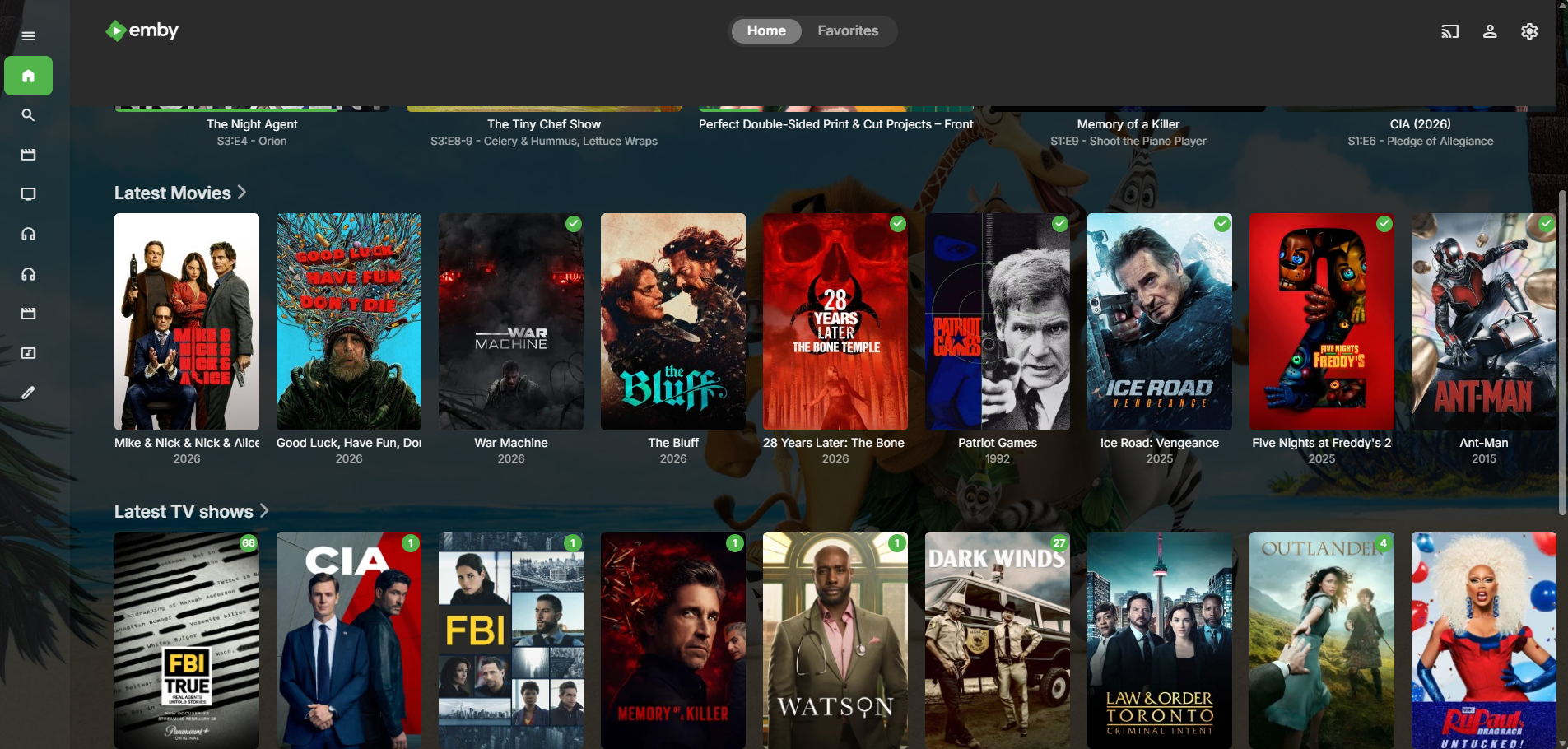
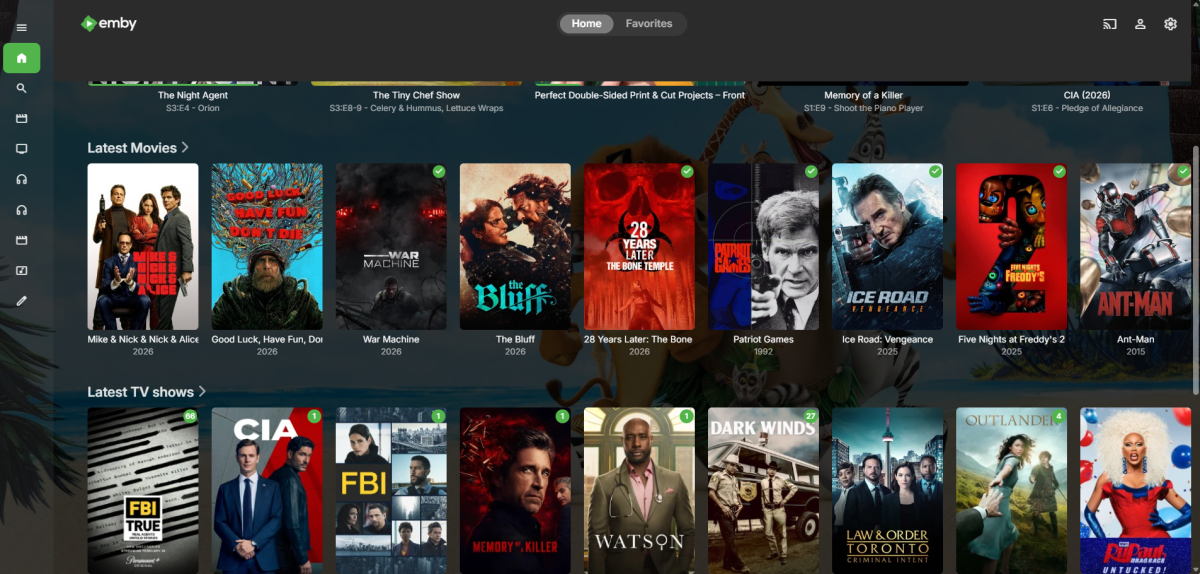
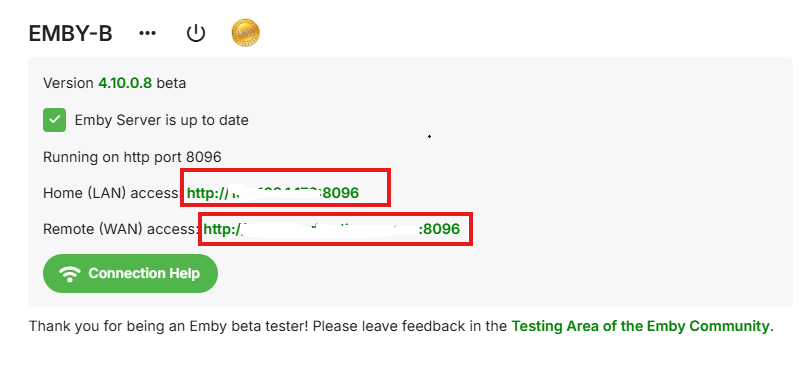
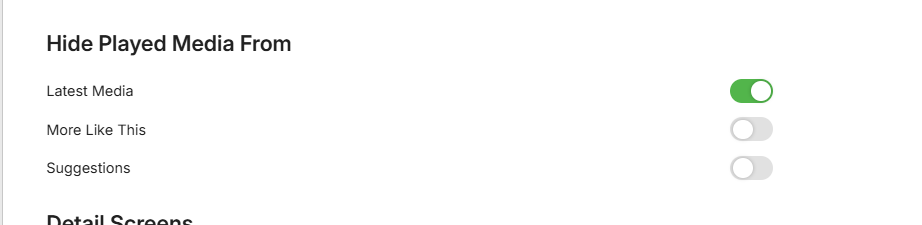
Since the last update I am seeing the played movies and TV Shows still showing up in the recent list (this is in Chrome, Edge, and the Windows App): I am running the latest beta: So I am hiding the files, but they are still showing. I've tried: 1. Toggled the played on the entire series off then on, series still shows on the main screen *most of the time* very occasionally it will vanish for an hour or so, but return to the recent. 2. Toggled the Hide Played, and that actually didn't do anything obvious on the home screen. 3. The Hide Played option works in the Movies and TV Shows no problem, toggling the filter works exactly as expected. Any direction or ideas would be very helpful. Thank you. embyserver.txt
-
-
 Dhanvanth joined the community
 -
 akari1122 joined the community
 -
 molanodvdctrlxUw joined the community
 -
I've had some family tell me they've had warnings about streaming limits being reached. I'm not sure why, since I check and they are well below any threshold or limit. It would be great to have some alerting or notification to know when that is happening or how to troubleshoot it/remediate it. Is it a user limit? system limit? Device limit?
-
 Solo_mon1567 joined the community
 -
 ycqzm1 joined the community
 -
 Kimmieart joined the community
 -
 左雷右雨 joined the community
 -
 Faisal007 joined the community
 -
 woxa13 joined the community
 -
I just rebuilt me database, and found that for some reason, it was adding a collections folder. I stopped it and removed the option from the movies library. After scanning was complete, collections folder remained. I followed directions and deleted the items in the collections folder, the collections folder remained. I followed directions further "you must delete all individual collections within the library, then run a library scan to remove the library shell" but this option is unavailable. I went further and went to "C:\Users\YourUser\AppData\Roaming\Emby-Server\programdata\data\collections" and this item does not exist. I can not find any further info as to next step. Can someone please help.
- Today
-
Hello, I believe that was set some time ago, before I lost access, that is. I've had this running for several years until re-creating a new container.
-

M3U tuner: 403 Forbidden despite User-Agent and Referrer
Apotropaic replied to sk222's topic in Live TV
This sometimes happens when providers are using some sort of geo-IP or user agent block, or you’ve not entered the right port details etc. Make sure you’re if you’re using a proxy on your mobile app that you’re using the same one where your installation is. -
I don’t have the skills to dissect your logs but it’s pretty much always the provider using some non-standard method for keeping the connection alive. I would suggest using a dedicated app that’s been designed to handle the peculiarities. The other alternative would be to proxy the stream somehow.
-
ACME .Net libraries and tools are available for developers to build or integrate ACME clients. A feature built into Emby to request, deploy and renew TLS certs could solve a lot of headaches. Granted it could create some too though overall I would say it lands on the positive side.
-
Thanks! And yeah, last night I was working on the typography a lot, still lots to do in that area. some areas like the legends were never updated. I'll certainly look at your CSS. Still fighting w/ overriding every user theme option selected but slowly getting there. Sometimes I wonder if the juice is worth the squeeze there. It's getting frustrating at moments.
-
Well, it's a Windows-only software and you can configure it yourself.
-

Please add the tvdb notes "Series Finale"/"Season Finale"/Mid-season Finale" to the database.
brothom replied to Kyouma's topic in Feature Requests
Pretty niche yes, but could be nice to signify episodes that are finales and make their apperance slightly different, i.e. [ finale ] tag. I support this.- 1 reply
-
- 2
-

-

-
I'd be much more interested in seeing "Certify the Web" being implemented as it's a replacement for certbot (and I think also offer this feature?)
-
Not sure if this is purely coming from the streaming links so thought I would ask the question and also see if there's any strategies. I stream sports sites using m3u links. When I hit play it works fine on all of my systems: Web, FireTv etc. It will work fine for a random # of minutes and freeze. I just have to hit the back button and play again, etc. I see in the logs an exit command but I don't know where that's coming from. I've attached 3 samples. I've set my system to ensure auto to ensure direct stream and lowered it below the speed (5M/s) to ensure transcoding. 1) Is the Exit coming from the provider? 2) If yes to the above, are there any strategies available to overcome them? It would be nice if the app can dynamically recreate the play action and just start streaming over again but that may be a major lift. ffmpeg-transcode-e66ad26b-cea3-46d5-a8b7-317094a58a09_1.txt ffmpeg-directstream-147f25e2-e24d-4937-9bc4-feecae41cbad_1.txt ffmpeg-directstream-7dab648f-a74c-4e27-91cf-291eacb1ba65_1.txt
-
Tiny Media Manager https://www.tinymediamanager.org
-
@LukeI've managed to reproduce this reasonbly reliably. 1. Use the Emby Android app 2. Disconnected from Wi-Fi (being on cellular is absolutely vital) 3. Start a playlist, keep the screen on or off, doesn't matter 4. After 2 songs or about 5 minutes the playback will stop either by switching to the third song which will timeout or during buffering (less likely)
-
TMM ? What is it ?
-
Or just use TMM and create custom export template to your liking.
-
Thanks for the info and yep there is none tool so far to do that directly. If I have a moment in next weeks I'll check if it can't be done by extracting datas from Emby db
-

Hide Playlists from Included In & Group Albums by Release Type + Decade
GrimReaper replied to user24's topic in Web App CSS
Emby has no dedicated "Release Type" metadata tag? Under that scenario nothing can be done for that case. There's TYPE tag ("Type": "MusicAlbum") but I don't know is that used for some other Emby's logic and I'd rather not mess with it. Edit: What's the difference between ARTIST and ALBUMARTIST and ARTISTSORT and ALBUMARTISTSORT tags? They are same for both items in the example image - are there separate metadata fields (not exposed in the UI) in Emby for either of them or there's only Sort title? And will they ever be different or they're always same? Edit: Scratch that, upon investigation, those are only query arguments, they all lead to the sane MusicArtist and the sane SortName field. So the only question remaibs: How are conflicts - if one track from the same artist has ARTISTSORT or ALBUMARTISTSORT X and the other has ARTISTSORT or ALBUMARTISTSORT Y - resolved? Which one takes precedence? First found? Last found? Or artist is duplicated? -

Windows 11 updated to 26220.8138 - Emby app wont open - Application Error / .NET Runtime
Sulphy posted a topic in Windows & Xbox
Ok, so my Windows 11 updated this morning, and now Emby wont open. (Windows 11 Pro 25H2 - 26220.8138) Tried uninstalling, reboot, re-install multiple times.. same issue persists. Tried opening the app multiple times, rebooted multiple times. Was working before the update to Windows 11 - 8138. Emby Server version: 4.9.3.0 - Server is working fine - (Windows Server 2025 Std 24H2 - 26100.32522) Event 1000 - Application Error: Faulting application name: Emby.Client.WinUI.exe, version: 2.234.0.0, time stamp: 0x670d0000 Faulting module name: KERNELBASE.dll, version: 10.0.26100.8134, time stamp: 0x6ef2d36c Exception code: 0xe0434352 Fault offset: 0x00000000000c717a Faulting process id: 0x26B4 Faulting application start time: 0x1DCC0EF02E03403 Faulting application path: C:\Program Files\WindowsApps\EmbyMedia.EmbyTheater_2.234.2.0_x64__svmepx4c03f7m\Emby.Client.WinUI.exe Faulting module path: C:\WINDOWS\System32\KERNELBASE.dll Report Id: e496b64a-85be-48ff-aacc-831ca29e35b2 Faulting package full name: EmbyMedia.EmbyTheater_2.234.2.0_x64__svmepx4c03f7m Faulting package-relative application ID: App Event 1026 - .NET Runtime: Application: Emby.Client.WinUI.exe CoreCLR Version: 6.0.3624.51421 .NET Version: 6.0.36 Description: The process was terminated due to an unhandled exception. Exception Info: System.Runtime.InteropServices.COMException (0x803E0105): The notification platform is unavailable. The notification platform is unavailable. at WinRT.ExceptionHelpers.<ThrowExceptionForHR>g__Throw|38_0(Int32 hr) at WinRT.ExceptionHelpers.ThrowExceptionForHR(Int32 hr) at ABI.Microsoft.Windows.PushNotifications.IPushNotificationManagerMethods.Register(IObjectReference _obj) at Microsoft.Windows.PushNotifications.PushNotificationManager.Register() at Emby.Client.Application.WinUI.Services.Push.PushReceiverWinUI.StaticInit() at Emby.Client.WinUI.Program.Main(String[] args) Any idea's? Much appreciated... thank you! -

Emby app crashes when using “Next Episode” prompt
UsamaWaheed replied to UsamaWaheed's topic in Android
File uploaded! I remember it had multiple subtitles. none of them worked. The one i really need is the full subtitles and it doesn't work. -
Ah, the "great" MPV (which I do use, BTW). If, for instance you have a video with two subtitle streams, and one is marked with both default and forced flags, MPV will not display it at all - I've had to provide postprocessing for my Handbrake encodes to clean up these extra flags (If you tell Handbrake to mark a stream default, it will also mark it Forced, and you can't prevent that). Paul
-
 Hello, this Information is already being recieved from TVDB according to this Thread: I understand this is very niche, but i think this could still be useful to have.
- 1 reply
-
- 2
-
-
Does Emby store the tvdb notes "Season Finale"/"Series Finale"?
Kyouma replied to Kyouma's topic in General/Windows
Alright thanks, i'll try it with a feature request. -
Thanks sa2000, I deleted the duplicate folder, and Cinema Intro was also enabled; I turned it off for the movie. I'm going to test if this makes a difference.