All Activity
- Past hour
-
 reddevilman99 joined the community
 -
 sportzfyapk joined the community
 -

LG app 1.0.51 freezes on HLS streams with video copy (remux + audio transcode): segment durations don't match
SamES replied to aelleuch's topic in LG Smart TV
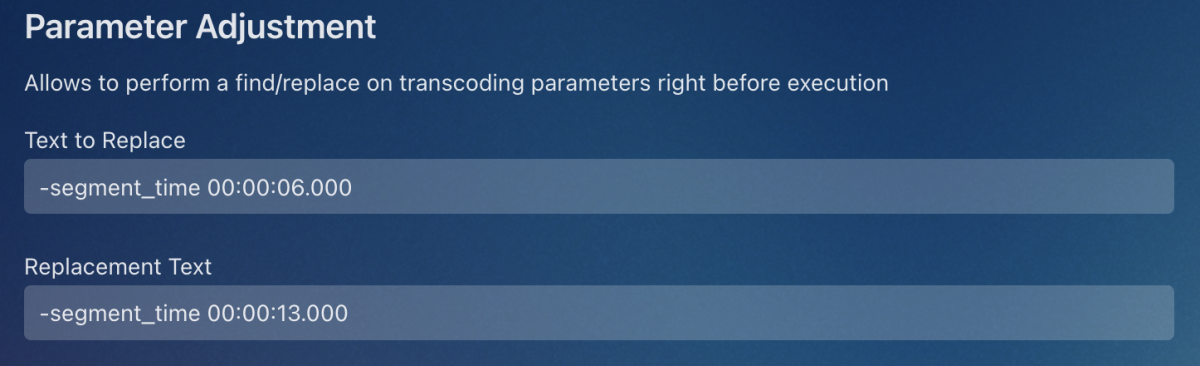
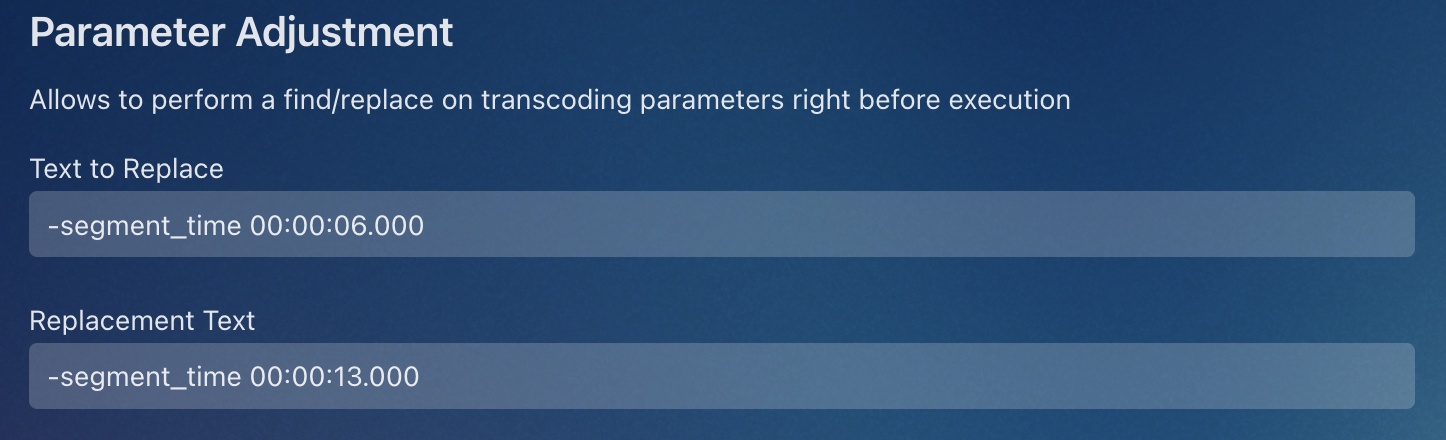
I think this is exactly the same issue as this topic on the G5 https://emby.media/community/topic/141496-lg-g5-dropped-dts-again-and-emby-didnt-work/page/5/ It's not actually a DTS issue, it impacts any audio conversion where the video is stream copied and I've previously suspected that it is the variable keyframe interval that is causing the issue. From the logs, I can see that your TV has been updated to webOS TV 25, which is the same version the G5's have with this error. It looks like webOS 26 is starting to roll-out on some of these models, so it will be interesting to see if that resolves this issue. In the meantime, could you please test something related to your tests? I want to see what happens if you change the segment length in the m3u8 file. If you don't already have it, install the Diagnostics Plugin then restart the server. In the Server settings, at the bottom under the Advanced section select the "Diagnostics Options" In the "Parameter Adjustment" section In Text to Replace option, enter: -segment_time 00:00:06.000 In Replacement Text option, enter: -segment_time 00:00:13.000 Make sure to select 'Save' at the bottom of the page. This will change the segment length from 6 seconds to 13 seconds. Please run another test and see whether this makes any difference. You can try varying this segment_time and see whether anything changes the result. Thanks
-

Movie Theme Videos Plugin Questions and Support Thread
Scott310 replied to radeon's topic in Plugins
-
Looks like you've got the hide spoilers option enabled. Look for it in your user preferences.
-
Thanks for the info. Yea I was using the Synology IP. Anyway I've managed to get it working, however like you said the documentation is outdated so that didn't help. I had to get my actual user ID number to input into Scrob. It wasn't clear how to do this. I went to users and clicked on the relevant user and it's the number you see at the end of the URL.
-
 SULTAN2828 joined the community
 -
 Pinchoamazon joined the community
 -
 TIANXING233 joined the community
 -
 xRandelz2 joined the community
 -
 xRandelz joined the community
 -
 everal joined the community
 -
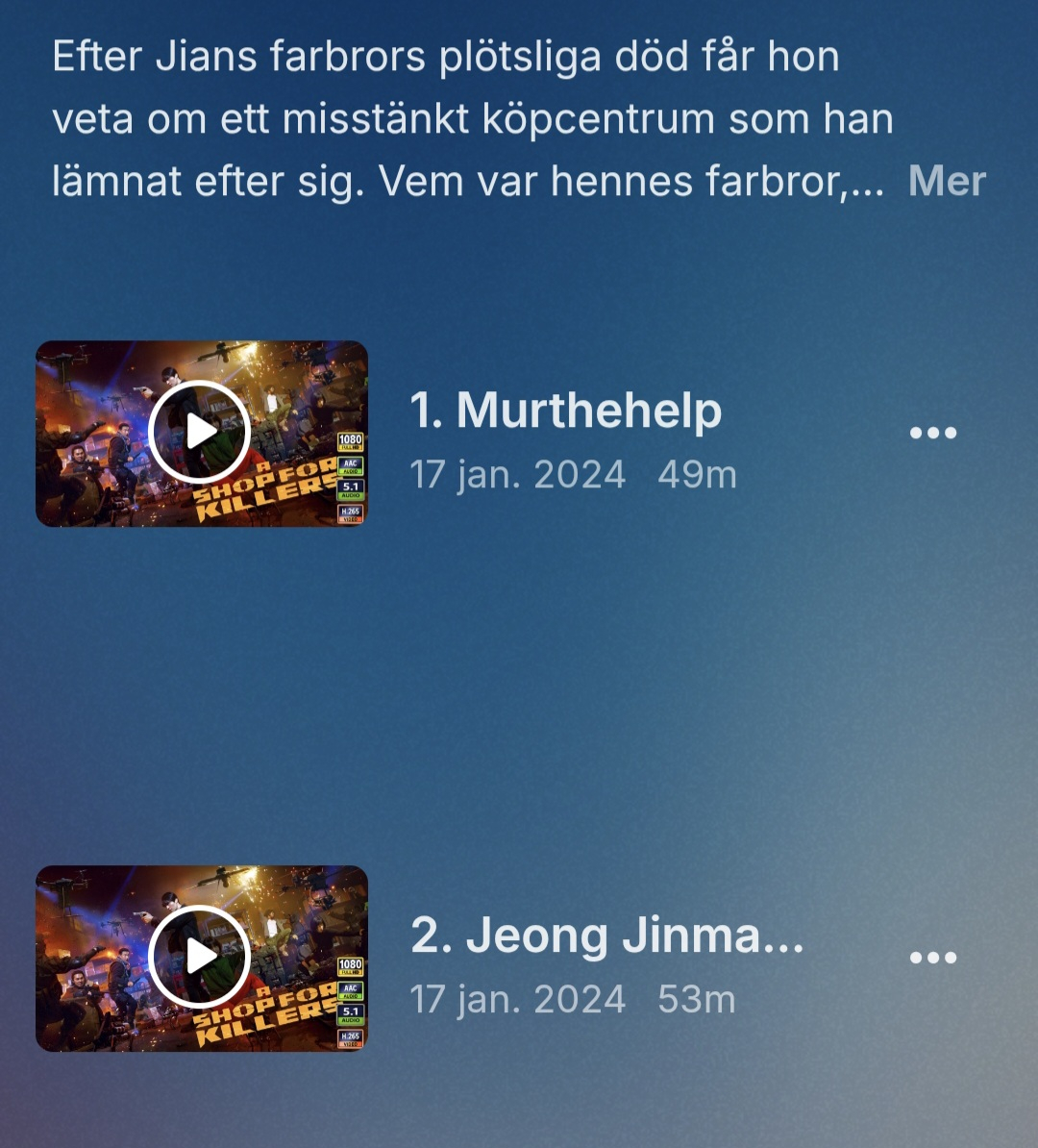
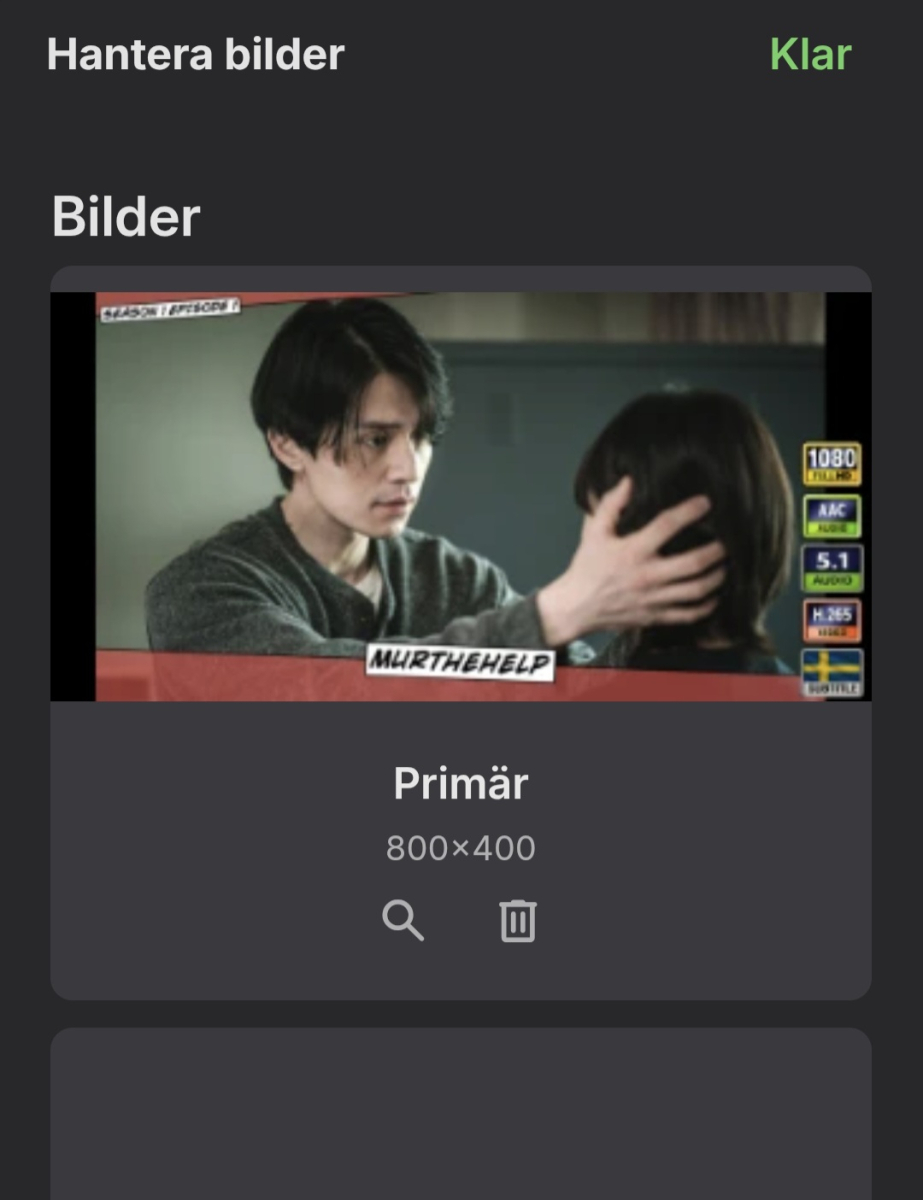
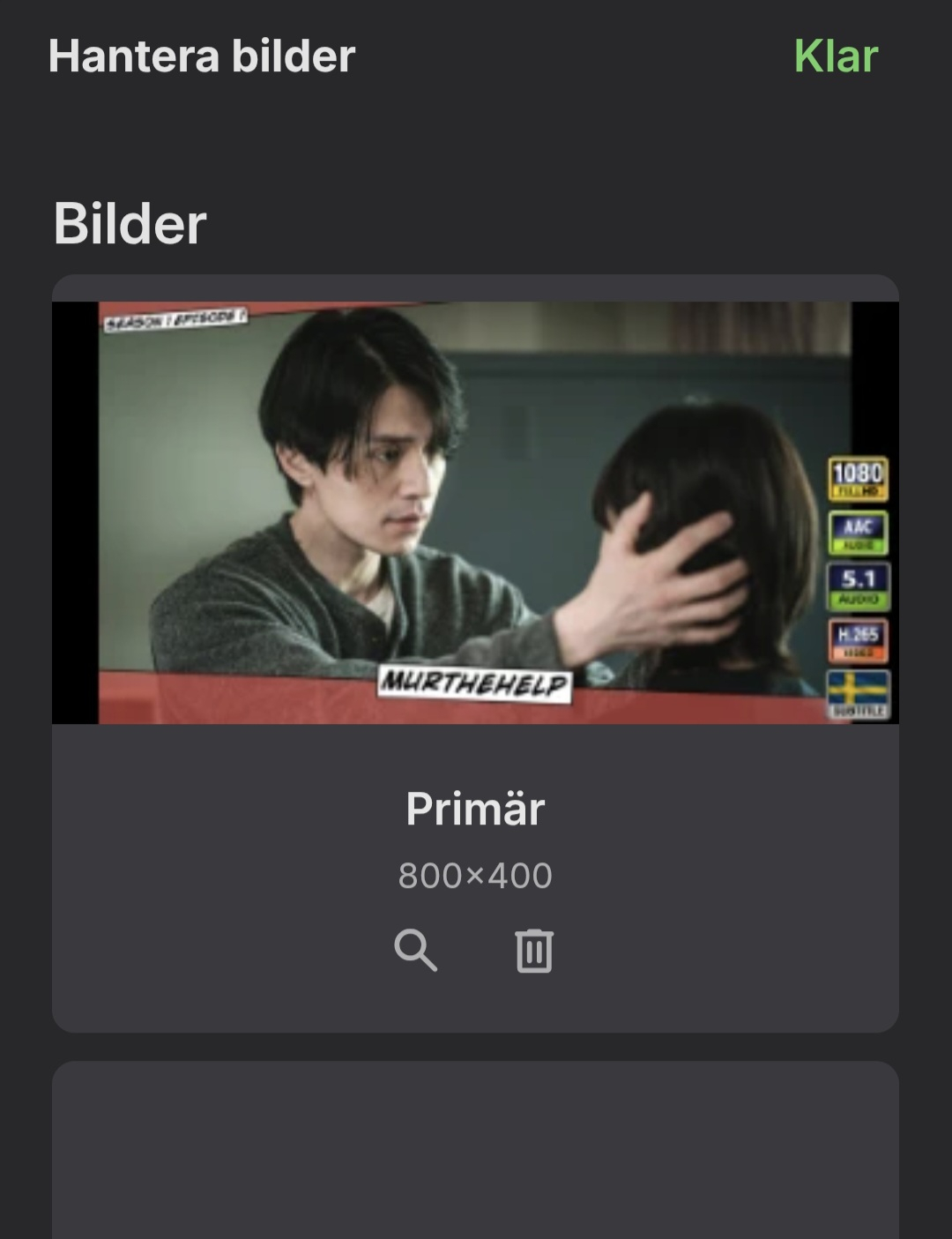
Howdy yall. The strangest thing, all episode thumbs/titlecards have somehow been reversed and I cant recall that i have made any changes. The original primary thumb shows up when choosing "manage pictures" but it doesnt show up in the seson-episode overwiev, not even when i attach it manually by choosing the file directly. I have checked everything to the best of my ability but cant figure it out, and I occured before updating to latest beta so im guessing that has nothing to do with it. Suggestions and pointers would be much appreciated. thanx! N/ Pics attached.
-
 djalovicar joined the community
 -

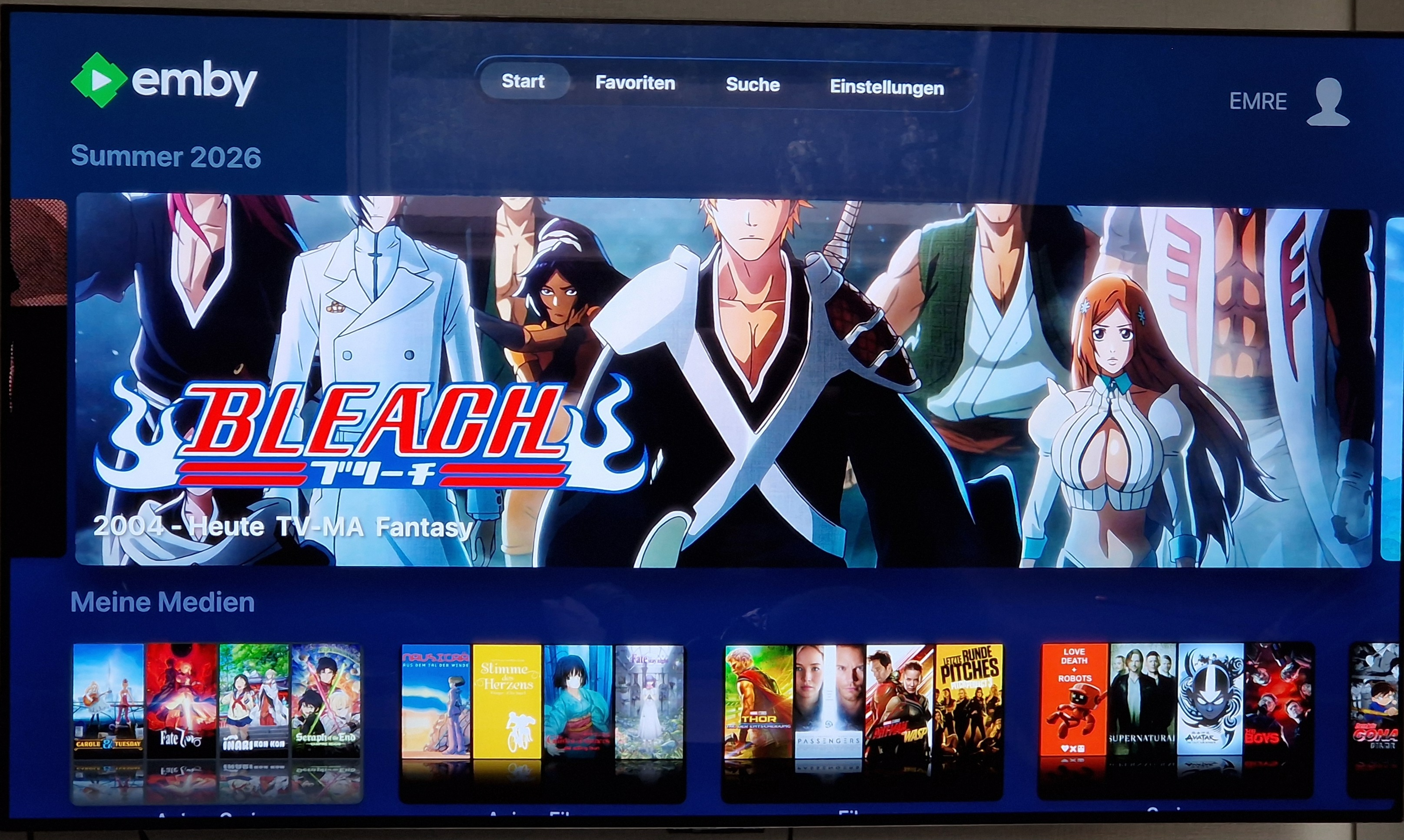
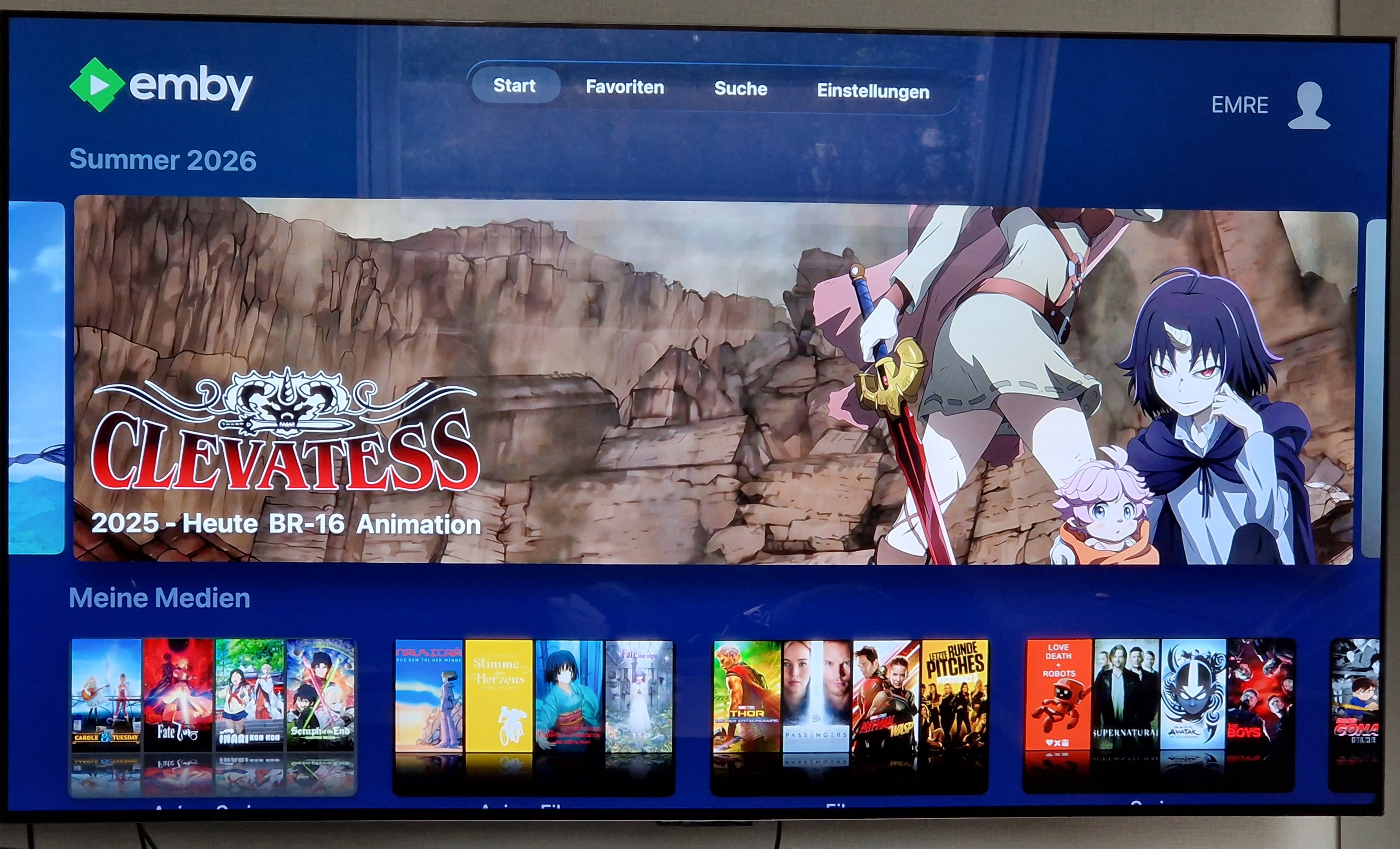
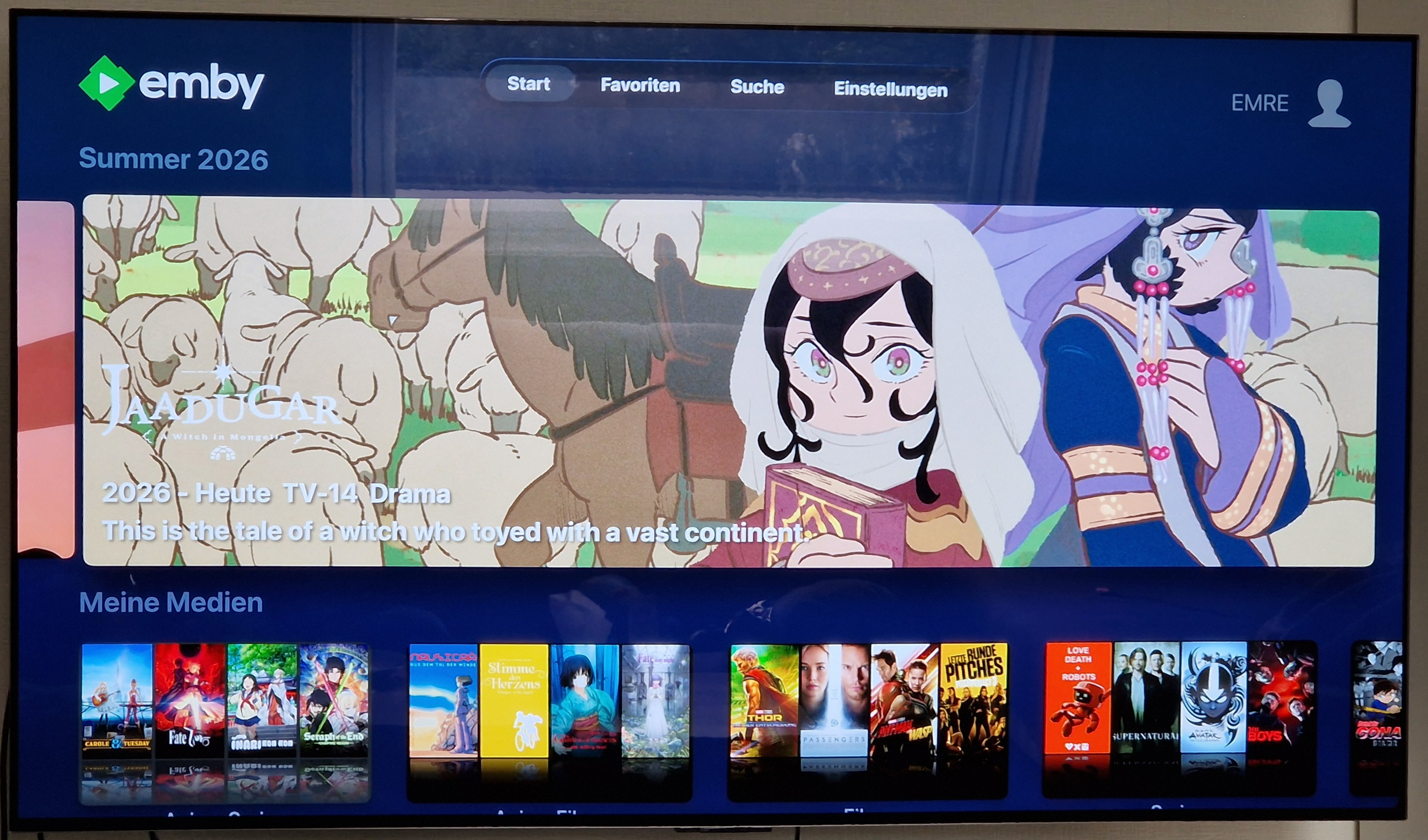
What decides the size of the logo displayed on the Spotlight?
Kyouma replied to Kyouma's topic in Apple TV
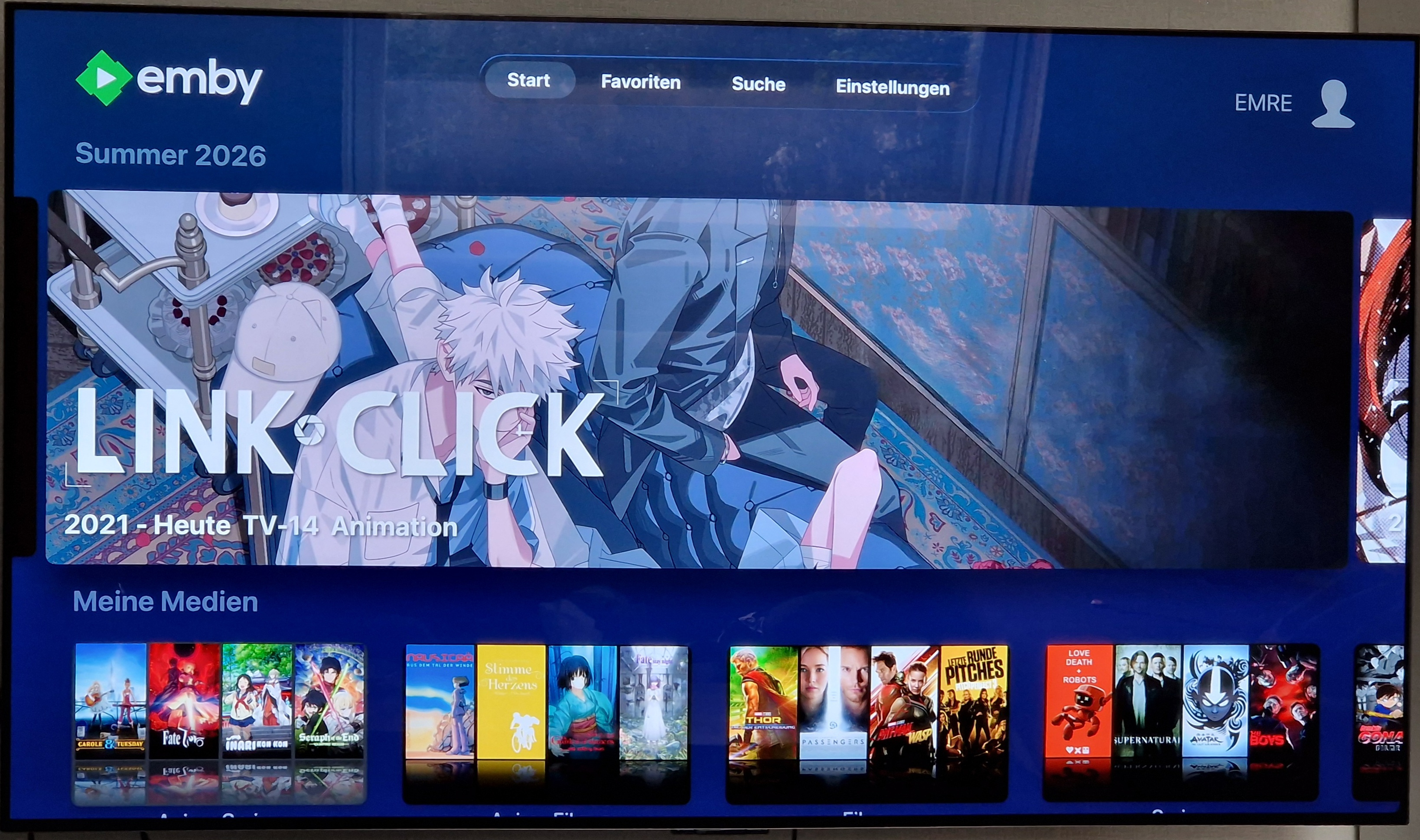
Ok, that explains it. But is there anyway I can adjust it? I'd like to get Link Click and Bleach a bit smaller and Jaadugar a bit bigger. Is there a way for me to achieve this? Could you share the max width and height? - Today
-
What decides the size of the logo displayed on the Spotlight?
SamES replied to Kyouma's topic in Apple TV
It's constrained to a maximum height and width. So a very wide logo that exceeds the maximum width will not be as tall as a narrower logo which will fill it's maximum allowed height. The logo will always get scaled up or down to fit either the maximum width or height so changing the resolution won't do anything for you. -
Is there a particular reason you are still running an older version? Latest GA release should be v3.5.55
-
 Hello, Playback freezes on the Emby for LG app every time the server builds an HLS stream in which the video stream is copied (-c:v copy) and only the audio is transcoded. The TV plays a few seconds, then requests the same two segments thousands of times (about 100–200 requests per second, each aborted after a few milliseconds) and never asks for the next segment. The position stays frozen. The same file plays fine when the server re-encodes the video. Direct play of similar files (HEVC 10-bit MKV with AAC/AC3/FLAC audio) also works. The network is healthy, so I believe the fault is in how the copy-mode HLS stream is built. Environment TV: LG OLED65B39LA (webOS), Emby for LG 1.0.51 (latest) Server: Emby Server 4.10.0.40 in Docker (lscr.io/linuxserver/emby), Linux x64, no Premiere (software pipeline) Network: TV wired at 100 Mbps full duplex (0 TX errors on the switch port); server 1 Gbps; RTT 1–2 ms; TCP retransmits 0.05 % on the Emby container; per-connection delivery rate to the TV 50–87 Mbps. Direct LAN connection http://<server>:8097, no proxy. Controlled test (same file) File: Black Clover S02E01: MKV, HEVC Main 10 1080p, 2× Opus audio, ASS + PGS subtitles. Subtitles ON Subtitles OFF Start position 0:00 1:23.9 (new session when subtitles were switched off) TranscodeReasons SubtitleCodecNotSupported (PGS burn-in) AudioCodecNotSupported Video re-encoded (libx264) copied Audio Opus → AAC Opus → AAC Segment durations written by ffmpeg 3.003, 3.003, 3.003 … 59.19, 2.84, 4.38, 6.96, 8.26 … ffmpeg target segment length (-segment_time) 3 s 6 s TV requested segments 0 → 42 in order, plays requested segments 8 and 9 about 13,000 times each, frozen Evidence: 1-*.log (copy, frozen), 2-*.log (transcode, plays). The start position differs between the two sessions, but it is not the cause: the second file below also freezes when started from 0:00. A second file, Mushoku Tensei S02E01 (HEVC Main 10 + Opus), shows the same result with "Start over" from 0:00: video copied, segments of 9.98, 3.92, 5.51 and 7.51 s, and the TV loops on segments 0 and 1 (about 1,740 requests each) (3-*.log). It also fails when resuming mid-episode; in one such session the first segment written covered 0–137 s (log not attached). Probable cause In copy mode ffmpeg can only cut at keyframes. In these x265 encodes keyframes are 1–13 s apart (5-keyframes-black-clover-S02E01.txt: 89 keyframes in 300 s, gaps from 1.0 to 13.3 s). The server still sends a VOD playlist that announces fixed-length segments (4-playlist-black-clover-S02E01-copy.m3u8, requested by me through the API with parameters similar to the app's (the app's own sessions used a 6 s target): #EXT-X-TARGETDURATION:4, every #EXTINF:3.0000, while the segments are cut at keyframes). With BreakOnNonKeyFrames=False (sent by the app), the real segment boundaries don't match the playlist: the first segment after a start or resume can be about 60–137 s long. Presumably the LG player downloads the segment it expects to cover time X, gets data with other timestamps, discards it and requests it again, forever. I can't see inside the app, so this last step is inferred from the request pattern. When the video is re-encoded, the encoder can place keyframes on the segment boundaries: every segment is exactly 3.003 s, matching the playlist, and the app plays normally. What I ruled out Network: see the measurements above. Codec support on the TV: other HEVC Main 10 MKVs from the same library direct-play perfectly when their audio is AAC/AC3/FLAC. The audio transcode itself: Opus → AAC happens in both sessions of the controlled test; only the video copy vs. re-encode differs in outcome. Streaming quality / bitrate setting in the app: unrelated; the freeze happens at every setting. Turning off the user permission "Allow changing of container formats…" (remuxing): no effect, because audio is transcoded, so the server still treats it as a transcode with video copy. Expected Either: the copy-mode HLS playlist should reflect the real keyframe-aligned segment durations, or the server should fall back to re-encoding the video when the source's keyframe spacing can't fit the announced segment length, or the LG app should tolerate segments whose duration differs from EXTINF. Steps to reproduce Use a source with irregular, long keyframe intervals (e.g. an x265 anime encode; here gaps of up to 13 s), HEVC Main 10 + Opus audio in MKV. Play it in Emby for LG 1.0.51 with subtitles off, so the only transcode reason is the audio. The server remuxes (video copy + Opus→AAC) into HLS/TS. The TV freezes after a few seconds and loops on two segments. Turn on a PGS subtitle (forces burn-in, so the video is re-encoded): it plays. Attachments (API keys removed) 1-black-clover-S02E01-subs-OFF-video-COPY-stuck.log: server requests, copy mode, frozen loop 1-ffmpeg-black-clover-subs-OFF-copy.log: ffmpeg: copy, segment durations 59.19 / 2.84 / 4.38 … 2-black-clover-S02E01-subs-ON-video-TRANSCODE-ok.log: same file, transcode, plays 2-ffmpeg-black-clover-subs-ON-transcode.log: ffmpeg: libx264, segments 3.003 s 3-mushoku-S02E01-start-over-video-COPY-stuck.log: second file, from 0:00, loop on segments 0/1 3-ffmpeg-mushoku-start-over-copy.log 4-playlist-black-clover-S02E01-copy.m3u8: head of a copy-mode playlist requested via the API: fixed 3.0 s EXTINF 5-keyframes-black-clover-S02E01.txt: ffprobe keyframe gaps of the source I'm happy to capture debug logs or test builds. Thank you! 5-keyframes-black-clover-S02E01.txt 4-playlist-black-clover-S02E01-copy.m3u8 3-mushoku-S02E01-start-over-video-COPY-stuck.log 3-ffmpeg-mushoku-start-over-copy.log 2-ffmpeg-black-clover-subs-ON-transcode.log 2-black-clover-S02E01-subs-ON-video-TRANSCODE-ok.log 1-ffmpeg-black-clover-subs-OFF-copy.log 1-black-clover-S02E01-subs-OFF-video-COPY-stuck.log
 -
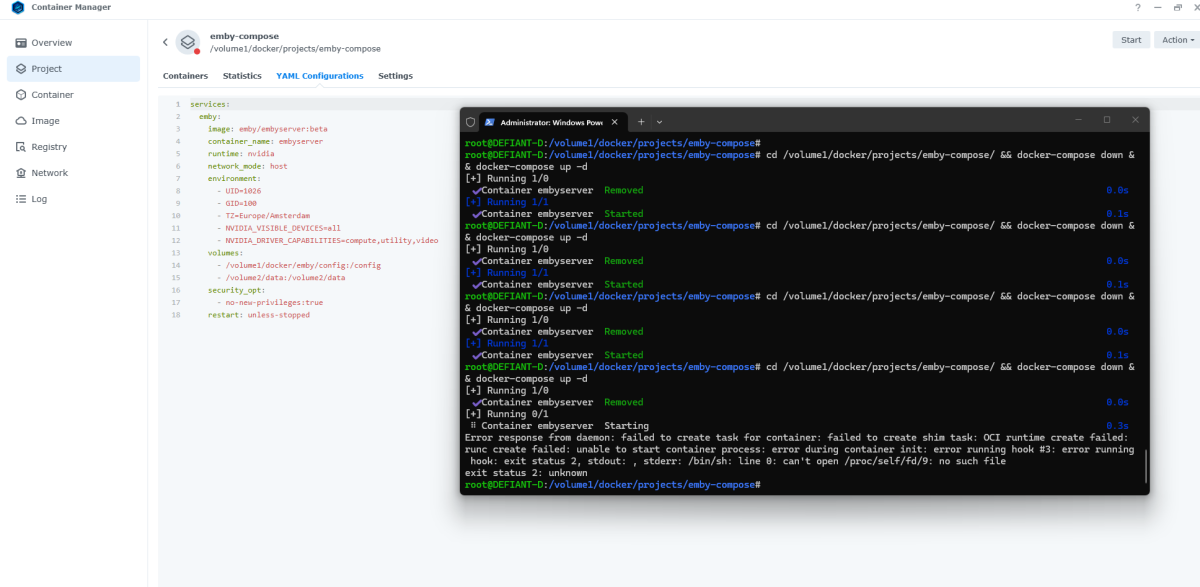
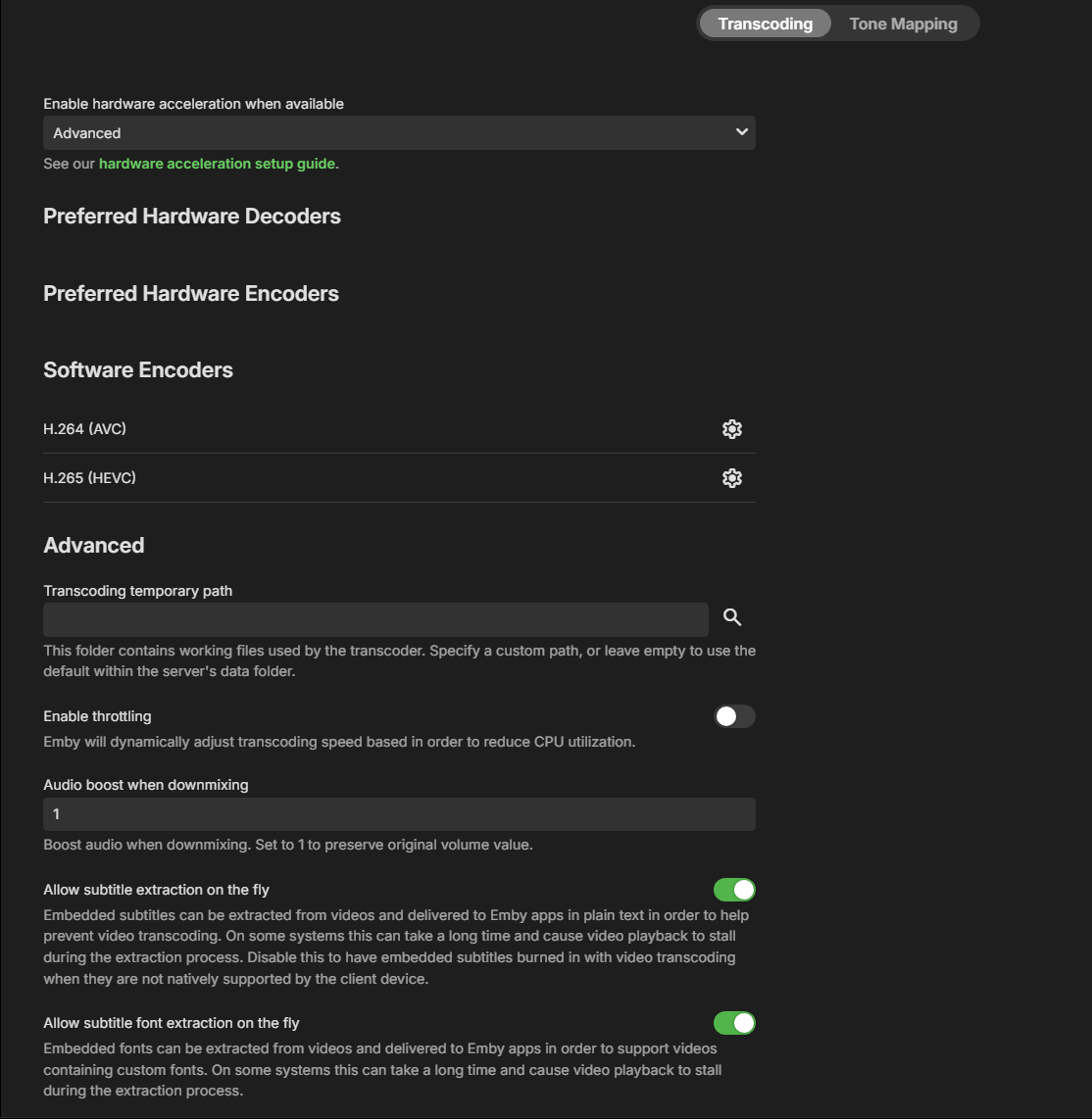
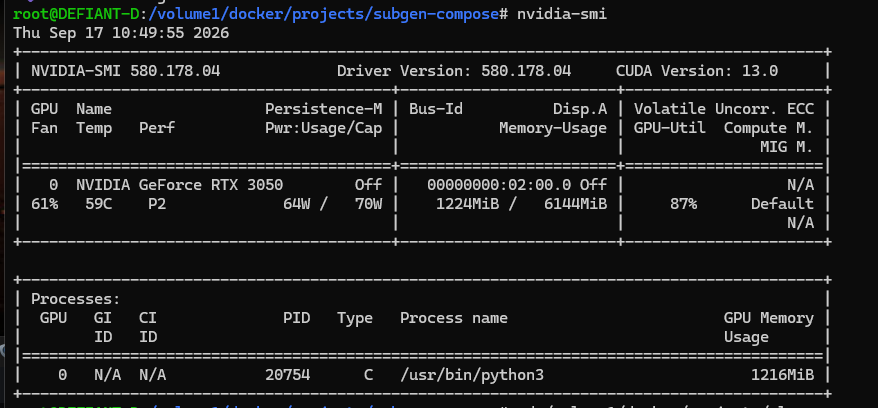
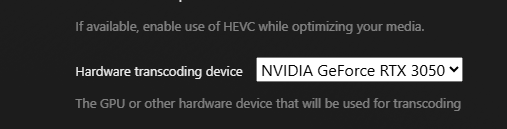
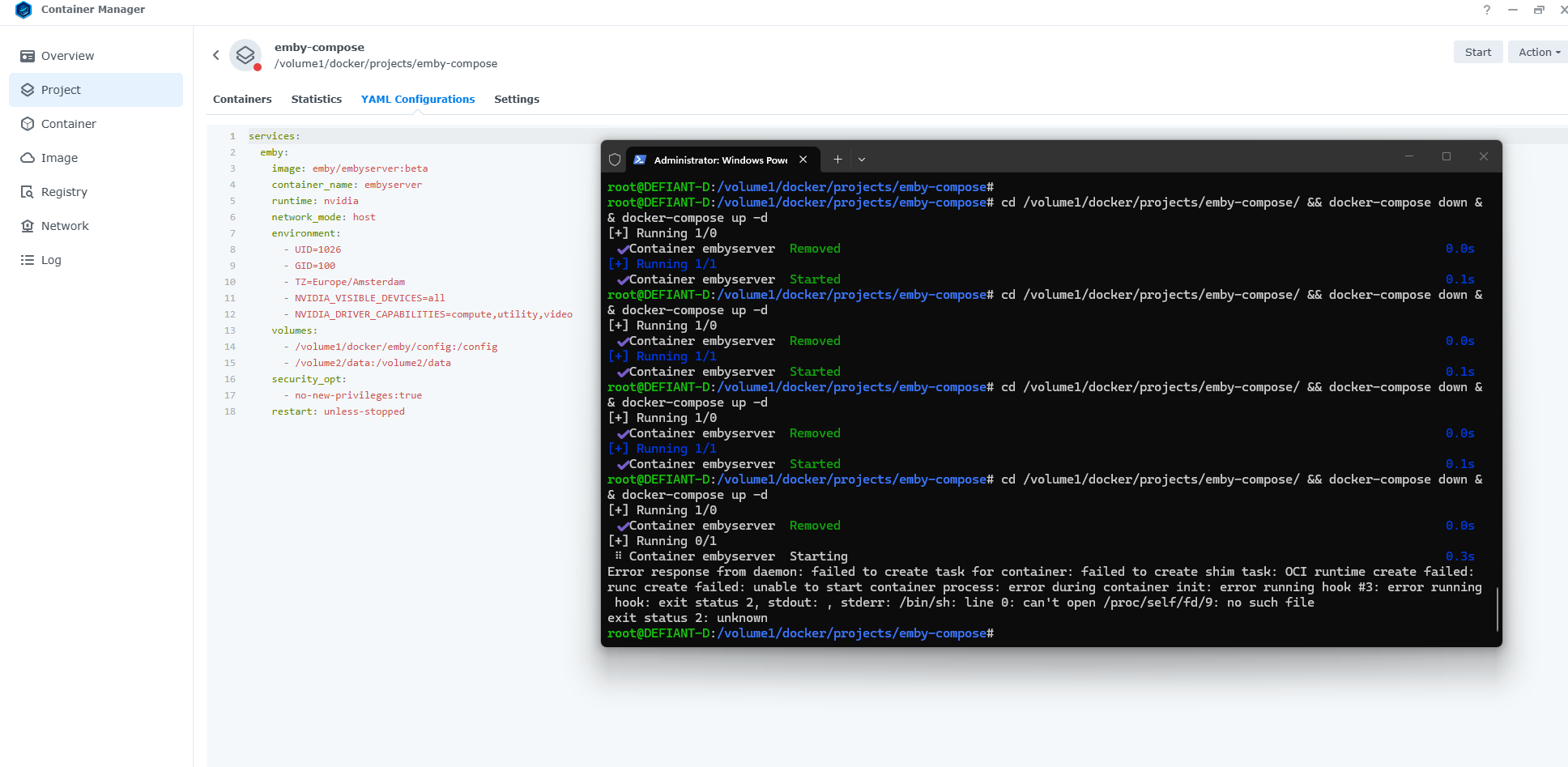
Emby Server beta 4.11.0.1 DSM: 7.2.2 Update 9 ARC Loader 4.0.4 Arc Control 4.3.0 NVIDIA Driver 2.4.1-1 (580.178.04) confirmed working and available to Docker Plex: However I can't get it linked with Emby: Any ideas guys? I tried the "official way" services: emby: image: emby/embyserver:beta container_name: embyserver runtime: nvidia network_mode: host environment: - UID=1026 - GID=100 - TZ=Europe/Amsterdam - NVIDIA_VISIBLE_DEVICES=all - NVIDIA_DRIVER_CAPABILITIES=compute,utility,video volumes: - /volume1/docker/emby/config:/config - /volume2/data:/data security_opt: - no-new-privileges:true restart: unless-stopped which results in the above crash And this starts the container, but does not detect my NVIDIA 3050 services: emby: image: emby/embyserver:beta container_name: embyserver network_mode: host # runtime: nvidia environment: - UID=1026 - GID=100 - GIDLIST=937 - TZ=Europe/Amsterdam - NVIDIA_VISIBLE_DEVICES=all - NVIDIA_DRIVER_CAPABILITIES=compute,utility,video volumes: - /volume1/docker/emby/config:/config - /volume2/data:/data devices: - /dev/nvidia0:/dev/nvidia0 - /dev/nvidiactl:/dev/nvidiactl - /dev/nvidia-uvm:/dev/nvidia-uvm security_opt: - no-new-privileges:true restart: unless-stopped Appreciate any help!
-
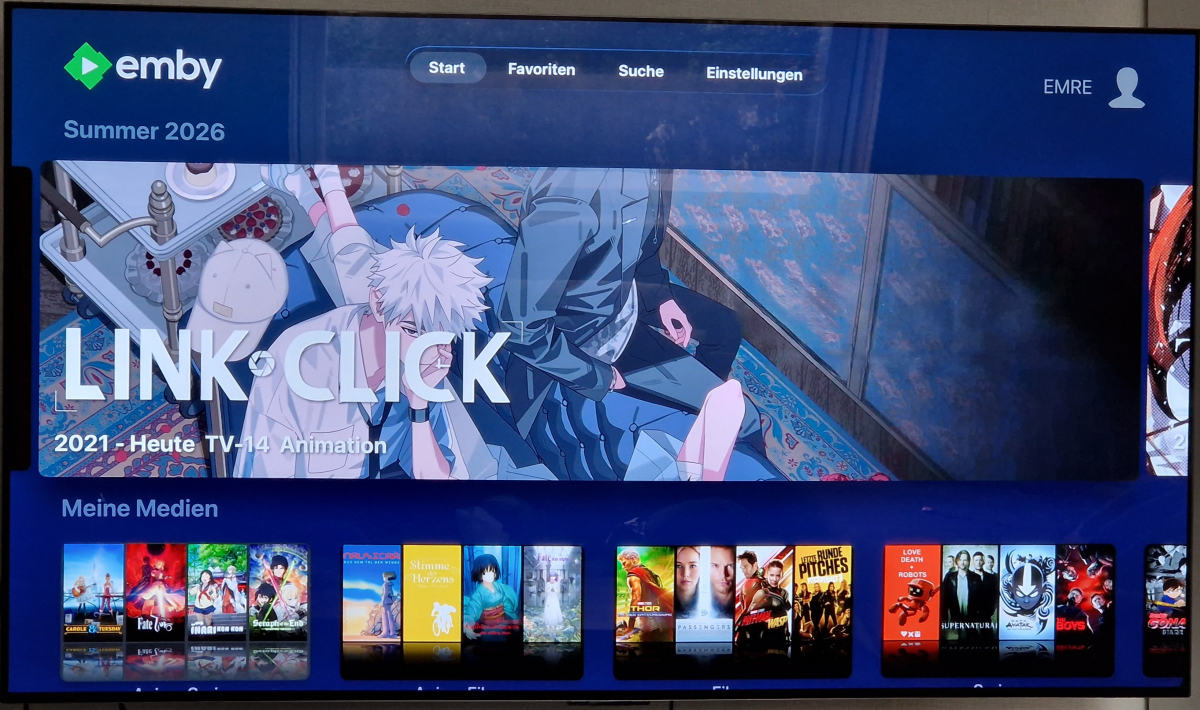
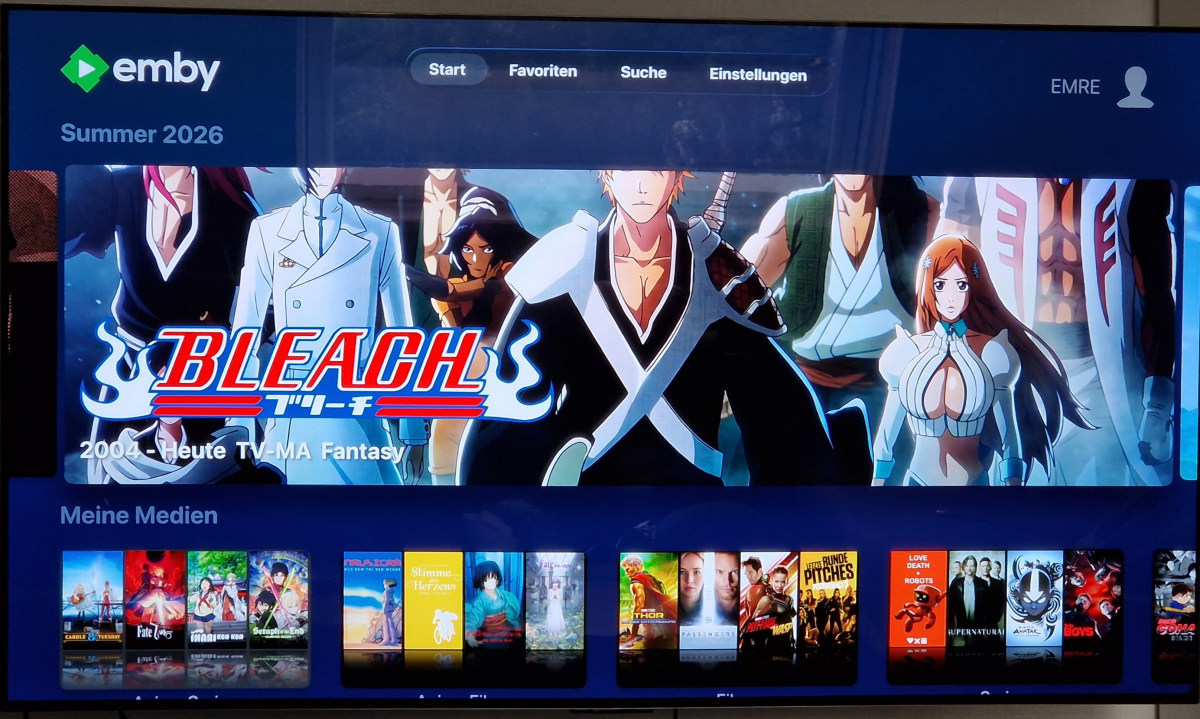
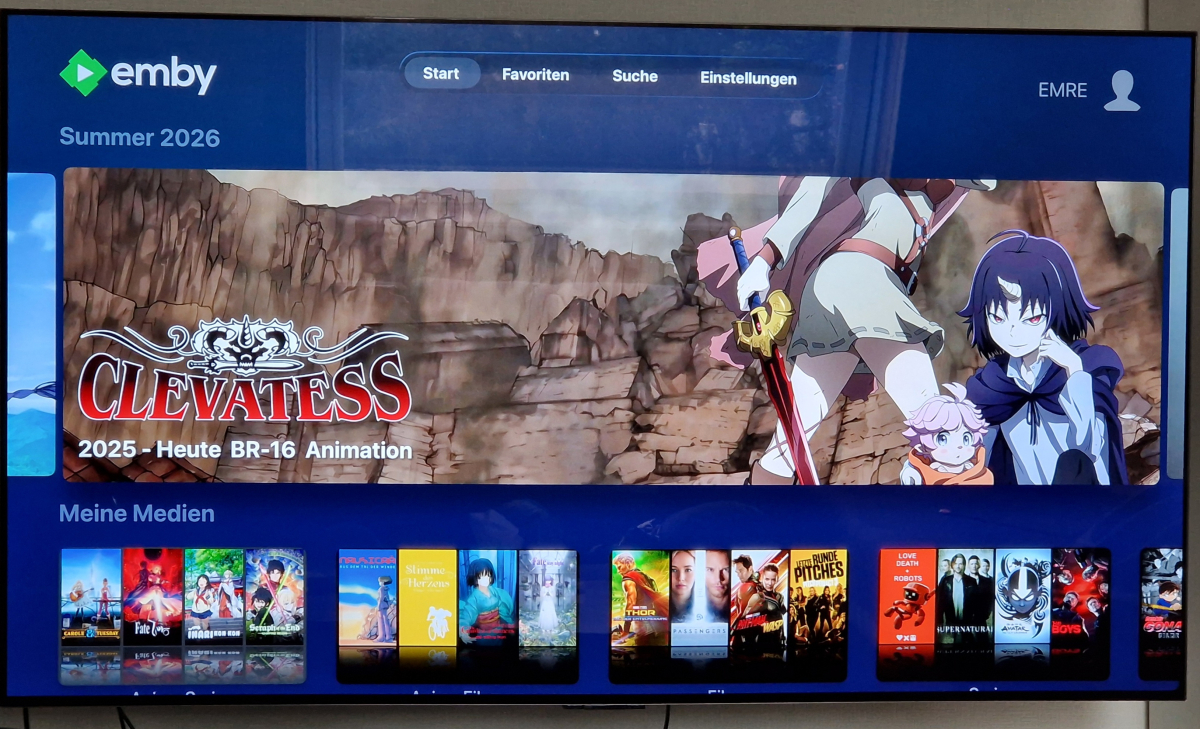
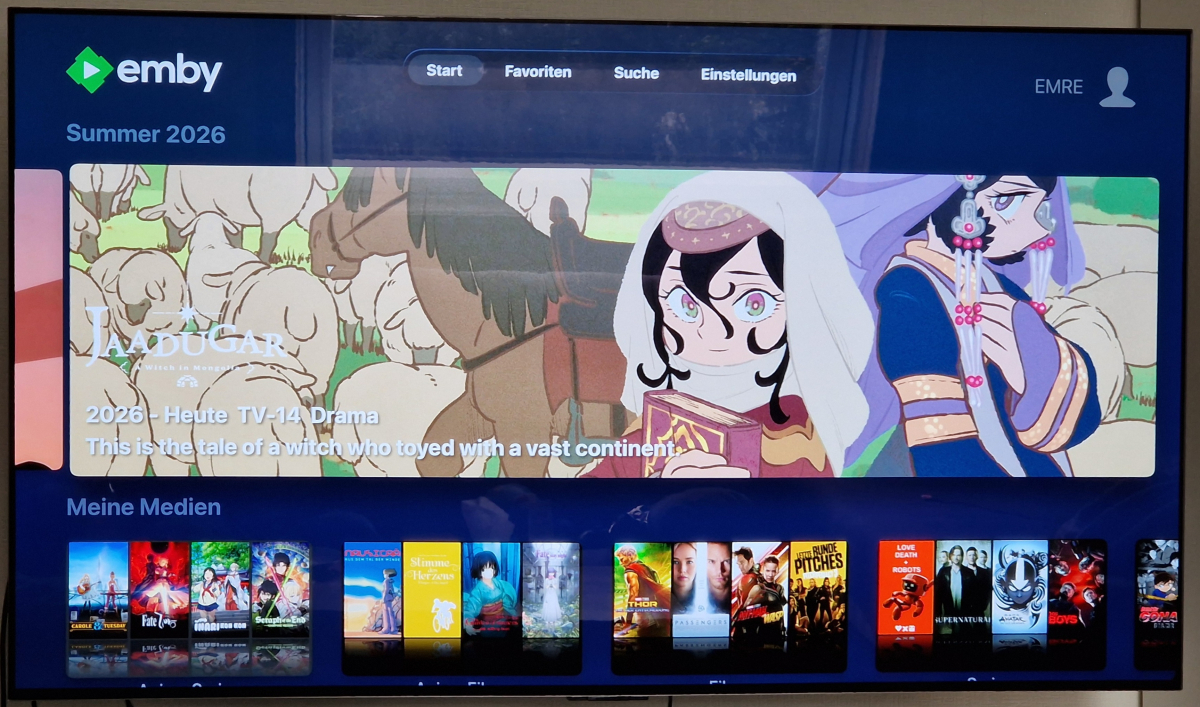
I thought the size would be determined by the resolution of the logo, but that seems not to be the case. I have 4 examples. Link Click 800x310 Bleach 800x310 Clevatess 2400x772 Jaadugar 1200x637 Even though Clevatess and Jaadugar have a higher resolution, the other 2 appear a lot bigger. Why is that? I'm currently in the process of changing the art for all my shows, but I'm unsure what resolution I should pick to have the correct size. Because while Clevatess has a good size, Link Click and Bleach are too big and Jaadugar is a bit small for my liking, even though the resolution would suggest it to be different. Any insights would be appreciated. Don't know if this is specific to Apple TV or a general one.
-

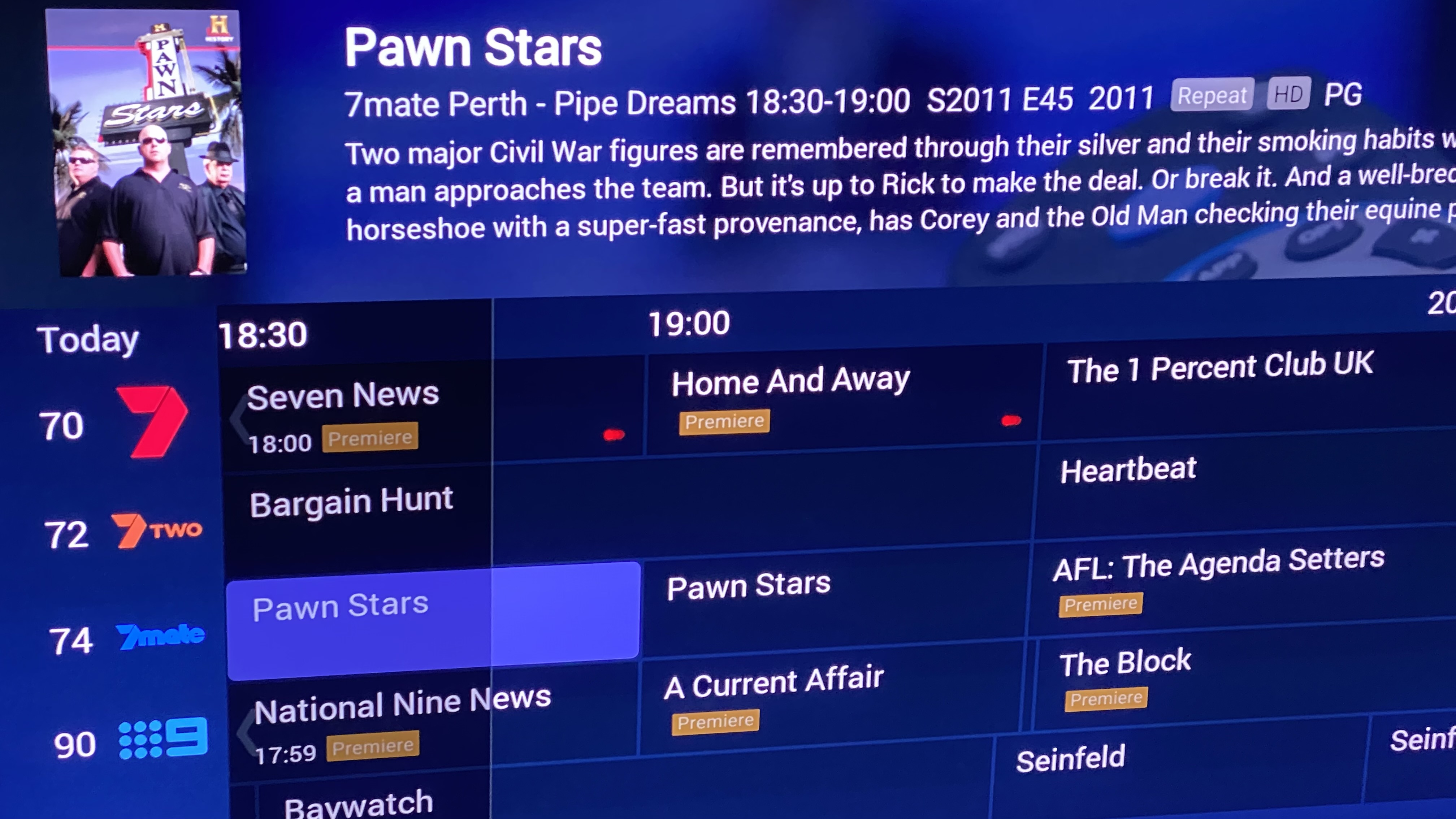
Record indicators on tv guide could they be bigger
denz replied to denz's topic in Android TV / Fire TV
It is is tiny it should be at least 2 times bigger so it looks nicer here you can’t distinguish is it a single or series recording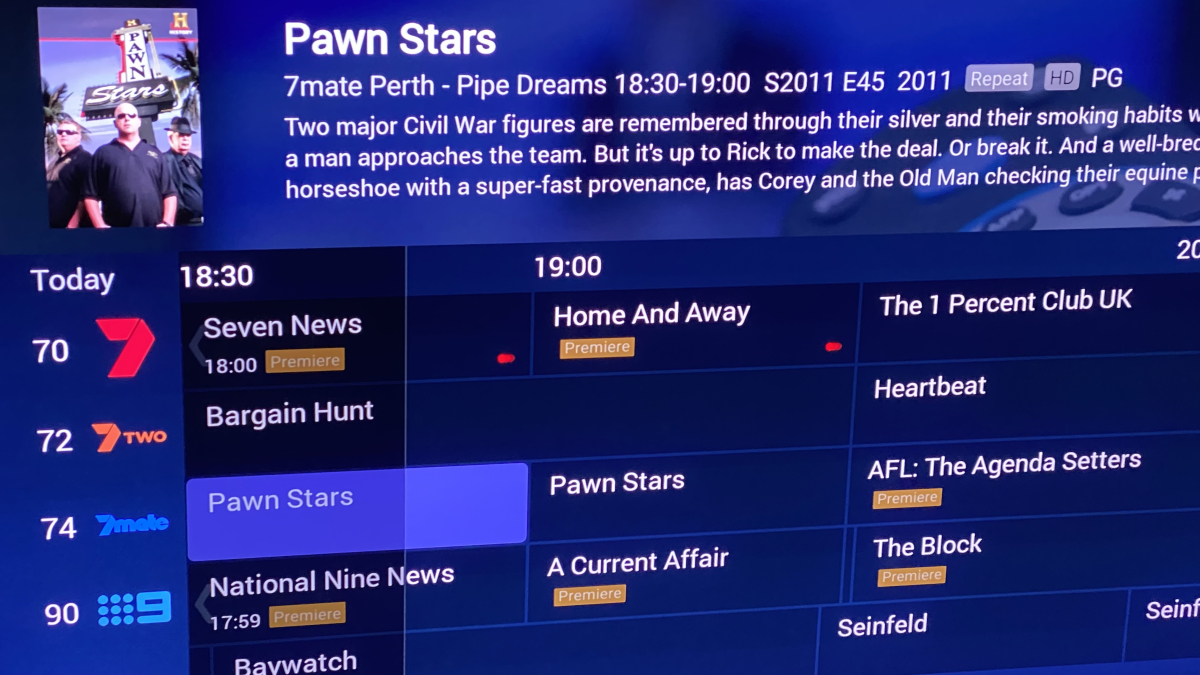
-
@17788345546 Thanks for the logs. This allows us to rule out a number of things: The Windows app is doing DirectPlay - there's no server-side transcoding, so the server side is no longer of interest I can also see that it is decoding the video video via D3D11VA and there does not appear to be any slowdown in this regard Refresh rate switching is working successfully. It switches from 60 Hz to 25 Hz (in case of this video having 25 fps) Refresh rates as low as that can appear choppy in itself, it depends on the display which kind of experience this creates You have a Lunar Lake NUC from GMKtec with an external 4k display connected The graphics driver is 1.5 years old and Intel is known for having driver issues whenever it's about new hardware Can you please try the following Install the latst gaphics driver from GMKtec (or even newer: the Intel one): GMKtec K17 drivers/support Intel Arc 32.0.101.8993 driver Also check for a newer audio driver! Disable refresh rate and HDR switching in the Emby app and manually set your display refresh rate to 50Hz => How does that compare? Under Settings >> Video Player, try all three major modes (High Quality, Balanced, Enerhy Edditient) => Does this make a change? How do you play audio? Through HDMI or trhough on-board audio? Please try to enable "Exclusive audio mode" on the Audio Options tab (if that errors, you need to allow exclusive mode under Windows audio settings) The two HDMI ports on your NUC have different characteristics - try the other one Please try one after another in the given order and let us know the results. Thanks
-
Don't worry man! I'm happy to help and just let me know if there are anything else you want help with and get some guidance
-
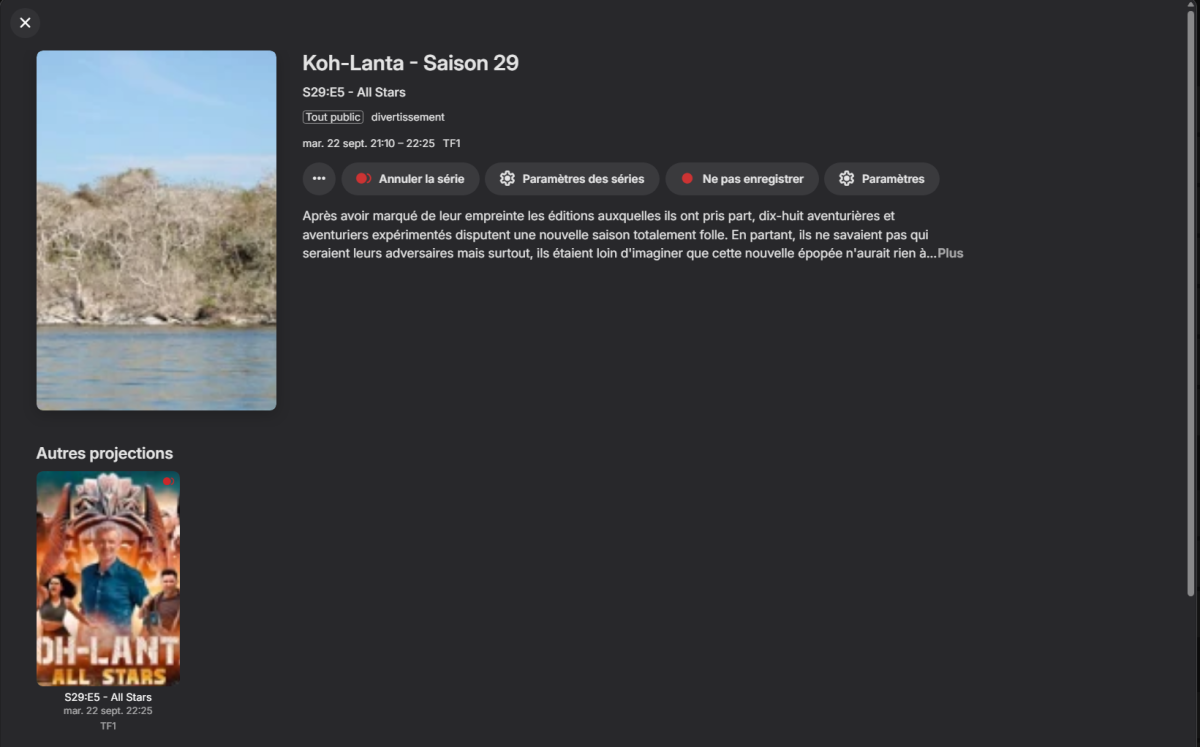
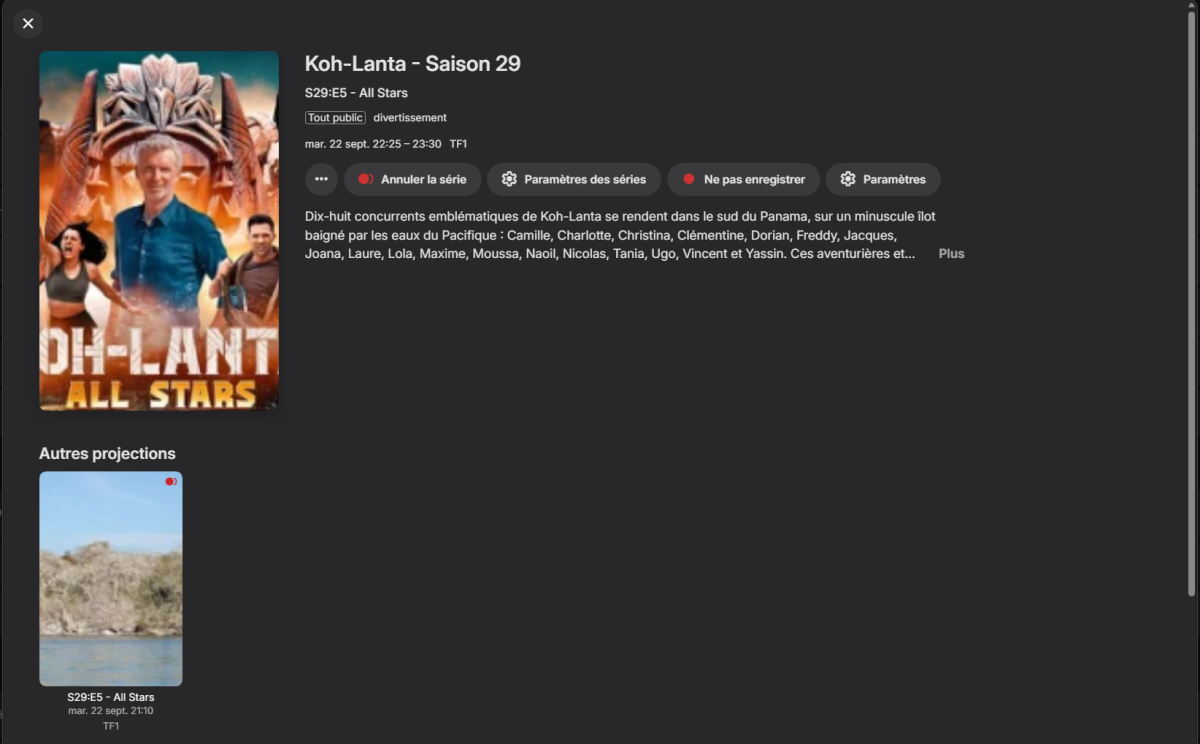
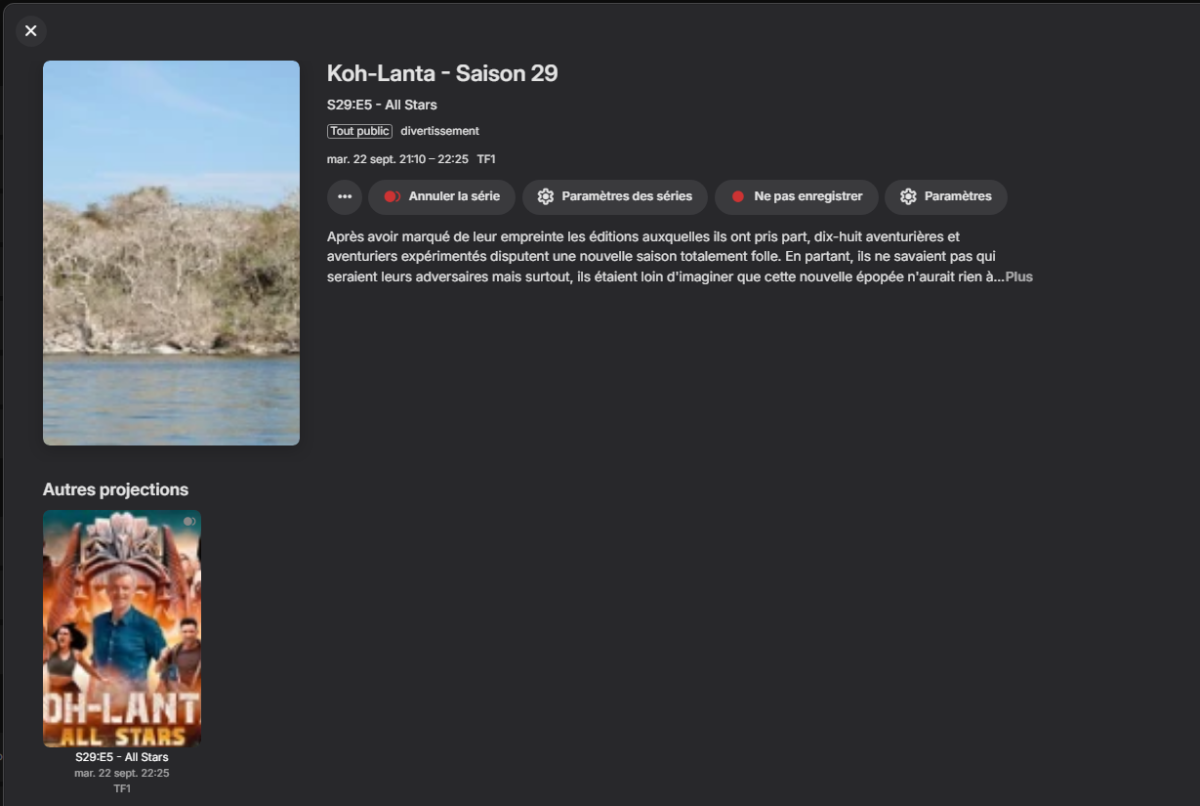
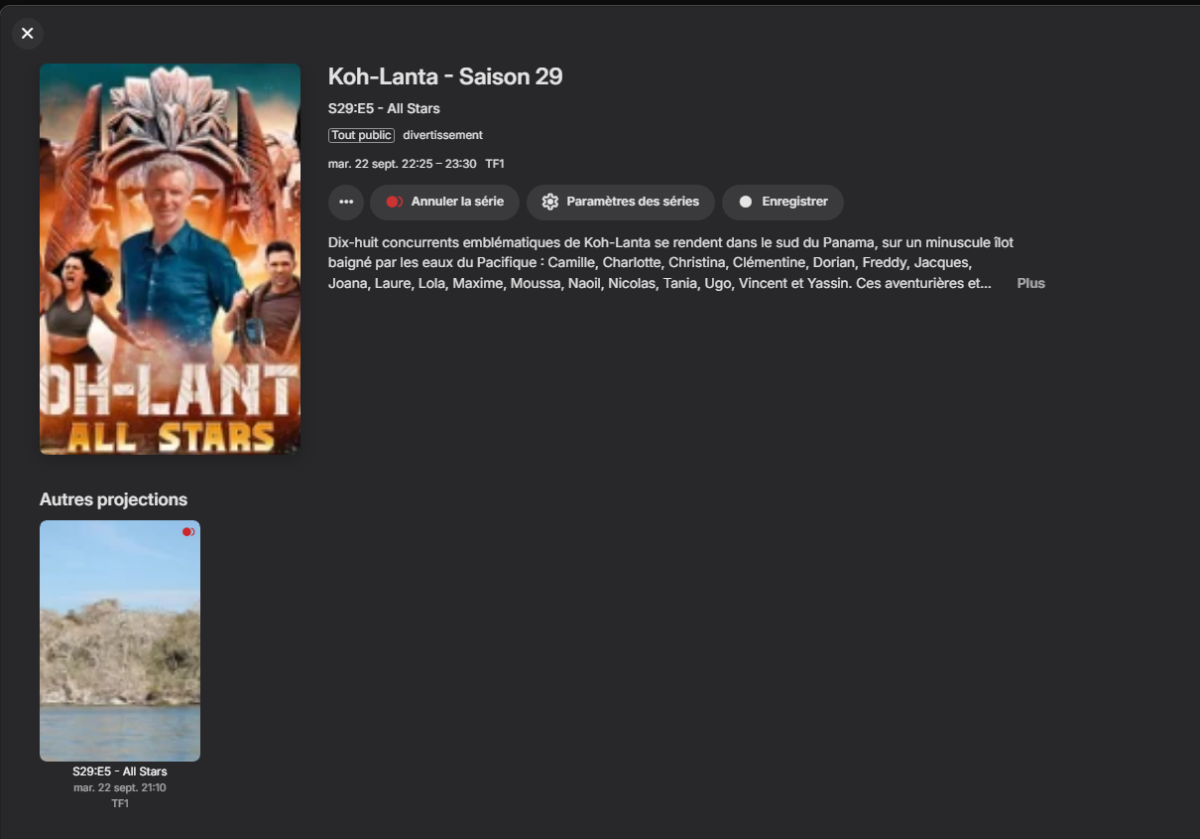
@Luke After update live guide : The second episode is no longer recording. And sometimes, neither of the two episodes is recording


-
And here is Bonjour ! La Matinale TF1 2026_09_17_06_55_00.ts
-
I was able to put some more testing into this and I'm conflating two issues. I thought this was involving webvtt but it's not. I have one source in which Emby sees no subtitles at all (live or recorded) that AppleTV and Channels DVR are getting subtitles for. I don't know if it's grabbing them online or what but the recording seem to not have any thing in them according to mediainfo so let's set that aside. I have another live source that shows as Default_EIA_608 in Emby. The AndroidTV client simply says "Unable to load subtitle" and it doesn't work. The Android client however acts differently. If you are simply watching live without actually recording -- subtitles don't work. If you record and are watching the channel a bit behind and also enable the "Prefer direct streaming of live TV" setting then you'll get subtitles as you watch it. You will not however have any controls to skip/ff through commercials. If you disable this setting, you get no subtitles but can skip/ff through commercials. The recorded file will however have subtitles and you can watch them with the Android client. The live TV setting is then irrelevant because the recording has stopped. The AppleTV client on Emby seems to have no issues with the Default_EIA_608 stuff. Subtitles play fine. The client in general though is unstable compared to the Android one. So this is the same issue that knoll126 reported on 12/12/25. Mediainfo reports the subtitles as EIA-608 (SCTE 128/DTVCC Transport). I could send logs but I think you guys are already aware of this problem.
-
Go to the item details screen of a spotlight item, then press the back button to return to the home screen.
-
Thank you!
-
all web options, reproductions, emby!
-
mpv-20260917T143429510.txt
-
From your screenshot it would appear that the leading '/' in the url for the hero-media-collage-2026 background is missing. When I see the page online the image does not load: And it looks as if the entire page reloads upon navigation. For a more modern experience, you should look into turning your page into a SPA or similar to get rid of the white flashing and redrawing CSS. But I like the style and look of the page. It feels very modern.
-

4.10.0.40 Episode intros are very Slow since Update from beta
Akirainbla replied to Iceman587's topic in Synology
Mine seems to take seconds to scan but never adds any new intro's to skip, despite historically having found them for a series. -
20260917-0644-13.9340124.mp4
-
New Emby server Beta release v4.11.0.1.













_svg.thumb.png.85e4ee6291ddd76347269c05175b5dda.png)