All Activity
- Past hour
-
 Elija joined the community
 -
 y2n10 joined the community
 -
 Saifu1433 joined the community
 -
 0escuderoo joined the community
 -
 Escuderoo joined the community
 -
 qaz826 joined the community
 -
Theme Maker — Emby Server plugin Auto-generate theme videos & theme music for your TV shows — straight from Emby's own Intro markers. Now as a native plugin, no external script. From script → plugin: this is the plugin version of my earlier command-line tool (Emby Theme Creator). Same idea, but it now runs inside Emby — no Python, no API key, no ffmpeg install, no path mapping. Just drop in a DLL and run it from Scheduled Tasks. Source & downloads: github.com/Oratorian/emby-theme-maker · grab the DLL from the latest release (GPL-3.0; releases carry a verifiable build attestation). Most of us let Emby's Intro Detection scan our libraries so we can skip the openings. But those IntroStart / IntroEnd markers already point at the exact theme-song sequence of every show. This plugin reuses them: it cuts that segment out of a representative episode and drops it into the series folder as a looping backdrop video (and, optionally, theme music) that plays on the detail page. See it as an alternative to the TV-Theme plugins. No manual clipping, no hunting for openings, nothing to install alongside Emby — if Emby detected the intro, you get a theme. How it works Reads each series' intro markers directly from Emby (in-process — no HTTP, no API key). Picks a representative episode per series (median intro length — robust against cold opens / creditless specials). Uses Emby's built-in ffmpeg to cut [IntroStart → IntroEnd], re-encode with fade in/out, and write the result where Emby expects it — then it kicks off a library scan so the new themes show up. video → SeriesFolder/backdrops/theme.mp4 (h264/aac video backdrop) audio → SeriesFolder/theme.mp3 (theme music, series root) both → both of the above, in one pass Highlights Native plugin — one self-contained DLL, no Python, no external ffmpeg, no API key, no path mapping. It uses the server's own ffmpeg and item database. Runs from Scheduled Tasks — set it on a schedule or run it on demand, with progress and last-run status in the dashboard. Preview task — a read-only "Theme Maker: Preview" task logs exactly what would be generated (source episode, intro span, already-has-theme) before you write anything. Full settings page — mode (video / audio / both), quality (CRF, preset, max height, peak-bitrate cap), fades, audio language, output names, parallel jobs, and an optional "only under this folder" scope. Safe by default — never overwrites an existing theme unless you enable Overwrite; even protects a hand-curated theme-music/ folder. Atomic writes — a cancelled run never leaves a half-written file, and an overwrite never leaves a series themeless. Idempotent — re-run any time and it only fills the gaps. Requirements Emby Server with Intro Detection already run on your shows (that's where the markers come from). That's it — the plugin uses Emby's bundled ffmpeg and reads your items directly. No API key, no separate install. Quick start Grab EmbyThemeMaker.dll (attached below, or from the latest GitHub release) and drop it into your Emby plugins folder, then restart the server. Open Dashboard → Theme Maker and set your options (mode, quality, etc.). Dashboard → Scheduled Tasks → run Theme Maker: Preview (read-only) first to see what it would do, then Theme Maker: Generate to create the files. Add a trigger if you want it to run on a schedule. Tip: Emby only registers new theme files on a full library scan. The plugin triggers one for you automatically at the end of a generate run (toggleable in the settings). Notes Built for Emby 4.9.x (tested on 4.9.5.0, Windows & Linux). Bare-metal / VM installs where Emby can write into your series folders. (Container/NAS setups where the series folders aren't writable by the server won't be able to drop the theme files.) Series with no detected intro are simply skipped and logged. Everything it does is logged to the Emby log with a [ThemeMaker] prefix. Provided as-is by a fellow user — feedback, issues and PRs welcome! EmbyThemeMaker.dll
-
 Azzam.93 joined the community
 -
 ShinMatsunaga joined the community
 -
 colorido joined the community
 -
Well my windows 10 server has finally died after 12 odd years. Won't boot up, even with a USB boot disk. So time to replace the hardware! Any suggestions? Run a windows 11 machine? Run a proper NAS? Which one? I"m happy to build my own. I usually only have 1080p media, so not much required on transcoding. At least for now, who knows in another 10 years. Currently got the media on 5 x 3.5 WD Red HDDs. I wasn't using Raid but a software duplicator to duplicate each media across at least 2 drives. I don't have anything plugged in directly to the server, it just serves it up via ethernet to a Samsung TV, Xbox one, and sometimes via the internet to handheld. So ... just use Windows 11 again in a mini ATX case? Worth getting a seperate graphics card for any transcoding, or not bother (the last one didn't). Or just go with a plug & play NAS? Thoughts? TIA!!
- Today
-
— you were right, and I misunderstood at first. v2.0.0 now includes tmdbid/imdbid in the .nfo so Emby fetches cast, trailers, and descriptions itself via TheMovieDb. Thanks for the nudge! ## v2.0.0 - Emby now fetches cast, trailers, and descriptions automatically via TheMovieDb — no TMDB API key required - Removed yt-dlp trailer download and manual cast fetching - Added tmdbid/imdbid to .nfo for automatic Emby metadata matching - Daily sync schedule (00:01) instead of every 6 hours - XML injection protection for .nfo files - Cleanup now skipped if Radarr/Sonarr API call fails (prevents accidental wipe) GitHub: https://github.com/mrt187/release-poster-sync
-
So, when using the AndroidTV version, (which in my opinion, and after years of using both, is much better, more stable, faster) and when a video is paused for longer periods of time, and the screensaver kicks in, the video exits in the background. On the regular version this doesn't happen. The video stays on, and sometimes I forget about it, and when I come back to it, maybe the next day, the whole thing is almost frozen, I have to go to the home screen and kill the app. How to make it exit the video when the screensaver goes on?
-
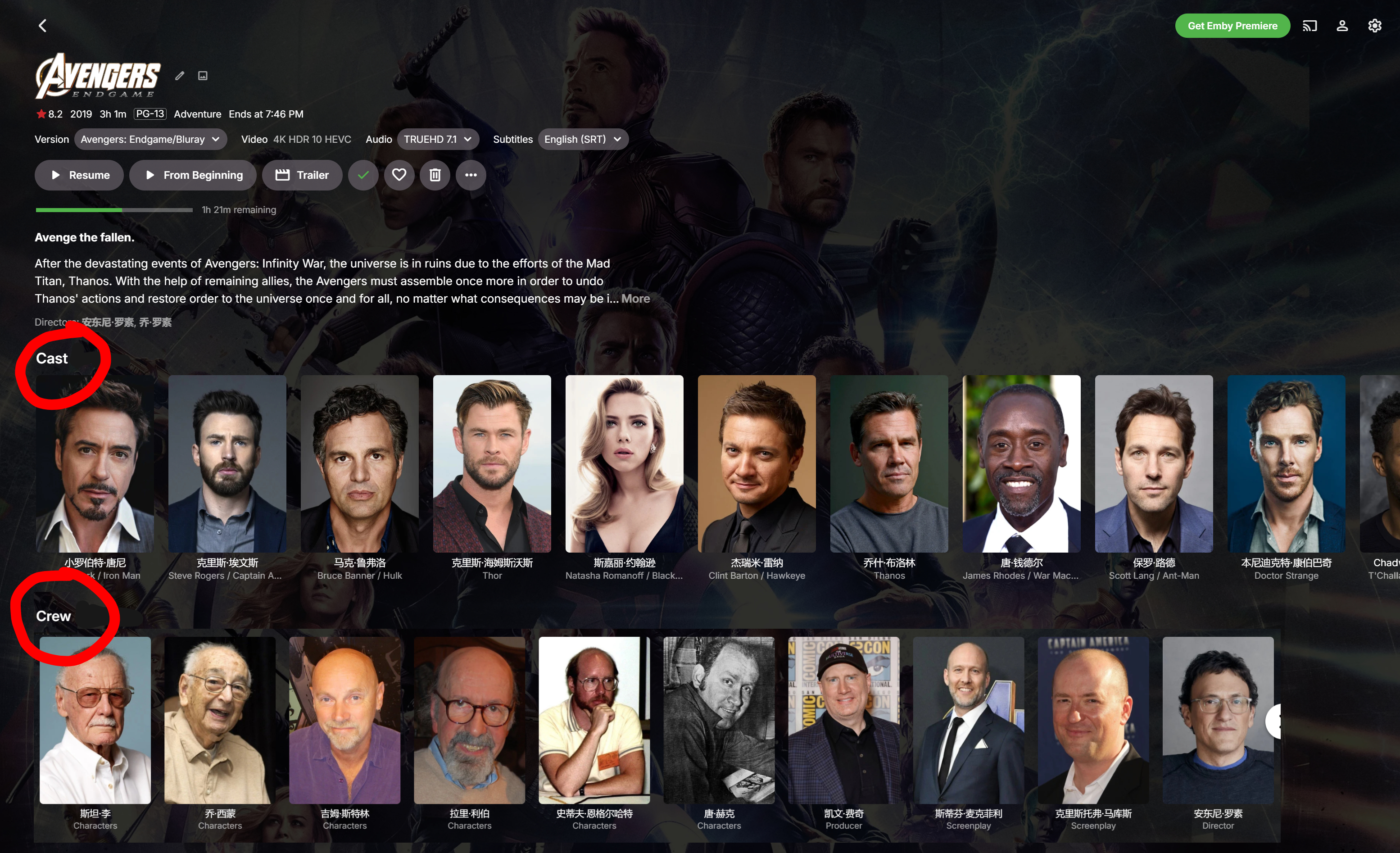
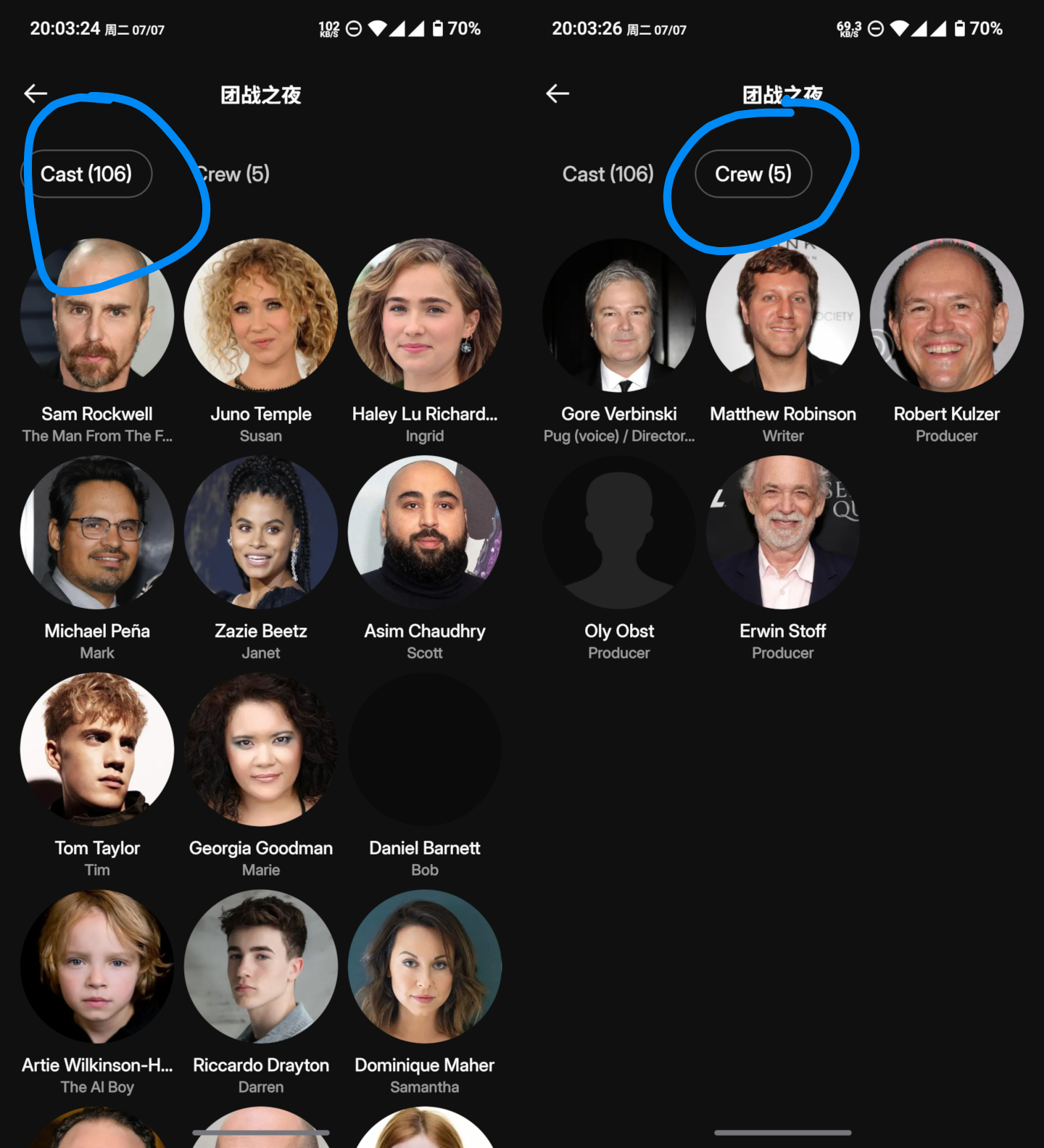
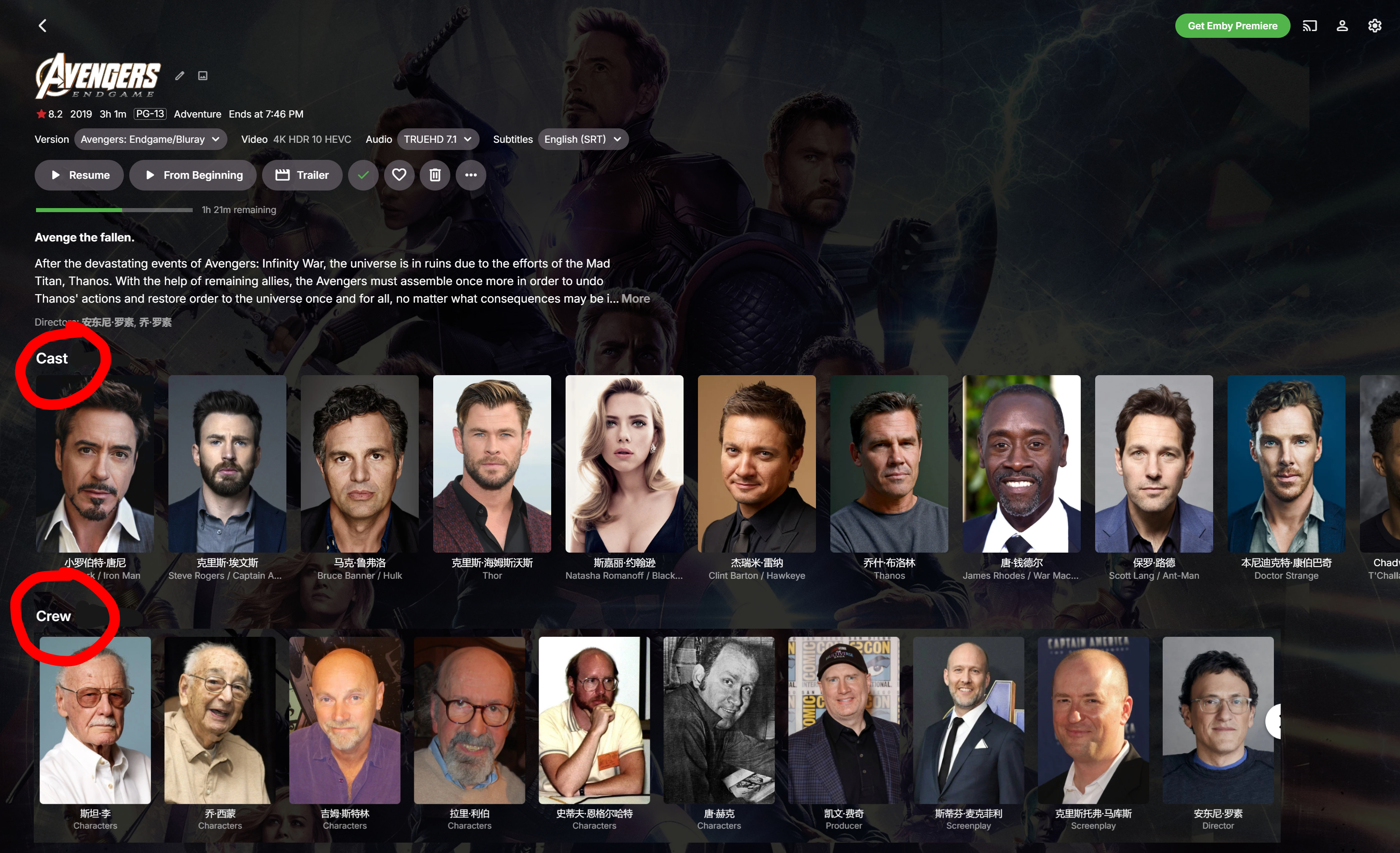
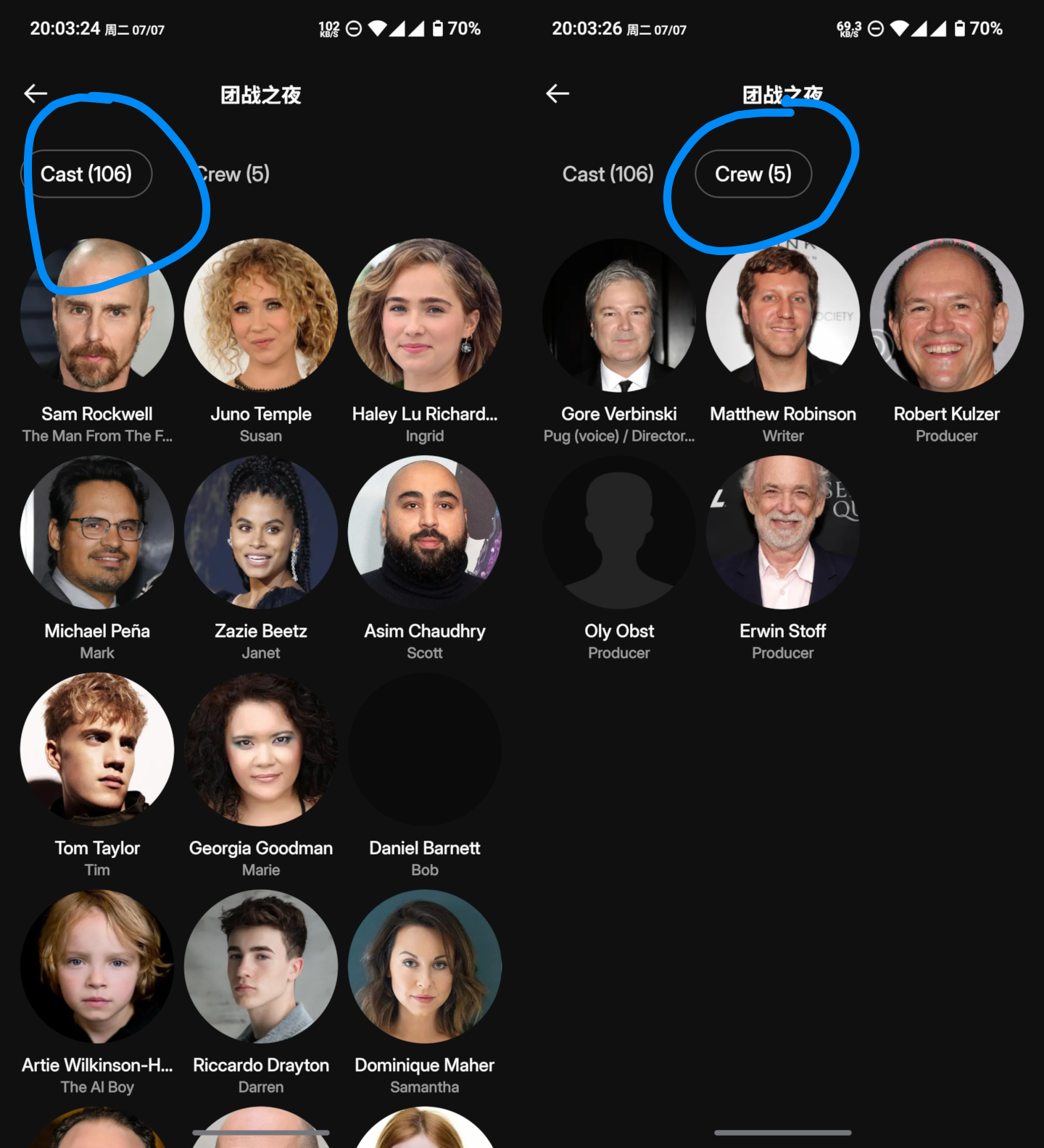
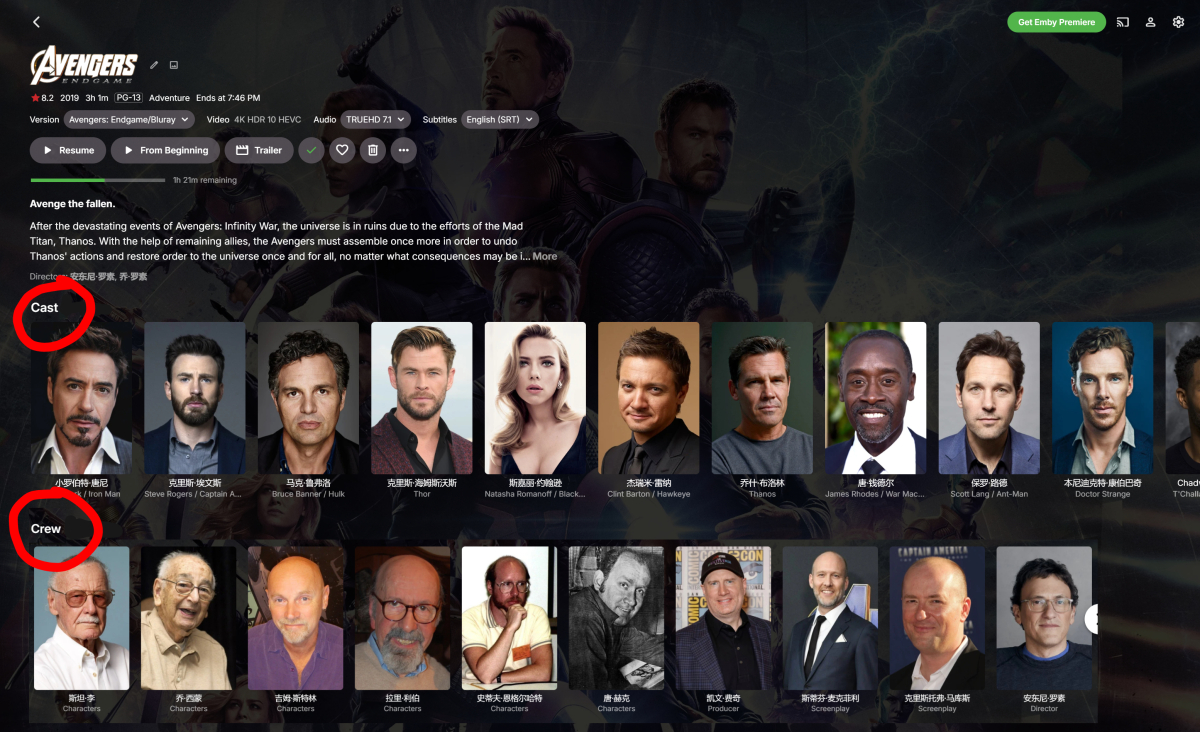
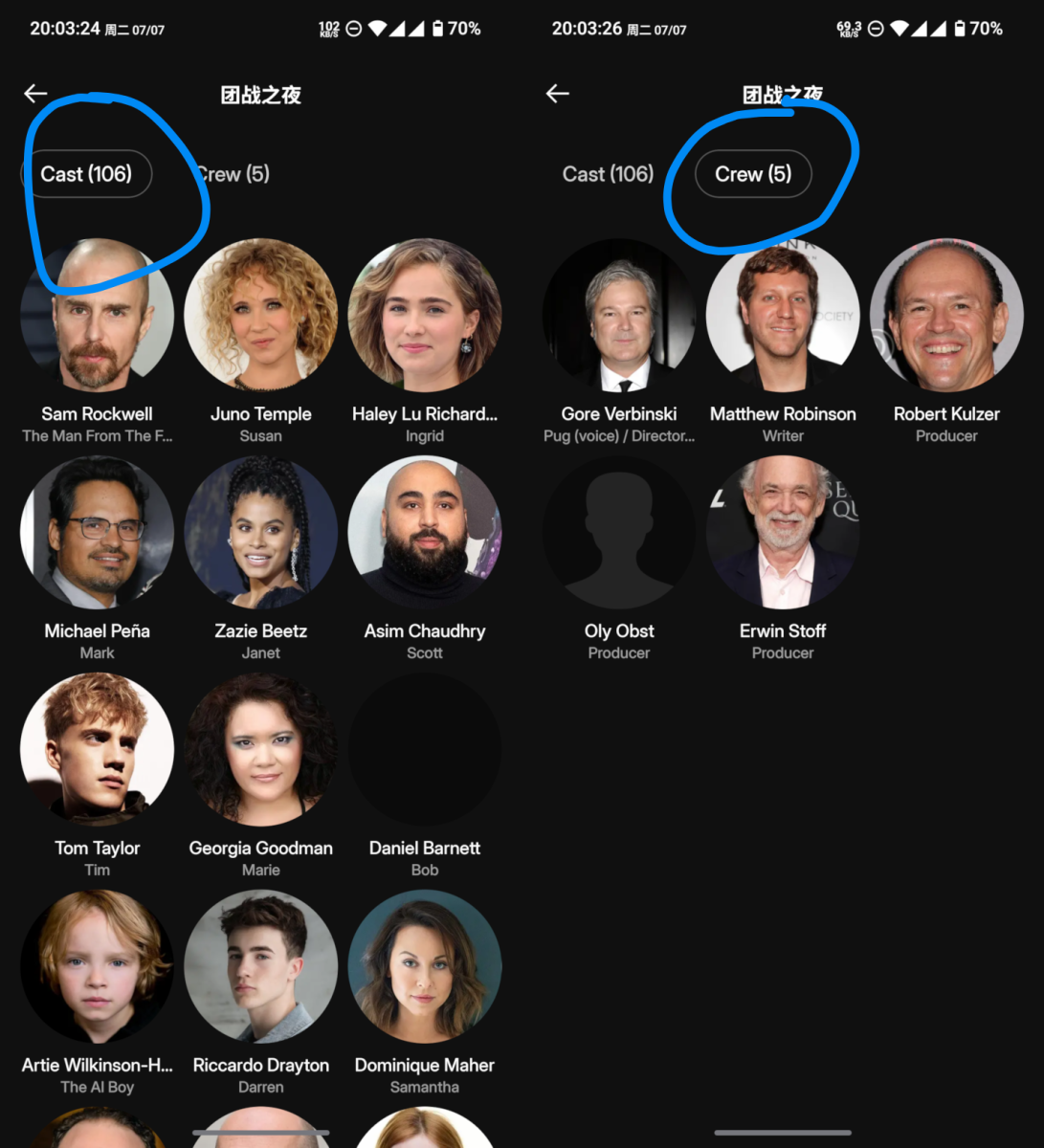
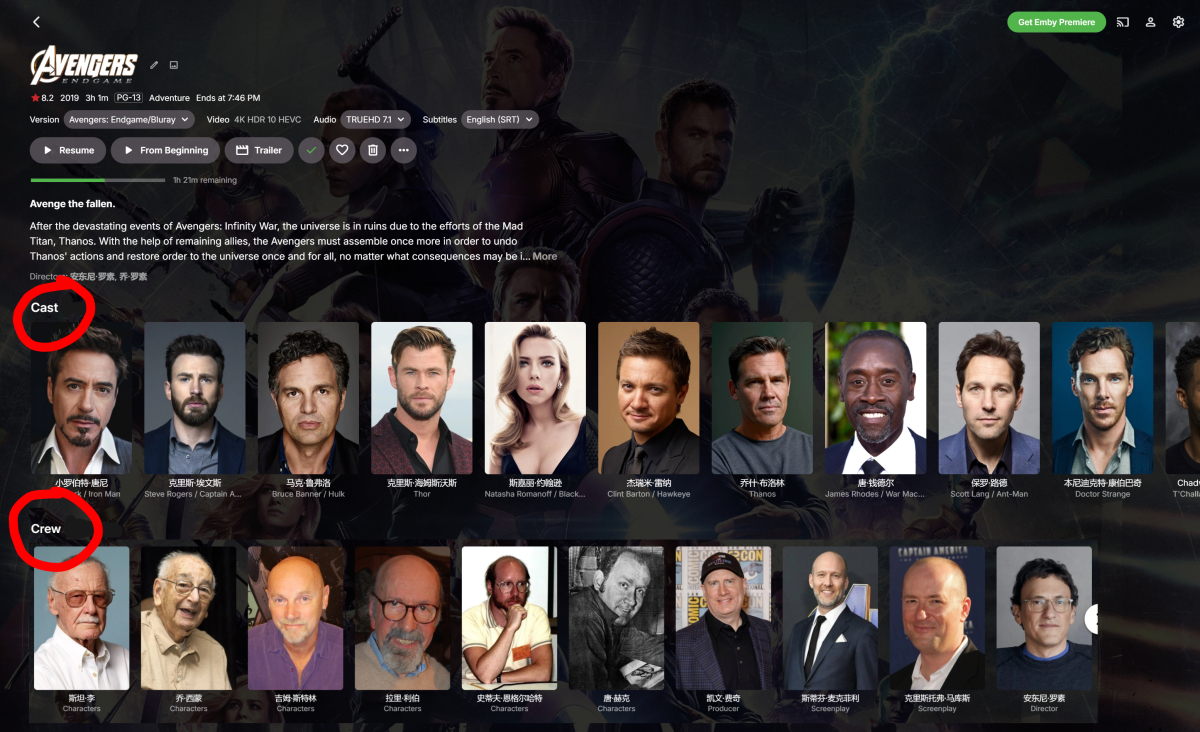
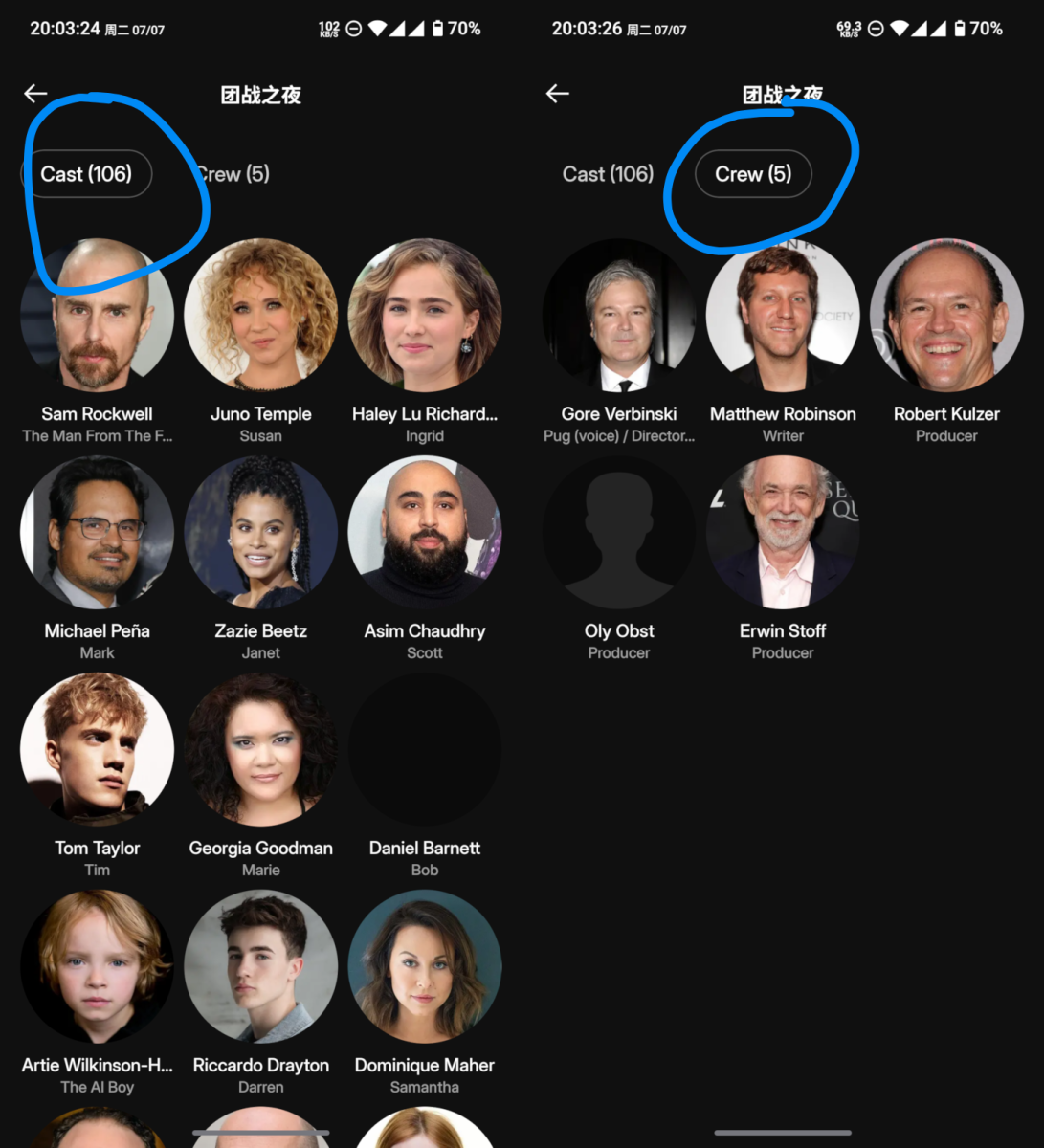
Hello @Luke, being able to quickly and easily view a movie’s crew is a very basic need. Please add this feature. How can this be implemented? As shown in the image, I think adding an option that allows us to separate the cast and crew would be a great solution. We really need this feature! Thank you! Just like Plex does
-
Hello @Luke, being able to quickly and easily view a movie’s crew is a very basic need. Please add this feature. How can this be implemented? As shown in the image, I think adding an option that allows us to separate the cast and crew would be a great solution. We really need this feature! Thank you! Just like Plex does
-

Emby Beta 4.10.0.15+: Crashing due to Out of Memory on DS918+ Package Center Install
sa2000 replied to DarWun's topic in Synology
I do not believe that a weekly need to restart is excessive whilst there is the issue with scanning large libraries. I am still interested to know what version was in use before that. -
Emby Beta 4.10.0.15+: Crashing due to Out of Memory on DS918+ Package Center Install
sa2000 replied to DarWun's topic in Synology
It could still be plugin like "TimeLordTV" requiring a lot of memory because of number of seasons or episodes in specific shows. What version was in use before this ? I will provide you the script and it needs to be running in an ssh session on the NAS. I normally would like to have the memory usage covering from the launch time of emby server up to the time when it becomes too high and the emby server ends up unresponsive or gets killed by the OS with OOM kill. So the SSH session needs to remain running - with the script starting to log memory usage before the initial relaunch of emby server and up to the time of failures. Together with the script memory usage logging, I would like to have the emby server running with debug logging enabled - enabled before the relaunch. Logs are kept for 3 days by default - so if the issue arises within the 3 days then we do not need to make any changes to extend that logs retention period Enable ssh on the NAS, login using tools such as PuTTY and navigate to a directory where the script will write the memory usage log to Then execute the script (echo "PID,time,VmPeak,VmSize,VmLck,VmPin,VmHWM,VmRSS,VmData,VmStk,VmExe,VmLib,VmPTE,VmSwap"; while :; do PID=$(pidof EmbyServer | awk '{print $1}'); [ -z "$PID" ] && { sleep 1; continue; }; printf "%s," "$PID"; date "+%F %T" | tr '\n' ','; awk '/^VmPeak|^VmSize|^VmLck|^VmPin|^VmHWM|^VmRSS|^VmData|^VmStk|^VmExe|^VmLib|^VmPTE|^VmSwap/ {gsub(/ kB/, "", $2); gsub(/[ \t]/, "", $2); printf "%s,", $2}' /proc/$PID/status | sed 's/,$//'; echo; sleep 1; done) | tee -a "$(cat /etc/hostname)_emby_memory_log_$(date +%F).csv" That will display to the screen as well as logging to a csv file - named: "<hostname>_emby_memory_log_<date>.csv" in the current directory With this run then enable debug logging on embyserver and then relaunch emby server When the issue arises, abort the script (control & c) and provide all the embyserver log files (embyserver-xxxxx.txt files and embyserver.txt) and the csv file Having said that, it would be worth trying first without the TimeLordTV plugin -
Can we get it very soon Ifamily hate this implementation it makes the recording tv cumbersome to use it limits the number of recordings you can see at once. There should have always been a toggle like wmc had all those years group or ungroup
-
I hated the Netflix Like/Dislike system. It's too vague, and I end up with crap selections because I "Liked" one movie, but in reality it was like a 5 out of 10. I would LOVE better suggestions from Emby as well based on a numeric scoring system. If Irate horror movies 9s and 10s, Action 8s and 9s, and Drama and Comedy 5s and 6s, then I want to see more Horror and Action. I don't want to see a ton of drama and comedy just because I "Liked" a couple Dramas because they didn't suck.
-
I hate 2FA with a passion.
-
This is another one that has been bugging me for many years. The Collections displayed RARELY ever changes! I've watched every movie in ALL of them, but they are still there. Not only should the collection be marked Watched, but the the Collection should be hidden from the section so that I can work on watching other collections!
-

Emby Theme Creator (theme.mp3 & backdrops/theme.mp4)
Oratorian posted a topic in Tools and Utilities
emby-theme-maker Auto-generate theme videos & theme music for your TV shows — straight from Emby's own Intro markers. Most of us let Emby's Intro Detection scan our libraries so we can skip the openings. But those IntroStart / IntroEnd markers already point at the exact theme-song sequence of every show. This small, dependency-free tool reuses them: it cuts that segment out of a representative episode and drops it into the series folder as a looping backdrop video (and, optionally, theme music) that plays on the detail page. See it as alternative to the TV-Theme plugins. No manual clipping, no hunting for openings — if Emby detected the intro, you get a theme. How it works Reads each series' intro markers over the Emby HTTP API. Picks a representative episode per series (median intro length — robust against cold opens / creditless specials). Uses ffmpeg to cut [IntroStart → IntroEnd], re-encode with fade in/out, and write the result where Emby expects it. video → SeriesFolder/backdrops/theme.mp4 (h264/aac video backdrop) audio → SeriesFolder/theme.mp3 (theme music, series root) both → both of the above, in one pass Highlights Zero Python dependencies — just Python 3 + ffmpeg. Safe by default — never overwrites an existing theme without --force; even protects a hand-curated theme-music/ folder. --list and --dry-run so you see exactly what will happen before anything is written. Atomic writes — a cancelled run never leaves a half-written file. Parallel encoding (--jobs), path-mapping for Docker/NAS setups, per-language audio selection, fade & quality controls. Idempotent — re-run any time and it only fills the gaps. Requirements Python 3.9+ and ffmpeg / ffprobe on PATH An Emby API key (Dashboard → API Keys) Local or mounted access to your media so ffmpeg can read episodes and write into series folders Quick start Create a .env: EMBY_URL=http://192.168.1.10:8096 EMBY_KEY=your_api_key # how Emby-reported paths map onto THIS machine's mounts EMBY_PATH_FROM=/media EMBY_PATH_TO=/mnt Then: System specific binaries exist: emby-theme-maker.exe(win_x64), emby-theme-maker(linux_x64) All share the same syntax below. # preview — read-only, writes nothing ./emby_theme_maker.py --list # generate video backdrops + theme music, then trigger a scan ./emby_theme_maker.py --mode both --jobs 3 --refresh Tip: Emby only registers new theme files on a full library scan. The --refresh flag triggers one for you at the end of the run. Notes Tested on Emby 4.10. Works great across a full library (I ran it over ~120 shows). Series with no detected intro are simply skipped. Provided as-is by a fellow user — feedback, issues and PRs welcome! emby-theme-maker.zip -

Hide Played Media from Recently Released Movies
Dizzy49 replied to aroex's topic in Feature Requests
I am disappointed that this is still open. Two years later, all the talk of making all the app functionality the same, but this remains. -

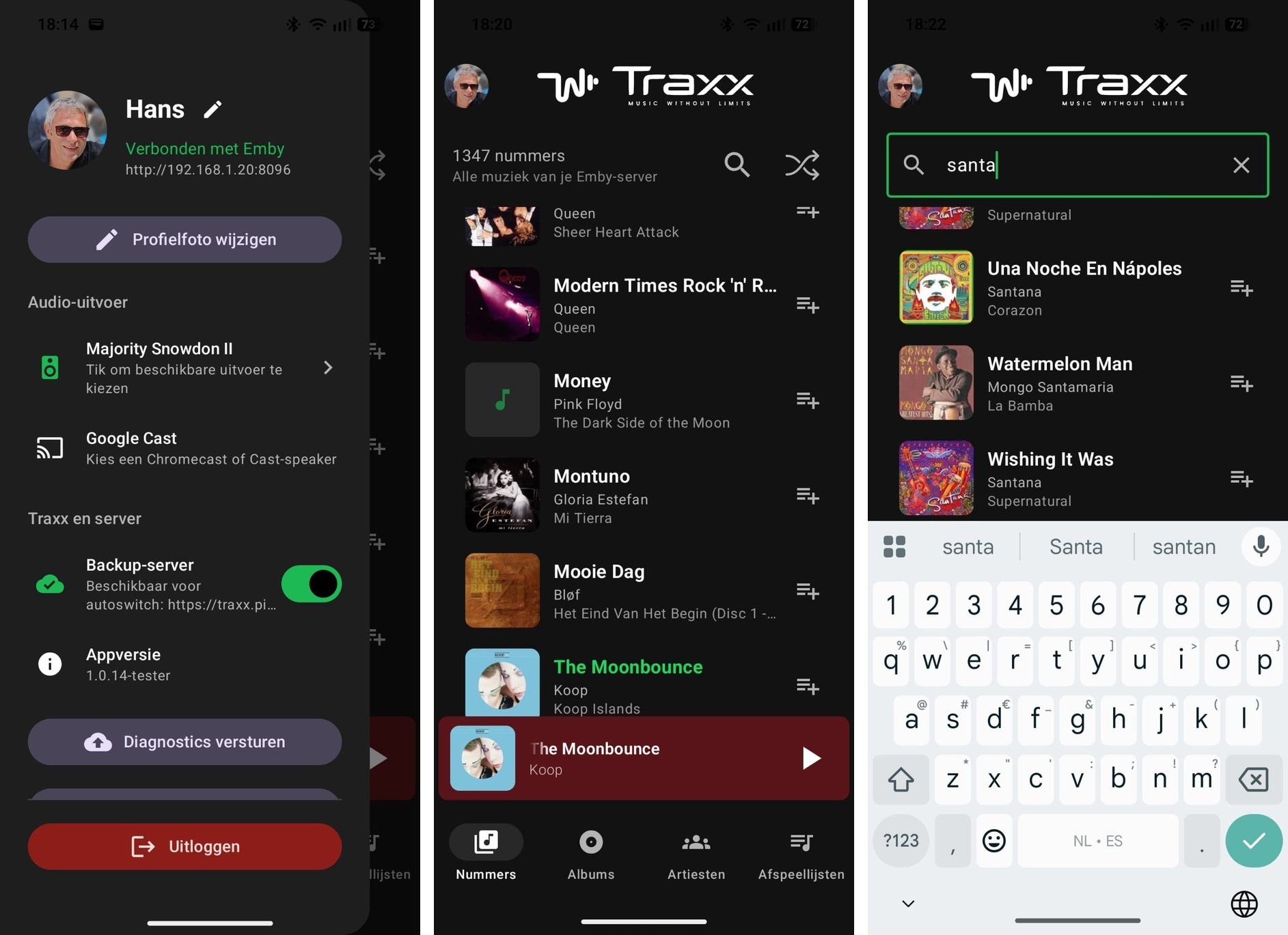
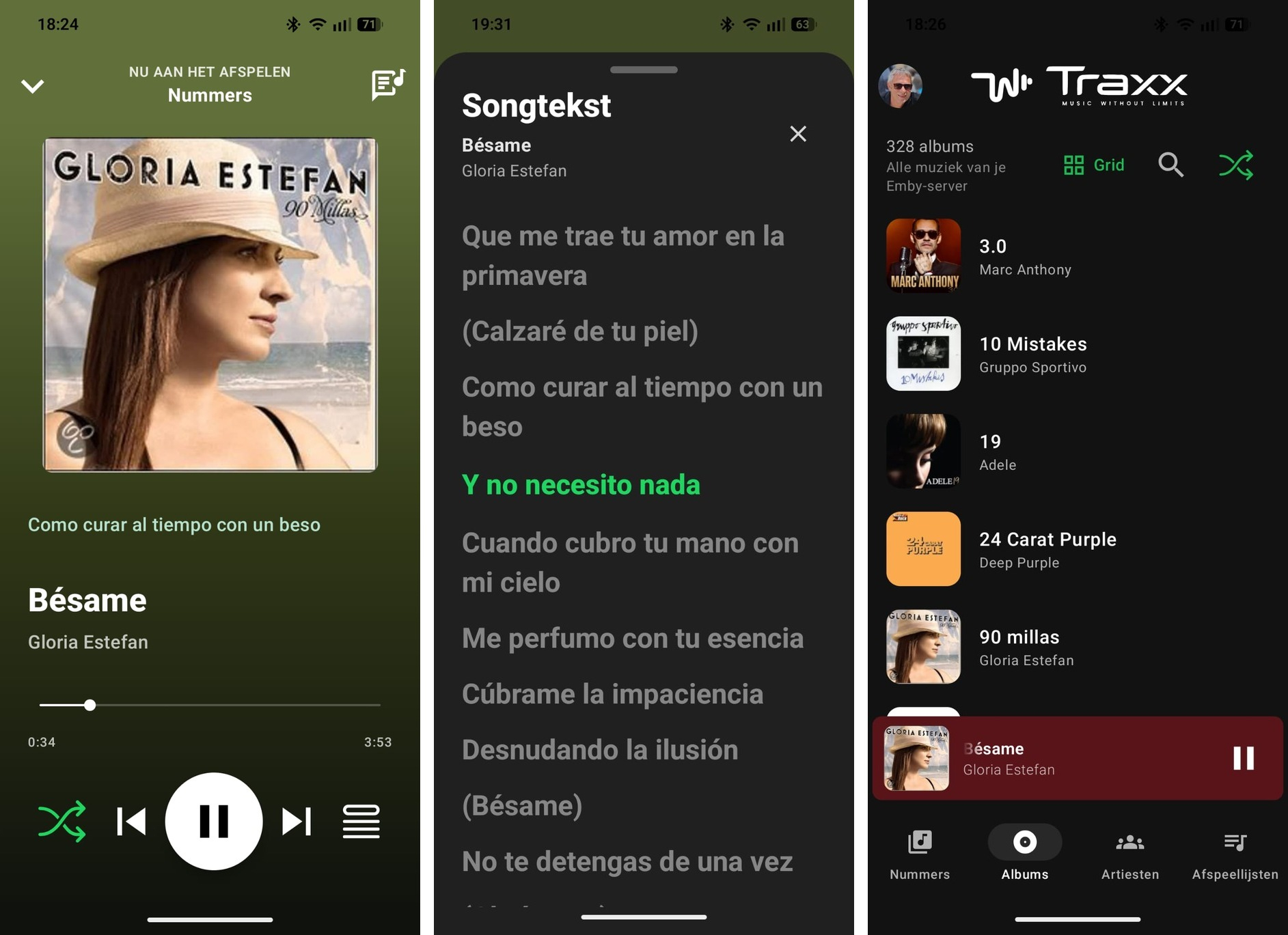
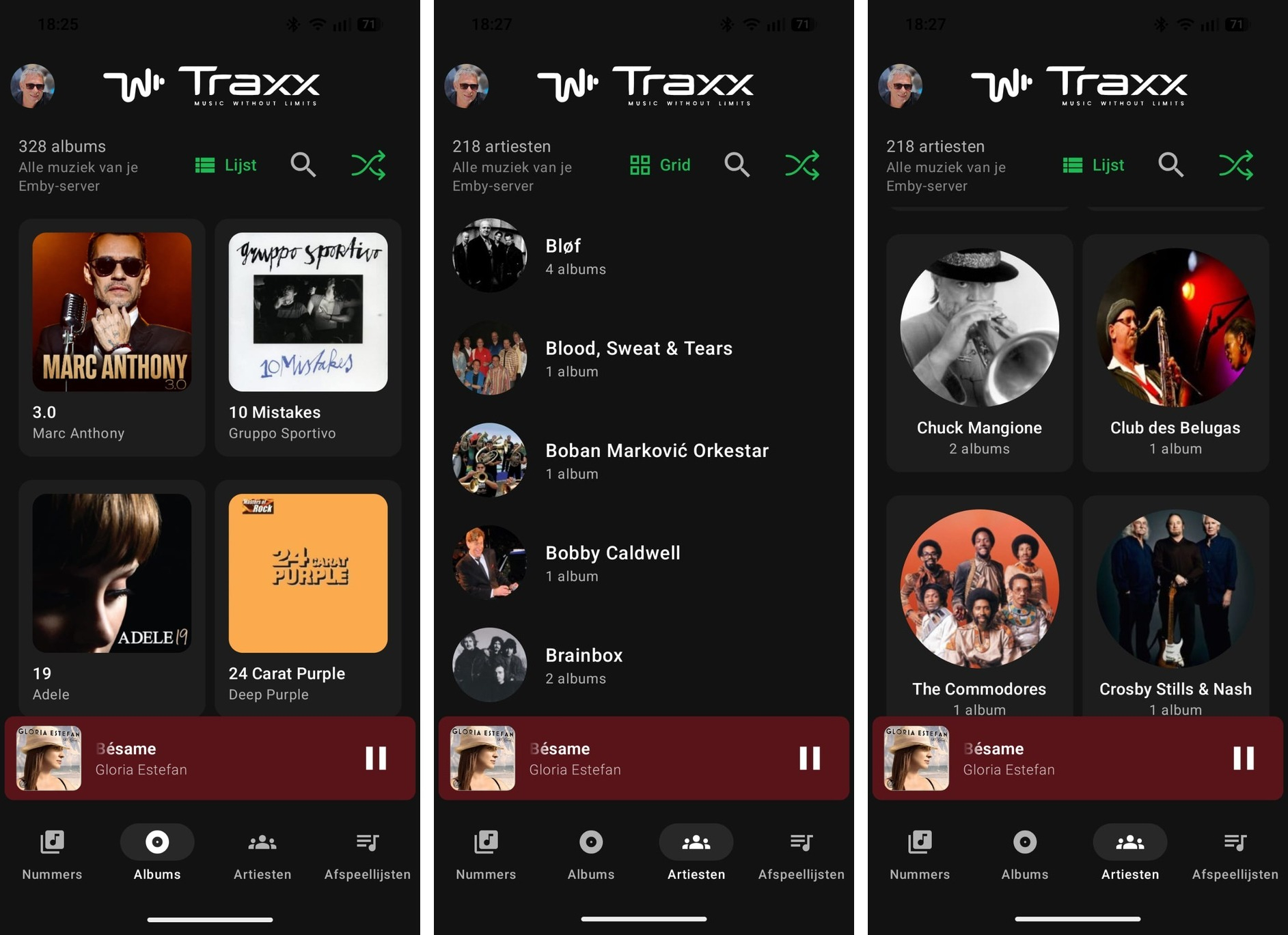
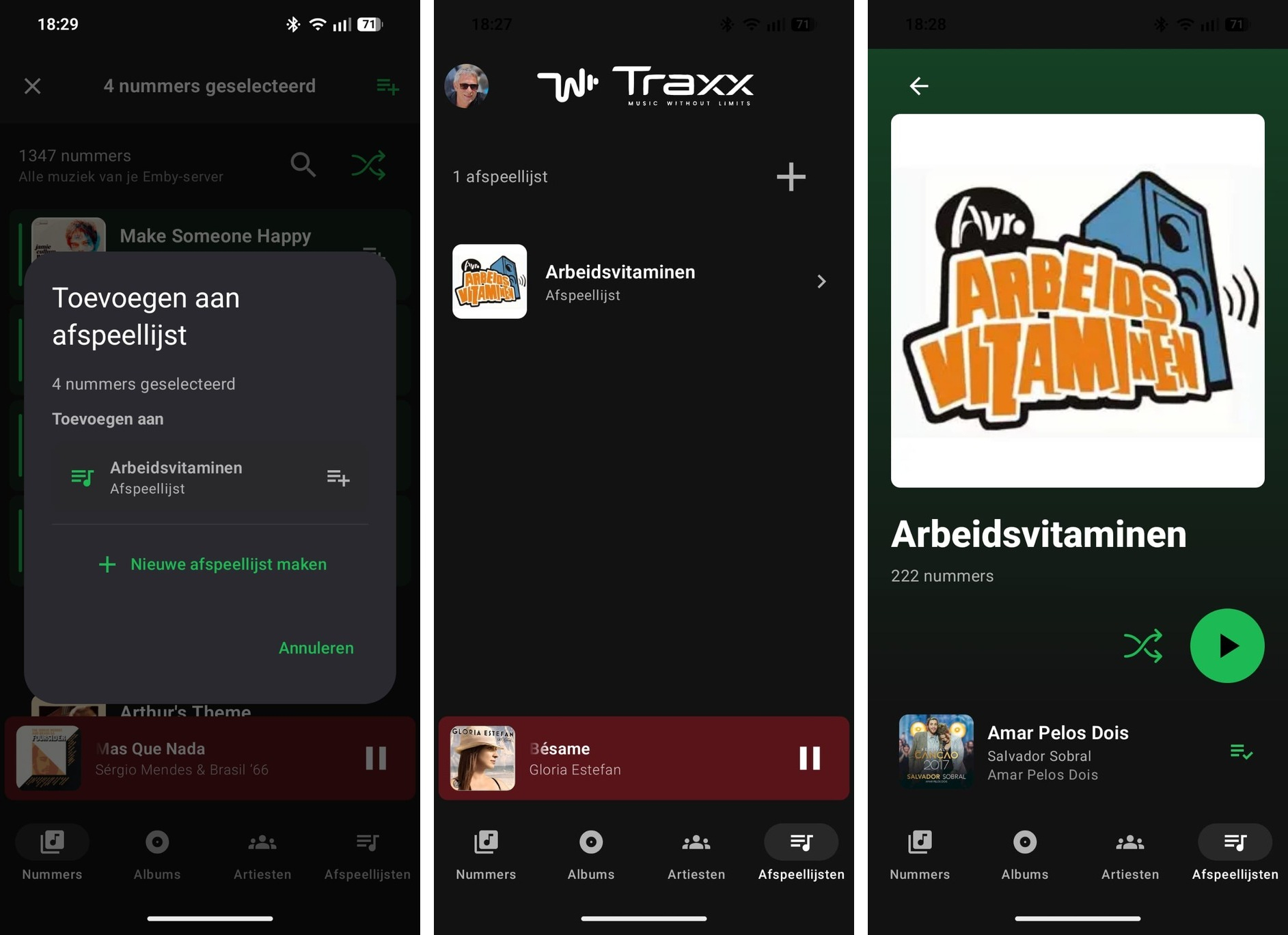
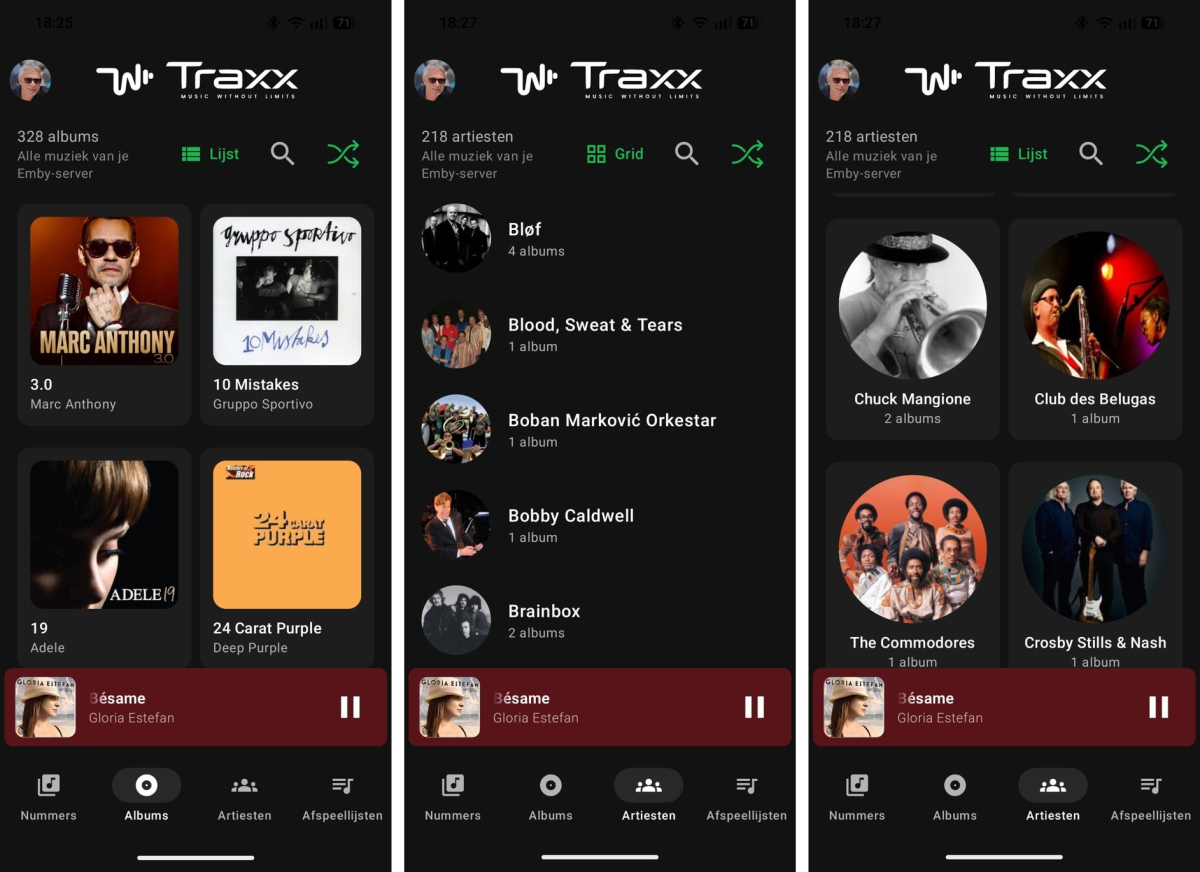
Introducing Traxx, an Android music app built for Emby music libraries
Hauzz replied to Hauzz's topic in Third Party Apps
And here's the apk traxx-beta.apk -
Hi, I am testing Emby Server on docker and I really like it. I only see one thing or I am doing something wrong. In the library settings I have Enable Real Time monitoring. When I place a file in a directory of that library it doesn't "see" it. I have to do a manual scan and then it comes up in the gui. Is this a known issue or am I doing something wrong? The docker environment is running on a raspberry pi 5.
-
Introducing Traxx, an Android music app built for Emby music libraries
Hauzz replied to Hauzz's topic in Third Party Apps
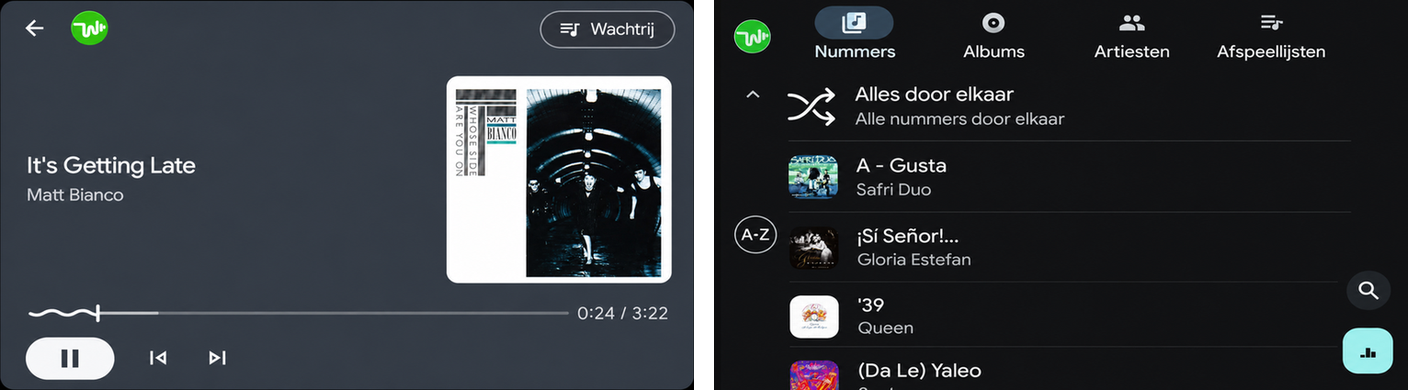
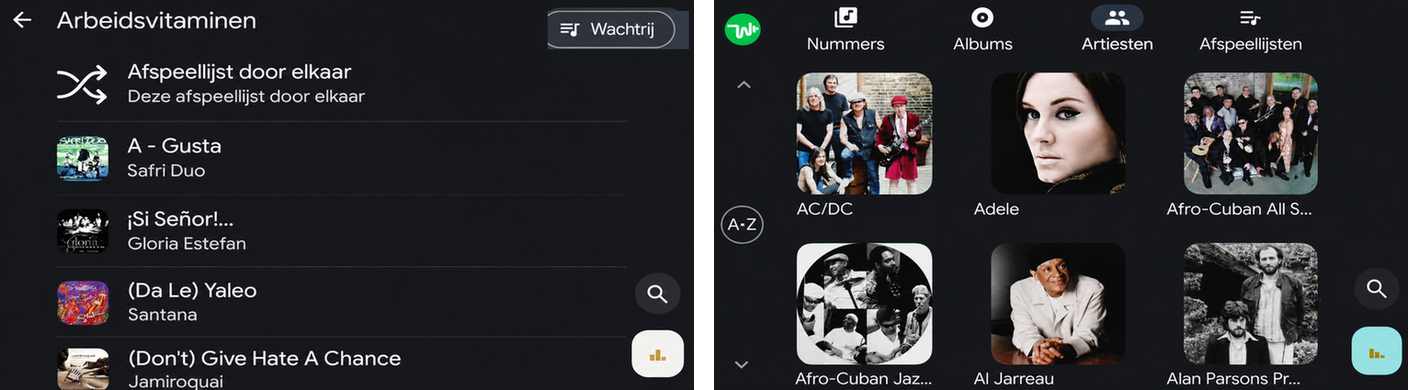
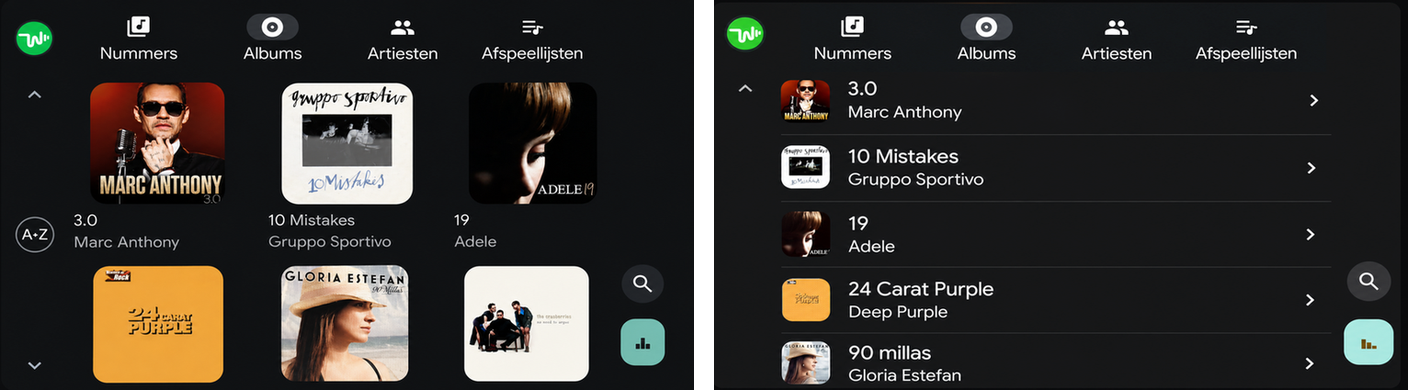
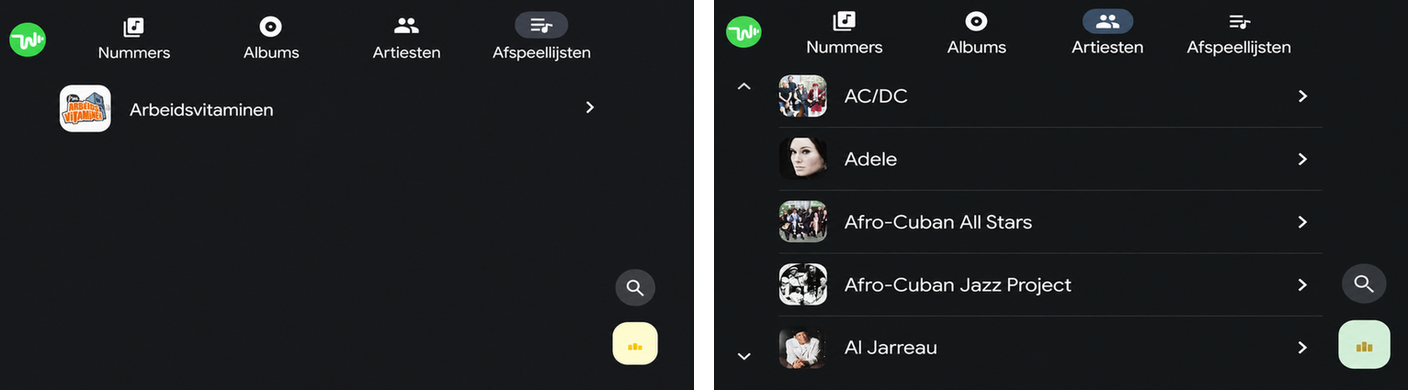
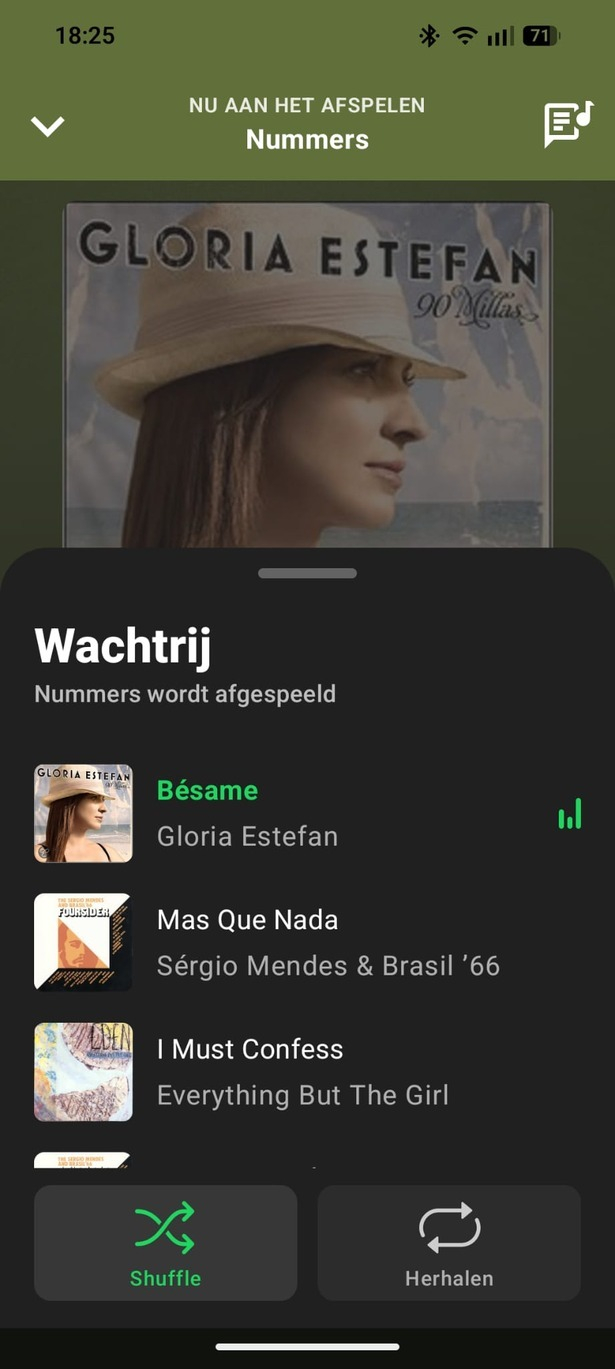
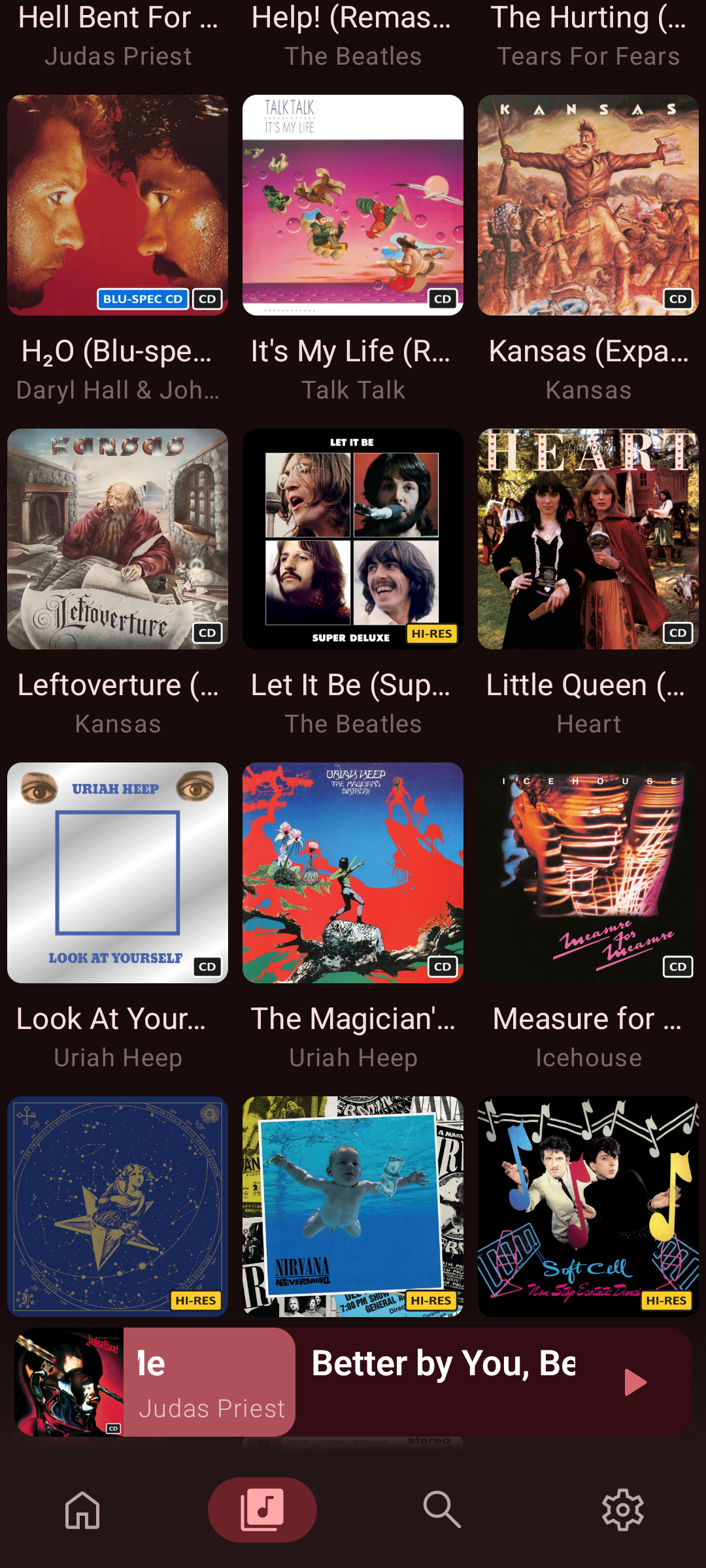
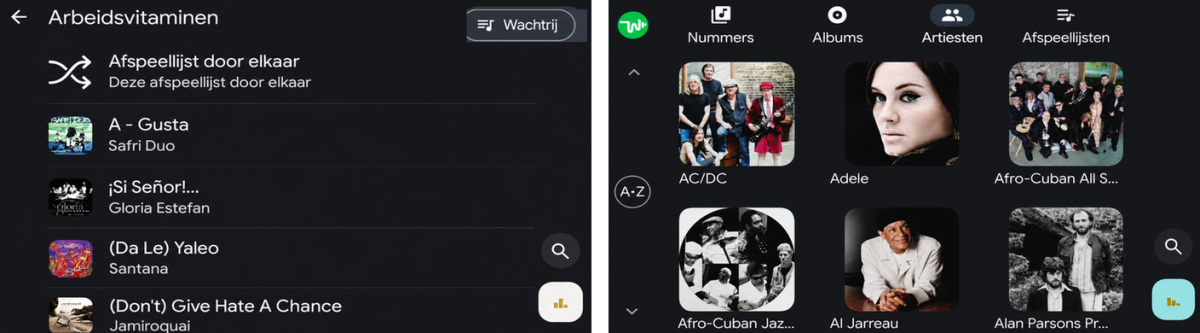
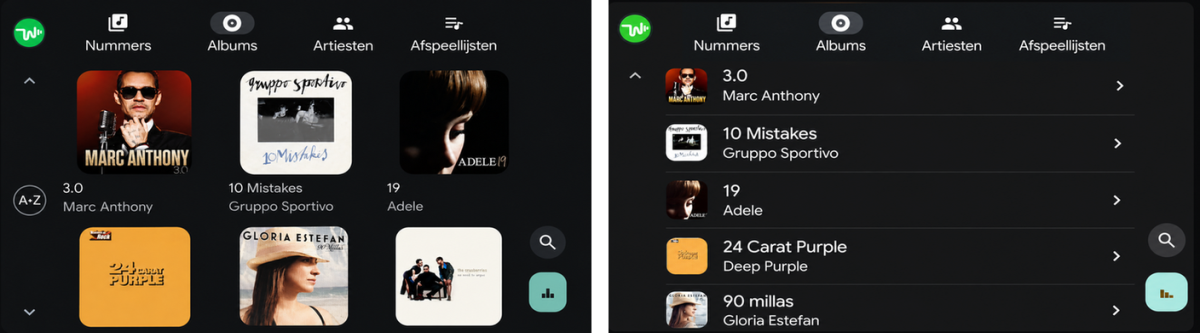
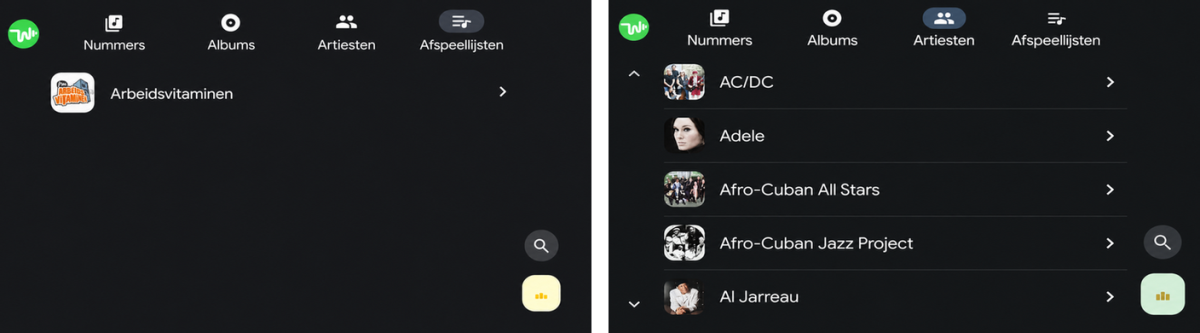
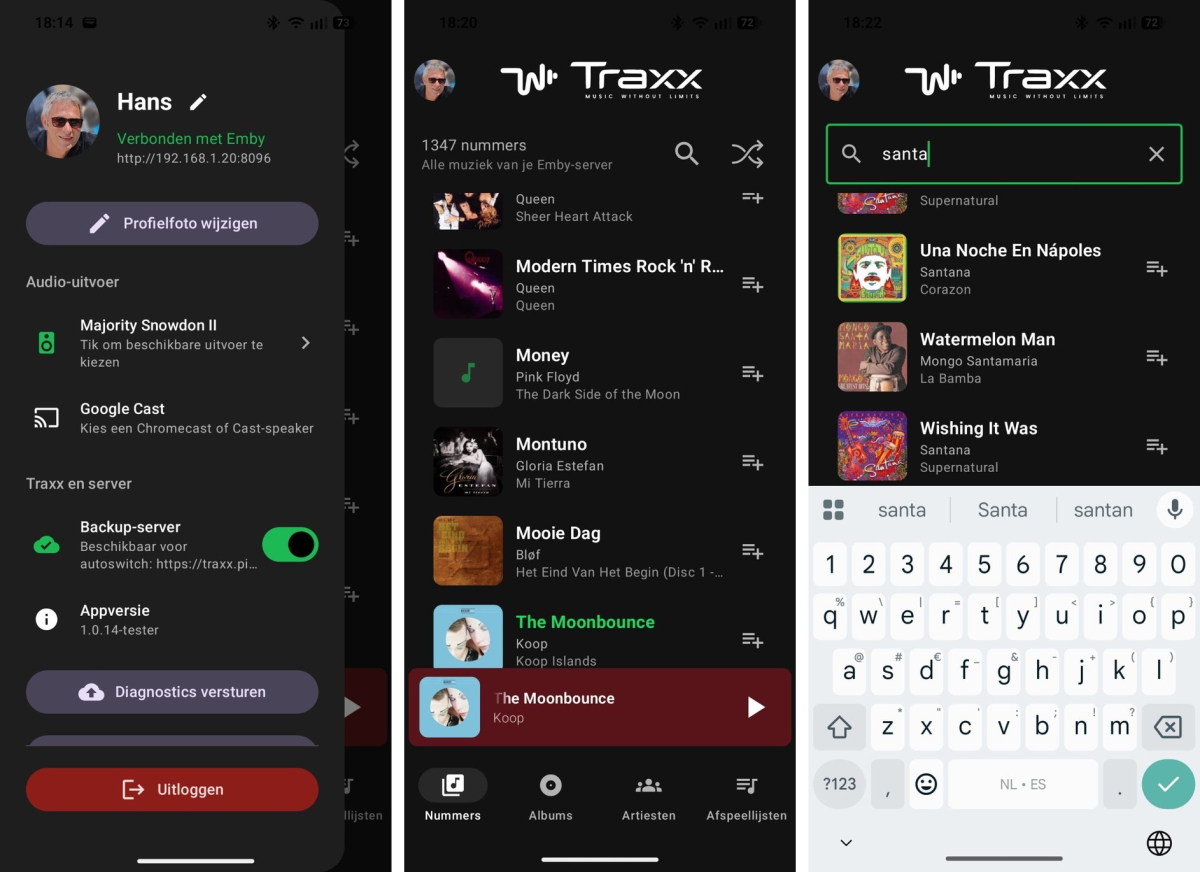
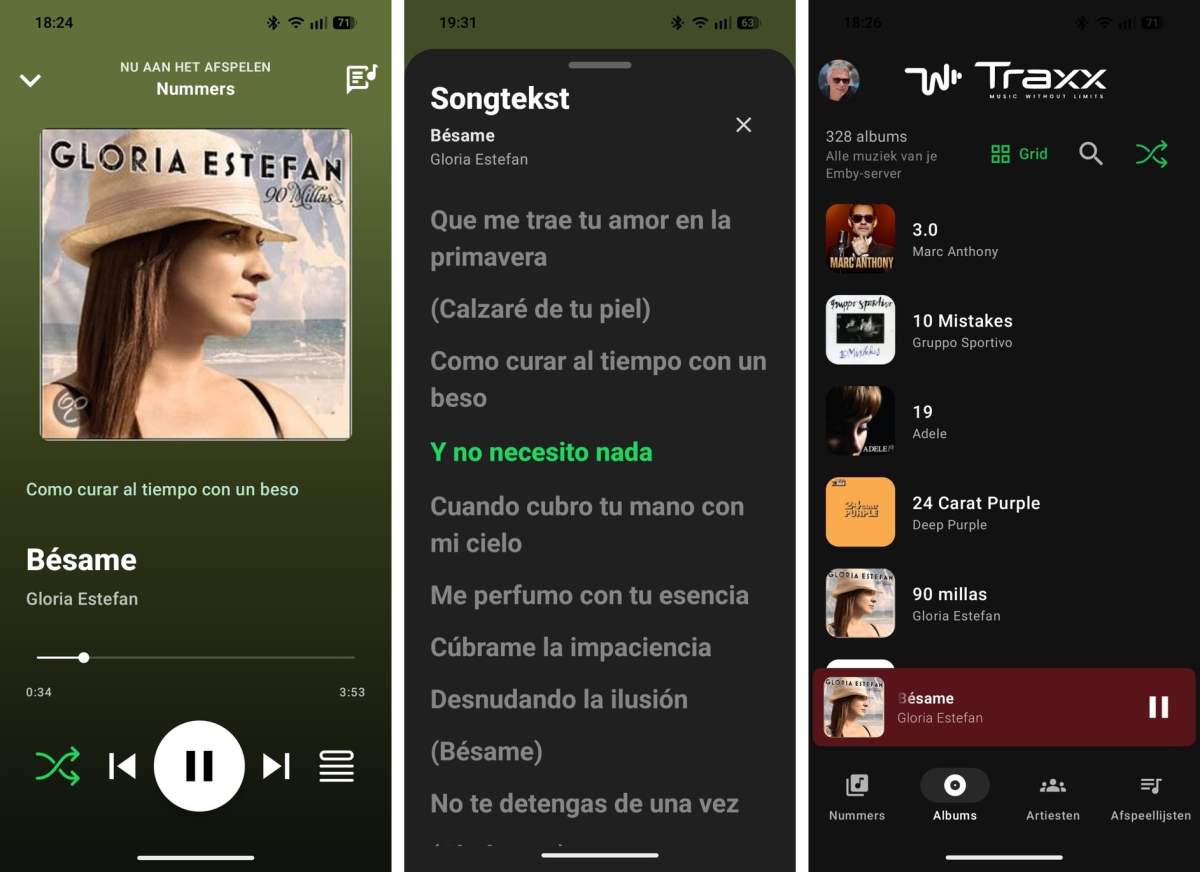
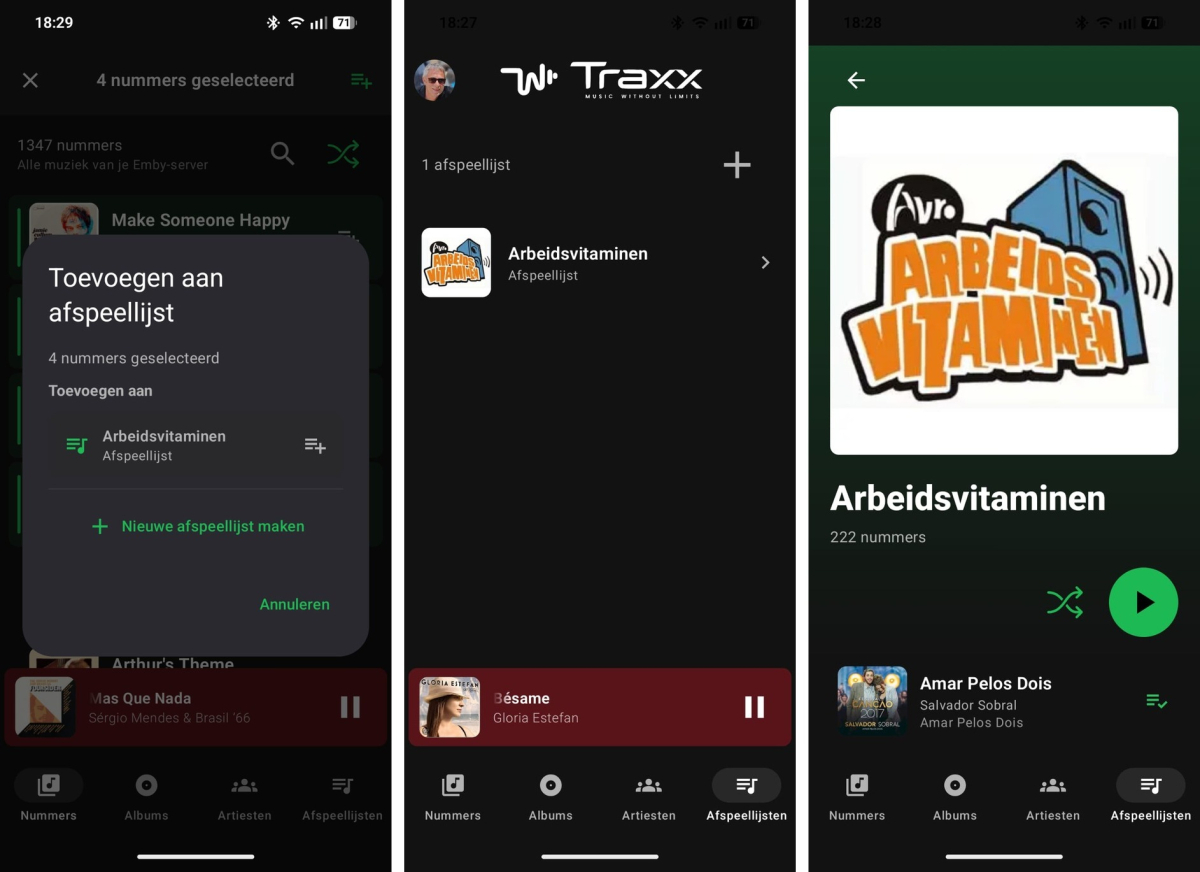
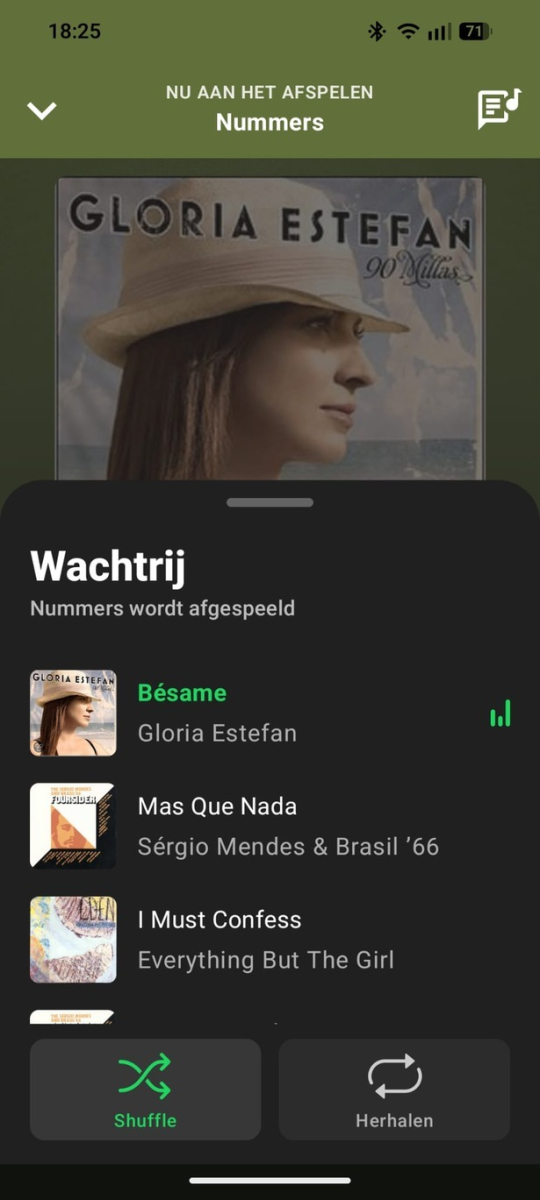
Traxx 1.0.14 test build - changes since June 22 This build is mainly focused on making Traxx easier to use with Emby music libraries, especially on Android Auto, playlists, large libraries, and switching between local and remote server access. Traxx supports three languages, Dutch, Spanish and English, and automatically uses the one that matches your phone’s language. Latest update, July 6 - The tester build and the normal release build were rebuilt, signature-checked, and installed on the test phone. - This update adds the search fixes and library cache refresh fixes listed below. Library and browsing - Albums and Artists can now be shown as either a list or a grid in the phone app. - The List/Grid choice is saved separately for Albums and Artists. - Android Auto uses the same List/Grid choice as the phone app. - Changing List/Grid on the phone can refresh the open Android Auto view on supported head units. - Android Auto no longer shows an extra List/Grid selection page before Albums or Artists. - Artist album counts are shown more reliably. - The app no longer shows unnecessary “Album artist” fallback text in the artist view. Playlist improvements - Adding songs to playlists is now easier. - In the Songs list, long-press a song to start selecting multiple songs. - Tap more songs to select or deselect them. - The top bar shows how many songs are selected. - Tap the playlist button in the top bar to add all selected songs at once. - You can add the selected songs to an existing Emby playlist. - You can also create a new playlist and add the selected songs to it immediately. - Traxx skips songs that are already in the target playlist, so it does not add duplicates. - After adding, Traxx shows how many songs were actually added. Playback and Now Playing - Tapping a song from an album or playlist now opens Now Playing directly. - Album, playlist, and artist detail pages now have smarter Play/Pause behaviour. - If the same source is already playing, the main button pauses or resumes it. - If another album, playlist, or artist is selected, the button starts that source. - Album shuffle no longer starts playback immediately. It only shuffles the visible track list; pressing Play then starts that order. - The mini-player no longer appears immediately when simply opening an album, playlist, or artist page. - After closing Now Playing, a compact “continue listening” bar appears instead. - The queue view now opens directly at the currently playing song. - Synced lyrics can now be shown inline in Now Playing. Search fixes - Selecting an album or artist from search now closes search mode and hides the keyboard. - When returning from the selected album or artist, the item you opened is kept in view. - Selecting a song from search now opens Now Playing directly. - Song search keeps the search text after selection. - Previous and Next now stay inside the visible search results, instead of jumping back to the full Songs list. Android Auto - Android Auto browsing has been improved for Albums, Artists, Playlists, and Songs. - Album, artist, and playlist items now show better names and artwork instead of falling back to a generic “Traxx” item. - Android Auto can prepare library metadata without needing the phone app to be opened first. - Artwork loading for Android Auto is more controlled and happens in stages. - Album artwork fallback is faster for large libraries. - Android Auto gets better hints for list/grid display, while the car/head unit still decides the final layout. Large library and artwork fixes - The local library cache now handles large libraries more safely. - This avoids crashes such as very large library rows becoming too big for Android’s local database handling. - When Emby reports album removals or merges, Traxx now does a proper main library refresh. - Old album and artist detail snapshots are cleared after those changes, so removed or merged albums should no longer stay visible as empty old entries. - Temporary artwork server errors and timeouts are remembered for 24 hours, so Traxx does not keep retrying the same failing image over and over. - The tester/debug build now has a clearer artwork problems screen: failed artwork is shown with a recognizable song, album, artist, or playlist name where possible, plus the reason, retry count, last error time, and Emby ID. Temporary errors can also be cleared so Traxx can try those images again later. Server switching and connection handling - Switching between a local Emby address and a remote/backup address is more stable. - When moving away from the local network, Traxx can switch to the backup/remote address more reliably. - When returning to the local Wi-Fi network, Traxx can switch back to the local server address when reachable. - The current song should keep playing where possible during server switching. - Upcoming queue items are updated to use the active server address, reducing playback failures after switching networks. - Server addresses are compared more intelligently, so addresses with or without `http://` can still be recognized as the same server. Cast and security - Local HTTP Cast streams can now be routed through the phone relay when needed. - Artwork provider access has been tightened. - Release logging stays limited, while tester/debug builds include more diagnostics for troubleshooting. Tester build - The tester APK is a separate app: `Traxx Tester`. - It is signed, obfuscated, and resource-shrunk like a release build. - The tester build expires after 14 days from first install.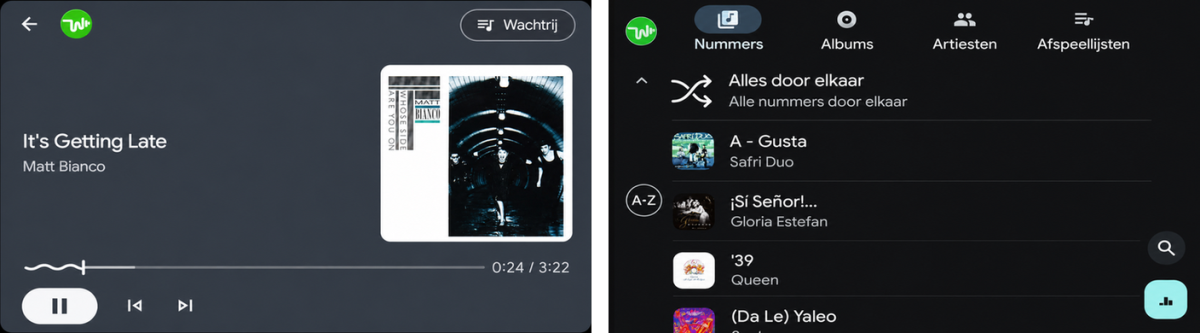
-
Thanks for the answer. That one works wel.
-

Another "Waiting to transfer" download failure mode - duplicate download attempts
softworkz replied to maximumentropy's topic in Windows & Xbox
@Luke -
New stable is out - can you confirm whether it's fixed?
-
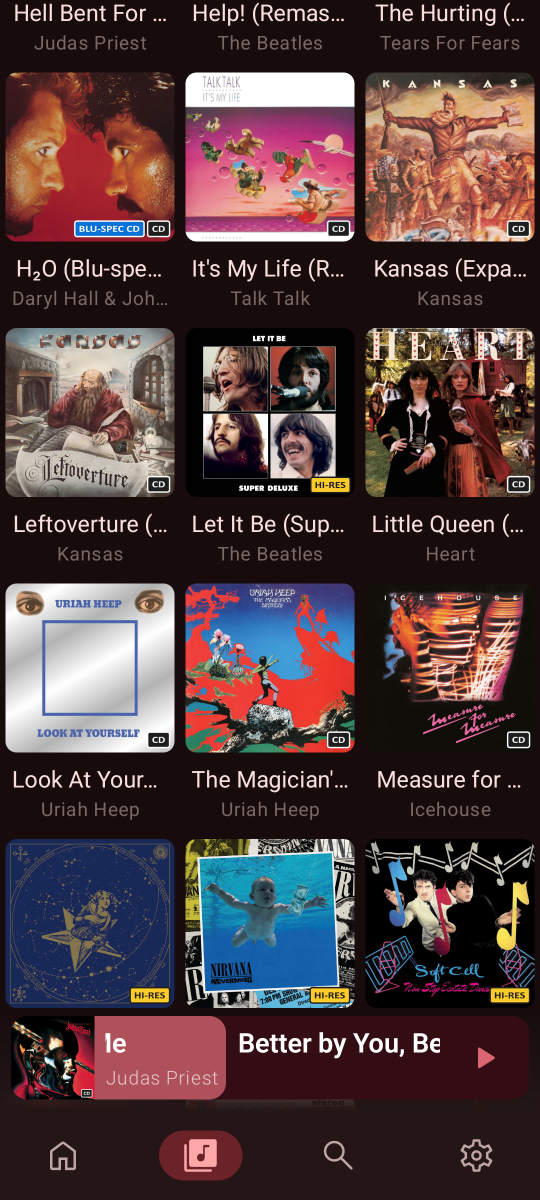
I set something up using the file-based method; I managed to get tags working as long as the info is in the album title. And in most cases, I do have that in the album title. So, it’s doing the job for now. As for Hi-Res—well, any 24-bit song counts as Hi-Res, all 16bit it's cd most cases, so I swapped "bitrate" for "Hi-Res," and it works. It becomes a semi-automated process if you know how to handle filenames. I look forward to the day when customizable ones are available. I'm here if you need any help.
-
Your EmbyServer installation must have become corrupted in some way. The server uses .net8 and is self-contained, which means it has all the .net stuff it needs on board already. Installing a .net runtime won't help. You can try uninstall+install again or install without uninstall (as you said you can't remove it). Please also take a look at the Windows event log and check your antivirus for any events.
-
HI there, can you please provide a specific example? How to Report a Problem Thanks !
-
First track yes, seems that and album shares their poster. Well you can.. Any tag added to the first track in an album will be shown on the album poster because of said way Emby works. Understandable, I will see what i can do to work around it but for now it looks grim as i don't know if it's possible to separate those posters or how to do it.