All Activity
- Past hour
-
 aviacohen4444 joined the community
 -
 albertoropares joined the community
 -
 djomla joined the community
 -
 niko22 joined the community
 -
 Snapshot781 joined the community
 -
 Abdullah Hajeyyah joined the community
 -
 Mercedes Martínez joined the community
 -
 Yellow_Creek joined the community
 -
 pillutla joined the community
 -
 Johntep joined the community
 -

Keine Downloads der Emby Beta trotz Anzeige das eines vorhanden ist?
Anz30 replied to Anz30's topic in German
Super, wusste ich nicht, wird sofort abgespeichert, danke -

Keine Downloads der Emby Beta trotz Anzeige das eines vorhanden ist?
K1ng_Lear replied to Anz30's topic in German
Du findest die aktuellste Beta Version immer auf Git Hub. https://github.com/MediaBrowser/Emby.Releases/releases Dort einfach die richtige Version runterladen, Emby runterfahren und dann drüber installieren. -
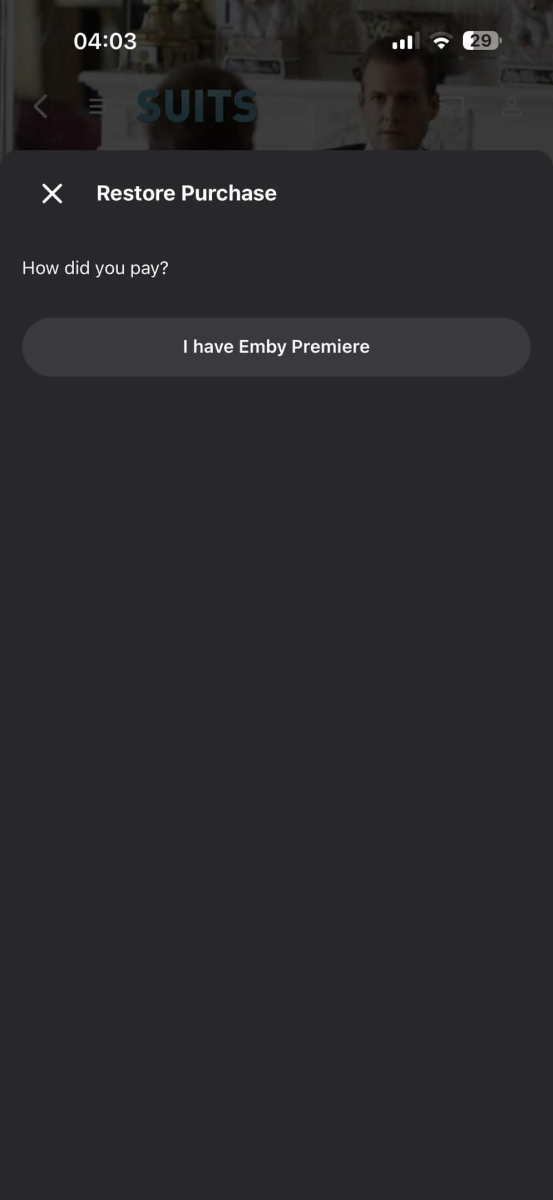
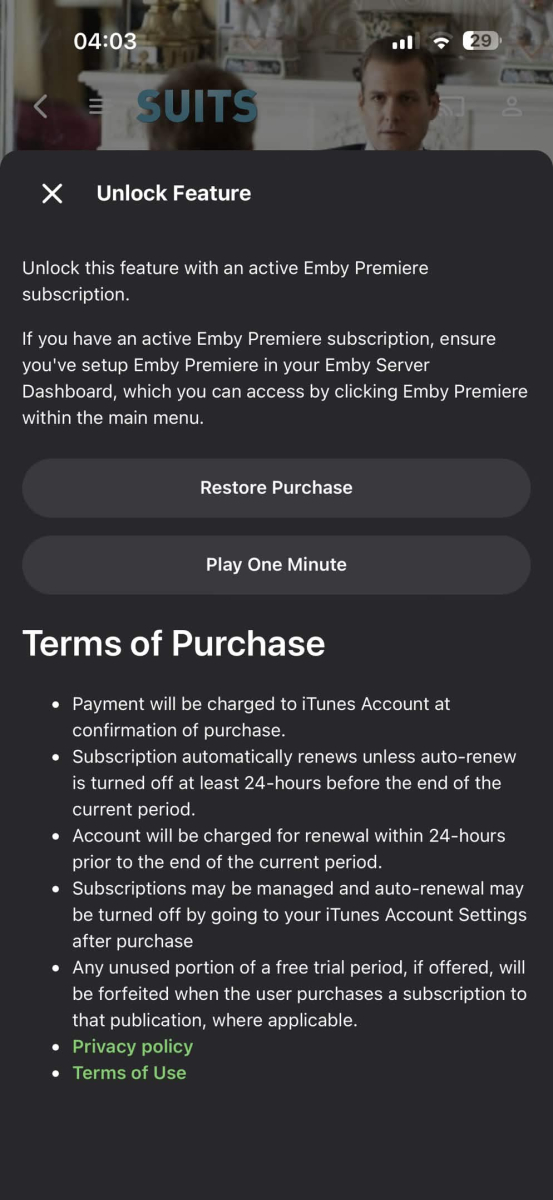
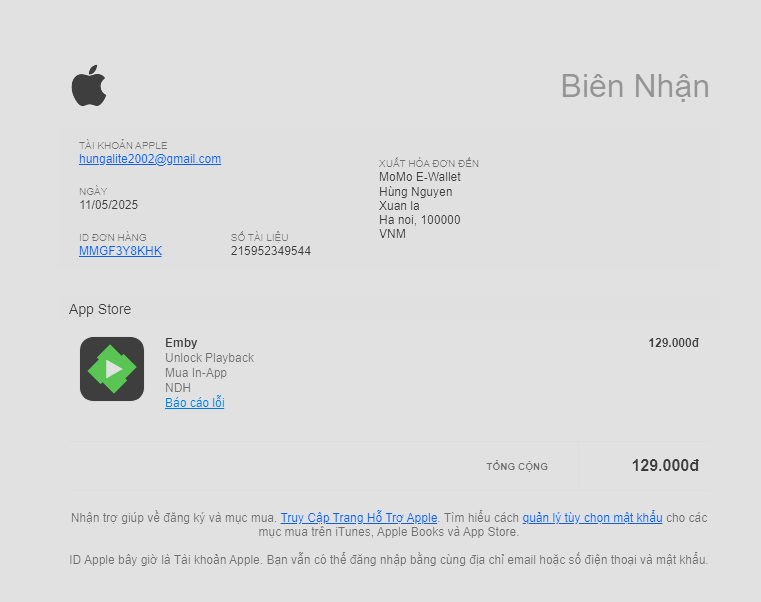
I made an ios in-app purchase to unlock playback in 2025 and now it doesn't work on any of my devices, I only use the apple ID that made the purchase to download the emby app but it doesn't work at all. The restore button doesn't work also, I click the "Restore purchase" button but its only for the Premier subscription.
- Today
-
Getting your Plugin in the catalog
-
 Viperexs changed their profile photo
 -

[URGENT] Large Server (90TB) — Library Scans Stalling on Synology NAS
Apotropaic replied to BaNanaBlocks's topic in General/Windows
Not scientific but I’ve sometimes seen issues with just the sheer number of files in a single large volume. Yet a larger share with larger file sizes but less files is relatively quicker. There’s also the potential for the metadata providers rate limiting you, or something else being rate limited (I never investigated it enough). My volumes are no where as large as yours but single libraries would sometimes take over 12 hours to scan back in. -
You can do it with tags with EmbyIcons. It's a manual process though so will be fiddly.
-
Because I don't want any of them to play automatically and if I put everything in the season 0 folder, all specials will be mixed up in a Specials season view in the Emby app. If you have tens of specials for a show, it becomes cumbersome to scroll through the whole list of specials to find the specials related to the season you just watched. It's much more intuitive to have them in the season itself (for example, Deleted Scenes of S01E01 in S01 view after all normal episodes of season 1.
-
I agree, i was about to make a post about this but i kept scrolling to see what other said, then i found this post, i would also want to add to be able to change the color, and support Arabic text also.
-
Hi, Could you make gracenote aware of some changes to the Movie Channels for Sky UK (Satellite and Glass) - these changes happened on 17th March Movies 24+ moved from 315 to 329 on satellite only Movies 24 moved from 312 to 315 on satellite only Sky Cinema Animation moved from 305 to 312 on satellite and 315 on Sky Glass & Stream Sky Cinema Action moved from 307 to 306 on satellite, Glass & Stream Sky Cinema Family moved from 306 to 304 on satellite, Glass & Stream Sky Cinema Greats moved from 304 to 307 on satellite, Glass & Stream Disney+ Cinema HD launched at 305 on satellite, Glass & Stream Source: Changes to the TV Guide - March 2026 | Sky Community
-

Emby Android TV app not sign in at all
colorstmg replied to colorstmg's topic in Android TV / Fire TV
I sent the logs again now after doing as you suggested. Let me know the update. -

Windows 11 updated to 26220.8138 - Emby app wont open - Application Error / .NET Runtime
softworkz replied to Sulphy's topic in Windows & Xbox
This is a Windows Insider Preview version. When you are running these, errors like the one you are seeing must be expected. It's not an Emby issue. -
Just thought id check my firewall logs and can confirm the traffic is going out my internet and back in from a Vodafone owned IP address (Not mine) so yeah they are sending the traffic via there servers before coming back, not massively keep on that...
-
I managed to get this to work today but only way could get to work was publish externally and use http / 8096. Using https via lets encrypt internally or externally didn't work and http internally didn’t work. seems like they are directing all traffic through there servers perhaps? i found this on there docs about trusted certs https://docs.titanos.tv/security-and-tools @Lukeif you need someone to debug / test the app drop me a dm as i can try debug with the debug app but looks like needs to be associated with the account?
-

[URGENT] Large Server (90TB) — Library Scans Stalling on Synology NAS
js28194 replied to BaNanaBlocks's topic in General/Windows
Huh? You posted ZERO logs, Never shared your settings on where your cache may or may not be stored and BLAMING EMBY team for not assisting? I'm assuming you think they can mind read or teleport into your system. Do you pay for remote support? Yuck!!! Nobody INCLUDING you have a clue what solved your problem. Posting your own solution I suppose I'm glad you got it resolved. -

Emby Theater v3.0.20 (Server v4.9.3.0) Homescreen Horiz. navigation broken
scottpro replied to d00zah's topic in Windows & Xbox
I think you need to post that in the Testing Area. https://emby.media/community/forum/160-windows-xbox-beta/ -

Webhook Notifications - Test works, but real notifications are never sent
Multitude9588 replied to Multitude9588's topic in Plugins
I got no notification / webhook call for anything (playbook, user auth, media added, ...) even though I selected almost everything in the notification settings (see screenshots) and the events in question did trigger something (see logs). Greetings Martin -
Cant find this info anywhere
-
Both Emby apps works on my Shield that runs Google tv as well. It’s just on the fire tv it doesn’t work. Tested out plex and Jellyfin on fire tv and it works as well.
-
Thanks for letting me have a test m3u file. I have identified the cause of the problem when using the m3utuner plugin and have referred it to the development team
-
Just as a data point, Dolby Vision works fine for me using the Android (not TV) app on the Google Streamer. As does HDR10.
-

Guide - SSL Qnap certificate and Emby (manual and automatic)
renefw replied to dieffe70's topic in QNAP
Thank you for your inquiry, emby Team Administrator! Here's a complete summary. The script is apparently running every hour. The check-p12.log file always contains the entry "Certificate key has not changed" (in my case, in German), along with the day, time of the elapsed hours, and year. However, when I look at the validity period of emby.p12, it still shows "Valid from January 19, 2026 to April 19, 2026," even though the SSLcertificate.crt file, which the script should be accessing, was updated on March 26, 2026, and now shows a validity period from March 26, 2026 to June 24, 2026. Why is the SSLcertificate.crt file not being executed, apparently without any error message, even though I'm convinced everything in the script is correct? Or to put it another way: Why doesn't the script recognize that the SSLcertificate.crt has been updated and has a longer validity period than the one stated in the emby.p12 file? -

[URGENT] Large Server (90TB) — Library Scans Stalling on Synology NAS
BaNanaBlocks replied to BaNanaBlocks's topic in General/Windows
I have all my NAS devices, the EMBY server computer, and our internet provider on a 1Gb network, so I don't think bandwidth should be an issue. But I will definitely look into that, just in case. Thank you for the response. -
[URGENT] Large Server (90TB) — Library Scans Stalling on Synology NAS
BaNanaBlocks replied to BaNanaBlocks's topic in General/Windows
Now that all the data has finally transferred over to the new NAS, everything seems to be functioning as usual. You would think that with 2TB of free space on the NAS, EMBY wouldn't have any caching issues, but I can only guess that that was the issue since no one from EMBY ever responded to my issue. I guess this is not the way to contact someone from EMBY. Oh well. I'll close this issue and mark it as resolved. -
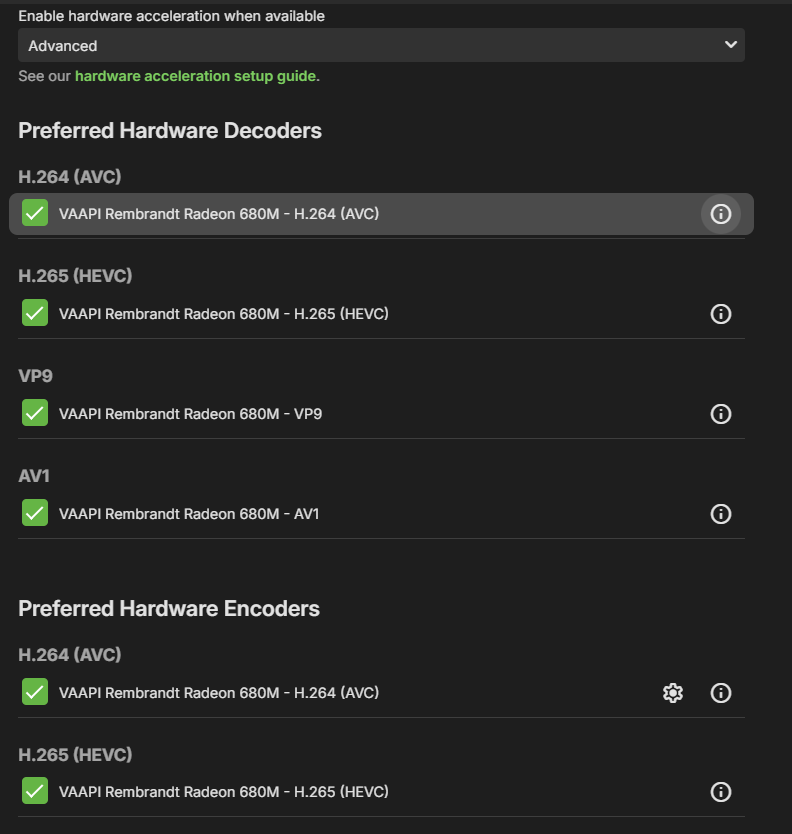
Hello, I love Emby, but I've got something that I can't get my head around: hardware transcoding. My CPU is an AMD Ryzen 7 7735HS with an integrated graphics chip and while that chip's not amazingly powerful, it should still be able to do hardware transcoding. My ffmpeg logs files: Enable Playback Remuxing: True Enable Video Playback Transcoding: True Enable Audio Playback Transcoding: True >>>>>> Processing Plan Name CanDoInHW WillDoInHW Reason Copy video stream >> False False Software Codec VideoInput >> False False Not a hardware decoder VideoOutput >> False False Not a hardware encoder Copy video stream >> False False Software Codec >>>>>> Video Processing Steps for [0:0]: H.264 (AVC) Step HW-Context Format SW-Format Size Next H264 >> - yuv420p yuv420p 1480x1080 >> Now, if I'm not wrong, this means that all the processing is done via software decoding, right? Which is slower. Why is that? If I go to the transcoding tab, I have quite few options for hw transcoding: What am I missing? Thank you!
-
Hello, I have quite an issue: when I've got subrip subtitles, at times, they just don't show up on my Samsung TV. They do show up if I watch a movie via the WebUI, they do show up on Android, but on Samsung, they refuse to do so. I have tried with both `Allow subtitles extraction on the fly` on and off, same result. I mention that the hardware's quite good: CPU: AMD Ryzen 7 7735HS Memory: 64GBs Integrated GPU in the Ryzen 7 I don't expect this to be a hardware related issue, since they sometimes work. I was watching a movie, subtitles didn't work. I downloaded an srt, added it to the movie but forgot to actually select it, and the SubRip just started to work. I then deleted the .srt file, the subrip continued to work....?!