All Activity
- Past hour
-
 luis9020 joined the community
 -
 Rochelle Naidu joined the community
 -
 carrollccc joined the community
 -
-
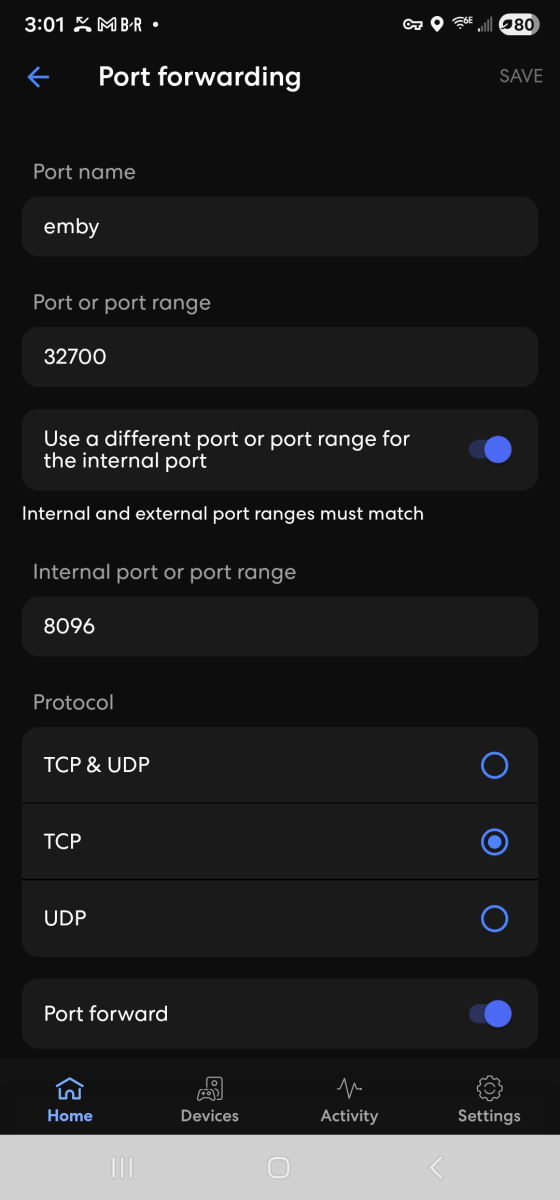
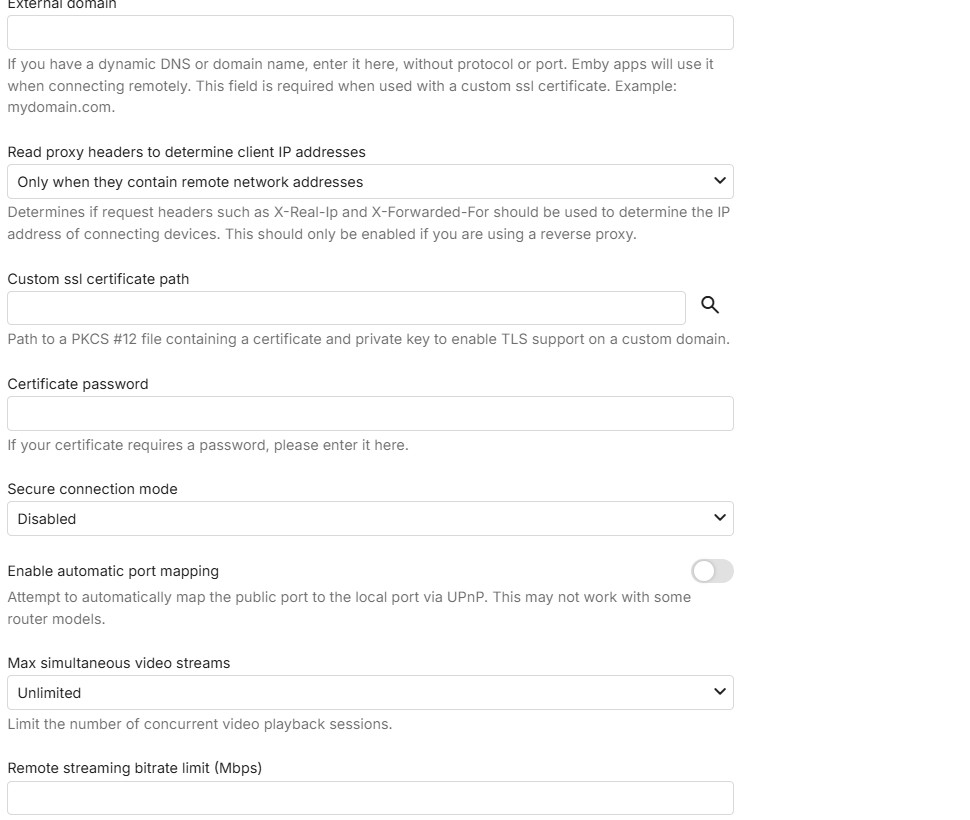
That is for https / secure connections and it is disabled - so no need to touch it
-
I've tried many ways, but no chance: it always group versions instead of display each one... On the library, there is an option called "Multi-version item detection", I put this to "none"... but no change... I guess its how it works...
-
 Cathrine_1408 joined the community
 -
Okay. So the second Public row, keep it 8920?
-
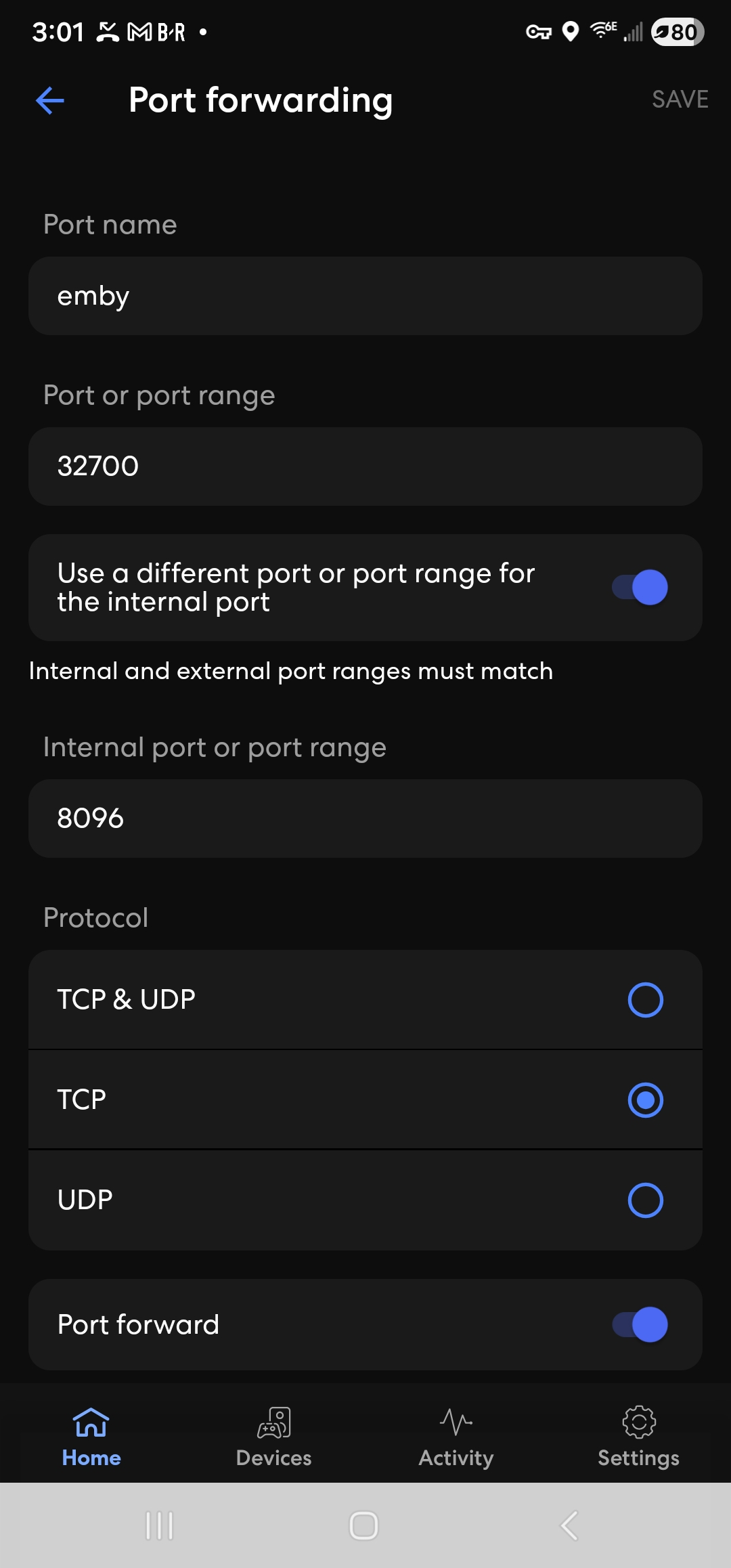
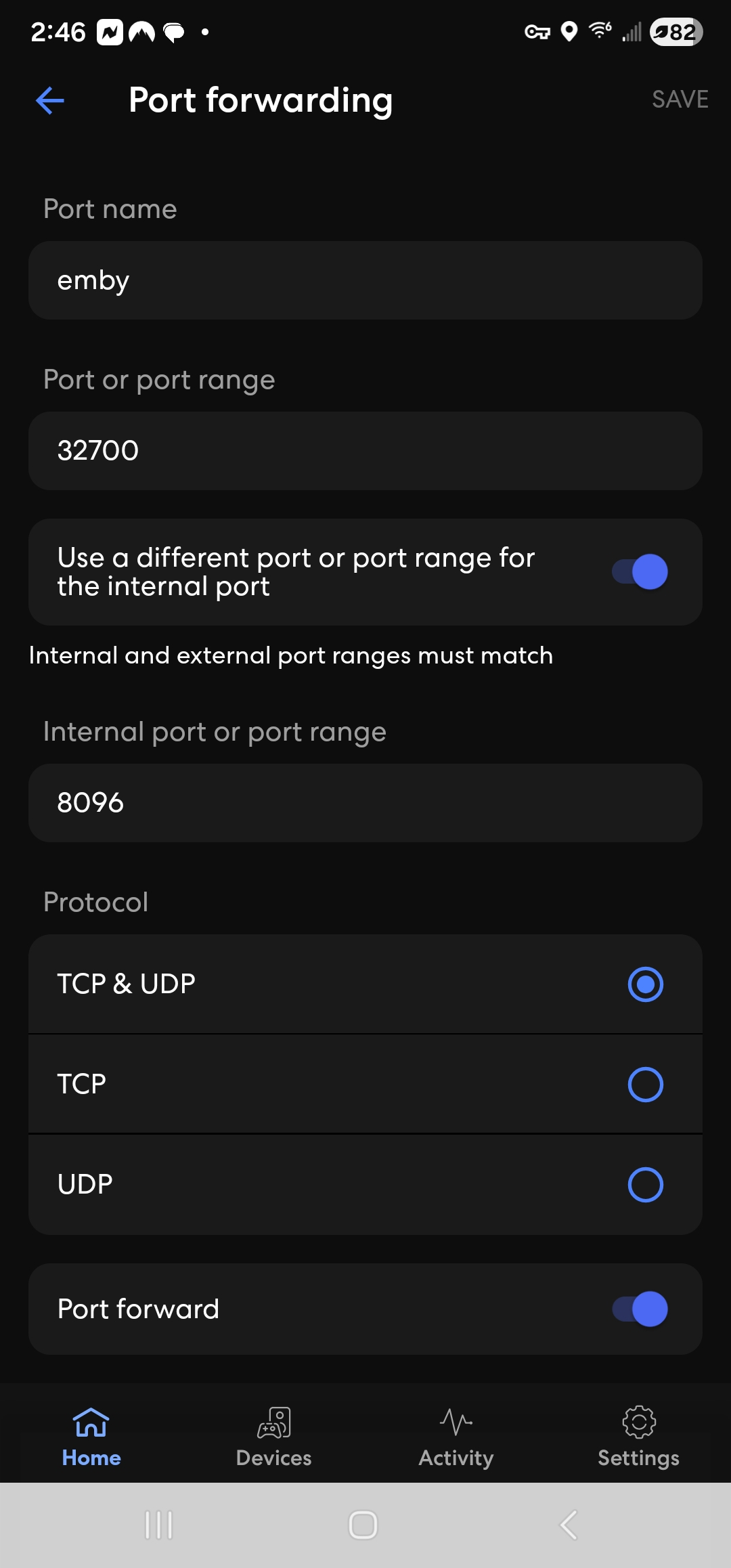
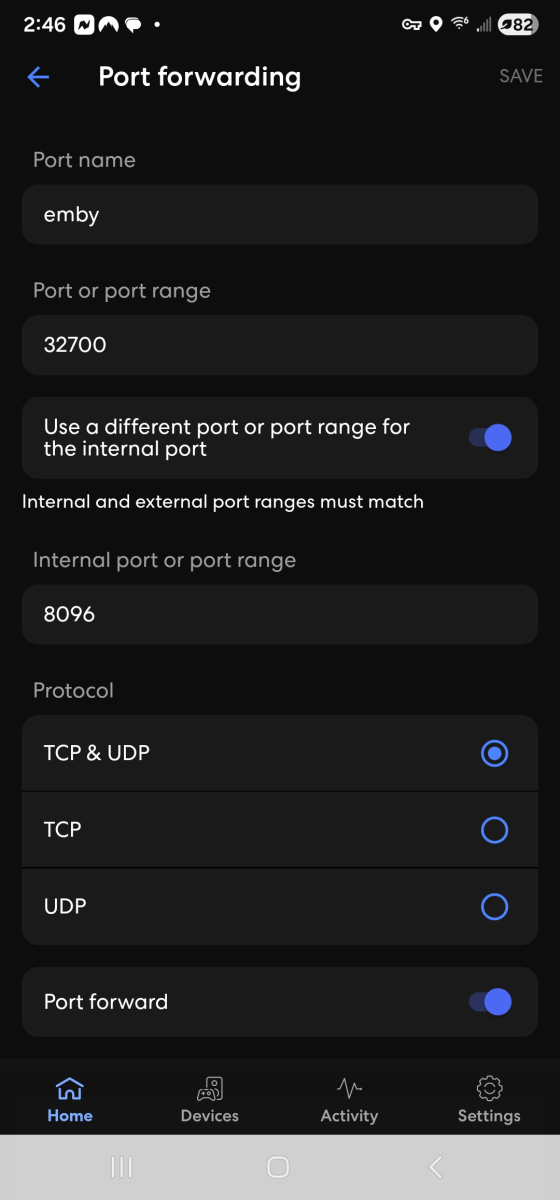
If you can get me a screenshot of the eero app with tcp only ticked and not with udp, i will use it as an example in the documentation
-
 Kevin70243 joined the community
 -
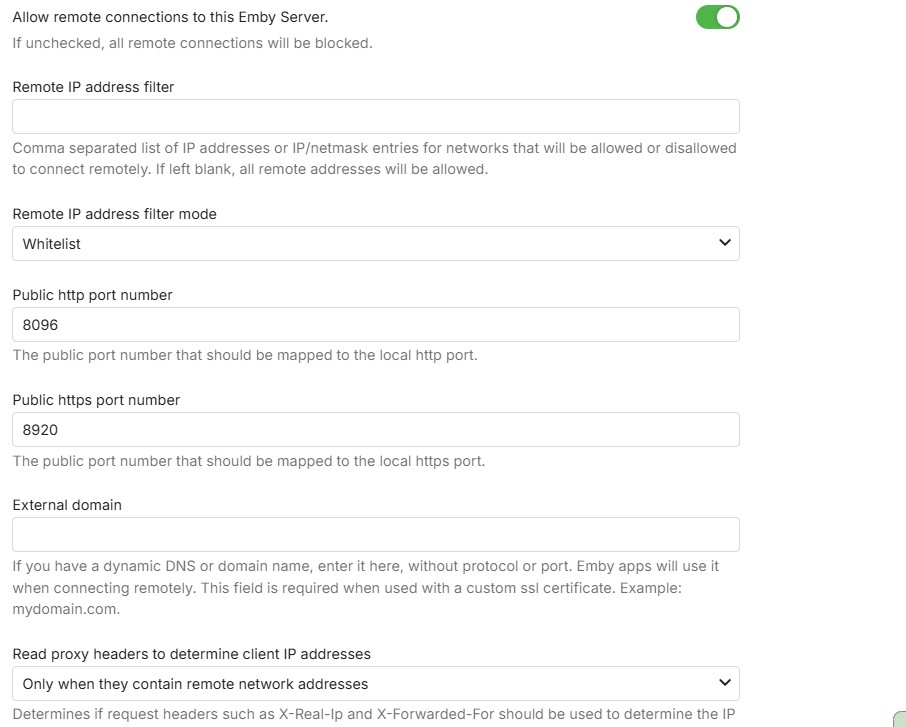
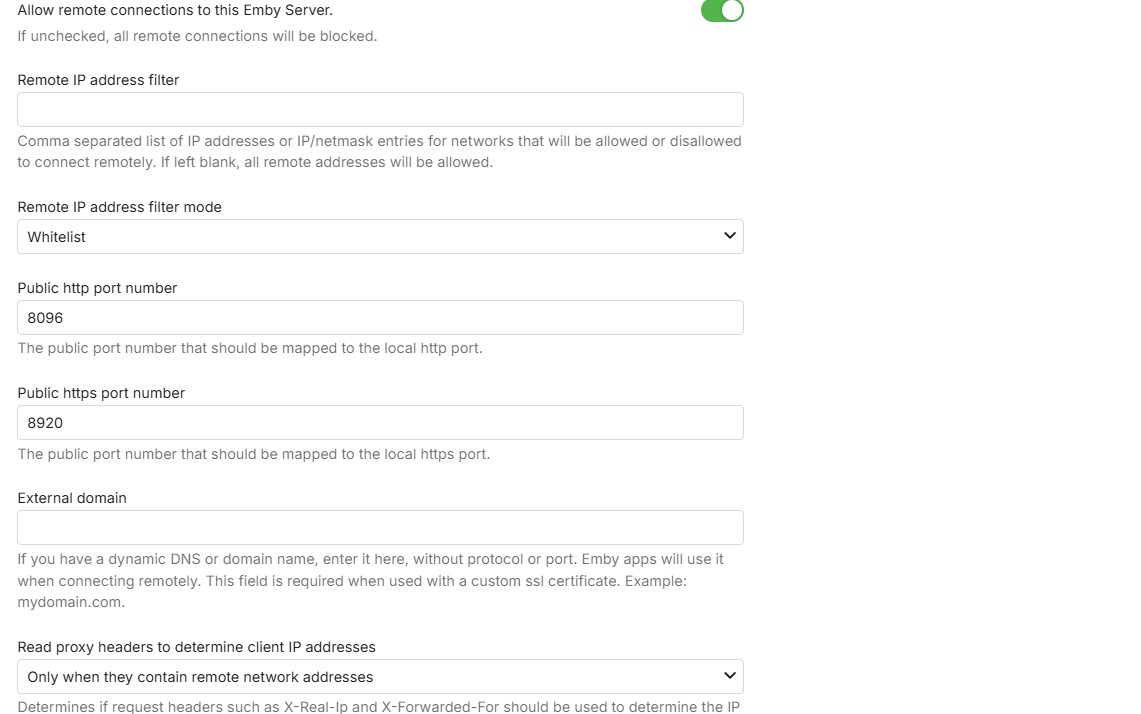
great - only one thing to change: Public http port number - change from 8096 to 32700 and save
-
 neeksor joined the community
 -
-
 Omer moshe joined the community
 -
 Anime pirate joined the community
 -
 minatouzuki joined the community
 -
 robertovanmuysen joined the community
 -
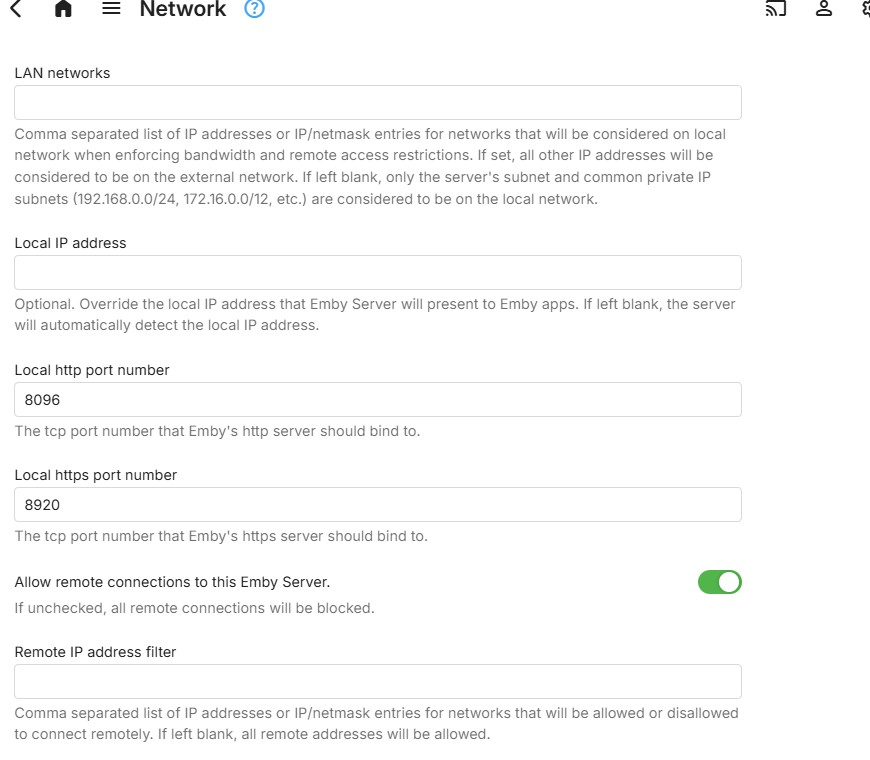
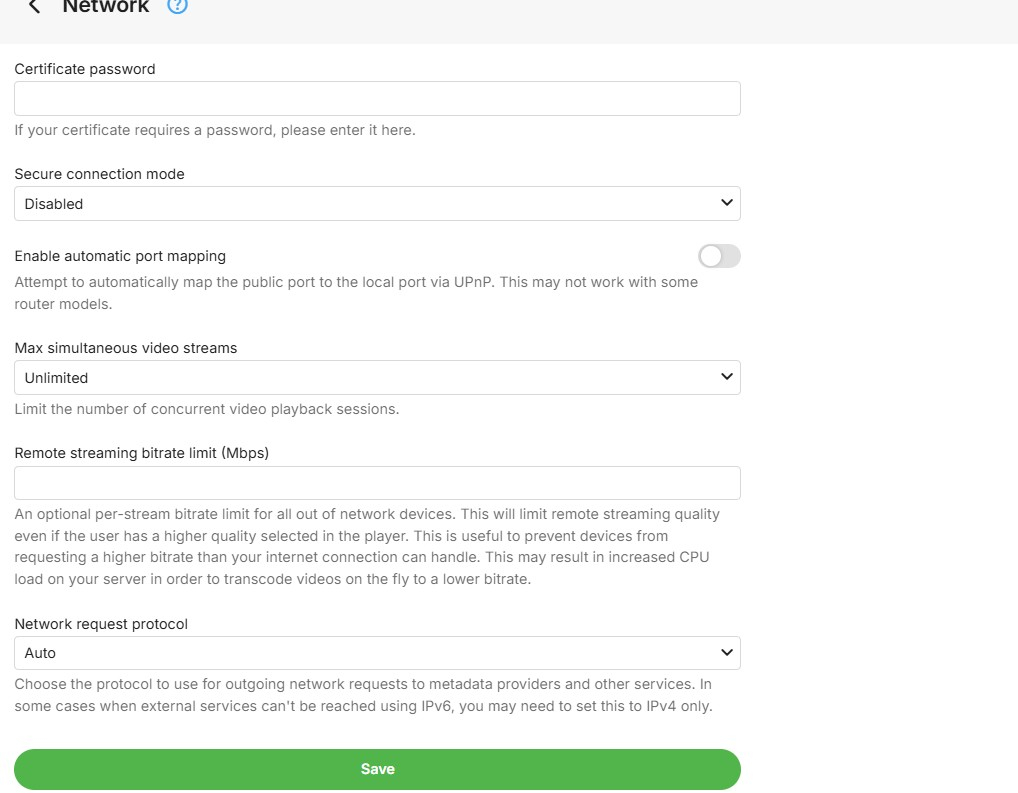
that is good. you don't need to have udp for this - so sufficient for TCP to be ticked Lets check the server network settings - for ports and automatic mapping and secure connections
-
I adjusted it to this...
-
Hi Luke, no joy as of right now! I am not a bit techie so I am not entirely hopeful. But thank you so much for bearing with me!
-

The latest version 2.3.3 doesn't work
MediaEmby1968 replied to MediaEmby1968's topic in Samsung Smart TV
Thanks. I'll continue using version 2.2.8 of the TV for now. -

Add "Remove from Collection" to the three-dot menu on a collection in the "Included In" section
crusher11 replied to crusher11's topic in Feature Requests
What do you mean? -

Emby Version 4.9.3 - Get User Watched items for movies and episodes
Quincarter replied to Quincarter's topic in Developer API
Ayyyye what a legend. Thank you! That was it! I am not 100% sure i need all of these fields. But i got them in there now and i can trim it down for what i need. That was the key though. for those coming back later - here is my query and my params: /Users/{userid}/Items?Recursive=true&Filters=IsPlayed&SortBy=DatePlayed%2CSortName&SortOrder=Descending&IncludeItemTypes=Movie%2CEpisode&Limit=500&Fields=RunTimeTicks%2CSeriesId%2CSeriesProviderIds%2CProviderIds%2CGenres%2CImageTags%2CUserData%2CDateCreated%2CPremiereDate%2CDatePlayed%2CPrimaryImageAspectRatio%2CProductionYear%2CBasicSyncInfo%2CUserDataLastPlayedDate&ExcludeLocationTypes=Virtual&EnableImageTypes=Primary%2CBackdrop%2CThumb&ImageTypeLimit=1&EnableUserData=true const params = { Recursive: "true", Filters: "IsPlayed", SortBy: "DatePlayed,SortName", SortOrder: "Descending", IncludeItemTypes: "Movie,Episode", Limit: "500", Fields: "RunTimeTicks,SeriesId,SeriesProviderIds,ProviderIds,Genres,ImageTags,UserData,DateCreated,PremiereDate,DatePlayed,PrimaryImageAspectRatio,ProductionYear,BasicSyncInfo,UserDataLastPlayedDate", ExcludeLocationTypes: "Virtual", EnableImageTypes: "Primary,Backdrop,Thumb", ImageTypeLimit: "1", EnableUserData: "true", }; -

OpenSubtitles not working, shows "There was an error processing the request" error yet "Success" in Emby log
Luke replied to SolidSnake289's topic in General/Windows
HI, yes we are looking into this. Thanks. -
Emby Theater Beta (Electron) on Raspberry Pi 5: Stuck at logo with infinite loading bar
Luke replied to hukt_own_fonikz's topic in Linux & Raspberry Pi
Hi, how did you install the app? -
Add "Remove from Collection" to the three-dot menu on a collection in the "Included In" section
Luke replied to crusher11's topic in Feature Requests
Have you checked again to see if it's there? -
Hi, ,we'll take a look at it. Thanks.
-
Hi, what guide data are you using?
-
Stuck at Ready to Transfer (Windows Emby App)
Luke replied to mrtechnologist's topic in Windows & Xbox
HI there, can you please provide a specific example? How to Report a Problem Thanks ! -
What makes you think it's not finding zootopia 2?
-
Please let us know how things go. Thanks.
-
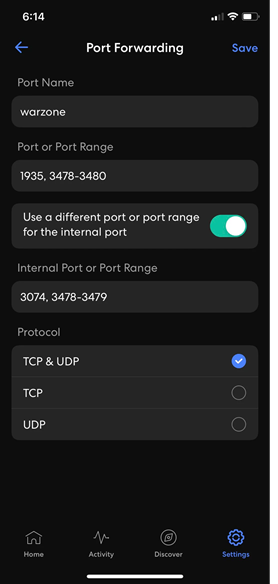
I am concerned this might be a port range 8096 to 32700 Do you have a screen in the eero app like the one below?s If you do, then it needs to be: Name: Emby Port or Port Range: 32700 Use a different port or port range for the internal port: enabled Internal Port or Port Range: 8096 Protocol: TCP ticked and saved Then in Emby Server Network Settings you keep Local http port as 8096 and you set Public Http port as 32700 and you have "Enable automatic port mapping" unticked and Save I am assuming you have "Secure Connections Mode" as "Disabled" If your eero app screen is different, let me have a screenshot
- Today
-
Reserved. In the eero app, under IP Reservation, Port Forwarding 8096-32700 (Enabled). In Emby Server Network settings, no, the public http port number by default is showing 8096 in the first row and on the second row it is showing the Public https port number 8920. Do I change both of these to 32700? For the local inside of emby Network settings, the first row Local http port number, 8096. The second row Local https port number, 8920
-
So the Emby Server has a local IP address provided by the eero. It is DHCP Reserved or static You have a manual port forward in the eero for Public/WAN/External Port 32700 to forward to Private/LAN/Local tcp port 8096 In Emby Server Settings - Network, you have Public http port number set to 32700 The default Local Http port number is kept as default as 8096 Update: and you have disabled "Enable automatic port mapping" ? correct?
-
I released v1.0.3.8 of the RatingPosterDB Emby plugin, it should resolve all reported issues, along with adding a LOT of new features: - Themes! - Theme position - Font size / weight - Image preview area in the settings - Many many new stylings settings and much more A full list of all plugin settings can be seen here: https://github.com/RatingPosterDB/RPDB-Emby-Plugin/blob/main/README.md#settings-screenshot If you find any issues with this new version, please make sure to notify me.