All Activity
- Past hour
-
 Almarri93 joined the community
 -
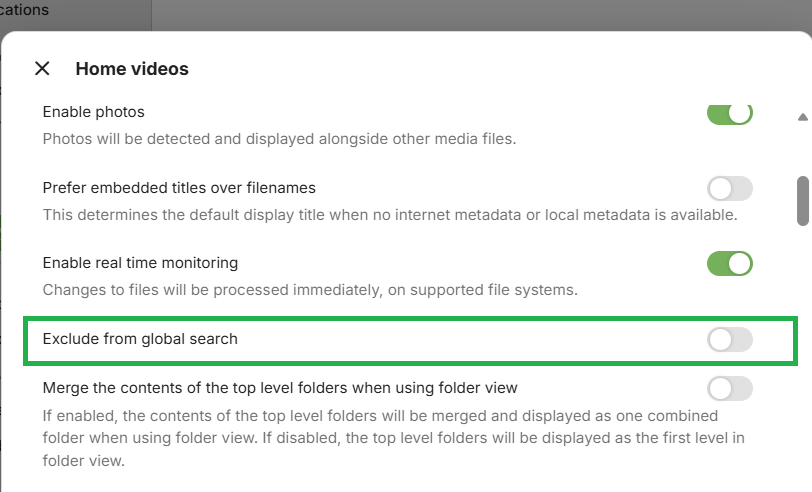
You are mentioning "search". The .embyignore feature described here Excluding Files & Folders enables to have files and folders excluding from libraries. It is not for search exclusion. There is a global search exclusion feature that operates at library level. So you can have a library excluded from search by enabling the option in the library preferences/settings, see So if want your folders to only be restricted and excluded when searching, I would suggest moving them to another path and create a separate library for them and enable the option to exclude from global search for the library To exclude folders from libraries, you can use .embyignore So create an .embyignore with contents being /name-of-excluded-folder1 /name-of-excluded-folder2 and place this .embyignore parent folder. This could be a root folder for the library, if the two folders are immediately below that If a folder to be excluded is at a lower directory level and you want to place your .embyignore in a library root folder, then the .embyignore would need to be like this /name-of-excluded-folder1 /a-folder/name-of-excluded-folder2 I will look into adding more examples in the support article
-
Thank you Paul. Do you know how I find that person. I use everyting3.1 regards deirdre
-
Are you using a server you installed yourself or someone else's? In the second case you need to contact the admin of the server concerned. Paul
-
 Fida_Hussain joined the community
 -
 pixelella joined the community
 -
 LunarRock joined the community
 -
 Fredrik1 joined the community
 -
 Louch89 joined the community
 -
 Fengyunren2018 joined the community
 -

Skip Intro markers not being generated despite scheduled task completing
TheFreeMan replied to UsamaWaheed's topic in Linux
AFTER I DID THIS ^ THIS IS WHAT HAPPENED: (for some reason, trying to partial quote a 2nd response is overwriting the text above, so...) After deleting & adding Season 15, I started played S15E07 and the `Skip Intro` button was there. This should be all the evidence you need. It DID work on reprocessing. There is nothing further to look into at this point. --- Unfortunately, I no longer have logs from the original import of any of these episodes, so I cannot post them to troubleshoot why it didn't generate the markers the first time through. I will continue to monitor shows as I import them to see if I find any that do not get a Skip Intro marker and will report back ASAP with the original import log. I really appreciate your dogged tenacity in wanting to dig further into this, but at this point, there is nothing further to dig into. It is now working as expected, but I'll keep my eyes open for any future failure and report back ASAP if I find one.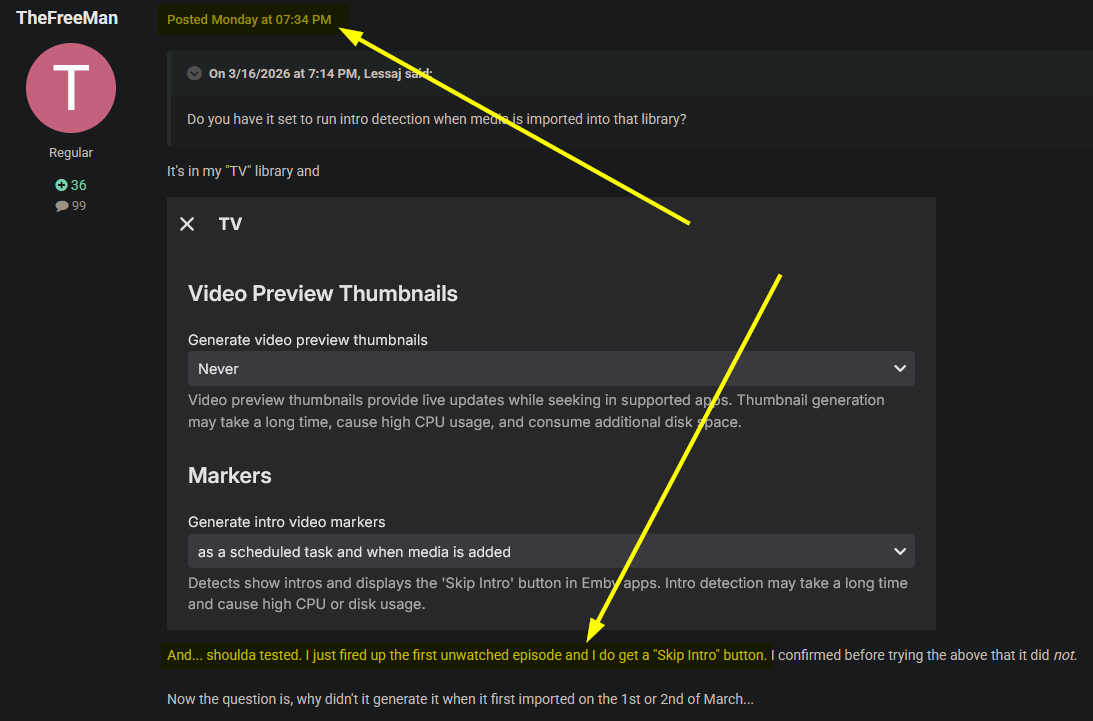
-
 manchester322 joined the community
 -
 Biancxxs joined the community
 -
But you don't need to do that! It doesn't achieve anything!
- Today
-
If there were an option to deny access to web interface, that would be fine, however that doesn't seem to be the case, I can only restrict devices after they have already connected
-
I think its there, in case you have multi selected 10 items. Then you can skip that 1 and continue with the last 9.
- 1 reply
-
- 1
-

-
What's the difference between “Skip” and “Cancel”?

-

Add "Remove from Collection" to the three-dot menu on a collection in the "Included In" section
crusher11 replied to crusher11's topic in Feature Requests
Not if I have something on my watchlist because I want to re-watch it. -

Bug: Transcoding causes buffering plus transcoding when sending to LG TV.
yocker replied to yocker's topic in General/Windows
That was it, many thanks. -

Add "Remove from Collection" to the three-dot menu on a collection in the "Included In" section
ebr replied to crusher11's topic in Feature Requests
Set the section to only unwatched and this will take care of itself. However, this is still a valid request. -
Ability to have different GENRE artwork for libraries
ebr replied to unisoft's topic in Feature Requests
I think what you really want is different genres for different types - not just artwork. -
Bug: Transcoding causes buffering plus transcoding when sending to LG TV.
yocker replied to yocker's topic in General/Windows
Will try, thanks! -

Emby Theater Beta (Electron) on Raspberry Pi 5: Stuck at logo with infinite loading bar
hukt_own_fonikz replied to hukt_own_fonikz's topic in Linux & Raspberry Pi
Okay it was mad because mpv wasn't installed, I found that in the console output. Now I'm getting audio but not video, and that's because this old armbian image is trying to use xv for playback. So I'm updating to rpios lite now. Also of note, when I would force-close the app, on next launch it did not remember any of my login settings, it was like a fresh install. If I closed through the app, it booted up with my config. -
The guide from TVH is limited even when the source was the same as the one Emby used. Most people using TVH go the m3u tuner route instead of the plug-in. If the Emby guide has listings for your location you're better off using that one. There might be some useful info in this thread.
-
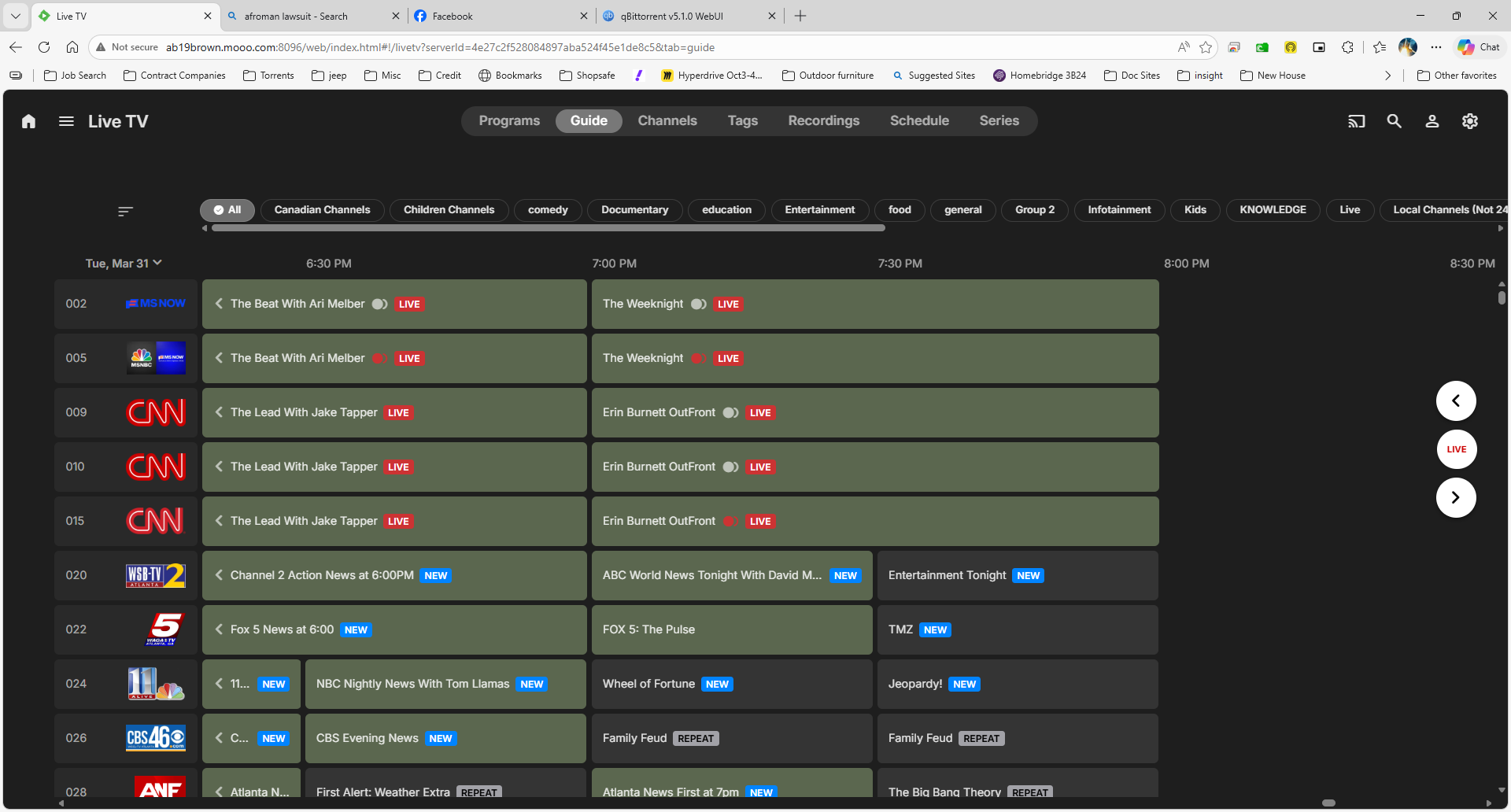
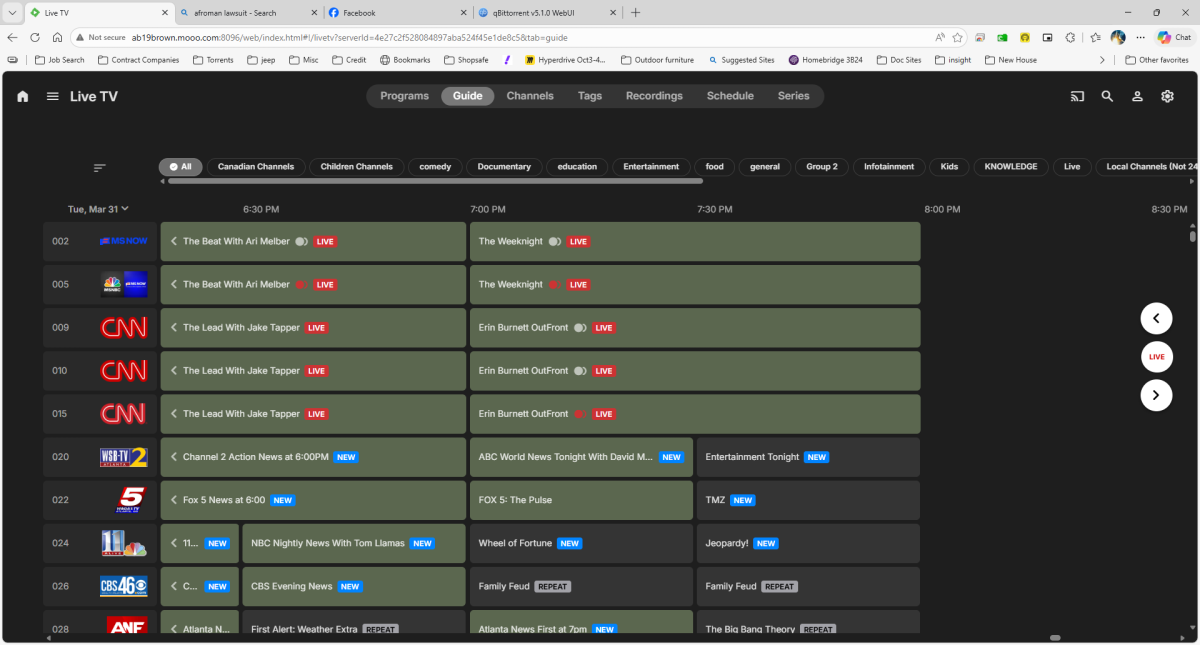
After coming up with a means for shutting down my firewall to allow the guide to proceed at least 1/day unobstructed (2AM ET, 10AM and 6PM refresh), the issue I'm now having is the log is showing requesting 2weeks out and successfully saving "programs" however, the display appears to be stopping on Mar 31st around 7PM ET and no further. It should go all the way through April 2nd. embyserver (10).txt
-
No unfortunately it does not.
-
Also i noticed that the subs are turning off like 10% before ending. Turning off and on fixes it but its quite annoying i turned off css and it started to work i'm not sure if anyone else have similar issue
-
Should be fixed in the next release. Thanks
-
This is correct. If someone knows the paths, the block is easily overcomable.
-

Bug: Transcoding causes buffering plus transcoding when sending to LG TV.
SamES replied to yocker's topic in General/Windows
LG does not allow apps to DirectPlay TrueHD. TrueHD is only supported when played from an input source via HDMI. The reason why it 'appears' to work when you disable transcoding on the server is this. When the LG TV encounters an audio track that is not supported, it automatically plays the next supported track in the file. It does not report this, so Stats for Nerds will show TrueHD as that is what we think is playing, but that is not what is being played. Test this by finding (or creating) a file with only a single TrueHD audio track and no other audio tracks, or find a file where the audio track after the TrueHD track is either a different language or a commentary track. In this case, you will be able to tell which track is really playing. -

Ability to have different GENRE artwork for libraries
user24 replied to unisoft's topic in Feature Requests
Hey, i know this idea isn't the elegant solution you are looking for... but have you tried creating different Genre subsets/subnames for your libraries? E.g. you could have some fun with it and add a common emoji suffix to your Genres for Movies , TV shows , Music , Music Videos , etc. Animation (Animation Movies) Animation (Animation TV) Horror (Horror Movies) Horror (Horror TV) Folk (Folk Music) Folk (Folk Videos) Rock (Rock Music) Rock (Rock Videos) This way you could keep your existing common Genre names but have a specific library designator/differentiator. It also wouldn't mess up the sorting order. You could also use prefixes instead of suffixes, and as long as they were all the same for a specific library it wouldn't change the overall sort order. If emojis are too 'over-the-top' there are likely other less intrusive symbols that could be used. Then, once you have the different (but similar) Genres, they can be assigned their own images. TBH, I'm not sure if this is useful or would potentially cause other problems to your Genres across libraries, or any auto metadata tagging/ fetching? I guess you could use the Genre Cleaner plugin to map across your existing Genres to make it quicker to do and then it would be automatic for new media. Anyway, just an idea... Cheers! -
additional information: i tried with xml tv as epg source and http://xxx.xxx.xxx.xxx:9981/xmltv/channels. This url provides an xml with epg data (i checked this in the browser).
-
@all readers/writers: currently i try to get tvheadend running as source for emby. Recording is working quite well. But i am not able to get the epg data from tvheadend in emby. The plugin doesnt work for the epg and seems to be discontinued. I tried different approaches from copilot. Right now i use an commercial xml epg service which is working. But this one only supports one week, tvheadend seems to provide 14 days (or more?). Could someone provide me with a kind of guide for using tvheadend epg or some useful links? I use a synology nas, my tvheadend version is 4.3~58861264. Kind regards.
-

Moved media Library to new location. Some media's metadata points to old Paths and won't play.
bennymac replied to beefsnack's topic in General/Windows
I had this problem last week after moving to a NAS for a single place of storage. To fix it. I shutdown Emby and deleted the library.db from the local system path. Before doing so I made a backup using the built-in backup/restore plugin. When starting Emby back up it creates a new library.db. This fixed all path issues I had. The initial scan took a while. You also have to add the Libraries back as they'll be blank and check the User's have those new libraries under their account settings. All was perfect for me afterwards.