All Activity
- Past hour
-
 janko110 joined the community
 -
 朲 joined the community
 -
 Angel Mora joined the community
 -
 letout joined the community
 -
 华hua joined the community
 -
 PaintEB joined the community
 -
 tangyuanxiaobai joined the community
 -

LG G5 dropped DTS again, and Emby didn't work...?
TurkeyMan replied to TurkeyMan's topic in LG Smart TV
I previously had a CX which also had no DTS and transcoding was working fine for years on that. This is absolutely a G5 specific issue; everyone I know has an LG of various eras, and only my 'new' G5 has raised issues. -
 konokuni joined the community
 -
 Kaicee123 joined the community
 -
Hi, Currently, as far as I know, the only feature implemented is a more or less automatic „next episode“ button being displayed. In my view the optimum would be a two step system in which there’s a global setting (like there is now) and in addition a per show setting to set the length of the credits (which for a show usually stays the same for the run of the show) and if they should be skipped automatically or the button should appear. is there anything that would make that possible right now or a chance to geht that feature in the future? I’m sure many people would appreciate that for their next binge watch run.
-

embyforkodi (next-gen) 12.X.X support
TheFreeMan replied to quickmic's topic in Emby For Kodi Next Gen
Sorry, quickmic, having difficulties communicating well... First I added a new Library in Emby, called "Sports" of type "TV Shows" Then, I added that library to be monitored in E4K on my LibreElec instance. Then, I hoped to be able to see anything added to the Sports library mixed in with all my other TV Shows under the same TV Show main menu node that I've already got. I just forced an update, then scanned through my TV shows and do not see either "Formula 1" or "V8 Supercars" as are shown in Emby: Log file, which should include the library refresh is attached. log-2026-02-20-02.46.16.zip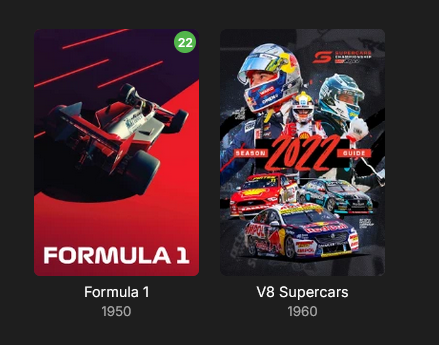
- Today
-
Version: 2.234.2.0
-
My model is slightly older, but of a similar generation (no DTS) it could be a model specific issue, but it would be quirky if this is the case and I am really only seeing issues from the two of you. I would try the cable again. I know it is only 100Mb/s but the reality is that you won’t (and shouldn’t) play anything with bitrates higher than that anyway. I play 80Mbps files on my 2017 Samsung with a 100Mb/s port without any problems and to me that is the upper limit on what anyone should be playing and it’s also way above the supported specs from both LG and Samsung. I’ll test the remote connection and let you know how I go.
-
Absolutely! As a minimum, make sure: The port must be secured with SSL/TLS All user names must be hidden for remote access All users have strong passwords Any Administrator accounts must not have remote logins there are many more ways to secure your server, but you need to start with most of this...
-
Having issues too, emby for mac, avi, mkv video is grey, audio is working. Only mp4s seem to be working fine. Some mkvs cannot even be skipped. ipad and iphone work great.
-
When navigating to the "Favorites" screen and selecting a movie on that screen the "Esc key", "Backspace key" or "<" button does not return you back the the Favorites screen. The only key/button that works is the "Home key" or "Home button" which returns you all the way back to the Home screen. When pressing the "Esc key ", "Backspace key" or "<" button multiple times the context menu appears. Also, if you select the "Favorite Movies" link in the Favorites screen the back navigation fails there too. All other screens appear to be working correctly (Movies, Collections, ...). Example: Select (from Home Screen) Favorites->Movie (back navigation fails) Select (from Home Screen) Favorites->Favorite Movies (back navigation fails) Version: Emby Theater 3.0.20 Windows 10,11 Additional info for devs: This problem started happening after "data-appversion" update 4.9.3.13 (01/18/2026). Previous version 4.9.3.12 works correctly.
-
Tutoriel : Ce script est un outil de maintenance "tout-en-un" qui automatise la compression de vos médias tout en garantissant une compatibilité maximale avec Emby. Il transforme vos fichiers (AVI, MP4, WMV...) en MKV HEVC 10-bit de manière totalement autonome. Pré-requis Indispensables Avant de lancer le script, vous devez installer ces deux moteurs de conversion : HandBrake CLI : Télécharger ici (Essentiel pour la gestion des pistes audio/sous-titres). FFmpeg : Télécharger ici (Sert de moteur de secours si HandBrake échoue). Configuration du Script Ouvrez le fichier .ps1 avec un éditeur de texte (Notepad++ ou VS Code) et vérifiez ces 3 lignes : Les Chemins : Assurez-vous que $HB et $FF pointent vers vos dossiers d'installation. Le Dossier de Travail ($T_DIR) : Par défaut configuré sur Z:\. C'est ici que le fichier est encodé avant d'être déplacé. Choisissez votre disque le plus rapide (SSD) pour gagner du temps. Les Logs ($L_BASE) : Le script crée un historique pour ne jamais ré-encoder un fichier déjà traité. Fonctionnalités Avancées Sélection "Touche Unique" : Plus besoin de taper "Entrée". Appuyez simplement sur la lettre de votre lecteur (S, T, U, etc.) pour lancer l'analyse. Compression Intelligente : Vidéo : Passage en HEVC 10-bit via NVIDIA NVENC (Accélération GPU). Résolution : Redimensionne automatiquement en 1080p (Max Width 1920) pour économiser de l'espace. Audio : Conversion en AAC 192k pour une compatibilité parfaite sur tous les navigateurs et TV. Gestion Multilingue : Le script priorise le Français, mais pour les lecteurs T et W, il conserve automatiquement le Japonais (idéal pour les fans d'Animes). Sécurité Totale : Le script renomme l'original en .old, vérifie l'intégrité du nouveau fichier, et ne supprime l'original que si tout est correct. Comment l'utiliser ? Préparez vos lecteurs : Assurez-vous que vos disques (NAS ou internes) sont bien mappés avec les lettres prévues (S à Y). Lancez PowerShell en Administrateur. Exécutez le script : .\Emby_Optimize.ps1 Choisissez votre cible : Appuyez sur la lettre correspondant au disque à traiter. [!IMPORTANT] Chemin des lecteurs : Si vos disques utilisent d'autres lettres, modifiez simplement la ligne if ("STUVWXY" -notlike "*$SEL*") dans le script pour ajouter les vôtres. Emby_Optimize.ps1
-
Hello, Just posting here to mention I am also getting a lot of rate limiting from Discogs. My Emby logs are full of these 429 errors after importing songs and scanning library files. Could possibly improve the issue by implementing authentication. That would allow up to 60 requests per minute, compared to 25 a minute for unauthenticated requests. 2026-02-19 20:19:13.541 Info HttpClient: Http response 429 from https://api.discogs.com/database/search?q=Peter Skrabak&type=artist after 123ms 2026-02-19 20:19:13.541 Error App: Error in Discogs *** Error Report *** Version: 4.9.3.0 Command line: C:\Users\RUM\AppData\Roaming\Emby-Server\system\EmbyServer.dll -service Operating system: Microsoft Windows 10.0.26200 OS/Process: x64/x64 Framework: .NET 8.0.22 Runtime: C:/Users/RUM/AppData/Roaming/Emby-Server/system/System.Private.CoreLib.dll Processor count: 12 Data path: C:\Users\RUM\AppData\Roaming\Emby-Server\programdata Application path: C:\Users\RUM\AppData\Roaming\Emby-Server\system MediaBrowser.Model.Net.HttpException: MediaBrowser.Model.Net.HttpException: TooManyRequests at Emby.Server.Implementations.HttpClientManager.CoreHttpClientManager.SendAsyncInternal(HttpRequestOptions options, String httpMethod) at Emby.Server.Implementations.HttpClientManager.CoreHttpClientManager.SendAsync(HttpRequestOptions options, String httpMethod) at Discogs.Plugin.GetResponse(HttpRequestOptions request, String method) at Discogs.Plugin.GetDeserializedResponse[T](HttpRequestOptions request, String method) at Discogs.DiscogsArtistProvider.GetSearchResults(ArtistInfo searchInfo, CancellationToken cancellationToken) at Discogs.DiscogsArtistProvider.GetMetadataResponse(ArtistInfo id, CancellationToken cancellationToken) at Discogs.DiscogsArtistProvider.GetMetadata(ArtistInfo id, CancellationToken cancellationToken) at Emby.Providers.Manager.MetadataService`2.ExecuteRemoteProviders(MetadataResult`1 temp, LibraryOptions libraryOptions, String logName, TIdType id, IRemoteMetadataProvider`2[] providers, MetadataRefreshOptions options, CancellationToken cancellationToken) Source: Emby.Server.Implementations TargetSite: Void MoveNext()
-
LG G5 dropped DTS again, and Emby didn't work...?
TurkeyMan replied to TurkeyMan's topic in LG Smart TV
I could give you access to my server to do a remote test in this environment? My TV is wifi; because those 100m ethernet ports are slower than the wifi, and it's definitely up to date. (actually, my old CX was 100m ethernet, G5 might be better; I should probably plug a cable again) Which specific model do you have? I wonder if all G5's are identical? But yeah, to repeat above; plays exactly 10s then freezes only when DTS transcoding... that's very specific, and it's very difficult to imagine how exactly that symptom could manifest from a network problem -
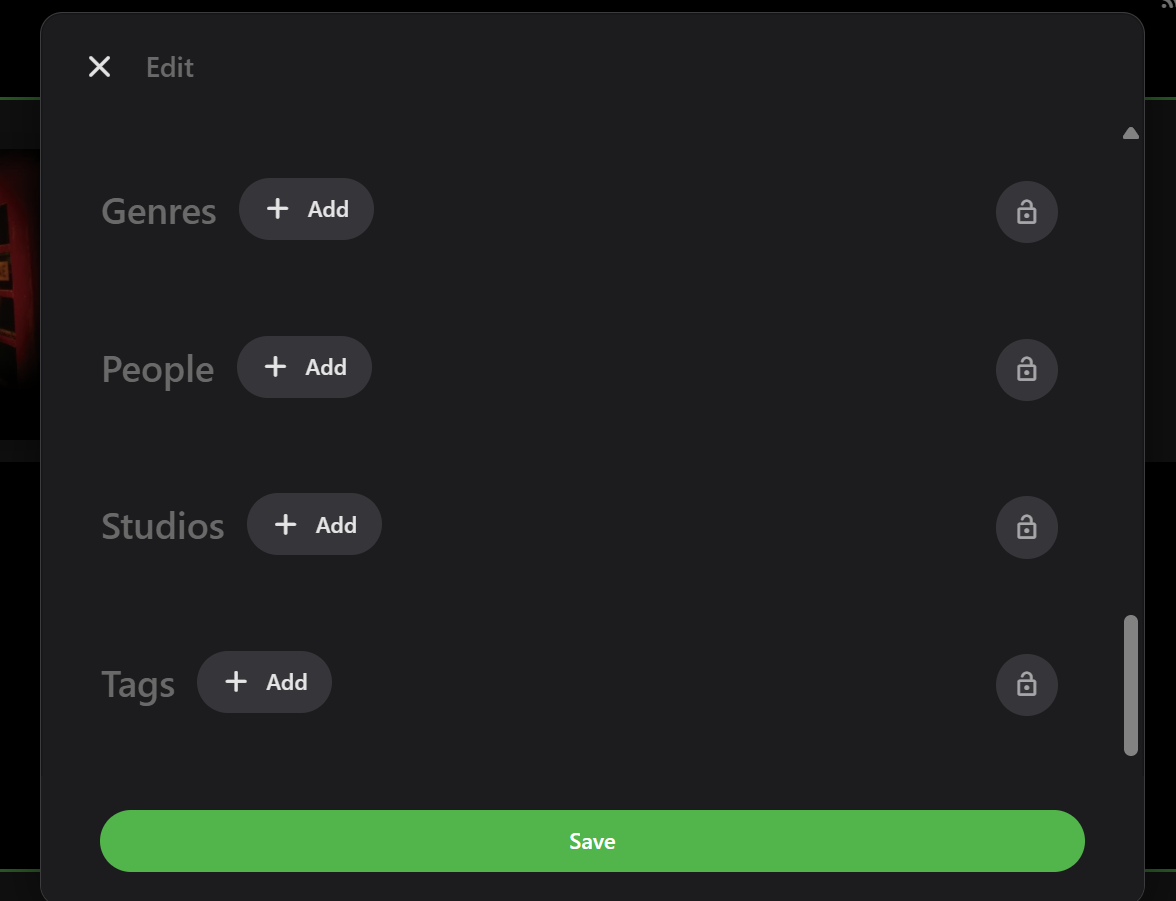
Hi, neither People nor Studio fields/tags currently work for Music as far as I am aware. Although they do still appear in the Metadata Editor: Therefore, there are likely only a few workaround ways to get extra People added and displayed for Music: Use the Genres and Tags fields that work (as per above image) Add additional People to the dedicated music fields: Album Artist, Artist, Composer Add the extra People and their contribution into the relevant Overview text E.g. you could add "person (writer)" to the Composer field and they would show up under the Composer tab. Likewise, a contributing Artist could be added to the Artist field. Either way, presently, you would possibly need to come up with you own preferred system to show additional people using the available fields.
-
ok thanks Luke
-
Thank you for pointing this out. I thought all I had to do was confirm the ip addresses were the same. I reached out to spectrum and they confirmed that I am not behind a CGNat. They did offer to set up a port for my device before they realized that I have my own router. I went through my eero settings and added my device as a reservation and opened a port for 8096. After doing this I am now able to access my server remotely. My last question, because I know little about ports, does this open any vulnerabilities security-wise that I need to monitor or protect against? Thanks again.
-

Include playlists and collections in "Next Up"
crash6 replied to crusher11's topic in Feature Requests
+1 for this! Another useful feature/workaround would be the option to filter the playlist for "unwatched" or a button to jump scroll to next unwatched item in the list. -
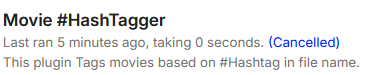
Fixed Scheduled Task: "Cancelled" when running as a task, as seen in the image below. (2026-02-19) v1.0.15735.9 MovieHashTagger.zip
- Yesterday
-
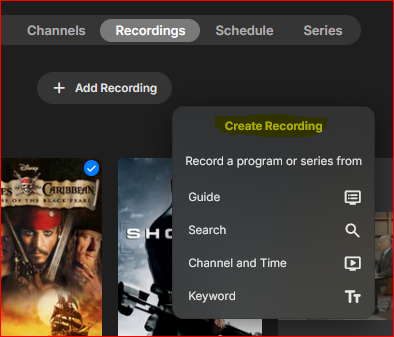
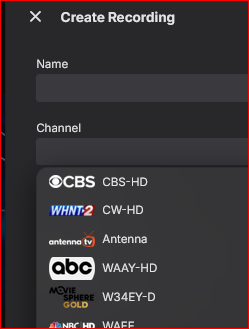
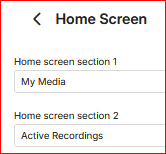
It seems like the "Add Recording" command or ("Create Recording" in the dialog ) would be more natural or intuitive to be on Schedule tab of the Live TV library. Recordings is past tense so I wouldn't think to look there, and the Schedule tab shows what is not yet recorded - I need to schedule a recording. Also, It would be helpful to show the channel #s in the Channel drop list:
-
On my test server, when a program is being recorded, there is no indication of this activity. There is nothing in the admin dashboard, Live TV > Schedule, or the Home screen in the web app. What could prevent this from showing? embyserver.txt
-
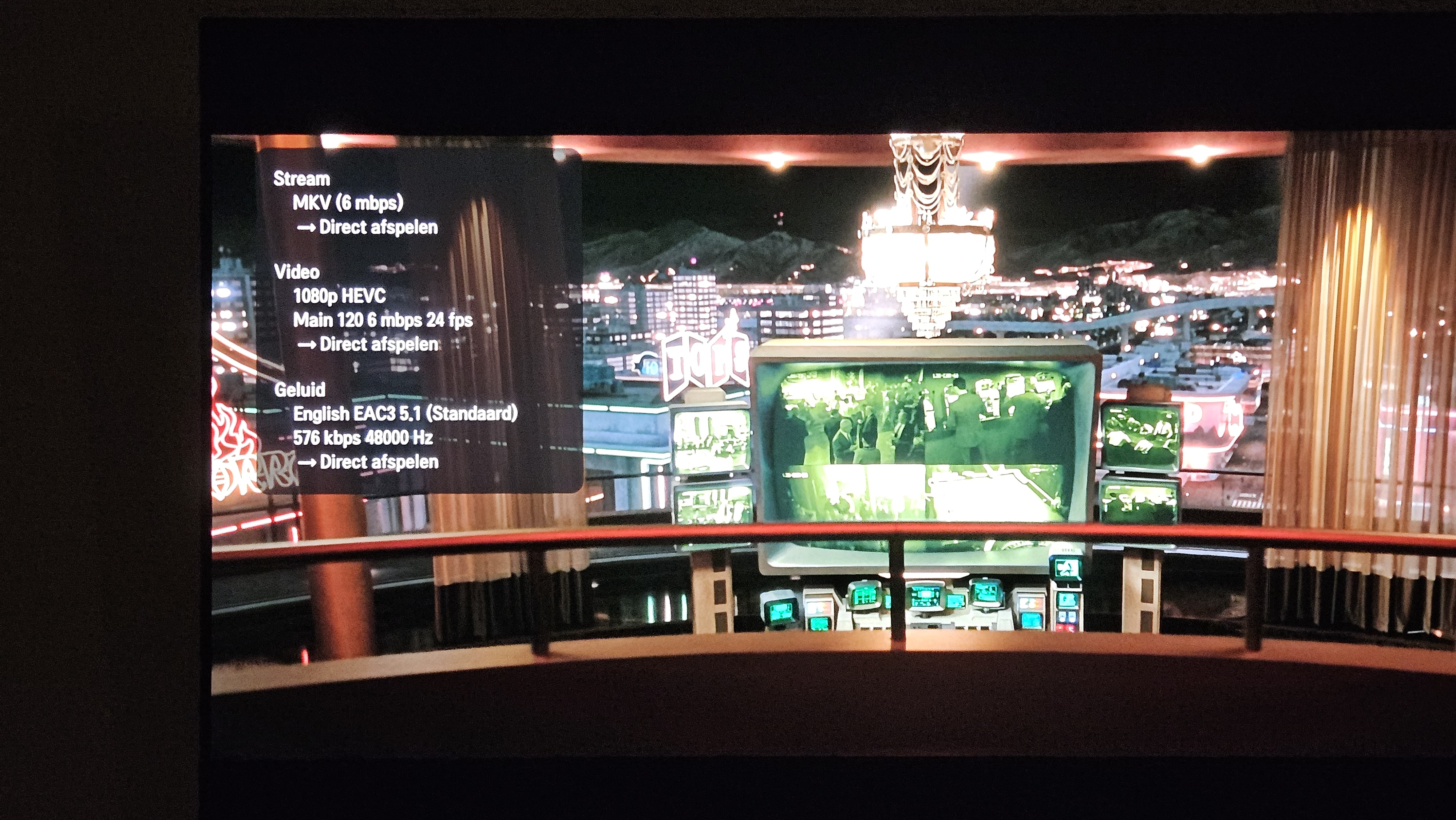
Thanks. The issue is that when it is Direct play and no form of transcoding is involved, then in reality, the app is just giving the TV the url of the original file and then the file is being played directly. There is really nothing that the app can do to influence that playback performance either negatively or positively. It comes down to server, disk, network performance to ensure that the file is being served as fast as required for playback. It doesn’t look like you are playing high bitrate files, so throughput shouldn’t really be an issue. But if you are running other processes such as PiHole, ad blockers, reverse proxies, etc the this might also be impacting performance. If you haven’t already, try rebooting all your routers and switch gear, then try and reduce all the load in your network and on your server, even temporarily to see if you can get to stable performance.
-
I have an Ubuntu Linux 24.20 Server (CLI only) that I have installed Emby on. I have a Synology NAS that I store all of my recordings on. Both local users have the same username and password. I've mounted the Synology storage path (/volume1/media/[various folders]) as /mnt/media_nas and able to access with my local Ubuntu account. I used CIFS to setup the share and have it permanently mounted using an entry in /etc/fstab. I can access the media_nas folders through various applications, including Channels DVR to record directly to. However, when I try and connect with my Emby Linux server to record directly there, it gives me an error saying it can't record there. I can access the folders on the media_nas as I have my movies showing up in Emby, so it seems to be a write permission issue. Any suggestions on how to address? I did a search on ChatGPT and it suggested this: sudo usermod -a -G jator emby However I'm still getting the same error. Thanks for any assistance, if it's not obvious, I'm not as familiar with Linux as I am windows but like to learn (or try to at least) new things. Jay
-
Came here looking for a simpler solution to LDAP but doesn't look like there's going to be one--officially at least. I understand the reasoning. Although I feel like anyone intending to use Emby as a public pirating site likely has the skills to implement this feautre themselves. But cut off the low hanging fruit I guess. Everyone wanting this feature has valid use-cases. It's tedious setting up each account manually and then explaining the whole process to non-technical folks. Especially how to connect via the app. Personally, I would really love a self-serve password reset feature using the user's e-mail. This should at least be standard.
-
BTW... I can do this in my Music Video library and all other libraries for that matter just not the music one specifically.
-

Playback runs smooth for 10min the starts to load and stutter faster ervery time.
Fjutixx replied to Fjutixx's topic in Linux
So at the moment i am trying to use a gtx 1060 as a transcoding method. So this might cause the hardware detection protocolls. -
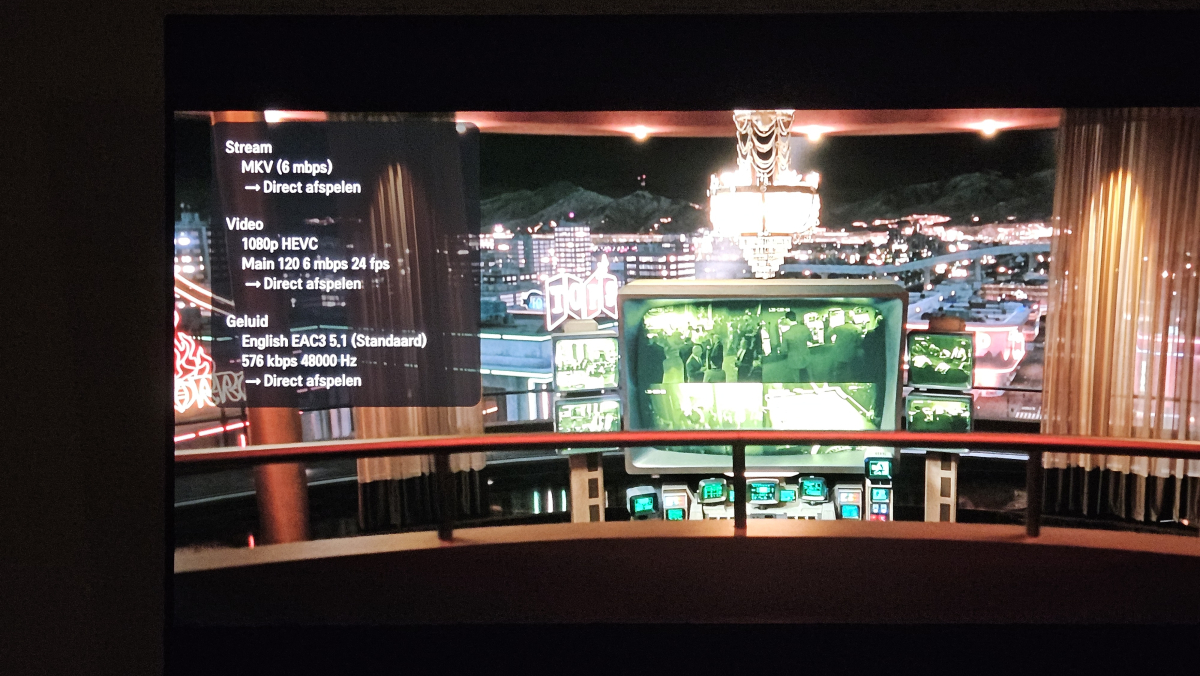
Just happened again, while it less than previous days (only once an hour now). Took a picture of it. Seems to be Direct Play.
-
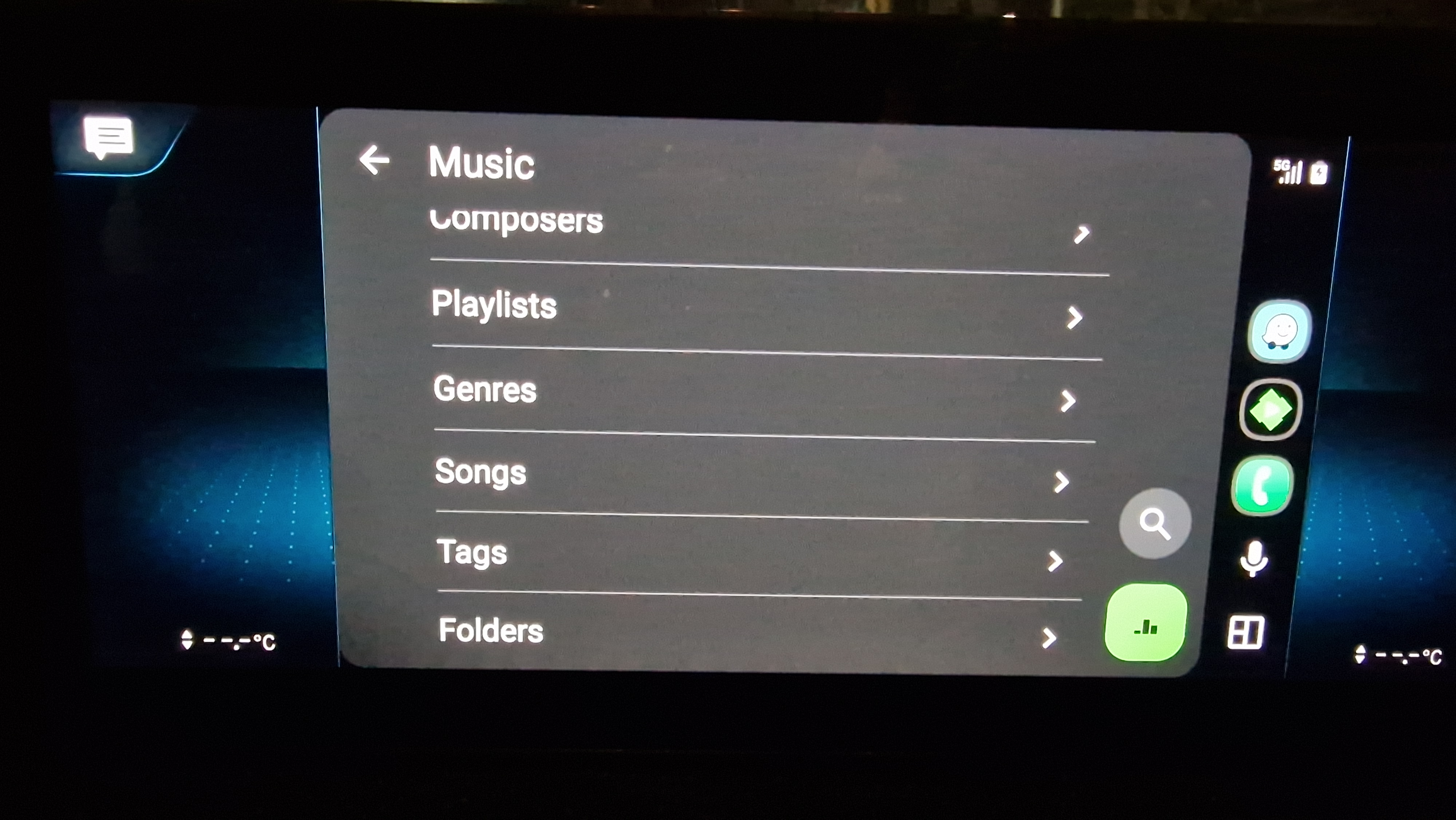
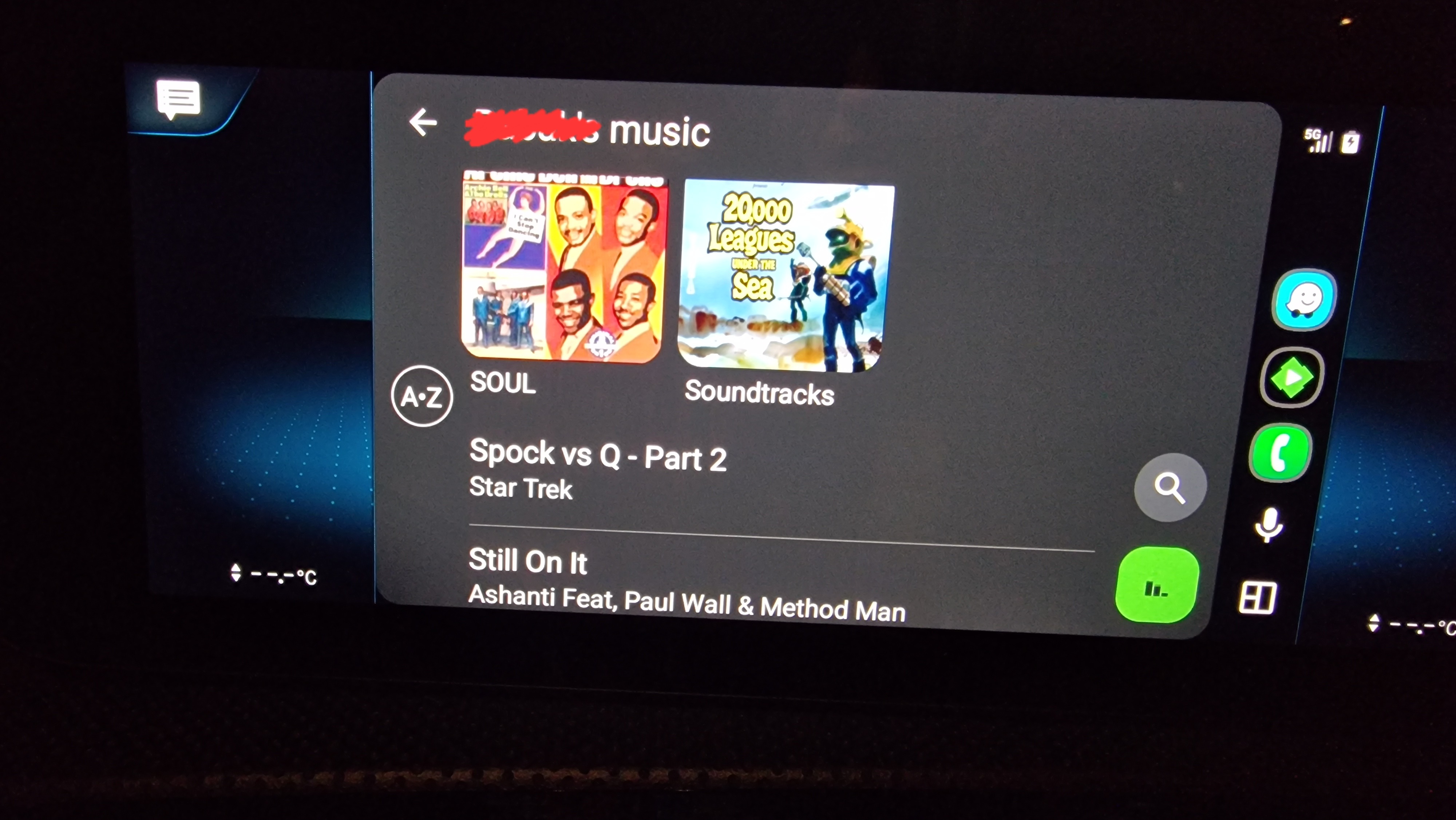
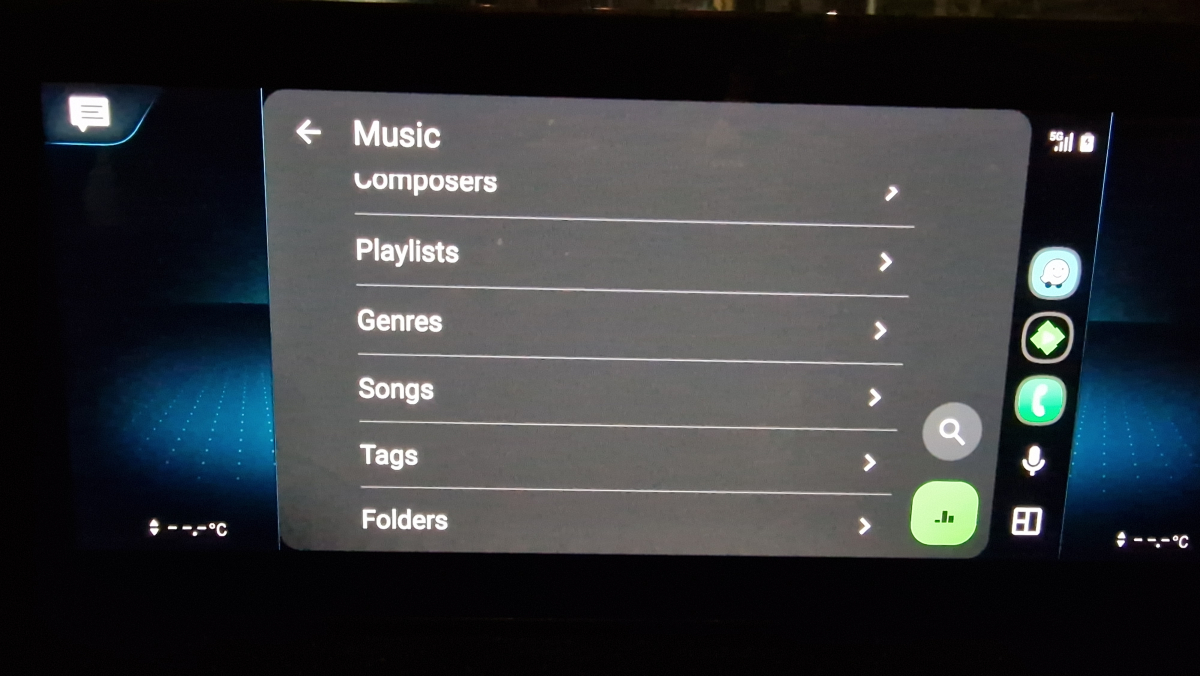
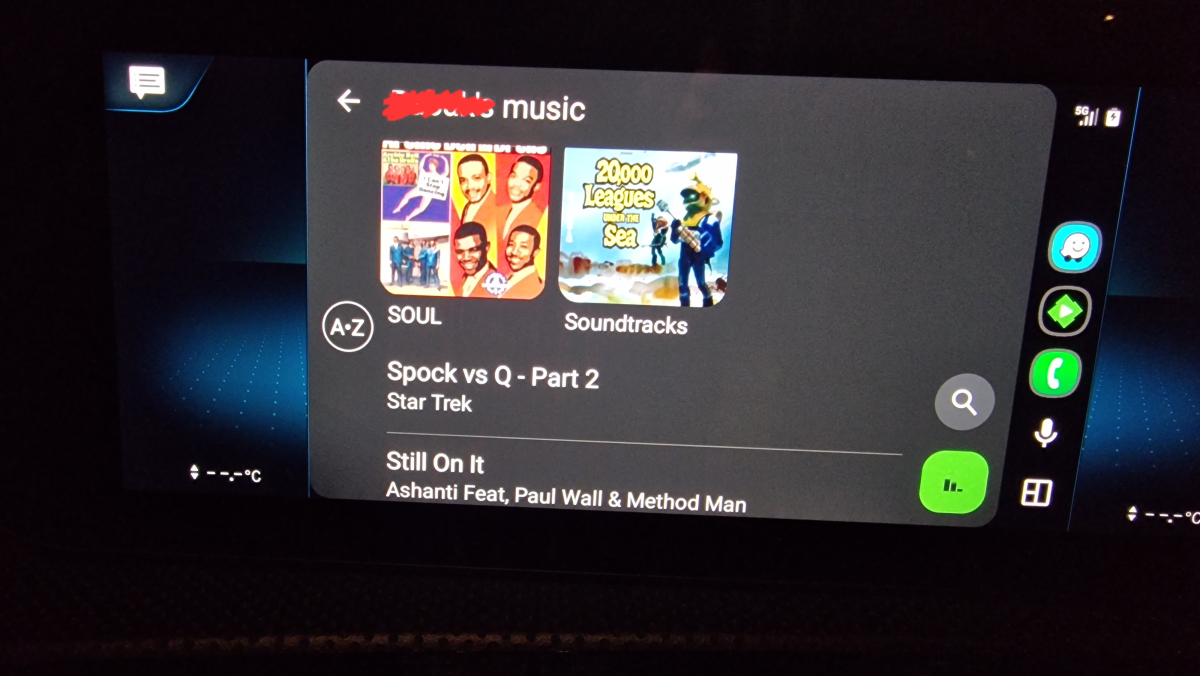
Hi, I am trying to access my music folders via Emby (on Synology) on Android Auto, however the result is not easy to use. While after clicking on Folders (see attached image ending in 237) I see my all folders, these are mixed with music file names, making it not easy to find things. Please see pictures attached ending in 428. Is there a way to ensure when clicking on Folders in the menu, all the folders appear in a list followed by any music files that may be in the same folder? Many thanks
-
- 1
-