All Activity
- Past hour
-
 Juanma68 joined the community
 -

[Plugin / Beta] Status Sync - Live - real-time watched-state sync between profiles (Server 4.8.x)
Luke replied to vdb86's topic in Plugins
Thanks for sharing. -
You can just copy the files in. All users will have access to them, so they will no longer be personal playlists.
-
[Plugin / Beta] Status Sync - Batch - one-time / scheduled watched-state backfill between profiles (Server 4.8
Luke replied to vdb86's topic in Plugins
Thanks for sharing. -
@Oomek HI there, can you please provide a specific example? How to Report a Problem Thanks !
-
 saxo33* joined the community
 -
 Nirnir79 joined the community
 -
 Unclehemp joined the community
 -
 Magolo_008 joined the community
 -
 zhujiayu9812@gmail.com joined the community
 -
 agent.ripley joined the community
 -
 Carlitos2013 joined the community
 -

Emby is the Unraid Spotlight app for July 2026
Jdiesel posted a topic in Non-Emby General Discussion
For whatever reason they are a bit behind on releasing last months choice but nonetheless Emby is being featured. Unraid is a popular OS for self hosting and the spotlight apps are somewhat prestigious.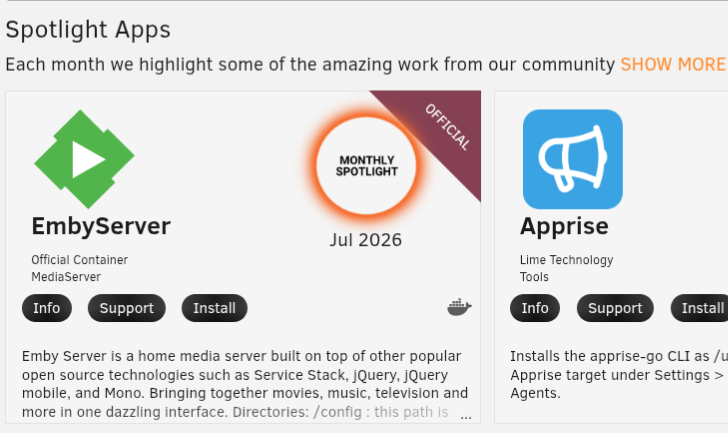
-
 Allyson97 joined the community
 -
It was just something to be aware of. You're free to try and accomplish it but, this is such a niche need I think you are probably on your own. GL
- Today
-
This really needs to be fixed. Normal users cannot be expected to go into the Terminal @Luke
-
Thanks for the update. I tried patching 1.3.4.0 locally by replacing the DateTime.MinValue → DateTimeOffset conversion with DateTimeOffset.MinValue, but unfortunately it didn't resolve the 100% CPU issue. Disabling EmbyNewOverlay immediately brings CPU usage back to normal, so the plugin is definitely responsible for the issue on my server. I'll wait for the fixed release. Thanks again for looking into it.
-
hello how will this plugin behave in a strm file only environment? So strm files pointing to a a rclone mount? I am a little scared just trying this out strm files in Emby are probed on first playback, so there is no metadata available as long as the video wasn't started by anyone... BR
-
Yes - we are not picking any of the Crew from tmdb series lookup and when we pickup writer and director from the episode tmdb metadata, we are not storing the tmdb providerids
-
Thanks for reply! Too many good things can also lead to a bad result. That will almost certainly be the case for me. I'm using: Emby Server 4.10.0.22 Emby Intro Maker Chapter API TV Theme Videos - don't work in beta TV Theme Songs - don't work in beta -> that's why I still have "Theme Maker" enabled. Although I've disabled all plugins from overwriting existing information in the settings, I should probably just stick to one plugin. Since I prefer a graphical interface to skip steps, "Emby Intro Maker" is the only option for now. And as soon as I switch back to a regular server version, i.e., 4.10 Final, TV Theme Videos and TV Theme Songs should work again.
-
I've been also having this issue for years. Random cast and crew photos are missing after Scan Library Files. The only solution is to manually go into each actor, then the photo is updated, then go back to the movie screen and press F5. Or you can manually refresh the metadata for each added movie, but both solutions are annoying and require extra labour. When will it be fixed?
-
Problem still persists for me. When changing audio and/or subtitles the subtitles are shown twice. With every skip (intro, for example) it increases with 1. So eventually the subtitles are shown 3-4x in the worst case scenario. This has been an issue for years, mind you. I had the issue during my holiday two years ago.
-
Sounds like a minefield for sure. In the meantime I just had another unprompted feedback from a user that it was not realistic to expect them to use a webclient. lazy sure but thats their feedback. Could there be a case for emby exposing to plugin developers the option to coopt some placeholder menu items on the UI "..." three dot menu. I am not sure what it is the stores are pulling you up on. if it is the ui changing then a static menu option of "Custom1" (that a plugin could subscribe to) (to send mediaitem, source user to plugin), optionally "custom1" cascading to list of usernames (to send mediatiem, source user and destination user to plugin) would support alot of client plugin functionality without the interface changing. "Custom1" seems inoffenseive, list of users emby already shows, nothing to do with "sharing of information or even downloading stuff". Or is it "after the fact" they/you care about, ie "what an app (and any plugin) is used to do"...serverside plugins with no ui could do lots of things already keying off subscribed events initiated by the client app..so im struggling to see the difference there. would the appearance of a static "custom1" on the "..." menu enabled by the admin as a server option...fall foul of the stores vetting procedure?
-

[Plugin / Beta] Radio Browser - browse and play internet radio from radio-browser.info (Server 4.8.x)
vdb86 replied to vdb86's topic in Plugins
Thank you! -

[Plugin / Beta] Radio Browser - browse and play internet radio from radio-browser.info (Server 4.8.x)
GrimEvil replied to vdb86's topic in Plugins
Just completed a quick test and works so far, will update once I have done further testing -
I am building on my learning from list protection plugin to produce a full evidential reasoning engine with human in middle confirmation for person object health. (like misallocation of media, incorrect ids, multiple instances of same? person). Im coming accross instances from my guest cleaner plugin where there are mismatches between the person credited at the series and episode. Sometimes it is a provider error, sometimes it is a real duplication in emby of the same person. There are lots of potential signals to mine, Emby IDs, External Providers IDs, Provider filmography, Emby internal metadata path (same / different). The goals would be Every separate Emby person earns its keep with confirmed separate filmographies, properly attributed Populated IDs, Healhty single owner of a metadata path, person.nfo healty Merge Capability with human in middle confirmation when low confidence. Not meaning to paint a picture of anything massively wrong but there are a small number of cases for sure when emby has perhaps been misled by (stale) provider data and doesnt represent reality and does have duplicates. (Hopefully might find the cause along the way..it may just be due to old versions and stale cases that wouldnt occur now..hope so..but i still want my data to be tidy) Anyways a bit of learning project might have something in a couple of weeks. a case in point i have two kristin's both fuly populated with ids all correct looking at the same folder but with different subset of correct filmography associated. 2026-08-10 08:33:56.541 Info Guest Star Cleaner: [DuplicatePersonDetection] 'Kristin Bauer van Straten' - would merge into Id=16398, runt Id=438951 (not performed, Test Mode on) (winner Path=C:\Users\Nicholas Bird\AppData\Roaming\Emby-Server\programdata\metadata\people\Kristin Bauer van Straten-tmdb-90658 (confirmed exists on disk) (Image=Y), runt Path=C:\Users\Nicholas Bird\AppData\Roaming\Emby-Server\programdata\metadata\people\Kristin Bauer van Straten-tmdb-90658 (confirmed exists on disk) (Image=Y)) - first raised by Episode - S02E02 - Keep This Party Going (True Blood) <-- NEXT TO ACTUALLY MERGE when Test Mode is turned off
-
4.10.0.23 still has issues from Android clients for me, same symptoms as before.
-
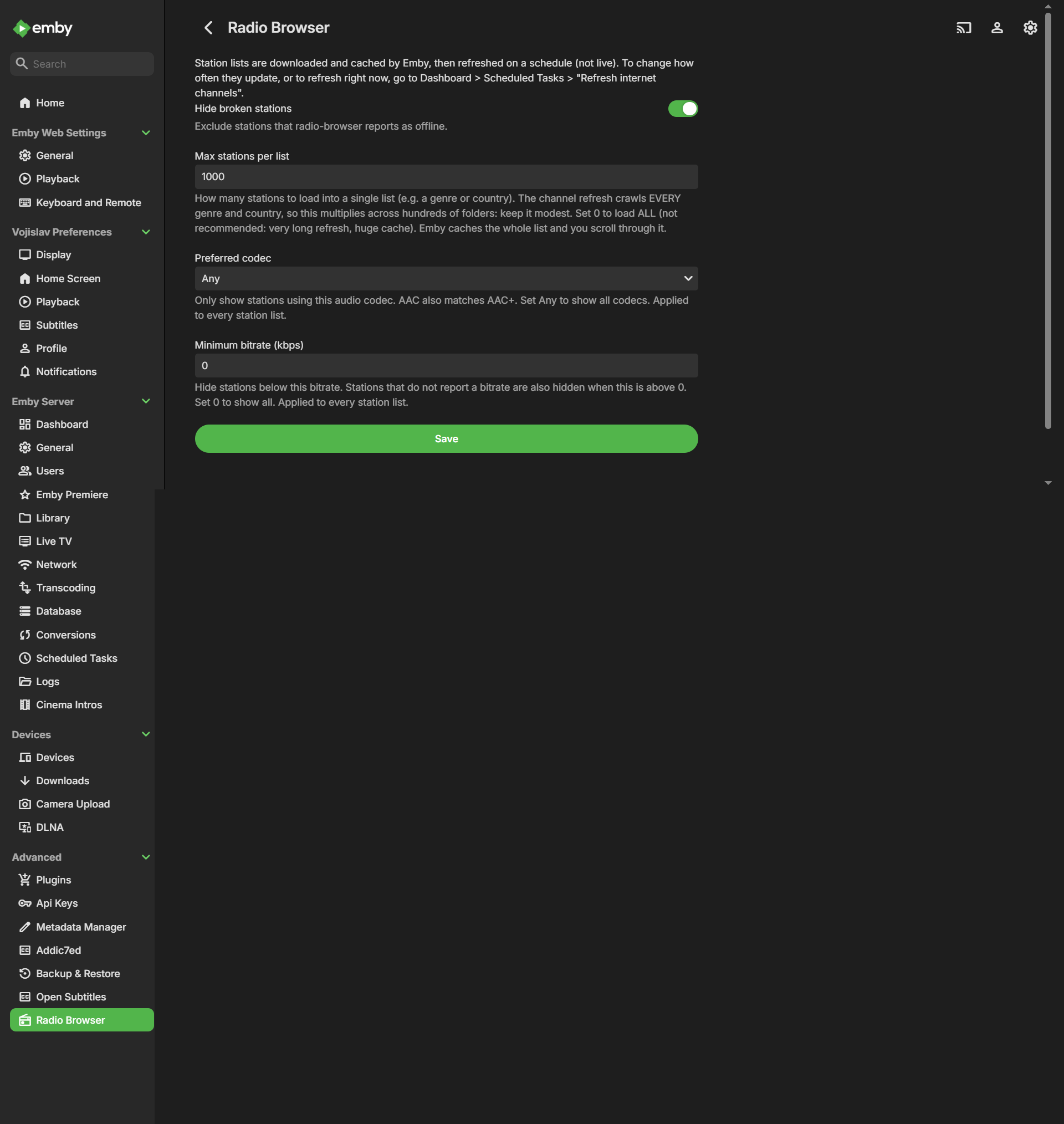
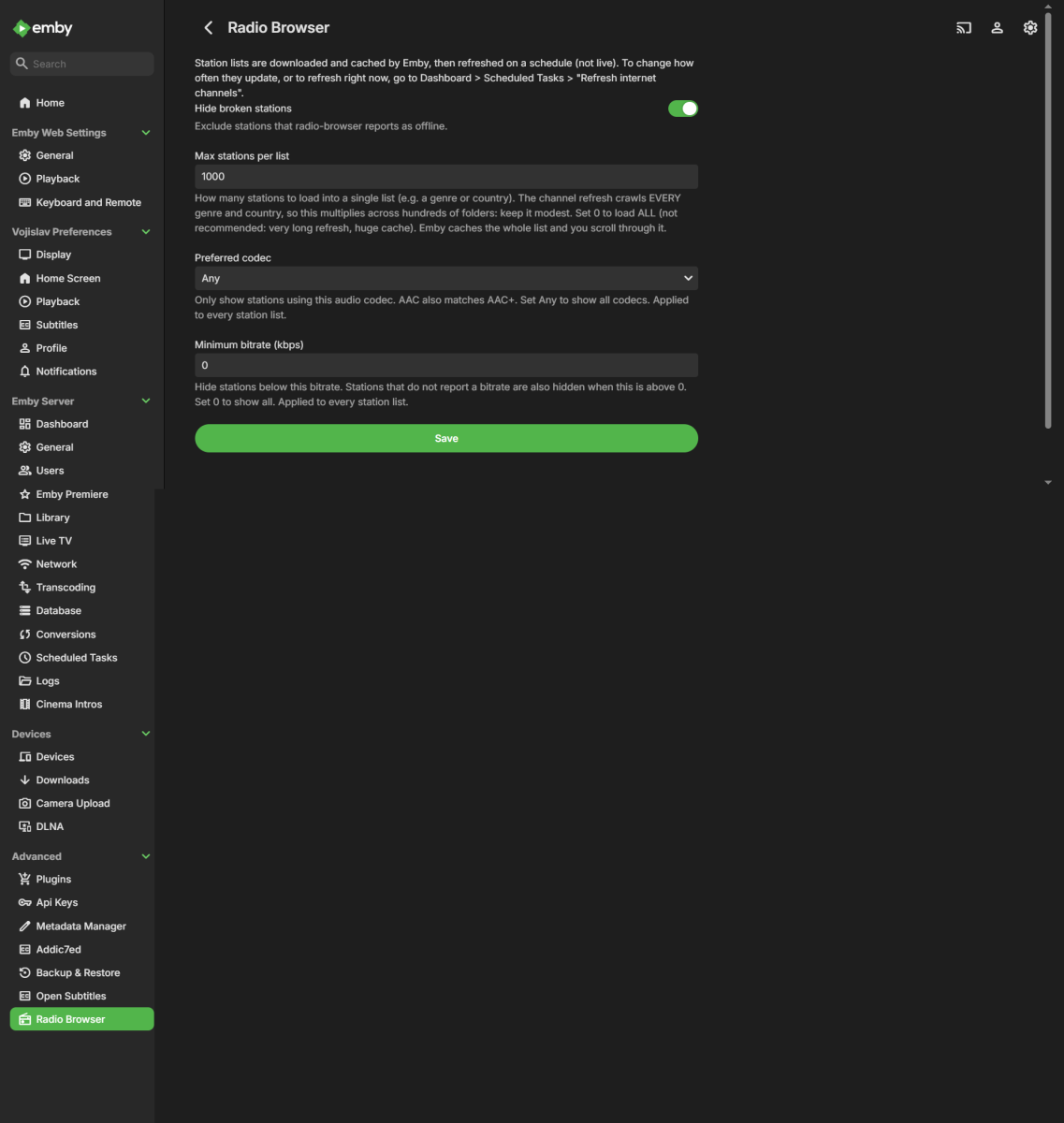
Hi all, I'd like to share a server plugin I've been working on and get some testers before requesting a catalog listing. **Radio Browser** surfaces the public [radio-browser.info](https://www.radio-browser.info) catalogue - tens of thousands of internet radio stations - inside Emby as a Channel. You browse stations by genre and country and play them directly, with no hand-maintained`.strm` / `.m3u` / `.pls` files. It is server-side only - it adds a "Radio Browser" channel plus a settings page, with no client or context-menu UI. **What it does** - Adds a **Radio Browser** channel with four root folders: **Genres**, **Countries**, **Top Voted**, and **Most Clicked**. - Plays stations directly (prefers the resolved stream URL; treated as an infinite live stream so it keeps playing). - Two global filters applied to every list: **Preferred codec** (Any / MP3 / AAC / OGG, where AAC also matches AAC+) and **Minimum bitrate (kbps)**. - **Hide broken stations** toggle (uses radio-browser's online-state check). - Registers a play-start "click" with radio-browser when you start a station (this feeds the Most Clicked list). That is the only thing it sends out. **How it works** - Rather than making one API search per folder, it pulls the whole station catalogue **once per channel refresh**, caches it in memory, and builds the Genres and Countries folders by grouping locally. This turned a slow, sometimes-stalling sync into a handful of bulk requests - a full refresh is under ~4 minutes on my server. - Mirror discovery via DNS of `all.api.radio-browser.info` with failover to another mirror, and a descriptive User-Agent, per radio-browser's guidelines. - Browsing is served from Emby's channel cache; station lists refresh when the "Refresh Internet Channels" scheduled task runs (not live per-scroll). **Notes / limitations** - **Max stations per list** bounds how many stations Emby stores per genre/country during a refresh (default 200). It is the main knob for refresh time and database size - raising it a lot makes refreshes slower and the DB larger. `0` means load all (not recommended). - The Genres folder shows the top ~500 tags by station count; radio-browser has a large long-tail of one-off free-text tags that would otherwise flood the list. - Emby draws its native favorite heart on items, but Emby does not surface favorited *channel* audio anywhere in its UI, so favorites are not a supported feature of this plugin. **Requirements** - Emby Server 4.8.x. **Install** 1. Copy `RadioBrowser.dll` into your plugins folder: - Windows: `%AppData%\Emby-Server\programdata\plugins` - Linux: `/var/lib/emby/plugins` - Docker: `/config/plugins` 2. Restart Emby Server. 3. Open Dashboard -> Plugins -> Radio Browser -> Settings. It also shows up as its own entry in the dashboard's left navigation. 4. Run Dashboard -> Scheduled Tasks -> "Refresh Internet Channels" once to populate the channel (or wait for its schedule). **Configure** Set **Hide broken stations**, **Max stations per list**, **Preferred codec**, and **Minimum bitrate** to taste, then open the Radio Browser channel under Channels. After changing a setting, run the refresh task again so the cached lists pick it up. **Beta note** DLL is attached to this post. I'd love feedback on stability, on refresh time across different server sizes, and on station playback across clients. Please share your server version and anything in the log prefixed with `RadioBrowser` if something looks off. Thanks! RadioBrowser.dll
-
I own a LG G2 (WebOS 25) and still 1.0.50.0, no prompt for 1.1.50.0
-
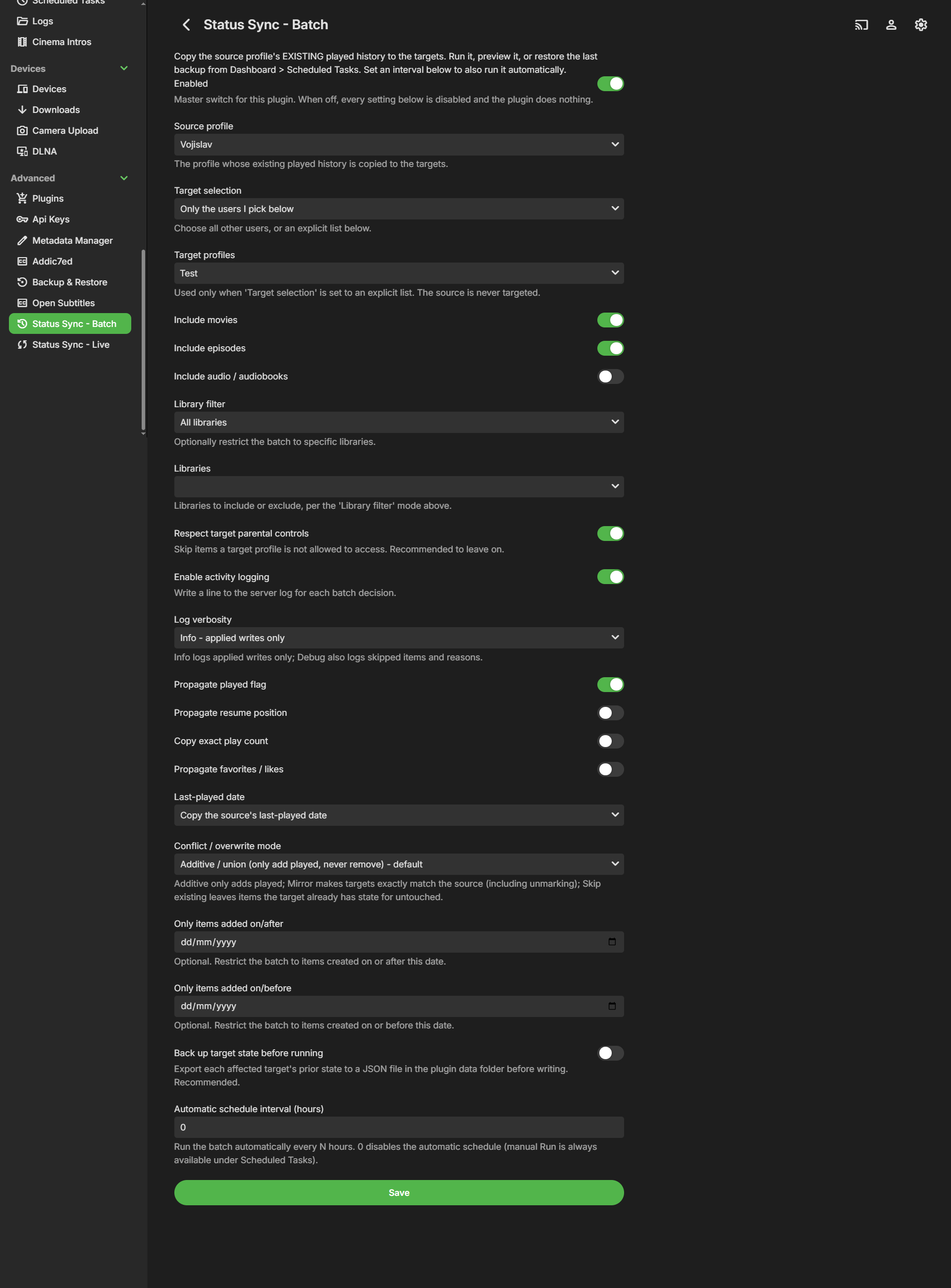
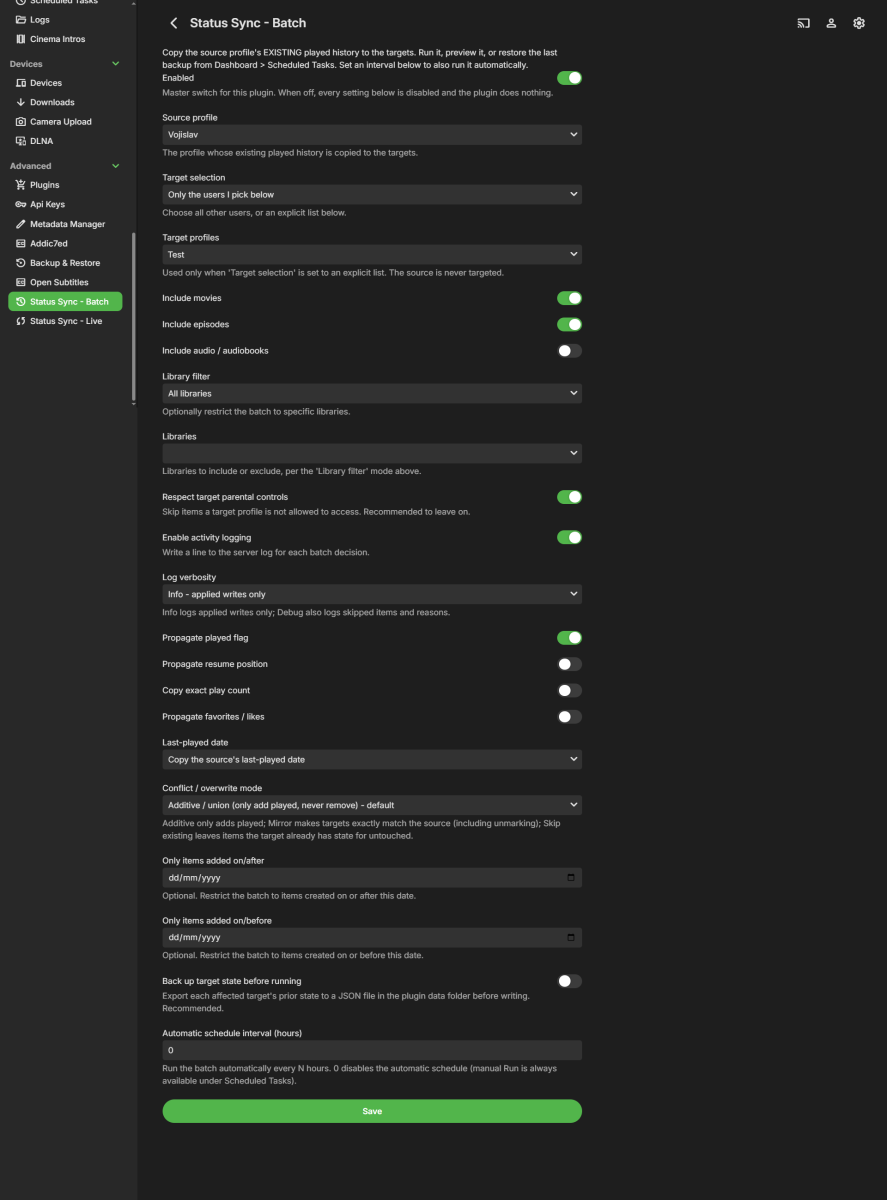
Hi all, I'd like to share a server plugin I've been working on and get some testers before requesting a catalog listing. **Status Sync - Batch** copies a "source" profile's EXISTING played history to one or more "target" profiles, on demand or on a schedule. The use case it was built for: you set up a shared "family" profile that already has years of watched movies and episodes, and you want to bring everyone else's profiles up to date with it in one pass, without touching anything those users have watched themselves. Where a real-time sync only reacts to new events going forward, this one fills in the back catalogue that already exists. It is server-side only - there is no client or context-menu UI. **What it does** - Runs from **Dashboard -> Scheduled Tasks**, where it registers three tasks, each with a native Run button, progress bar and last-run status: - *Status Sync: Run batch* - performs the copy (also runs automatically if you set an interval). - *Status Sync: Preview batch* - reports exactly what *would* change and writes nothing; its counts match a real run. See the plugin's read-only "Last run report". - *Status Sync: Restore last backup* - rolls targets back to the most recent backup (works even if the plugin is disabled). - Copies at the leaf level (movies / episodes / audio); the server rolls up season and series counts on its own. - Conflict / overwrite modes: - *Additive* (default) - only adds played, never removes. - *Mirror* - makes targets exactly match the source, including unmarking. - *Skip existing* - leaves any item the target already has state for untouched. - Optional toggles: propagate resume position, copy exact play count, propagate favorites / likes, last-played date handling, and an optional date range (only items added within a window). - Optional library filter and "respect target parental controls" (targets are filtered by enumerating the library as each target user, so the server applies the full policy). - Optional automatic interval schedule (every N hours); 0 leaves it manual-only. **Backup & restore** - With "Back up target state before running" on, a JSON snapshot of every target/item about to change is written to `<plugin data folder>/backups/statussync-backup-*.json` before any write. The Restore task re-applies the latest snapshot. **Guarantees** - One-directional only: source -> targets. - Non-transitive: every write it makes is recorded in a private re-entrancy guard, so a write to a profile that is itself a source never chains onward. - Never touches `library.db` directly - all reads/writes go through `IUserDataManager`. - Self-targeting is rejected on save. **Requirements** - Emby Server 4.8.x. **Install** 1. Copy `StatusSyncBatch.dll` into your plugins folder: - Windows: `%AppData%\Emby-Server\programdata\plugins` - Linux: `/var/lib/emby/plugins` - Docker: `/config/plugins` 2. Restart Emby Server. 3. Open Dashboard -> Plugins -> Status Sync - Batch -> Settings. It also shows up as its own entry in the dashboard's left navigation. Run it from Dashboard -> Scheduled Tasks. **Configure** Turn it on with the master Enabled switch, pick a Source profile and your Target selection (all other users, or an explicit list), choose which item types to include, pick a conflict mode, and set the state toggles to taste. Optionally set a date range, a backup-before-run, and an automatic interval. Run *Preview batch* first if you want to see the counts in the Last run report before anything is written. **Beta note** DLL is attached to this post. I'd love feedback on stability, on the conflict-mode behaviour, and on backup/restore across different library setups. Please share your server version and anything in the log prefixed with `[StatusSync]` if something looks off. Thanks! StatusSyncBatch.dll
-
Thanks, will try it Should I copy the folder with the m3u in it or straight just the m3u file in /data/playlists ?
-
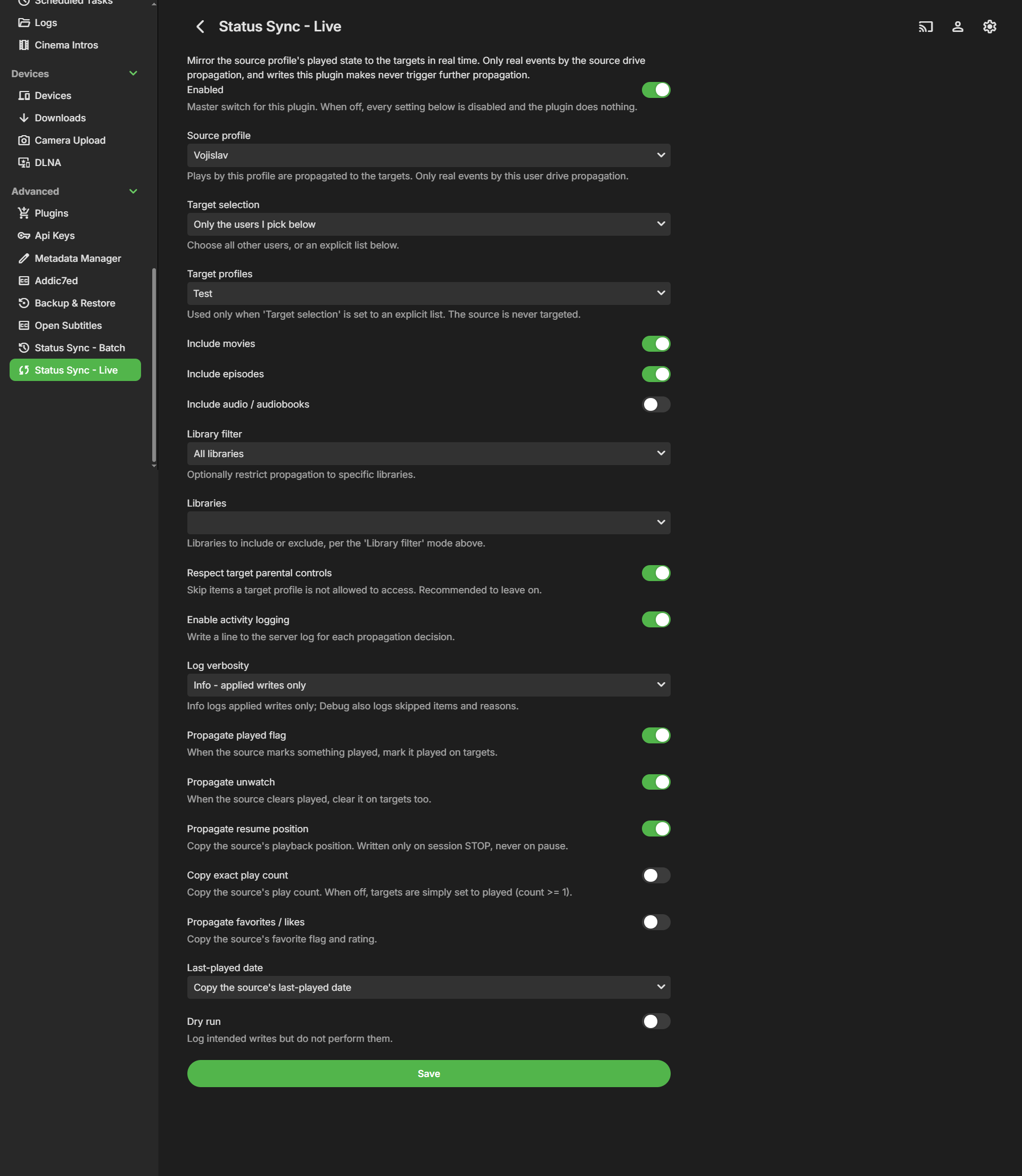
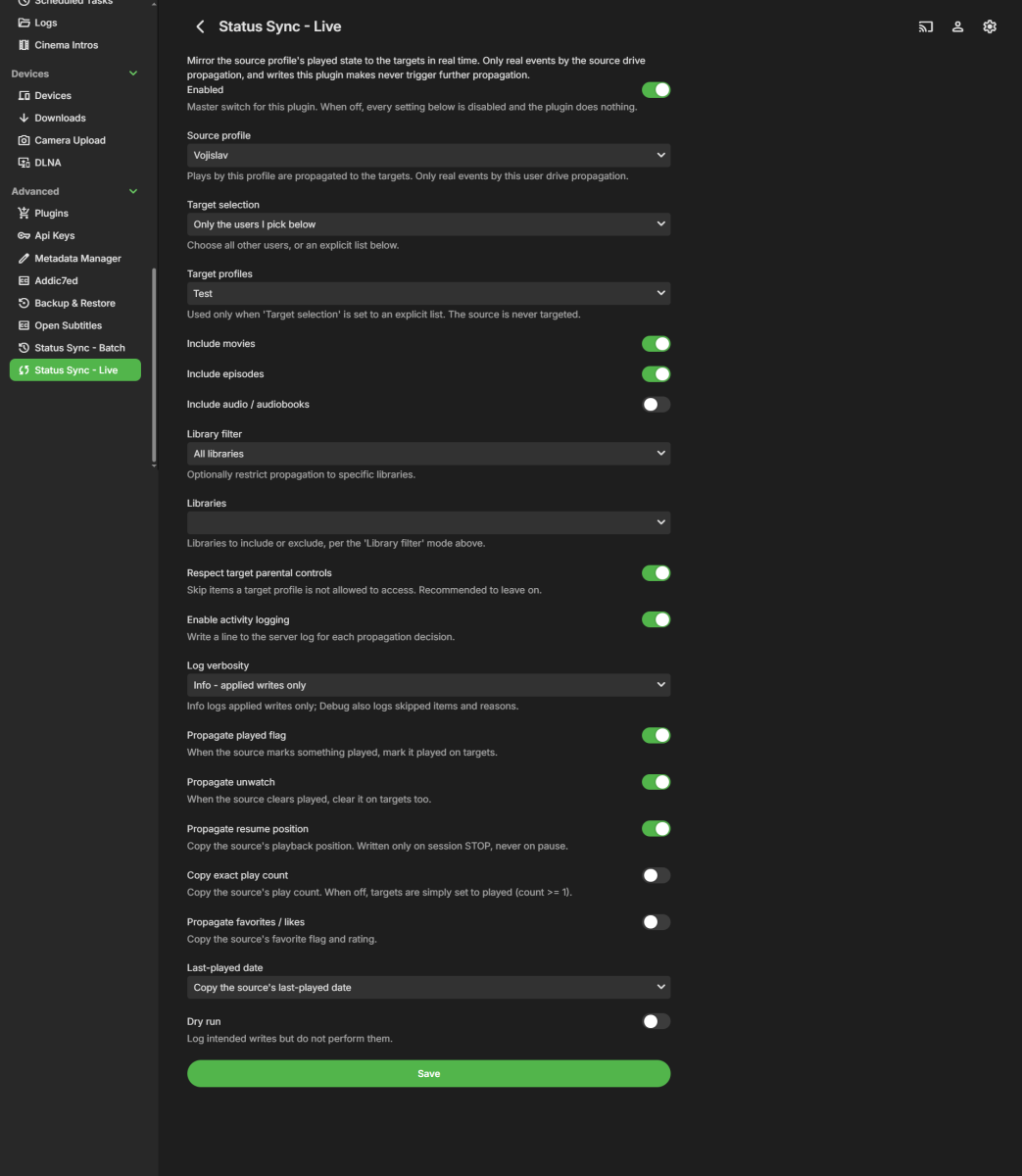
Hi all, I'd like to share a server plugin I've been working on and get some testers before requesting a catalog listing. **Status Sync - Live** propagates watched/played state in real time from one "source" profile to one or more "target" profiles. The use case it was built for: a shared "family" profile marks a movie or episode watched, and everyone's profiles are updated automatically, while each person's own private viewing is never touched. It is server-side only - there is no client or context-menu UI. **What it does** - Watches `IUserDataManager.UserDataSaved` for played / mark-played / rating changes, and `ISessionManager.PlaybackStopped` for resume position (written only on stop, never on pause). - Propagates at the leaf level (movies / episodes / audio); the server rolls up season and series counts on its own. - Optional toggles: propagate unwatch, copy exact play count, propagate favorites / likes, last-played date handling, and a dry-run mode that logs intended writes without changing anything. - Optional library filter and "respect target parental controls". **Guarantees** - One-directional only: source -> targets. - No feedback loops and non-transitive: it reacts only to events from a configured source, and every write it makes is recorded in a short re-entrancy guard so its own writes are ignored. `A -> B` plus `B -> C` never becomes `A -> C`. - Never touches `library.db` directly - all reads/writes go through `IUserDataManager`. - Self-targeting is rejected on save. **Requirements** - Emby Server 4.8.x. **Install** 1. Copy `StatusSyncLive.dll` into your plugins folder: - Windows: `%AppData%\Emby-Server\programdata\plugins` - Linux: `/var/lib/emby/plugins` - Docker: `/config/plugins` 2. Restart Emby Server. 3. Open Dashboard -> Plugins -> Status Sync - Live -> Settings. It also shows up as its own entry in the dashboard's left navigation. **Configure** Turn it on with the master Enabled switch, pick a Source profile and your Target selection (all other users, or an explicit list), choose which item types to include, and set the live toggles to taste. Start with Dry run on if you want to watch the log before it writes anything. **Beta note** DLL is attached to this post. I'd love feedback on stability and on the propagation behaviour across different library setups. Please share your server version and anything in the log prefixed with `[StatusSync]` if something looks off. Thanks! StatusSyncLive.dll
-
HA already runs a bunch of automations on my home theater devices. How would syncing two Emby logins make this any more true than it already is? But if someone manages to get in my front door, I'm already screwed, whether the back door also unlocks or not. They don't need the back door to unlock, they're already in the house, and can simply unlock it from inside. If my media server's security is so thoroughly compromised that someone manages to get access to my Shield and sign in, then dozens of earlier security measures have failed so badly that someone being able to log in on the UGOOS is the least of my problems. And being able to log in to the UGOOS, with a non-admin account that already has the password saved to the device, is not particularly threatening anyway. What are they going to do, use some of my electricity and internet bandwidth? If they're that far inside my network there are way worse things they could be doing. You're basically saying I should put my TV in a safe overnight, in case someone breaks into the house. As though there aren't many other much more portable things they could get their hands on that will get them plenty of value, or are impossible to replace either for sentimental reasons or because you simply can't get them anymore. And as though I don't have locks and alarms on all my doors and windows.
-

group-title aka "Channel tags" should be on the flyout from guide
shalamigri replied to CharlieMurphy's topic in Feature Requests
Yep. I agree. I was just talking about this with my wife.