All Activity
- Past hour
-
 زق joined the community
 -

Segment Reporting - Dashboard, bulk editing, and custom queries for your intro/credits markers
Aleas replied to sydlexius's topic in Plugins
Nice plugin I like it.. Any plans to add in an option to force re-detection of intros? There's an option for Detect Credits, but really need something that can force intro re-detection. -
My Roku Ultra 4802X connected via HDMI to a Denon receiver offers Passthrough, and it correctly detects what the receiver can accept. I think this became available with the 4800 series, I had the Custom audio settings configured with my older model Ultra.
-
 Orgadkobi joined the community
 -
 DiPolo joined the community
 -
 Goshenite joined the community
 -
 Goshenite joined the community
 -
 Dababneh_2008 joined the community
 -
 Manuelfrisk02 joined the community
 -
 bode2bbo joined the community
 -
 shakerartz joined the community
 -
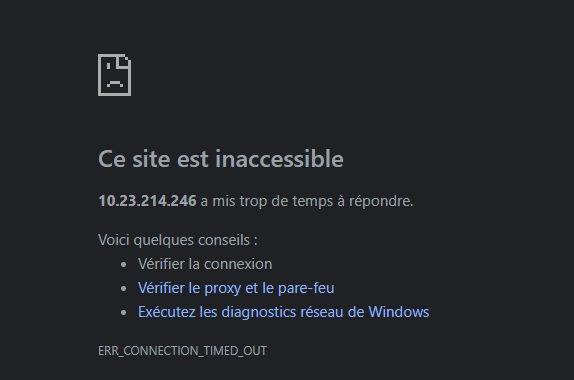
Bon bhe aujourd'hui la conexion par l'ip lan ne fonctionne plus "Accès local (LAN) : http://10.23.214.246:8096" Je ne comprend rien c'est pénible
-
Does you chosen metadata providers, provide Episode genres?
-
Digital output format would be what you want to change. A RokuTV device will show "Passthrough" as an additional option for digital output format. A Roku set-top-box or stick will need to use "Custom" and then enable DTS or not and choose the correct flavor of Dolby Digital either non-plus or plus. The "Passthrough" option of the RokuTV will allow the HDMI(-ARC/eARC) to pass these through. Using Auto it must determine support from the HDMI-CEC chain. If you have an AVR this might cause problems with auto-detection if the AVR is turned off, but the Roku is always on, as the order the devices are turned on matters. Detection is done as the Roku boots up. In order for Auto to work correctly all the time the Roku will need to turn off with the AVR and turn on with it. Using Custom will work correctly all the time without needing to make sure of the order of devices is turned on correctly. Audio mode allows you to quickly enable Stereo without goofing with the other settings. For when you want to do this. Preferred streaming format isn't really used by the Emby app. We aren't providing streams without multiple audio tracks. We don't provide your media. So we don't read this value from the Roku which would tell us how you want your audio packaged from our content delivery network. Since we do not have a CDN serving video this one exists for everything else, but Emby. Those who have content will surely use this to determine how best to handle your audio stream delivery. Since Emby is limited by what your media item has for audio this is why we can never use that field.
-
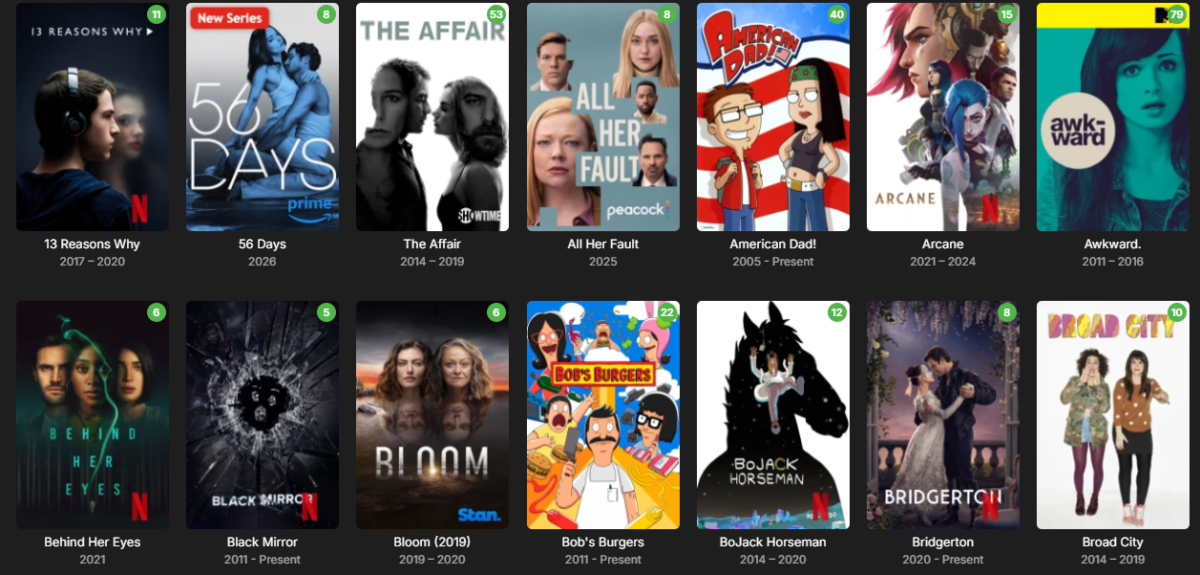
Sneak peek at the next update! Packed with dynamic studio logos (like Netflix and Prime Video), the ability to upload your own custom studio logos, and other new features. Coming soon.
-
My AVR plays ALL lossy DTS audio tracks thrown at it by the Roku. But just lossy DTS the Roku passes on and the front display of the AVR says DTS and no transcoding takes place. As soon as the Roku plays DTS-HD MA audio, Emby is transcoding it but ONLY when it is 5.1 NO core from the DTS-HD MA. This came only to my attention recently as the 2021 movie black widow also has a DTS-HD MA 7.1 audio track and no problems were detected a few years ago when I played it. The Roku is connected via HDMI to the AVR and the AVR connects directly to the Projector. 2 days ago I connected the 2019 Shield to a separate input and every content that I play displays on the front of the AVR the default audio format DTS-HD MA, Dolby Digital, DTS, TrueHD and whatever else. So all the movies we have listed here play the highest quality of audio when using the 2019 Shield where the Roku screws up. For the Roku's Audio it has 4 entries. 1. Audio Mode: It has 2 entries: Stereo | Auto (DD+, DTS-HD) 2. Preferred Audio Language (English) 3. Preferred Streaming Format it has 3 entries: Auto | Dolby | DTS 4. Digital output and it has 3 entries: Auto | Stereo | Customs. Under customs there is Dolby Digital and DTS. Nowhere is there anything regarding passthrough but I assume the Audio Mode Auto will pass through the audio format. Regardless of the changes in the settings the DTS core is not handed over to the AVR. I am off for the weekend and will not be where the equipment is.
-

2 verschieden Bibliotheken mit gleichen Filmen - in Sammlung alles doppelt?
K1ng_Lear replied to sylvio2000's topic in German
1. Meines Wissens müssen die Files im gleichen Ordner liegen. (Nachtrag: Du kannst auch 10 verschiedene Versionen speichern.) 2. Die Files müssen unterschiedliche Namen haben. z.B. "Star Wars - 1080p 10bit.mkv" und ""Star Wars - 1080p 8bit.mkv" Generell ist es, meiner Erfahrung nach, bei Emby von Vorteil für jeden Film einen Ordner zu haben und dort dann alles zugehörige reinzupacken. Hat generell den Vorteil, dass Du weißt wo was liegt, sonst fängt Emby an Metadaten, Cover usw. in seinen Eingeweiden zu speichern und im Falle eines Umzugs könnte es blöd werden. Hier nochmal der Auszug aus dem Link zum zugehörigen Eintrage in der Hilfe. Multi-version movies Multiple versions of the same content must be stored in a single movie folder. /Movies /300 (2006) /300 (2006)/300 (2006) - 1080p.mkv /300 (2006)/300 (2006) - 4K.mkv /300 (2006)/300 (2006) - 720p.mp4 /300 (2006)/300 (2006) - extended edition.mp4 /300 (2006)/300 (2006) - directors cut.mp4 /300 (2006)/300 (2006) - 3D.hsbs.mp4 Each version must begin with the folder name, followed by " - ". If using the dash method anything following the dash will be what you see in the Emby client app. -
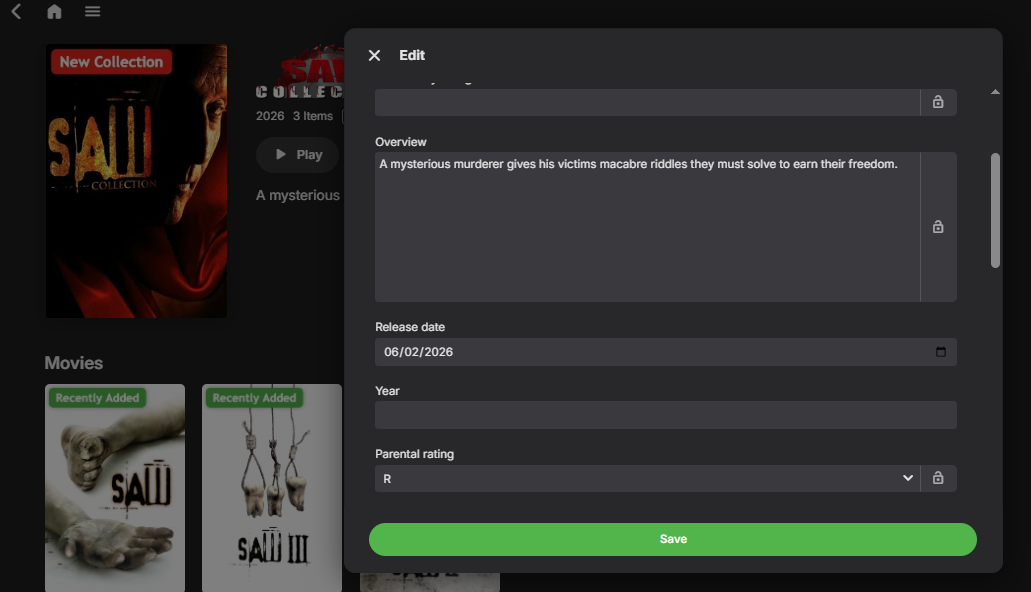
Well I can't help you with that.. may update your emby server, mine has release date.... I'm using a beta Version 4.10.0.8 ..... should be under overview.
- Today
-
Recently moved migrated from Truenas Core to Scale, and running Emby under docker. Odd behavior I am seeing is i have a default user when logged into roku and clicking Playlists see nothing. The odd part is If I log into web based portal and click Playlists I see what I am expecting. The other odd thing if I click on an item that is part of the playlist on Roku, I can see the playlist and get to from there... Running Version 4.9.0.5 I can reproduce on more than 1 Roku.
-

Emby Server 4.9.5.0, what is wrong with the search?
Painkiller88 replied to Painkiller88's topic in General/Windows
Please hurry up with an update, this is absolutely bullshit and unusable how the search actually works. Thanks -
embyserver.txt
-
Is the Ear Wax Skill still working and available?
-
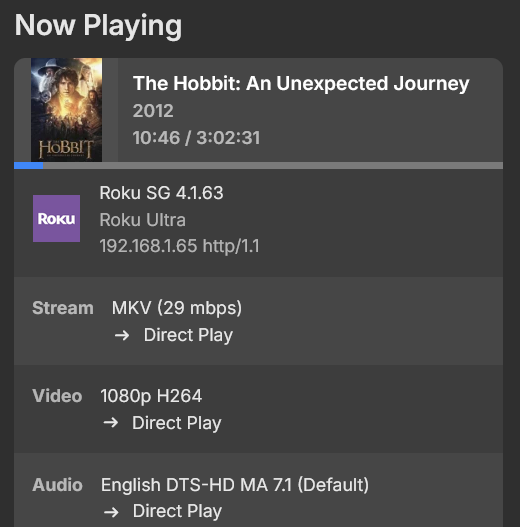
Roku does nothing but pass through DTS. It only "plays" Dolby formats. IE: All Roku does is steer the audio stream to a device to decode it. I had issues when I started here and came to understand DTS is a three way negotiation between Emby, the Sink Device (TV) and the AVR and all three must be capable of handling the 7.1 stream or you get 5.1. After updating my Sink device (TV), no problems playing DTS-MA
-
You're correct, my memory is failing me. At some point in the past pre-emby I had some kind of setup that couldn't handle DTS-MA at all, and including the separate DTS track was the workaround. It became part of my standard rip workflow and I forgot why. Testing on my Ultra (Roku OS 15.2 4.3442-C2, latest Emby app, local network) shows expected behavior - it is not passing through DTS-MA, 5.1 or 7.1, but it is passing the DTS core properly for both. Receiver reports standard DTS streams while Emby shows direct play of the DTS-MA streams. On the Roku the Streaming Format is Auto and Digital Output is passthrough.
-

Introducing Traxx, an Android music app built for Emby music libraries
szymonSamsung replied to Hauzz's topic in Third Party Apps
I would also love to try this app as alternative to default emby player which is scary -
I used a program called MetaX where I can Batch edit files and add the same name in 1 shot. This was does over the years. So redoing them now would be a huge job.
-
Thanks and I am glad to hear it might be in the future updates
-
When comparing the two servers I noticed the Emby user was not created on the new server. I believe Emby was having issues with permission so I created the Emby user, added it to the proper group and then stopped and started the container again. Then I did another restore and all my playlists are now looking ok. Thanks for the response
-
Think of DTS as either 5.1 or 7.1. The Roku can play DTS. The Roku cannot play lossless streams. It must always use the DTS "core". Even if you have DTS-HD MA in 6 channel, rather than 8, the Roku isn't playing the lossless stream. It is playing the lossy "core" from the DTS stream. DTS should pass-through. The player just goes hmm.. whatever.. here is the stream. Untouched. Passes it down the wire. Just puts it out on the pass-through audio stream. After that.. it is up to your equipment to decode that or remove the DTS "core" from the stream and play it. This is why you must both enable pass-through then rather than use "Auto" use "Custom" and choose which codecs to allow. Usually DD5.1 and DTS turned on. Then restart the Roku. After that the Roku now understands you want DTS to pass-through. It is doing this because you hear silence with 8 channel DTS. That must mean the pass-through is working, or it means Roku isn't passing through the DTS to the receiver. But it does mean the Roku is doing it since this shows as Direct Play. @ebrDo you have a TV that supports DTS which can connect to a Roku? I do not or I would do this myself to test. Simply disable audio transcoding for a test user. Then play that file with that test user that has DTS-HD MA in 8 channels. Can you hear the lossy DTS "core" playing from the DTS-HD MA track? or do you also hear silence? If you also hear silence this is most certainly a recent Roku firmware bug.
-
Thanks for your reply. You are perceptive. I did migrate from Plex. This problem came out of nowhere, even before I attempted to update to 4.9.5 - advice - leave that update alone, wait for the next one. However, when I migrated to Emby, I manually recreated 50 Playlists within Emby, consisting of 50-60 songs manually. What a pain. Emby handles the media files just fine, it seems to have a problem with user created data. I'll attempt your instructions above(thanks for taking the time). Presently, I have installed a music streaming software on my iphone that accommodates my playlists and allows me to take them with me. Easy and it preserves my playlists. Emby now is just a holding container for music, and a video player for everything else. This is a "two state" solution, but it works
-
I dont know wether you fixed something else @hatharry but i ve been doing a lot of reading about alexa certificate chain support. I had switched over to letsencrypt (away from zero ssl) without luck but i forgot to set RSA 2028 explicitly and i think my renewal app (certifytheweb) chose elliptical by default...Anyways after arguing with AI for the whole day on various things i ticked letsencrypt on rsa 2048 and i now have audio. please dont burst my bubble and say it was something you did i am feeling very smug. Once i am sure of solution i will write it up. Edit Change player is working too
-
Suspect this is a known issue with .NET unable to find data paths that have previous dbase install links to files were cached and are no longer valid and /or not all .jpg files were saved from a dbase update or the location of these .jpg files change and old links fail. Example quote suggesting a .NET fix: https://stackoverflow.com/questions/7673290/visual-studio-retrieving-an-incorrect-path-to-a-project-from-somewhere Also see these search results: https://duckduckgo.com/?q=.net+data+path+errors+old+file+cache&ia=web Suspect that playlist issues result from migration from Plex. It seems almost obvious that this a long list of links, converted from one dbase to another, would easily fail. Even just testing this issue is complex, at best. Different versions of each dbase can cause different issues. Every playlist from all previous software versions would, ideally, need to be tested for conversion issues to new file locations with the latest Emby server software. Has this been done? Trying to get the old playlist versions to work is most likely a waste of time. In a tech support team for any business, fixing old lists would not be approved. Probably, the expected solution would be to just remake the playlists.
-
Gives me the warning screen about "unsecure" connection, I press "continue", and it connects.
-

Failed 4.9.5 update and disappearing Playlists
brucesnelgrove replied to brucesnelgrove's topic in TerraMaster NAS
I have rebooted twice. Still lists 4.9.3 as current rev. and also telling me 4.9.5 is available Before I updated I noticed 2 folders before my playlists disappeared. One said "Playlists" and the other "userplaylists". I noticed "userplaylists"was empty and "PLaylists" was occupied with the playlists I created. After my attempted upgrade and losing 50 playlists, I went back in and copied the ".m3u" files to "userplaylists" and my playlists returned, and they play. I am still running into problems with iOS not connecting. As a result, I have purchased dedicated music streaming software for my phone that allows me to stream and take my playlists with me. It appears the 4.9.5 leaves the media files alone, but destroys or damages "user created" data.