All Activity
- Past hour
-
 law5ys joined the community
 -
 Alessia378 joined the community
 -
 ayacor83 joined the community
 -
For now just drop this at the end of Section 12. I'll test them out and add them in the core later. But this should get you going. /* ============================================================ HOTFIX: MEDIA CARD ROUNDING ============================================================ */ html[class*="theme-"] .card .cardContent:not(.cardContent-round), html[class*="theme-"] .card .cardImageContainer:not(.cardContent-round) { border-radius: 15px !important; } html[class*="theme-"] .card:hover .cardContent:not(.cardContent-round), html[class*="theme-"] .card:hover .cardImageContainer:not(.cardContent-round) { border-radius: 15px !important; } /* ============================================================ HOTFIX: CUSTOM SIDEBAR WIDTH ============================================================ */ html[class*="theme-"] body:has(.mainDrawer:not(.mainDrawer-mini)) { --custom-sidebar-width: 250px; } html[class*="theme-"] body .mainDrawer.drawer-docked:not(.mainDrawer-mini) { width: var(--custom-sidebar-width) !important; } html[class*="theme-"] body:has(.mainDrawer:not(.mainDrawer-mini)) .skinHeader.skinHeader-withfulldrawer { padding-left: var(--custom-sidebar-width) !important; } html[class*="theme-"] body:has(.mainDrawer:not(.mainDrawer-mini)) .view.page-withDockedDrawer, html[class*="theme-"] body:has(.mainDrawer:not(.mainDrawer-mini)) .backgroundContainer.backgroundContainer-withdockeddrawer { left: var(--custom-sidebar-width) !important; }
-
Na ja, du könntest ja Jellyfin runterfahren, Emby installieren, über den Standardport auf Emby zugreifen und dann in den Einstellungen den Port auf einen Dir genehmen ändern. Danach kannst Du Jellyfin und Emby parallel ohne Docker betreiben. Oh, es ist im Übrigen verständlich, dass Jellyfin den gleichen Port benutzt, ist Jellyfin doch ein Emby Fork
-
 Akaladwah26@outlook.com joined the community
 -

Emby server When Streaming a movies to tv the sound is out of sync
Neminem replied to malc1954's topic in Feature Requests
Nice feature request -
 Nomio joined the community
 -
 霄武 joined the community
 -
 TBond joined the community
 -

Emby server When Streaming a movies to tv the sound is out of sync
malc1954 posted a topic in Feature Requests
h- 1 reply
-
- 1
-

-
 net0101 joined the community
 -
 ma7mood joined the community
 -
Ich habe davor einen jellyfin Server ausprobiert und der läuft auf den 8096 Port. Scheinbar nutzt emby den gleichen Port und das lies sich nur via docker umgehen. jetzt könnte man natürlich jellyfin löschen aber ich habe so viel Arbeit reingesteckt. Glaubst du wirklich das dadurch Alles besser läuft ? Wenn ich zum Beispiel Infuse nutze habe ich weniger Probleme
- Today
-
v1.1 - Mapping status messages added - Delete all rows button added - Mapping input field is a combo-box now (you can both type-in or use dropdown; you'll get suggestions as all unique tags collected based on current selection) emby_album_tag_importer.py
-
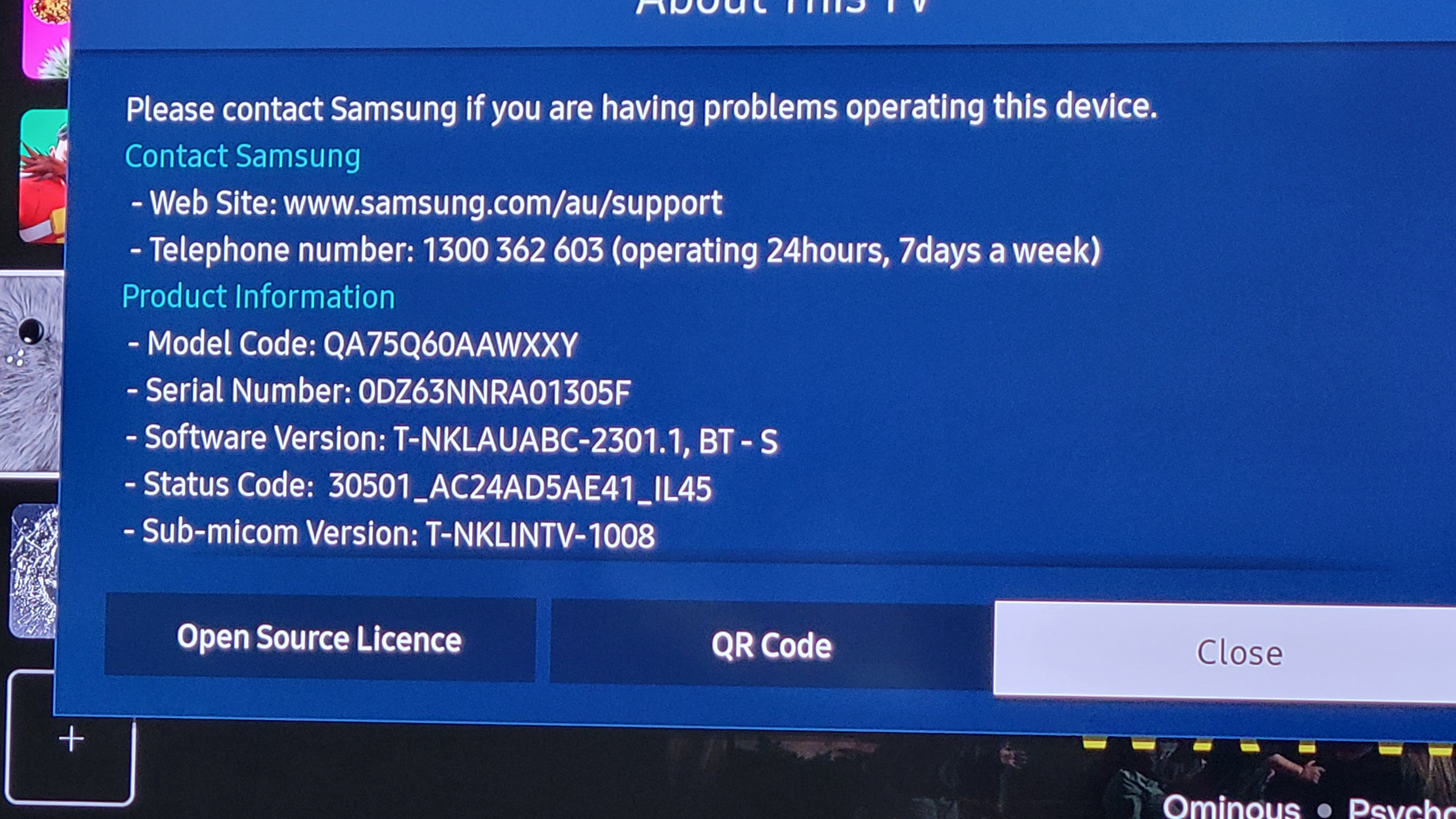
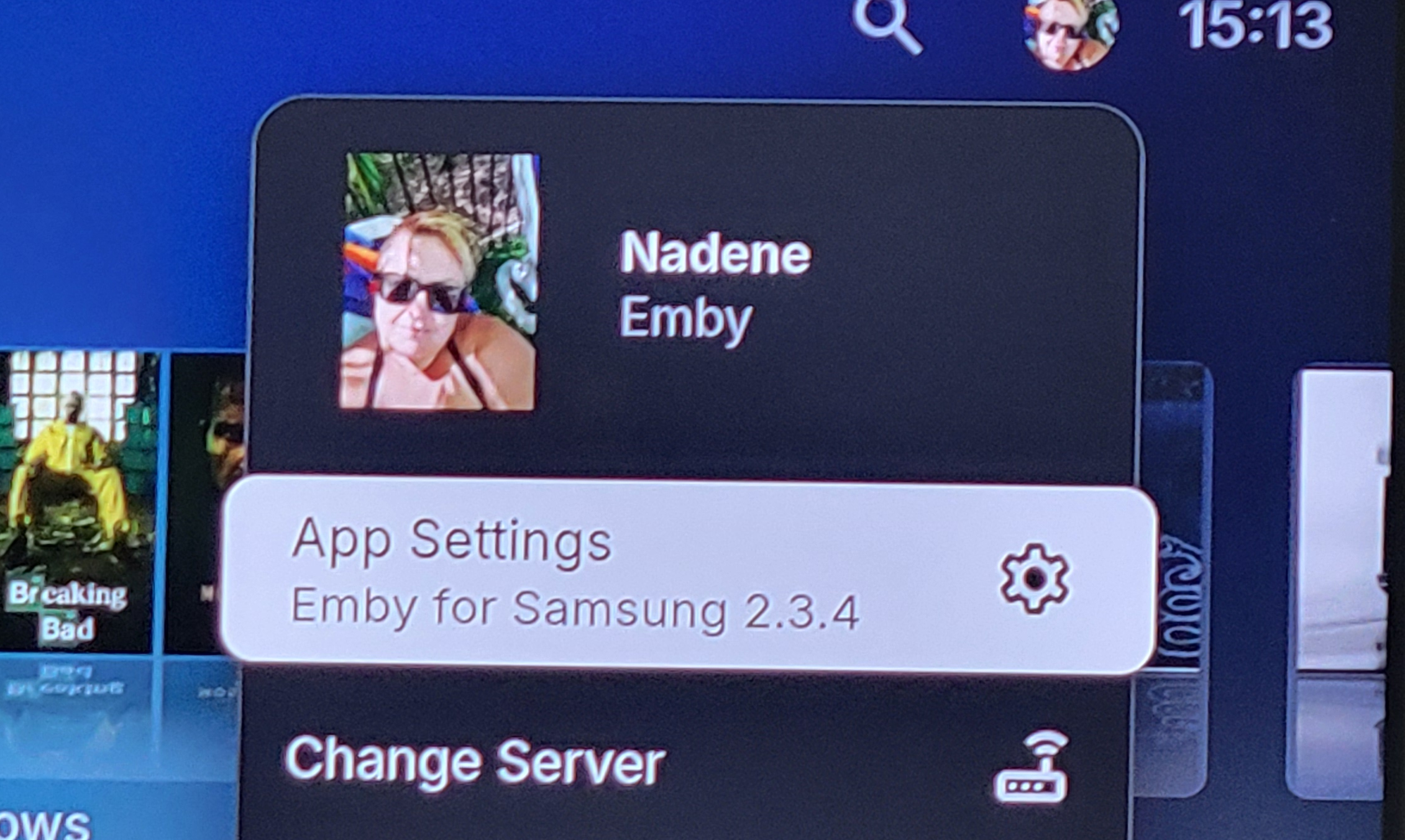
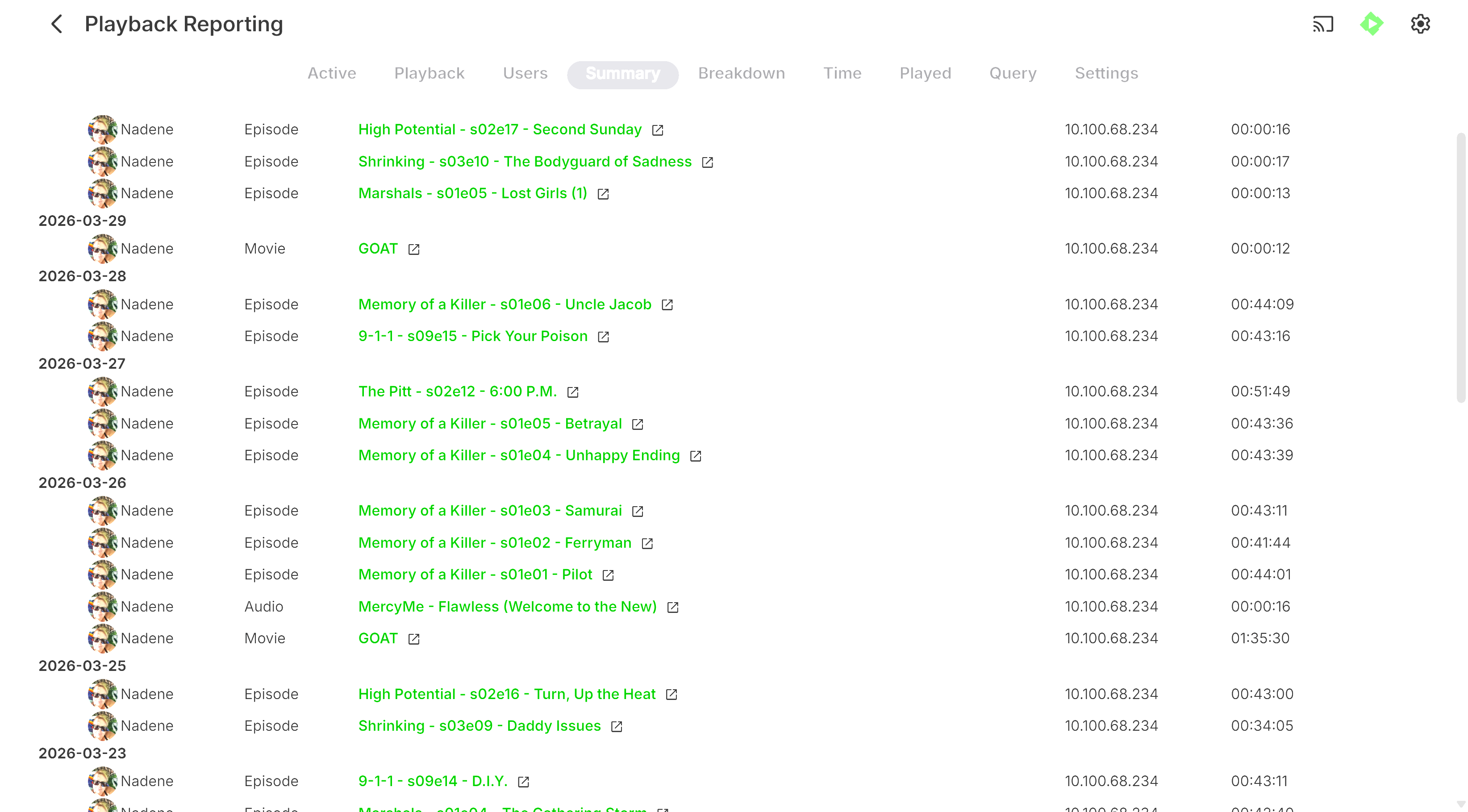
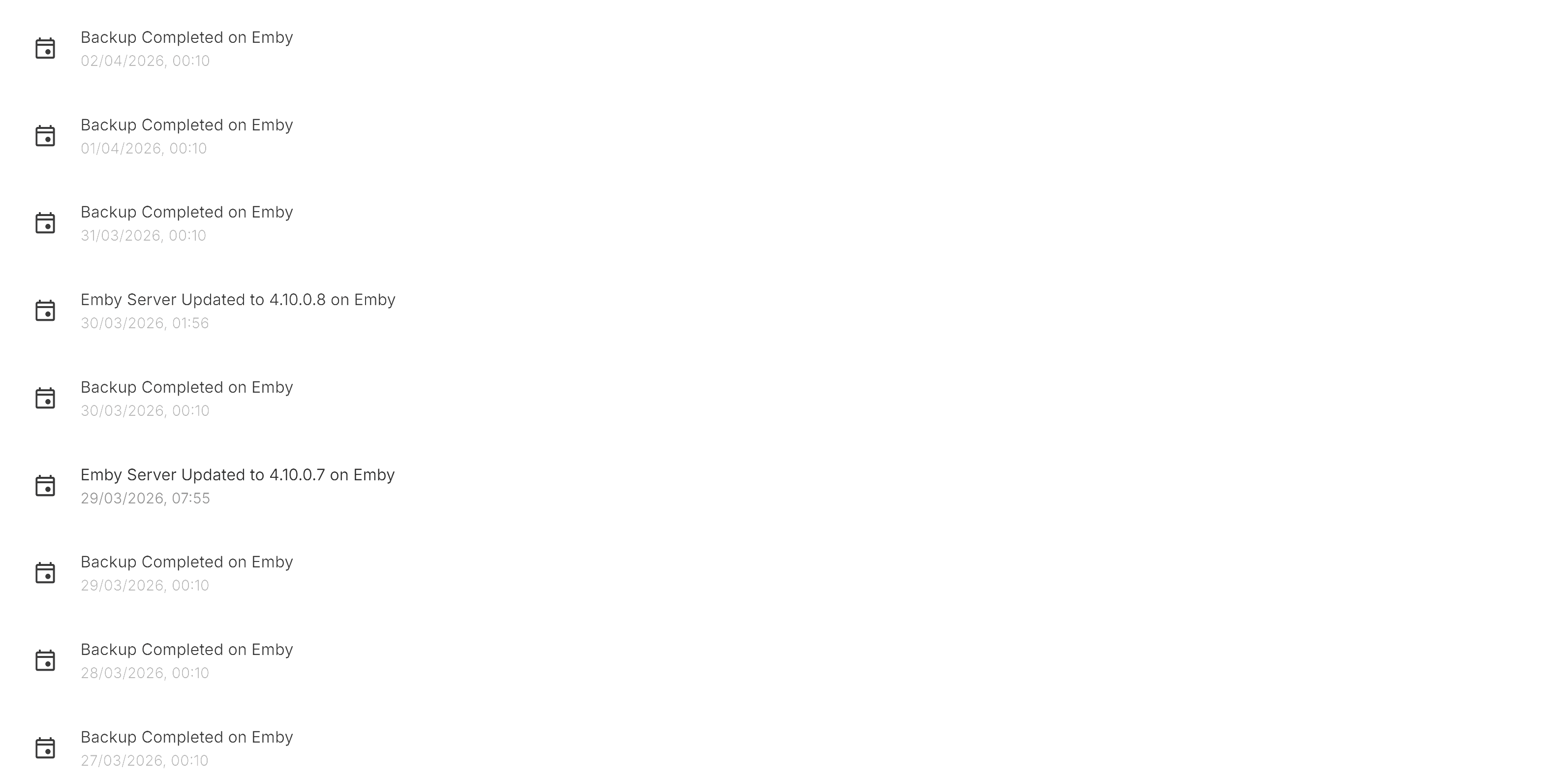
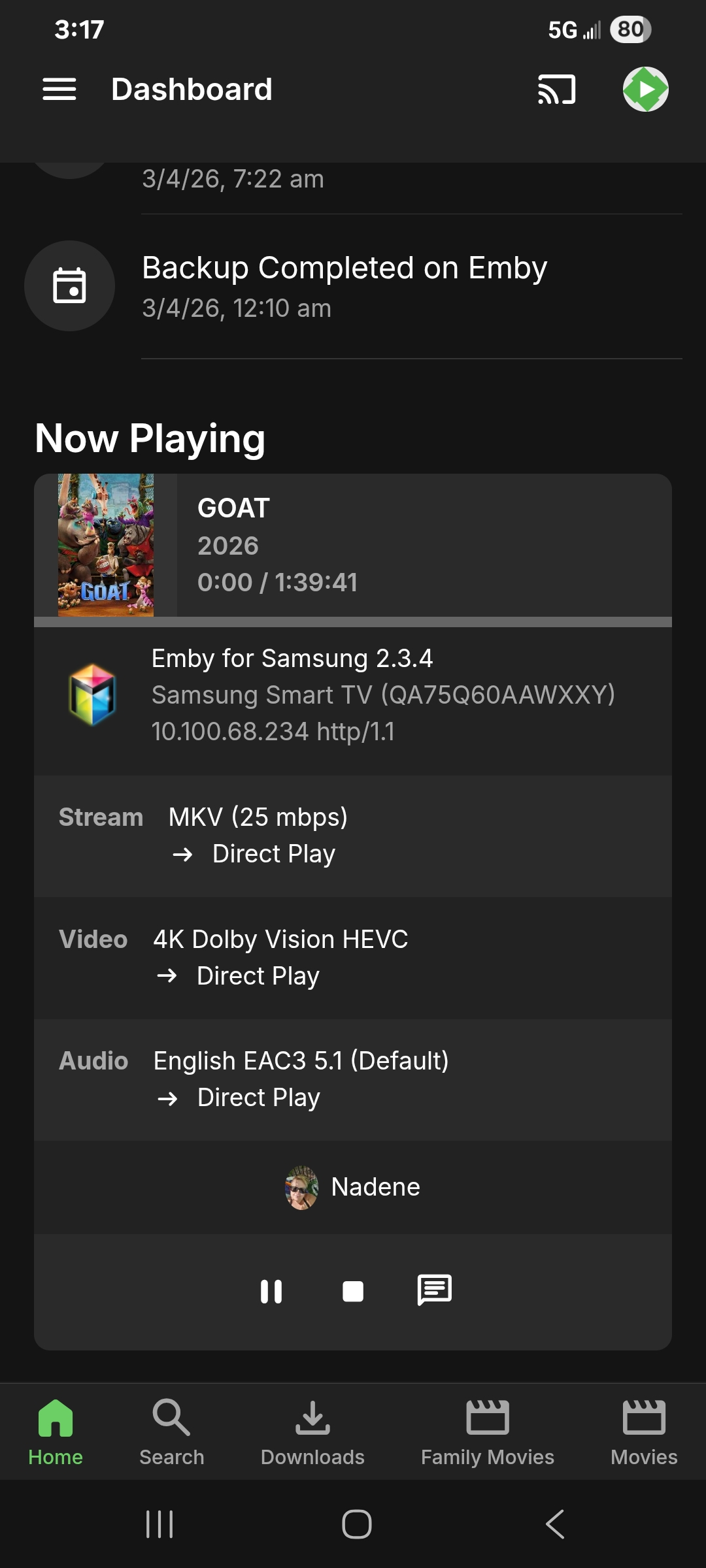
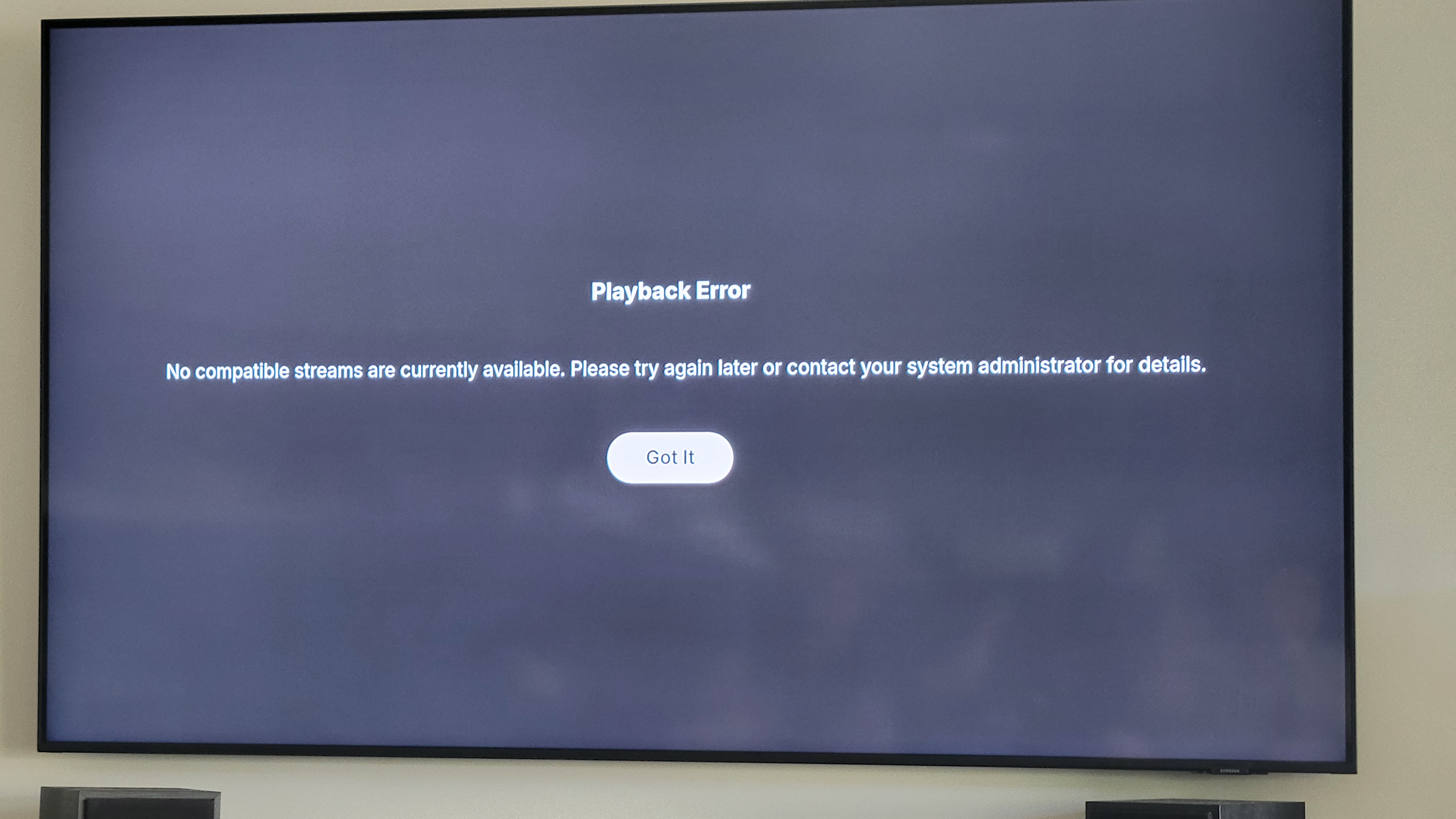
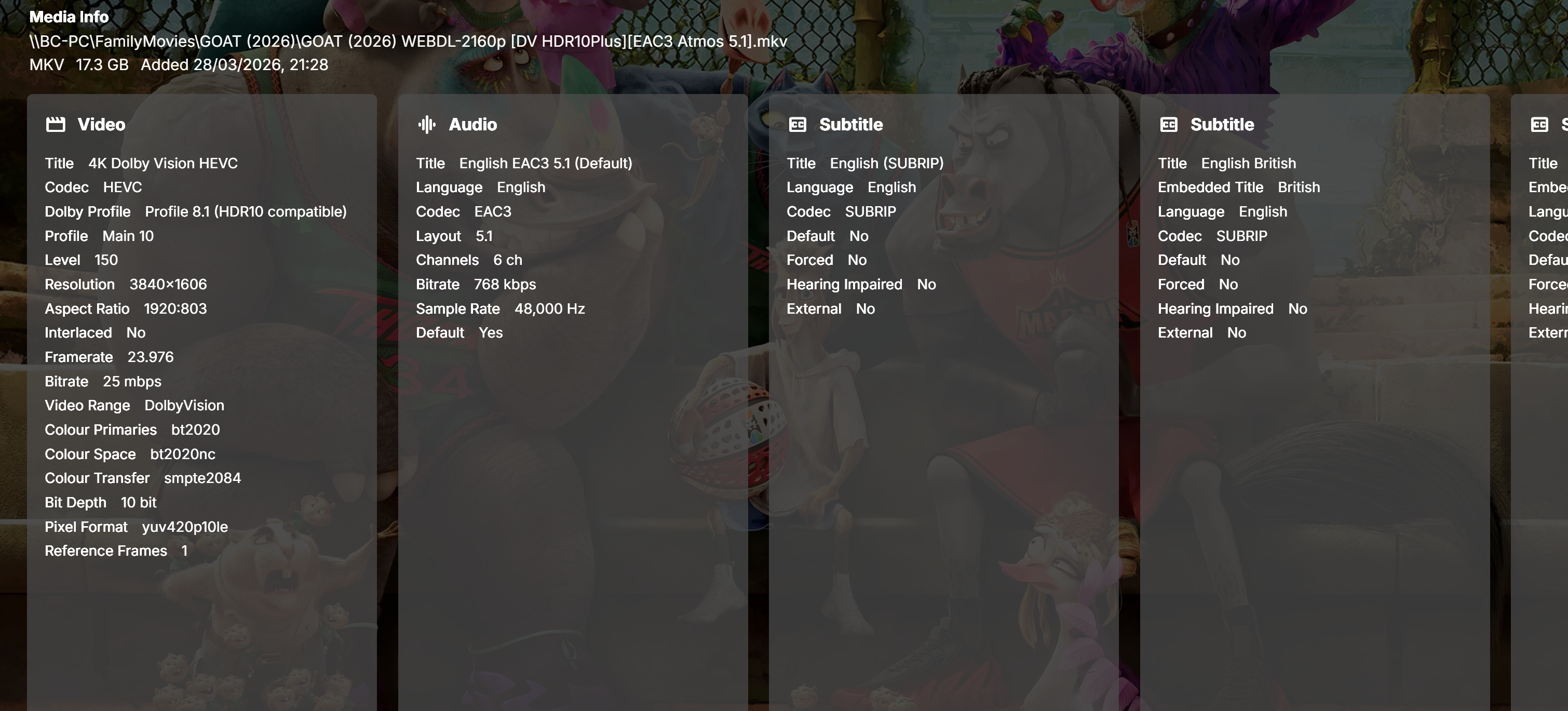
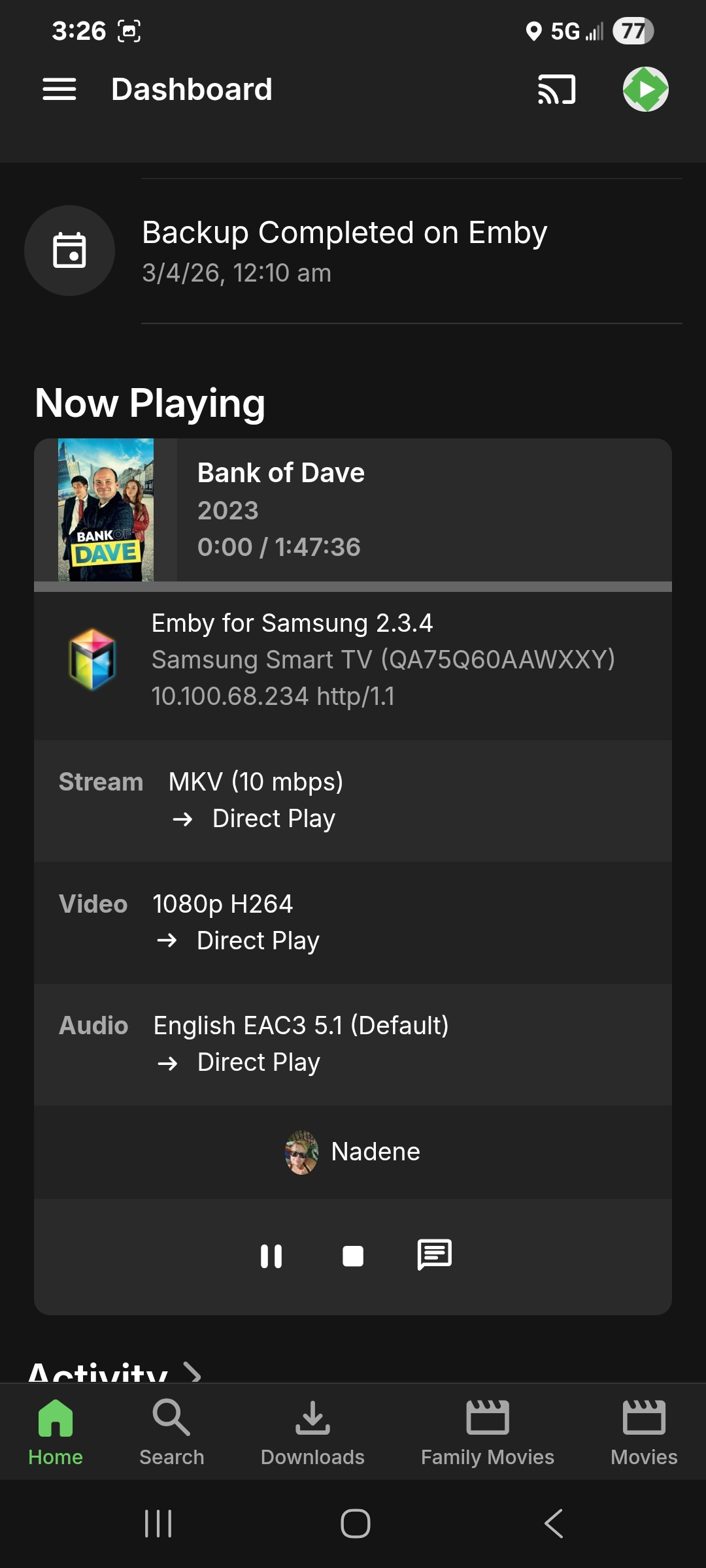
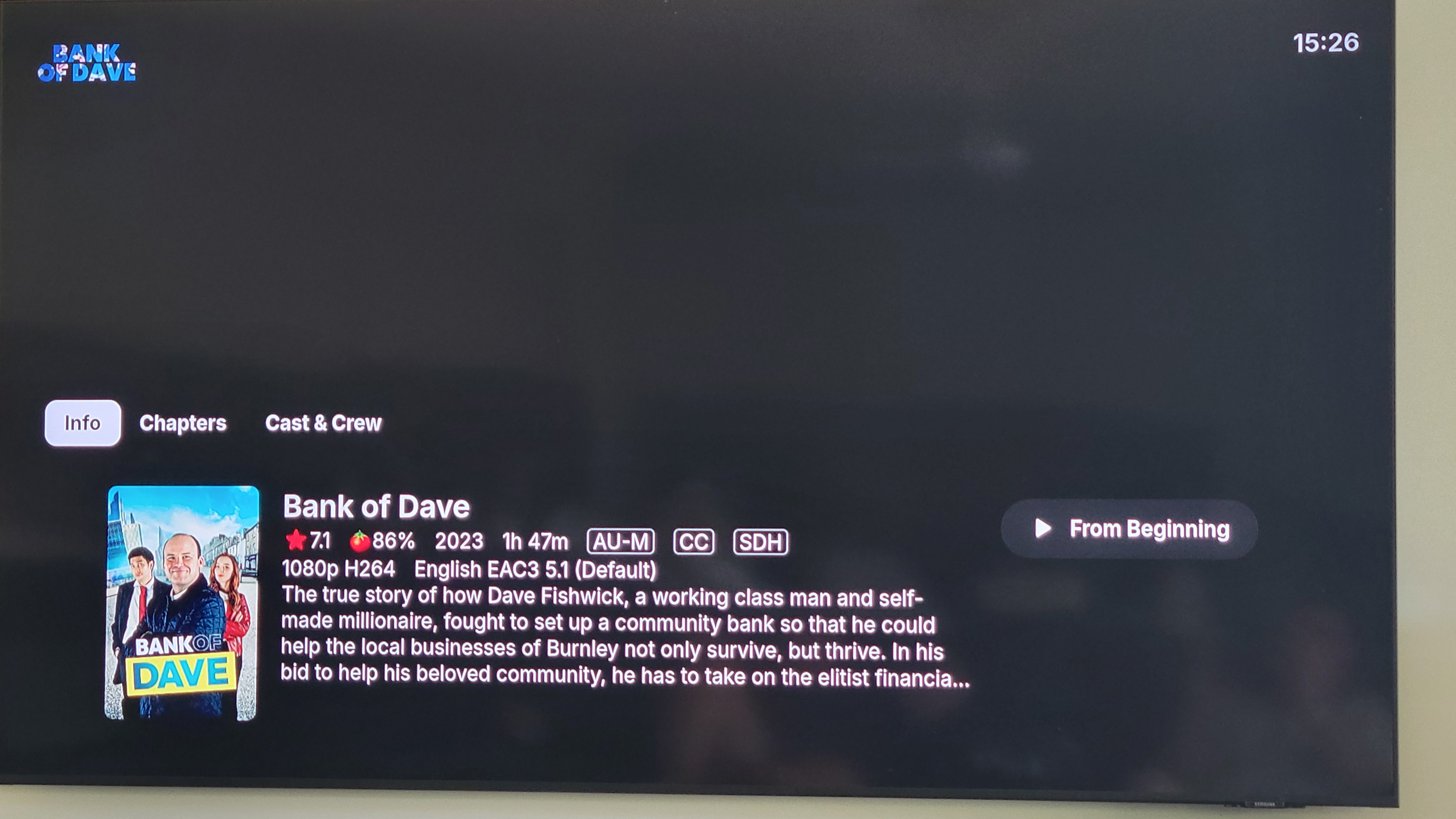
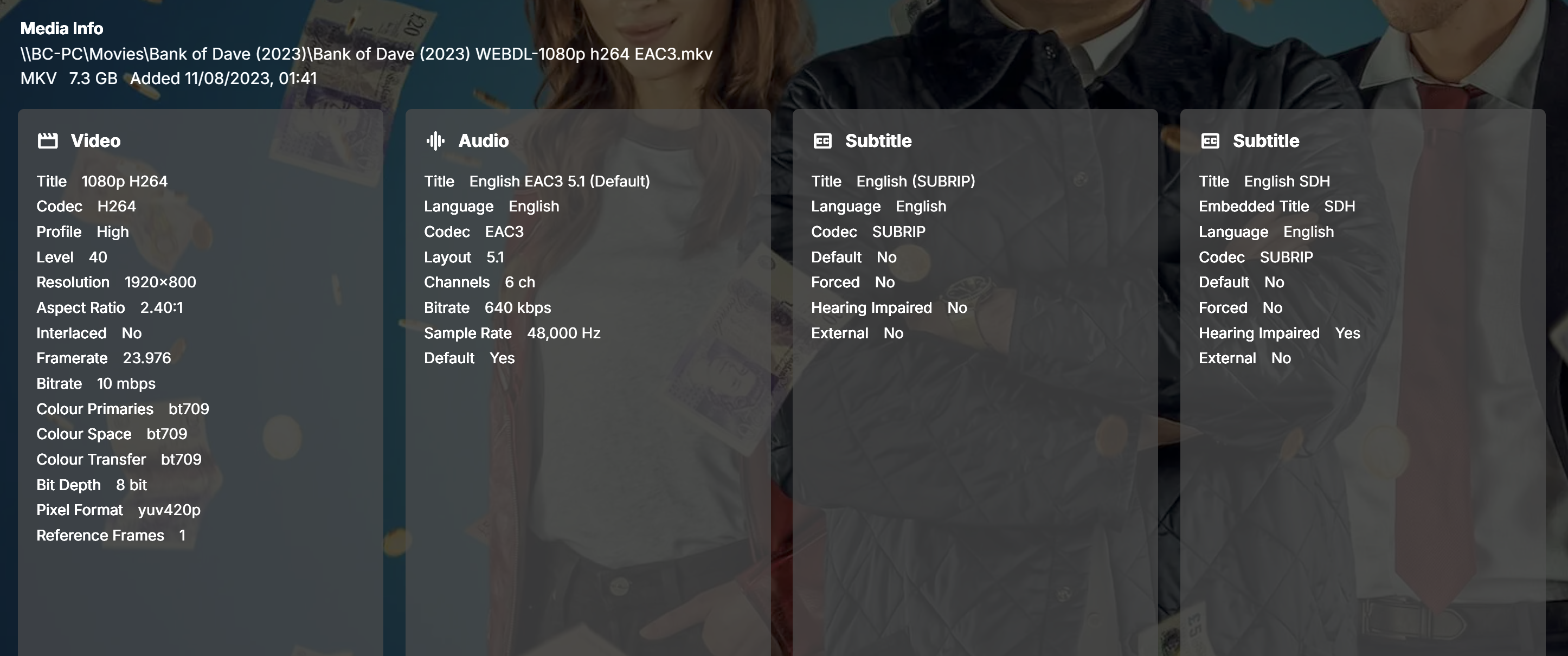
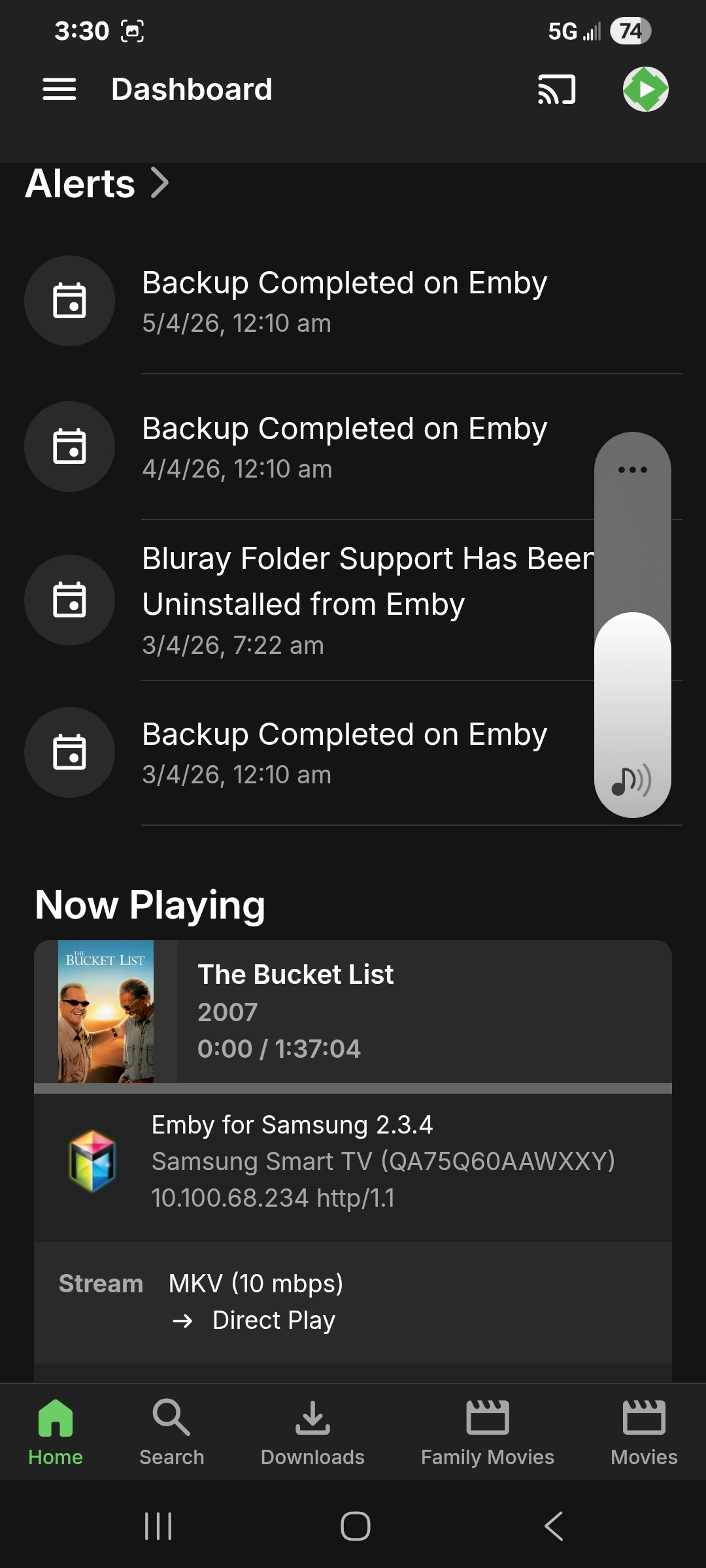
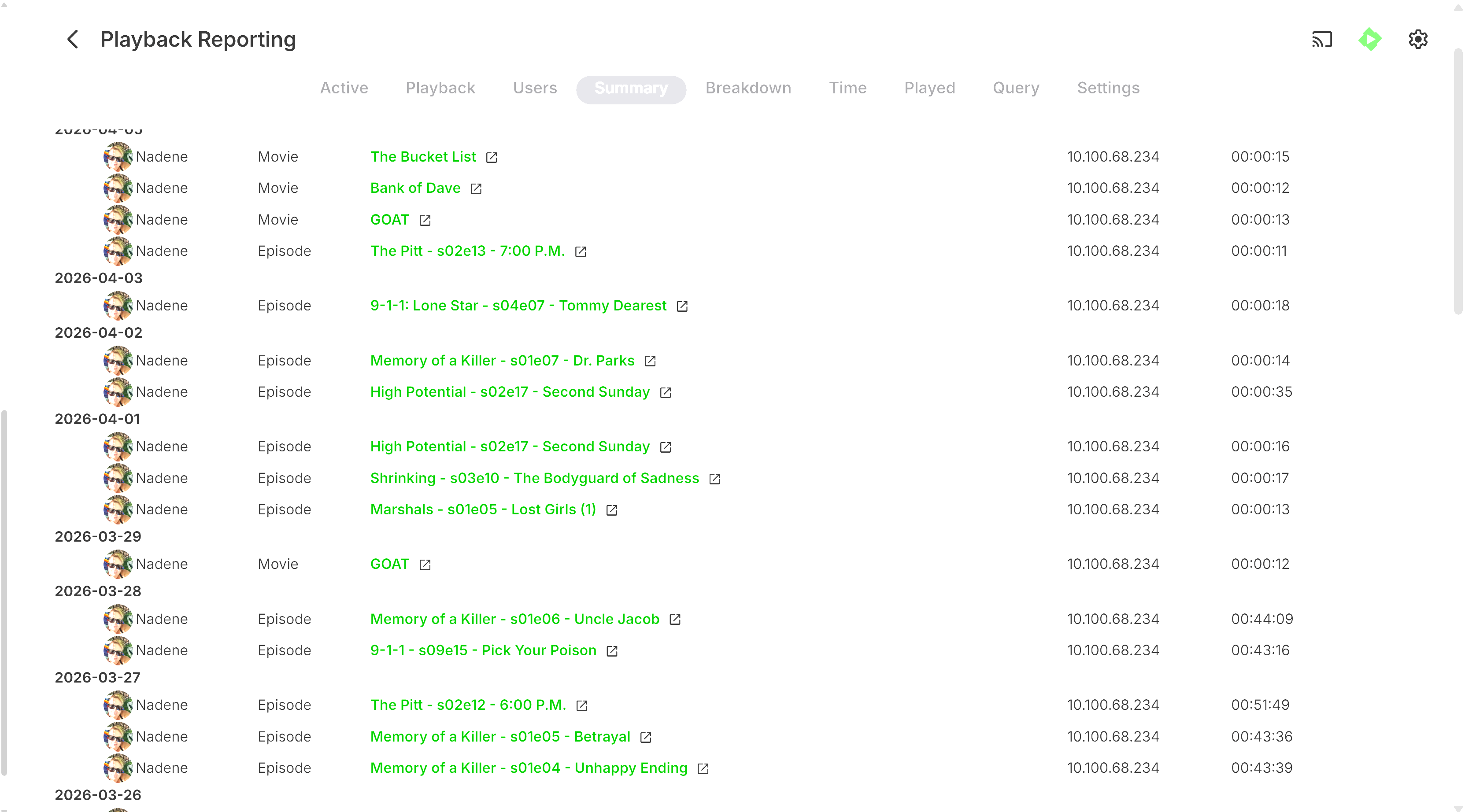
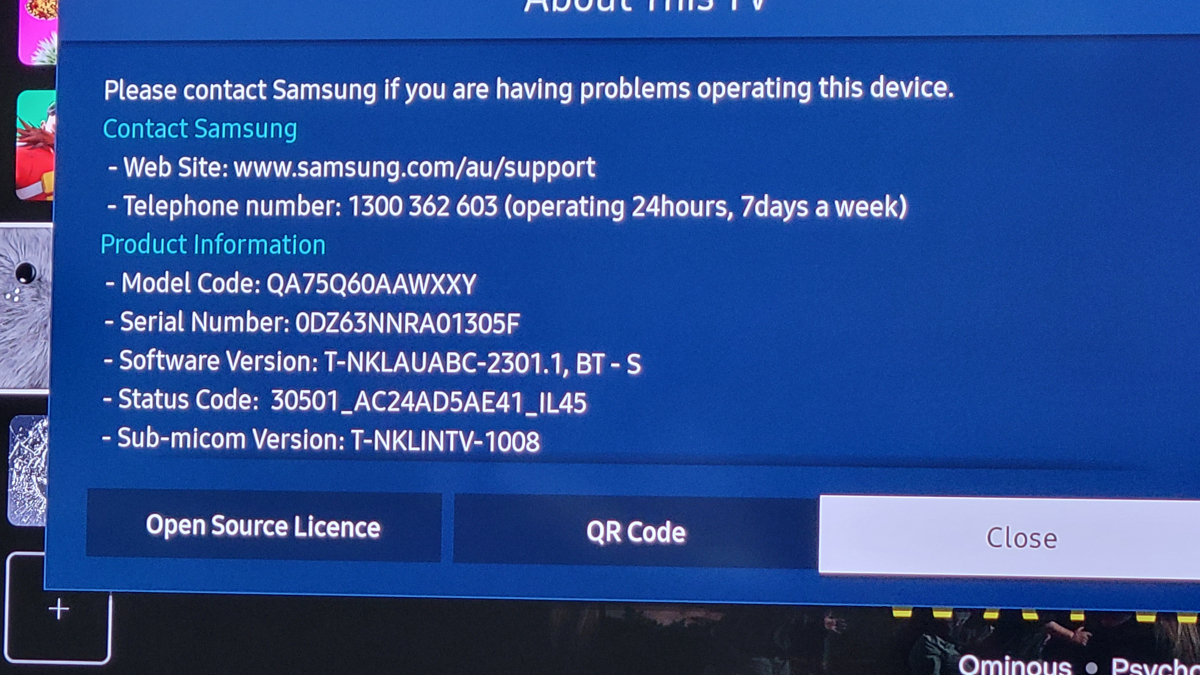
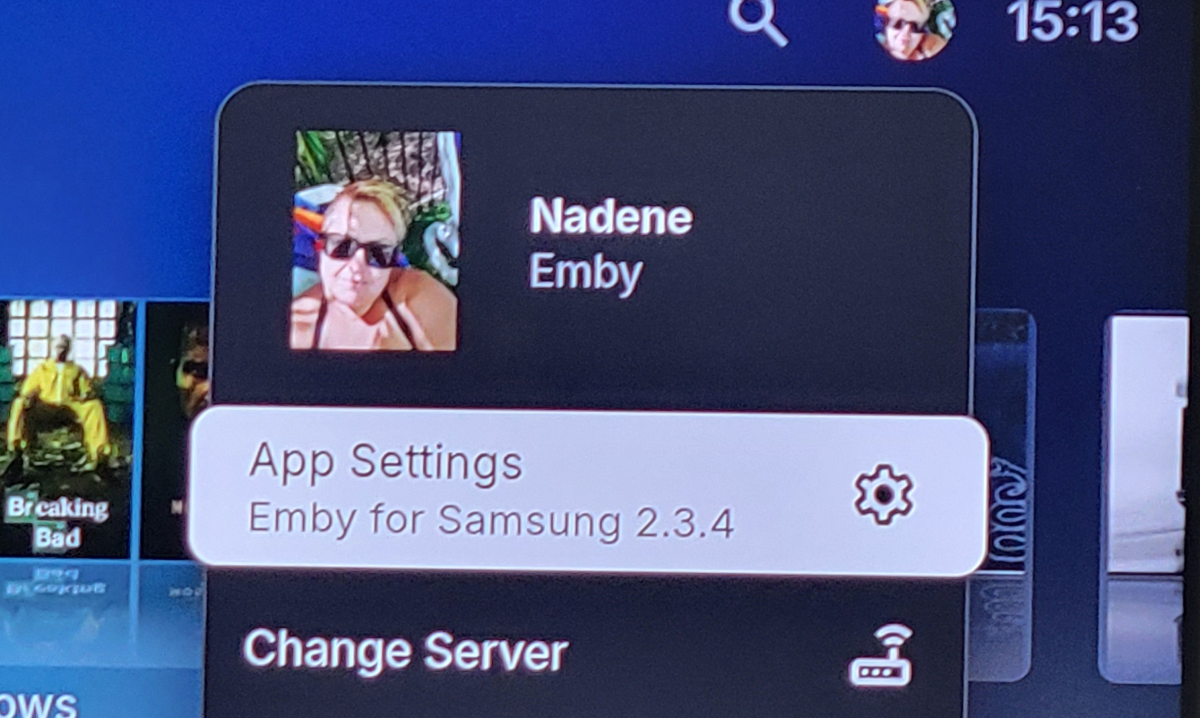
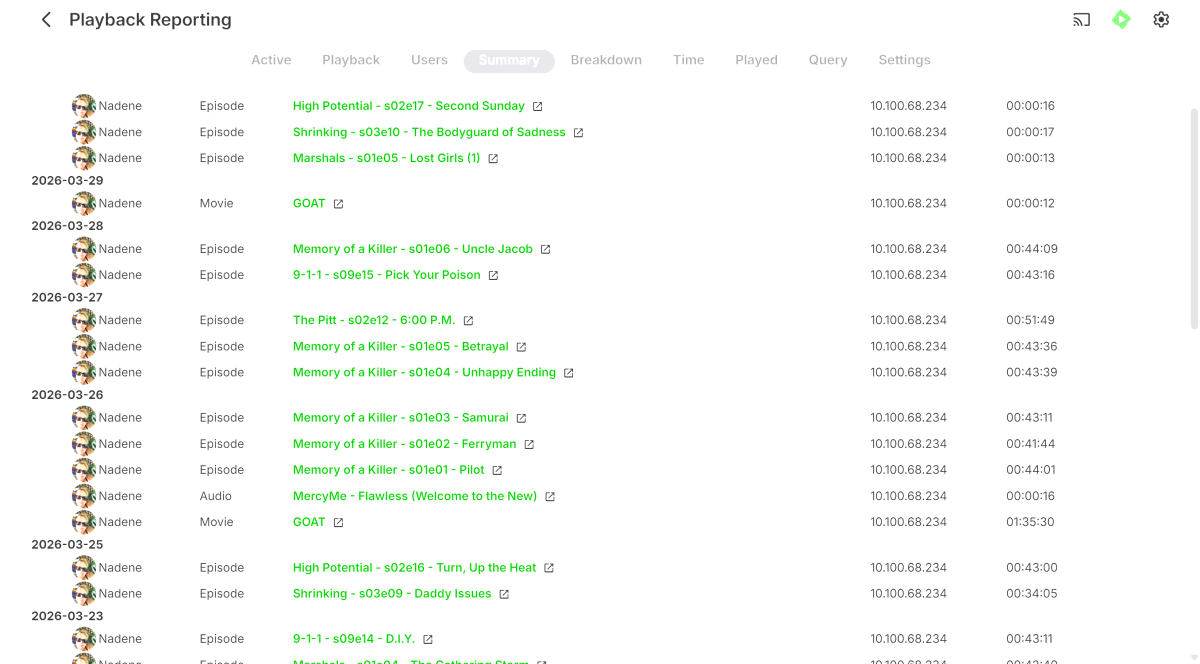
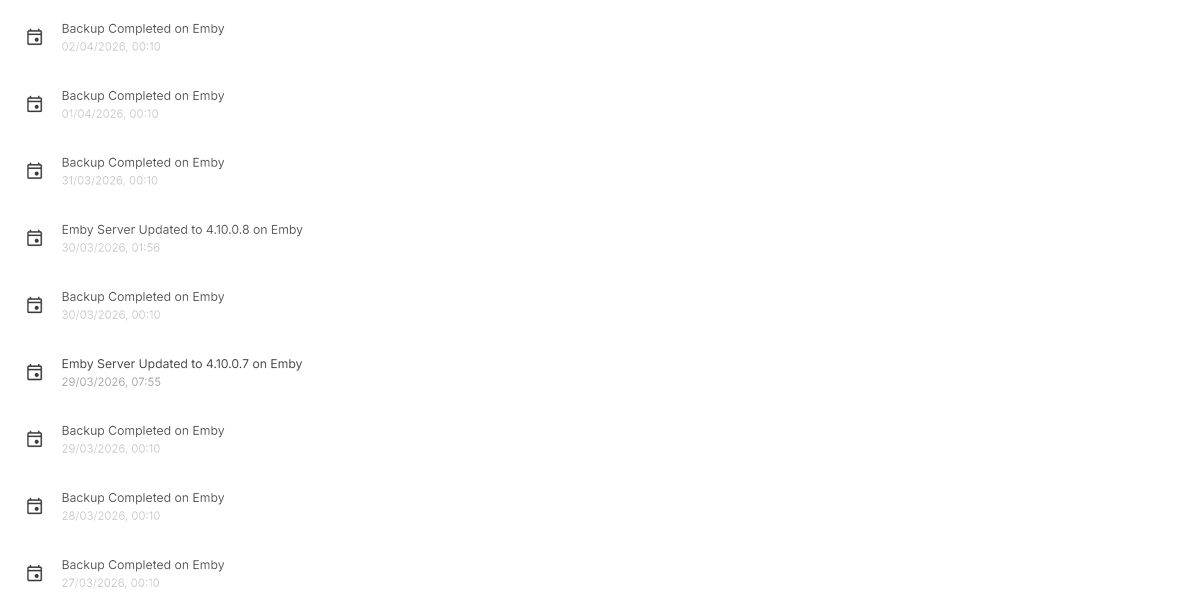
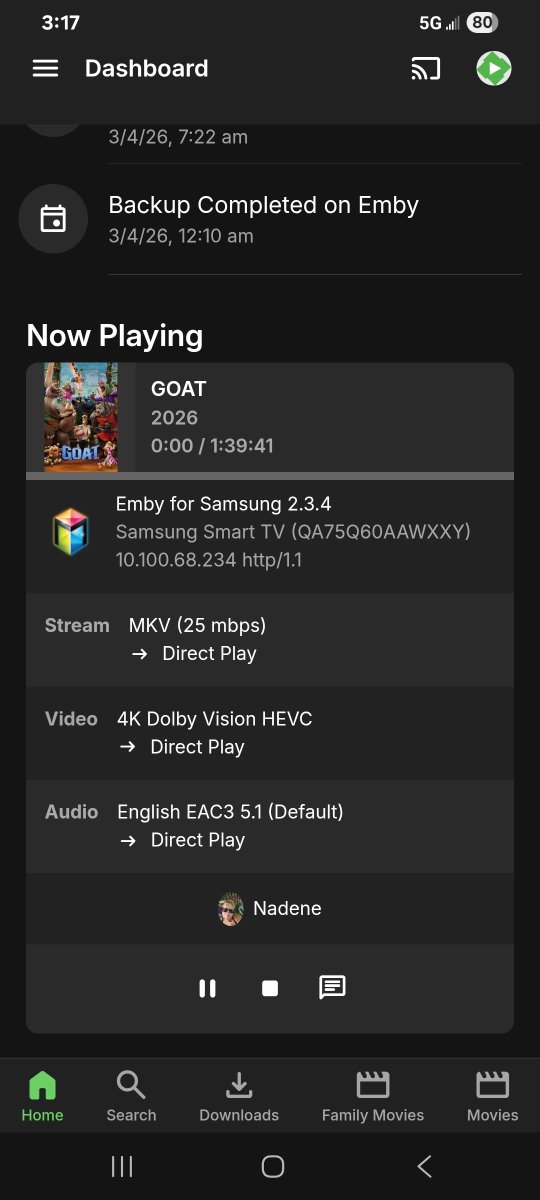
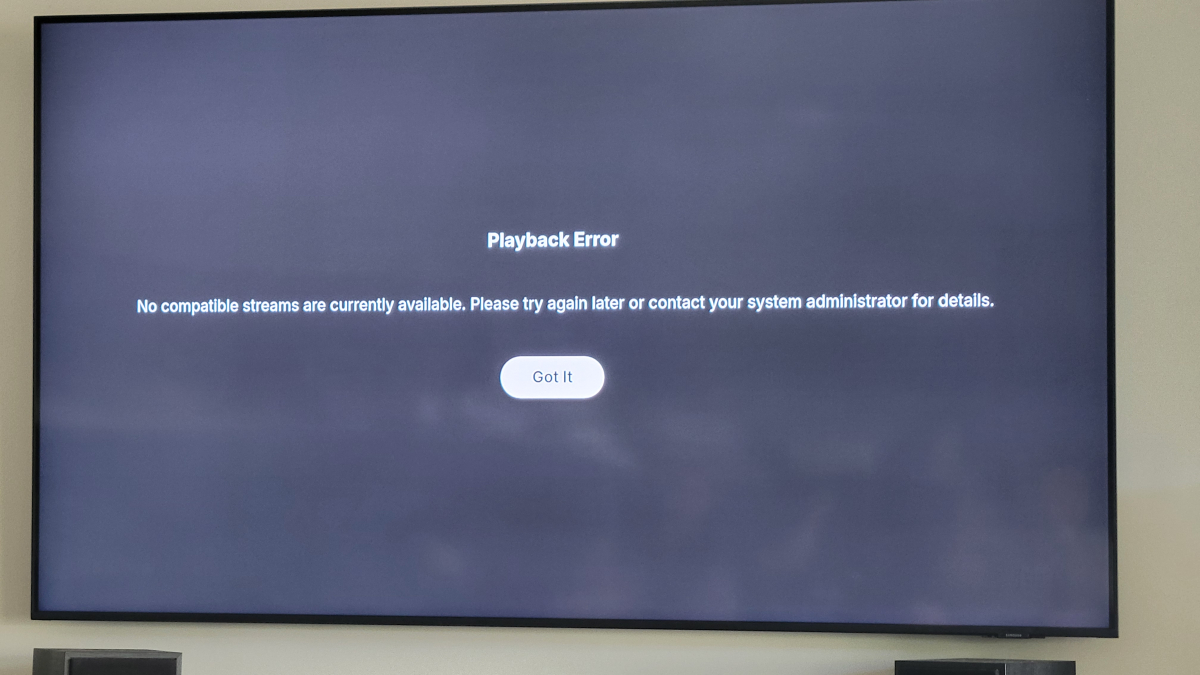
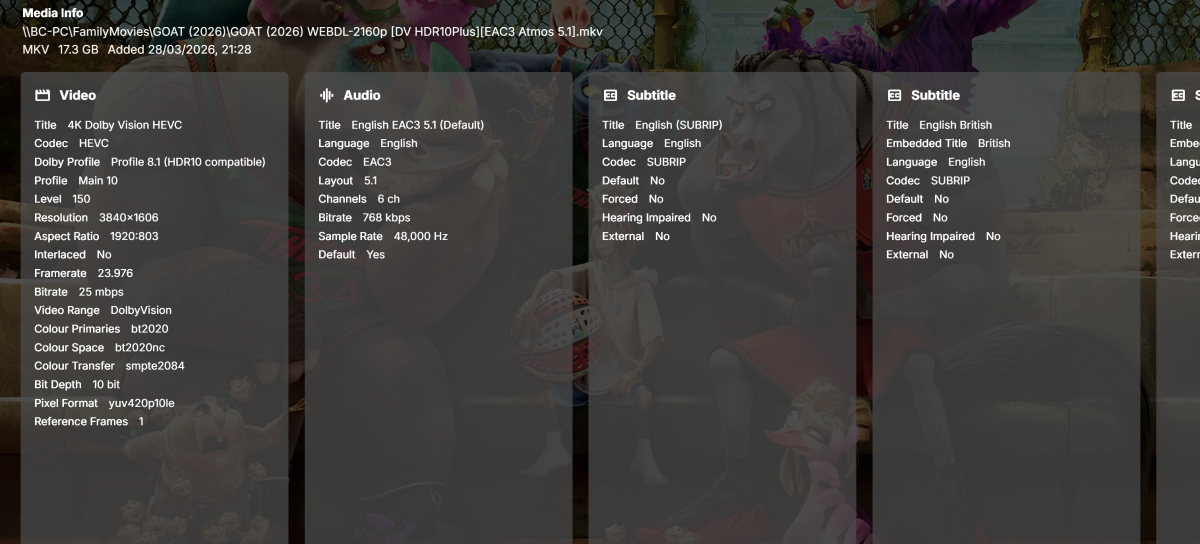
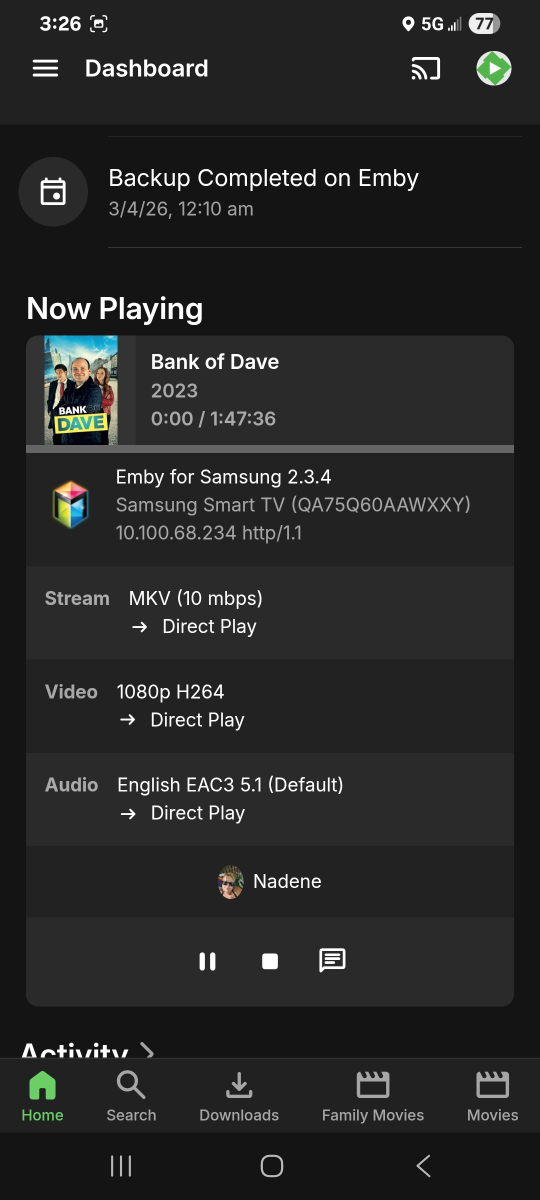
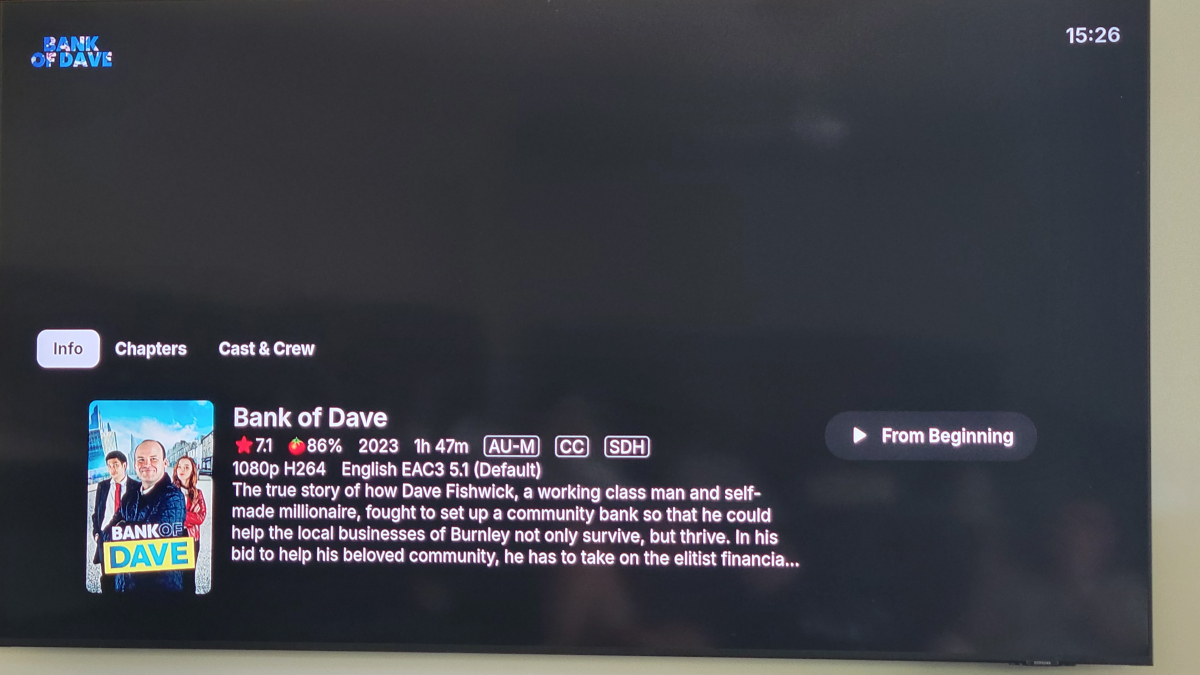
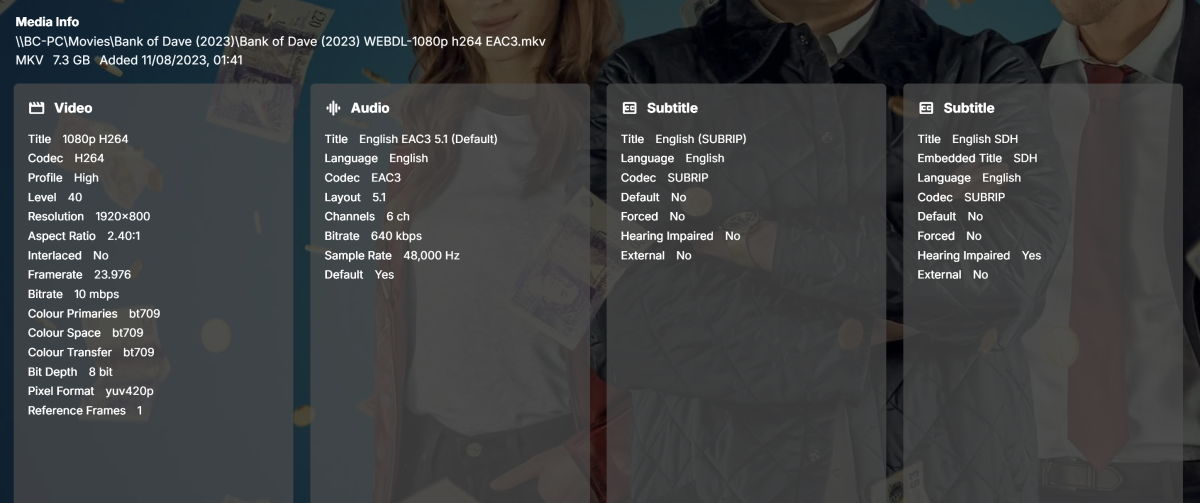
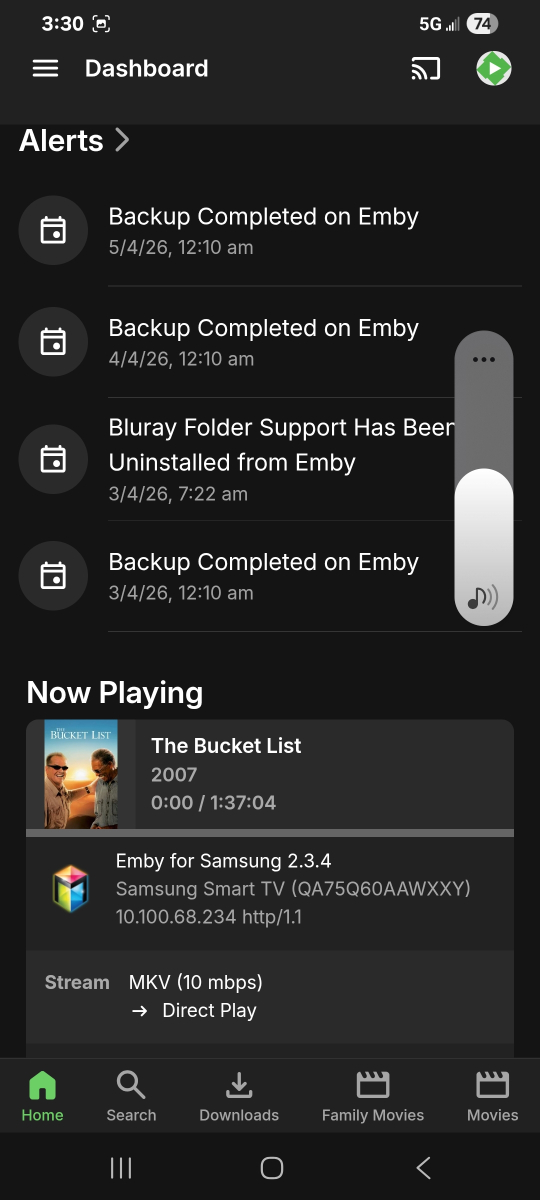
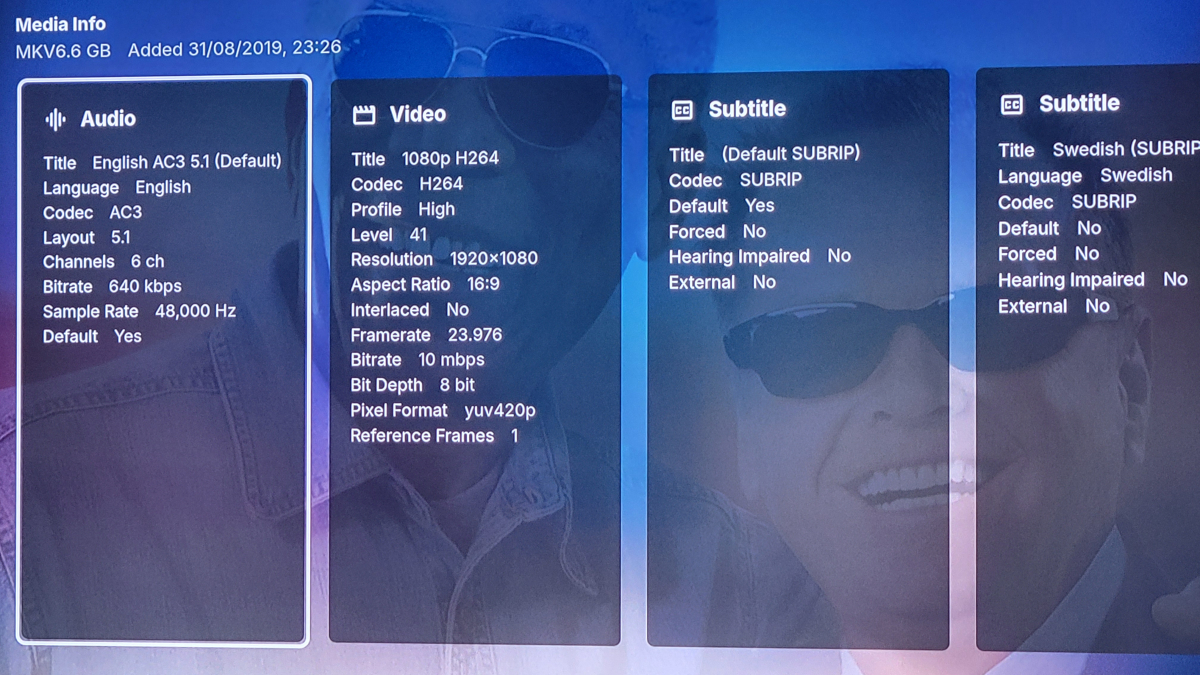
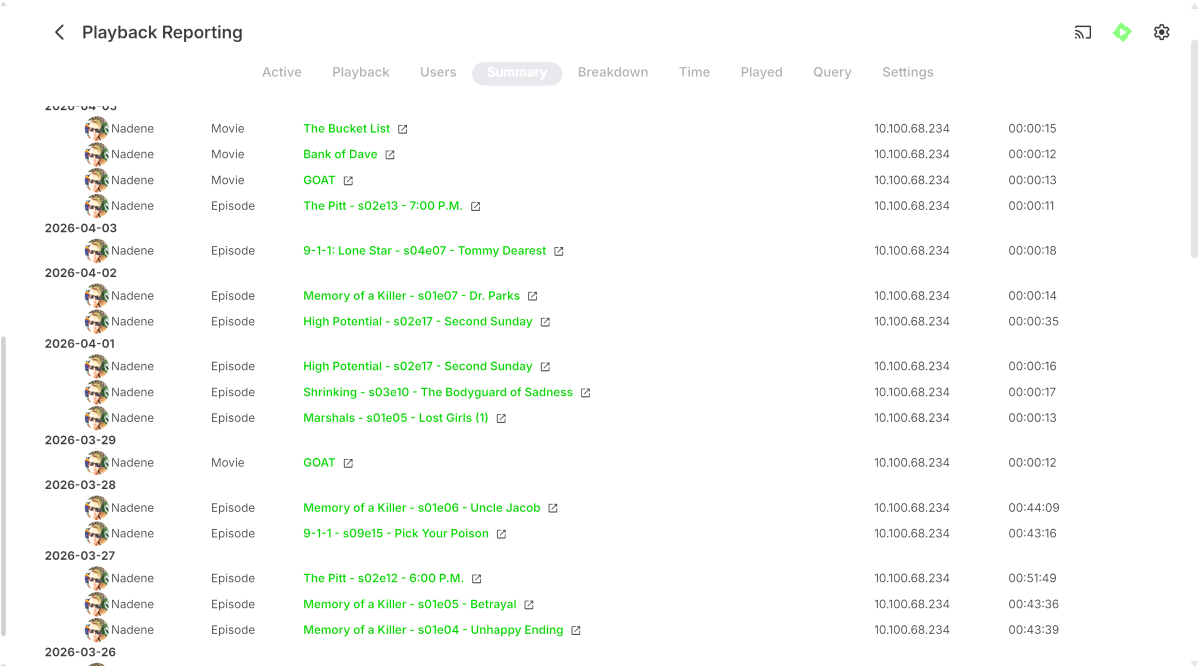
Hi All, Sorry if this is hijacking this thread and please let me know if i need to start another, but I am experiencing very similar issues with 2 Samsung TV's that just cannot play back anything, no movies, tv shows or even just music, at all since 29th March. These devices do connect via a remote SSL connection, can view and navigate Emby, but just fail on playback. As noted earlier by previous OP, there are no transcode / ffmpeg logs generated as for the most part, it looks they devices are trying to direct play. For reference an LG TV and a Fire TV stick in this location can connect and playback media with no issues. The two TV's previously have also played fine. I also have other users with devices in other remote locations that can playback with no issues. Today I changed the remote connection to connect without using SSL to see if that made a difference, and still no change to playback I've attached screenshots and my main emby log from earlier today where I have attempted to play a variety of variety of media files with no success. Sometimes a "no compatible streams message will show, sometimes a error will show in the top right corner as others have advised ( i was unable to capture that message today although we did see it occur) and other times, the playback attempt will just time out and drop back to emby selection. I have also tried to force transcoding with no success as well. QA75Q60AAWXXY with Firmware version 2301.1 App Version ( I manually installed the update to 2.3.4 from 2.2.8 with no change/success), the other Samsung TV (UA75R7100WXXY ver 1501.1) is still running 2.2.8 My Emby server updated on the 29/03/26 to 4.10.0.7 so i'm not sure if its related in any way as the last time the TV's could play anything was the 28/03/26 User playback history ( for reference, this user has only been using the Samsung QA75Q60AA to watch Server alert log Playback attempts today It just very strange that its only the Samsung's that are unable to play anything now ... please let me know if there's anything else i can provide. Sorry for the massive screenshots, i could figure out how to paste them smaller Regards Brett embyserver.txt
-
Thanks for extensive testing, glad it's working with no apparent issues. Mappings are always saved into the small helper file (mappings.json) in the same folder as the script; the file is shared between RT and ROON mapping sessions. Pressing Save just writes the current mapping rows into it. If you want, I could call a file picker on Save, just thought to save few mouse clicks there. If you want multiple mapping sets - just copy current mappings.json and rename it for future loading. Or I could add "Mappings saved" msg in the modal upon successful save, so it gives an indication that pressing that Save button actually caused something to occur? On Load mappings, It calls for a file picker, reads any json file you selected, and overwrites mappings.json with whatever file you loaded. The loaded mappings become the new saved state.
-

Emby Theme: Retro Navy & Gold (W/ Seasonal Themes)
MediaEmby1968 replied to Aleas's topic in Web App CSS
Thanks, it looks great. To make the side menu a little wider in the settings, what would I need to edit? And to make the edges of this image more rounded, what would I have to edit?
-

Collections randomly lost movies but display art still shows them
zellonatious posted a topic in General/Windows
A lot of my collections have randomly lost a lot of movies that were in them. The number of movies lost varies from collection to collection. The artwork for the collection still shows them but they're no longer in the collection. The movies themselves still exist on the emby server. Not sure when it occurred. I recently updated to 4.9.3.0 a month or two ago. Is there any way to recover the collection state? embyserver.txt -
Looking at the Feature matrix its only 5 free Android TV or Fire TV. But have a look at the matrix, windows client is not free. Emby Premiere Feature Matrix | Emby Documentation
-
It's supposed to be a list of the actors who are in the movie, not an assortment of pretty pictures. Why on earth would anyone ever want this?
-
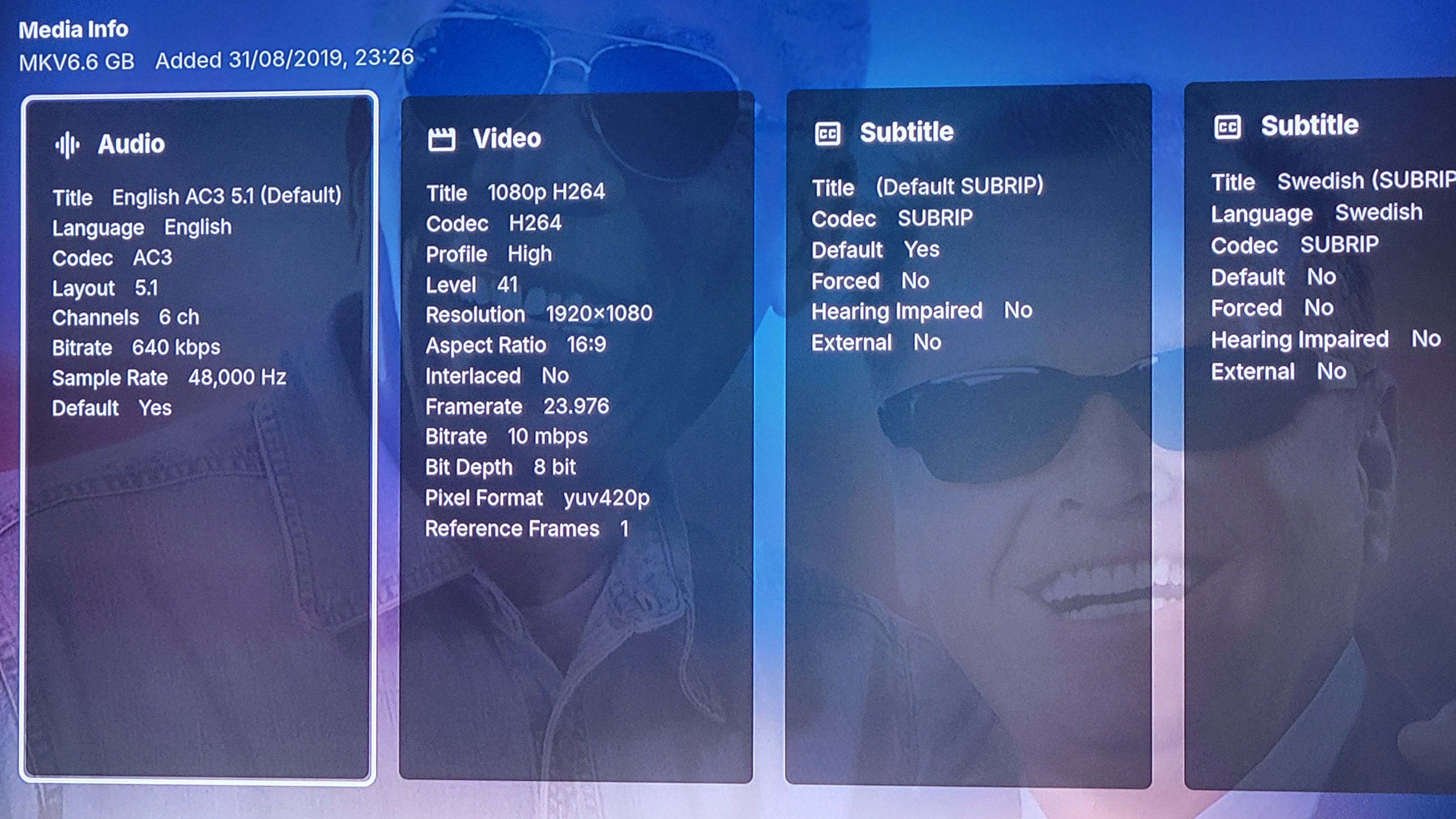
I noticed that, on my 4.9.3.0 system running on Windows Server 2022, one the actors seems to have two different entries and I can't seem to get them to reconcile. Danny McBride. In one entry (I'll consider this the "main" entry since it's got the most entries), I have him in 16 different movies and two TV Shows while the other entry shows him in 6 movies and no TV shows. I checked the metadata and as far as I can tell the only difference is in the body of the actor's Overview. Every other field appears to be identical, including all External IDs. It's also worth noting that there is no overlap - the main entry is missing the 6 movies from the other entry (Clear History, Underworld: Awakening, Due Date, Underworld: Evolution, Underworld, Robin Hood: Men in Tights). I tried refreshing the metadata and even deleting the actor entry from Due Date and adding it back but it doesn't resolve the issue (for the movie I tried that with). Any ideas? Anyone else see anything like this? Thanks!
-

Emby for Android TV trailers not working
Sifu1992 replied to RRmovies's topic in Android TV / Fire TV
What is happening now on Emby?..the trailers worked..then didn't..said download 2.1.28..did that.. worked for a few months..now no trailers are working again!..on 2.1.29 now... what is the deal with trailers..now it saying to sign in to prove I'm human.This is annoying as hell.. got tons of family and friends using Emby..this is frustrating as hell. -

Old MediaBrowser references on Emby website
Luke replied to user24's topic in Non-Emby General Discussion
@sa2000- 1 reply
-
- 1
-

-
Hi, yes coming soon, so stay tuned.
-
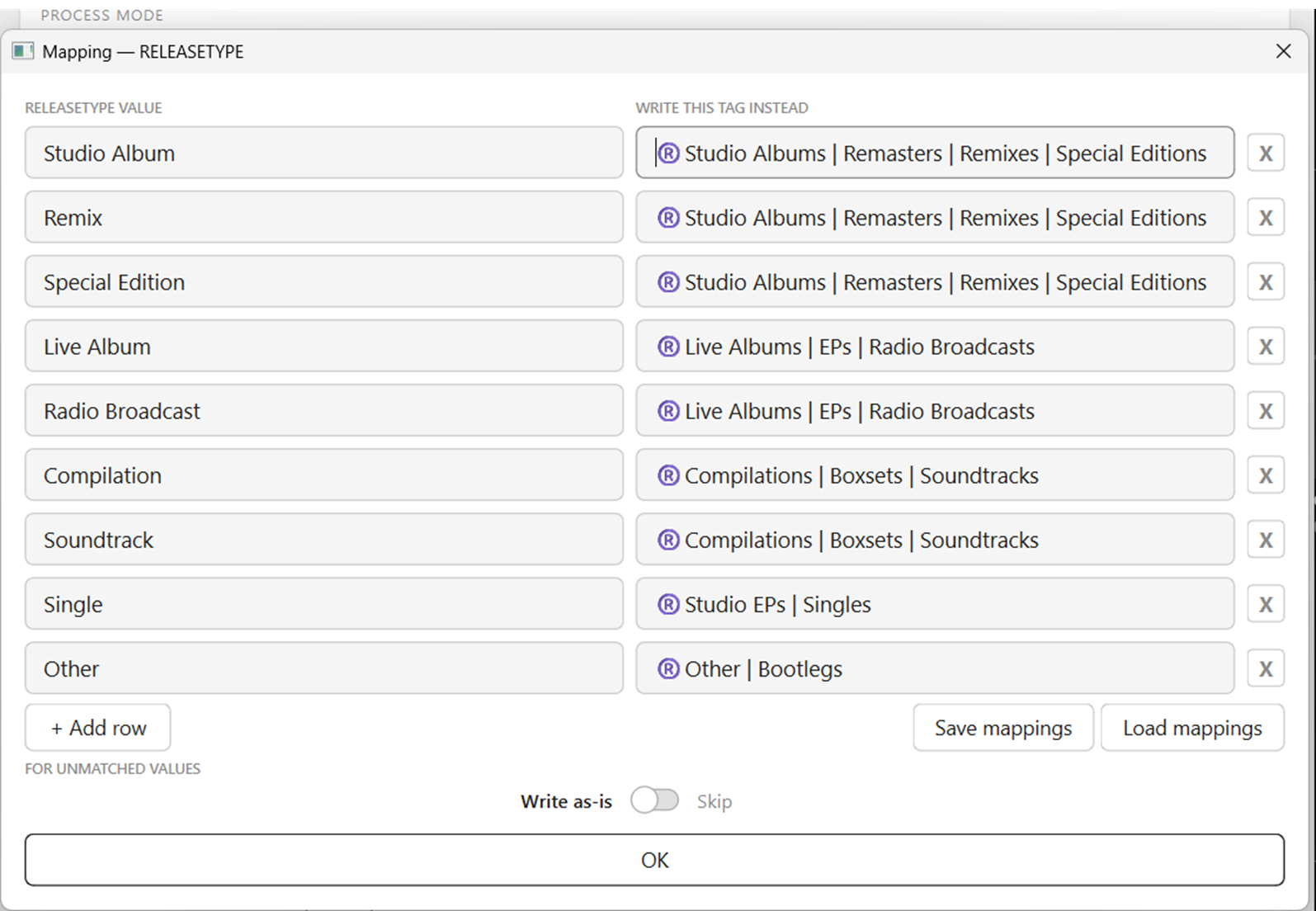
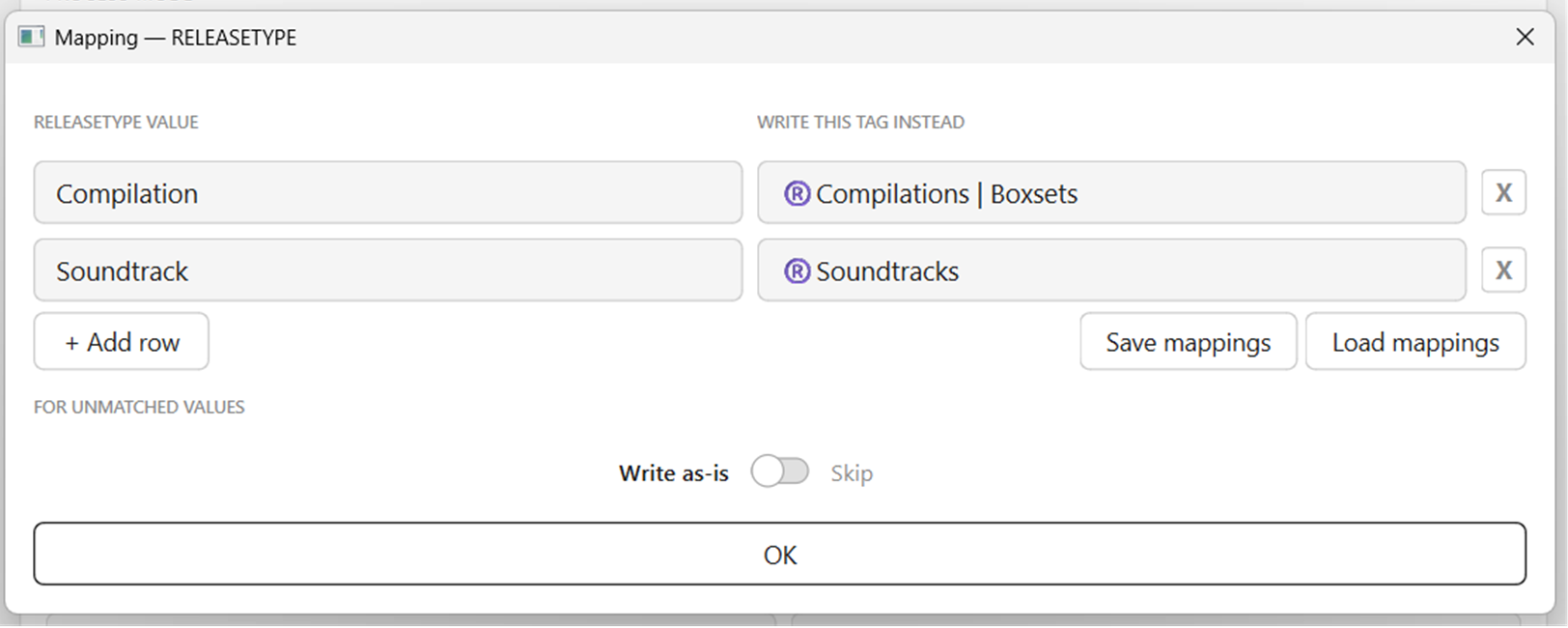
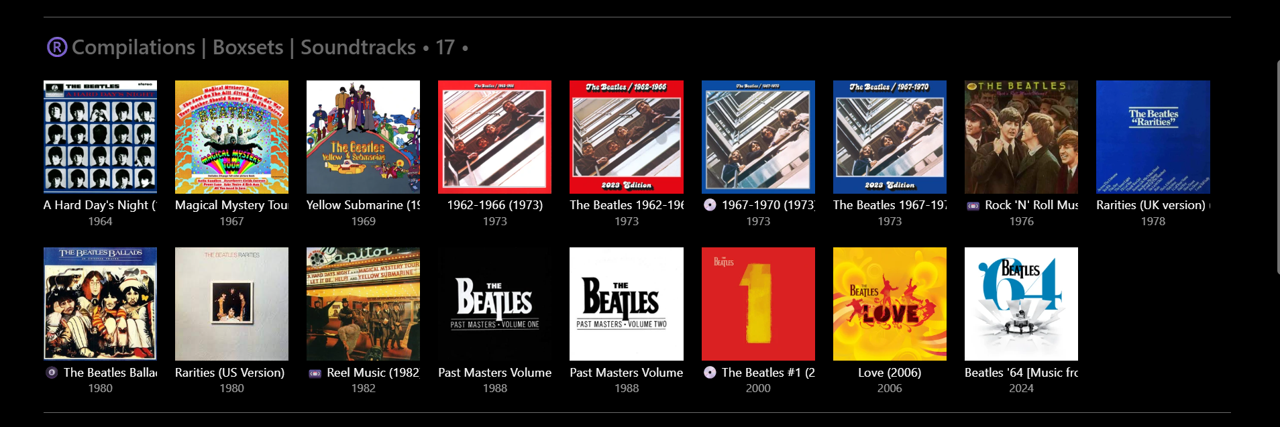
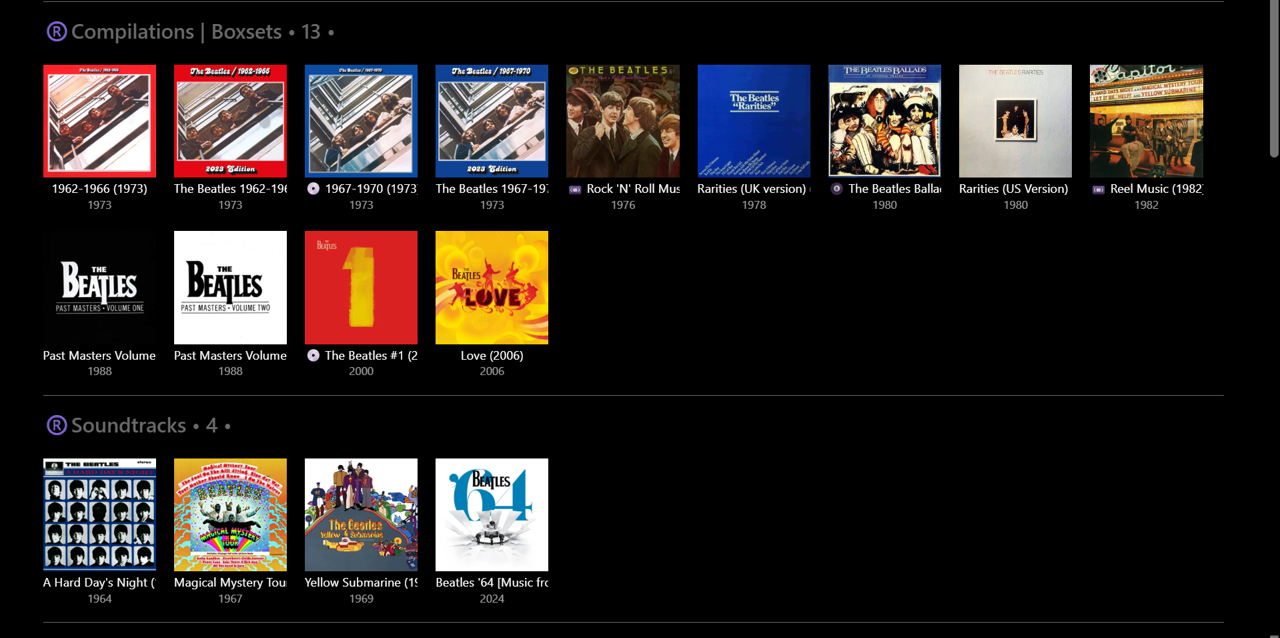
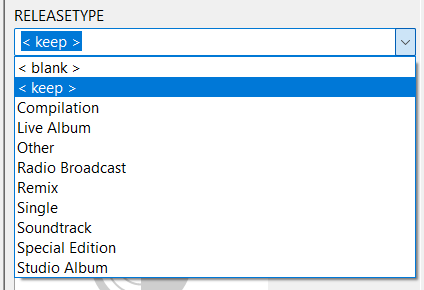
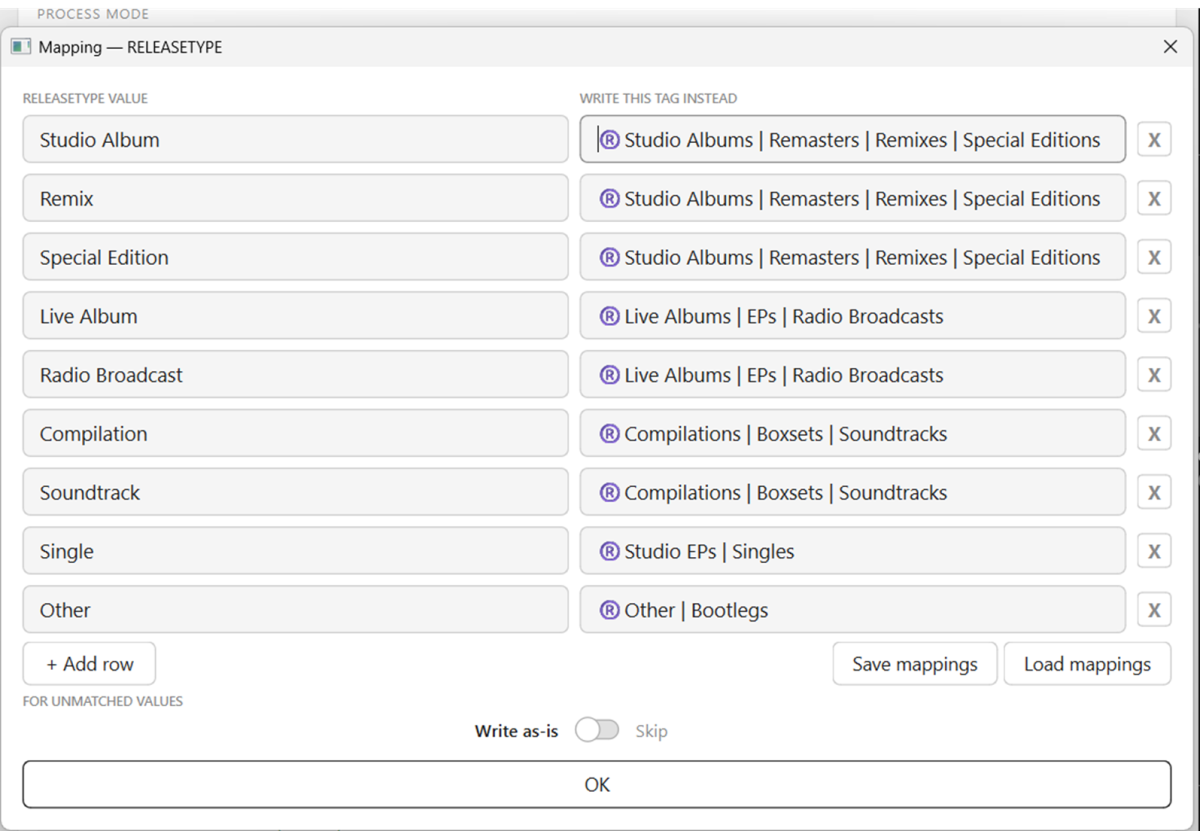
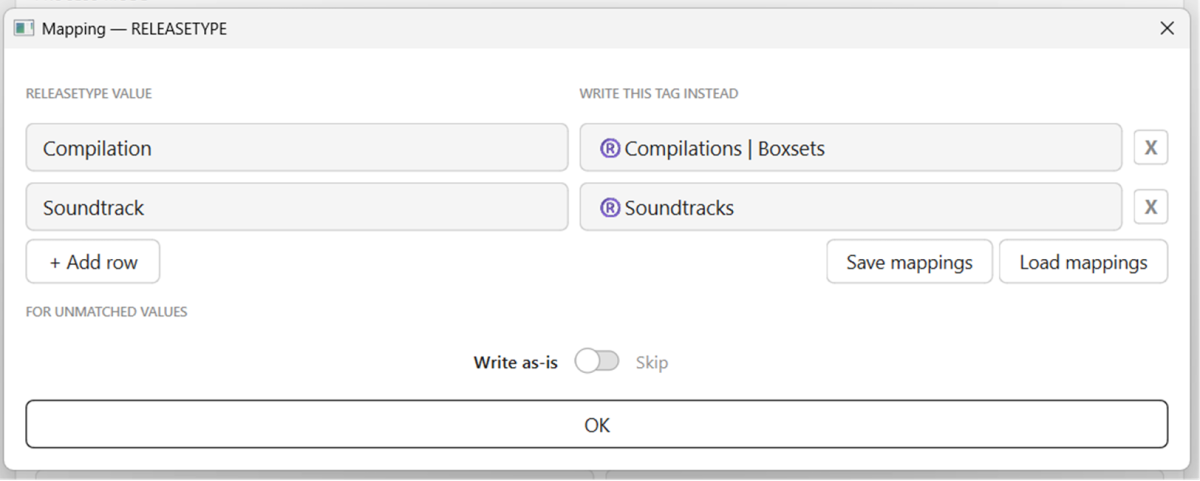
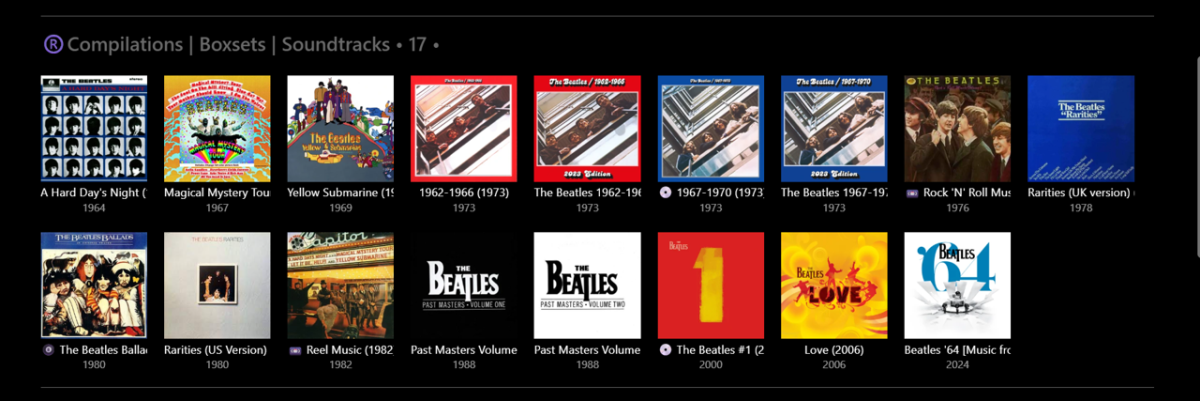
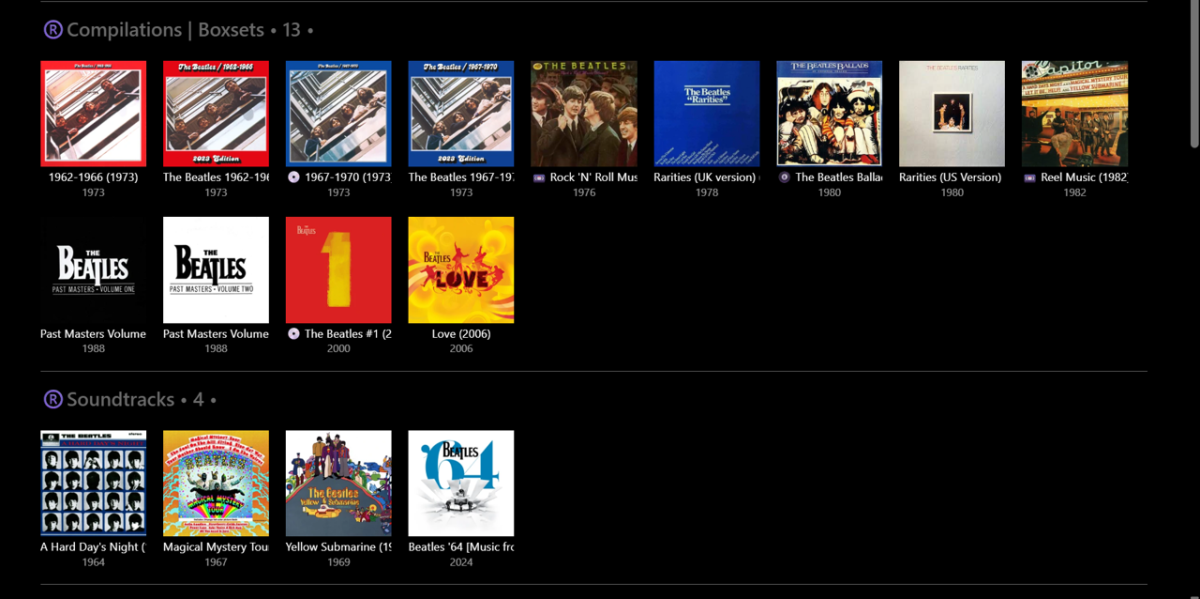
V1.0 RELEASETYPE Mapping test... Using Importer - Bulk Cleared all Album Tags in Emby (45 "The Beatles" Albums) - extremely easy and fast to do Using Mp3tag - rewrote all RELEASETYPE tags as short single descriptors (somewhat similar to MusicBrainz): Using Importer - mapped these tags to "omnibus" tags: (first go at this - no problems) Using custom Group By - all Albums appeared in their relevant groups in Emby: Note: Doing this manually in Emby, one Album at a time, (e.g.) 1min per Album = 45min. With Importer - probably 5min max!!! Then, tried a scenario where I change my mind and want to split Soundtracks away from Compilations... Using Mp3tag - not required now, as Albums have single descriptors already. Using Importer - remap the tags: Using custom Group By - these Albums then appeared in their new groups in Emby: Time taken - perhaps 1-2min??? Only problem was I could not figure out how to "Save mappings". Clicking this did nothing. Clicking "Load mappings" opens up a window to access saved files - but I had nothing previously saved to try. Closing Importer and opening again (didn't shut down PC) retains the previous mapping settings. Perhaps I am missing a step in the process somewhere? I'll give it another go later on... plenty of other combinations and permutations to try... This is going to be SO EASY to properly 'album tag' my whole library and import into Emby now!
-
Hello, i'm experiencing a lot of instability due to these plugins. 1: Spamming Dead MediaFire Links (404 Errors) into the log, The plugins are attempting to download theme songs and videos from mediafire.com. However, many of these links are dead. The plugins don't handle this gracefully; they just throw a massive amount of MediaBrowser.Model.Net.HttpException: NotFound stack trace into the logs. 2. not handling Network Throttling / Connection Drops. Even when the MediaFire links are active, the plugin is getting rate-limited or dropping connections, resulting in a System.Net.Http.HttpIOException: The response ended prematurely. Because the file fails to download completely, the next step in the plugin crashes with a FileNotFoundException because it can't find the .tmp file it expected to process. 3. When the plugins do manage to successfully download and process a file, they frequently crash at the very last step. The plugins are blindly trying to move files into your media directories without checking if they already exist. This all seems quite new and not something i've seen before. what tripped me off was the server just locking up until the docker container was restarted and noticing that there were 2 ffmpeg processes that were running for 3 hours: and seeing they were started by your plugins (with a malformed command? missing quote? and killing the processes revived the server. I have now disabled these as they are not currently functioning for me on the latest beta version of emby. Looking at this there are clearly a few bugs that need to be fixed: 1. Fix the Missing Quote in FFmpeg Params (if its not a log error): In the plugin code where the ffmpeg arguments are built for transcoding (aresample=async=1000...), a closing quotation needs to be added to the output file path. there is no quote at the end? 2. Add the -nostdin flag to FFmpeg: Any background ffmpeg process spawned by a plugin MUST include the -nostdin flag. This prevents ffmpeg from hanging indefinitely if a pipe breaks or an argument is malformed. Because the plugin waits on this process, the infinite loop starves Emby's internal worker threads, which is what eventually causes the entire Emby web UI to freeze This i think would have helped prevent the above bug from causing these issues so its a good guard against them in the future. 3. Handle Existing Files: Wrap the File.Move operations in a try/catch block or check if (File.Exists(destination)) before attempting to move the processed .tmp file to the media directory. 4. Handle broken links/and network io exceptions. please let me know if you need anything else (like the full emby server logs), if i'm mistaken and there is something else going on here and when they have been address so i can re-enable the plugins @radeon outside that thanks for the plugins as they have been running for years on a very large library downloading A LOT of data and this is the first issue i've had like this.
-
Thank you for this! That also worked for me, but it really didn't make sense since nothing in my setup had changed. I played around with some different settings and I was able to get it working on Auto but also disabling Continuous Audio Connection on the same settings page. I appreciate you sharing your solution because it put me on the right track! I am really baffled as to why it randomly stopped working, but I'm glad I was able to get it up and running again without changing the actual format. Very strange issue.
-
v1.0 - MUSICBRAINZ_ALBUMTYPE tag support added - Export Log function added emby_album_tag_importer.py
-
Unfortunately that api is very expensive
-
Aperture v0.7.0 Release Notes Hey everyone I'm back!!!! This one is almost entirely feedback from the comments while I have been busy working on the stuff that pays the bills. This release is a big step for people and discovery: Browse → People, credits gap (GAP) on person pages, richer browse filters, and full Seerr integration improvements. Shows You Watch now syncs with Emby/Jellyfin series favorites instead of building STRM files or virtual libraries—see Breaking changes for what to change on your media server. Baseline: follows v0.6.5 (commit f97f574). Commit range: f97f574..6893d05 (13 commits). At a glance Theme What shipped People & credits gap (GAP) GAP = TMDb filmography titles not in your library, grouped by role and media type; person browse, discover APIs (getPersonCreditsGap), filters, TMDb detail modals, profile cache, actor personId linking Browse Country, watch status, watcher reach filters; preset save/load; countries list endpoints; view mode persistence Seerr User ↔ Seerr mapping, attributed requests, My Requests, rename Jellyseerr → Seerr, settings and migrations Shows You Watch Bidirectional favorites sync; scheduled sync-watching-favorites job; removal of STRM/virtual-library pipeline and sync-watching-libraries Quality SQL fix for movie resolution filter; carousel alignment fix Summary for users Browse has a People tab: open people like titles, with grid/list view modes remembered per area. People GAP (credits gap): on each person page, Aperture compares TMDb combined credits to your library and shows what’s missing—grouped by movie vs TV and by role (e.g. director vs actor), with filters. Open a TMDb detail modal from gap rows (backdrop, metadata, request flow where applicable). Movies and series lists support country, watch status (via your history), and watcher reach (how many users on this instance have watched an item), plus saved filter presets. Seerr: requests can map to your Seerr user; My Requests and clearer Seerr naming (replacing “Jellyseerr” in the product). Shows You Watch stays a list in Aperture but syncs with series favorites on the server. Remove old watching virtual libraries in Emby and use a Home row (see below). People & credits gap (GAP) What GAP is For a given person (actor, director, writer, etc.), GAP is the set of TMDb-credited movies and TV shows that do not map to an item in your Aperture-managed library—“on TMDb but not in your server’s library.” It answers: what am I missing from this person’s filmography? How it works Core: getPersonCreditsGap loads combined TMDb credits (cached via person_tmdb_profile_cache), compares to catalog coverage, and returns role-grouped missing titles (f4cc40c). API: Discover routes expose the credits gap payload (with person browse, portrait push, TMDb movie/TV detail) using Zod schemas (1211fe6). Web: Person page: missing credits grouped by media type and role, filters, TMDb detail modals (cb83c66). MediaPosterCard compact meta for dense rows (d0904e3). Technical summary Migration: person_tmdb_profile_cache for TMDb profile images and combined credits. Helpers: listPeopleForBrowse, getPersonCreditsGap (GAP engine), findPersonMediaServerItemId for portrait push; getTVCredits / getTVExternalIds exported. Media server sync: personId on Emby/Jellyfin actor sync for TMDb linking. Browse → People: TMDb-backed grid, fallbacks, browsePeople + useViewMode (044b636). UI: Carousel align-items: flex-start for mixed-height poster rows (2bc5ba2). Browse filters (movies & series) API (59e5b01 Query params country, watchStatus, minWatchers, maxWatchers on movie and series lists; GET /api/movies/countries and GET /api/series/countries. Watch status uses watch_history; watcher reach uses distinct user counts on the instance. Web (961cd33 FilterPopper — production countries, watch status toggles, min/max watchers; wired to Browse fetch, chips, and preset save/load. Seerr (formerly “Jellyseerr” in-product) User mapping to Seerr user ids (email / username / Jellyfin match, admin override). Settings: optional seerr_require_user_mapping; migrations for seerr_user_id and 0104_rename_jellyseerr_to_seerr. API: /api/seerr — POST /api/seerr/request with userId; GET /api/seerr/requests; admin PUT for seerrUserId on users. Web: My Requests, navigation and settings renamed for Seerr. Core: seerr module, userMapping, listAllSeerrUsers; docs/OpenAPI updated. Breaking changes: Shows You Watch STRM / virtual libraries Aperture no longer: Writes STRM files, symlinks, or NFOs for Shows You Watch. Creates or updates Emby/Jellyfin virtual libraries for per-user watching output. Exposes sync-watching-libraries, STRM vs symlink settings, or the library cover image admin block for that virtual library. Database: strm_libraries rows with library_type = 'watching' and watching_library_use_symlinks are removed by migration (see Database migrations). Emby / Jellyfin: recommended Home screen row Remove the old virtual folder / library that pointed at Aperture’s watching output, and clean up aperture-watching (or similar) on disk if present. Add a Home row with Dynamic Content: Libraries: all TV Series libraries you use. Sort: Date last content added (wording may vary by server version). Sort order: Descending. Playstate: Unplayed. Favorite: Enabled. That surfaces favorited, unplayed series aligned with server favorites instead of a synthetic library. What stays in Aperture user_watching_series and /api/watching CRUD. Favorites reconcile (reconcileWatchingFavoritesForUser). POST /api/watching/refresh — reconcile only (skipped, reason, pushedToServer, removedFromDb, pulledIntoDb, pushErrors). Job sync-watching-favorites; web Shows You Watch with Sync favorites. Bug fixes Movies — resolution filter (b92cdf1 resolution counts use a subquery so GROUP BY stays valid when filtering by resolution. Database migrations Run your usual migration command so these apply in order: Migration Purpose 0101_person_tmdb_profile_cache.sql TMDb person profile / credits cache 0102_users_jellyseerr_user_id.sql Seerr user id on users 0103_jellyseerr_require_user_mapping.sql Optional require-mapping flag 0104_rename_jellyseerr_to_seerr.sql Rename identifiers and system_settings keys to Seerr 0105_remove_watching_strm_libraries.sql Remove watching strm_libraries rows and watching_library_use_symlinks (If some migrations already ran before you tag 0.7.0, confirm db/migrations state for your environment.) Update instructions For Docker users docker compose pull docker compose up -d Database migrations run on startup (or use your usual pnpm db:migrate / deployment process). Operator checklist Migrate the database before API/web versions that need new columns and caches. Emby: remove old watching virtual libraries and configure the Home row above if you used STRM watching. Seerr: confirm URL/API keys and user mapping; set admin seerrUserId overrides when auto-match fails. Jobs: schedule sync-watching-favorites; remove any references to sync-watching-libraries. API quick reference Browse filters: country, watchStatus, minWatchers, maxWatchers; GET /api/movies/countries, GET /api/series/countries. Discover (people): browse; credits gap (GAP); portrait push; TMDb movie/TV detail (see OpenAPI under discover). Watching: POST /api/watching/refresh — favorites reconcile (no written / libraryCreated). Seerr: /api/seerr/* — request, requests list, user mapping admin. Full changelog (commits since v0.6.5) f4cc40c feat(core): TMDb person cache, people browse, credits gap, portrait helpers b92cdf1 fix(api): movie resolutions filter after GROUP BY 1211fe6 feat(api): discover person routes and TMDb movie/TV detail 2bc5ba2 fix(ui): align carousel items to flex-start d0904e3 feat(web): MediaPosterCard compact meta layout 044b636 feat(web): browse people tab and view mode persistence cb83c66 feat(web): person page credits gap, filters, TMDb detail modal 59e5b01 feat(api): browse filters — country, watch status, watcher reach 961cd33 feat(web): browse filter UI for country, audience, and presets 10c58ed feat(seerr): attribute requests to users, My Requests, rename Jellyseerr to Seerr 764f9ec feat(watching): sync Shows you watch with Emby/Jellyfin favorites db84e48 feat(jobs): add sync-watching-favorites as separate scheduled job 6893d05 Remove Shows You Watch STRM libraries; keep favorites sync
- Yesterday
-
"Enable Seasonal Themes"
-
Oh what’s it called?
-
My experience has been that Google Play Store is broken. I open the app and thinks my network is down with a 'try again' button.