
All Activity
- Past hour
-
You can restart a TerraMaster NAS normally through the TOS web interface, or by using the physical power button if the system is unresponsive. Soft Restart via TOS Web Interface Log in to your TerraMaster Operating System (TOS) dashboard in your web browser. Click on the Power icon or go to Control Panel and find the General Settings or Hardware & Power menu. Select Restart and confirm your choice. Wait a few minutes for the system to shut down and turn back on. Hard Restart Using the Power Button Locate the physical Power button on the front of your TerraMaster NAS. Press and hold the power button for about 5 to 10 seconds until the device shuts down completely (all lights turn off). Wait 10 seconds, then press the power button once normally to turn the NAS back on.
-

A new approach to making IPTV behave more like traditional tuners
EODCrafter replied to PowerCC's topic in Third Party Apps
Is that like Nancy's bird bath? -

alte Bilder (fanart, poster etc) aus kodi export löschen
supersaugi replied to familiezufall's topic in German
du kannst doch einen neuen Suchlauf mit Emby machen , welche scraper ebnutzt wird kannst ja in den Bibliotheken einstellen lg -
 Angelavb joined the community
 -
 Raphiii92 joined the community
 -

After reactivating: emby doesn't work anymore
Hausmeier replied to Hausmeier's topic in TerraMaster NAS
Sorry, can't find a way how to reboot it. No button for it in TOS -
 Highscreen79 changed their profile photo
 -
 rafael_dorado joined the community
 -
 CapMom joined the community
 -
 alexissssss joined the community
 -
After reactivating: emby doesn't work anymore
Hausmeier replied to Hausmeier's topic in TerraMaster NAS
ok, i'll try -
Can you try rebooting the NAS and see if that helps?
-
 sergio_dorado joined the community
 -
After reactivating: emby doesn't work anymore
Hausmeier replied to Hausmeier's topic in TerraMaster NAS
Well, in the TOS menu I clicked on deactivate and then on activate. But it doesn't start anymore. Which kind of information do you need? I don't know much more... -
I misunderstood how the service works; I actually needed a different product/service.
-
Hi, what exactly is the problem? Can you please describe your issue in more detail? How exactly did you deactivate and reactiveate? Thanks.
-
 Bejuelo joined the community
 -
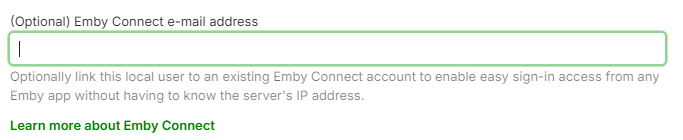
That is Emby Connect account, optional feature that you don't have to use, it just makes it somewhat easier to connect remotely to your server (if you allow remote connections in the first place), you're just linking existing local user with their Connect email. Whose server you're connecting to?
-
 CynthiaGB joined the community
 -
Yea after I saw a similar report on android, I realized this might not be resolved. I still haven't reproduced it however the other day I did find and fix an issue that could definitely break the ability to scroll, so I think that was probably it. So our intention now is to give it a week to see if any other new issues come up and then submit a new update. Thanks.
-
When I created the account, it said I was supposed to receive a verification email, but I haven't received anything. If I try to reset my password, nothing happens either. I'm not sure how this works—could you please help me figure this out?
-
 maria_del_mar_hidalgo joined the community
 -
@Lukesadly not. I still have the issue from time to time. It's not annoying enough to spend more time on it. Gives me time to get a snack.
-

LG 1.0.50 breaks horizontal scrolling on homescreen
kjhedges replied to unisoft's topic in LG Smart TV
I updated the LG App this today. check out horizontal mode. but the horizontal scrolling, for me does not work still. I click right and the outlive moves right but when get to end of screen, nothing, the posters are not scrolling left. -
After deactivating and reactivating emby doesn't work anymore. In TOS it says activated but nothing works. WHY NOT????? IT ISN'T POSSIBLE THAT I CANNOT RESTART A SOFTWARE WITHOUT DESTROYING THE SETUP!!!!
-
Hi, please check out our Quick Start Guide: Quick Start
-
Eu só queria ver desenho
-
Which account? You're logged-in and typing here, there's no other account, your key is tied to your email.
-
i receive the key but i dont receive the email confirmation when i create the account
-
How is the Emby Premiere Key Delivered to Me?
- Today
-
Hi. You can control this by clicking your user icon in the header and going to Home Screen settings.
-
Hello vertex2626, ** This is an auto reply ** Please wait for someone from staff support or our members to reply to you. It's recommended to provide more info, as it explain in this thread: Thank you. Emby Team
-
Hi! I created an account, logged in, and purchased an Emby Premiere subscription. However, I have not received any activation or confirmation email yet. Could you please check this out? Thank you!
-
This small feature has been annoying me, but my "Anime" section contains Movies and TV Shows, this is obviously because I don't want multiple Anime categories for movies and TV. when I select my "Anime" tab its default view is the "folders" tab. I don't like this view because its ugly, but it also causes me to try to update metadata because its not organized the way I like it in Movies and TV. and I will usually get a way through manually updating episode guide info before I realize its already still there in the preferred "Movies & TV" tab. and sometimes changing this will cause ripple effects. I just want to know if there is a way I can disable the default view to be "folders" and open to "Movies & TV instead" I would also appreciate if the "Folders" tab was just not there because I never want to see it inside the library, its confusing and doesn't format properly. my server is running on the windows app, but I also use the LG, Google Chrome, and Android phone apps aswell. Ive looked in the windows setting but maybe I am missing something. thank you for any advice!
-
Hi @Luke I saw that the subtitle error on LG TVs has already been fixed. I had actually already expressed my thanks. You sent me a message, but I didn't understand it.









