All Activity
- Past hour
-
 wahooray joined the community
 -
Hi, how have you configured the startup behavior option in the app? Could never get the 'built-in' Emby 'start on windows startup' to work so I've been placing the Emby Theater shortcut in the Windows startup folder. Like I mentioned, this is happening on all my Emby Theater clients, and they are all configured the same on start up. They've been working for years until yesterday. It also just happened on the IOS Emby App, but only once. Once I selected the server I was able to restart the IOS Emby app without the 'server select' nag screen. I downloaded the Windows App version of Emby to test it and it does not seem to be experiencing this issue. Thanks
-
 Juanrendon changed their profile photo
 -
Hi everyone, I currently have an Extended Premiere subscription for 80 devices, billed monthly/annually, running on my Emby server. I'd like to convert this to a lifetime license instead of continuing with recurring payments. I saw in another thread that this isn't available as a standard checkout option, but that it might be possible to arrange directly with the Emby team. Is there a way to purchase a lifetime license for the 80-device Extended Premiere tier? If so, could someone from staff let me know the process and pricing? Thanks in advance!
-
 ShenJiangXue joined the community
 -
 rehanabid071 joined the community
 -
 小雯qwq joined the community
 -
 shatter26 joined the community
 -
 97002711ab joined the community
 -
 usuario010 joined the community
 -
 Hafizur rahman joined the community
 -
 sridharemby joined the community
 -

Emby Beta 4.10.0.15+: Crashing due to Out of Memory on DS918+ Package Center Install
DarWun replied to DarWun's topic in Synology
@sa2000Going back a few posts, what events trigger allocated memory from being released by the memory garbage collector in .Net? Because from what I am seeing, memory is not being released on the Synology platform regardless of how long is left between scans. Over a period of 24 hours, memory usage rises to 1.2GB (approx.) on my NAS with 4GB of total memory. Once memory usage gets to that point, it hovers around that level. Nothing that happens after that results in memory being released in any consequential amount. -
Webpage is working (now that I'm doing the right thing....) Scrolling is really slow with the mouse scroll wheel though.
-
 santiagoolan joined the community
 -
I'm experiencing the same issue. but with Emby Theater app version 3.0.21. I'm running Emby server 4.9.5.0.
- Today
-

Thank you to the Emby Team (including users, of course)!
Jdiesel replied to Lonald's topic in General/Windows
Best thing you can do it purchase a monthly reoccurring Premier subscription. -
Those permissions mean anyone can read/write/delete anything, you really should learn some Linux basics if you are going to use it . Maybe start with permissions
-
I've been using Emby daily for many years, so many that I'm not at all sure how many. It's been a very, very solid product with a nice, steady path of improvement. These products often come and go and to have a platform work for what seems like decades now is fantastic! Please keep up the great work. Have you ever thought of adding a donation site? I suspect that many of us would make an annual donation to support the platform!!!
-
WootWootWoot!!!! Happy Days!
- Yesterday
-
@LukeNot sure how helpful this would be, but If I provided my database file would you be able to use it to run tests against it?
-
I have no clue about those permissions. These are what I have and it seems to be working fine. I am unsure about security but only internal users, this server will never see the internet or anything outside of my LAN. drwxrwxrwx 1 root root 4096 Jul 23 11:50 . drwxr-xr-x 4 emby users 4096 Jul 24 10:07 .. drwxrwxrwx 1 root root 12288 Jul 23 03:03 Documentaries drwxrwxrwx 1 root root 311296 Jul 23 21:42 movies drwxrwxrwx 1 root root 466944 Jul 23 03:18 Music drwxrwxrwx 1 root root 0 Jul 23 00:11 Seasonal drwxrwxrwx 1 root root 4096 Jul 22 23:57 .Trash-1000 drwxrwxrwx 1 root root 12288 Jul 23 11:50 TV NO one in my home will delete anything so am not really worried about that. They're all over 30 and everyone but me is a dev / computer science engineer, they're not going to do anything out of ignorance or anything like that. I am worried about some other repercussions due to these permissions. Will they be OK they way they are or should I change them to something else?
-
I seem to see the issue with just one or a few letters in the search box in the Web App (app search from other users break it to, but I really only search from web), the CPU on the Emby Process shoots up and server becomes unresponsive for a minute or three.
-
I'm having the same issue. It started happening last night. When launching ET (legacy version) it would normally go to the Home Screen after loading. Now it presents the "Select Server" screen. You can either select the server and it goes to the home screen or you can press/click the home button/icon and it goes to the home screen as well. My "Startup behavior" has not changed and is set to "Remember last user". Changing this to "Sign in as <user>" doesn't fix the issue. This is happening on multiple PC's. This issue started happening with client version 4.9.5.14. Version 4.9.5.13 works as expected. This is not a server issue.
-

When I click on an episode, Stay on the current episode's poster
chuwz posted a topic in Feature Requests
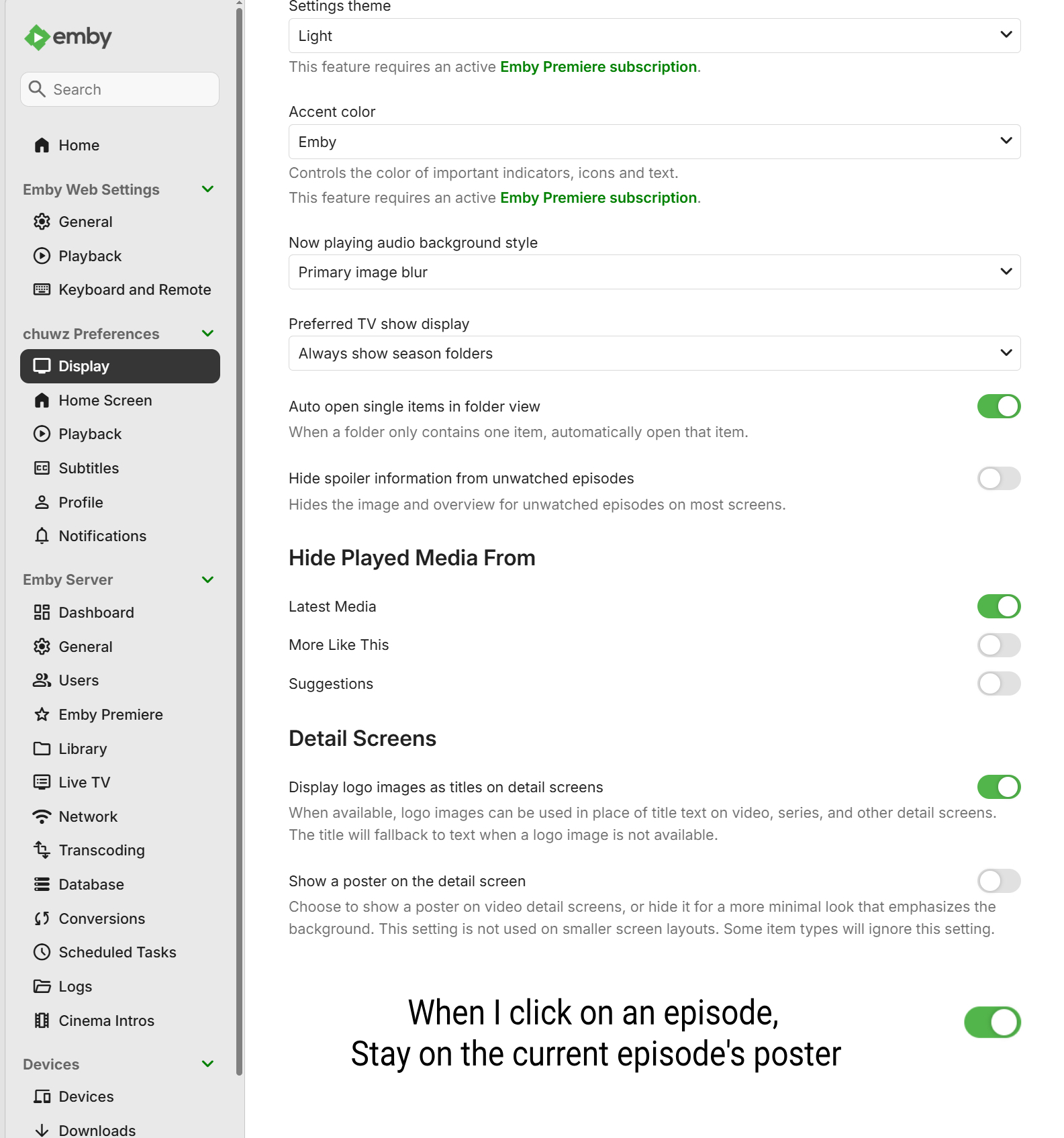
Hello, here's how Emby is currently designed: When I click on Episode 4, the poster at the bottom switches to the poster for Episode 5 (as shown in the video). Screenbits 2026-07-25_065605.mp4 I hope the poster stays with Episode 4. In other words: When I click on an episode, it stays on the poster for that episode. Screenbits 2026-07-25_070031.mp4 I'm not used to the current design, when I click on Episode 4, I want to see everything about Episode 4, including its poster. But Emby shows the poster for Episode 5 instead, which really bothers me. Let's take a look at how Jellyfin does it: When you click on Episode 4, the poster for Episode 3 appears. Screenbits 2026-07-25_070621.mp4 Well, it's pretty hard to use, too... but at least it's better than Emby, because in Jellyfin, I can at least see the poster for Episode 4. Now let's take a look at how Plex handles this on TV: it uses a different design so that when we select Episode 4 to play, we see the poster for Episode 4—perfect! Screenbits 2026-07-25_070940.mp4 In short, Emby should take a cue from Jellyfin and Plex—their designs are the way to go. Of course, you don’t have to completely overhaul Emby’s current design; you could simply add an option that allows us to “When I click on an episode, Stay on the current episode's poster”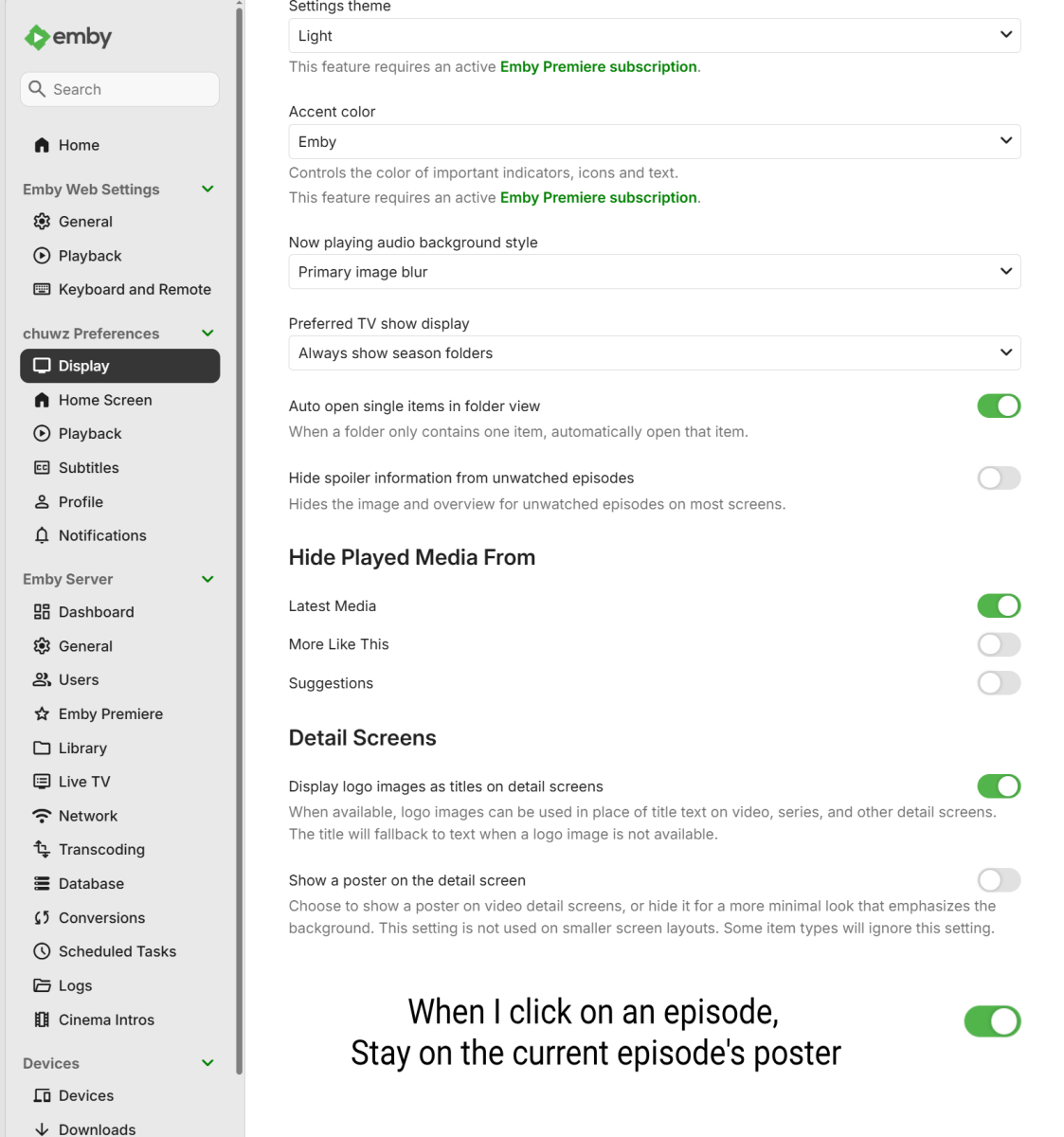
-
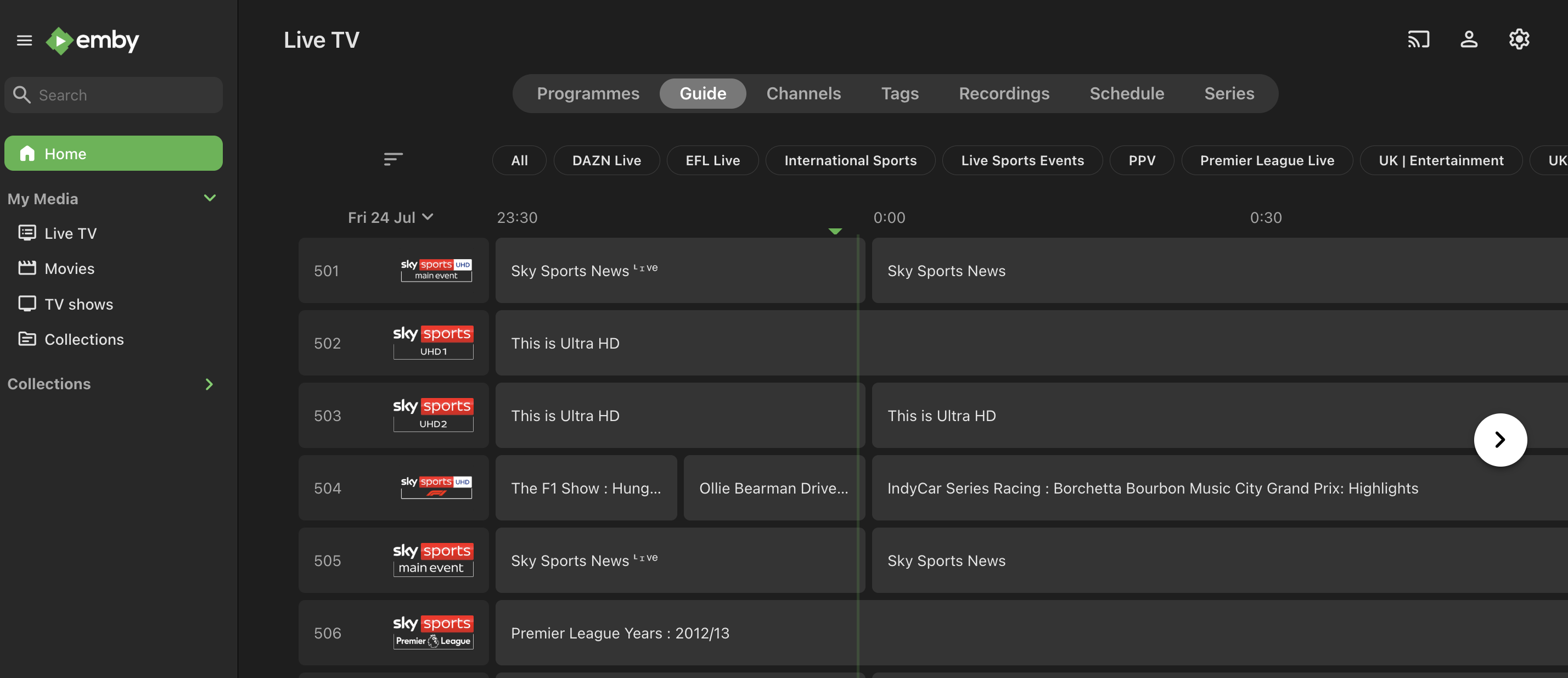
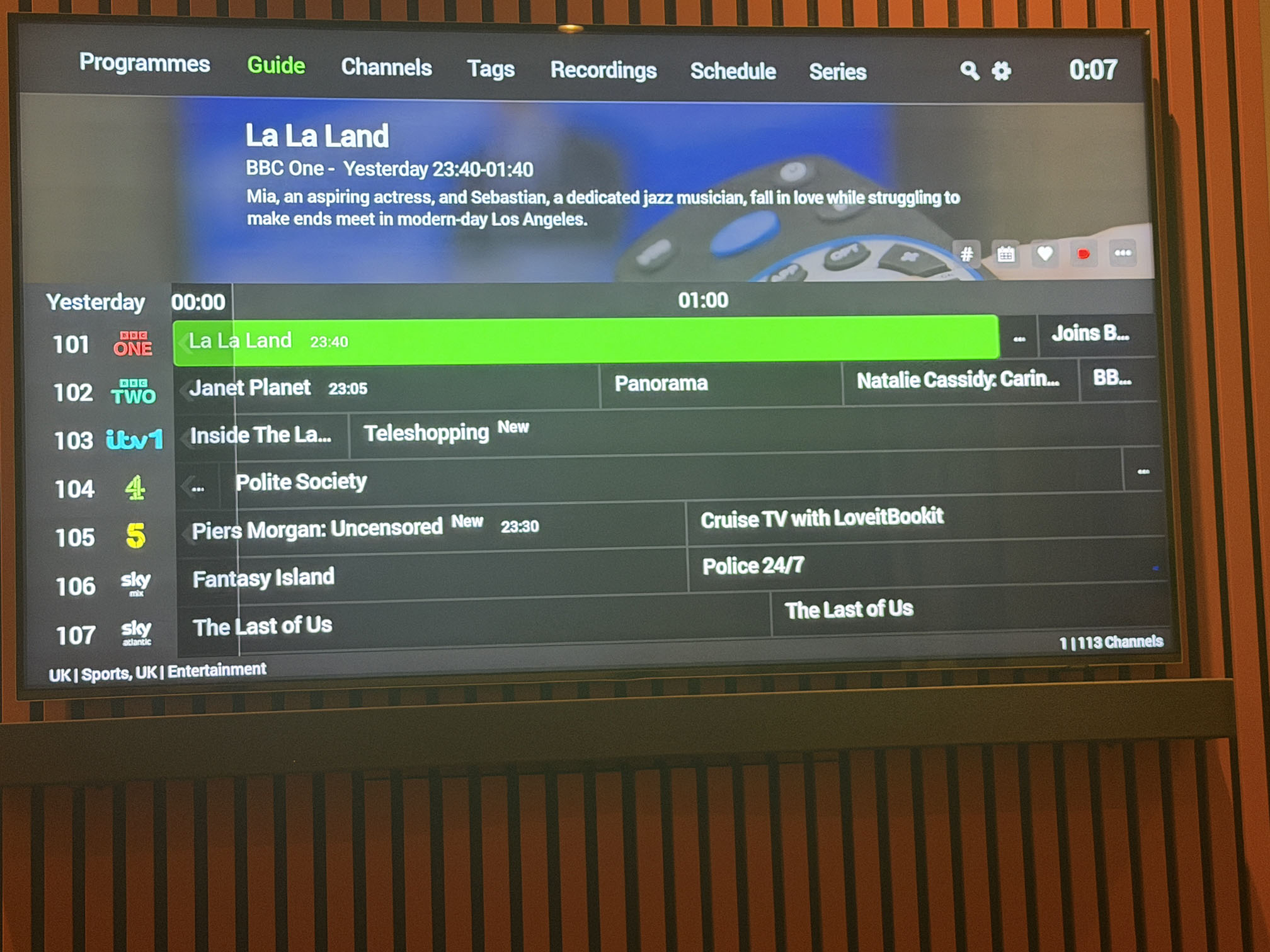
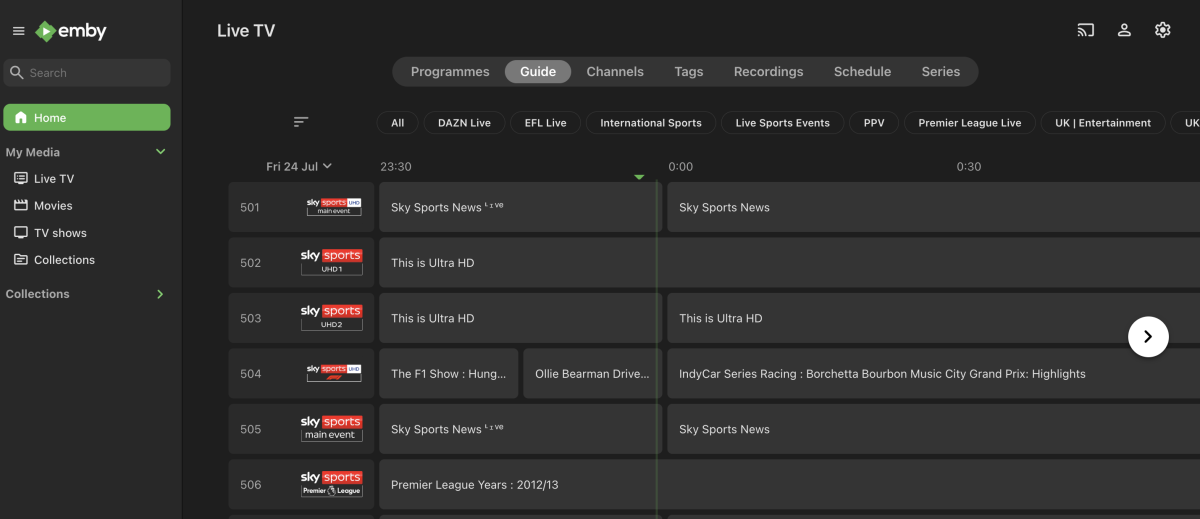
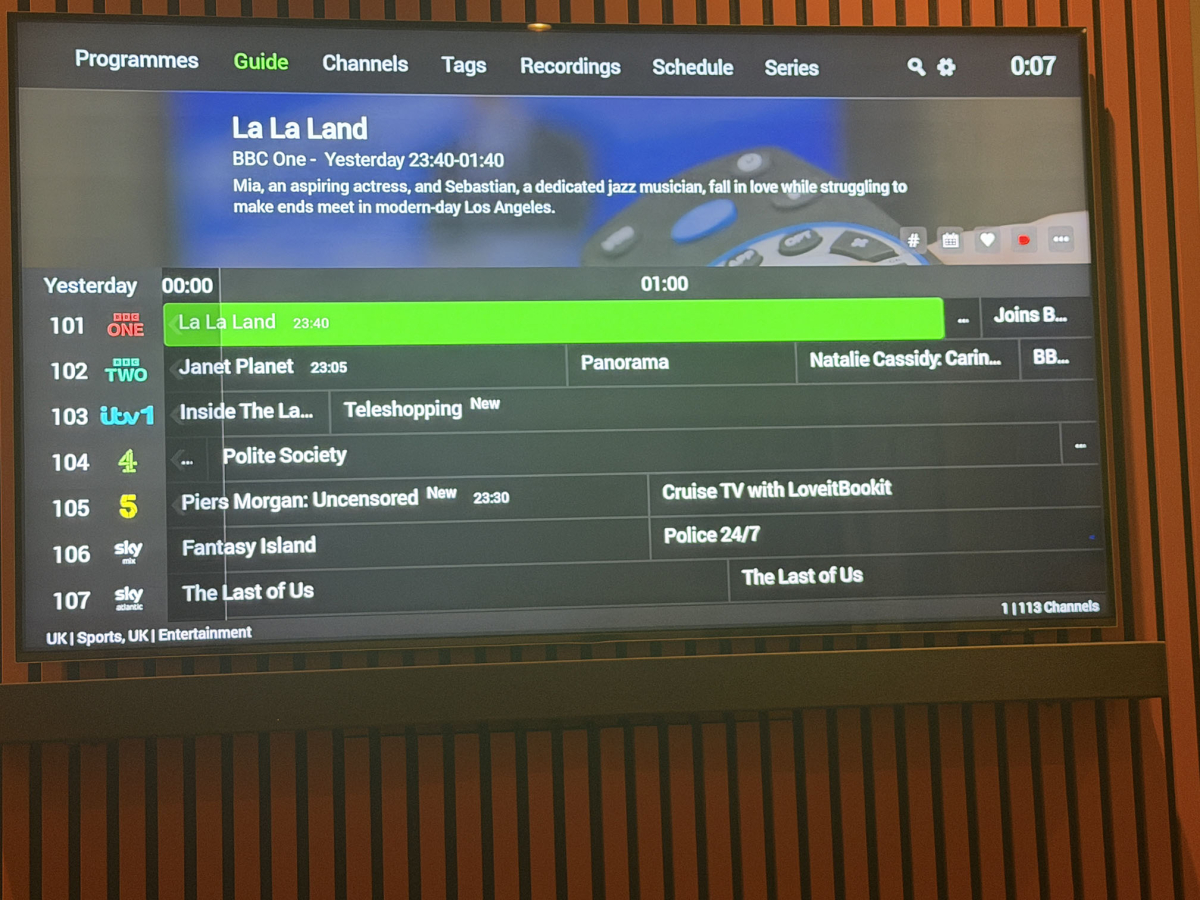
Hi all, I’m using Emby Server with an M3U tuner and XMLTV guide generated by Dispatcharr. On the Emby web app, Live TV works correctly. The Guide shows the channel-group filter chips at the top, such as All, UK Entertainment, UK Sports, DAZN Live, EFL Live, etc. I can switch groups normally. However, on the Emby Android TV app running on a Homatics Box R 4K Plus, the Live TV Guide does not show the same category/group chips. The guide appears to get stuck in certain channel groups. Could this be a bug with channel groups/tags in the Android TV app? Behaviour observed: With my “Living Room” user, the Guide initially showed only sports channels. I could not find a way to switch to All Channels or UK Entertainment from the Android TV Guide UI. The # button only opens channel-number entry. Pressing left/right/up/down does not reveal a group selector. Switching to the admin user showed a different guide view with 600+ channels, possibly All Channels. Switching back to the Living Room user then changed the Guide again, now apparently filtering on UK Sports and UK Entertainment. The same server and same Live TV setup work correctly in the web app. Questions: Does the Android TV app support the same Live TV channel-group selector as the web app? Where is the channel-group filter controlled in the Android TV app? Are Live TV guide filters saved per user/device? Is there a way to clear/reset the Android TV app’s remembered Live TV Guide filter state? Setup: Emby Server running in Docker on Synology Android TV client: Homatics Box R 4K Plus Live TV source: Dispatcharr M3U + XMLTV Channel groups display correctly in Emby web Logos and EPG data load correctly Playback works Thank you!
-

remote connection doesnt work, seems a common issue!
Luke replied to Dad1607's topic in General/Windows
Hi have you setup port forwarding in your router? Have you stepped through our remote setup guide? Connecting from Client Apps -
From my end, It seems that it's more so when the search query contains smaller/common strings like (john / of / jazz / the / us / rock / dj /death ). Searches that consist of larger/less common words like (kendrick / MellowHype / Alcantara / Alchemist ) can get results within 15 seconds. I hate to say this but it's not really consistent, like there's a few exceptions I ran into like (The Alchemist / DJ Khaled) which return within 15 seconds.
-
And web page still doesn't work, but thats says it on 2.3.0. I thought that updated with the Moonbase update ?
-

remote connection doesnt work, seems a common issue!
RanmaCanada replied to Dad1607's topic in General/Windows
Every time this is posted it is not an Emby problem, but a "I did not configure things correctly" problem, and as usual, no where near enough information has been posted. If you want actual help, you are going to need to tell the community if you've opened up ports on your router, what build you are using, what OS, etc. Do you go to the doctor and say "Hey doc I'm in pain" and that's all you say? Or go to the mechanic and say "I hear a noise in the car" without being specific of where you hear the noise, when it's heard and what kind of noise it is. Please be more forthcoming with information if you want anyone to help you, otherwise, no one will, and you'll be mad, the community will get mad, and then no one will be happy. -
Sorry @Lukebut It's something you can easily reproduce with an apple tv device, happens in both 64K and 32K. I'm not using your client anymore since 2024, I'm now using Infuse as player that does not present these defects, remembers playback speed and has a few other improvements. It's sad that a third party application works better and faster than your own client with your server.
-
If you have a library that is of mixed content and has a root folder with multiple folders, the latest addition is shown on the right hand side as if a new season, could there be an option added to allow season/folder listing to be ascending/descending. Therefore any new content added could be seen on the left hand side and not potentially hidden on the right hand side if there is a long folder list.
-
Hi there, please attach the Emby server log from when the problem occurred: How to Report a Problem Thanks!
-
I tried the above and it didn't work. I ended up just nuking the server, uninstalling everything and starting over and it's back to working, so not sure what the issue ended up being, but glad I'm back up and running. Appreciate the replies though!
-
Not sure if the last app on IOS version is broken
Luke replied to LoLoEmby's topic in Apple iOS / macOS
Hi, have you tried Emby for iOS 2.2..55? -
Hi, how have you configured the startup behavior option in the app?