All Activity
- Past hour
-
 thedongri joined the community
 -
So I'm pretty sure I've made a similar FR a long while back that Luke had said they'd add to the development list. (Iirc, human readable name field to accompany RSS feed URL to make it easier to manage it.) But on further thought today, it would make much more sense to enable management from the main UI inside the library. For example if an admin user is in the podcast library, they can right click/long touch/3 dots to open the options menu on a particular podcast. In that menu they should be able to "Delete" a podcast to have the appropriate RSS URL removed from the list. Or "Edit Metadata" window should have a field with the RSS URL so that you can update it if necessary. I listen to a lot of podcasts, and often if someone suggests a new one or I hear about one that sounds potentially interesting, I will give it a try. But I've found my podcast list getting crowded with ones I don't listen to. It would be a massive chore to go find which generic megaphone.fm/buzzsprout/libsyn URL belongs to which podcast.
-
 xmisgou joined the community
 -
 Yck12 joined the community
 -
 Tyreece9513 joined the community
 -
 Diego271 joined the community
 -
 outlawzt21 joined the community
 -
 miangel63 joined the community
 -
 jrollings123 joined the community
 -
 Papig joined the community
 -
This FR is pretty straightforward, I'd love to see a global setting per library to set default sort order. Similarly on a user level be able to override that, just like how the user can set their default landing page per library. For example movies alphabetical is acceptable, but TV shows I might want it sorted by latest, and podcasts I may want to sort oldest, etc. Would also want this to be able to set the default sort order for episodes inside a podcast. The current alphabetical default is annoying as most podcasts don't start with a 3 digit episode number.
-
 razla joined the community
 -
 EdmundDietrich changed their profile photo
 - Today
-

Emby takes forever to restart on server reboot.
ab123ga replied to ab123ga's topic in General/Windows
@Gilgamesh_48Thanks for the feedback. Wish mine worked that way. I also have Plex on my system and that comes up unattended. Emby for some reason requires me to restart from the u/i. Again I could try leaving it alone and see if(when) it comes up on its own. However a reboot during the day with a 1-hr timeframe before I reboot won't work. At least I now know that unless something is found, try restarting much earlier. -

Emby Theater v3.0.20 (Server v4.9.3.0) Homescreen Horiz. navigation broken
d00zah posted a topic in Windows & Xbox
Left/right navigation of the Home screen (w/ a mouse) has been in various stages of boned for the last few days. Originally, all rows were shifted all the way to the right, requiring navigation back to the left-most item (most recent). Now most rows appear centered w/ navigation buttons @ both ends of each row, but unresponsive to mouse clicks. I imagine this has to do w/ the ongoing beta customizations? I've seen similar discussions elsewhere, but unrelated to Theater. Given the dynamic update nature of Theater, this seems to have slipped in w/out any changes on my part? Guide has been fine. Unsure what info beyond a description would be helpful, but ask away. TIA -
Can't connect You mean you have the Emby client and no server to link it to or server has disappeared? Did you install your own server, with your own media, on your own hardware ? Your options are (1) install a server. Quick Start (2) ask a friend who runs a server to let you use theirs. (3) access an illegal server (no further instructions here). If someone else's have a talk with them. Emby does not host your server and do not supply media files.
-

Emby for Android 3.5.28 break Av1 directplay on FireTV devices
unrais replied to Trelane's topic in Android
On my Nvidia Shield Pro (no AV1 HW Decoder) with Emby for Android 3.5.16 and Emby Server 4.9.3.0 I was able to play AV1 fine without transcoding (sw decoder), but just switched to Emby for Android 3.5.30 & Emby Server 4.10.0.4 (For the newer homescreen features) and AV1 no longer plays without transcoding. Is it a regression @Luke? Update: As a test I tried the Android 3.5.16 version of the Emby app again and it played fine (still on the latest beta version of the server). I then tried the latest version that's on PlayStore (3.5.28) and that one doesn't play. So something seems to have happened between 3.5.16 and 3.5.28 at least that's stopped it working. -

Can’t get on my emby says can’t find server
vandals61 replied to vandals61's topic in General/Windows
I dont have a server machine all i have is this emby program on a fire stick I purchased through UTVX it was all set up for me I dont have a clue to be Joni thank you for trying to help me -

Can’t get on my emby says can’t find server
darkassassin07 replied to vandals61's topic in General/Windows
Is this a server you setup yourself? Have you looked at the actual server machine and checked that it's running and that Emby Server is running on it? -
Can’t get on my emby says can’t find server
vandals61 replied to vandals61's topic in General/Windows
On my home network it was all working fine until Monday thank you -
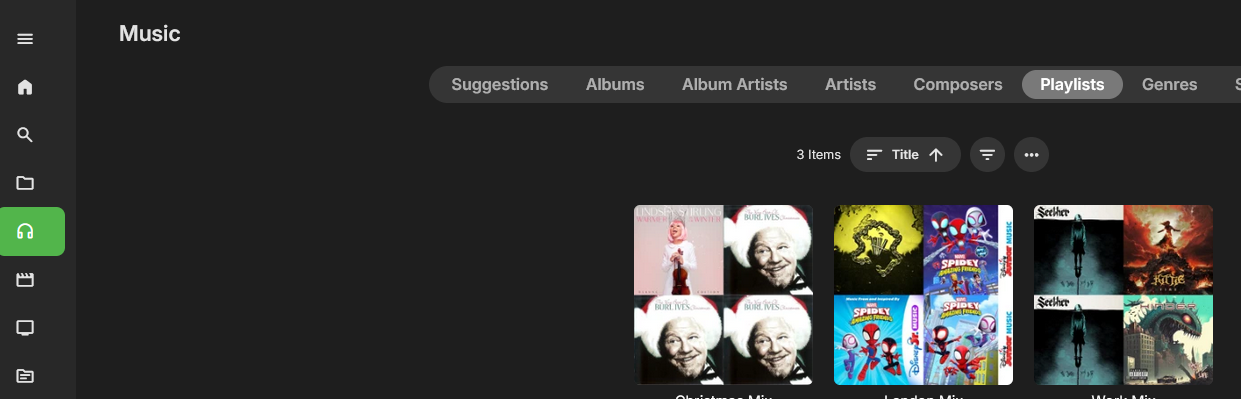
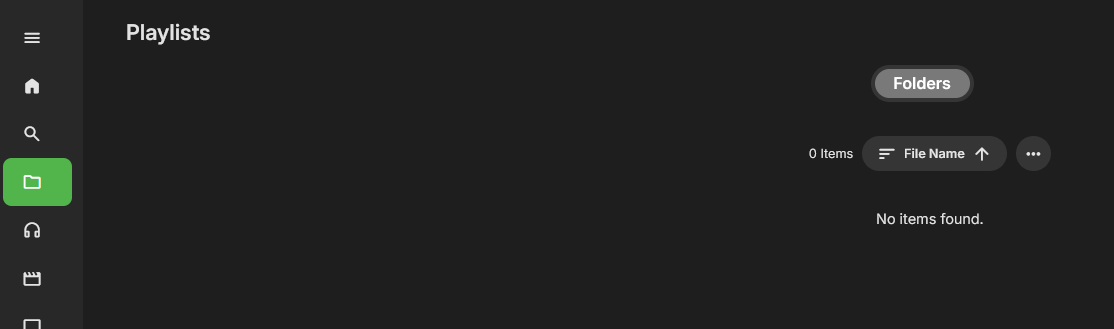
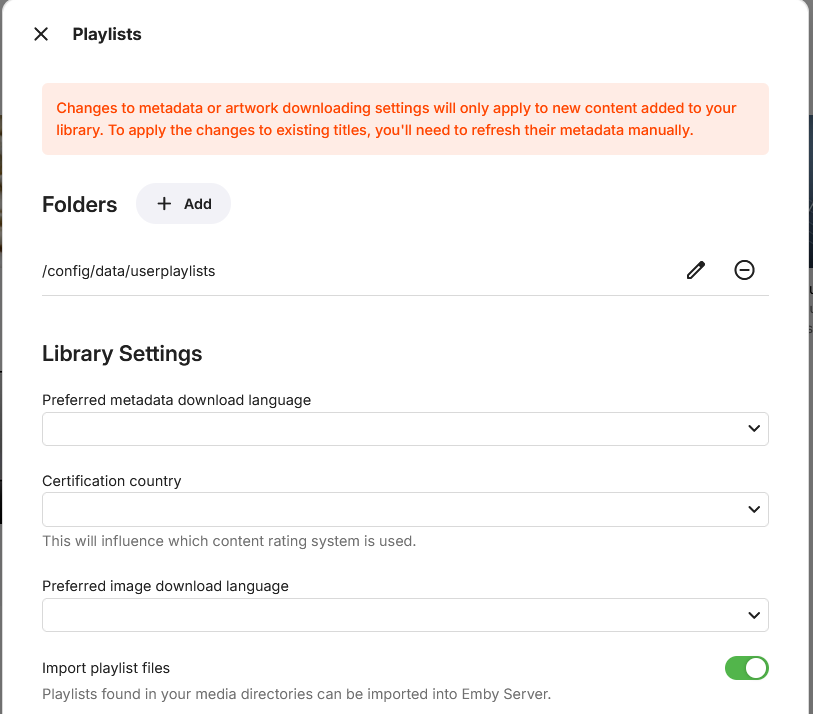
The Playlist library used to display the playlists (screenshot 1), it used to have a Playlist item at the top where folders is, now there is nothing. And it's configured to the right directory (screenshot 2 and 3) but now they only show up in Music -> Playlists (screenshot 4)
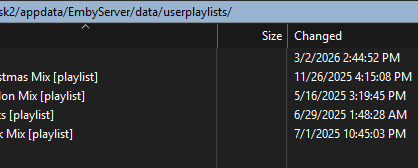
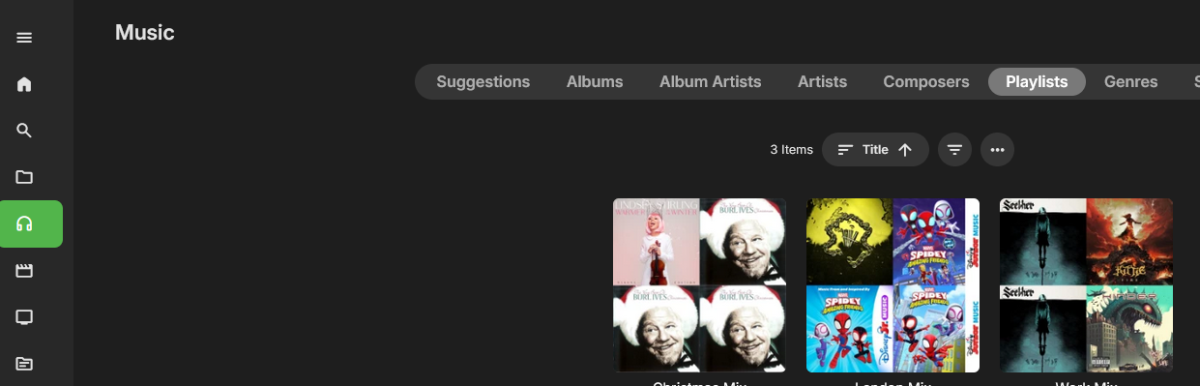
-
Ignore that and just added Emby as read/write under the system internal users and it's working. Very odd because I haven't done this with my video collection and that works ok.
- 1 reply
-
- 2
-

-
I'm just trying to add my music library but for some reason I can't add the folder. When I go to select I can select /volume1 but when I go to open my 'music' folder, it doesn't open. As far as I can see the permissions are set correct so I'm unsure of the issue. Many thanks
-
HI there, can you please provide a specific example? How to Report a Problem Thanks !
-
Hi there, please attach the Emby server log from when the problem occurred: How to Report a Problem Thanks!
-
In the process of trying to upgrade my server version I think I accidentally nuked my server (was running it in Synology's Container Manager and I'm not that familiar with docker), so I guess this post isn't relevant anymore - is there a way for me to delete or close this? On the bright side it seems like the Anime plugin installed fine and is working now, so maybe it was some sort of version compatibility thing (interesting that on server version 4.9.3.0, I now also see Anime plugin version 1.6.1)
-
Is this your own server on your network or someone else's?
-
Try connecting the cable and then turn on the TV. That migh help.
-
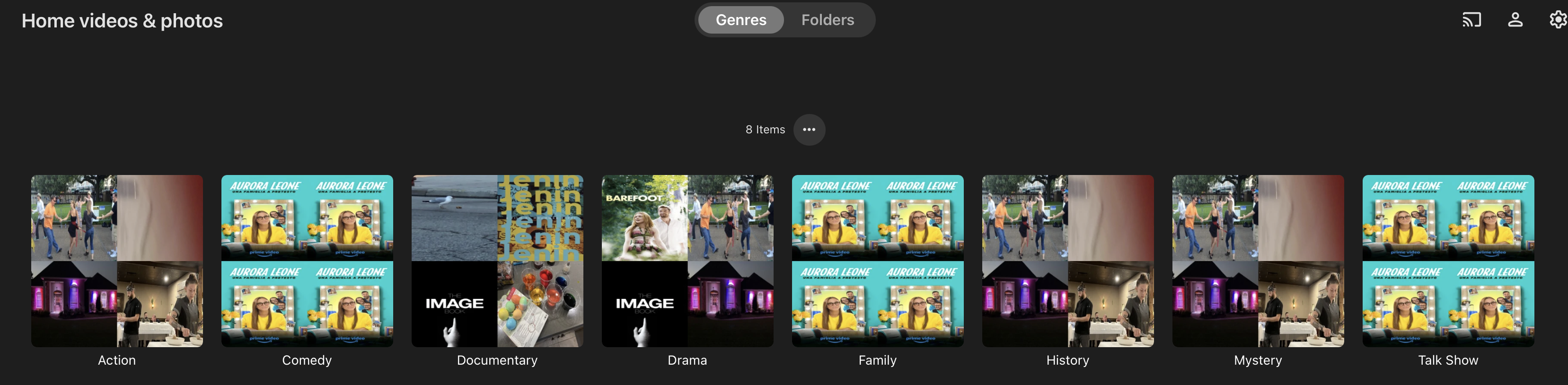
So just created a new Library with the Content Type listed as "Home videos and photos", but none of the pic files show up... only the movies. What am I doing wrong ? Everything listed are movies, yet there are pic files in this group as well. This is on version 4.9.3.0 of the server, running as an installed package on a Synology Server.
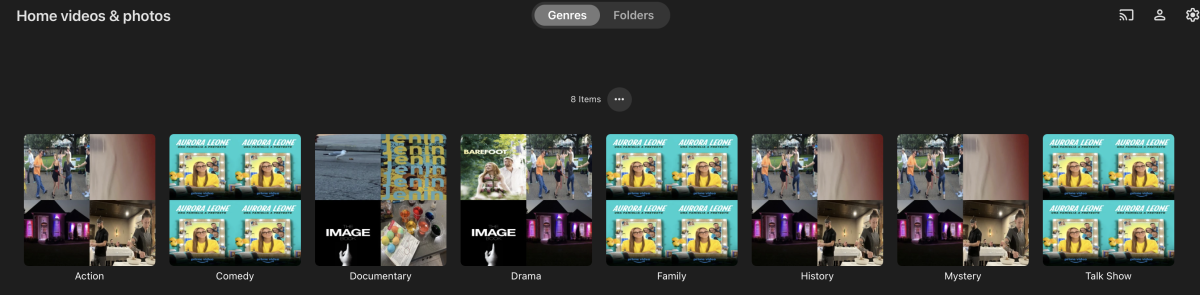
-

playback is often paused, crashes, freezes but for a specific user (its the wife-BIG problem :))
visproduction replied to Zeltak's topic in MacOS
MacOS troubleshooting for video playback. Maybe of some help. https://macpaw.com/how-to/video-not-playing-mac -

Started having problems watching my PVR and saved videos on Roku
AmericanMike replied to AmericanMike's topic in Roku
I thought the same but it was not. The issue is now back overnight. Very strange. -
macOS + Emby + Infuse + 50Mbps dedicated line: Playback is choppy.
visproduction replied to xgxgxg's topic in MacOS
Xg, You should have the speed. Try these suggestions. Sometime MacOS has some protection of incoming content turned on. https://macpaw.com/how-to/video-not-playing-mac -

Live-Video-Translation Plugin Beta using OpenAI Whisper
Neminem replied to bobo99's topic in Plugins
I do this all the time, if i have the english srt subtitle. Using lingarr-translate/lingarr: Lingarr is an application that supports both local and SaaS translation services to translate subtitle files into a specified target language. With automated translation options, Lingarr simplifies translating subtitles. -

Live-Video-Translation Plugin Beta using OpenAI Whisper
fabien_m2002 replied to bobo99's topic in Plugins
Hello real time traduction is nice but requires power. For Live TV, no alternative but for a TV show/Movie, why not to use OpenSubtitles source and translate from it? Indeed, OpenSubtitles offers mainly subs in english. It would be nice to translate the SRT file from a language source to a language target. The plugin would work like OpenSubtitles addon: you select a Movie, modify subtitles, download subs which it translated on the fly. In Stremio, there is a similar addon which works very well: https://github.com/xtremexq/StremioSubMaker -
The need for having the WinTV app is mentioned on this support document Live TV Setup I will add documentation regarding the need to configure the WinTV Pause Buffer. Thanks for confirming