All Activity
- Past hour
-
 sophieeeP joined the community
 -
 radders66 joined the community
 -

HLS transcoding for Apple's native player: fMP4 segments, and an HDR + SDR variant pair
Luke replied to vdatanet's topic in Developer API
The server does populate video-range and codecs already. -
 samson250 joined the community
 -
 Melto18 joined the community
 -
 yideyirhyjj joined the community
 -

HLS transcoding for Apple's native player: fMP4 segments, and an HDR + SDR variant pair
vdatanet replied to vdatanet's topic in Developer API
Thanks for the pointer — I went and measured it, and the result is worth reporting, because it changes what I'm asking for. First, a correction to my own post. I said the transcoding output was MPEG-2 TS with .ts segments. Against Emby 4.9.5.0 that doesn't reproduce. With my existing profile — "Container": "mp4", the one I quoted — the variant playlist already contains #EXT-X-MAP:URI= and the media segments are 0.mp4. That's fMP4. So request #1 in my original post is already satisfied, and I withdraw it. Either something changed since I took that measurement or I misread my own capture; either way the record should be straight. I did try m4s as you suggested. It works, but as far as I can tell it only changes the file extension — 0.m4s instead of 0.mp4 — with #EXT-X-MAP present in both cases. Same container, different name. If it's meant to do something more than that, I'd be glad to know what to look for. What actually blocks the native Apple player is the manifest description, not the segments. Here is the multivariant playlist Emby produces for an HDR10 source (Emby's own metadata for the item reports VideoRange: "HDR 10", ExtendedVideoType: "Hdr10" #EXT-X-STREAM-INF:BANDWIDTH=26581586,AVERAGE-BANDWIDTH=22151322,RESOLUTION=3840x1600,FRAME-RATE=23.976 There is no VIDEO-RANGE attribute and no CODECS attribute. This is the part that matters on Apple platforms, and it's independent of what the segments contain. AVPlayer decides what a stream is before it downloads a single segment: it reads the #EXT-X-STREAM-INF attributes to rule variants in or out and to pre-configure the display. With no VIDEO-RANGE=PQ and no codec string to inspect, tvOS has nothing to act on, so Match Dynamic Range never fires and the TV stays in SDR — even if the elementary stream underneath is perfectly good HDR HEVC. CODECS is also what lets a player reject a variant it can't decode without downloading it first; without it, every client has to guess. For contrast, this is what a correctly described HDR variant looks like — VIDEO-RANGE, a codec string, and Dolby Vision signalled via SUPPLEMENTAL-CODECS: #EXT-X-STREAM-INF:BANDWIDTH=44081437,VIDEO-RANGE=PQ,CODECS="hvc1.2.4.L150.B0,ac-3",SUPPLEMENTAL-CODECS="dvh1.08.06/db1p",RESOLUTION=3840x2160,FRAME-RATE=23.976 To pre-empt the obvious objection: for a lot of my library Emby decides to burn in subtitles (SubtitleMethod=Encode, TranscodeReasons=SubtitleCodecNotSupported), and a burn-in forces a full re-encode through format=pix_fmts=yuv420p — 8-bit, so HDR is gone regardless of the source. For those items, omitting VIDEO-RANGE would be entirely honest: you shouldn't advertise PQ if what you're sending is SDR. So I removed the burn-in entirely (it turned out to come from a remembered per-item subtitle selection on my user account, not from anything you do by default) and re-measured. Across the first 10 HDR10 and Dolby Vision items in my library, with no burn-in on any of them — TranscodeReasons=ContainerNotSupported on its own, no subtitle filter in the chain — none gets a VIDEO-RANGE attribute. The attribute isn't missing because the pipeline tone-mapped; it's missing because it never gets written. The server does receive the information, for what it's worth: with Property: "VideoRange" on the CodecProfile (I had been using Jellyfin's VideoRangeType, which Emby ignores — that one's on me), the transcoding URL comes back carrying hevc-videorange=SDR,DOVIWithSDR,HLG,…,DOVIWithHDR10,DOVI. So Emby knows the client accepts HDR. It just doesn't say anything about it in the manifest. On "you can't get both HDR and SDR together in the same manifest": understood, and I want to be clear that I'm not asking you to change that. The HLS Authoring Specification does ask for an SDR companion, but a single well-described variant would already solve my problem. If the manifest said VIDEO-RANGE=PQ and carried a CODECS string, an Apple TV 4K would configure the display correctly and a client that can't handle HDR would see, from the manifest alone, that it shouldn't select it. That's a much smaller change than restructuring into a variant pair, and it's the one I actually need. So the revised request is just this: populate VIDEO-RANGE and CODECS on #EXT-X-STREAM-INF (and SUPPLEMENTAL-CODECS where Dolby Vision applies), reflecting what the stream really is. And the stream really is HDR. I pulled the #EXT-X-MAP init segment and the first media segment, concatenated them and ran ffprobe — once on an HDR10 title, once on a Dolby Vision one: HDR10 → hevc (Main) · 3840x1600 · yuv420p · smpte2084 · bt2020 · bt2020nc DOVI → hevc (Main) · 3840x2160 · yuv420p · smpte2084 · bt2020 · bt2020nc smpte2084 is PQ and the primaries are BT.2020 — Emby is sending me HDR right now. It just doesn't say so in the manifest, and by the time the player has a segment in hand it's too late: on Apple platforms the display mode is decided up front, from the attributes. So this isn't a request to change what the transcoder produces. The bytes are already right. It's a request to describe them. Four questions: Is the absence of VIDEO-RANGE and CODECS deliberate, or just not implemented? Is there a server setting or a device-profile property that turns it on that I've missed? Would you also consider keeping 10-bit? The output is hevc (Main) at yuv420p — 8-bit — while carrying PQ and BT.2020 tags. PQ at 8 bits bands visibly, and HDR10 is defined as 10-bit. The source is Main 10, so the depth is being dropped in the transcode rather than being a limitation of the input. I notice the ffmpeg command line asks for -profile:v:0 main10 while the filter chain ahead of it has already done format=pix_fmts=yuv420p, which looks like the two ends disagreeing. The Dolby Vision title comes out the same as the HDR10 one: PQ and BT.2020, but no RPU or DV configuration record left in the stream. Is DV expected to survive a transcode, or is dropping to HDR10 base the intended behaviour? If the attributes were added, is there anything else on the Emby side that would stop tvOS from switching display mode? One footnote, in case it's useful to anyone else: this took a while to measure because most of my HDR titles were failing with HTTP 500 — Error starting ffmpeg. That turned out to be a burn-in of a subrip track that my account had remembered per-item, which puts subtitles=filename='<the same 18 GB mkv>' in the filter chain; that filter scans the whole container before emitting a frame, my media sits on a nearly-full ZFS pool doing ~34 MB/s, and the encode timed out. The same command without the subtitle filter produces its first segment in 14 seconds. Entirely my storage's problem, not a bug on your side — but worth knowing that a burn-in on a very large file can fail outright rather than just run slowly. Happy to test any build against a 4K HDR/DV library and report back with player-side measurements: the variant chosen, the video range as AVPlayer reports it, and whether the display mode actually switches on an Apple TV 4K. -
 LORENZO1952 joined the community
 -
 sanonitruj joined the community
 -
 abigail2 joined the community
 -
 elvis931 joined the community
 - Today
-
4.9.5.0. Was called Autotag in the log so might be an older version that does work with stable.
-
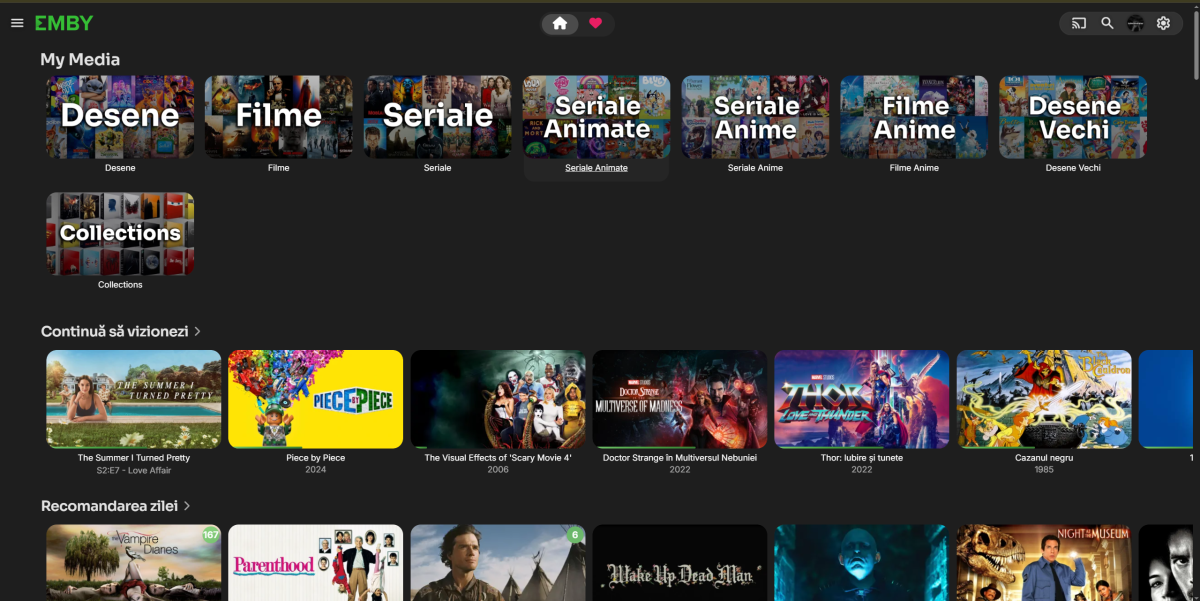
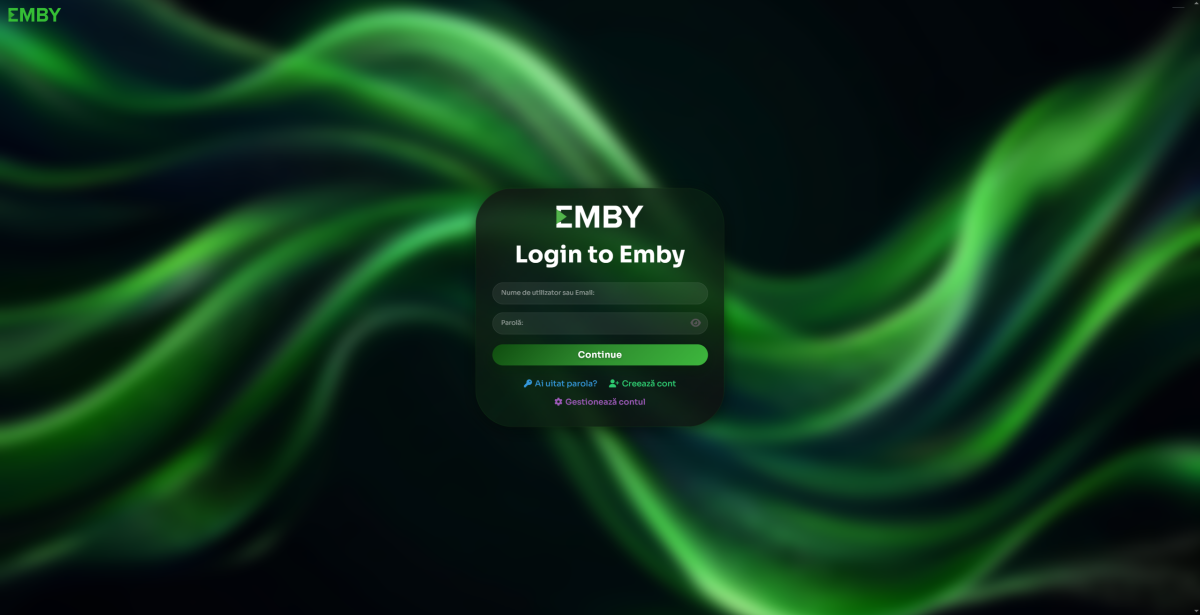
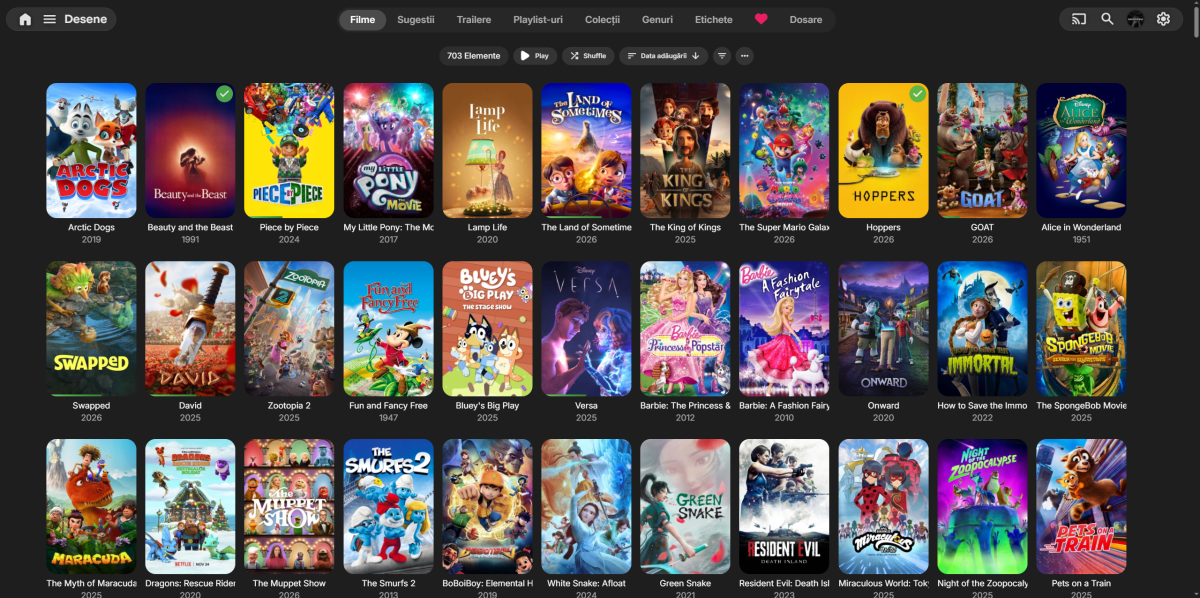
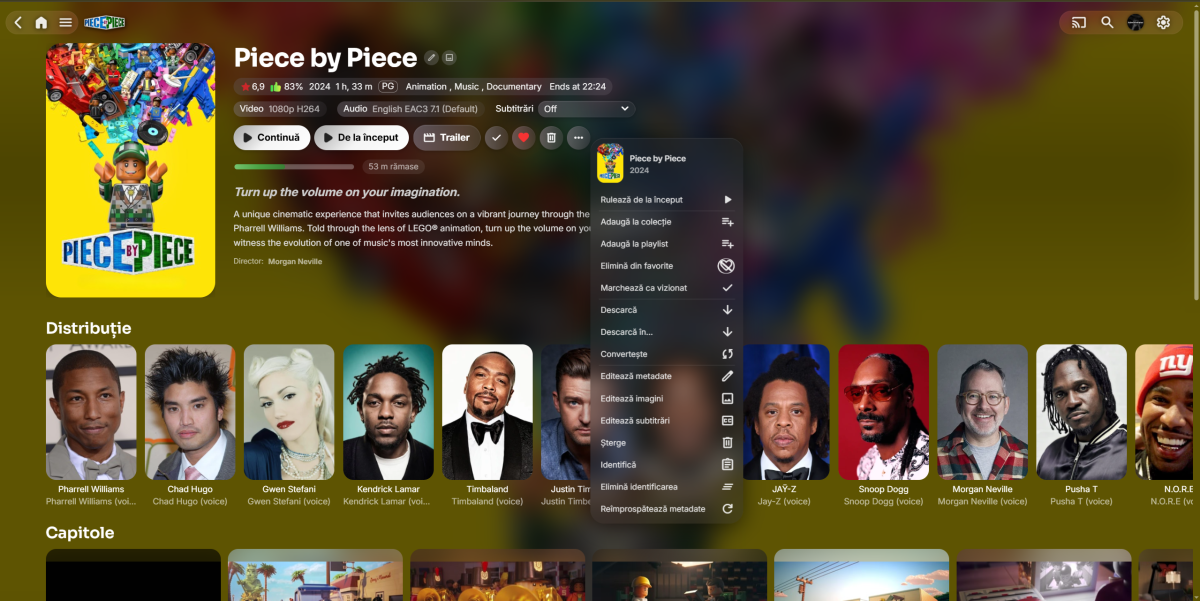
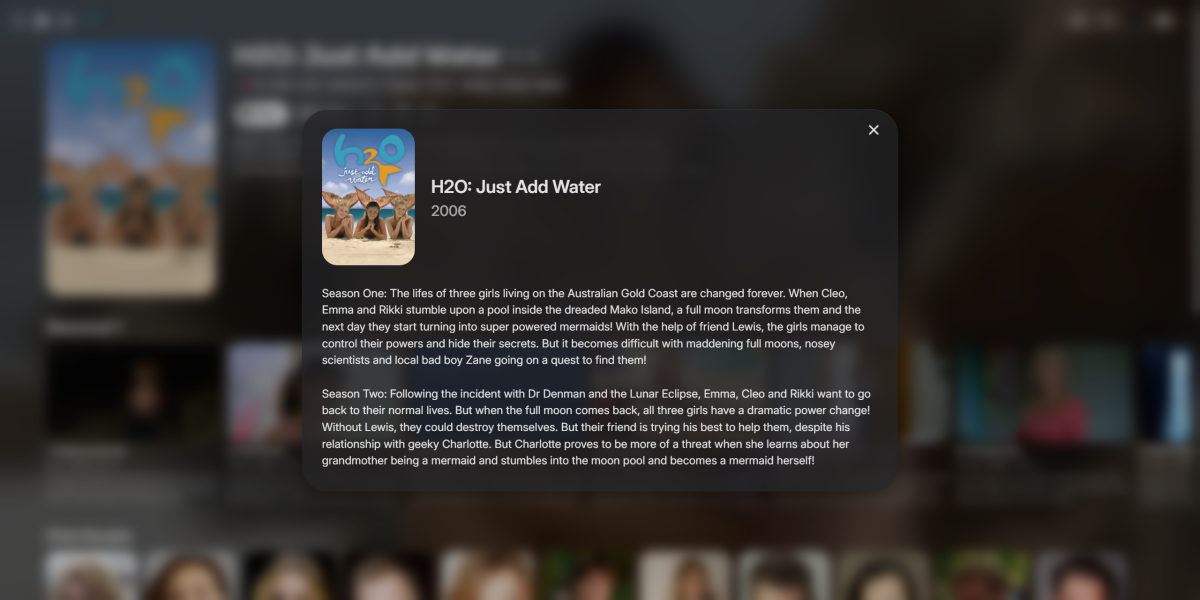
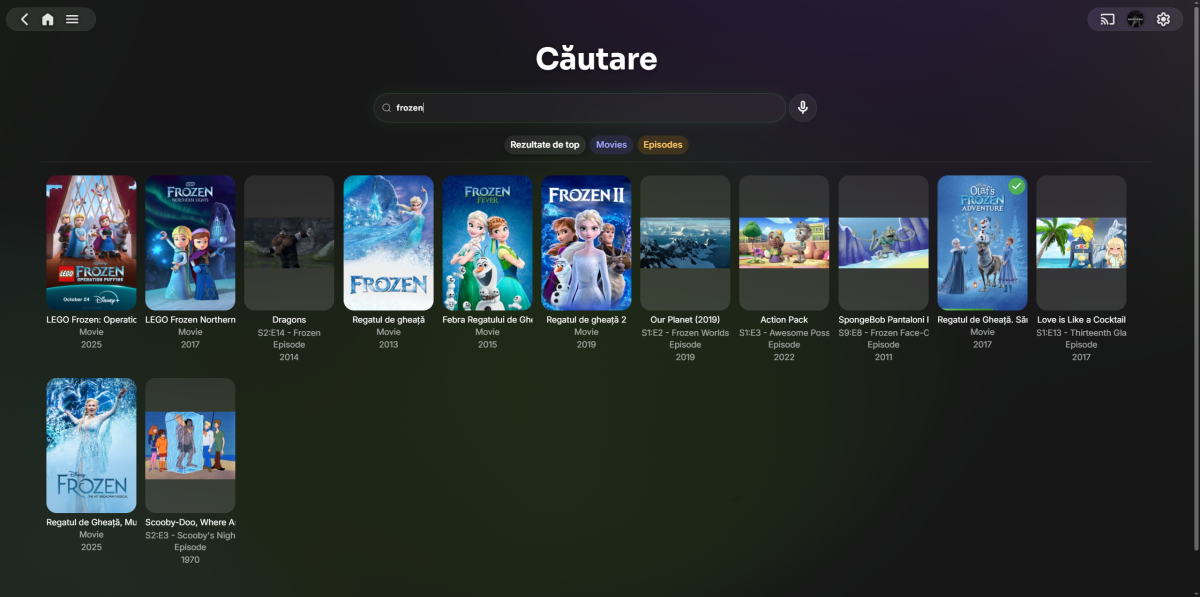
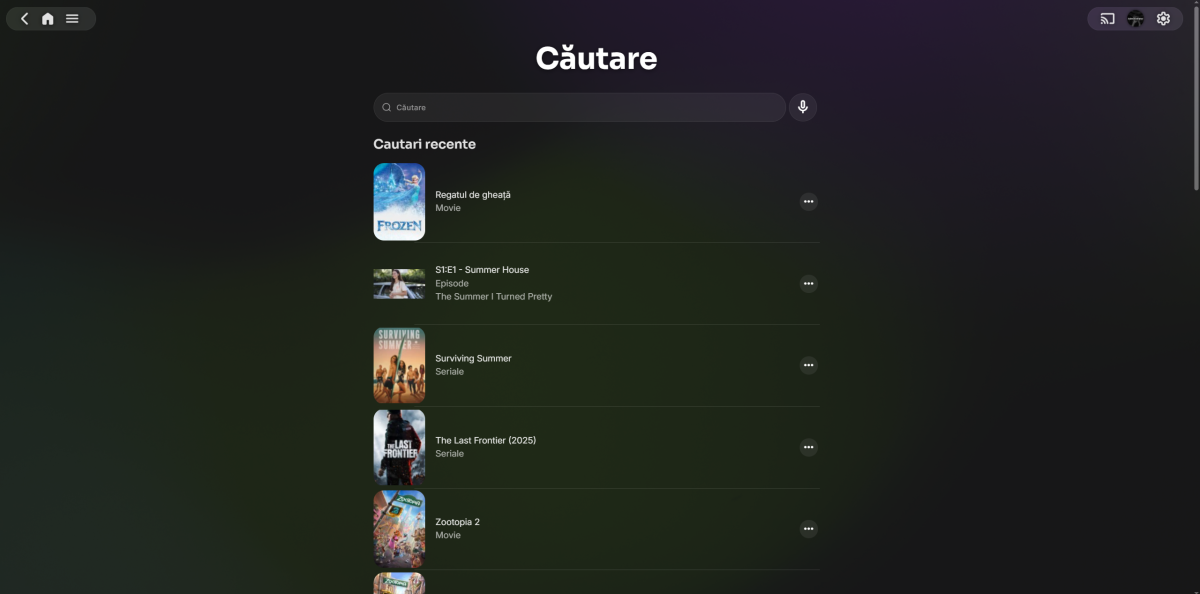
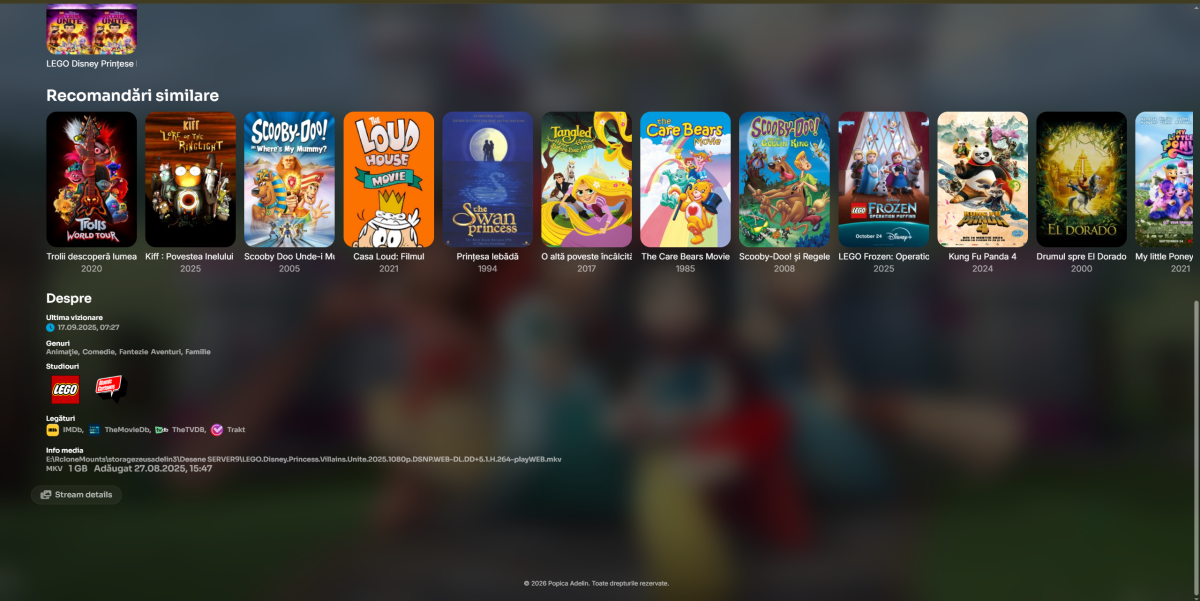
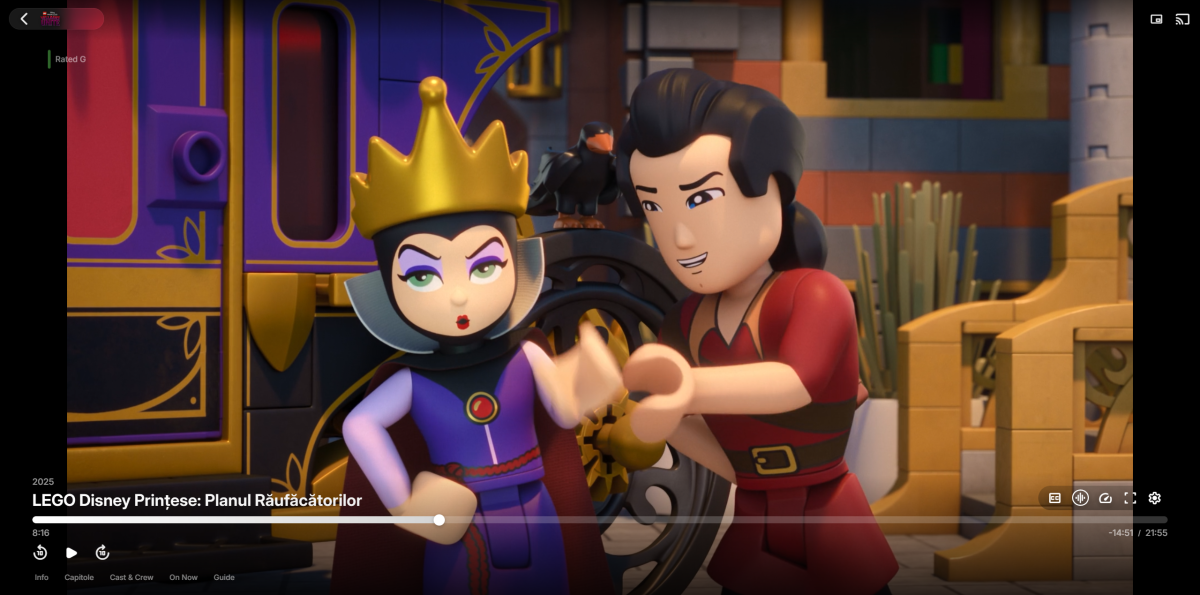
I've completely modernized the Emby interface using custom CSS and JavaScript, creating a premium login screen with full‑screen background and glass‑morphism effect, a modern glass header with blur and smooth transitions, cards with hover animations and gradient progress bars, larger buttons with press animations, enhanced OSD video controls with hover effects and a YouTube‑style center play/pause overlay, a fully customized volume slider with modern glass design, cascading entrance animations throughout, full Dark and Light theme support, custom logos replacing default icons, a fully responsive layout optimized for all devices, premium Sora and Inter fonts
-
- 1
-

-
HLS transcoding for Apple's native player: fMP4 segments, and an HDR + SDR variant pair
Luke replied to vdatanet's topic in Developer API
Try asking for m4s as the segment container. you can get fmp4. you can't get both hdr and sdr together in the same manifest. -
Tips to set up emby on a QNAP NAS using Docker with HW Transcoding
Luke replied to Ikario's topic in QNAP
Is this on QNAP? -
Does applying a tag to a folder not apply it to all items in the folder?
Luke replied to podonnell's topic in General/Windows
Probably not. It would need to add it's own handling of that. -

Does applying a tag to a folder not apply it to all items in the folder?
podonnell replied to podonnell's topic in General/Windows
Does it also work for purposes of something like VirtualTV? I set the tag on a folder and then when I chose content with the tag I created, my playlist came back with 0 results. -

Tips to set up emby on a QNAP NAS using Docker with HW Transcoding
Lexizilla replied to Ikario's topic in QNAP
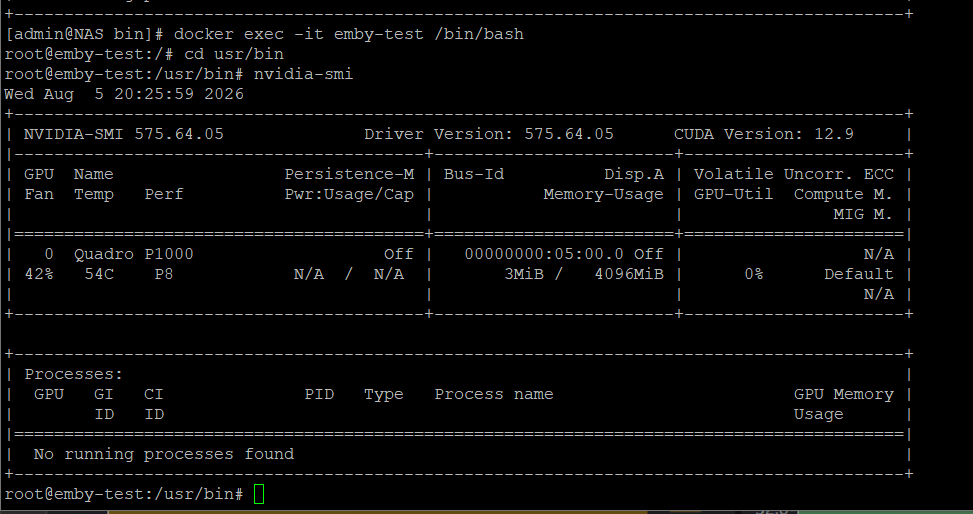
Hi, I have more or less the same issue. I also using this method to get my nvidia card mapped to emby. Up to emby version 4.9.3 it´s working fine Update to Version 4.9.5 or beta 4.10.22 the nvidia card is not detected anymore. So i have toi stay currently at 4.9.3. My Docker compose file: volumes: emby_usr: driver: local driver_opts: type: overlay device: overlay o: lowerdir=/share/ZFS531_DATA/.qpkg/NVIDIA_GPU_DRV/usr,upperdir=/share/Docker-Files/Emby/upper,workdir=/share/Docker-Files/Emby/work services: emby-prep: image: linuxserver/emby:4.9.3 container_name: emby-prep networks: vlan-static: ipv4_address: 192.168.20.190 environment: PUID: "1000" PGID: "0" UMASK_SET: "022" TZ: "Europe/Berlin" volumes: - emby_usr:/emby_usr - /share/ZFS531_DATA/.qpkg/NVIDIA_GPU_DRV/usr/:/nvidia:ro entrypoint: /bin/bash -x -c "cp -Rv /usr/* /emby_usr/" restart: "no" emby: container_name: emby image: linuxserver/emby:4.9.3 hostname: emby mac_address: "02:42:5f:75:1a:c0" depends_on: - emby-prep networks: vlan-static: ipv4_address: 192.168.20.203 environment: PUID: 1000 PGID: 0 TZ: "Europe/Berlin" volumes: - emby_usr:/usr - /share/Docker-Files/Emby/config:/config - /share/Docker-Files/Emby/transcode:/transcode - /share/Filme:/Filme - /share/Serien:/Serien devices: - /dev/nvidia0 - /dev/nvidiactl - /dev/nvidia-uvm restart: unless-stopped networks: vlan-static: driver: qnet driver_opts: iface: eth5.20 ipam: driver: qnet options: iface: eth5.20 config: - subnet: 192.168.20.0/24 gateway: 192.168.20.254 My Qnap Device is fine for sure: If I downgrade to 4.9.3, it working again. By checking the hardware_detection log, it looks like, that the nvidia card is detected. But still no transcoding options available anymore. running nvidia-smi on dockeer emby container it is also fine. So why are no transcoding options available: any help would be great hardware_detection-63921544265.txt embyserver.txt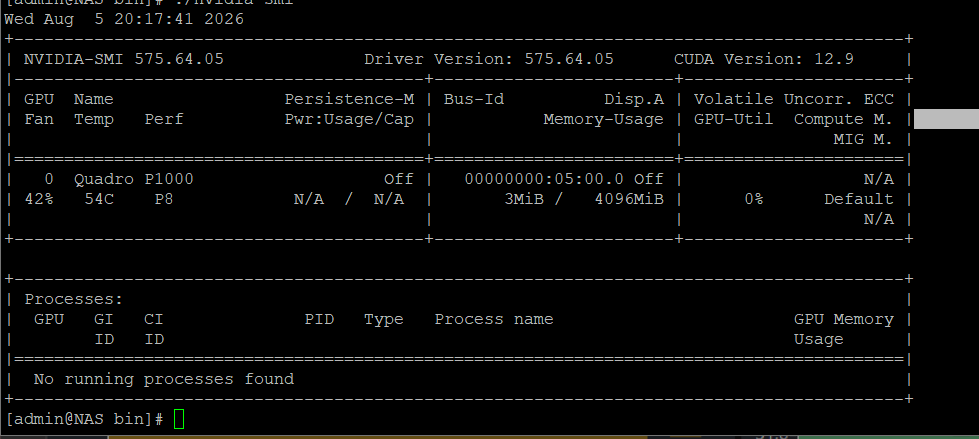
-
Supposed to? According to who?
-
Item objects aren't fully populated when they come through the image pipeline. I get the full item from the library manager for cases where I need to test against one of these 'missing' metadata values. I suspect that the movie id value might be one of these values that needs to be fetched fresh to be reliably checked/used by the plugin.
-
HLS transcoding for Apple's native player: fMP4 segments, and an HDR + SDR variant pair
vdatanet posted a topic in Developer API
Hi, I'm building a tvOS client that uses the native Apple player (AVPlayer/AVFoundation) rather than a bundled software decoder. On Apple TV that's the only path that gets you hardware decoding, Match Dynamic Range and Match Frame Rate — but it also means I'm bound by what AVFoundation accepts, and that's where I've run into a wall. What I observe My device profile advertises HLS transcoding with an MP4 container: { "Type": "Video", "Protocol": "hls", "Container": "mp4", "VideoCodec": "hevc,h264", "AudioCodec": "aac,ac3,alac,eac3,flac" } I then POST to /Items/{id}/PlaybackInfo, follow the returned TranscodingUrl to the master playlist, and fetch the first variant playlist. What comes back is MPEG-2 TS: there is no #EXT-X-MAP:URI="..." initialisation segment, and every media segment URI ends in .ts. The "Container": "mp4" in my transcoding profile doesn't appear to change the segment format. Why this blocks a native Apple client Apple's HLS Authoring Specification for Apple Devices is explicit on this point: MPEG-2 TS is only sanctioned for H.264. HDR10, HLG and Dolby Vision all ride on HEVC, so they inherit the same restriction. In practice, on an Apple TV 4K, that means: HEVC can't be delivered over HLS at all, so everything has to be re-encoded to H.264; HDR and Dolby Vision sources get tone-mapped down to SDR; and since the player never sees the real video range or frame rate, tvOS can't switch the display — Match Dynamic Range and Match Frame Rate stay inert. The net effect is that a 4K HDR HEVC file the Apple TV would decode in hardware, untouched, instead becomes a full SDR H.264 transcode: more work for the server, and a visibly worse picture on the TV. But what about clients that can't handle HDR? That's the concern I've seen raised whenever HDR delivery comes up, and it's a fair one. The answer is the reason the HLS multivariant playlist exists in the first place, and the authoring specification states it directly: You don't choose between HDR and SDR — you publish both, described side by side in the master playlist. Each #EXT-X-STREAM-INF carries the attributes a player needs in order to judge it: CODECS, RESOLUTION, FRAME-RATE and VIDEO-RANGE. Every client reads that list and takes only what it can actually decode and display. A player with no HDR support never selects the VIDEO-RANGE=PQ variant, because it can see from the manifest that it shouldn't; it takes the SDR one instead. Nothing has to be decided server-side, no client has to be sniffed or profiled, and no client ends up holding a stream it can't play. This is also why the description matters as much as the segments do. On Apple platforms the player decides what a stream is before it downloads a single segment: it reads those attributes and uses them both to rule variants in or out and to pre-configure the display. If the HDR variant isn't described in the master playlist, tvOS has nothing to act on and the display-mode switch never fires, however good the segments underneath happen to be. The request Two things, and the second is what makes the first safe: fMP4 segments. When a client's transcoding profile asks for HLS with an mp4 container, emit fMP4/CMAF segments instead of MPEG-2 TS — ffmpeg's -hls_segment_type fmp4, which writes an initialisation segment referenced by #EXT-X-MAP:URI="init.mp4" and .m4s media segments. Gating it on the container the client declares, or behind a server setting, leaves today's TS output as the default, so nothing that currently works changes. An HDR + SDR variant pair in the master playlist for HDR and Dolby Vision sources: the HDR variant (VIDEO-RANGE=PQ, carrying the Dolby Vision codec string where it applies) alongside an SDR companion, each fully described. One URL then serves both a 4K HDR television and a device that can't take HDR, with no second trip through PlaybackInfo and no guesswork about the client. Questions Is any of this already achievable and I've simply missed it — a server setting, or a different property in the device profile? If not, are fMP4 segment output and the HDR/SDR variant pair things you'd consider? Happy to test against a 4K HDR/DV library and report back with player-side measurements: variant chosen, video range as the player reports it, and whether the display mode switches. Thanks. -
Yes pun intended quoting just that. Now if only someone would answer my one question how did I manage to see all my libraries on the main screen in the Fire TV app so I can do it again, and can I do it in the PC app?
-
Alphabet is supposed to be on the right side though like everything else. It is on the Android app in portrait view like it should be but doesn't even show in landscape mode. On Google TV the alphabet is on the wrong side but the Windows app is on the right side like it should be.
-
Audio HLS with TranscodingContainer=mp4: the playlist is served, the segments throw a 500
vdatanet replied to vdatanet's topic in Developer API
2026-08-05 17:33:16.177 Info DynamicHlsService-0HNNIK2IOFT82:00000001: http/1.1 GET http://SERVER/Audio/2902/hls1/main/init.mp4?PlaySessionId=REDACTED&api_key=REDACTED. Source Ip: CLIENT,, Connection=close, Host=SERVER, User-Agent=REDACTED, Accept-Encoding=identity 2026-08-05 17:33:16.178 Info DynamicHlsService-0HNNIK2IOFT82:00000001: Starting transcoding because currentTranscodingIndex=null 2026-08-05 17:33:16.218 Error DynamicHlsService-0HNNIK2IOFT82:00000001: Error processing request *** Error Report *** Version: 4.9.5.0 Command line: /opt/emby-server/system/EmbyServer.dll -programdata /var/lib/emby -ffdetect /opt/emby-server/bin/ffdetect -ffmpeg /opt/emby-server/bin/ffmpeg -ffprobe /opt/emby-server/bin/ffprobe -restartexitcode 3 -updatepackage emby-server-deb_{version}_amd64.deb Operating system: Linux version 6.8.0-137-generic (buildd@lcy02-amd64-064) (x86_64-linux-gnu-gcc-13 (Ubuntu 13.3.0-6ubuntu2~24.04.1) 13.3.0, GNU ld (GNU Binutils for Ub OS/Process: x64/x64 Framework: .NET 8.0.25 Runtime: opt/emby-server/system/System.Private.CoreLib.dll Processor count: 6 Data path: /var/lib/emby Application path: /opt/emby-server/system Emby.Server.MediaEncoding.Unified.Ffmpeg.FfRunException: Emby.Server.MediaEncoding.Unified.Ffmpeg.FfRunException: Object reference not set to an instance of an object. ---> System.NullReferenceException: Object reference not set to an instance of an object. at Emby.Server.MediaEncoding.Encoder.TranscodingCommandBuilder.HlsGetCommandLineArguments(String outputPath, StreamState state, Int32 startNumber, hls_playlist_typeEnum playlistType, String segmentListEntryPrefix, String segmentFileExtension) at Emby.Server.MediaEncoding.Api.Hls.DynamicHlsService.GetCommandLineArguments(String outputPath, StreamState state) at Emby.Server.MediaEncoding.Api.BaseStreamingService.StartFfMpeg(StreamState state, String outputPath, CancellationToken cancellationToken, Boolean acquireResources) --- End of inner exception stack trace --- at Emby.Server.MediaEncoding.Api.BaseStreamingService.StartFfMpeg(StreamState state, String outputPath, CancellationToken cancellationToken, Boolean acquireResources) at Emby.Server.MediaEncoding.Api.Hls.DynamicHlsService.GetDynamicSegment(StreamRequest request, String manifestAbsoluteUri, String playlistId, String segmentId, Int32 subtitleStreamIndex, AuthorizationInfo authorizationInfo) at Emby.Server.Implementations.Services.ServiceController.GetTaskResult(Task task) at Emby.Server.Implementations.Services.ServiceHandler.ProcessRequestAsync(HttpListenerHost httpHost, IServerApplicationHost appHost, IRequest httpReq, IResponse httpRes, IStreamHelper streamHelper, RestPath restPath, String responseContentType, CancellationToken cancellationToken) at Emby.Server.Implementations.HttpServer.HttpListenerHost.RequestHandler(IRequest httpReq, RestPath restPath, String urlString, String localPath, String contentTypeInPath, CancellationToken cancellationToken) Source: Emby.Server.MediaEncoding TargetSite: Void MoveNext() InnerException: System.NullReferenceException: Object reference not set to an instance of an object. Source: Emby.Server.MediaEncoding TargetSite: Emby.Ffmpeg.Model.FfmpegCommand HlsGetCommandLineArguments(System.String, Emby.Server.MediaEncoding.Api.StreamState, Int32, hls_playlist_typeEnum, System.String, System.String) at Emby.Server.MediaEncoding.Encoder.TranscodingCommandBuilder.HlsGetCommandLineArguments(String outputPath, StreamState state, Int32 startNumber, hls_playlist_typeEnum playlistType, String segmentListEntryPrefix, String segmentFileExtension) at Emby.Server.MediaEncoding.Api.Hls.DynamicHlsService.GetCommandLineArguments(String outputPath, StreamState state) at Emby.Server.MediaEncoding.Api.BaseStreamingService.StartFfMpeg(StreamState state, String outputPath, CancellationToken cancellationToken, Boolean acquireResources) 2026-08-05 17:33:16.218 Info DynamicHlsService-0HNNIK2IOFT82:00000001: http/1.1 Response 500 to CLIENT. Time: 41ms. GET http://SERVER/Audio/2902/hls1/main/init.mp4?PlaySessionId=REDACTED&api_key=REDACTED. Headers: Connection=close, Content-Type=text/plain, Date=Wed, 05 Aug 2026 17:33:15 GMT, Server=UPnP/1.0 DLNADOC/1.50, Content-Length=57, Cross-Origin-Resource-Policy=cross-origin, Private-Network-Access-Name=REDACTED, Private-Network-Access-Id=REDACTED -
Audio HLS with TranscodingContainer=mp4: the playlist is served, the segments throw a 500
Luke replied to vdatanet's topic in Developer API
Hi there, please attach the Emby server log from when the problem occurred: How to Report a Problem Thanks! -
Does applying a tag to a folder not apply it to all items in the folder?
Luke replied to podonnell's topic in General/Windows
Hi, you won't see it visually, but they are inherited for parental control restrictions. -
Are all the affected users running Emby Server Beta? As fare as I know "Autotag" renamed "Home Screen Companion" is only working with Emby Beta server.
-
Does applying a tag to a folder not apply it to all items in the folder?
podonnell posted a topic in General/Windows
Hi, I applied a tag to a folder, but when searching for videos with the tag, nothing comes up. Does applying a tag to a folder actually do anything? And if so, is the only way to do something like this through a plugin like Mass Metadata Editor? -
Audio HLS with TranscodingContainer=mp4: the playlist is served, the segments throw a 500
vdatanet replied to vdatanet's topic in Developer API
The 500 is not a transcoding failure — ffmpeg is never launched. The server log shows FfRunException wrapping a NullReferenceException from Emby.Server.MediaEncoding.Unified.Ffmpeg, with no ffmpeg log entry at all. So the null is dereferenced while assembling the run for fmp4 segments, before any process starts. And it looks specific to audio-only output. The same server, same version, same fMP4 container, but a movie instead of a track: Playlist Init First segment Video v7 + EXT-X-MAP 1,317 B 234,856 B Audio v7 + EXT-X-MAP 500 500 So fMP4 segments are served fine here — just not for an audio-only stream. -
I use ClassificationMapper and NfoMetadata too and don’t had issues AutoTag I don’t use and never did…
-
@ebr AutoTag ClassificationMapper NfoMetadata Of all the plugins one of the users was running these are the ones i could personally suspect could maybe have a hand it in, purely based on that they lookup and changed metadata. IMPORTANT!! I'm not saying that they are responsible for what happened, just that i think they *COULD MAYBE* have!!!! Not accusing any one of anything here!
-
@PasitheaIve submitted timestamps about a week ago on the IntroDB website, how long do they typically sit pending for?
-
Hi there, let's look at an example. Please attach the information requested in how to report a media playback issue. Thanks!
-
Hi there, please attach the Emby server log from when the problem occurred: How to Report a Problem Thanks!