
All Activity
- Past hour
-

Video playback rotate issue Android TV
rjwaringa replied to rjwaringa's topic in Android TV / Fire TV
Hello Luke, do you need more information? -
 waleedelhdad joined the community
 -
As title reads. The installation of the package fails. Previous version was removed from the TV, tried it with different usb sticks, all attempts failed to install the new version. TV is SamsungUE65RU7102KXH.
-
 mikocalavera joined the community
 -
happened again today
-
 Victor89Artica joined the community
 -
 solrock99 joined the community
 -
 AdonBinu joined the community
 -
 hayt.k1 joined the community
 -
 Hodaya050050@gmail.com joined the community
 -
 Tatanka87 joined the community
 -

Plugin: Home Screen Companion (formerly AutoTag)
soderlund91 replied to soderlund91's topic in Plugins
New stable release - Version 3.1.1.0 Download .dll and full release notes: https://github.com/soderlund91/HomeScreenCompanion/releases/tag/v3.1.1.0 This release contains all features from latest beta and also improvements to mostly the smart playlist feature. Note Make sure to back up your settings before updating, just in case. Both the plugin and Emby (user data) Note Included a .NET V6 release, this is for MacOS or legacy support. This version is NOT tested. New (introduced in 3.1.0.0-beta) Section management: Added function to manage a users home screen sections. You can now reorder sections directly from the plugin itself Create home screen sections: Added ability to create a new home screen section directly when creating a tag or collection. Updates Smart playlist / local media information Added more filter for local media information Date added Date modified File size Last played (per user or all users) Watched / Unwatched (per user or all user) Play count (per user or all user) Added option for partial or exact matches fore some filters Added premade filters for local media information, to use as inspiration or examples, or of course as is. Created a function where you can save and load a set of filter Other Made the "Schedule badge" in the header standing out more when priority override is active Created a duplicate function to each entry (the copy will be placed at the top of the list) Improvements Optimization improvements using local media information Created a flag for Tag and Home screen section in the header of each entry. Removed the source counter to make room. (introduced in 3.1.0.0-beta) Updated the "Help" window Fixes Bug fix: Fixed an issue when menu was not visible in light theme (introduced in 3.1.0.0-beta) Bug fix: Fixed a bug where the UI in Home Screen --> Manage didn't show Thanks to all testers and all ideas for features! If i may say so myself this is turning out to be a pretty good plugin, and a lot of this is thanks to you guys! HomeScreenCompanion.dll HomeScreenCompanion_NET6_MacOS.dll -
 nirgoshen joined the community
 -

I think my server was hacked
darkassassin07 replied to edvinmorales@hotmail.com's topic in Feature Requests
@Luke @softworkz @ebr- 1 reply
-
- 1
-

-
New/upcoming movies/tv series. What media do You use?
darkassassin07 replied to PeteGul's topic in Non-Emby General Discussion
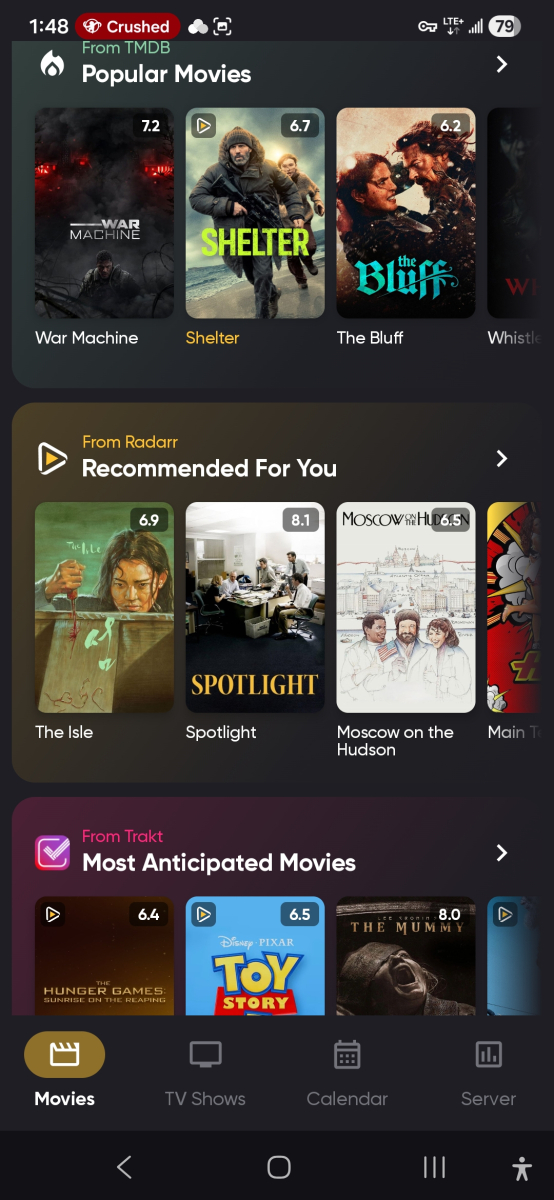
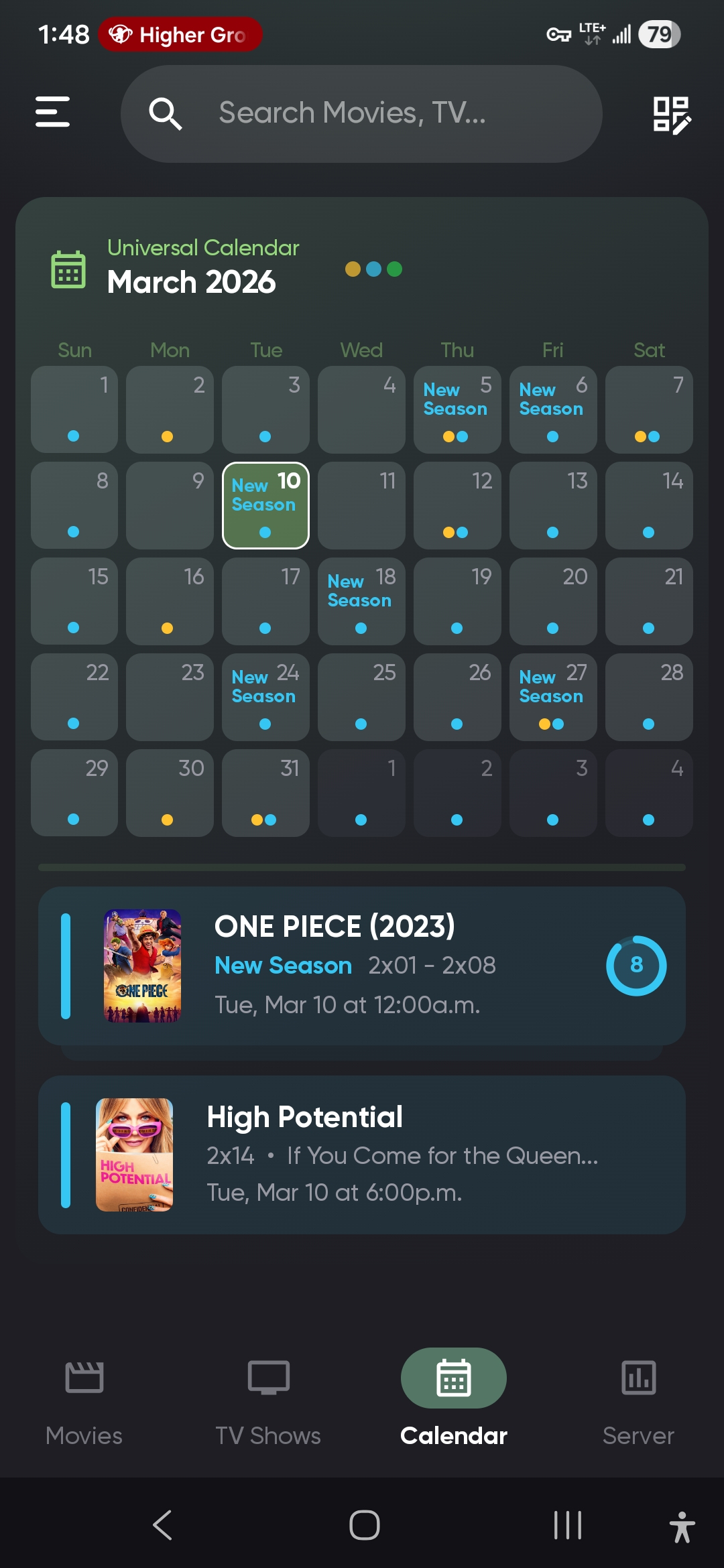
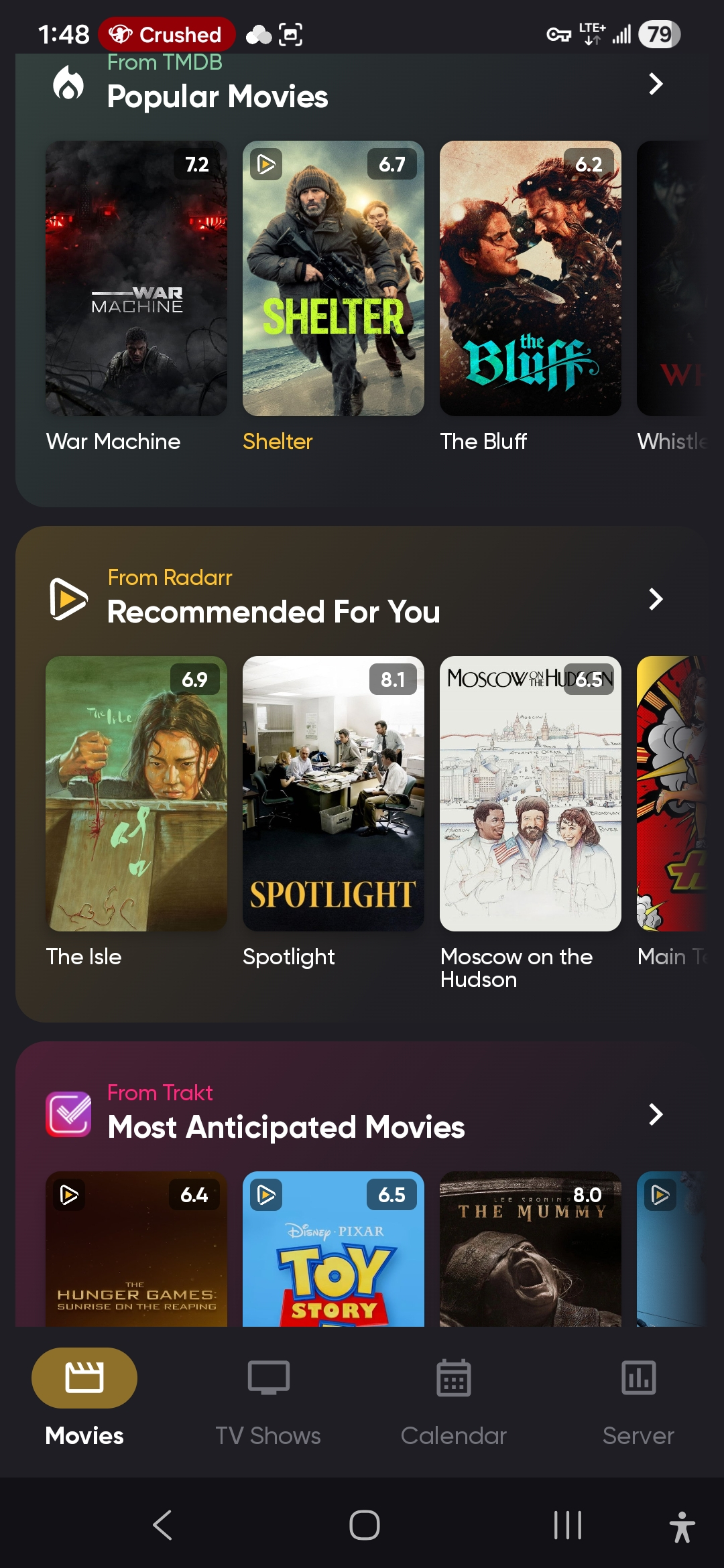
https://play.google.com/store/apps/details?id=com.kevinforeman.nzb360 NZB360. Integrates with Sonarr, Radarr, Lidarr, Qbit/sabnzbd, Prowlarr, and more. Gives several 'upcoming', 'recently released', 'popular', and similar recommendation categories from a variety of sources, to browse and add to your library. Plus it integrates the calendar from all three apps nicely, displaying all of your 'to be downloaded' media in one place. One of my favorite tools outside the actual 'arr stack itself.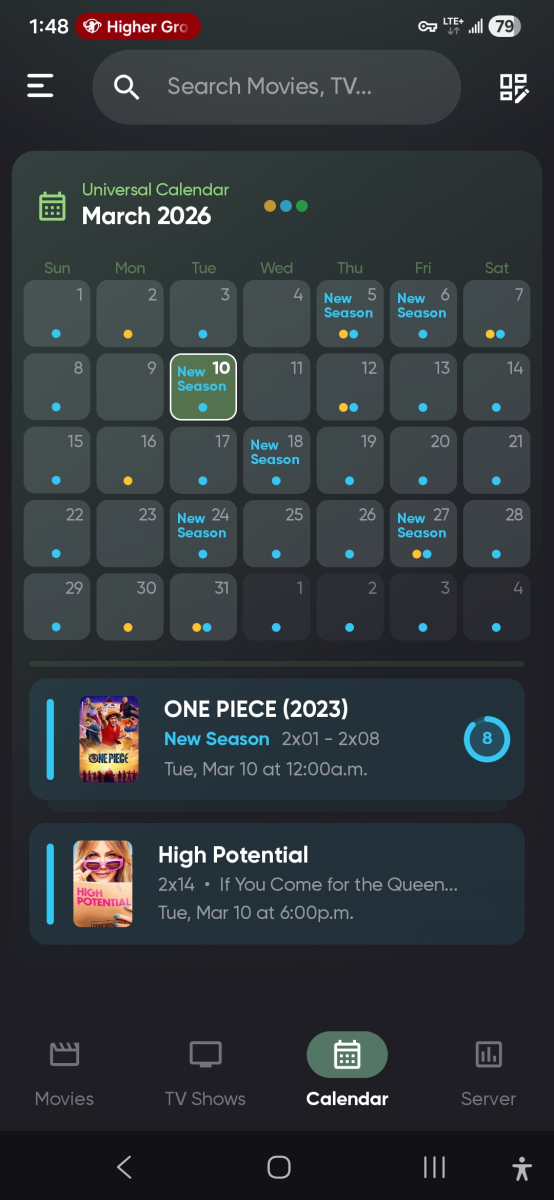
- Today
-
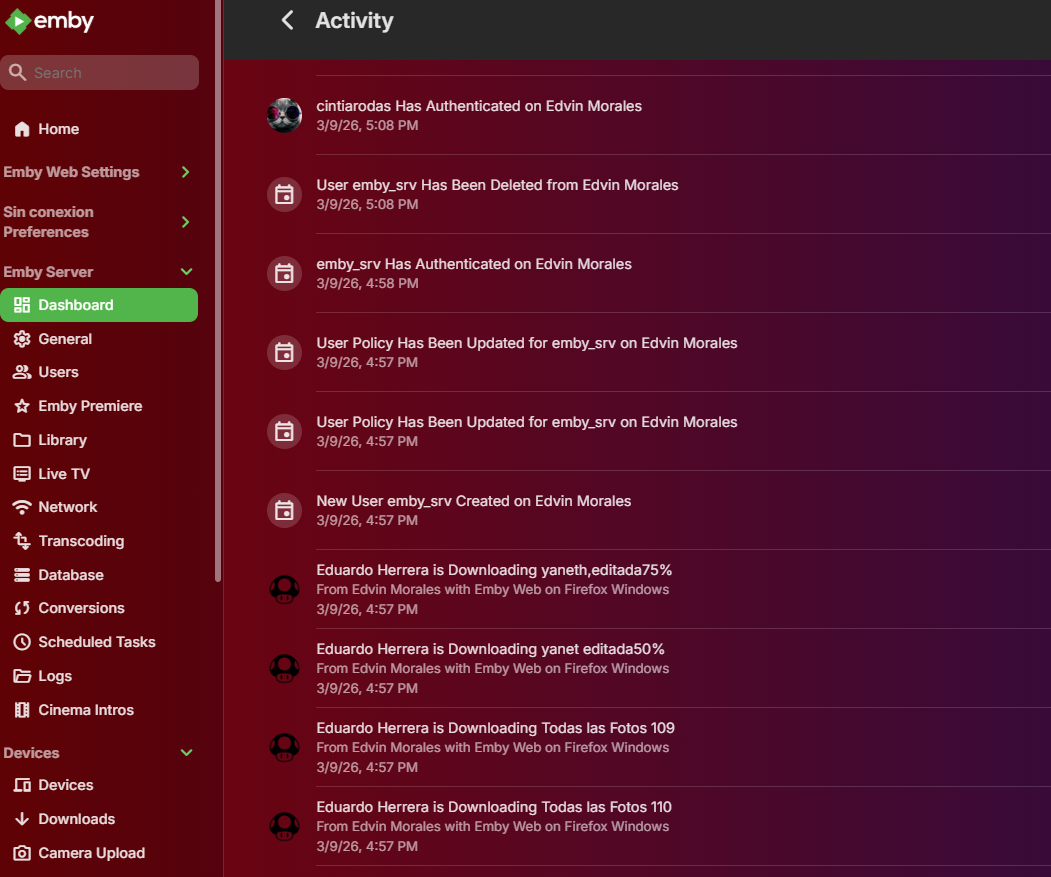
Hello guys, I think my server was hacked and they accesed every user on my emby server and they downloaded my personal pictures from the server, i am a little concern about this issue because it was family pictures and things of that nature, wondering if there is a way to deal with this type of situation of a way to delete the content from where the pictures got downloaded., i have the ip adress that seem to be invalid or mayve it was a VPN Firefox Windows 88.177.86.82
-
My Emby server is running on Windows, and I get all my content and do all my naming, on Windows too. I use automation to do all this work, so if I screwed up making my templates, then all those episodes would have a problem too. Another good guess, but no sale. As I said above, I've fixed the nfo's for these 2 episodes manually, and I prevented changes as suggested by @GrimReaper. So those episodes won't get messed up again if I reload the metadata for those shows for any reason. So it's all fixed now.
-
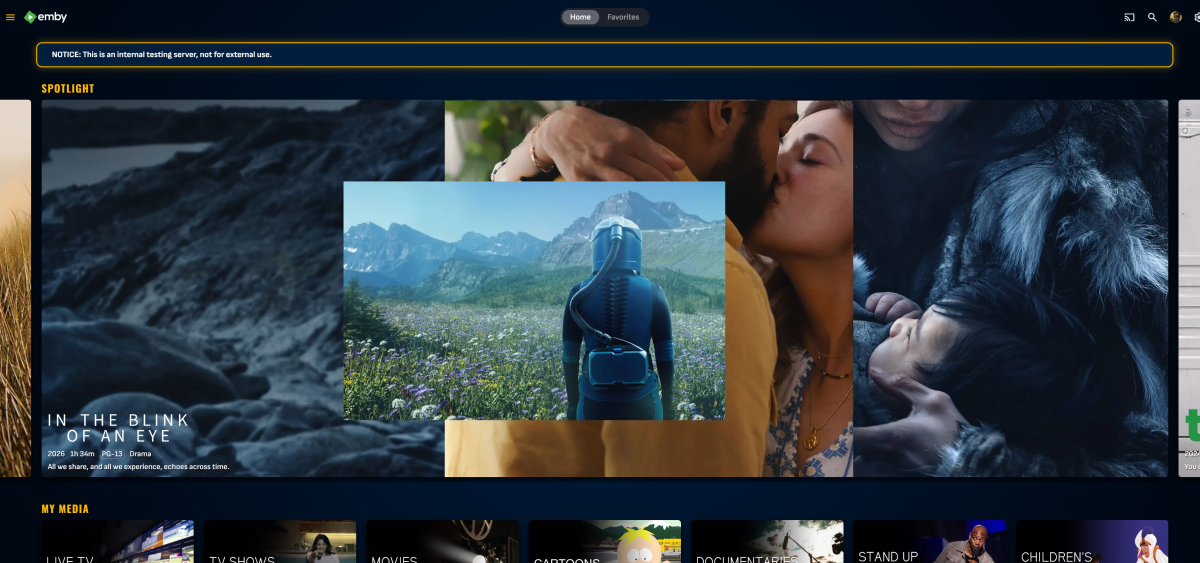
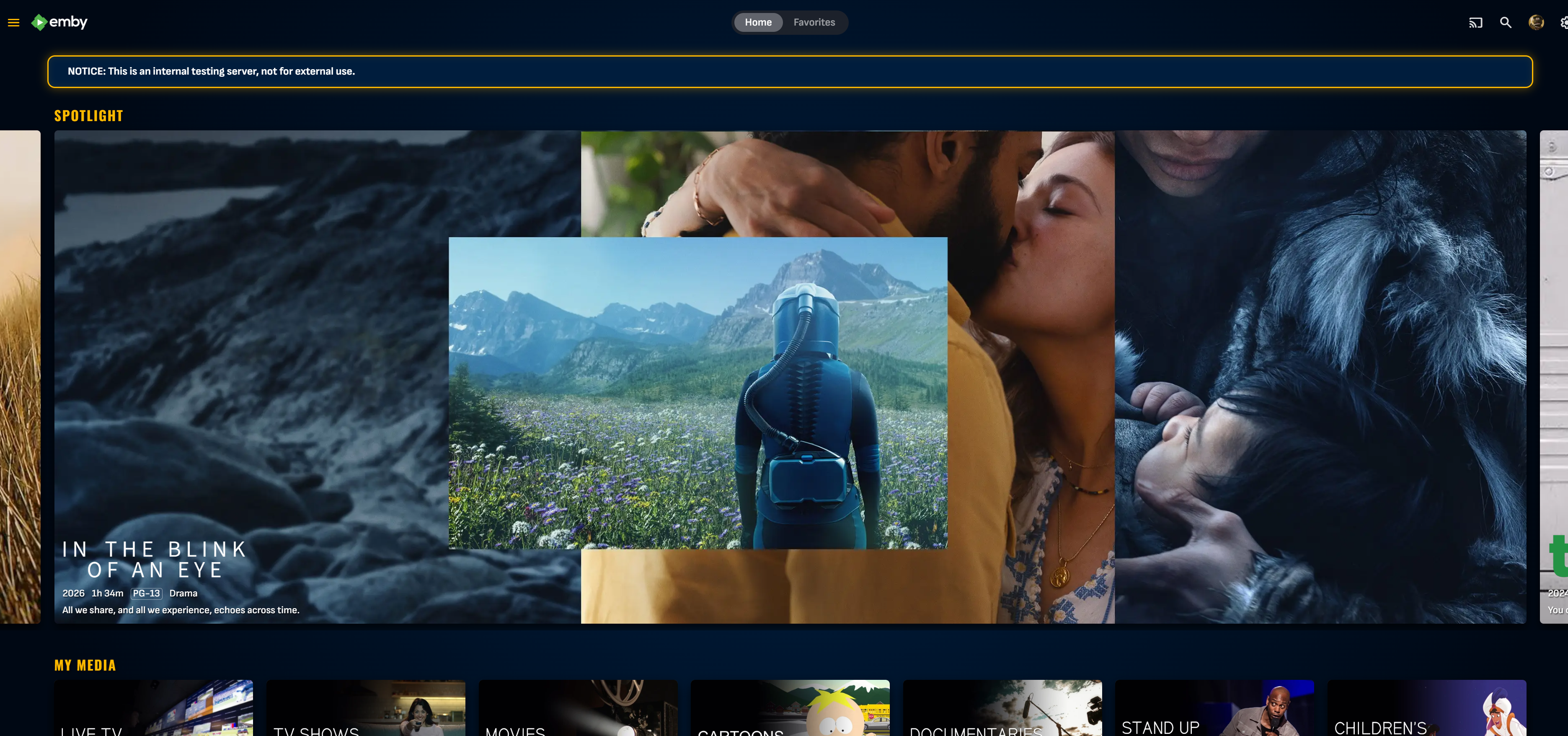
Working on 4.10 Beta compatibility, should also work with 4.9-stable.. you may want to set the site theme and settings theme to black, otherwise it gets kinda ugly. Emby Theme 4.10 Release.css
-

MediaInfo For Emby Plugin(HDR, Vision, Atmos, DTS:X)
kaledi replied to Cheesegeezer's topic in Plugins
Think I'm having a similar issue. Recently migrated my Emby server that I use this plug in with from Windows 11 to another Windows 11 machine. Everything went fine and the plug in works. However very oddly, for DV 8.1 files, it doesn't write that information. It does Fort DV7, HDR10+ etc, but not DV8.1. It just writes UHD (bitrate). I've also just realised it is not correctly writing if it is a hybrid DV HDR10+ file. Any ideas? Where is the latest version for the plug in available to download? -

Bug: Mark as seen does not remove from 'Continue watching'?
seanbuff replied to fabien_m2002's topic in General/Windows
Right click on it, or long press - "Remove from Continue Watching"- 1 reply
-
- 1
-
-
A logical point. Try renmaming the problem ones with the two suggestions above and see if that works. Another issue I've seen is that with Apple iOS hardware you can add a "forced space" different quotations single and double and a few other odd characters that look normal, but won't match in an online search. Sometimes typing a title out on a MacOS keyboard gets one of these odd characters.
-

Emby 2.0.3 Apple TV 4K – Emby app crashes during playback (Direct Play) with no server errors
GOTCHA_SA replied to Eliran's topic in Apple TV
Having the exact same issue on exactly the same HW. Adding my +1 for an update -
Guys, thanks for your suggestions, but if my naming convention was a problem, I'd have many more misidentifications. And the two errors were a single episode in 2 different shows. And this is out of many thousands of episodes in almost a thousand shows. So I truly doubt my naming convention is causing problems for Emby.
-

Bug: Mark as seen does not remove from 'Continue watching'?
fabien_m2002 posted a topic in General/Windows
Hello i run with 4.9.3.0 If i want to remove an item from 'Continue watching' entry, i try to set a seen it but it still remains! Is it a bug or it's the normal behavior? If not a bug how to remove from 'Continue watching' without watching till the end? Thanks -

New/upcoming movies/tv series. What media do You use?
PeteGul replied to PeteGul's topic in Non-Emby General Discussion
I do run Seerr, looked at bit into it last night. Have to look at it a bit more Thanks, btw I know about Google. But it was kinda a question to see what others use. BTW, is there any of this sites, that maybe is connected to an app. That could be set up with notifications when movies/series are announced in selected categories. I'm talking about new stuff, not what I have on my server. Sorry if I'm not good at explaining what I trying to find -

New/upcoming movies/tv series. What media do You use?
Neminem replied to PeteGul's topic in Non-Emby General Discussion
I mostly use this TV Insider - TV News, Show Reviews, Sneak Peeks, What To Watch and this What to Watch: In Theaters and On Streaming | Rotten Tomatoes or this Movies & TV Series - Release Calendar or TV Premiere Dates (2026) - Metacritic The list goes on Use google and search for upcoming tv shows and movies Or trending tv shows and movies Its 1 search away -

New/upcoming movies/tv series. What media do You use?
mgworek replied to PeteGul's topic in Non-Emby General Discussion
Have you tried Seerr? (jellyseerr/Overseerr)? -

No Trailers on Samsung TV app - taking ages for release still on 2.2.5
vicviper replied to Robnaeyaert's topic in Samsung Smart TV
Yay! Here's hoping we won't have to wait half a year again for the next update. -
New/upcoming movies/tv series. What media do You use?
PeteGul replied to PeteGul's topic in Non-Emby General Discussion
This works for what I have. Maybe bad formulated question, but I try to find out what is coming of new movies and series. Releas dates etc. -
Small Update and fixes Emby Theme.css
-
Look at app_backup.py in https://github.com/jonjonsson/Emby-MDBList-Collection-Creator It does both.
-
Hi, I need to perform some library "maintenance" (what I'm calling "the great purge"), I've built a web app that will look at all media and cleanup based on a custom scoring system. What I would like to do is retrieve users watch history and favourites via the API without the need to authenticate as the user themselves. Is this possible out of the box? If not, can I build a plugin for Emby that exposes an API endpoint to do this? Thanks
-
I have Emby server running in a container and all was well for ages. This is version 4.9.3.0 but I have tried the beta too with no difference. Not sure when this broke as I don't often copy into this tree until I sort my pictures. The host OS is Debian 13. I have tried removing the whole library and re-adding but doesn't then pull in any of the items in the tree at all now. I can open the pictures files inside the container when I go into the container interactively. The volume spec is: --volume /home/colin/Pictures:/mnt/share2:ro Read Only, but shouldn't need RW? And worked before.... Log attached with some items removed, but nothing I can see some permission denied, but these dirs perms are set so the emby user can't see these contents. This hasn't been an issue until now, and the scan does seem to continue through these i.e. this has always worked okay. Removing and adding the dir from this tree I see: embyserver.txt:2026-03-10 15:24:35.929 Debug LibraryMonitor: Change detected to /mnt/share2/Pictures 2026 embyserver.txt:2026-03-10 15:24:35.929 Debug LibraryMonitor: New file refresher created for /mnt/share2/Pictures 2026 embyserver.txt:2026-03-10 15:25:31.685 Debug LibraryMonitor: Change detected to /mnt/share2/Pictures 2026 So it is detected, but the "Pictures 2026" top level never appears in the UI (or any new items in existing trees). Any ideas? embyserver.txt
-

Custom Theme: State Street Theater (ver 1) Desktops, Notebooks, mobile
visproduction replied to visproduction's topic in Web App CSS
Update: I have a few fixes in progress, for minor style issues and hope to have a new release by May. Mobile @media rules that work Of interest for anyone trying to make a theme... here are the CSS @media rules I use to find all the mobile sizes. I put this at the end of the css theme, listing the smallest mobile first to optimize code delivery. Desktop sizes just ignore everything until the largest size at the end. Small phones, I would assume, are not very fast, get their code sooner and then ignore other mobile sizes. Faster phones with larger screens sort through a few media rules to find their assigned styles. Getting @media to work was tricky. Getting the mobile to show updates - is an issue I have to warn you that most mobile phones will not update their styles easily, so when you make a code change and test it on a phone, your phone won't see the change because, by default, it is stuck using the CSS in browser cache and it's very difficult to get it to forget that, even with incognito or forcing a cache clear. The only work around I found to clear all cache and any cookies or add version parameters at the end of URL links (somedomain.com/index.html?mar-9-26) but you can't do the parameters with Emby. If you have a Browserstack.com account, you can use that to switch to a new phone and get around this issue. If you have a VPN on your phone, switching locations might work. It's a pain to test on the phone. Browser simulation on desktops with Chrome is not exact... so... good luck. If you want to see style changes I used for mobile on my theme, look at the end of the latest version style upload from line 2427 to 3805 which is 1378 lines of @mobile rules! Yikes! Maybe I should have mentioned that first. It's scary. I've added the @media rule code, in case anyone would like to use it to make their own theme. The style in each media size just adds a color to the bottom border of the search icon. This helps you see the @media size changes as you change the browser size on a desktop or test with mobile. Some sizes, I've ignored and they are commented here because Emby uses these sizes in their styles. If you want to change or add colors, here is an online guide: https://www.tutorialrepublic.com/css-reference/css-color-names.php /* 320px width - red bottom border color of round search icon shows this mobile mode: iPhone 5e and some older smaller phones */ @media (max-width: 320px) { .headerSearchButton.headerButton.md-icon.paper-icon-button-light.hiddenWhenBottomNavVisible { border-bottom: 1px solid red; } } /* 321-432px - white: Portrait iPhone XR, 12 to 14, 5, 5e, 6/7/8 & plus, Samsung S12: */ @media (min-width: 321px) AND (max-width: 432px) { .headerSearchButton.headerButton.md-icon.paper-icon-button-light.hiddenWhenBottomNavVisible { border-bottom: 1px solid white; } } /* 433-480px - blue */ @media (min-width: 433px) AND (max-width: 480px) { .headerSearchButton.headerButton.md-icon.paper-icon-button-light.hiddenWhenBottomNavVisible { border-bottom: 1px solid #0000FF; } } /* 481-549px - Pale green: portrait phones up to 540 width Surface Duo. */ @media (min-width: 481px) AND (max-width: 540px) { .headerSearchButton.headerButton.md-icon.paper-icon-button-light.hiddenWhenBottomNavVisible { border-bottom: 1px solid #98FB98; } } /* @media (width >= 31.25em) { } (This is 500px and a size used in Emby code) */ /* 541-640px - brown: portrait e-readers (Nook/Kindle), 600 or @ 640 wide. */ @media (min-width: 541px) AND (max-width: 640px) { .headerSearchButton.headerButton.md-icon.paper-icon-button-light.hiddenWhenBottomNavVisible { border-bottom: 1px solid #A52A2A; } } /* @media (width >= 36em) { } (This is 576px and used in Emby code) */ /* @media (width >= 40em) { } (This is 640px and used in Emby code) */ /* 641-799px - teal: portrait tablets, portrait iPad, landscape e-readers, landscape 800x480 or 854x480 phones */ @media (min-width: 641px) AND (max-width: 799px) { .headerSearchButton.headerButton.md-icon.paper-icon-button-light.hiddenWhenBottomNavVisible { border-bottom: 1px solid #008080; } } /* @media (width >= 45em) { } (This is 720px and used in Emby code) */ /* @media (width >= 50em) { } (This is 800px and used in Emby code) */ /* @media (width >= 55em) { } (This is 880px and used in Emby code) */ /* 800-1024px - Dark Orange: TV 1080P monitor, tablets, landscape iPad, lo-res laptops ands desktops */ @media (min-width: 800px) AND (max-width: 1024px) { .headerSearchButton.headerButton.md-icon.paper-icon-button-light.hiddenWhenBottomNavVisible { border-bottom: 1px solid #FF8C00; } } /* @media (width >= 62.5em) { } (This is 1000px and used in Emby code) */ /* 1025-1280px - indigo: big landscape tablets, laptops, and desktops */ @media (min-width: 1025px) AND (max-width: 1280px) { .headerSearchButton.headerButton.md-icon.paper-icon-button-light.hiddenWhenBottomNavVisible { border-bottom: 1px solid #4B0082; } } /* === Large desktop or notebook bowser windows - gold */ @media (min-width: 1280px) { .headerSearchButton.headerButton.md-icon.paper-icon-button-light.hiddenWhenBottomNavVisible { border-bottom: 1px solid #FFD700; } }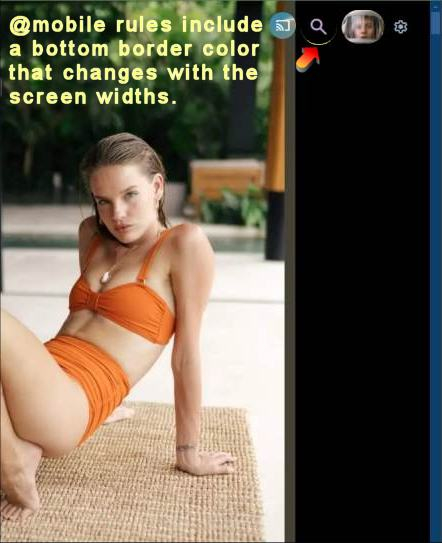






.thumb.png.f4cb0545e98b51fd9b00e427622ab761.png)

