All Activity
- Past hour
-
 superman3294 joined the community
 -
 luislizarazo joined the community
 -
 BIGDEE4 joined the community
 -
 Maca21 joined the community
 -
 Tniitani joined the community
 -
 Gabrieldyryry joined the community
 -
Thanks for the clarification!
-
 Ricon joined the community
 -
 wangmeng28 joined the community
 -
Just wanted to say it worked! This is all I ever wanted. I'm using a homatics r 4k box that can play dolby vision profile 7 FEL (only from mkv) and using coreelec it can also play 4k bluray iso in dolby vision (without FEL) but still.. It's the best we can get from a single device. Emby managing artwork and library.. beautiful interface in kodi and iso support. That's great. Thank you for your hard work in this addon.
-
 nataly2@mega.com joined the community
 -
Yeah I haven't configured anything in Emby because it doesn't start right out of the box. I'll look for other messages when I get a chance to boot back into Ubuntu (I'm dual booting currently with a plan to migrate from Windows to Ubuntu). I didn't really find a place where the universal installer is discussed. Maybe that would be a better place to ask? This is so "right out of the box" and given that Ubuntu is supposedly the primary supported platform for it (or at least that's the claim for the new Emby app) and with such a clean Ubuntu install, I'm a little surprised that I'm running into such a basic problem unless the universal installer really isn't supposed to be used for the server. I got the impression that the universal installer is the way things are going in the future but unless I can find some good support for it, I may just uninstall and then go the .deb way. Appreciate the feedback.
-
Could be acls, apparmor, something with the default /var/lib/emby? permissions. Presuming you are doing an initial start (not after configuring anything in Emby), you haven't added any libraries, etc. The more information provided, the better. Look in the system logs too for other messages. I've never used the universal installer so don't know anything about it. I've always installed using: https://emby.media/linux-server.html which I would think is the "normal" way.
-
I am having the same problem, except the genre mapping never seems to take effect no matter how many times I refresh metadata on the library. What I have done is map the genres in my TV Shows library to combine a number of the genres. I have saved the configuration. Then done a re-scan of files in the library. Then, I refresh the metadata at the library level. THen, I wait, and nothing happens. I feel like I have missed a step in the process. Is my workflow complete or is there some other step I need to take to make the genre mapping effective?
-
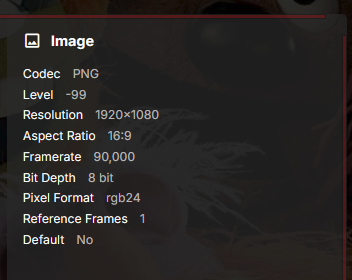
Quick question: Does EmbyIcons filter out image files when it scans a movie/series directory? I ask because I've gone through the long list of needed Frame Rate and Aspect Ratio icons as reported by the Icon Manager troubleshooter. I've clicked on each entry individually and made icons for all the found files. However that leaves the majority of reported "missing icons" (647 and 313 needed respectively) returning "No items found using this icon". Then I noticed that the last frame rate icon on the list of needed was "fps.90000.png". This is the frame rate that Emby displays for embedded images: This seems to hint that embedded images and/or images stored in the same directory as the video file (generated thumbnails, backgrounds, logos, etc) are triggering the plugin -- at least the Icon Manager part. It might explain the long list of slightly different aspect ratios, as logos especially would be different sizes.
- Today
-
StrmExtract - is it only me? My nfo files don't have the duration (and other stuff like resolution etc) info until I play them, should this plugin get that info also as stated in first post - @TeamByou mention the durations. I have a feeling that I am doing something wrong. Anyway thank you for the plugin.
-
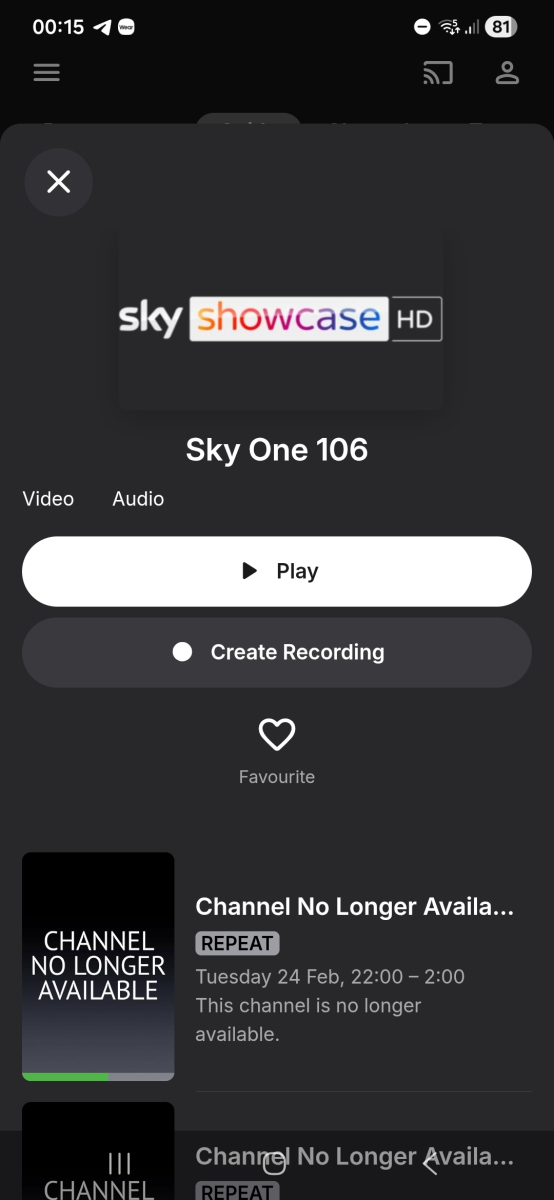
Also this channel. Formely Sky Showcase, renamed to Sky one
-

Any file with this filename will not be added to the library
darkassassin07 replied to gu5gus's topic in Linux
@gu5gus The section '[tmdbid=264660]' is the important bit for troublesome files. It tells emby to ignore the rest of the name and just match the file directly to the database ID provided. I include TMDBIDs in every video filename for good measure. Never EVER have a problem since switching to that scheme. If you use Radarr/Sonarr, these IDs can be added automatically by modifying the file/folder naming formats in settings. -
drwxr-xr-x 9 root root 4096 Feb 23 19:53 /opt/emby-server drwxr-xr-x 54 root root 36864 Feb 23 19:53 /opt/emby-server/system You guys tell me. I just ran the universal installer and that's what I got. Is the universal installer not supposed to be used for the server? At the very least I read that it's the way to go for the new linux Emby app, and when I used it for the Emby app I saw that installing the server is also an option there.
- Yesterday
-
Also look into why your EmbyServer is from 2017. You seem to have more problems than just permissions.
-
Some information would help... What are you trying to play? How are you trying to play it? When did you try it? What happened instead? A quick look doesn't show me any playback failures in the server, but the client stops playback very quickly every time. Earlier there are loads of Emby Connect errors, and a load of strange errors when processing some images that are in use by another process, or are not authorised. Paul
-

External SRT subtitle file not showing up!
visproduction replied to fabien_m2002's topic in General/Windows
Fab, Did you check that the video file name is exactly the same as the first part of the .srt file name before the .fr? If there is even one space off, I believe the subtitle will not appear in the drop down list. -

Any file with this filename will not be added to the library
gu5gus replied to gu5gus's topic in Linux
Found it! It should really be present in the three dot menu....feedback for the devs! Back to the original issue that I posted for, after having made the changes indicated above the filename "Ex Machina (2015) 1080p x265" is still not being added to the library. I again checked all 4 ways as I mentioned above. "Ex" works (identifies as something else", "Ex Machine" works (identifies as something else), but "Ex Machina" and "Ex Machina (2015) 1080p x265" are not added to the library. I found the debug logging mode switch. I turned it on, scanned the library, and then downloaded the logs, they are attached. embyserver.txt embyserver-63907488000.txt -
It's just an overlay applied on posters like icons, without resizing (so no cropping and nobody's looking fat). I do it manually when a TV show is "on air" or when a new season is available.This could be based on tags I think. No problem for the low priority. Your plugin is already much appreciated, it was just an idea
-
When will read be re-enabled? I'm currently working on some automation around the artist.nfo, and I'd rather use that as a source.
-
I've got the same and I was thinking of posting here, but I assumed it would sort itself out at some point. Screenshot below of the ones I have noticed. But even after forcing a refresh of everything, the EPG for channel 507 (Sky SPorts F1 example) using the Sky Q Emby Guide Data still has the nhkwldh channel and EPG data. I found this which mentions a bunch of channel changes for today. Changes to the TV Guide - February 2026 | Sky Community

-
Will look into it.
-
I also also limit the amount of icons shown. Upper left corner: HDR and Resolution. Lower right corner Subtitle languages. We are all different so i can understand if people want other icons. As for the green bar banners, as said in the post above i will look into it but it will be low priority. It would require scaling the posters in ways that doesn't make the characters in the posters look fat.

-
Hi, I would say separate libraries.
-

User Perrmissions Dependent on the Content Being Viewed
Luke replied to alex77777's topic in Apple TV
Hi, no it can’t actually. You just found a loop hole to have to the app’s embedded ffmpeg build handle it. -
The plugin has no way of knowing when something is coming out, it's a purely reactive plugin (or at least was meant to be ) I personally don't see the need for them either as the plugin originally was just made to show icons for subtitle languages so my parents could see what videos had danish subtitles as they don't speak english. More icons were added to see what videos had Dolby Vision, surround and so on as i found them useful for quickly scanning with the mark 1 eyeball what videos had what. It was never meant to pretty up Emby. With that said, i will look into it but it will be low priority for now. Don't get me wrong, i love that you guys like the plugin and all the suggestions you are coming with but the plugin is getting a little out of hand with features. It's gotten so bloated that some people see the settings and just instantly give up. You are welcome to make the features your self if you can/want, the plugin code is free for all use.
-
Hi, you can send them over pm. Thanks.
-
Hey @Luke- I feel my message was descriptive enough, but am on mobile right now. Happy to provide logs and some screenshots when I'm back at my desk. How can I submit logs privately?