All Activity
- Past hour
-
 Harel3266 joined the community
 -
 Last67 joined the community
 -
 TwoJay joined the community
 -
 Hhucjgvbaziz joined the community
 -
 Ghazi8363 joined the community
 -
 nicexiaoyao joined the community
 -
 huahuo1567 joined the community
 -
 Eddie$&& joined the community
 -
 Abu3dily joined the community
 -
 BihanW7 joined the community
 -
The first post fixed it, thanks
- Today
-

How to prevent apps from discovering/preferring "local"/LAN IP of server.
Napsterbater replied to Napsterbater's topic in General/Windows
It didn't appear that it was using it, But there was never any validation to stop it, and previously the apps were using the FQDN as initially set up on each app, And we're never using any local IP that Emby server would have known about. And again, no configuration changes have been made on the server recently, and especially on this page for a number of years. The only things that have changed has been Android app updates and server app (Beta) updates. -
Das sollte nur verdeutlichen, dass es mir nicht um diesen Text geht, sondern um die Einblendung darunter aus dem Bild von Post 1. Da dieser Button nicht vorhanden ist, scheint also ein Problem im Zusammenhang mit der Nvidia Shield Beta Version von Emby zu sein.
-
Thanks very much. Scrim = lighting / illumination ? Would be nice to be able to move info down to the bottom to show the backdrop a (lot) more if possible... I'll look at themes.
-
Thank you I'll take a look at the emby rows and how to better transfer them over. For the classic details screen there's also a blur option to make the backdrop clearer (I prefer no blur but it's there so everyone can try things how they like) and for the modern I'm adding a slider for the scrim so people can choose. There is a Themes repo that people can submit themes to and it's available for ALL Moonfin users, look for the Theme Store setting (it's all free, just looks nicer and easier to translate)
-
Re themes - I thought, or was hoping, there was maybe a collection of Moonfin themes people have made and uploaded somewhere ?
-
Thanks very much for the quick response. The main lesson, so far...is maybe I should have tried checking out the settings in the app not the ones in the plugin. Duh. Anyhoo - - Size on monitor - extra large is much better. - User added rows - didn't sopot anything, maybe they're not being picked up or not sure what to do with them. i.e. List in Emby (Family is superbig spotlight, like yours and Animation and Winnie the Pooh and just normal rows, all added by me in Emby. Would be nice if they just transferred over.)- List in Moonfin - - Will look at themes a bit later. - Backdrops and Modern vs Classic. What I get - Modern - Classic - and in Emby with extra css - s- Stopping trailers - done. Thanks again.
.jpg.b2bc889a013a36f008bc96a8dcf7a776.jpg)
.jpg.940dfb86167814b03b510c8a00e790a8.jpg)
.thumb.jpg.be514b6166fbdcf254b25f3569872f45.jpg)
.thumb.jpg.bb9949b801ae0eb696e080d4ee8031ab.jpg)
.thumb.jpg.21bc98400a5bba2dba833825dc535b9c.jpg)
-
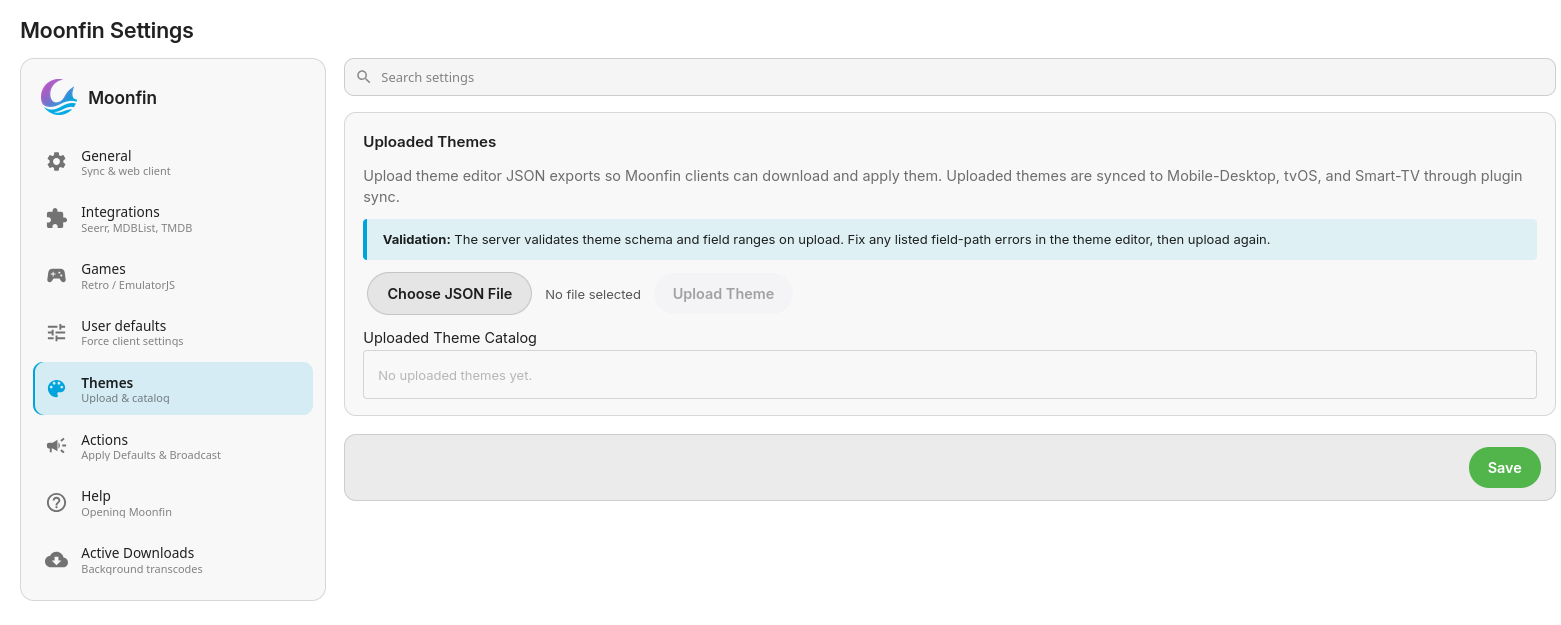
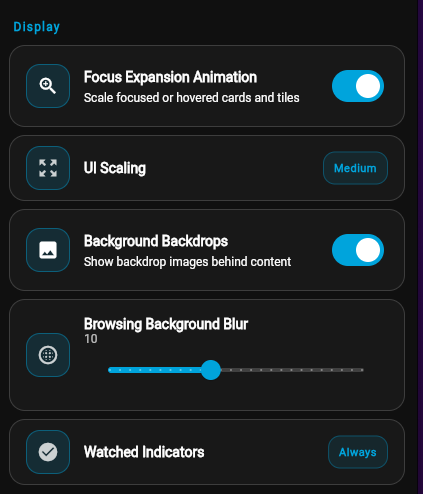
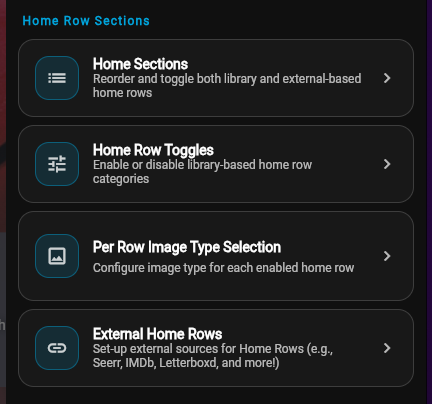
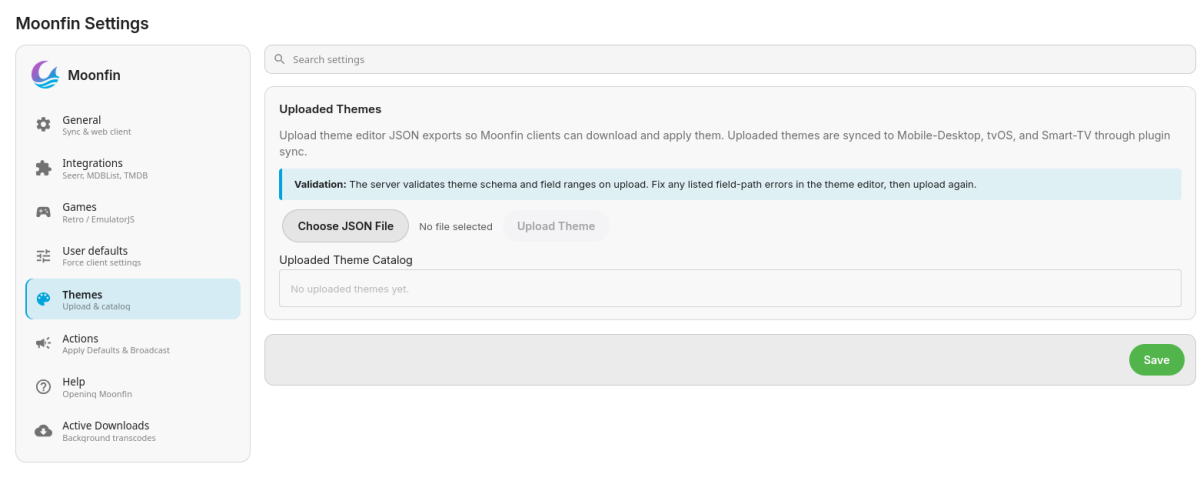
Hi @arrbee99! Please check take a look at the Settings > Personalization > General Style > UI Scaling option If it doesnt appear on first run then take a look at the Settings > Personalization > Home Screen > Home Sections for your home rows as well as more options You can use the ones already included or create your own! Once the server plugin is installed you can access the Theme Editor by: going to http://<server IP>/Moonfin/Web/theme/index.html if using the web version of the client Settings > Theme Editor or online here then upload the theme.json file into the server plugin under Themes There are 2 different media details screens you can choose from: Classic or Modern. I think Classic might be more your style, go to Settings > Personalization > Details Screen Settings > Personalization > Local Previews
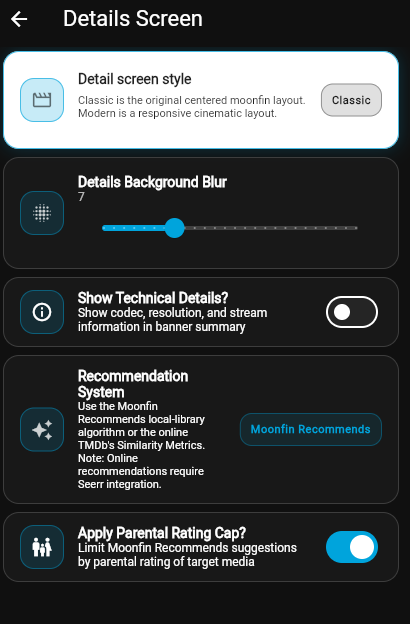
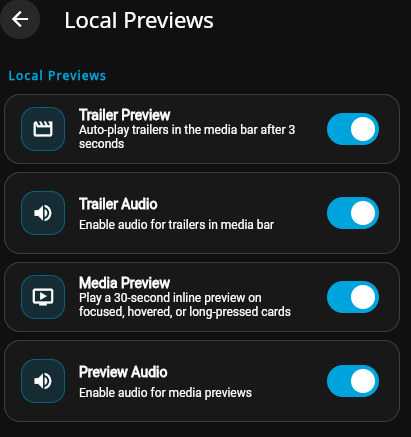
-
My bad. Its fixed. Thank you. To be honest I didnt do the "season" because its just a 10 part series and I didn't realize that was causing the issue since the files seemed to be scraping art etc. As always thank you for your help and crazy fast response.
-
No it doesn't. I would first start by comparing your reverse proxy settings to this: If that doesn't help, then I would read this topic because your issue is the same: And your solution can be found by reading my two posts starting here:
-
Hi there, have you taken a look at our TV naming guide? TV Naming
-
Yes I am, forgot to mention that. Does Roku have a problem with reverse proxies?
-
I'm sure I'm being dumb - but why is my 1883 library not showing in the Emby GUI properly? each file has an .nfo and image etc. Attaching pictures for reference (only 1 episode appears able to play in Emby GUI and its not matched correctly). Also....there is no Season 18 lol. What can I do to fix? Thanks,
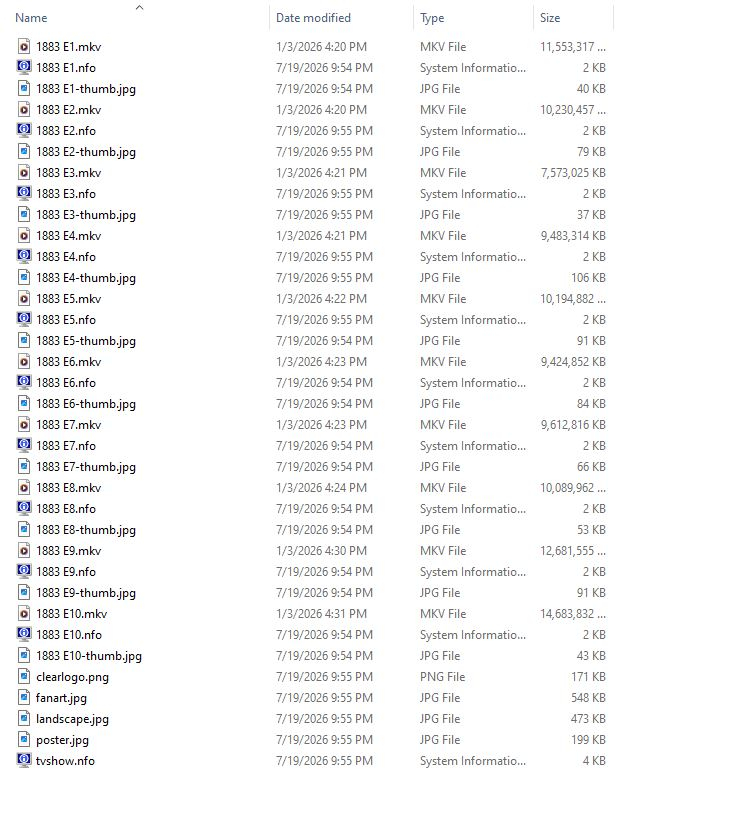
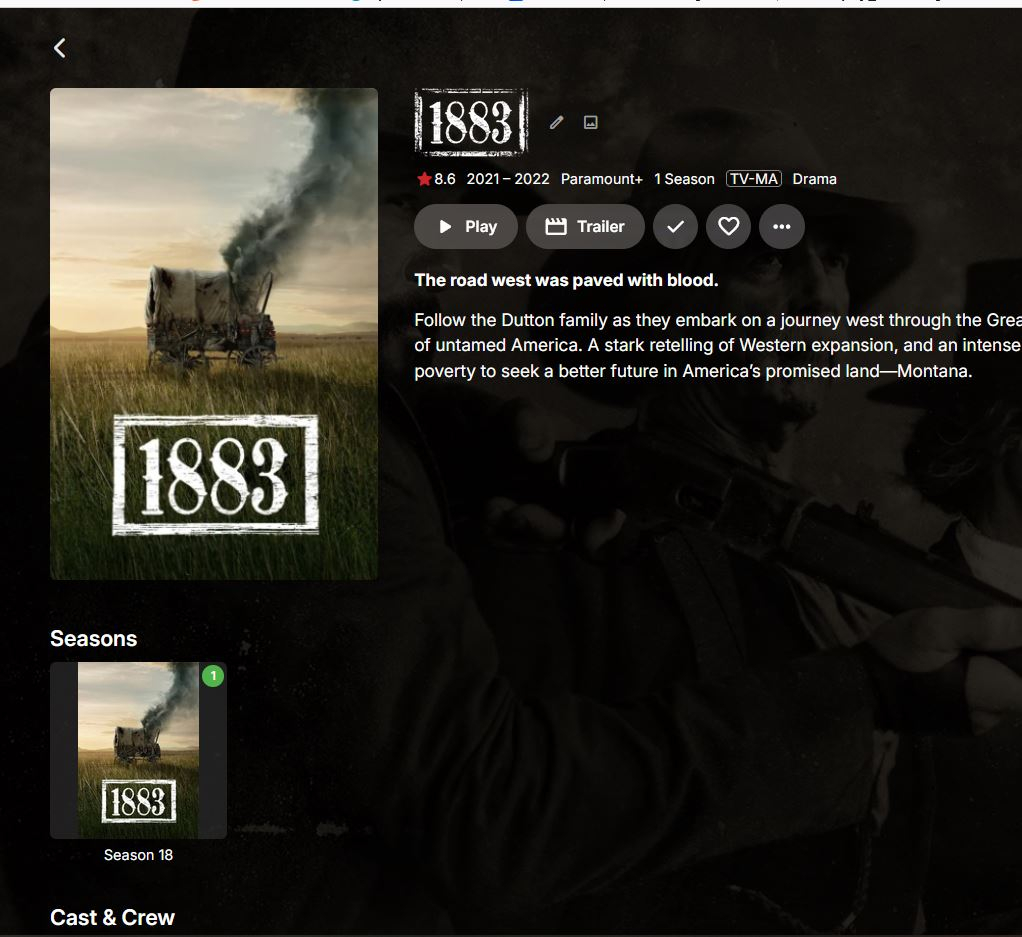
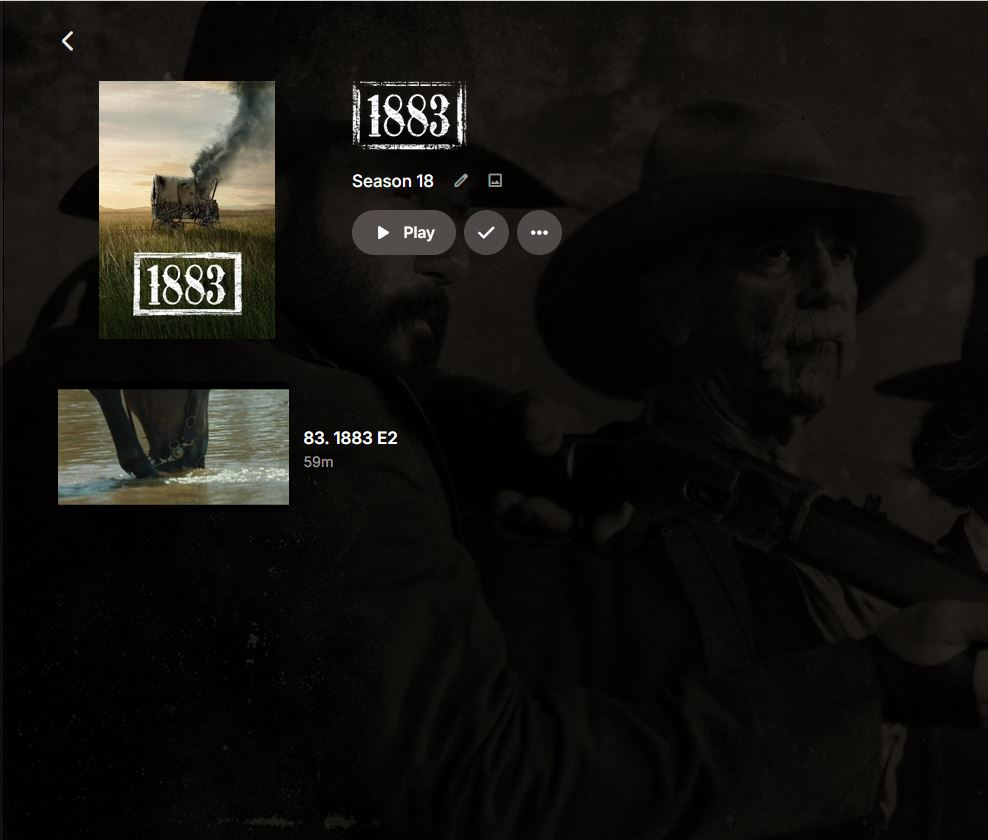
-
Hi, are you using a reverse proxy?
-
Some brief thoughts after extensive 5 minute play with Windows app. On a 4K monitor everything is really small, any size adjustments anywhere, especially for text. No sign of user added rows on the Home screen - I have a large spotlight row for family items, another for cartoons and another for Winnie the Pooh. I looked at the Themes tab in settings and still have no idea what to do or where to get any. Backdrops are very faint and covered over and I'm a big big big backdrop fan- how do I get stuff to look your first screenshot above ? How do I stop it playing trailers ?
-
My other Emby clients are allowing me to log in but my Roku app is not allowing me to log in, I am manually connecting to server and not using Emby Connect and it allows me to connect to server but when I put in the correct credentials it says invalid login. embyserver.txt
-

How to prevent apps from discovering/preferring "local"/LAN IP of server.
Luke replied to Napsterbater's topic in General/Windows
This is correct. Regardless of what you enter into that field, if it doesn't parse into an ip address, the server won't use it. -

Advice please - getting the maximum from my EMBY Setup / Samsung HW-Q990C (Atmos and TrueHD)
FrostByte replied to Robnaeyaert's topic in Hardware
I would set it up and give it a whirl then if you're interested. It really isn't going to hurt anything. The nice thing about it is that you can use ET one time and Kodi the next. They will either use the same db, or a synced copy of it (depending on which plugin you use) and you lose nothing. Eventually you will find your favorite. My guess is ChatGPT is recommending Kodi because it really has a lot more configurable or robust client. Emby server with a Kodi client is a good combination if you like or want the ability to really get in the weeds and modify things and Kodi has been around for a long time. Since Kodi is open source (including the skins) you have a lot more options in changing the way things look with the numerous skins or by modifying the code of those skins yourself by making a fork. With Emby clients you can only tailor it so much via what's in the settings. -

Home screen"defaullt screen" settings not changes in Emby Android
StuBailey replied to Synology DS918+ Emby's topic in Synology
Slightly different here.... Just that the default settings options is missing "Playlist". Trailers options also seems to be missing... but on the actual home screen I can click on Playlist but need to do that all the time. -

Deutscher Alexa Skill meldet „Keine Berechtigung“, obwohl Kontoverknüpfung erfolgreich ist
Obelinchen posted a topic in Amazon Alexa
Hallo zusammen, ich habe ein Problem mit dem deutschen Emby-Alexa-Skill. Wenn ich den Skill mit „Alexa, öffne Emby“ starte, werde ich ganz normal begrüßt. Sobald ich anschließend Musik von meinem Emby-Server abspielen möchte, antwortet Alexa jedoch: „Keine Berechtigung. Bitte den Alexa-Skill neu verknüpfen.“ Folgendes habe ich bereits geprüft beziehungsweise durchgeführt: Emby-Skill mehrfach deaktiviert und neu verknüpft Emby-Connect-Verknüpfung des Benutzers entfernt und neu eingerichtet Bestätigungsmail „Confirm Emby Account Link“ bestätigt alte Sitzungen und Geräte entfernt Emby-Server neu gestartet Benutzer darf Remote-Verbindungen und Medienwiedergabe nutzen Emby Premiere ist aktiv externer Zugriff über HTTPS funktioniert Musikwiedergabe über HTTPS funktioniert auch außerhalb meines WLANs Zertifikat, Domain und Port sind korrekt eingerichtet Im aktuellen Serverprotokoll sieht man beim Alexa-Versuch Folgendes: erfolgreicher Aufruf von Connect/Exchange für den Benutzer wird ein neues Zugriffstoken erstellt Antwort des Servers ist HTTP 200 danach wird /Sessions abgefragt auch diese Abfragen werden mit HTTP 200 beziehungsweise 204 beantwortet Danach erfolgt jedoch kein Abruf der Musikbibliothek und kein Wiedergabeversuch. Im Serverlog erscheint auch kein 401- oder 403-Fehler, obwohl Alexa weiterhin die Meldung „Keine Berechtigung“ ausgibt. Emby Server Version: 4.9.5.0 Betriebssystem: Windows 11 Alexa-Skill: deutscher Emby-Skill Hat jemand eine Idee, warum der Skill trotz erfolgreicher Anmeldung und Token-Erstellung keine Berechtigung für die Musikwiedergabe erkennt? Vielen Dank! English version Hello everyone, I am having a problem with the German Emby Alexa skill. When I start the skill by saying “Alexa, open Emby,” I am greeted normally. However, as soon as I ask Alexa to play music from my Emby server, Alexa replies: “No permission. Please relink the Alexa skill.” I have already checked or tried the following: Disabled and relinked the Emby skill several times Removed and re-created the Emby Connect link for the user Confirmed the “Confirm Emby Account Link” email Removed old sessions and devices Restarted the Emby server Verified that the user is allowed to use remote connections and media playback Verified that Emby Premiere is active Verified that external access via HTTPS works Verified that music playback via HTTPS also works outside my home Wi-Fi Verified that certificate, domain, and port settings are correct In the current server log, the following appears during the Alexa attempt: Successful Connect/Exchange request A new access token is created for the user The server responds with HTTP 200 /Sessions is queried afterwards These requests also return HTTP 200 or 204 After that, however, there is no request for the music library and no playback attempt. There is also no 401 or 403 error in the server log, although Alexa still says that there is no permission. Emby Server version: 4.9.5.0 Operating system: Windows 11 Alexa skill: German Emby skill Does anyone have an idea why the skill does not recognize permission for music playback even though login and token creation are successful? Thank you! - Yesterday
-

Sudden Broken Images on Mobile Browser and Mobile App
hukt_own_fonikz replied to hukt_own_fonikz's topic in Linux
Seems to have cleared itself up at some point. I hadn't checked in a while so I can't say exactly when, but I can confirm I'm not having the issue now. -

How to prevent apps from discovering/preferring "local"/LAN IP of server.
Clackdor replied to Napsterbater's topic in General/Windows
I'm fairly certain that the local IP address field was never meant to contain a domain name, so if that ever did work, it likely wasn't intended to.Would have to confirm with the devs, but that particular setting is meant more for forcing local http connections to use a specific network interface when there are multiple present on the server. Changes would have to be made for this to be properly supported, but it doesn't look like there are any changes that have been made yet regarding this. -

Advice please - getting the maximum from my EMBY Setup / Samsung HW-Q990C (Atmos and TrueHD)
Robnaeyaert replied to Robnaeyaert's topic in Hardware
Thanks @FrostByte- interestingly my ChatGPT said regarding Kodi "Once Kodi is fully configured you'll likely find yourself using it for virtually all movie playback while continuing to use Emby Server as the backend that managed your media library. This combination is widely regarded as one of the best Windows-based home theatre setups". I take your point on introducing another app here as opposed to native Emby Theatre - I'm just trying to reconcile why Kodi would be considered "better" by ChatGPT over a pure Emby front and back end? Thoughts? -

Expand saved home-screen ItemsQuery to support Live TV program and relative-date filters
pfunk1978 replied to pfunk1978's topic in Developer API
Hey, sorry. I didn't realize that there is a dev request section. Can we get this moved to there? I don't seem to have the ability to do it. -

Emby Windows 2.317.2.0 playback controls hidden behind video
softworkz replied to TDriver's topic in Windows & Xbox
Hm, this is very unusual. It cannot be behind the video, because the video is an entirely different layer behind everything else . Has it been working for you with a previous version? If yes, which one? Do you have display scaling set to anything else than 100% Have you tried key presses via keyboard? Is it a tablet with touch input?




.jpg.af5f74c93b92c7bff980e5ae8f7cde39.jpg)
.jpg.6e7d6020102ed413ecbff4761ac1451d.jpg)
.jpg.01cc8f0df3d735e418b8822f1b56d9da.jpg)