All Activity
- Past hour
-
 汉堡a joined the community
 -
 KrazyKanuck78 joined the community
 -
 clockriver joined the community
 -
 Weedfewwsf joined the community
 -
 simila54@gmail.com joined the community
 -
 tv981 joined the community
 -
 AlexJesse233 joined the community
 -
 WY自行车 joined the community
 -
 sorenhu joined the community
 -
Looks like you have two versions of that movie, the plugin most likely shows the icon for the other one. The plugin only shows what Emby says in the title so if there are two versions of the movie it will just take the first it sees. I can look into adding multi version support.
-

Metadata Downloaders using only first source?
Smitty018210 replied to Normanos's topic in General/Windows
I am 100% the opposite. I want everyone. Main cast, guess stars, and even the uncredited person playing bar person number 10. I want them all. -
Try this version. In the listen address enter "0.0.0.0,localhost" without the quotes. In powershell with admin right enter: netsh http add urlacl url=http://*:8097/ user="Everyone" netsh http add urlacl url=http://localhost:8097/ user="Everyone" This will allow you to enter the website both from the internet if you have the port open in your router and via localhost. With those settings it works for me without problems. In case you need to delete those settings again use: netsh http delete urlacl url=http://*:8097/ netsh http delete urlacl url=http://localhost:8097/ WatchPartyForEmby.dll
- Today
-

Metadata Downloaders using only first source?
Happy2Play replied to Normanos's topic in General/Windows
This is correct. At the same time a query is sent to every provider you have enabled and cached in the cache folder so it shouldn't be that hard to merge said info but to my this would have to be optional as each provider does their own thing. Now OMDB would be an issue as it is just NAME with no Roles. Just like TMDB lists everyone everywhere and I would never want that per episode. -
Thanks again for the suggestion. Just to confirm, this was indeed the fix and the expected outcome is now working.
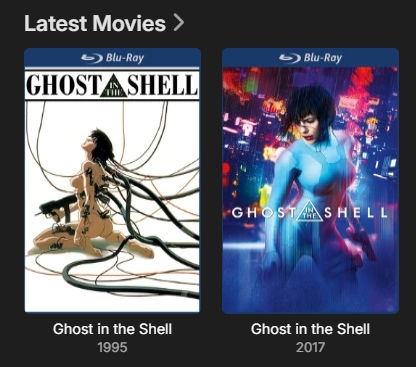
-

Is there a way to remove media type symbols/icon overlays ..?
DMazer replied to CrossCech's topic in Android
I would love to remove these icons as well -
Tried putting the machines address in there, then tried the remote address as well as the default 0.0.0.0, still no-go mate
-
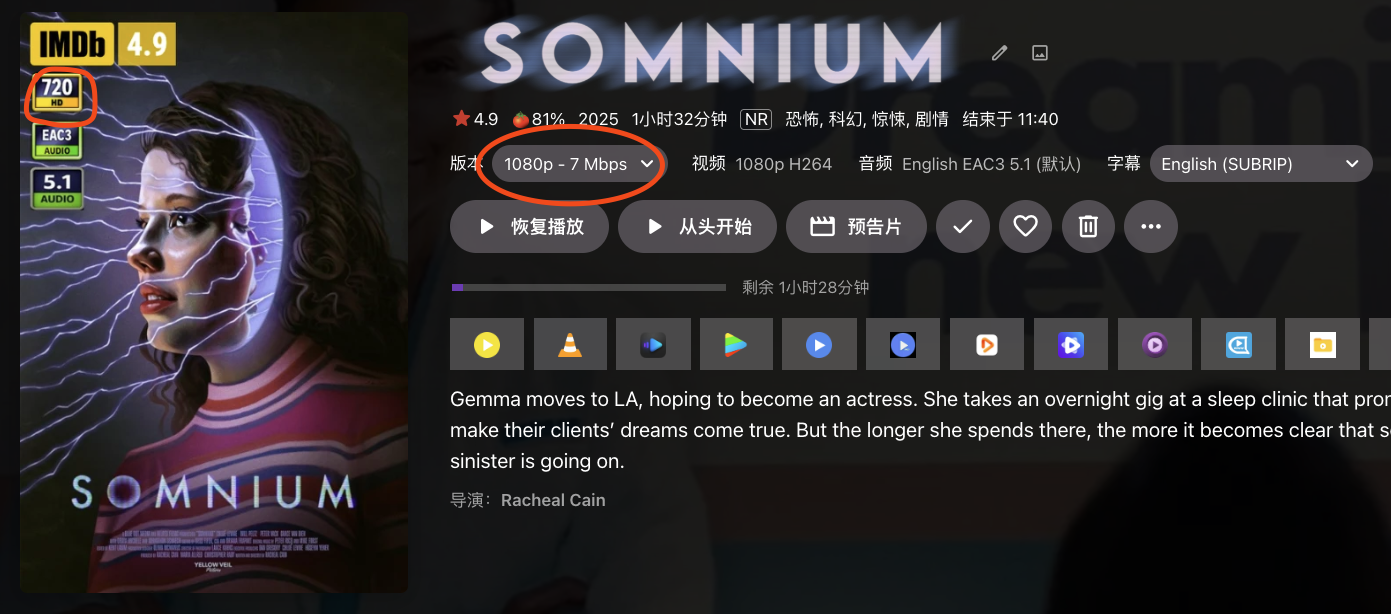
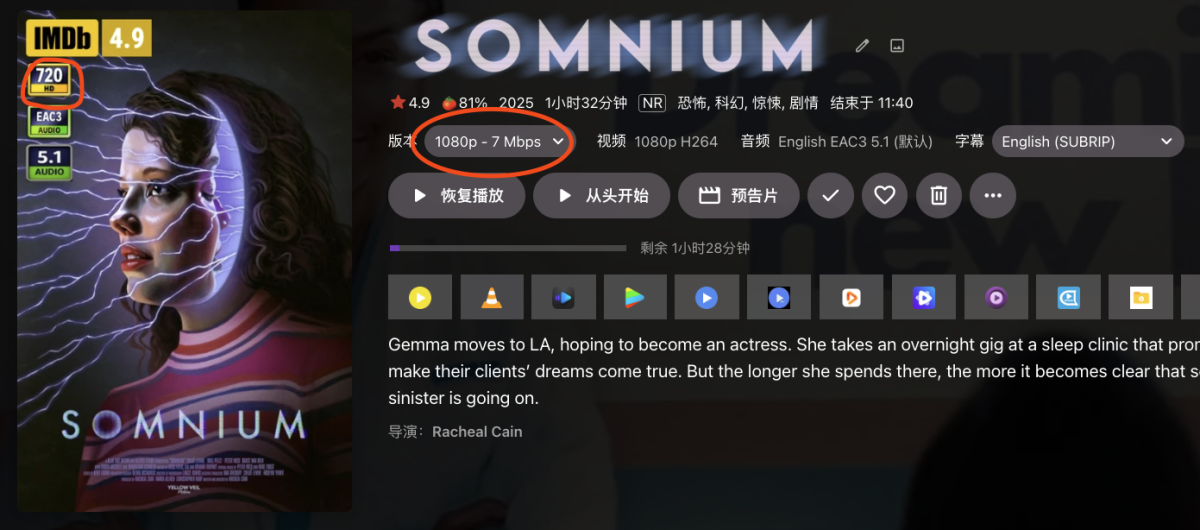
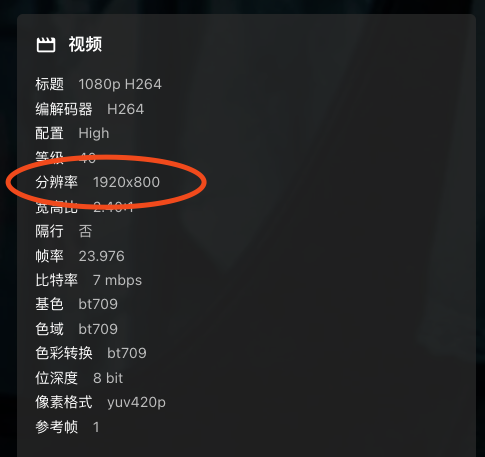
Ja, this example is not so good. But I think it still shoul be thought as 1080p, although its width is less than 1920, and heighth is less than 1080. and emby also recognize it as 1080p. there is another example which is more typical.
-
I don't think this will do anything in particular to fix it but make sure lspci is installed.
-
I’m at a loss guys. Opening a port solved the issue for a week and a half. I made no changes to any settings after. Worked flawlessly for that time period. All of a sudden it stopped again. As mentioned, nothing changed. I find it odd that I had to open a port at all because remote viewing worked for a few years with no issue prior, and now I’m back in the same boat with it not working anymore even with the port open. open to any suggestions and curious if anyone else has had a similar issue in the past or recently.
-
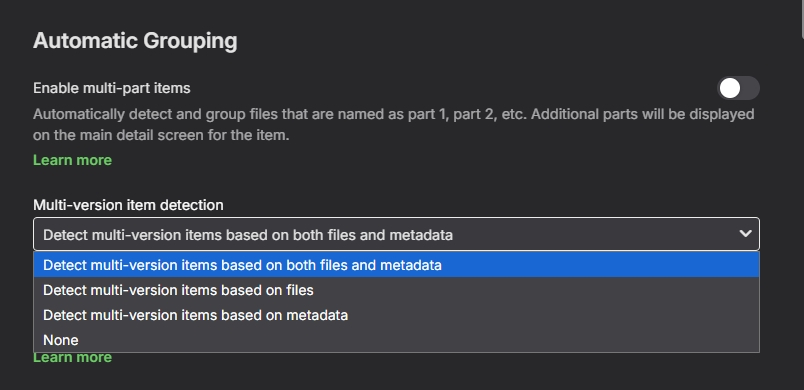
Thank you. I have disabled the automatic grouping - does it retroactively take effect on media already processed or only on new media auto organized? I ask because the cited issue still persists after making this changes and scanning the library. Disregard - checking now as I just read the notification banner: "Changes to metadata or artwork downloading settings will only apply to new content added to your library. To apply the changes to existing titles, you'll need to refresh their metadata manually."
-
Try this.

-

Per-Library Default Languagle & Subtitle Settings
RickyStanicky replied to Mkilbride's topic in Feature Requests
+1 to this one Same case with me. I prefer original audio but in case of Anime I like Japanese. Often when double audio is available the English is first. +1 to setting preferred audio language per library so I can set Japanese on anime lib. -
@yockerno love mate, it works perfectly fine on the local machine using localhost:8097, I cannot access it on LAN via a 192.***.*.*** address nor can I access it remotely. netsh has definitely been done, if I run the command again it tells me it can't as it already exists, made a port forward rule for it in the modem as well but it's completely unreachable outside the local machine. also just to confirm I am on v1.4.3.0 of your plug-in.
-

Musicbrainz incorrect query syntax bug leading to 400 Bad Gateway
night199uk replied to night199uk's topic in Plugins
Also happens on the latest beta, also with plugin 1.0.27.0: 2026-03-01 19:34:51.509 Info HttpClient: Http response 400 from https://musicbrainz.emby.tv/ws/2/release/549b4b55-01d0-444c-ba13-d817845468bf549b4b55-01d0-444c-ba13-d817845468bf?inc=url-rels after 185ms 2026-03-01 19:34:51.511 Error App: Error in MusicBrainz *** Error Report *** Version: 4.10.0.4 Command line: /app/emby/system/EmbyServer.dll -programdata /config -ffdetect /app/emby/bin/ffdetect -ffmpeg /app/emby/bin/ffmpeg -ffprobe /app/emby/bin/ffprobe -restartexitcode 3 -
Musicbrainz incorrect query syntax bug leading to 400 Bad Gateway
night199uk posted a topic in Plugins
Just added some new music to my Emby server for the first time in a while; and it seems that Emby is incorrectly formatting the MB query string. It is duplicating the MBIDs when formatting the query URL. This is the same for all query types: artists, releases, etc. Latest MusicBrainz plugin (1.0.0.27 or something) on Emby 4.9.3.0. In the first case you can see the MB artist ID should be: ba0d6274-db14-4ef5-b28d-657ebde1a396 but it is duplicated in the query string. Let me know if you need any more debug. ``` 2026-03-01 19:00:03.424 Info HttpClient: GET https://musicbrainz.emby.tv/ws/2/artist/ba0d6274-db14-4ef5-b28d-657ebde1a396ba0d6274-db14-4ef5-b28d-657ebde1a396?inc=url-rels 2026-03-01 19:00:03.604 Info HttpClient: Http response 400 from https://musicbrainz.emby.tv/ws/2/artist/ba0d6274-db14-4ef5-b28d-657ebde1a396ba0d6274-db14-4ef5-b28d-657ebde1a396?inc=url-rels after 180ms 2026-03-01 19:00:03.605 Error App: Error in MusicBrainz *** Error Report *** Version: 4.9.3.0 2026-03-01 19:00:03.859 Info HttpClient: GET https://musicbrainz.emby.tv/ws/2/release/16e1fb14-b248-4a58-ab5e-050c0a9f044416e1fb14-b248-4a58-ab5e-050c0a9f0444?inc=url-rels 2026-03-01 19:00:04.028 Info HttpClient: Http response 400 from https://musicbrainz.emby.tv/ws/2/release/16e1fb14-b248-4a58-ab5e-050c0a9f044416e1fb14-b248-4a58-ab5e-050c0a9f0444?inc=url-rels after 169ms 2026-03-01 19:00:04.029 Error App: Error in MusicBrainz *** Error Report *** Version: 4.9.3.0 ``` -

Emby server/client - ReplayGain or R128 volume normalization support for music
brothom replied to Espen JQ's topic in Feature Requests
I'll also leave a . as I'm also interested in auto-gain / normalization. Especially useful when using speakers or casting to an audio set so I don't have to change the volume for some songs when working hehe. - Yesterday
-
@johyphenel Try this version. WatchingEye.dll
-
Try this version. I've been working on improving the security of the webpage as i realized not all are using VPN and/or reverse proxy. WatchPartyForEmby.dll
-
Hi, what exactly makes you think that you need to restart?
-
Yes I would try lowering the in app quality setting and see if that helps.
-

FLAC files with same Album and AlbumArtist tags appear as a duplicate album if the Artist tags differ.
Luke replied to Standroid's topic in General/Windows
It’s ok if the artist tag is different. It’s the album Artist and album values that need to be consistent for each track. -
Should be very soon.
-
I was hoping for a maintenance release. Any insight as to when this change may be dropping?
-
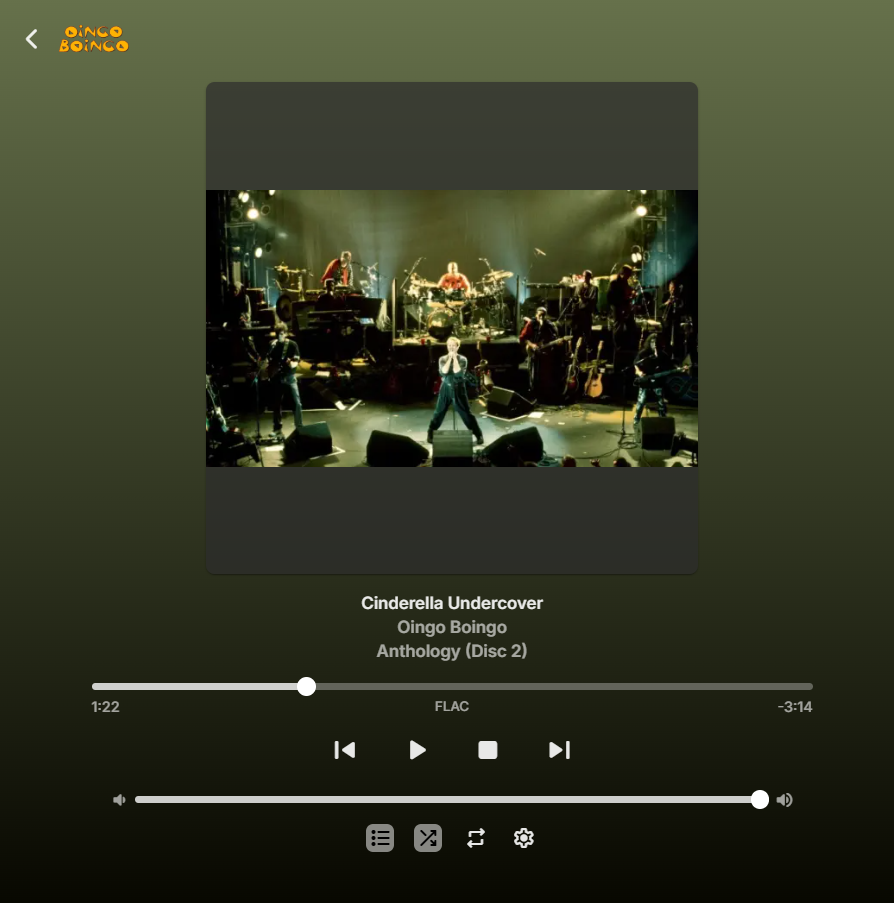
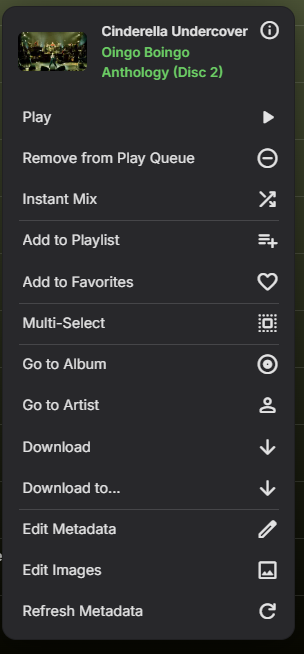
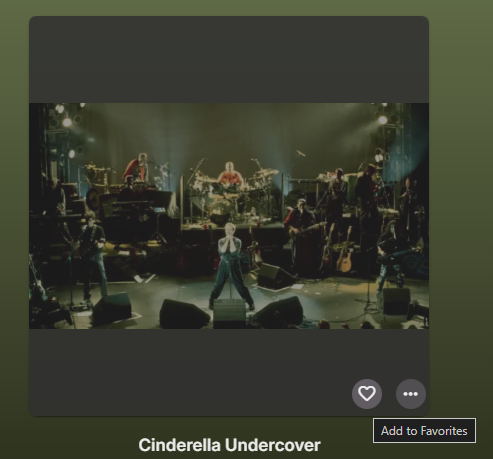
As I'm starting to use Emby more and more as a media player, I'm also starting to discover more and more features. I just now wanted to add the song I was listening to, to my favorites to see if I could try and use that feature. So I opened the tab and tried looking for the "add to favorites"-button: Hm, there doesn't seem to be an action to add the item to my favorites here? Maybe I'll check the playlist: Maybe the context menu? There it is! While making this post I also found out there's a hover-action on the album art, which also has the favorites and settings buttons: In my opinion it would be nice to have the "add to favorites"-button also within the player itself, always visible. If it took me a little while to find these I can imagine other, less tech-savvy people not being able to find them at all.