All Activity
- Past hour
-
 Dr.Maryam Alsaffar joined the community
 -
 JY-Mar joined the community
 -
 xtrancequility joined the community
 -
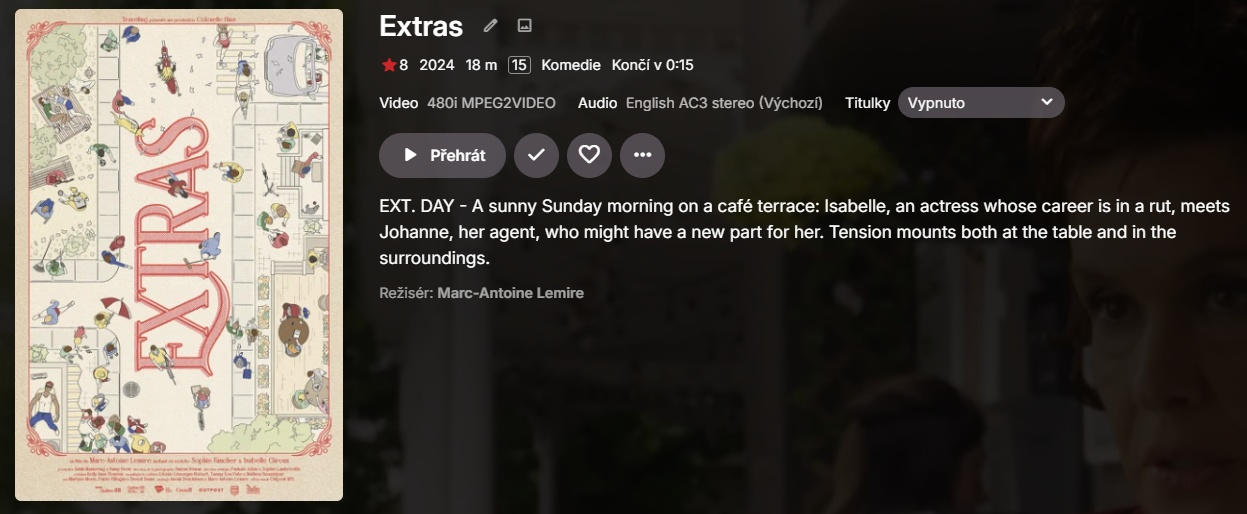
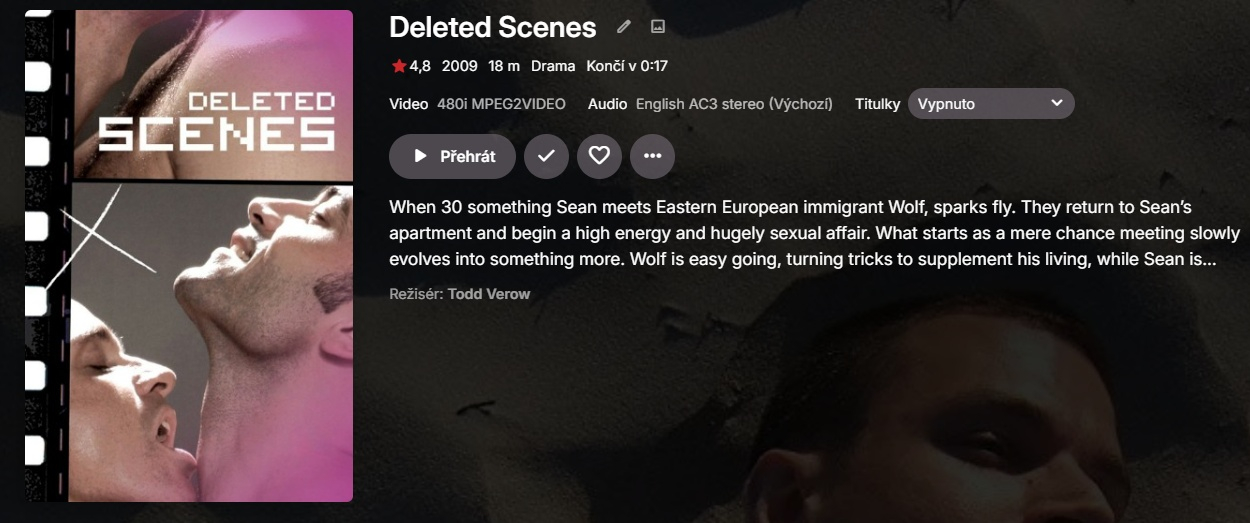
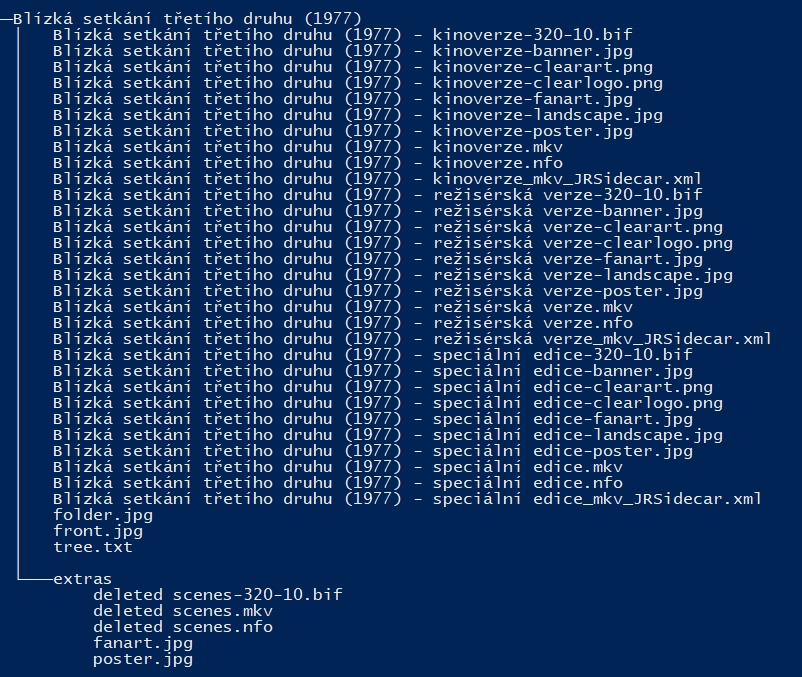
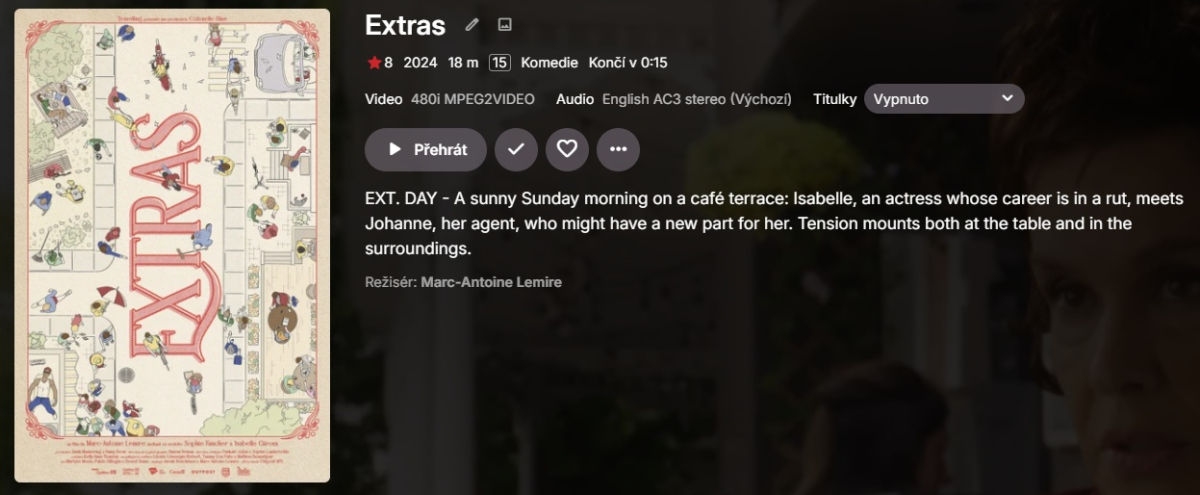
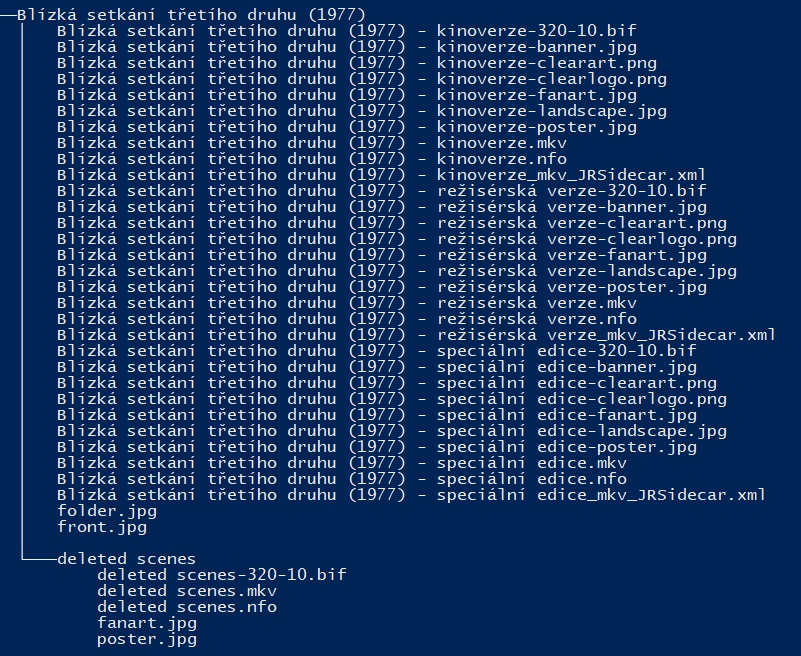
I am on Emby 4.9.3.0 and extras with multi-version movie still does not work. If I put "deleted scenes.mkv" file into "extras" subfolder of the movie folder (Close encounters of the third kind) Emby instead of showing it as an extra identifies the file as the movie "Extras" (tmdbid 1259320). If I put it into "deleted scenes" subfolder Emby instead of showing it as an extra identifies the file as the movie "Deleted scenes" (tmdbid 120044)
-
 Dr.Maryam joined the community
 -
 Lolohszaa joined the community
 -
 Rickeyrice joined the community
 -
 bridiemuncaster joined the community
 -

Back navigation not working on Favorites screen
scottpro replied to scottpro's topic in Windows & Xbox
I can't use the Windows app version unless I do a lot of modifications to the mpv-1.dll. The first issue with file permissions and requires me to boot the PC from a Linux distro. The second issue is Emby disables loading the mpv.conf file and scripts and plugins. The reason why I use a custom mpv-1.dll is for the Dolby THD Atmos audio problems. Also, to use the Emby Windows App version I add additional options to MPV to enable me to load conf and script files. All of this was discussed in previous threads. I don't like the solution that if ET legacy is broken due to an update than I should use the Windows app version. -

Can I force deinterlacing of broadcast 1080i streams (only)?
wmichael3 replied to wmichael3's topic in General/Windows
Ok - that doesn't do it. (I didn't see your response, thanks - forgot to follow it) But what I did and it works perfectly, is that under Diagnostic Options, I used Parameter Adjustment to do it by changing the ffmpeg parameters: Search for "-c:v:0 mpeg2video -noautorotate" Replace with "-c:v:0 h264_qsv -vf vpp_qsv=deinterlace=advanced -noautorotate" (with a little AI help - I pulled the ffmpeg commands from logs, sent them to an AI - Gemini - , and it came up with the substitution) This takes my interlaced streams and de-interlaces them in hardware - and the problem is gone and the skipping is much faster. No impact to CPU. No impact to any other file type. Yes, this is specific to Intel graphics, but I assume you could do the equivalent for the other hardware graphics. It would certainly be great if this would persist after an Emby restart, but I don't bounce my server or Emby more frequently than monthly. But the problem is solved, anyway. It would certainly be a nice option to add to Emby. -

Back navigation not working on Favorites screen
Lessaj replied to scottpro's topic in Windows & Xbox
How does Emby for Window compare? -
You'll have to tell me how in this case. What do you need? What else can I say?
-
Back navigation not working on Favorites screen
scottpro replied to scottpro's topic in Windows & Xbox
To clarify, I am selecting the Favorites tab at the top of the Home screen/page. I use the term "Screen" because that is the term used in the settings menu (Home Screen). Once in the Favorites tab (screen) I see a list of movies. I navigate to a movie on that screen and select it. This can be done with the mouse or keyboard. Once the movie detail screen/page is displayed the back keys (esc and bs) or icon do not return me to the Favorites tab/screen, in fact it doesn't return me anyway, not even the home screen. The only way to exit the movie detail screen/page is to use the home key or home icon in the upper left. This takes me all the way back to the Home tab/screen. This was working last month as mentioned in my original post. I also did a clean install of ET 3.0.20 with the same results. This is happening on (2) PC's, Windows 10 and 11, so it's not a one off issue. Options: Enable TV display mode - On TV mode home screen: Vertical If I roll back to "data-appversion" 4.9.3.12 it works fine. Any version after that is broken. -
AppImage would be good as well. better than nothing (for seteamos and bazzite). by the way i've noticed that i have to run Emby-Beta with -nompv on SteamOS. are you still adjusting the playback backend?
-

Featurettes, Extras Always Top Level with Two (or more) versions of a Show
kdackiw posted a topic in General/Windows
With the structure (let's say Movies)... /Movies/Movie 1 (1975) /featurettes Movie 1 (1975) - 1080p.mkv Movie 1 (1975) - 4k.mkv It seems that anything in a special folder (featurettes, extras) suddenly all promote to the main level view in Emby and not as part of the movies themselves. They become standalone movies. Bug? Am I missing something? It would appear in my library that this behavior is restricted to movies that have multiple versions in the same folder and said extras. TY. Kev. - Today
-
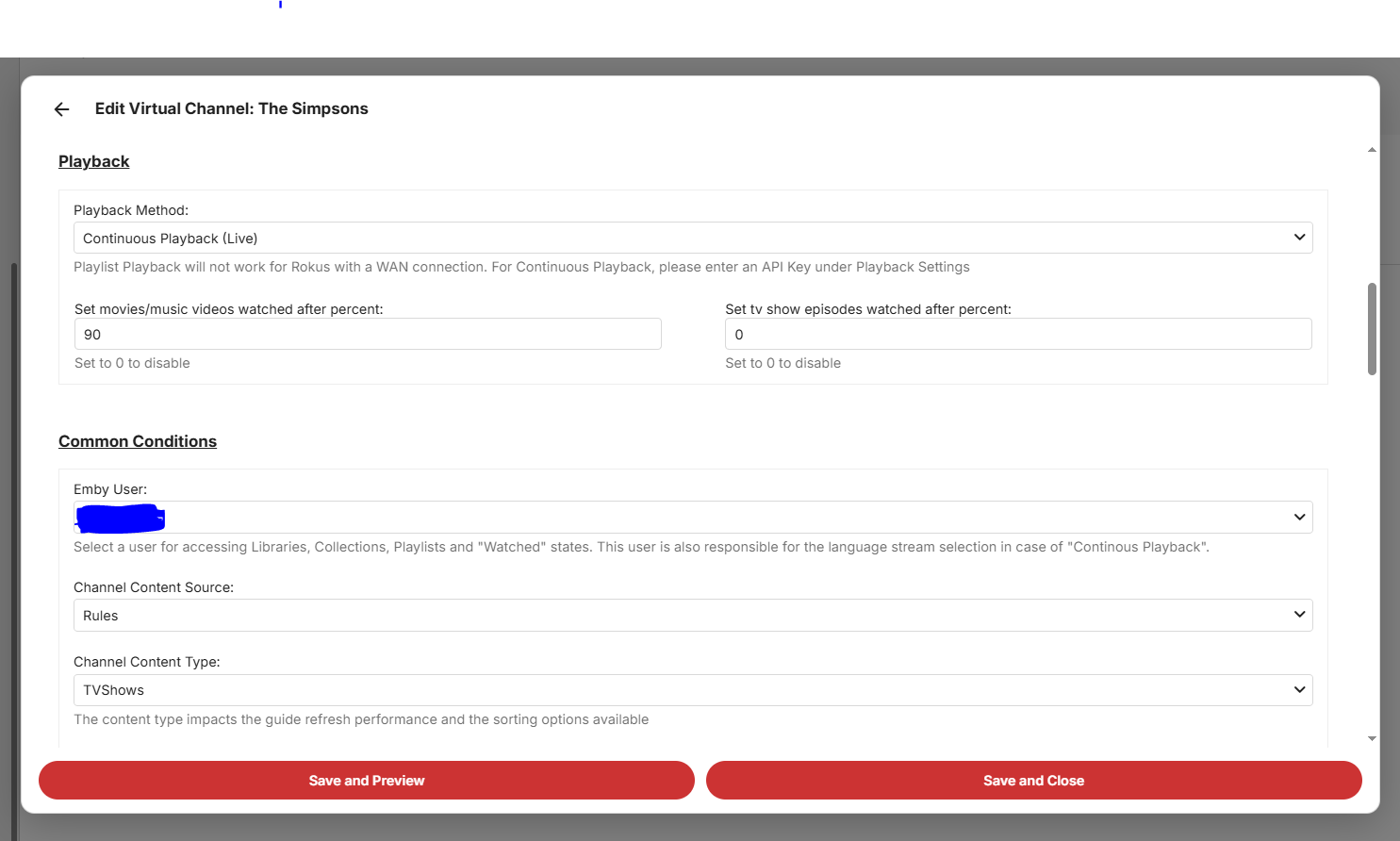
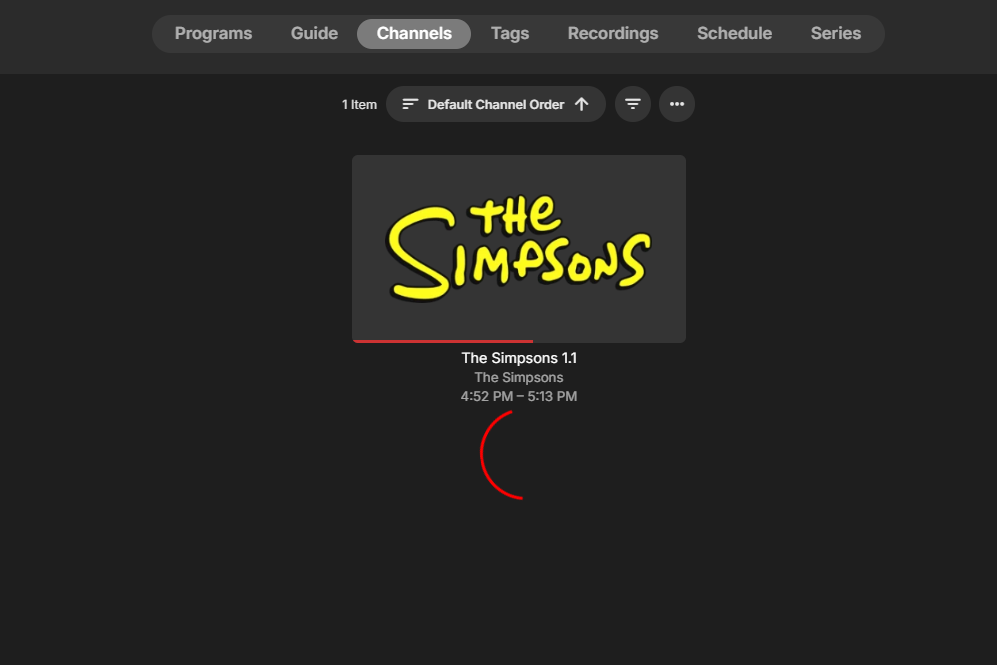
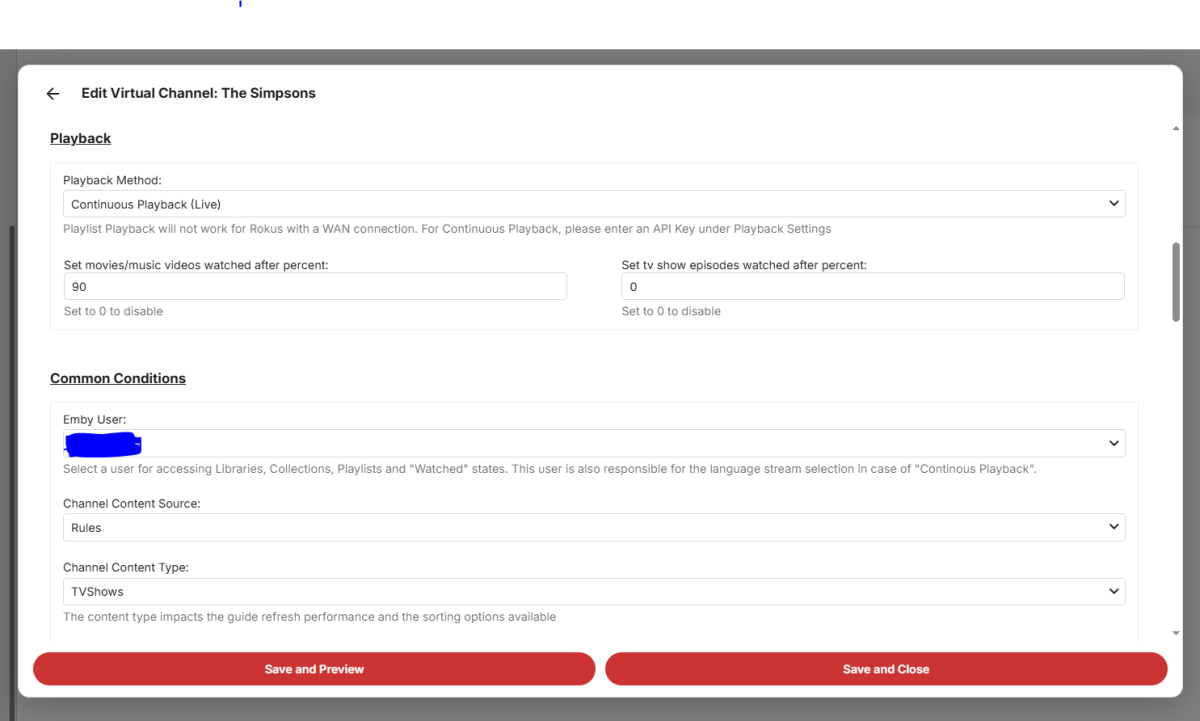
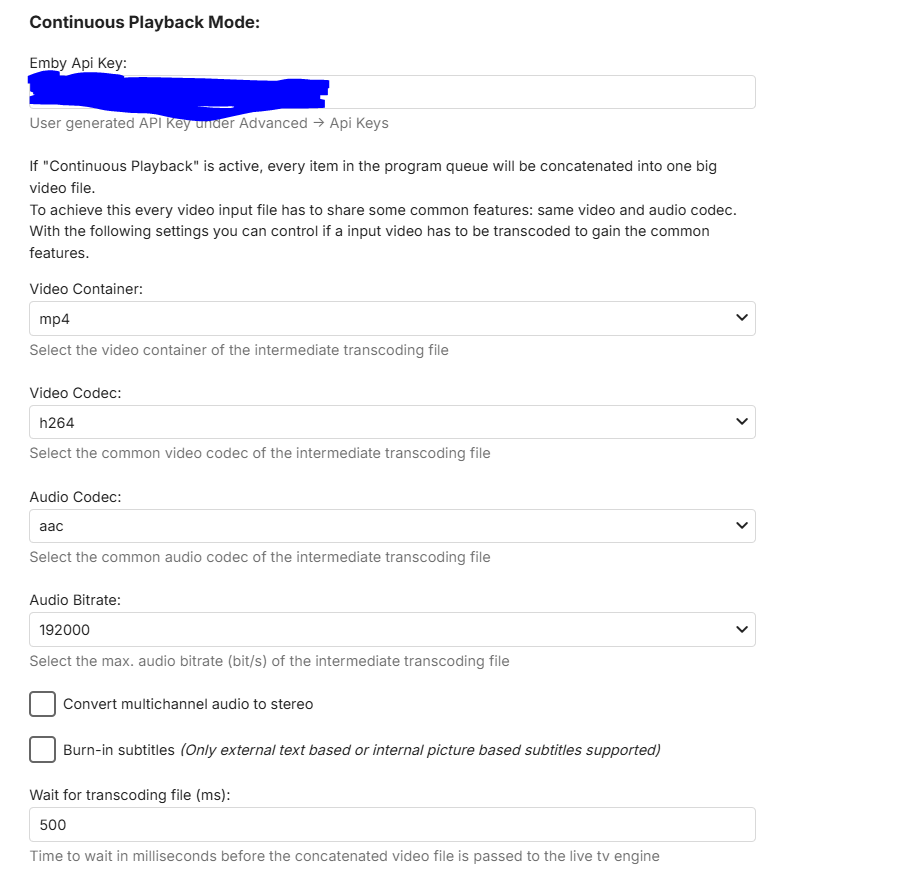
Hello! Apologies in advance, I am much less knowledgeable than the average Emby user, it's a miracle I've muddled my way this far! I feel way out of my depth setting this up to be honest, so please be patient... I set up a pretty basic (so I think...) Virtual TV Channel, just 10 seasons of the Simpsons or so. I think I have all the settings correct, I added an API, and have tried toggling almost everything on and off, but nothing will get the Virtual TV channel to start in Live TV. I've generated (and re-generated) an API key, I tried refreshing the TV guide and resetting the server, and I have an active subscription to Emby. At first, the episodes were not all the same audio/video format, so I converted them all, and I made sure that the format that they converted into is the same as in the settings. However, the Live TV is still not playing... I just get a perpetual loading ring. It's been there for 12 minutes now... What am I doing wrong? \ Here are some of my settings:
-
I'm afraid, but the only other format we could provide at the moment is AppImage. I don't quite understand what this is supposed to mean. We've gone through dozens of iterations and package versions and there never happened to be any "mess".
-
Back navigation not working on Favorites screen
Lessaj replied to scottpro's topic in Windows & Xbox
I think Favourites is considered a "tab" instead of a "page" so going back doesn't bring you back to the last "tab" but rather the last "page". Similarly if you're on the home page and you click into a library, say Movies, and you click on one of the other tabs like Collections or Genres when you press back it won't bring you back to your default "tab" for Movies, it'll go back to the home page. I don't how this used to work if the functionality has ever changed, I don't really navigate like that... EDIT: Oh I misunderstood until I read the post again, so instead of coming back from the item detail screen to Favourites tab, it's back on home page and therefore another back opens the exit menu. That said, I can't reproduce, it brings me back to Favourites. -
that was it thanks GrimReaper! ...I did't notice that clicking in "default" it open a full page of settings, great!
-

Can I stay on an Emby version without updating indefinitely?
GrimReaper replied to Daftpunkmx12's topic in Linux
There are number of related topics around the forum (thought that was mostly solved - guess not for all). You can join any of the existing topics or open your own. How to Report a Problem Edit: AFAIK this is the biggest ongoing topic: -
It is, CoverArt plugin. Disable treatments in plugin settings (or uninstall plugin altogether).
-

Can I stay on an Emby version without updating indefinitely?
Daftpunkmx12 replied to Daftpunkmx12's topic in Linux
Hmm, I see. The only problem I have is the excessive RAM usage, which changed with the last update. I haven't seen any updates or threads about it, or if it's a glitch/bug or some error that could be fixed later. -
Can I stay on an Emby version without updating indefinitely?
GrimReaper replied to Daftpunkmx12's topic in Linux
Theoretically yes, but that will also preclude not updating client apps, as they have minimum server version that increases gradually and will eventually surpass 4.8.11.0. And that will be very hard to control for all users, as number (or all) of them will certainly have auto-update enabled. -
Hi, I’m not sure if this is related to what’s being discussed here, but after a recent update I noticed that all my media entries/cards now have a top border showing things like “Blu-ray”, “4K”, “TV Shows”, etc. On my previous server I had clean cards for each media entry. I’m not sure if this is caused by a plugin or something else, but I have the same plugins as on my old server. Can these labels be removed without customizing CSS? I prefer a clean card layout. Thanks!

-
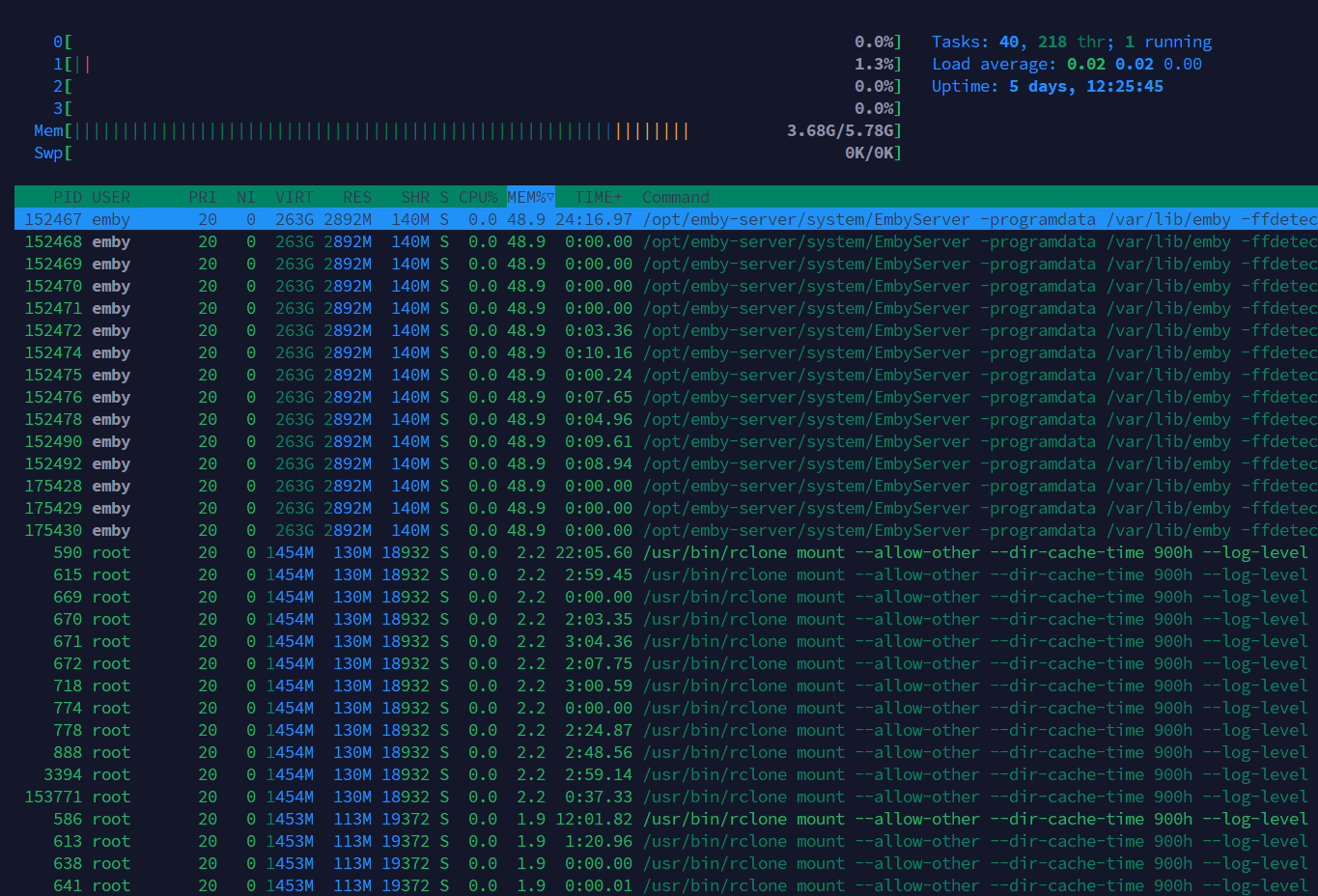
Hi everyone, I have a question. Can I stay on an Emby version (4.8.11.0) that has been working well for me indefinitely, possibly forever? With the last update (4.9.3.0), I had problems with excessive RAM consumption by the Emby service. The Emby service alone was using up to 4.98GB out of 5.78GB, and the server would crash even with two devices watching without transcoding, just direct play. This didn't happen with the previous version. Fortunately, I made a backup of the server before updating and was able to revert to the previous version (4.8.11.0). My server is very basic; I use it at home or when I'm out with my family. Can I stay on the latest version without updating indefinitely? Because with the latest version, even without any devices watching, Emby alone was using almost 50% of the RAM. I hope someone can help me with this question. Thanks and regards. Version 4.9.3.0 with 2 devices watching Versión 4.8.11.0 with 3 devices watching
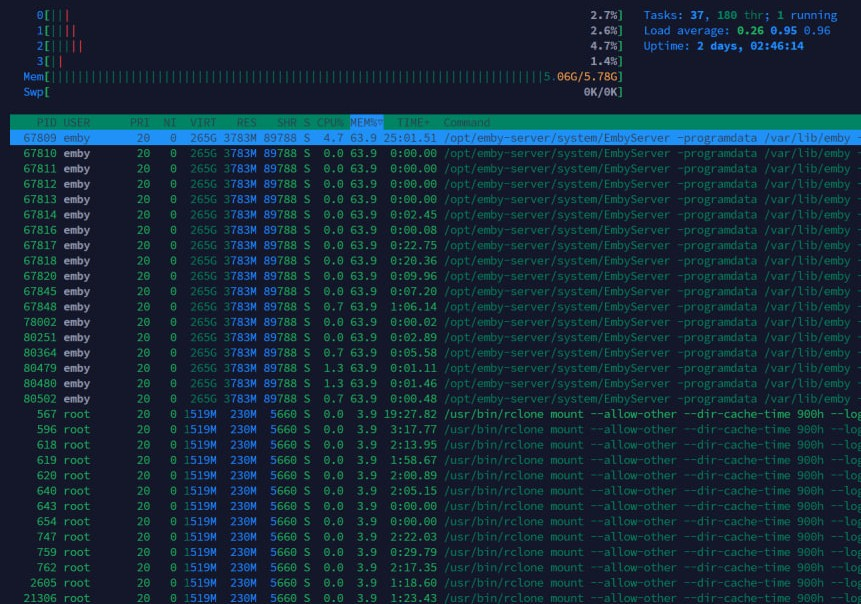
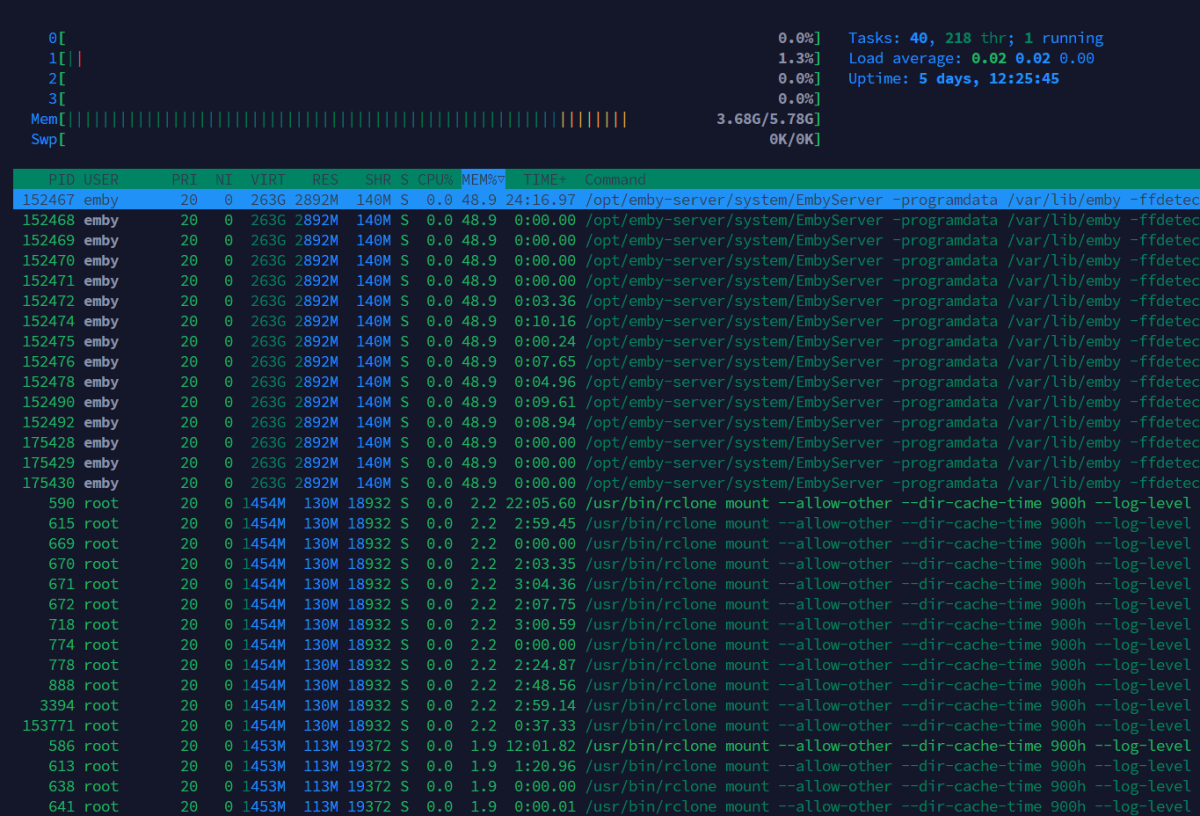
-

Plugin: EmbyCredits, detect end credits and add auto skip.
Jutsch80 replied to yocker's topic in Plugins
One upside I didn't see coming was for using Infuse as a player. It does thave a "next episode" button but that only appears if one manually makes the timeline appear on screen and then the button can be pressed. The "Skip Credits" button on the other hand appears regardless and doesn't have to be put on screen manually. -
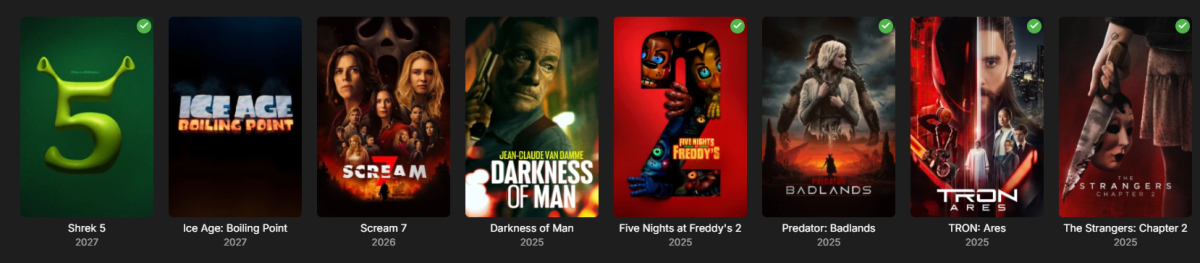
Seeing that it's 2026, i would expect more than 3 current trailers. Is it from a playlist that someone maintains on YouTube? What's the criteria for something to show up in here?
-
Und kann Emby mitlerweile auch das, was der tiny media manager kann? meine Ersteinrichtung von emby ist lange her. Damals habe ich alles mit TMM vorher gescrapt.
-

After install Emby on Synology 7.2.2 72806 update 3 URL gives " forbidden"
Happy2Play replied to karbo's topic in Synology
Technically you do not have to do that assume you are capable of navigating to the system.xml and correcting a config that you applied. But some platforms are not as easy as others. On can break other systems just as easy. -
@Lukeanything else I can provide to get this fixed? it did work on 4.8.x.x versions.
-
Active Backdrop background and image size globally for all user
Happy2Play replied to kfdlean's topic in Web App CSS
Issue is I believe both these options are actually user per client settings. And are not controlled by css. Not sure if the new copy data to user function in Beta would help here.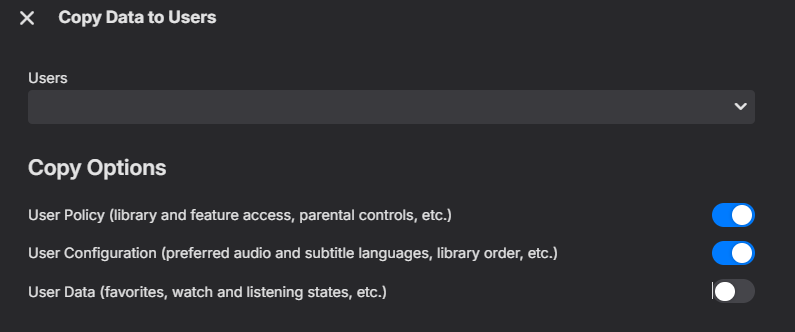
-

Problem mixed library, mp3 files, mp4 files, mkv files
mrmixed replied to gsites's topic in General/Windows
I recently had the desire to embed an audio m4a file in a folder along with some other video content (in my case, it's related to live performance/concert-related videos), and couldn't get Emby to catalogue it and make it available to play, even in my mixed content library. So after doing some research and stumbling across this old post, I figured I'd chime in with my findings in case anyone else winds up here with the same question. I was unable to get @GrimReaper's suggestion of VIDEO\ and AUDIO\ subfolders to work; I think this may because I am trying to get this particular content to appear within a TV Show context (my goal was to be able to categorize some of the content in this folder as a "Special" so it doesn't display inline with the main videos, but is available from the same "folder" location in my library). I'm sure it would work if I dropped the TV-style "Season 01/Special" folder conventions but I didn't get to try that configuration, and in any case I wanted the audio track to display alongside the other videos, and not require drilling down into a different sub-folder location. What did work was to simply rename the .m4a file extension as an .mkv. Emby immediately found the file, scraped the internal metadata, and displayed it alongside the other video files in the folder for playback (audio-only, with a black picture)--which is exactly how I wanted it to work. It's a bit of a cheat, but it works.