All Activity
- Past hour
-
 Asgard126 joined the community
 -
 stacey87 joined the community
 -
 Noamamar joined the community
 -
 kefip4 joined the community
 -
 Syrineesyrinee joined the community
 -
 pidat7 joined the community
 -
 Syrineesyrine joined the community
 -
 Ricky P joined the community
 -
 monoce joined the community
 -
 favewok joined the community
 -

Video lags when played on AppleTV app or directly on samsung smart TV, but not when played on iPhone
BenjaClacla replied to BenjaClacla's topic in Linux
Hello there. I did not forget this topic, but i recently became a father so I'm quite occupied elsewhere. I'll keep you posted. Thanks ! - Today
-

Add own MKV trailer to movies and make it intro
GrimReaper replied to MediaIntelNUC's topic in General/Windows
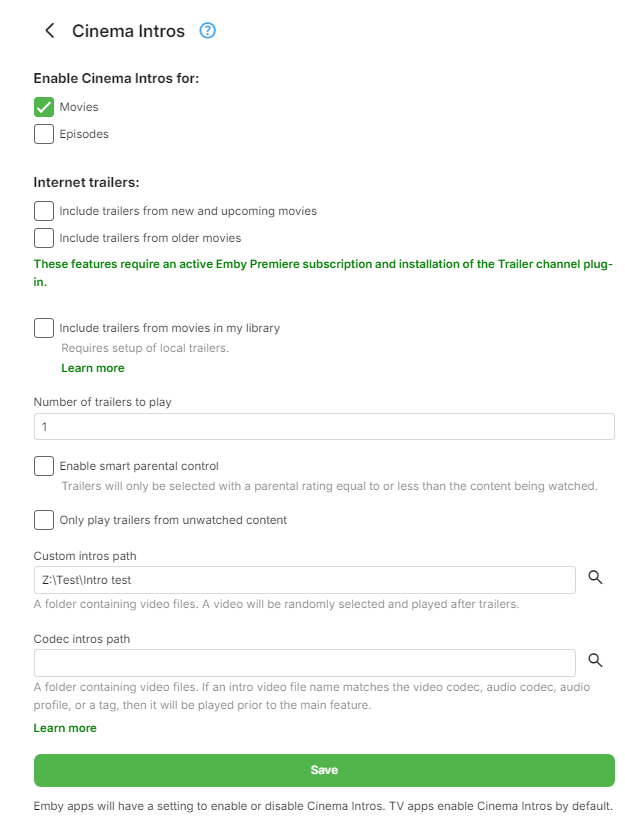
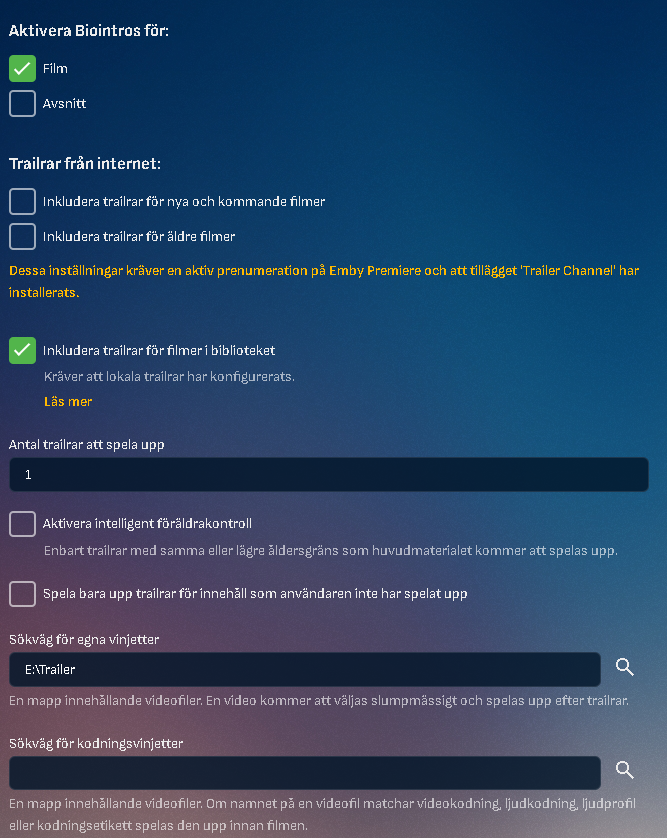
Not sure what you're asking here, I would assume helper text is pretty clear of its function: For example, if you had aac.mp4 file in Codec Intros folder and played a movie with AAC audio, codec intro would be played before the movie, otherwise for any other movie with different audio codec (example: AC-3) it wouldn't. Ditto for video codec, audio profile or any particular tag.
-
Add own MKV trailer to movies and make it intro
GrimReaper replied to MediaIntelNUC's topic in General/Windows
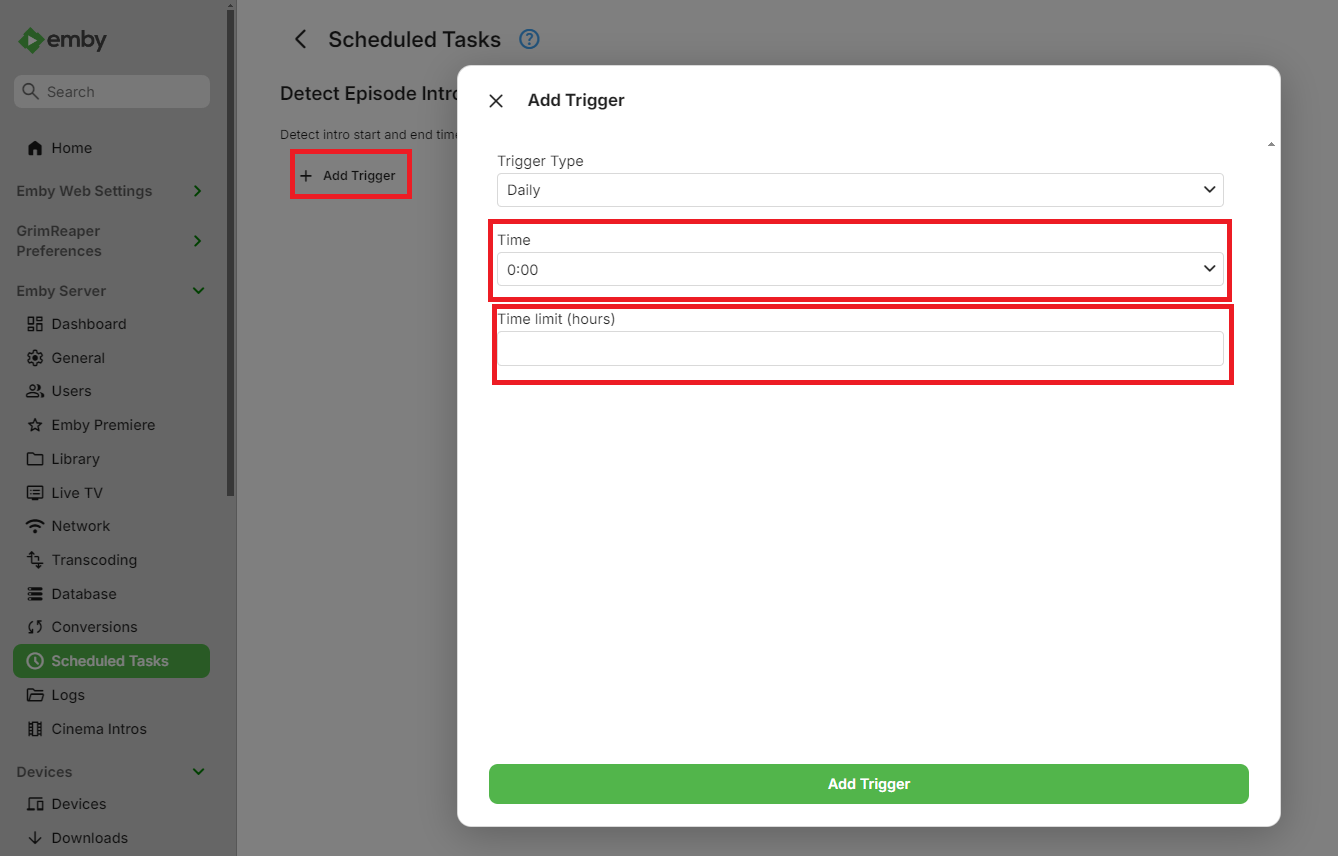
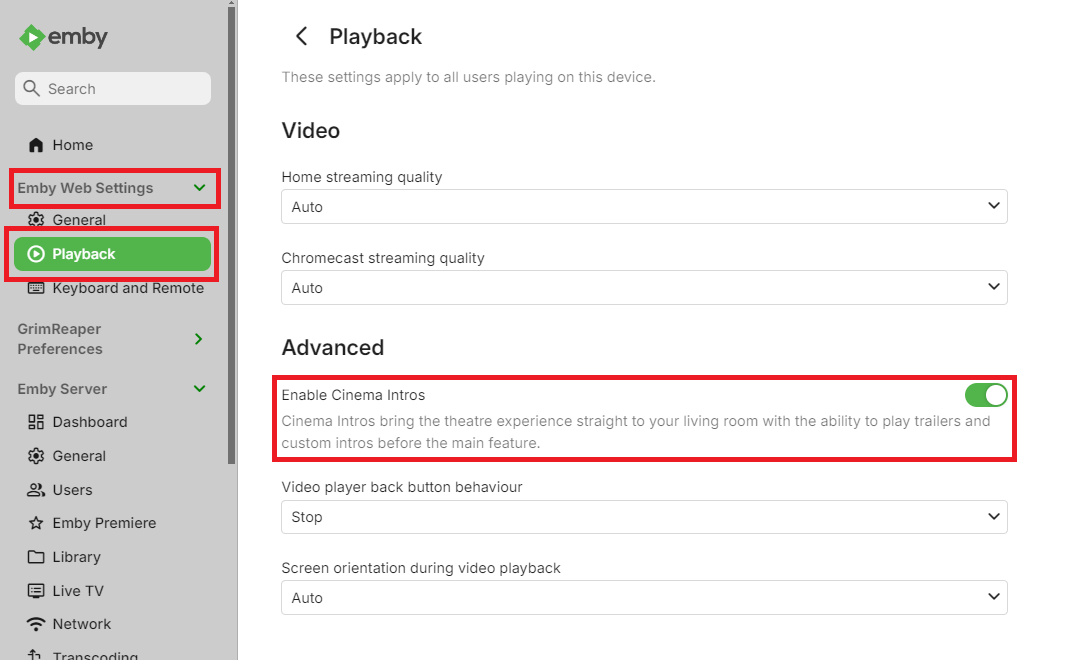
You don't need this option enabled, that is used if you want to play local trailers (located in each movie folder). You probably don't have Cinema Intros activated under general Playback preferences (that is per-app setting):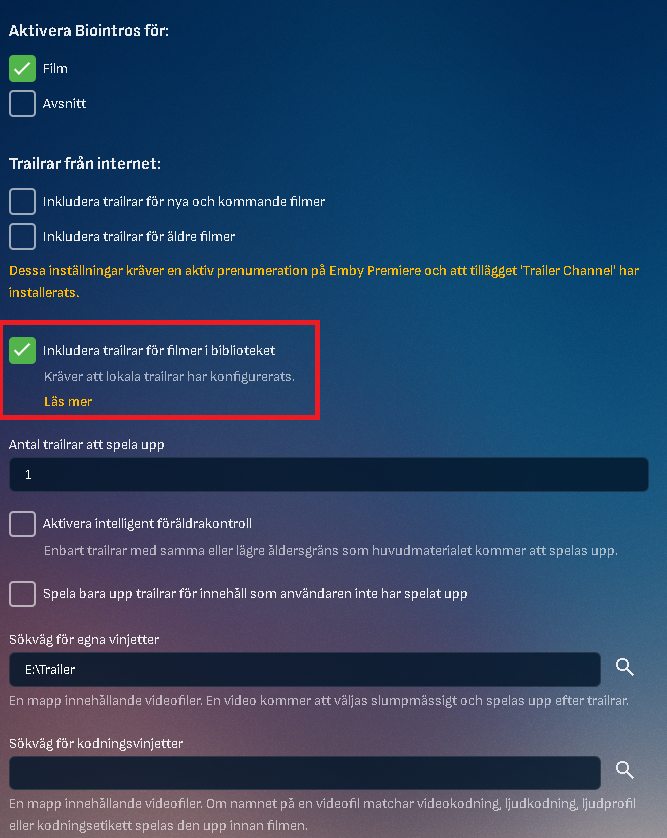
-

embyforkodi (next-gen) 12.X.X support
Diedrich replied to quickmic's topic in Emby For Kodi Next Gen
Yeah, check it out, it's really slick how it will match a movie's rating and then play a stinger that matches that rating. I'll report back if I find out how to do it again. -
The amount of inputs and feature set wouldn't have been sufficient for me, but if it works for you and you get a good price, fine amp.
-

embyforkodi (next-gen) 12.X.X support
quickmic replied to quickmic's topic in Emby For Kodi Next Gen
What? There is a simple setting in service addon for that. No 3rd party addon required.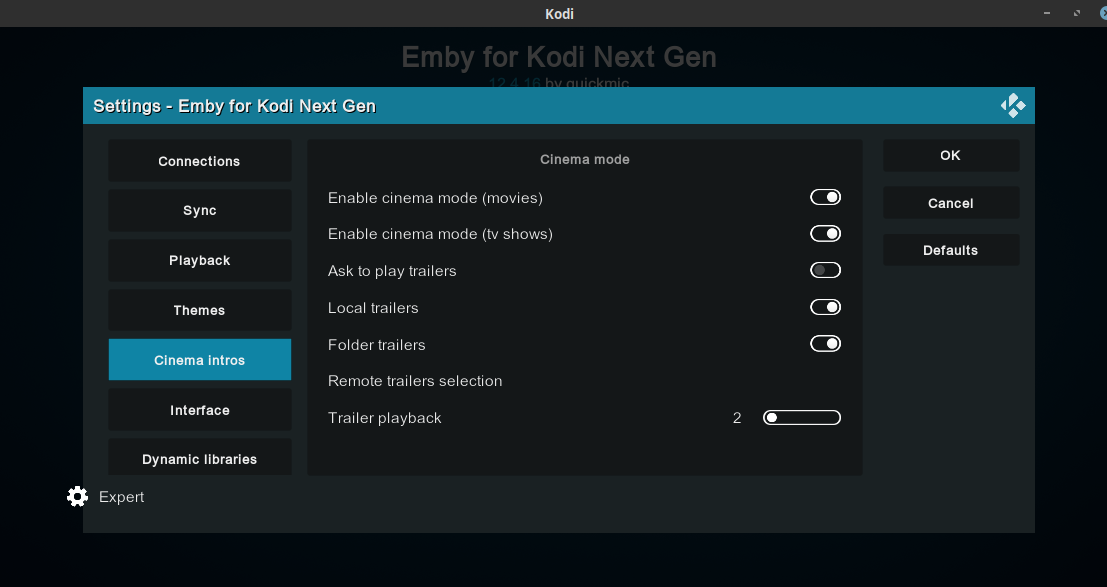
-
Hello! Here is one example: I have a structure like this on my HD: On the Emby client, I have this: In this case, only the first and last files are shown... I thought it could be a problem with the files, but if I copy them to the root directory, I can see seem on Emby under the root directory as it should be... Also if I rename the directory from "Danse Avec les Stars" to "Danse Avec les Stars S15" then on Emby it appear as "Danse.Avec.les.Stars"... and there are a lot of example like this...

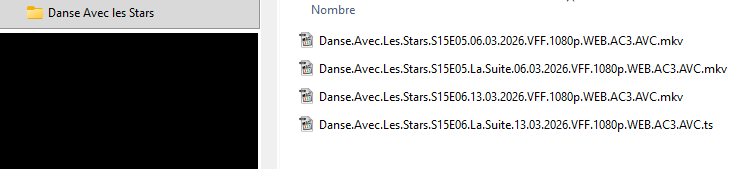
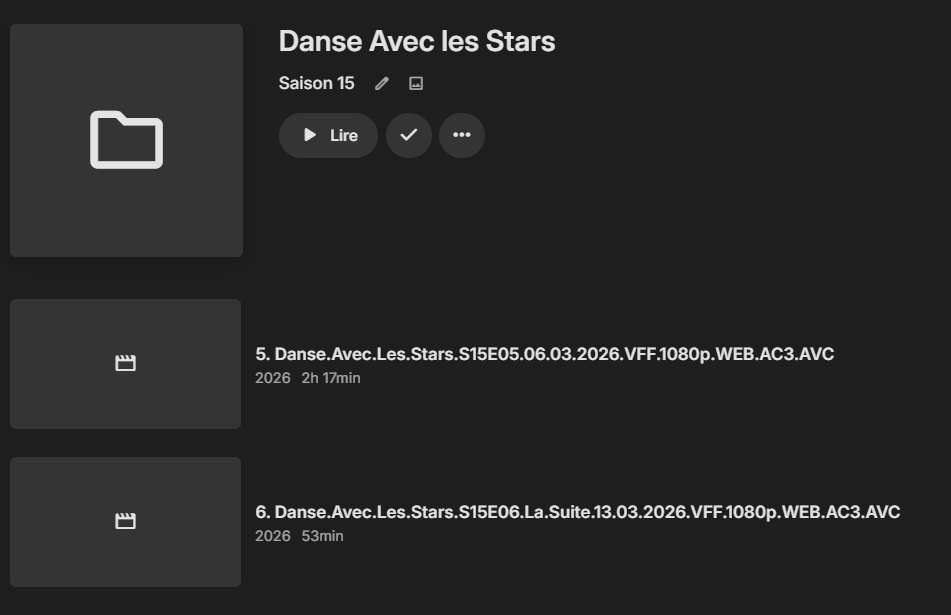
-

Add own MKV trailer to movies and make it intro
MediaIntelNUC replied to MediaIntelNUC's topic in General/Windows
@GrimReaper I installed it and it looks sweet, but having some troubles, and the knowledge base said there was an option for your own trailer videofile and if i got it right i could create a folder called trailer and within that folder create a videofiole namned Trailer.MP4 And in the plugin point to that folder and wich libraryfiles it would include. I have done all this and it doesnt work. I have activated the show trailers option.. I wonder about the last option with "Coding..." Wich parameters should be included there? Thanx!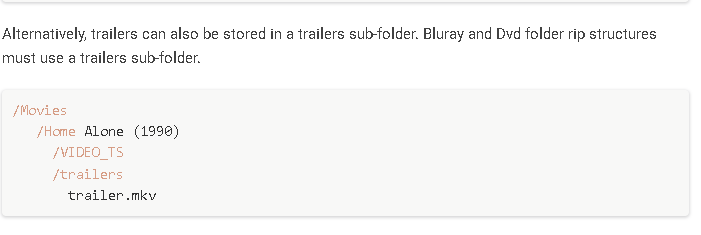
-
Yes its resolved. Thanks to user24 Not sure how to close this question/post
-
Unfortunately their online tech support chat, isn't much help at all. Thanks for looking into it; if you didnt see any Emby related issues in the log then the problem is probably on the provider side. Thanks.
-
Worked great! Thanx! N.
-
Again, sorry I'm not being very clear. What I specifically meant was, fetches it / checks for newer metadata, but doesn't necessarily save it if the metadata isn't newer. You're probably right, as it doesn't seem to happen consistently with every details page I just wish I knew what it was. The only thing happening in the log when it does spin up a drive is the saving of the metdata. All I can say is, that if I disable the NFO saving, it doesn't happen anymore.
-
wow che stupido era proprio in bella vista. scusami, mi sto trasferendo da jellyfin e li era già impostata. grazie infinite!!!
-
No, this isn't true. Whatever is spinning up the drives is something else.
-
How would it know until it fetches it?
-
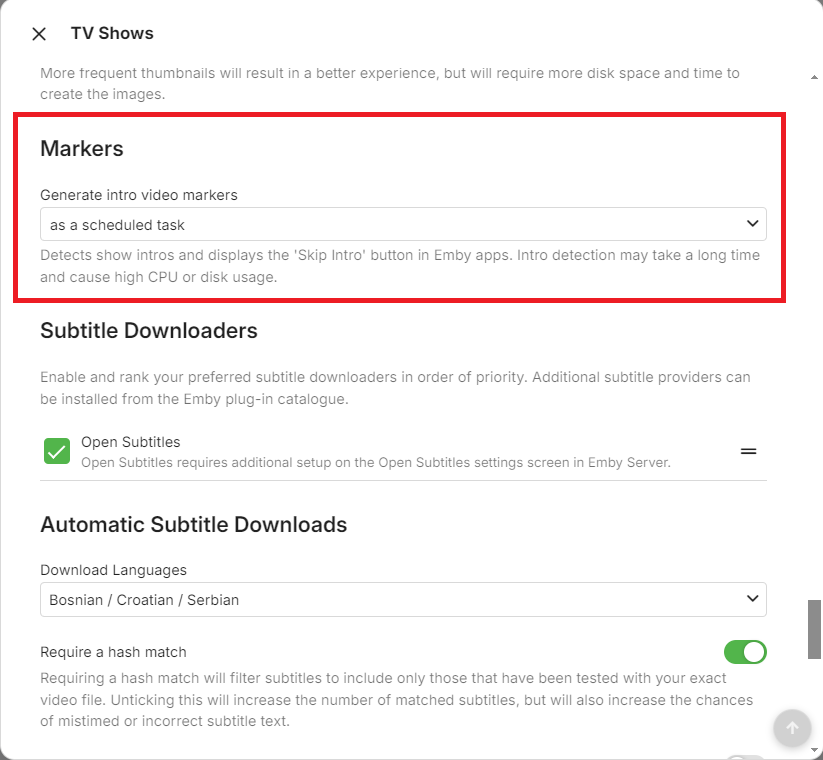
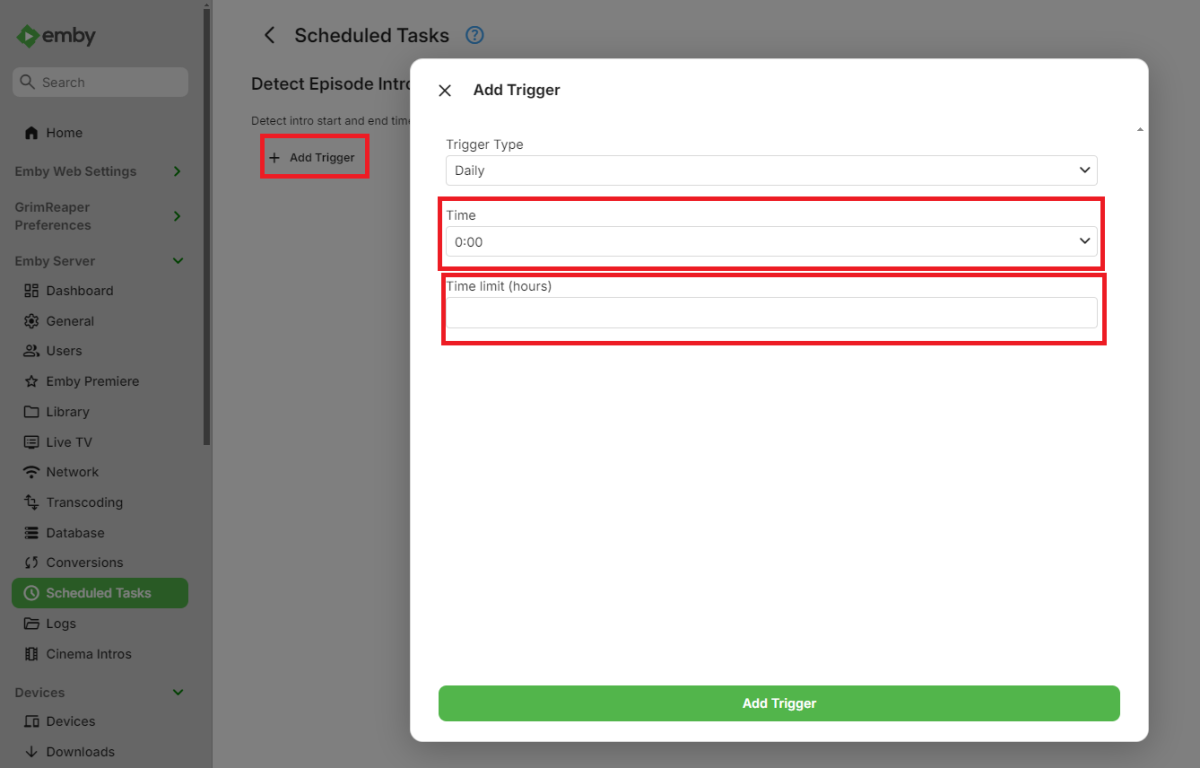
You need to enable Intro detection in your library first.
-
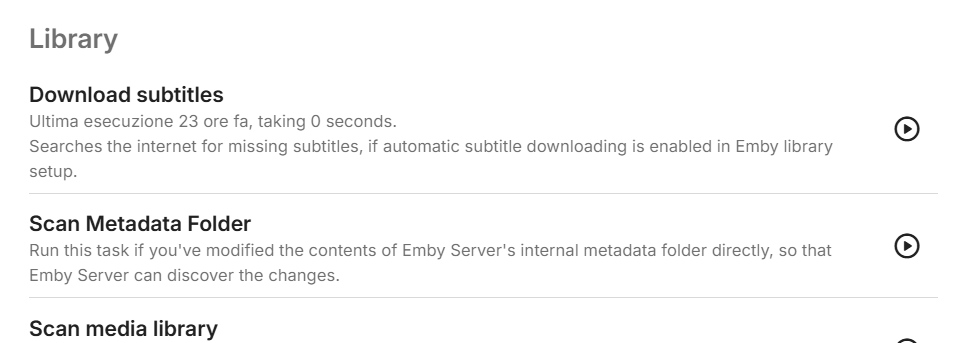
not show
-
I was just hoping that if the NFO file already had the latest metadata, and that there technically weren't any new metadata online, then it wouldn't try and fetch it again, thereby trying to save the new metadata to the NFO file as well, resulting in the drive spinning up. I guess I wasn't aware of it always pulling the latest metadata whenever you visit a details page.
-
No, sorry, I meant that when I disable the NFO saving, it stops the drives from spinning up. It of course still refreshes the metadata.
-
embyforkodi (next-gen) 12.X.X support
Diedrich replied to quickmic's topic in Emby For Kodi Next Gen
I've installed/re-installed the E4K Next Gen add-on multiple times while getting the Ugoos setup. At one point I was successful at showing the Emby Plugin - Vantage Point (by Cheesegeezer) trailers prior to my movie playing. Vantage Point allows you to play custom trailers that match codec criteria: In my case I have a folder with MPA intros that will play the PG-13 (or corresponding MPA rating) intro video prior to the movie starting. Anyways, I can't find the setting in E4K Next Gen that allows "Enable Cinema Intros". Could you point me to the correct setting, please? Vantage Point: Ratings: -
this is not true. whether you enable nfo saving or not has no bearing on whether refreshing metadata will use the internet.
-
Well that's what refresh metadata does. If you don't want any internet metadata then use the library options to disable it.
-
Just the .mkv file itself, and the related .nfo file. The weird thing is, is that I went through all the libraries and refreshed the metadata with a "Search for missing metadata" scan. But apparently it still seems to want to get the latest metadata online. Or they may actually be newer metadata out there, since I updated a week or so ago. If I disable the "Metadata Savers" for NFO then it naturally doesn't happen anymore. Would be great if I didn't have to disable it, but the solution for now seems to be to disable it, and then enable it for the library that I'm adding media to before adding and scanning.
-
-
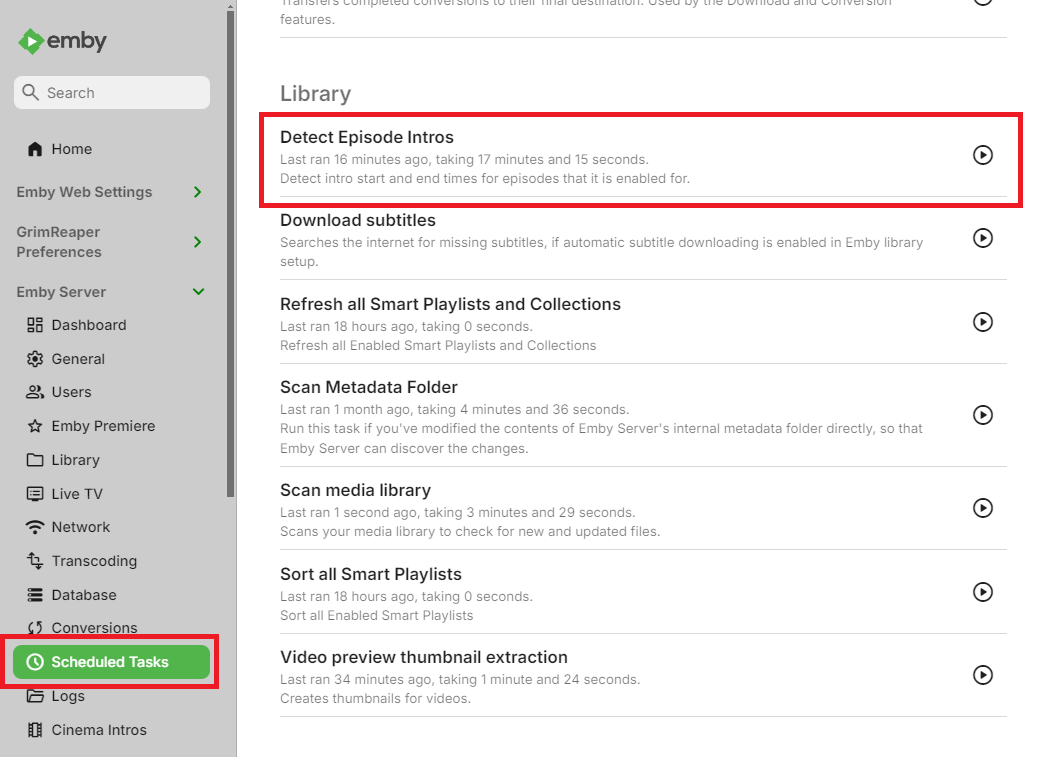
Can you record a video? Thanks.