All Activity
- Past hour
-

I moved and now I can't access my WAN emby server
Neminem replied to drpickles's topic in General/Windows
@drpicklesI would call the ISP and ask for a Static IP ( It might cost you a few extra $ ) but well worth it. -
 mbs784 joined the community
 -
 Xyz7765 joined the community
 -
 Ardadnz joined the community
 -
 CosminM joined the community
 -

I moved and now I can't access my WAN emby server
darkassassin07 replied to drpickles's topic in General/Windows
Yup, your router is seeing this as your WAN ip. You are behind CGNAT and will have to look for a solution around that. You cannot forward ports. I don't have a whole lot of advice for that as I've not had to deal with it myself. I know cloudflare tunnels is a popular method, but hopefully someone else with experience there can chime in too. @GrimReapermaybe?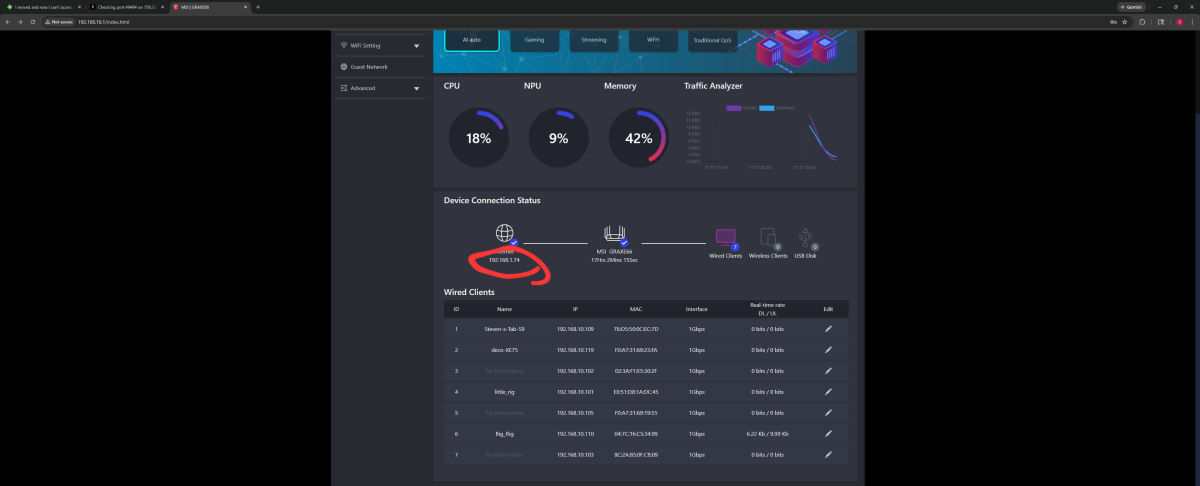
-

embyforkodi (next-gen) 12.X.X support
quickmic replied to quickmic's topic in Emby For Kodi Next Gen
As usually, i need a kodi.log including the playback issue for review. -
 Yan@ joined the community
 -

User Perrmissions Dependent on the Content Being Viewed
alex77777 replied to alex77777's topic in Apple TV
Is that whats happening? Do you know what audio format it is being converted to when the apps embedded ffmpeg build handles it? I would say that it is still better than having the server do it. Also by disabling the playback permissions for the user it also allowed direct play of PGS subtitles and fixed the inaccurate colors of Dolby Vision (It makes it looks the same as how Infuse would display it). This is definitely something to look in to. Thanks for all the help -

I moved and now I can't access my WAN emby server
drpickles replied to drpickles's topic in General/Windows
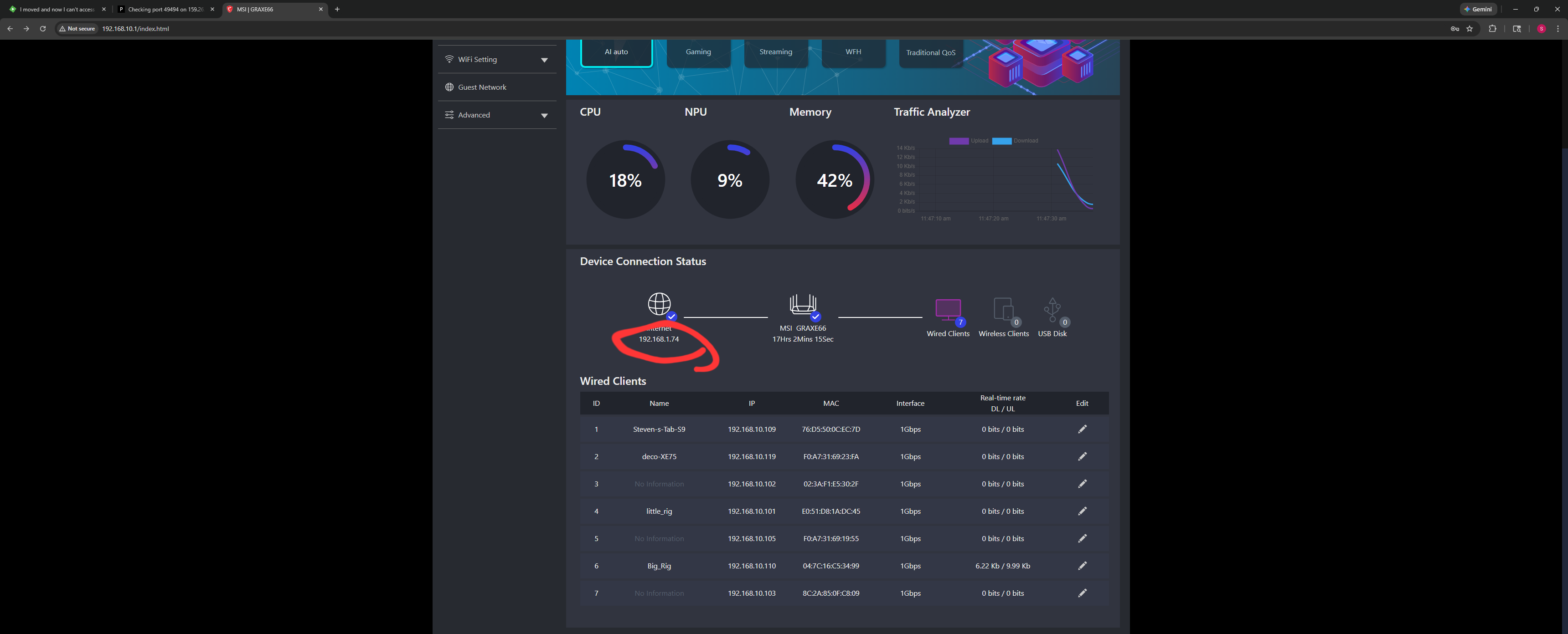
this?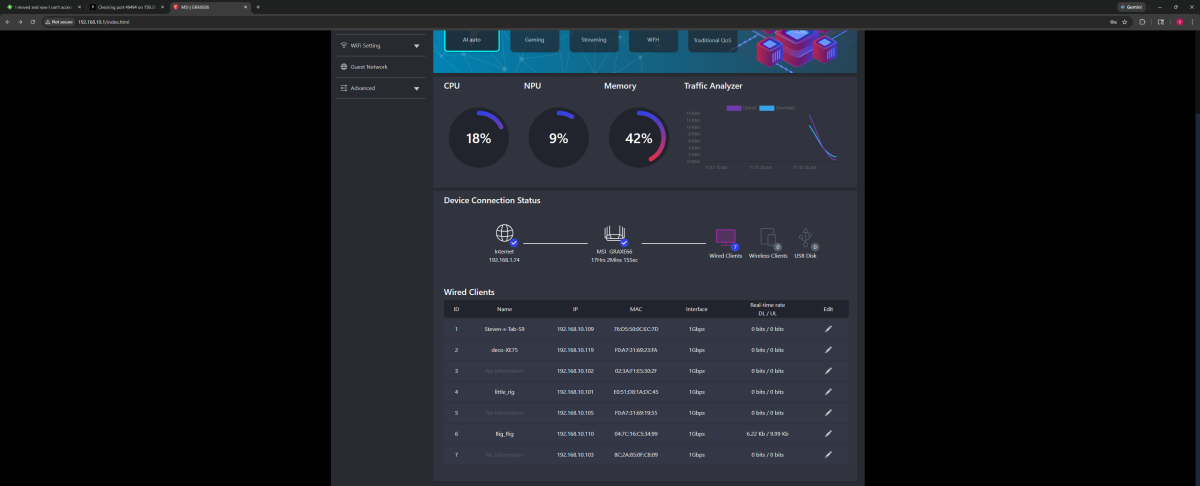
-
 Yanliang joined the community
 -
I moved and now I can't access my WAN emby server
darkassassin07 replied to drpickles's topic in General/Windows
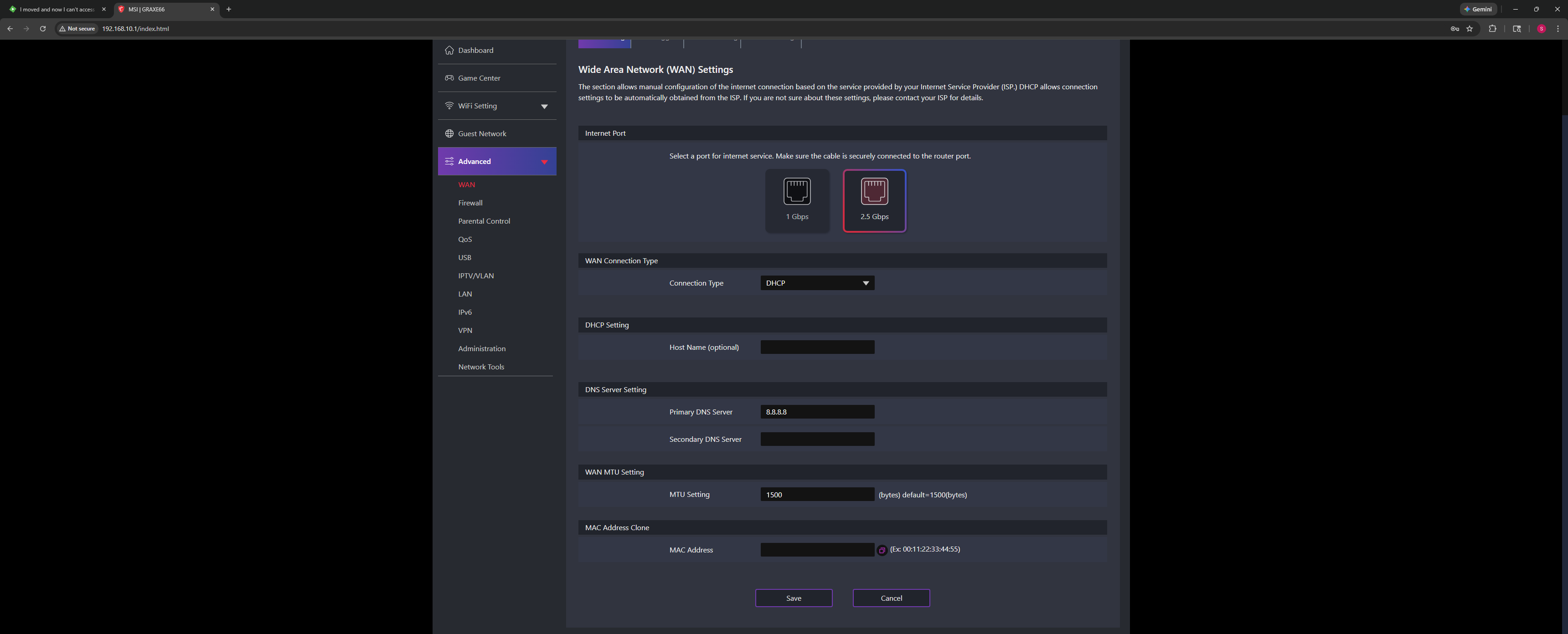
That's the configuration for the WAN interface, but doesn't seem show the current connection status. Perhaps it's on the dashboard somewhere? I hate ISP provided routers/gateways; they make things so difficult to find/configure sometimes. It's not just you, these things suck. Did 8096 show up as open in the port check? -
 Iván Elena joined the community
 -
I’m not very gifted 8n network stuff and servers, but can’t find which server to try for a connection. I used the two examples on the installation page and get messages saying I cannot connect. thanks in advance for any suggestions. Mike
-
 Grommet joined the community
 -
I moved and now I can't access my WAN emby server
drpickles replied to drpickles's topic in General/Windows
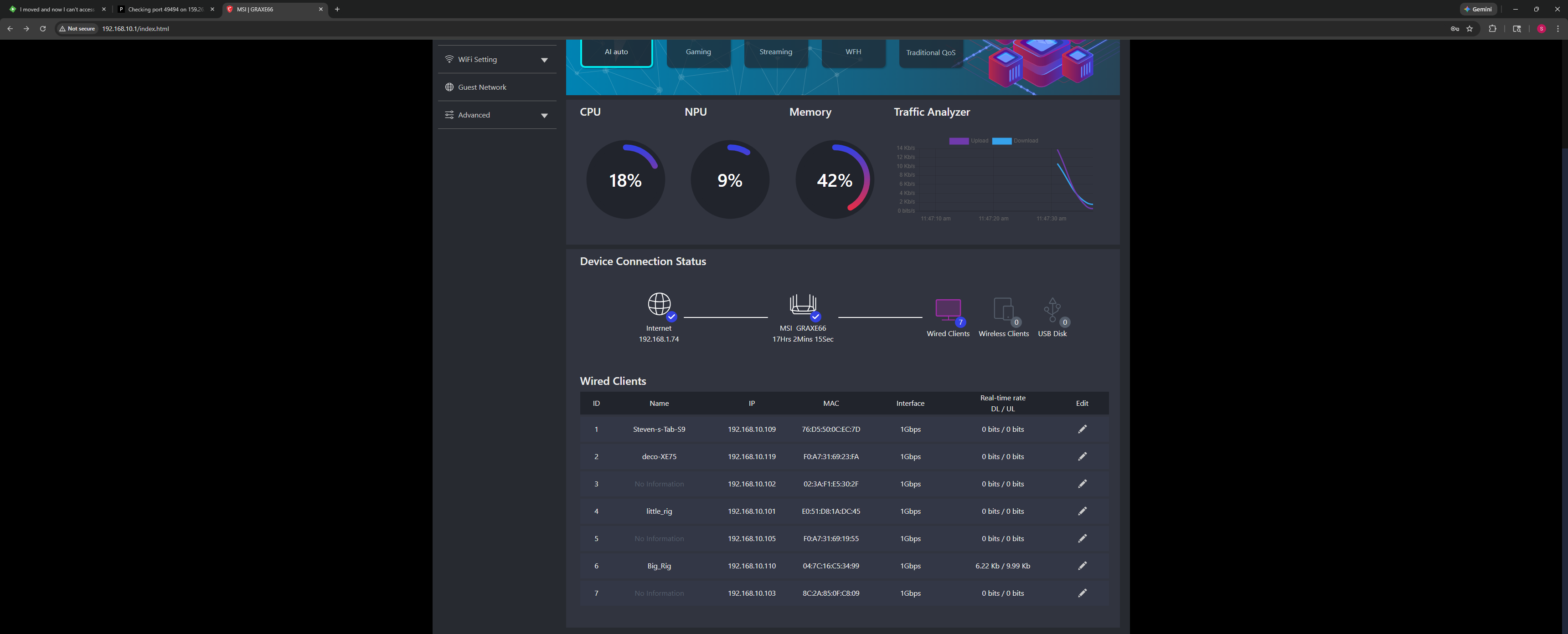
This?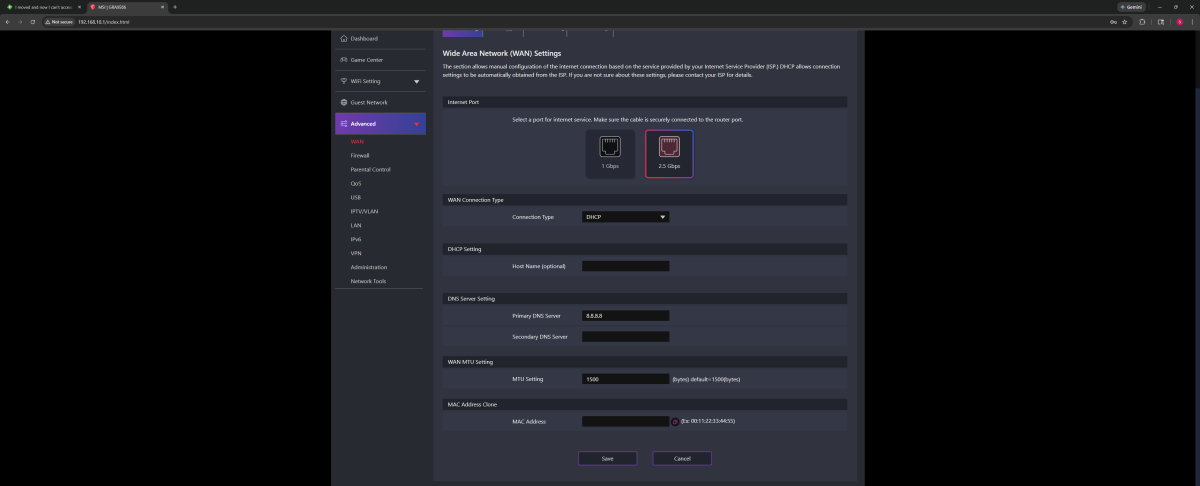
-
 Rhii joined the community
 -

External SRT subtitle file not showing up!
rbjtech replied to fabien_m2002's topic in General/Windows
Split the versions, scan the files - and then re-group them. It's a workaround, but it will work. -
I moved and now I can't access my WAN emby server
darkassassin07 replied to drpickles's topic in General/Windows
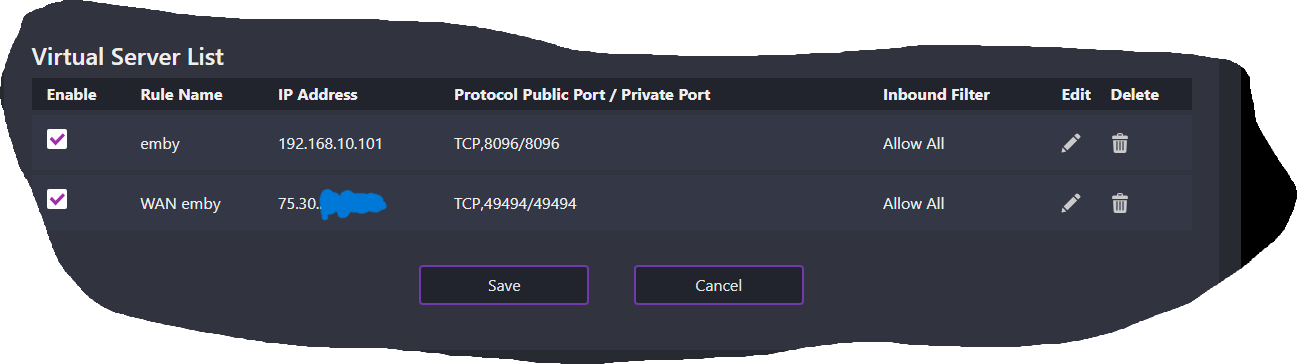
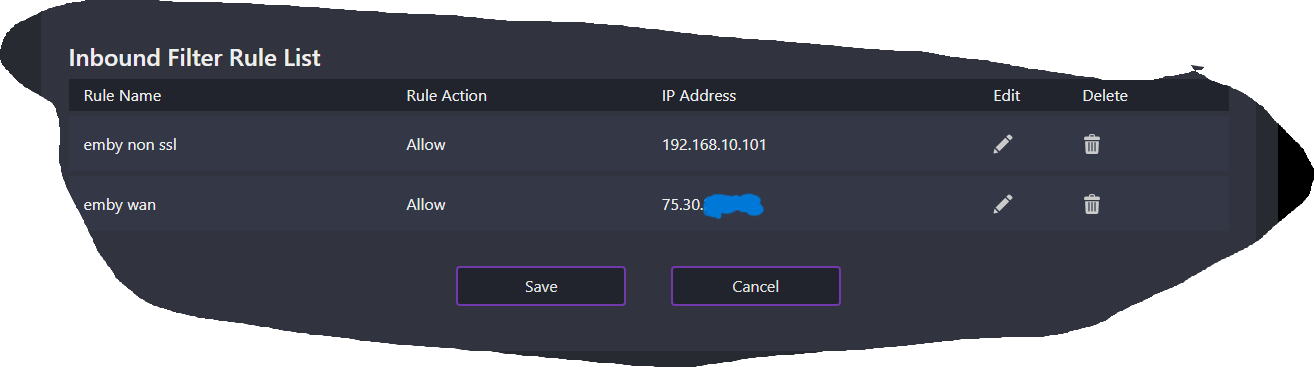
In the first image, it appears you are forwarding port 49494 to your WAN IP, this should be the servers LAN IP. You are also forwarding 8096 to your servers LAN IP, which directly exposes the HTTP port to the internet. Not a good idea generally, though this should at least show port 8096 as open in the port checking tool I provided earlier. (check if that's true. If not, again I suspect either cgnat or isp blocking) The second image looks like a filter list; defined by name. But the forwards above them are set to 'allow all', not referencing those filter names. (you shouldn't need filters unless you're trying to restrict connectionw to a specific remote IP, just ignore the filters for now) Based on the port 49494 in the third image, I assume you have a reverse proxy on that port, handling HTTPS and proxying to 8096? Is the proxy running and correctly accepting connections on its lan ip+port? You still have not shown/said you found your WAN IP as your router sees it. Look for connection details for the WAN interface of your routers management page. Should be somewhere under 'status' or similar. An example from mine: status > wan (you want the blue circle)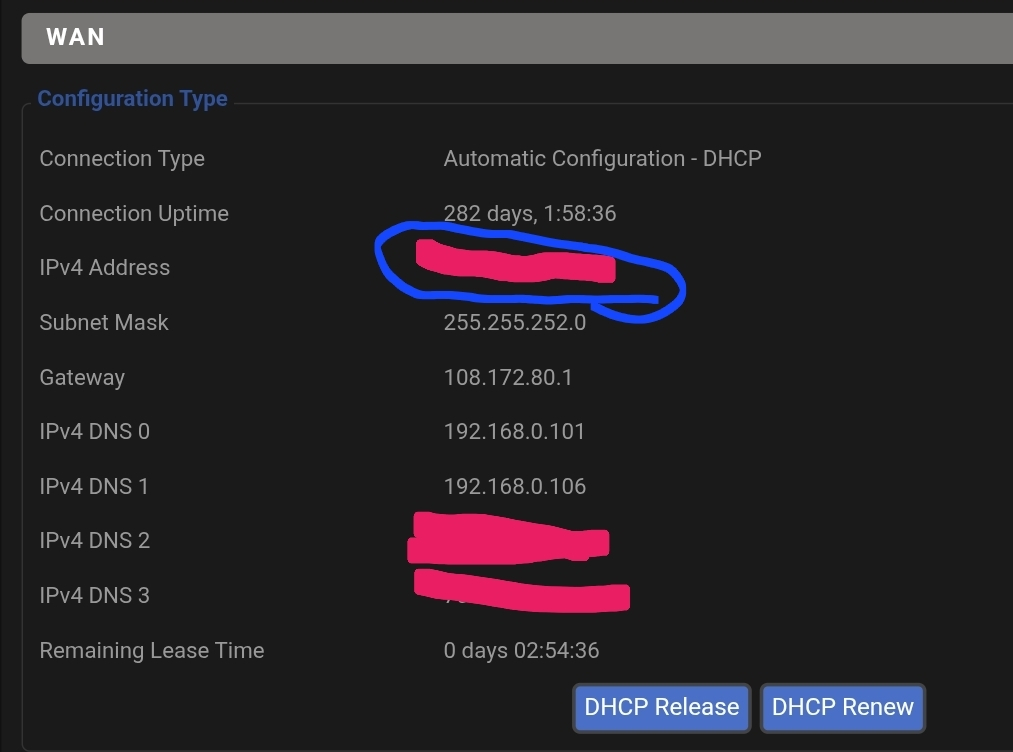
-

External SRT subtitle file not showing up!
fabien_m2002 replied to fabien_m2002's topic in General/Windows
Thanks for your help! - The folder view of the libary is not the trick. It scans only the primary folder. - the UHD folder is well recognised even it's not followed the rule Industry (2020) [UHD]/ (i can see the 2 versions in the drop doan list version) I think it's a limitation of Emby, maybe a new feature to develop? The only way is to watch only in FHD version - Today
-
External SRT subtitle file not showing up!
rbjtech replied to fabien_m2002's topic in General/Windows
If your multi-versions are under the same folder, then sure, but what if they are not ? My HD and UHD versions are not even on the same disk pool, yet alone the same folder... The primary issue is, as soon as you 'group' multi-versions, via the gui - you lose the emby functionality on the non-primary item (incl things like changing Tags for example..) -
I moved and now I can't access my WAN emby server
drpickles replied to drpickles's topic in General/Windows
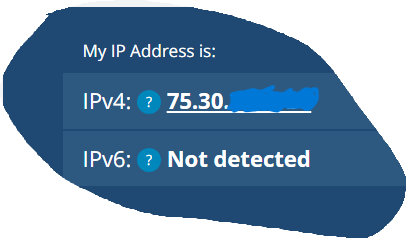
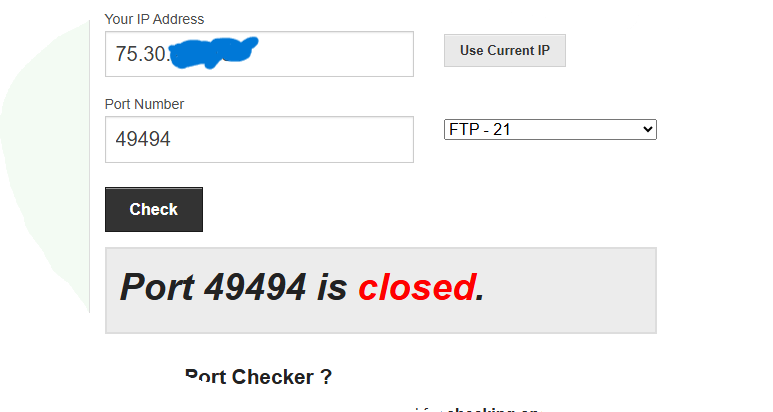
-

External SRT subtitle file not showing up!
speechles replied to fabien_m2002's topic in General/Windows
Use folder view of the libary. Then find the root library folder shown which has all the items that have changed or been added. Use the 3-dot menu and choose "Scan Library" at that level. It always works for me this way. Don't scan library on the entire TV library itself with the 3-dot menu. Enter the TV library and go the folder view. Then do it from that top-level root folder itself. Its much faster. -
External SRT subtitle file not showing up!
rbjtech replied to fabien_m2002's topic in General/Windows
I don't believe it matters. On my multi-versions, with the correct naming - if I do anything on the context menu, it only relates to the version shown in the filename under MediaInfo. Emby does not apply the action to 'all' the versions - it only applies it to the primary one. I think that is the issue here. -

Any file with this filename will not be added to the library
GrimReaper replied to gu5gus's topic in Linux
Weren't you advised about that two days ago? -

Any file with this filename will not be added to the library
gu5gus replied to gu5gus's topic in Linux
Adding tmdbid to the filename worked! Thanks! Didn't know about this trick before. -
bump
-
I moved and now I can't access my WAN emby server
drpickles replied to drpickles's topic in General/Windows
I'm not sure if any of this will help indicate my issue.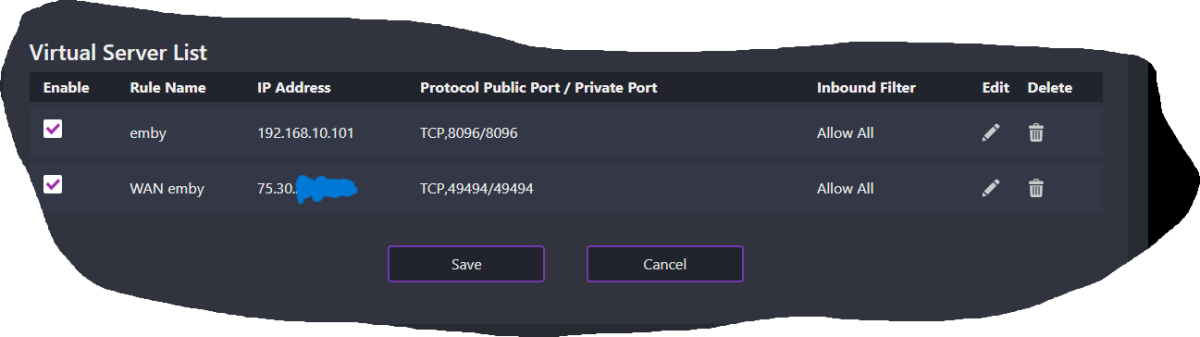
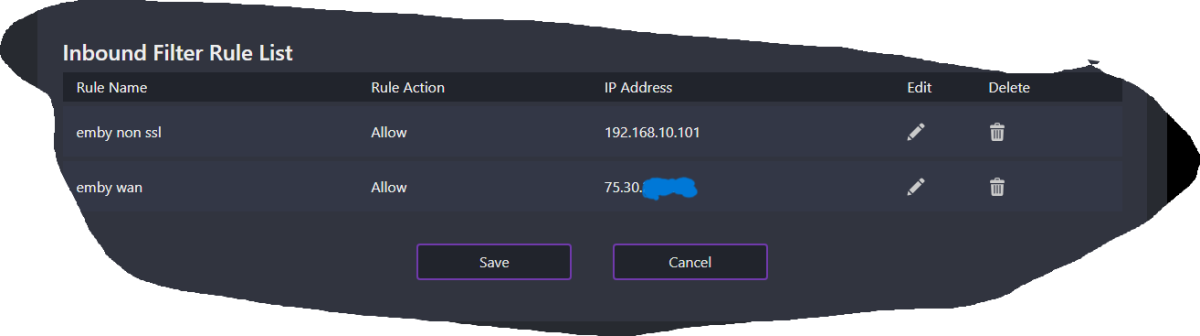
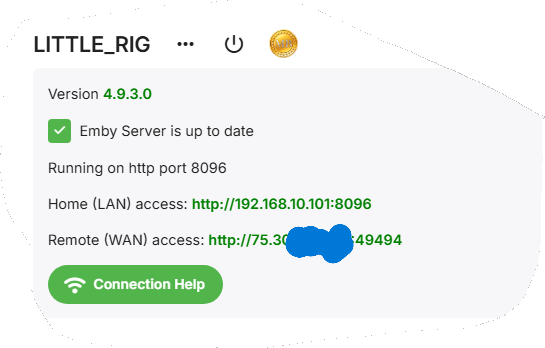
-
i still use emby live tv, but the only thing it gives me over jellyfin is the guide data for antenna tv. would be nice if emby improved its live tv features and tune times.
-
Hi Bloodred, I have discovered your E2PL a dew days ago, and I love this very much. But every other time I start a video, I get this error. I hit OK, and retry, it then work.
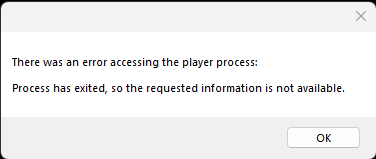
-
External SRT subtitle file not showing up!
speechles replied to fabien_m2002's topic in General/Windows
Maybe they should instead be: Industry (2020)/ Industry (2020) [UHD]/ Then they would stack and be seen as different versions of the same item. You likely have both already scanned. One is probably just given the wrong name of "Industry and Photography" because the parenthesis confused the parser. https://www.themoviedb.org/search?language=en-US&query=industry vs https://www.themoviedb.org/search?language=en-US&query=industry (UHD) See the difference. Everything inside brackets is part of the version. The parenthesis is part of the year designation. -

Adding tmdbid tags in file name where there are multiple versions of a movie
Johnny_B replied to daleala's topic in General/Windows
bump -
External SRT subtitle file not showing up!
rbjtech replied to fabien_m2002's topic in General/Windows
right - with you - so you are using the context menu to scan the files - so this makes perfect sense WHY you are only seeing updates on a single entity, because you are only actually viewing a single entity. This is a bug/oversight imo. If you install the 'Explore Item Data' plugin - you will see that regardless on the version you select on the screen, it will only change the primary item. To confirm this (as a test), split the items (under About > MediaInfo at the bottom), then do a scan library files on EACH item, and it will find and add the SRT immediately. -
What confuses me throughout this thread is that people say they have 'moved on', but to what? If I use IPTV, not every one of my players is android and has TVMate. I run my servers on Synology, so I'm not even sure if TVNext works on there. Maybe this is for another thread, but for those that have given up on Emby Live TV, and who use IPTV services, any guidance is appreciated.