All Activity
- Past hour
-
 Queen of Sheba joined the community
 -
 africaaliascompi joined the community
 -
 春晓 joined the community
 -
 Miko85 joined the community
 -
 lxldoudou joined the community
 -
 Gallatos joined the community
 -
 ChaiyongBP joined the community
 -
 limordarba123 joined the community
 -
 HandsFlesh joined the community
 -
 Zerx611 joined the community
 -

Is the “Show Login Screen” startup behavior working ?
kbijvank replied to GlowingBits's topic in Apple TV
Hi @Luke @SamES It used to work so that when you switched Apple accounts on the Apple TV, the Emby user would switch as well. The system remembered the last Emby user who was logged in for that specific Emby profile on the Apple TV. Can we bring that back as one of the options? -
Hello, I have recently moved my Emby Server installation from a Windows 11 machine to a Linux box. As far as I understood, copying everything as on a normal migration is not advisable when changing the OS from Windows to Linux as such I did a new install and re-created all my metadata however I was not able to find any info about where the titles resume (and already watched) info is stored (I am secretly hoping it is stored in a file somewhere on a per user basis and not in the DB) and I was wondering if someone in here would know about it? I know that the system folder is in /opt/emby-server/ and the users and metadata are, by default, stored in /var/lib/emby/. Thank you in advance for your help!
-
Just in case make sure the options are exactly like this to enable that option. /* --- CUSTOM MASTER PALETTE --- */ /* OPTION 1 - USE THE THEMES GOLD COLOR */ /* --my-gold: rgb(var(--my-gold-rgb)); /* Solid gold fallback for borders and text accents */ /* --my-gold-light: rgb(var(--my-gold-light-rgb)); /* Brighter gold fallback for highlight gradients */ /* --retro-navy: rgb(var(--navy-base-rgb)); /* Darkest navy fallback for main backgrounds */ /* --retro-navy-light: rgb(var(--navy-mid-rgb)); /* Mid-tone navy fallback for panels and cards */ /* --star-color: var(--retro-navy-light); /* Media info badge rating star color */ /* --star-glow: drop-shadow(0 0 5px rgba(7, 5, 0, 0)); /* Media info badge rating star glow */ /* OPTION 2 - USE THE USERS ACCENT COLOR PREFERENCES */ /* NOTE: KEEP IN MIND EVERY USER HAS THEIR OWN ACCENT COLOR OPTION */ --my-gold: hsl(var(--theme-primary-color-hue, 204), var(--theme-primary-color-saturation, 100%), var(--theme-primary-color-lightness, 50%)); /* Theme primary color set by User Accent Color */ --my-gold-light: color-mix(in srgb, var(--my-gold) 70%, white); /* Solid gold fallback for borders and text accents */ --retro-navy: rgb(var(--navy-base-rgb)); /* Brighter gold fallback for highlight gradients */ --retro-navy-light: rgb(var(--navy-mid-rgb)); /* Mid-tone navy fallback for panels and cards */ --star-color: rgb(255, 185, 0); /* Media info badge rating star color */ --star-glow: drop-shadow(0 0 5px rgba(255, 185, 0, 0.4)); /* Media info badge rating star glow */ Look for this at the top of the CSS: /* --- GLOBAL TYPOGRAPHY --- */ --font-header: 'Oswald', sans-serif; /* Primary cinematic header font */ --font-body: 'Sofia Sans', sans-serif; /* Standard readable body font */ If that does not correct it, could you paste in your Section1 just down to where the Seasonal event stuff begins inside a code block?
-
This seems to be the problem I'm having too, but haven't updated anything... Can someone walk me through how it is fixed, pretend I know nothing about computers and need to be walked through with every step clearly outlined...
- Today
-

Resfreshing metdata replaced the title with the embedded title form the video.
Kyouma replied to Kyouma's topic in General/Windows
Yeah, i will be doing that and also disable that Option. Try to get the AniList ID through the api. -
Changed - D-pad navigation is currently disabled due to ongoing changes for the upcoming Android TV build. [1.0.1] - 2026-04-07 Fixes - Windows playback smoothness: set mpv properties `video-sync=display-resample`, `gpu-api=d3d11`, `interpolation=yes`, and `hwdec=d3d11va` . - Player input: mouse wheel volume works anywhere over the player surface (including over overlays/controls). - Player overlays: subtitles are non-interactive so pointer signals can pass through. - Next Up: The Next Up UI does not show the currently playing episode anymore. - Feedback: adds a top-right “Feedback” button (hidden on the player) that opens the Discord link, with a settings toggle to disable it. - First-time setup: exposes app preferences (language/playback defaults/feedback toggle) on the setup screen so users can set them before login. Check out the repo for screenshots and the latest release: GitHub Zerk Play v1.0.1.exe
-

embyforkodi (next-gen) 12.X.X support
quickmic replied to quickmic's topic in Emby For Kodi Next Gen
New PUBLIC TESTING version available 12.4.17: Delta changelog 12.4.16 -> 12.4.17 fix favorites fix playlist artworks fix subitem (Tag, Genre etc.) artwork updates Comment: This version might be tagged as beta -
Zidoo Z9X Pro 8K / ZDMC / Internal player (Zidooplayer)
quickmic replied to Heinrich's topic in Kodi
Frankly, try streaming and not native file access. Only if you have real issues with streaming use native mode. The reason is simple, native mode needs modifications on Emby server and Kodi. "Optional Share Folder" but additionally, you need access /map a Kodi folder and they must "match". Also each modification of "Optional Share Folder" requires a full resync as Emby does not report those changes. Avoid that hassle, streaming works out of the box and I'm quite sure, you will not have any issues. Also I highly recommend, use the latest public testing version. 12.4.16 As you have installed 11.X version, it's quite easy to install/download via Kodi's filebrowser. -
Which version?
-
Andorid app does not show at all text entered in General - Home Screen Banner text. Android TV app shows it normally.
-
 So this morning I could hear my server working under a heavy load, I accessed it and found that it was importing all photos and videos from my documents/pictures/onedrive into "Home videos & photos" which I did not want, nor had configured that Library. So I stopped that task and removed the folders from that library., However, now the larger issue is that all TV, Movies and recorded TV is not appearing in the Libraries at all and the scan is not re-instating them, restarted the physical device and Emby Server and nothing? The physical files and .nfo files are all still on the drive where media is stored.
 -

can get subtitle plugins to show after install and restart
Flawkee replied to Zeltak's topic in General/Windows
Hi, sorry for taking time, was very busy lately and missed this topic. I've pushed a fix for Ktuvit (v1.2.1.2) and Wizdom (v1.3.1.1) - it should be good now. Please reinstall the plugin, restart Emby server and test. Let me know if you have any further concerns. Sorry for the troubles. -
Ok, so here is a log of trying to play an IT (Impulse Tracker) file in the latest Linux server (4.9.3). Emby (correctly) identifies it as music, so files of this type in a music library get attempted plays, but there is failure because there isn't actually a valid decoder available. I would be willing to contribute such a decoder (as a .NET plugin), but I would need some guidance on how to do that. None of the plugin APIs I found deliver audio streams to the plugin to handle. embyserver.txt
-

Emby Theme: Retro Navy & Gold (W/ Seasonal Themes)
MediaEmby1968 replied to Aleas's topic in Web App CSS
Updated and installed. I use the theme in sky blue, for a change I previously had one that predominated golden tones. I have tried the part that you mention of accent color Option 2. but it does not change, it is always the same color. I have left it as I had it. One question, if I wanted to change the font, how do I do it? -
Hi, sorry for taking time, was very busy lately and missed this topic. I've pushed a fix v1.3.1.1 and it should be good now. Sorry for the troubles.
-
Ok so today I booted up Emby Server and it's going straight to the Quick Start Wizard as if I haven't used it before ??? I've changed nothing at my end... Any work arounds so I can get my library back easily...??
-

iPad trouble logging in through WireGuard connection
C.S. replied to C.S.'s topic in Apple iOS / macOS
Yes for sure. -

"Preferred channel image source" only works when guide data source is enabled for all tuners
someperson posted a topic in General/Windows
If you add an M3U tuner with the "preferred channel image source" set to "M3U" and then assign a guide data source to that tuner, the logos from the guide data will override the M3U. The only way to make the "preferred channel image source" feature work seems to be to enable the guide data source for all tuners and then add the M3U, but having it enabled for all tuners is not always desirable. Is there any workaround for this? -

Timed Out - Error in TheMovieDb / getting available plugin updates
Luke replied to Endymion's topic in General/Windows
Yes that only got added recently. When I responded in December it might have only been in the beta channel at that time. But yes you are right. -
Hi there, please attach the Emby server log from when the problem occurred: How to Report a Problem Thanks!
-
Can you please provide a new log example of that? Thanks.
-
I cannot add Jury Duty Presents Company Retreat . Am I doing something wrong or is it missing on the database?
Luke replied to GabrielPhoto's topic in General/Windows
@GabrielPhotohas the response from @Happy2Playhelped? -
Emby Android Server USB Drive Can't Read Directory
Luke replied to jscheeren's topic in Android Server
Hi, what device have you installed on? -
iPad trouble logging in through WireGuard connection
Luke replied to C.S.'s topic in Apple iOS / macOS
Hi, does the local address that you want to use match what is displayed on the server dashboard? -

FR: Option to sort music into groups (e.g. Albums, Live, Single, etc.)
user24 replied to MindBullet's topic in Feature Requests
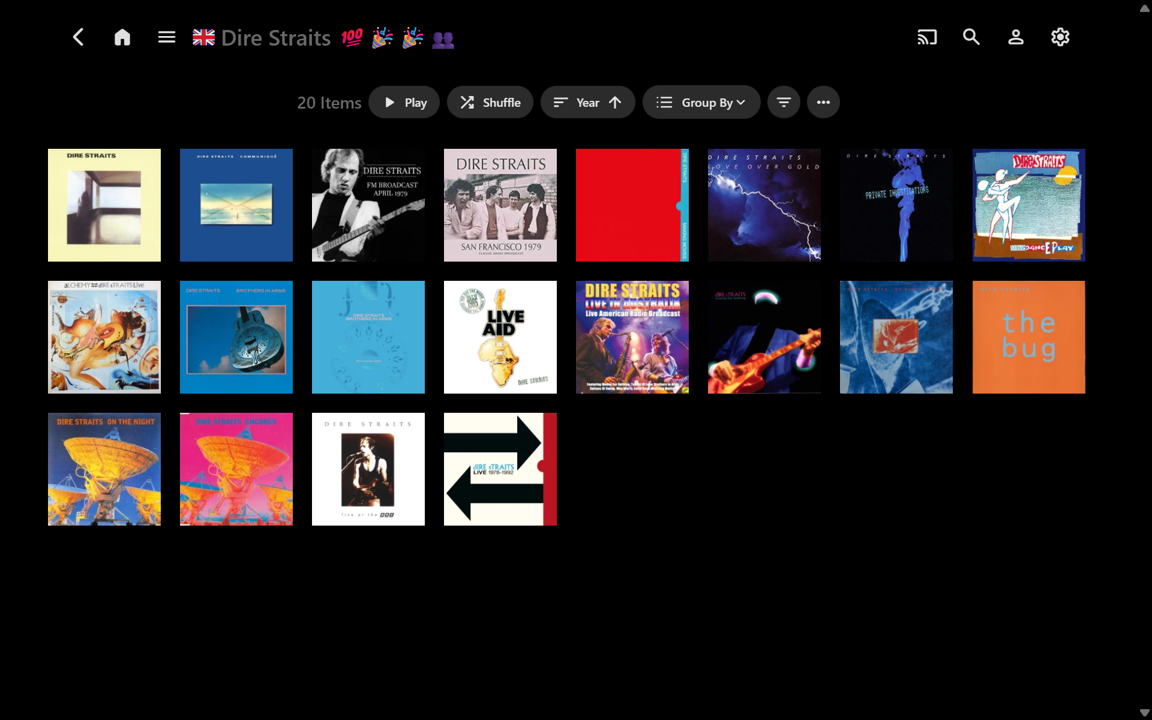
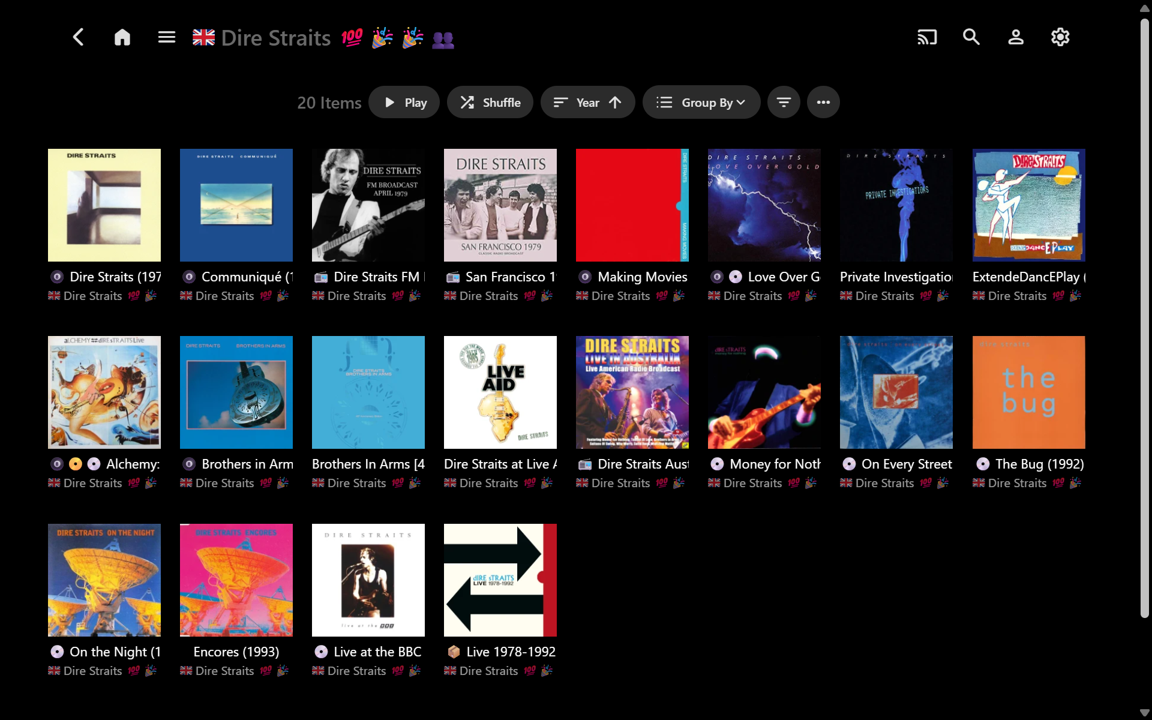
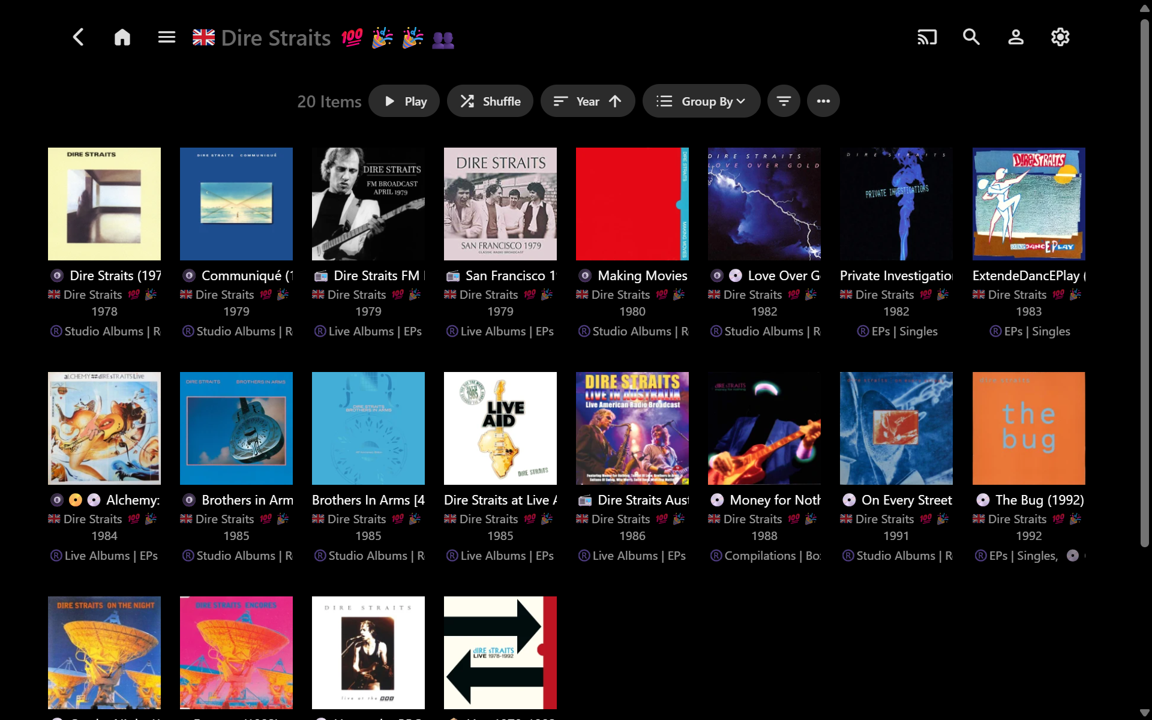
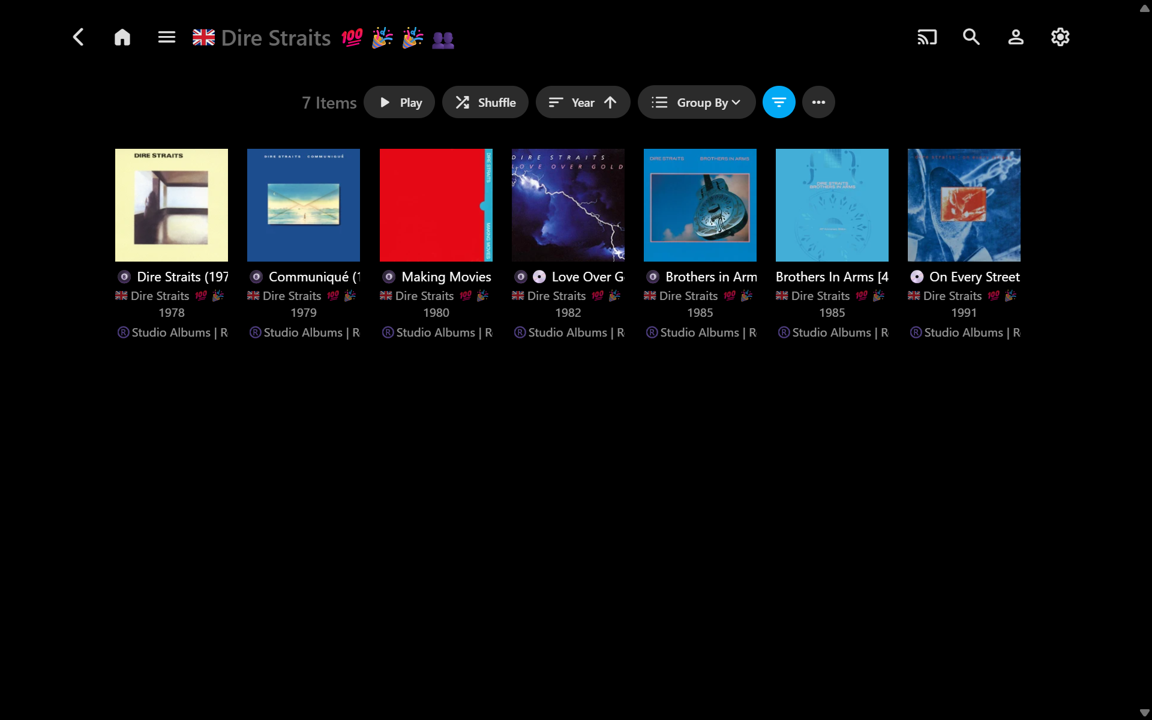
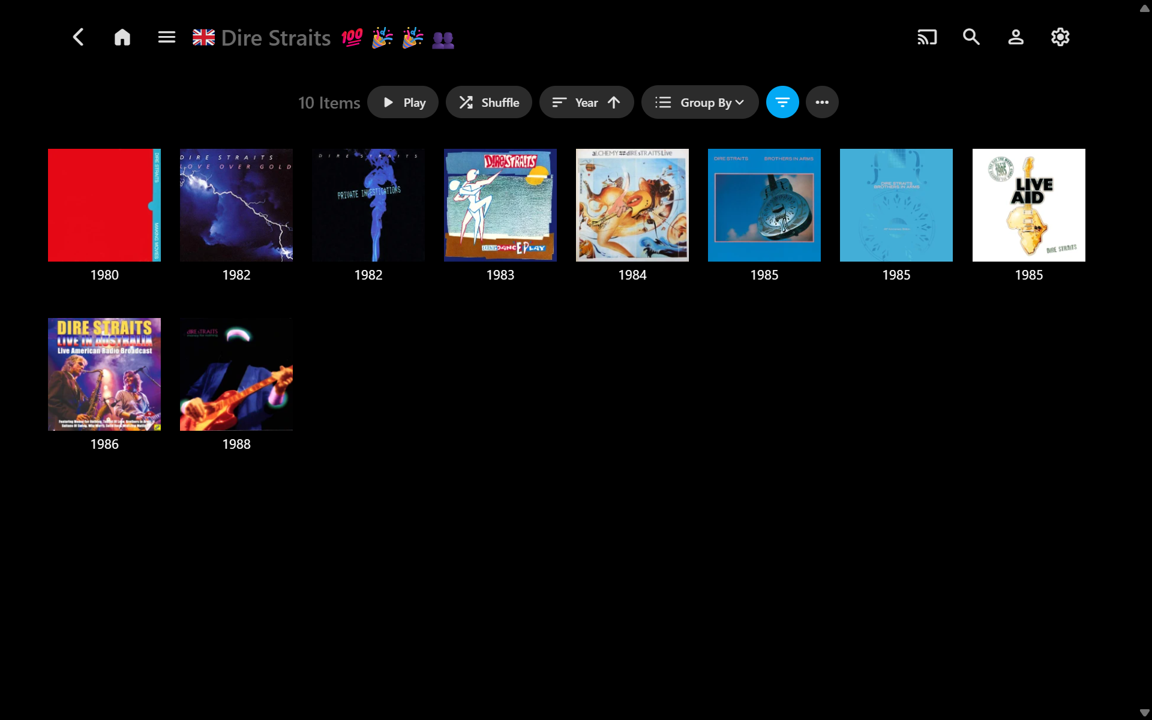
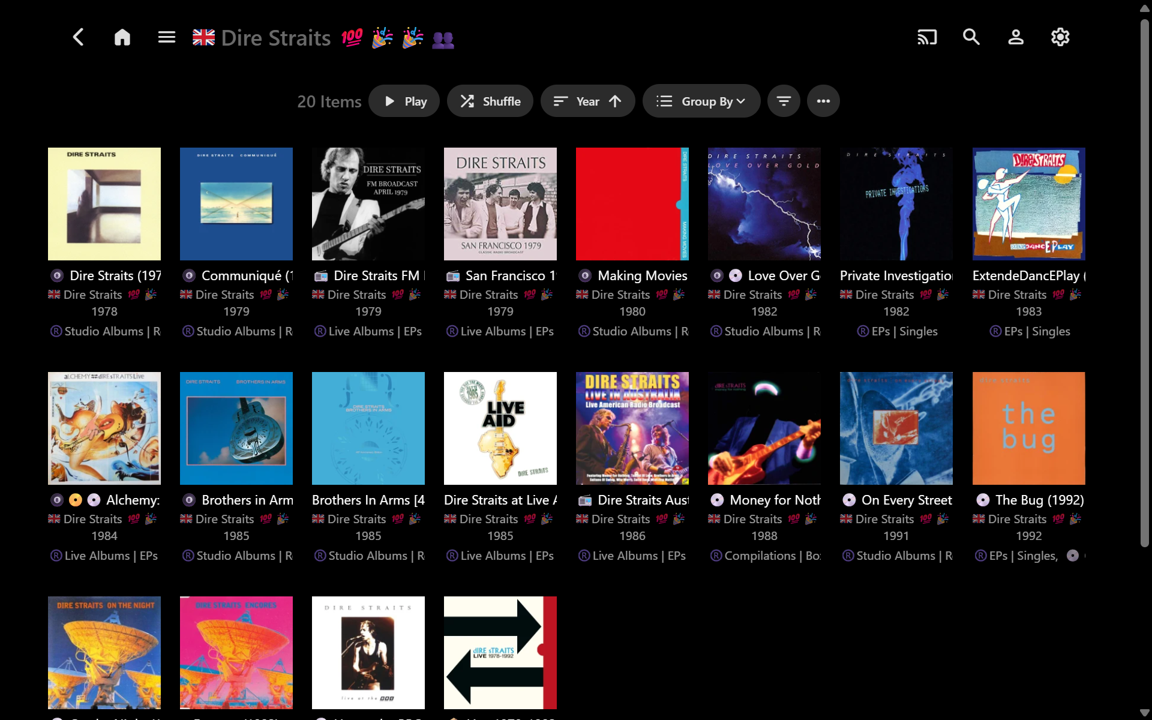
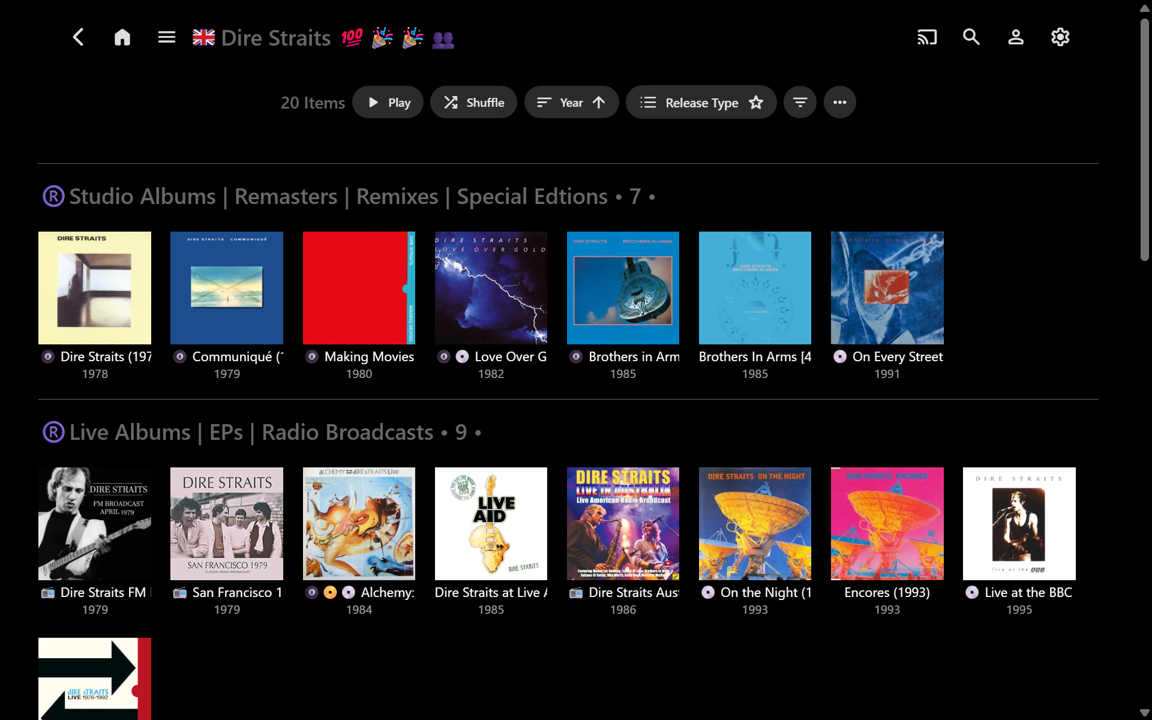
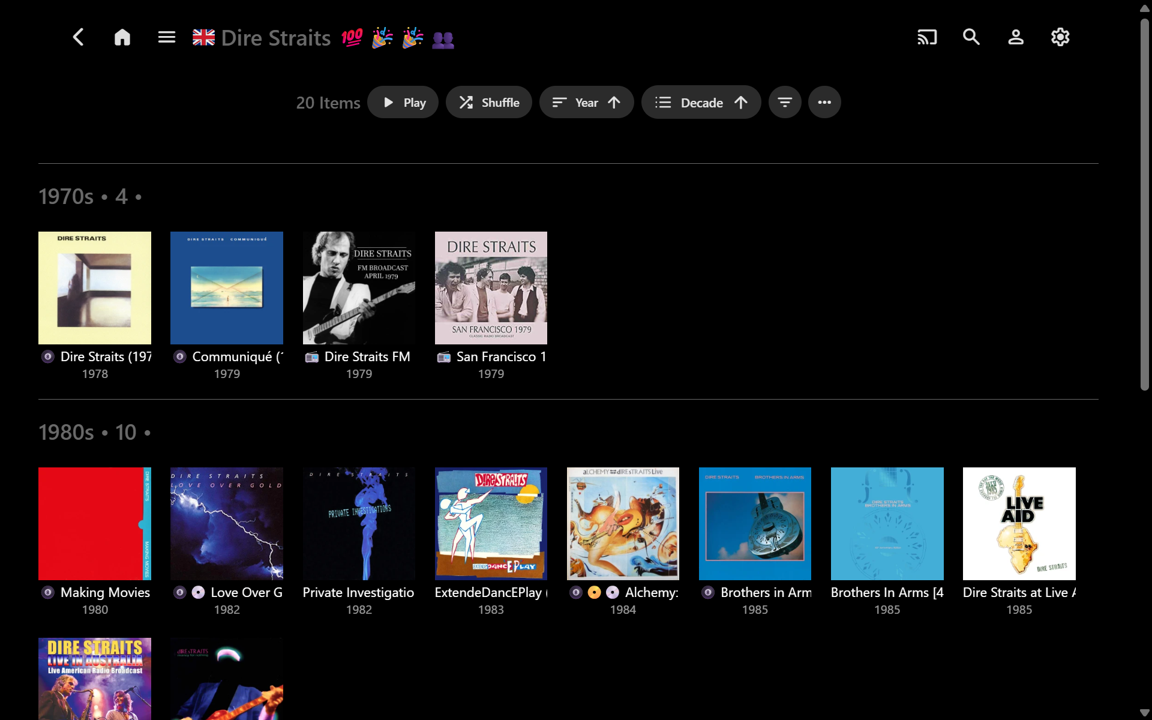
Well, after being nicely distracted on another extremely worthwhile Emby project for a week, I’ve now started using this ‘for real’ on my music library. For anyone interested, here’s a new example, but from the perspective of: useful information vs useless clutter. ease-of-use vs difficulty-of-use. the enormous potential of the “Group By” function, beyond Collections. (All screenshots below are uncropped full-screen, for direct comparison.) The most decluttered view of an Album Artist’s Album page would have all the text fields turned off. This gives a very ‘clean’ view, but there is no supplementary information at all, so you really have to ‘know’ your Album covers!!! A useful side-advantage is more Albums can be seen at once, without scrolling (e.g.): Showing the Album Title is therefore usually needed, but when this is turned on, the Album Arist is also shown by default. There is no separate Album Artist field in the Settings to turn on/off. I think this fixed default may be somewhat redundant because the Album Artist is shown at the top of the page and the Album Artist is typically the same for all the Albums (unless there is more than one, for shared Albums): (Yeah, I use emojis in my text strings – some will likely hate it - I have tried various options that put icons on the Cover Art, but I like the Cover Art with nothing overlaid. All examples shown are just as relevant without the emojis.) I usually also want to know Year and Release Type (currently custom Album Tag) though. These can be turned on and shown. But then the information turns into clutter because the text blocks are almost the same size as the Cover Art... and the info is truncated (e.g.): T All the required info might now be 'at my fingertips', but it becomes visual overload. Where do I want to look??? (e.g.) Exactly how manty Studio Albums are there and when were they released...???... well, I can apply a Filter for this: That’s a reasonably useful sparse information view, but now I immediately decide I want to see all the Albums for the 1980s, but without any extra text clutter at all. It can be done – that’s a 10-selection Year Filter though, plus a change of View Settings: Now it’s very easy to see the years, but in removing the Album Artist sub-text, I have lost the titles again. And, if I now want to see the 1990s in full, that’s another 10-selection Year Filter! I won't bother for now... So let’s reset back to having all the info on display: With the albums_groupby.js script I can select an uncluttered custom Release Type order very easily. “Studio Albums” can be quickly seen and it is trivial to scroll down to “Live Albums” and more... The titles and years are there, but the redundant Album Artist text is gone (e.g.): Changing from “Release Type” to “Decade” is very fast. There are no multi-selection Filters to set up. Scrolling through the Decades is also possible - they can be sorted ascending or descending as well: When I first commented about this Release Type feature (2+ years ago) I initially thought it might only have limited usefulness, depending upon the number of Albums per Album Artist (e.g. If there are only a few Albums then there may not be much point in grouping them). But having used the customised grouping option for just a little while, I think it would be a “killer music feature” for Emby to implement. I think Emby would very likely come up with something better than what the competition already has... Thanks for considering! ...(In the meantime, I don’t think there is any obvious downside to importing embedded RELEASETYPE tags into Emby Album Tags now, along with using albums_groupby.js for fast uncluttered organisation within Emby.)...