All Activity
- Past hour
-
 SSDdd joined the community
 -
 Eviemcdonald06 joined the community
 -
 Khalid1551 joined the community
 -
You're not the only one experiencing this problem. I have been experiencing this same exact issue since the last server update on March 4 and I noticed similar reports cropping up from various Emby users on here as well. The response that you're getting from the Emby staff here is classic deflecting and stalling. They will never admit that they broke something in the last update. I know how helpless you feel right now because it seems there is nothing we can do to report these people for what they are doing to us. I am open to suggestions on that if anyone knows.
-
 Dmuner54 joined the community
 -
 edijssk joined the community
 -
 evri mezin joined the community
 -
 fries joined the community
 -
 Tomriggs joined the community
 -
 JUST M. joined the community
 -
Your log: line 5 Emby menu visible but streaming fails - LG OLED. Apparently this may be resolved with LG setup options. Often different brands and models require permissions and settings. Viewing an Emby page on a TV app does not mean that all streaming should be working. Video streaming may be blocked by a TV setting, as well. see: https://www.reddit.com/r/LGOLED/comments/1did7lk/lg_smart_tv_shows_connected_but_does_not_load/ And https://duckduckgo.com/?q=LG+Oled+video+streaming+Invalid+Args+error&ia=web
- Today
-
Hi there, i take it there is no fix for this issue, can you please let me know where i can seek a refund for emby premiere? thanks
-
I did not know until I went through process myself on a different device. That is why I took a picture of it and posted it. What is obvious to one, might not be so obvious to others and visa versa. Thanks again for your help.
-
Amazon Echo Dots Echo dot and Echo dot max Btw, they are the new generation model Thank you
-
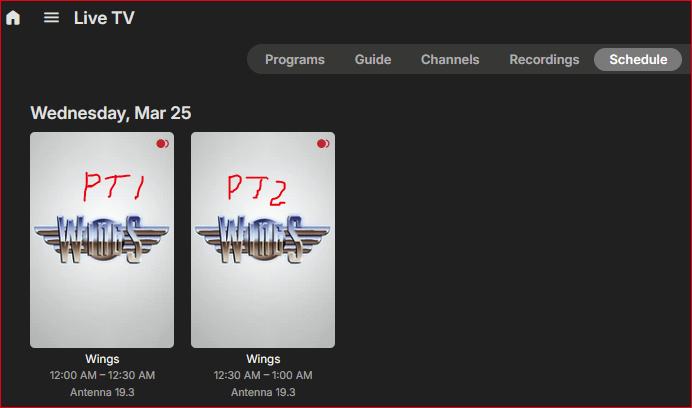
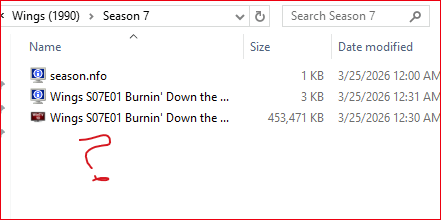
And again ...
-
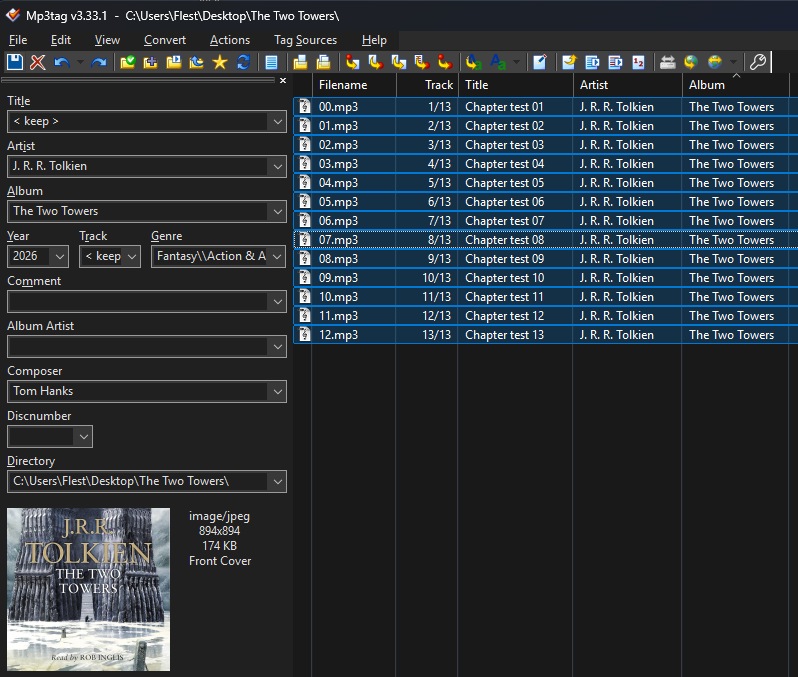
Audiobook Creator/Editor - a small tool I write. Hey! I threw a simple program for creating and editing audiobooks, since I couldn't find anything decent online — except for one paid option. I'm sure it still has plenty of bugs, but it seems to work. Features: Encodes audio files (MP3, AAC, OGG, FLAC, etc.) to M4B format Merges multiple M4B files into a single file Rebuilds M4B files with proper tags Joins multi-part chapters (e.g. "Prologue 01", "Prologue 02", etc.) Requirements: For encoding MP3 and similar formats, the source files need to have their tags already filled in. I personally use the free Mp3tag app for this. The most important tag is Title - this is what gets used as the chapter name. All other tags can be filled in directly within the program. A note on performance: The program runs slowly, as it's essentially a wrapper around several command-line utilities - and those utilities are inherently slow when working with the M4B container. Nothing I can do about that, I'm afraid. Bonus: Since Emby apparently can't read the Sorting Album tag for some reason (hi, Luke ), the program also generates an NFO file with all the filled-in tags pre-written, including <sorttitle>. AudioBook Master v3.exe
-
- 1
-

-
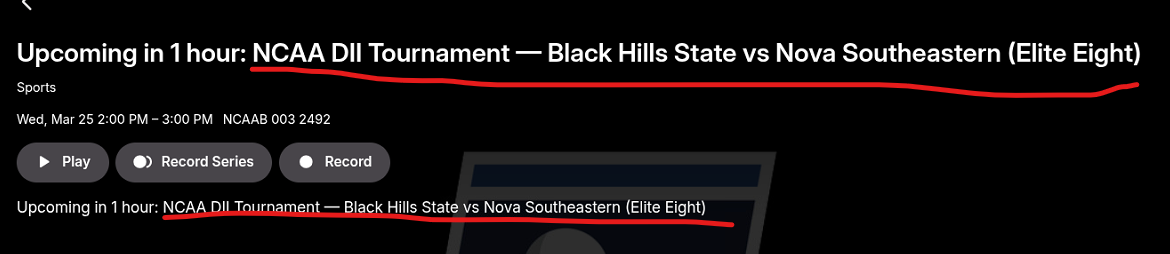
So yes to @brothomin the example but more along the lines of this. What I’m doing: Using a custom XMLTV generated from IPTVBoss Titles and descriptions include line breaks for readability Example: Upcoming in 2 hours: NCAA DII Tournament — Michigan Tech vs Gannon (Elite Eight) What happens in Emby: Emby removes all line breaks and extra spacing The entire title/description is flattened into a single line So the example above becomes: Upcoming in 2 hours: NCAA DII Tournament — Michigan Tech vs Gannon (Elite Eight) The XML itself is valid and supports multi-line formatting (see below) This appears to be how Emby parses and displays EPG data, not an issue with the source or generator Additional context: Some players (like TiviMate or IMPlayer) support multi-line titles and richer formatting Emby seems to normalize whitespace during ingestion, so formatting like \n is ignored <programme start="20260325140000 +0000" stop="20260325150000 +0000" channel="1028.NCAAB"> <title>Upcoming in 2 hours: NCAA DII Tournament — Michigan Tech vs Gannon (Elite Eight)</title> <desc>Upcoming in 2 hours: NCAA DII Tournament — Michigan Tech vs Gannon (Elite Eight)</desc> <category>Sports</category> </programme>
-
Thank you for your feedback and the logs. I've updated the code and the documentation regarding library usage and fixed the bug you experienced. Please take a look at the updated files on GitHub, see library.md and emby.md regarding server and library setup. Short: you can only use one server per library, examples included.
-
I think you have either the Docker container or Emby Server configured in such a way that all it sees for the client ip address is 172.18.0.1. That's going to cause the server to think all connections are local, thereby causing the remote access option to not work. I would suggest re-enabling remote access, getting the network configuration right so that the server sees the original ip address. Then once you've done that, then you can turn off remote access again. But I would leave remote access on until you figure that out just in case you end up with a situation where the opposite happens, and then you end up getting locked out of your server due to that option.
-
But the message on the screen relating to the device access settings was very clear and you did not mention that earlier - that is why i thought you may have had a password issue as well Glad that it is all resolved
-
Hi, what internet metadata fetchers do you have enabled on the library?
-
Hi @UsamaWaheedCould you please try this on the latest emby for android beta - which is currently 3.5.31 and let me know if the crash still happens Thanks
-
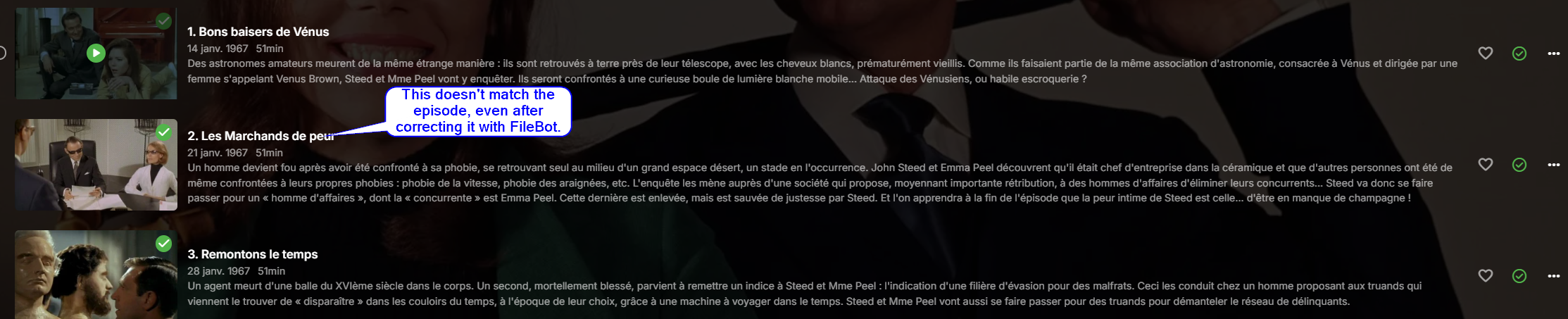
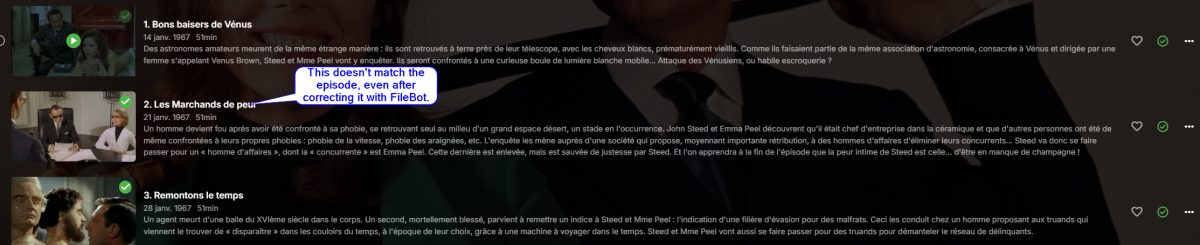
Good evening. I have a problem with this series. The metadata doesn't match the files. In the first screenshot, the file name and episode number are correct after viewing the file with VLC. See screenshot. However, when I open EMBY and view the season, even after correcting it by refreshing the metadata, it doesn't fix the problem. Thanks

-
If i move the main source selection of collection and playlist, into the "smart playlist" filters, would that do it?
-

Set primary image to a chosen frame
thekingswolf replied to justwondering's topic in Feature Requests
+1 to this -
Has anyone had success on the WebStreams plugin with regards to VOD's from Apollogroup TV via Startup Show? Thank you.
-
i bought the cert from xolphin and it is a comodo cert
-
Thanks for your reply. The thing is, even after disabling outside connections, new attempts occured. And same pattern (6 attemps per existing user), same time (around 11:50 am). Both accounts already had passwords. Is there any way to check what distant IP tried to connect? Per the log and Emby alerts, no weird IP is shown.
-
If it's a failed login attempt then probably not. It looks like someone is trying to login to your server. I would suggest making sure that your users have passwords. What you can also that will help (but possibly temporarily), is you could change the public facing router port to something different than the default. It just depends on who is trying to login and how determined they are. If they do a port scan then eventually they'll find the new port.