All Activity
- Past hour
-
 Jmedee88 joined the community
 -
 nokius241 joined the community
 -
 blaj marius joined the community
 -
 ristootsatalu joined the community
 -
 Nidaur joined the community
 -
 GinoGong joined the community
 -
 SALON12e joined the community
 -
 Luisjose12 joined the community
 -
 Basson joined the community
 - Today
-

Hide Playlists from Included In & Group Albums by Release Type + Decade
user24 replied to user24's topic in Web App CSS
Screenshot looks great, and very promising, with the new functions!!! I'll test it out as soon as I can. Will likely be tomorrow, your time, before I can give any detailed testing feedback... stay tuned... -

Hide Playlists from Included In & Group Albums by Release Type + Decade
GrimReaper replied to user24's topic in Web App CSS
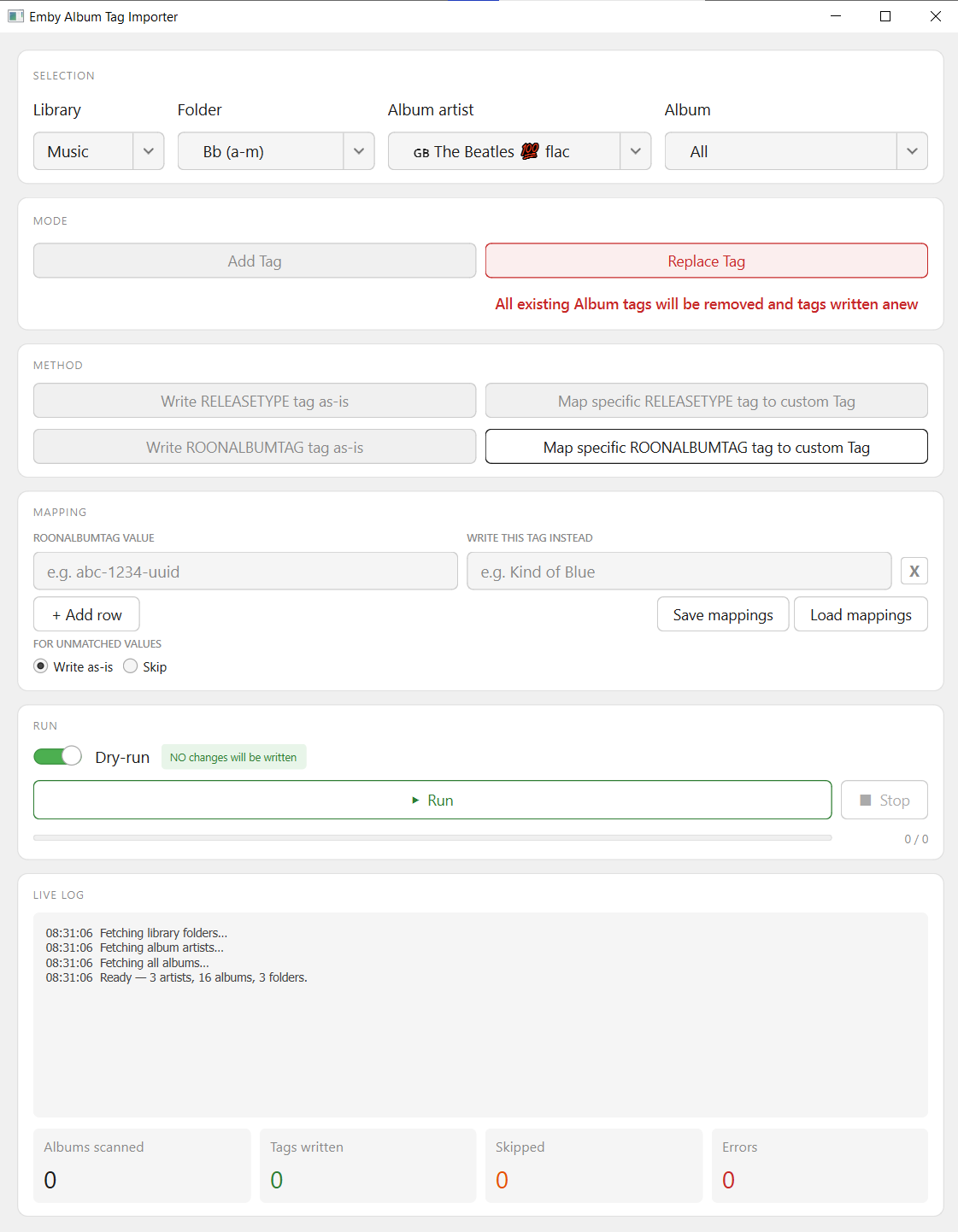
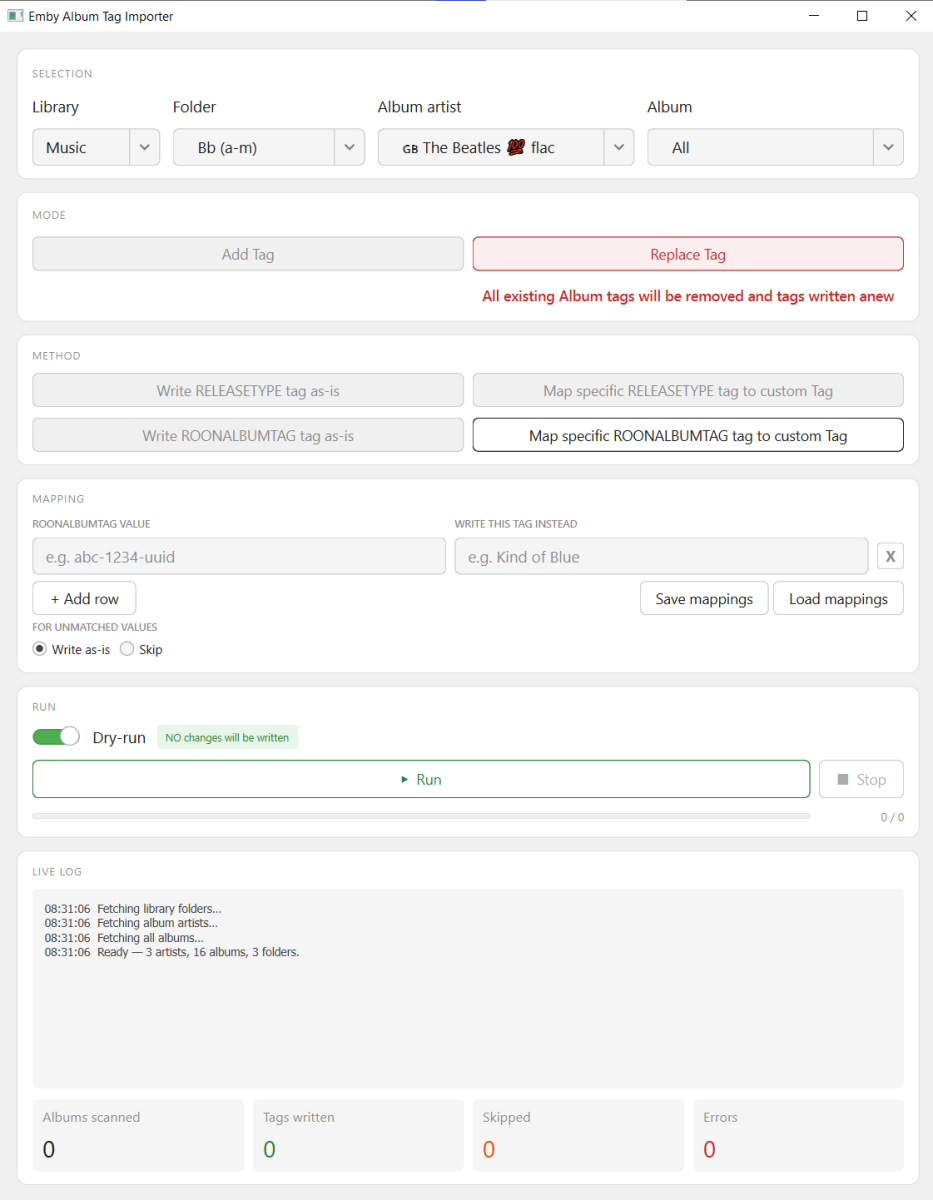
Try this version. v0.2 - Script renamed to better indicate function - UI reworked - Folder selection added - 2 extra modes added (Add/Replace) emby_album_tag_importer.py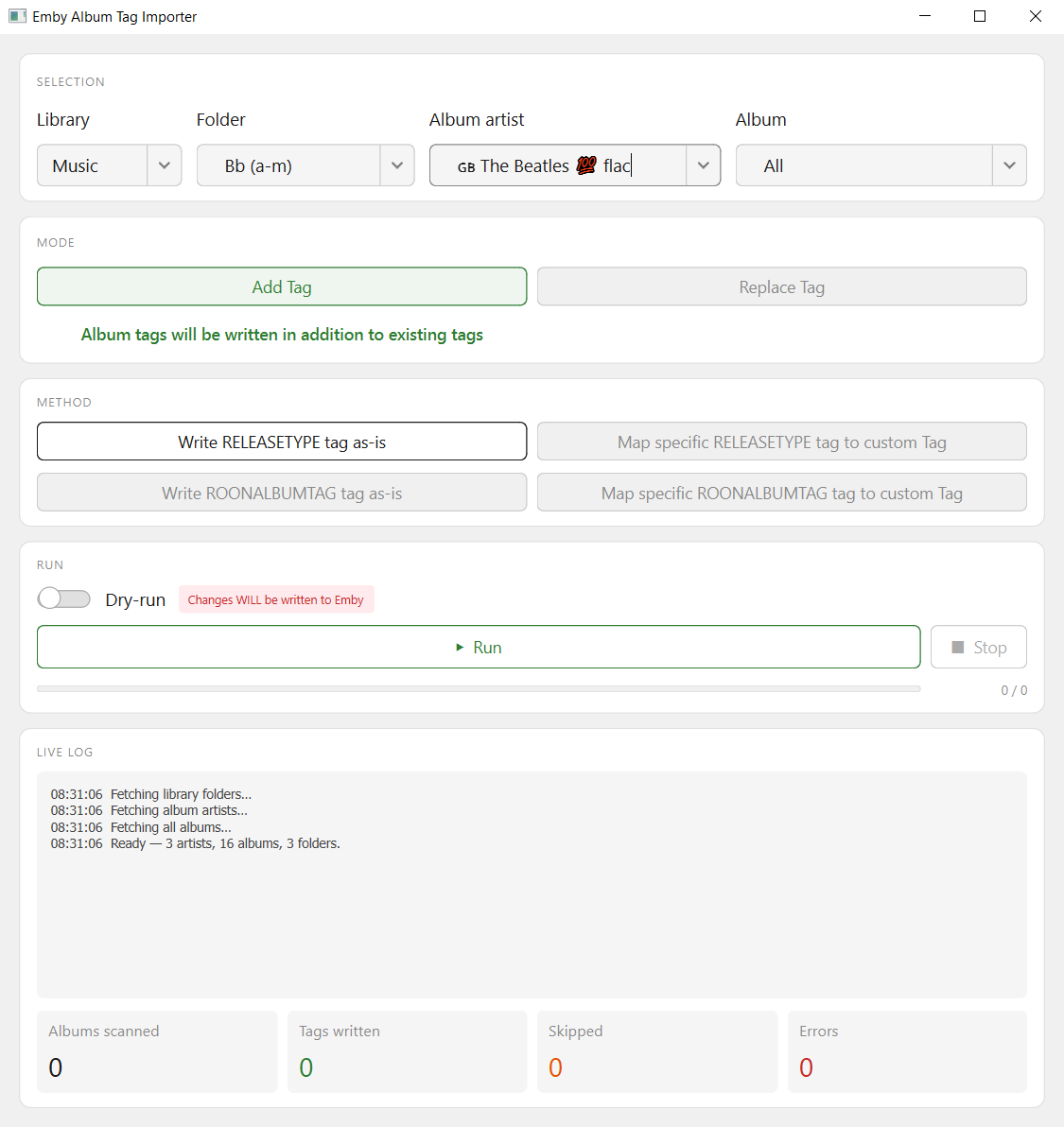
-
Hide Playlists from Included In & Group Albums by Release Type + Decade
GrimReaper replied to user24's topic in Web App CSS
That's OK, I just wanted to know exact library setup within Emby for which endpoints to use. All clear now, I should have an update within the hour. -

Hide certain librarys from home screen or my media?
Happy2Play replied to Soundchasr's topic in General/Windows
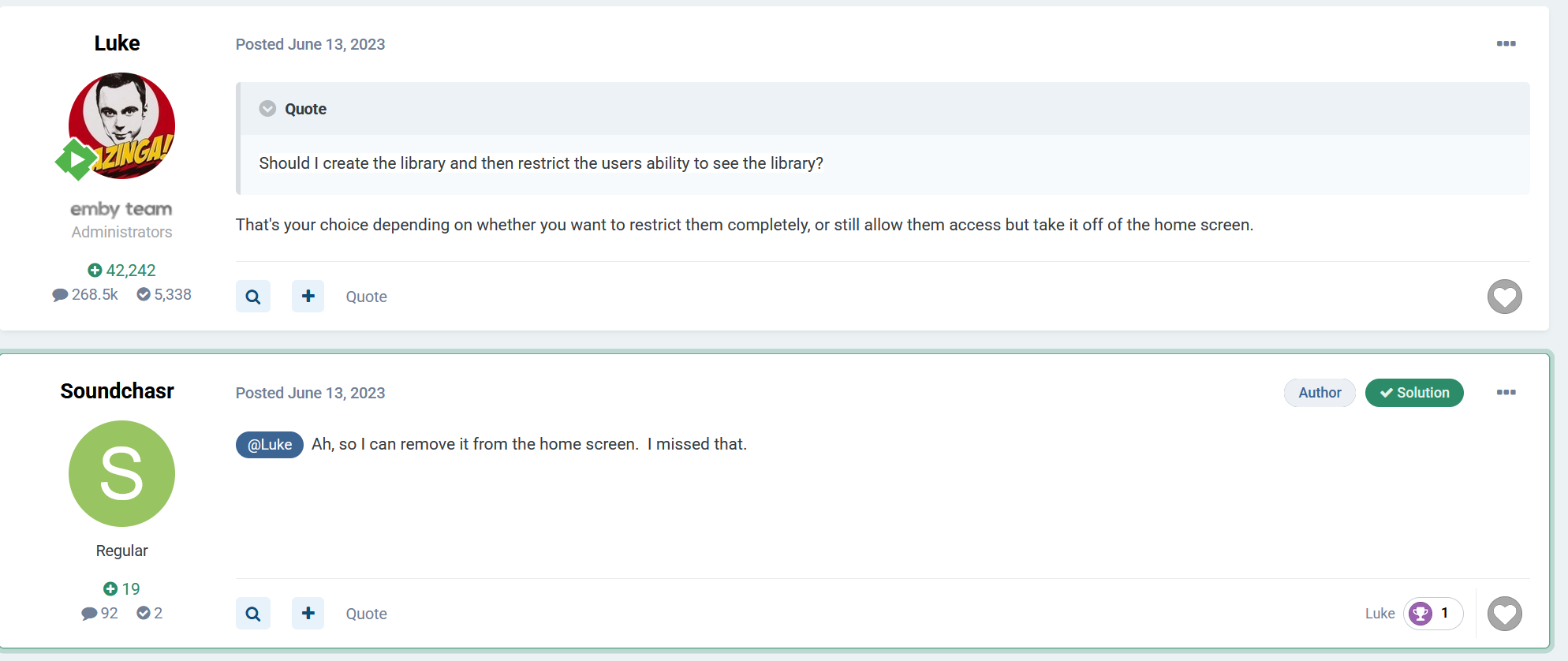
In 4.10+ you can but other versions you can't as you can only remove access. Quick example from My Media Now this unchecked library can only be access via side Navbar or search.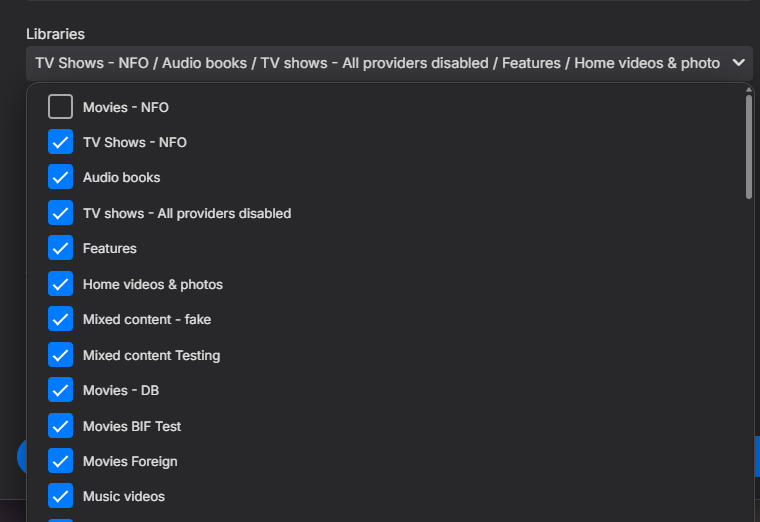
-
Hide Playlists from Included In & Group Albums by Release Type + Decade
user24 replied to user24's topic in Web App CSS
No. My music library is just: \\DS218PLUS\music. In the PM the example paths are direct copy+paste from Windows and Emby. I used this code and it seems to be working - but I don't know if this is the best approach or not??? def fetch_libraries() -> list[dict]: # get top-level virtual folders data = requests.get( f"{SERVER}/emby/Library/VirtualFolders", headers=HEADERS, timeout=15 ).json() # find the main music library music_lib = next((x for x in data if x.get("CollectionType") == "music"), None) if not music_lib: return [] # fetch one level down inside that library subfolders = requests.get( f"{SERVER}/emby/Items", params={"ParentId": music_lib["ItemId"], "IncludeItemTypes": "Folder"}, headers=HEADERS, timeout=15 ).json().get("Items", []) # return: first the main library, then its subfolders return [music_lib] + subfolders -
Dev would have to comment further on why there are issues with avi transcoding. I personally saw issues with avi (XVID) files a long time ago and just converted all of them to h264 mp4 so they would direct play instead of transcoding.
-
Hide Playlists from Included In & Group Albums by Release Type + Decade
GrimReaper replied to user24's topic in Web App CSS
Are those folders added separately/individually as Music library paths? -

Emby Theater v3.0.20 (Server v4.9.3.0) Homescreen Horiz. navigation broken
scottpro replied to d00zah's topic in Windows & Xbox
Update was pushed, 4.9.3.28. Looks like the scrolling issue is fixed. Thanks @Luke -
Hi, this should be resolved in the next update to the app. Thanks.
-
Hi, we'll take a look at it. Thanks for reporting.
-
There might be some places that aren't' checking if it's in the local network.
-
Hide Playlists from Included In & Group Albums by Release Type + Decade
user24 replied to user24's topic in Web App CSS
@GrimReaper I think I may have some clues on this as well, but not 100% sure??? In Emby 4.8 you could fetch AlbumArtists, Artists and Composers via the API with standard queries. But in Emby 4.9, the same queries no longer worked and returned AlbumArtists+Artists+Composers for all three individial fetches. But, when User_ID was added to the queries, they worked again. Just mentioning in case it helps you out for anything??? As per post above, I've hidden the "All" option. -
Hallo Zusammen, ich habe seit einigen Monaten das Problem, dass mit bestimmten "Chromecast Built In"-Lautsprechern keine Cast-To -Verbindung aus der Emby-Android App heraus möglich ist. -Emby-Server läuft auf Windows 11, Android Emby App auf Android Tablet und zeigt korrekt die Emby Musik-Bibliothek, welche auf Windows liegt/läuft. - Android App hat oben rechts den "Cast-To"- Button. -Habe 7 "Chromecast Built-In" -Lautsprecher , also W-Lan Lautsprecher. Somit auch diverse Lautsprecher -Gruppen. -Mit folgenden Lautsprechern stellt die Emby-App keine Cast-To Verbindung her: -Teufel Motiv Home & JBL Bommbox 3 WiFi = Antippen Cast-To-Button in Emby-App / Blauer Verbindungskreis dreht sich / Es erfolgt sogar der Bestätigungs "Klong" - Ton, aber das Cast-To-Symbol bleibt schwarz ( was ansonsten innen ja weiss wird, wenn verbunden) und er verbindet sich nicht -Mit folgenden Lautsprechern klappt es jedoch -Harman Kardon Citation 200 & Citation 300, inkl der mit diesen Lautsprechern erstellten Lautsprecher- Gruppen Auffällig ist weiterhin, dass mit folgenden Android Apps ALLE Lautsprecher die Cast-To Verbindung herstellen können (inkl. Lautsprecher-Gruppen) -Bubble-UPNP / Pulsar Music Player App Es scheint also an irgendetwas bzgl Emby zu liegn. Hat jemand eine Idee oder Erfahrung was das Problem sein könnte, oder evtl was falsches eingestellt in Emby-Server auf Windows ? Vielen Dank im voraus!!!!!
-
-
Hide Playlists from Included In & Group Albums by Release Type + Decade
user24 replied to user24's topic in Web App CSS
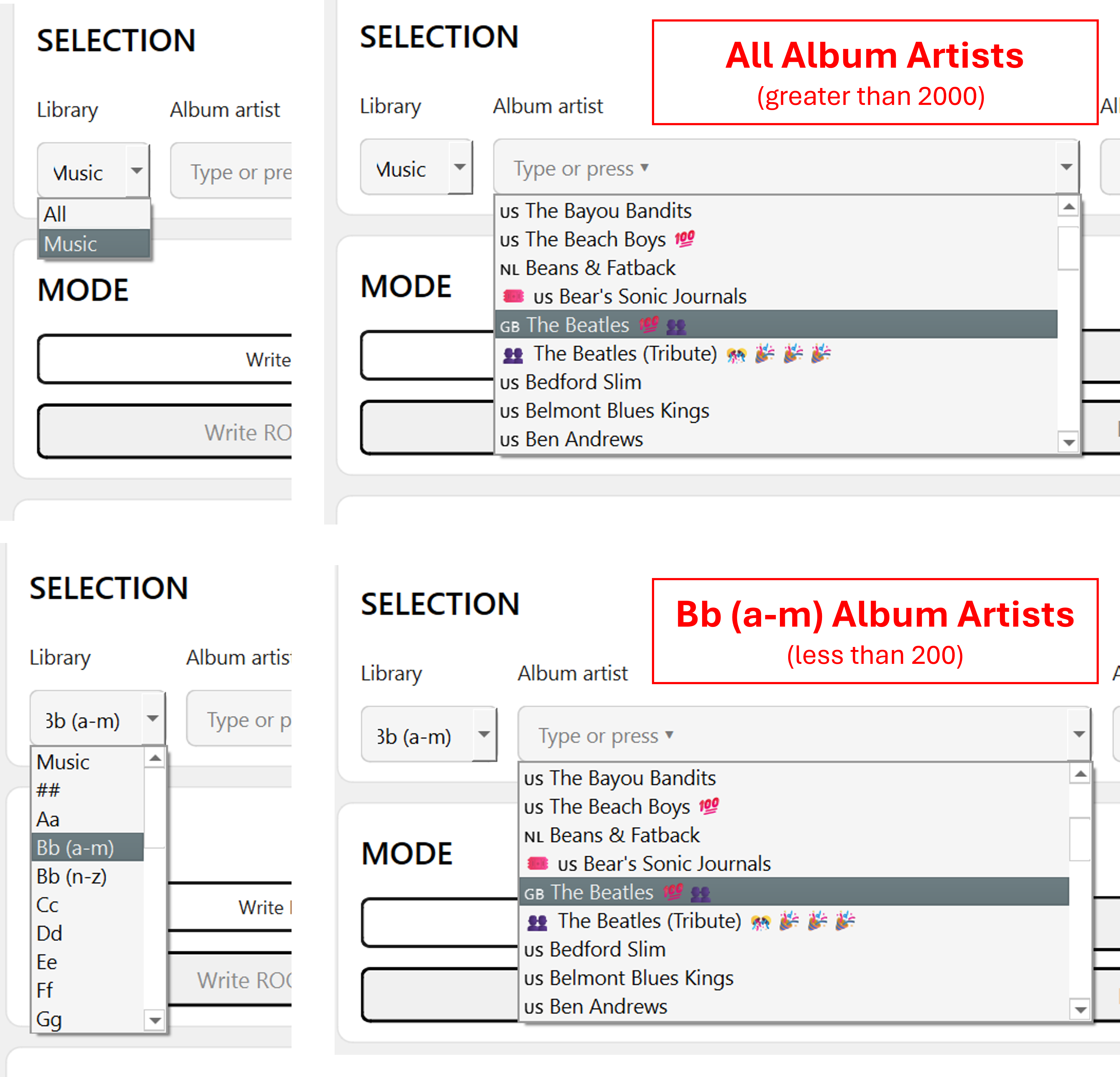
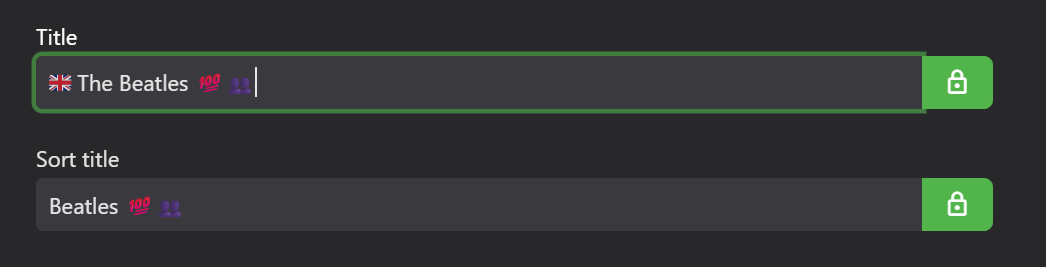
It's the filesystem sub-folder path under Music. These folders also show up in my Emby Music Folders menu tab. So for "The Beatles" it would be "Bb (a-m)" as per the PM folder structure that was sent. From your question, I think I've figured it out myself by changing the fetch_libraries() function to include sub-folders. I also changed the include_all flag from True to False to hide the "All" entry. Here are "before" and "after" screenshots examples: I don't think I broke anything because RELEASETYPE tags can be still be bulk written into Emby Album tags. Yeah, the country prefixes do cause some issues, but I guess the API is using the Sort Title??? All my Album Artists have Sort Titles, e.g. Emby will automatically remove "The" but not " The". That's why being able to import ALBUMARTISTSORT would be useful. I could perhaps try modifying system.xml but haven't gotten around to it yet: <SortRemoveWords> <string>the</string> <string>a</string> <string>an</string> <string>das</string> <string>der</string> <string>el</string> <string>la</string>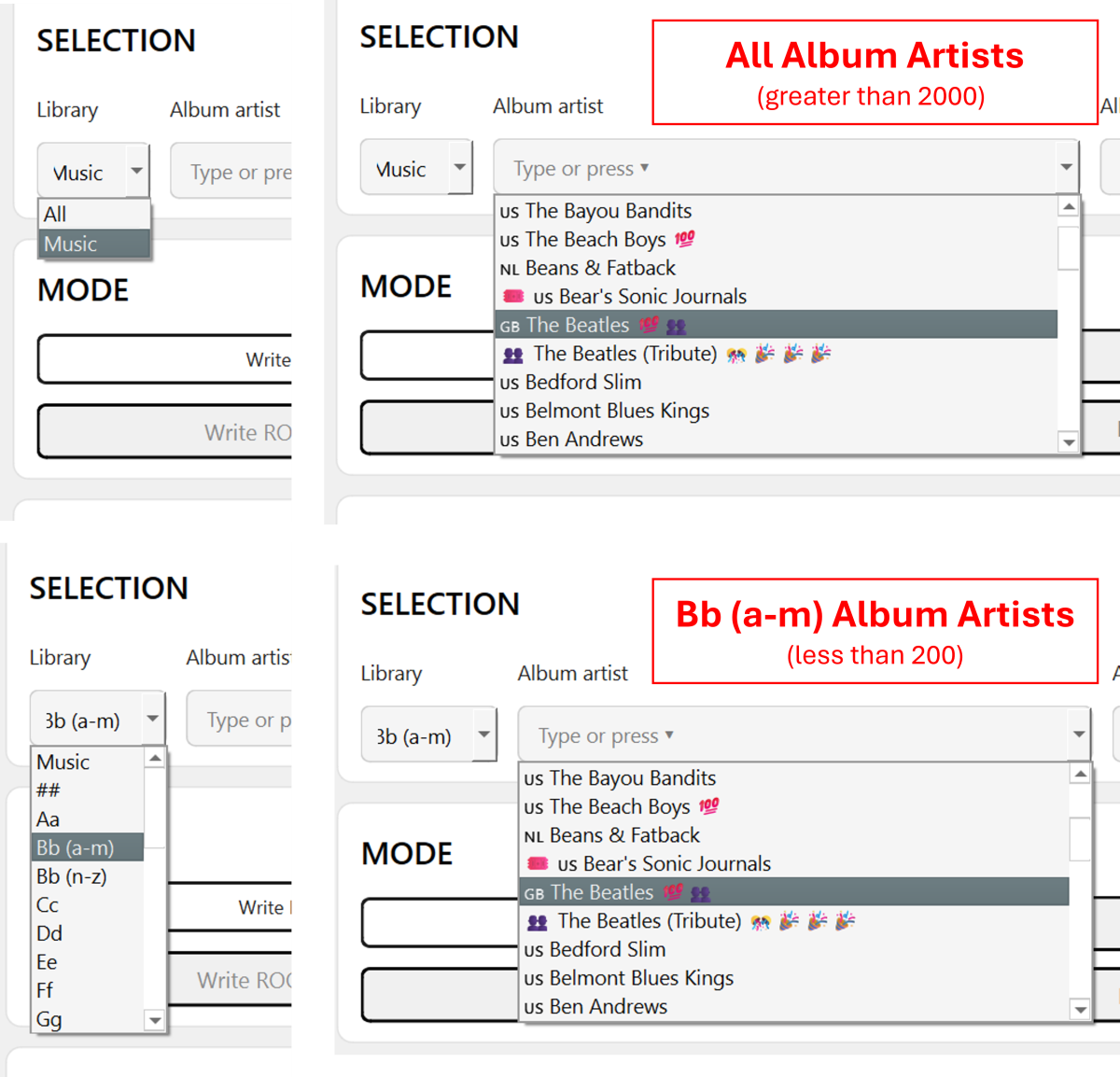
-

Hide certain librarys from home screen or my media?
ryanfiller replied to Soundchasr's topic in General/Windows
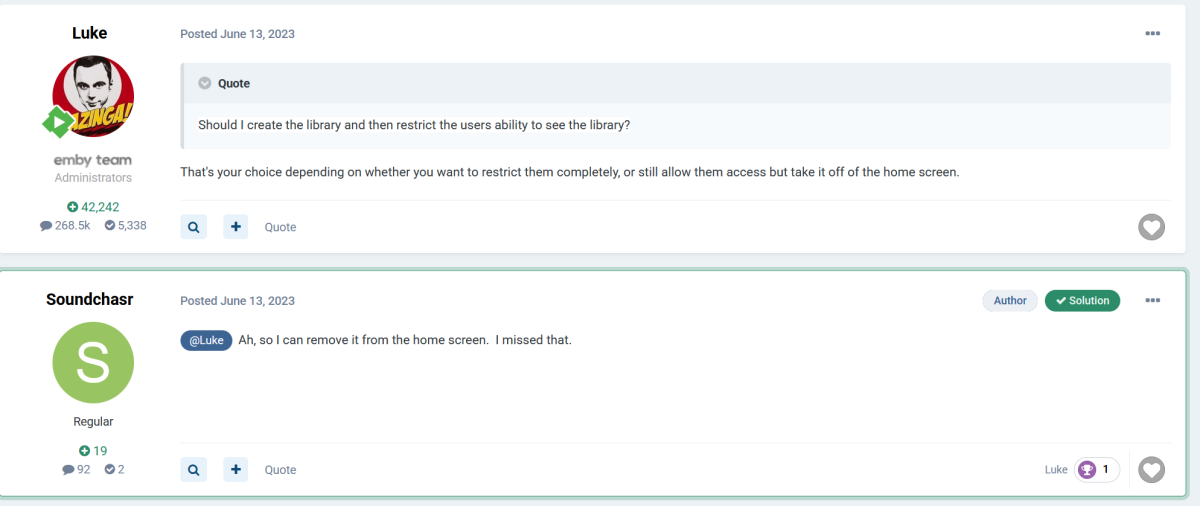
This is what I am trying to do, and seemingly have no way to do. Let a user still access a library but not see it on the home screen. -
Yes it syncs themes and yes it syncs on startup but only an incremental sync, not a full sync and should only take a few seconds. If you think there is something wrong, send me a kodi.log and I'll review it.
-
Thanks for the update. Hope it goes well.
-

Hide certain librarys from home screen or my media?
RanmaCanada replied to Soundchasr's topic in General/Windows
The rest of this post discusses making a new user just for the gym, and only having what libraries will be used while at the gym, available. That's it, that's all.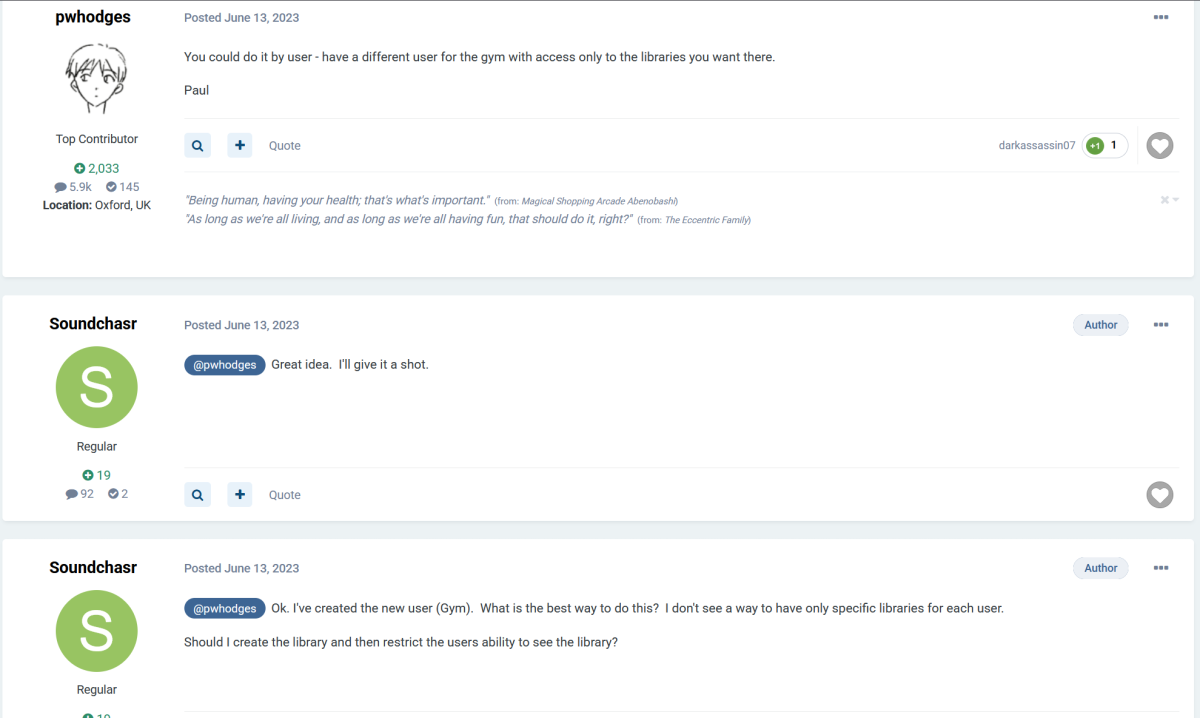
-
I’m confused, should “Show Login Screen” in Settings > Display > Startup Behavior bring up the user login/selection screen *every* time the app is launched, allowing a logged in user to be selected ? Maybe it is the TestFlight I’m using, but that login/selection screen doesn’t come up each launch. For me it only appears after the app has been force quit and is starting up fresh. I’ve tried resetting the setting, force quitting after, etc. Is this working for people?
-
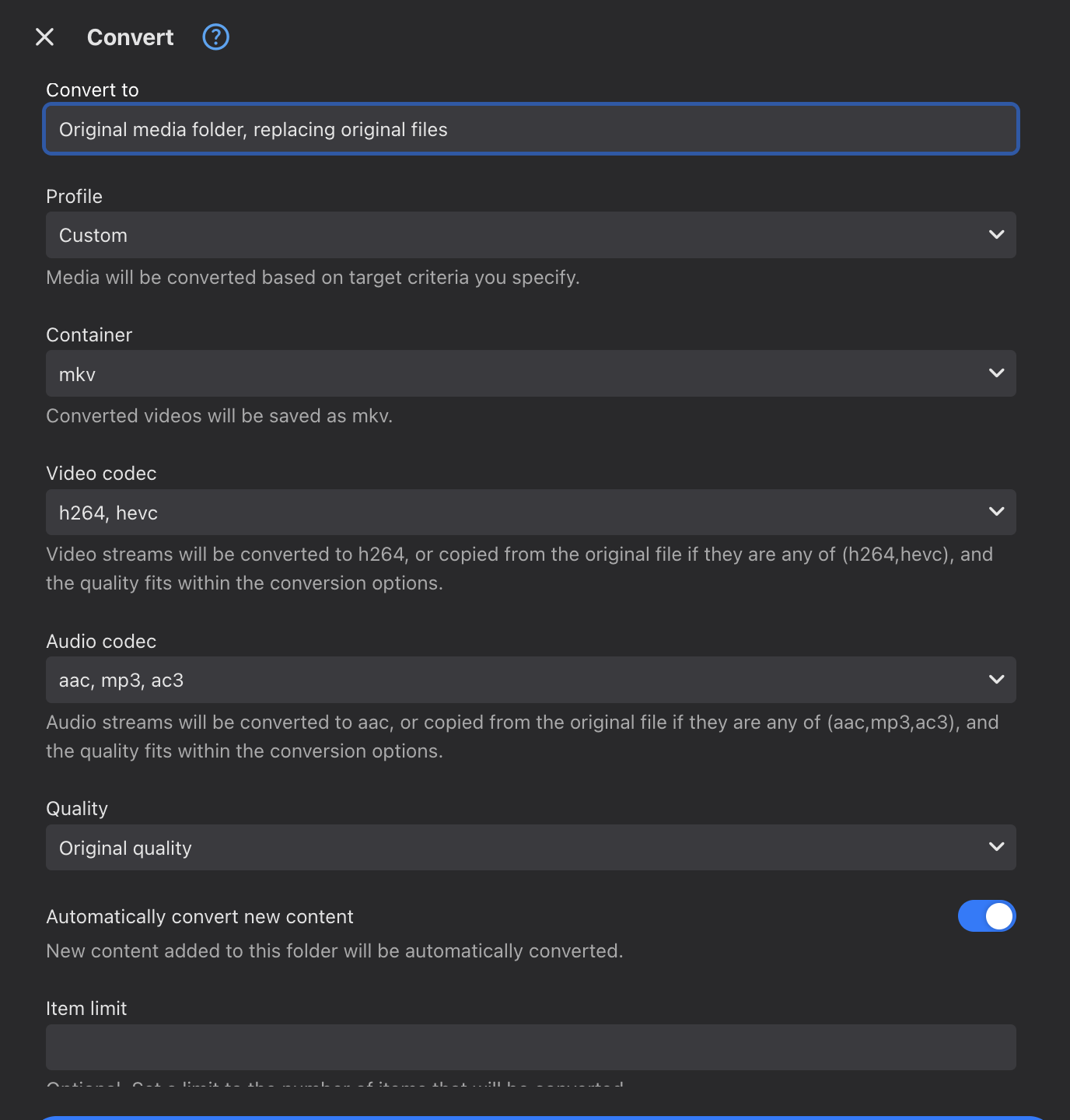
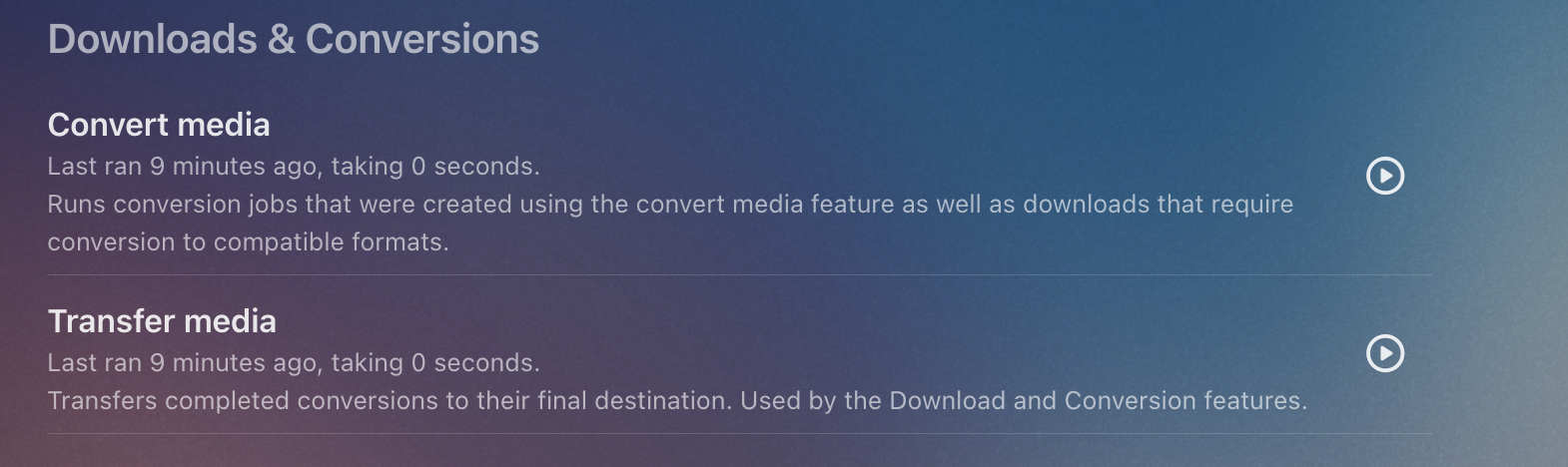
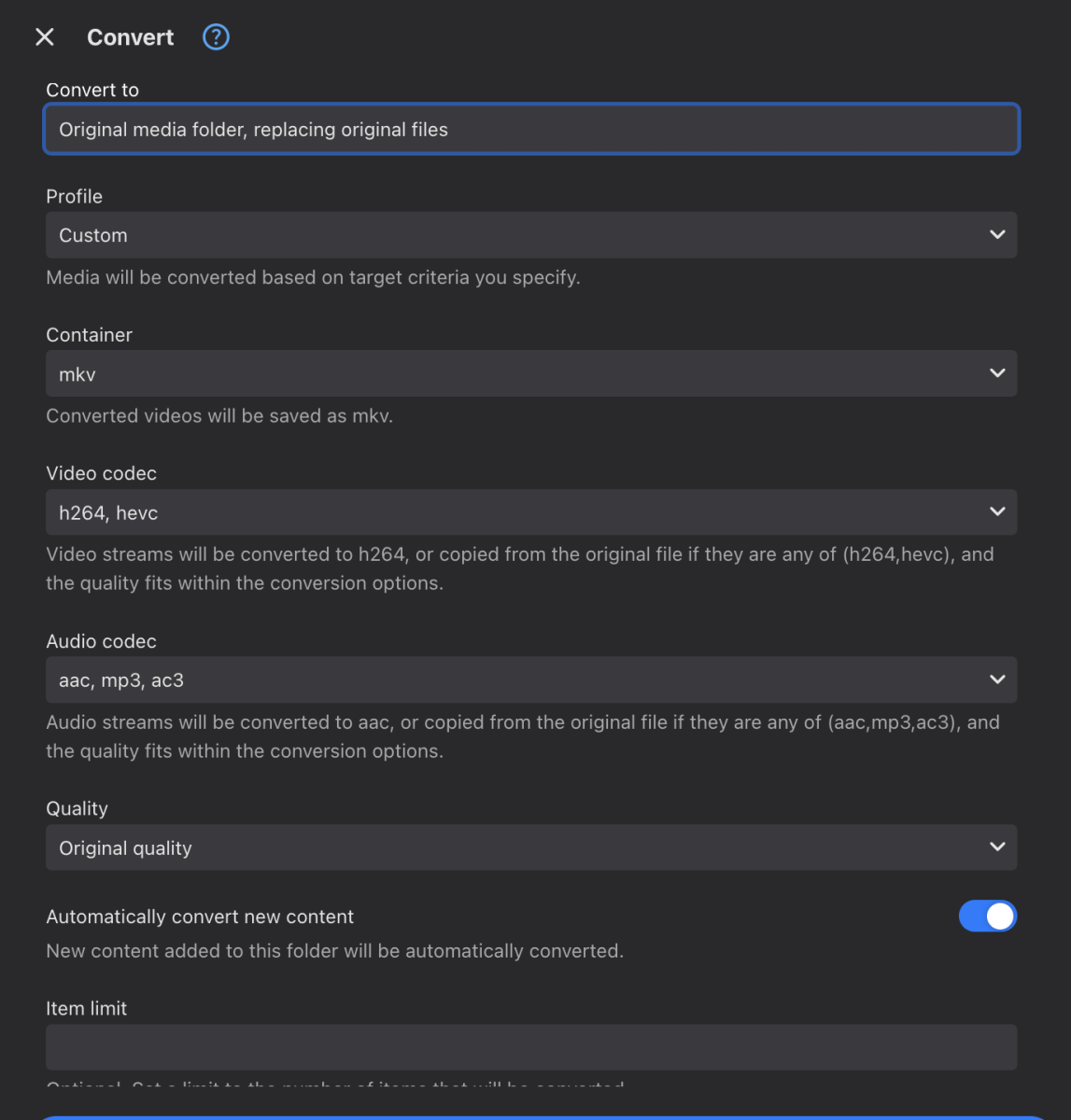
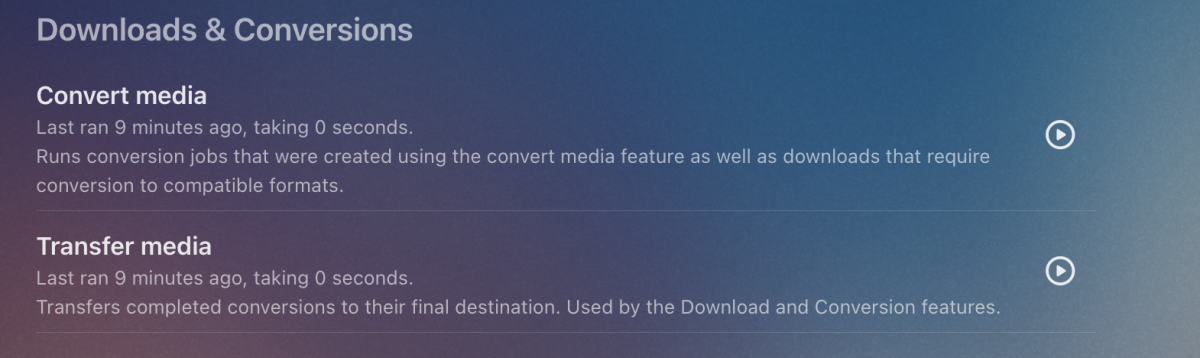
I'll test on a few devices tonight and confirm Yes. Click the ... menu on the Media Folder on the Dashboard for your recorded shows, the select Convert I select these options, you may want something different. After that, you can review and edit these options from the Conversions section on the Manage Server page You can adjust how often the conversion job runs in the Scheduled tasks section, mine runs hourly
-
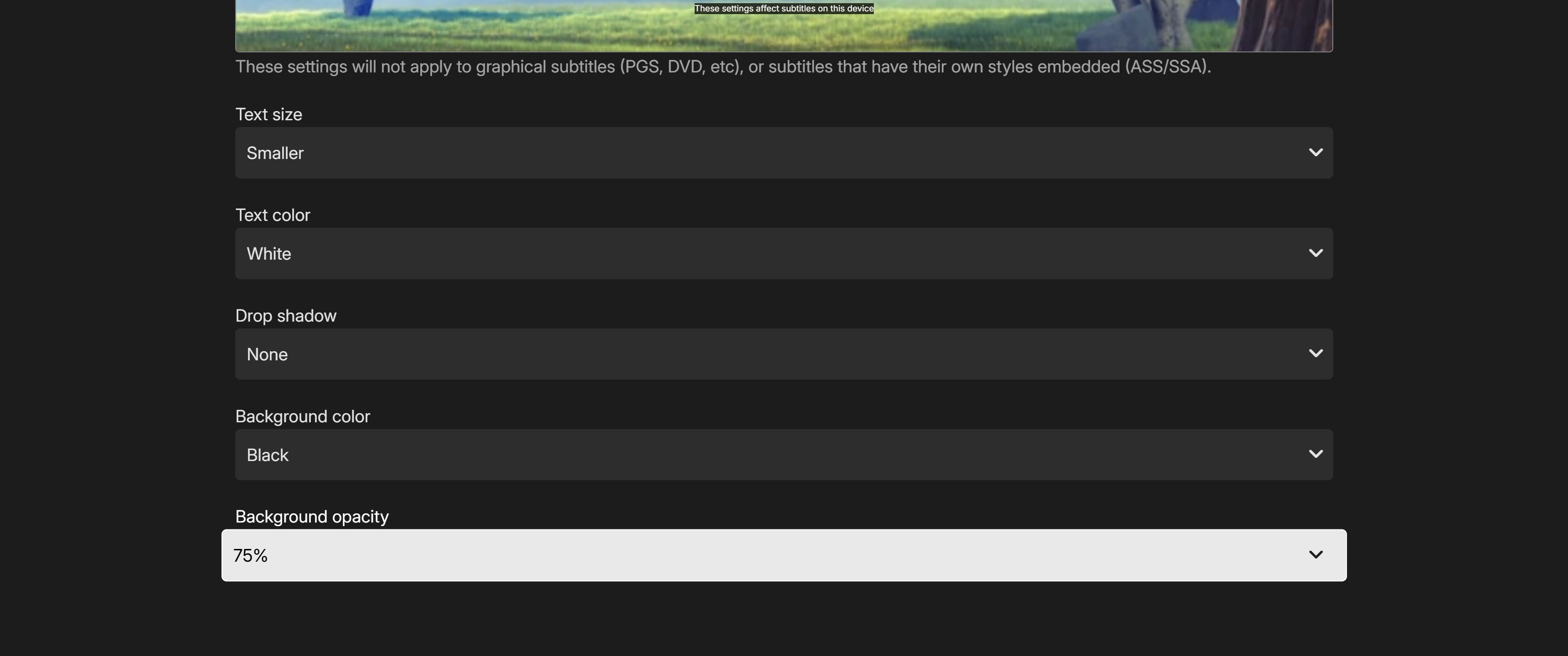
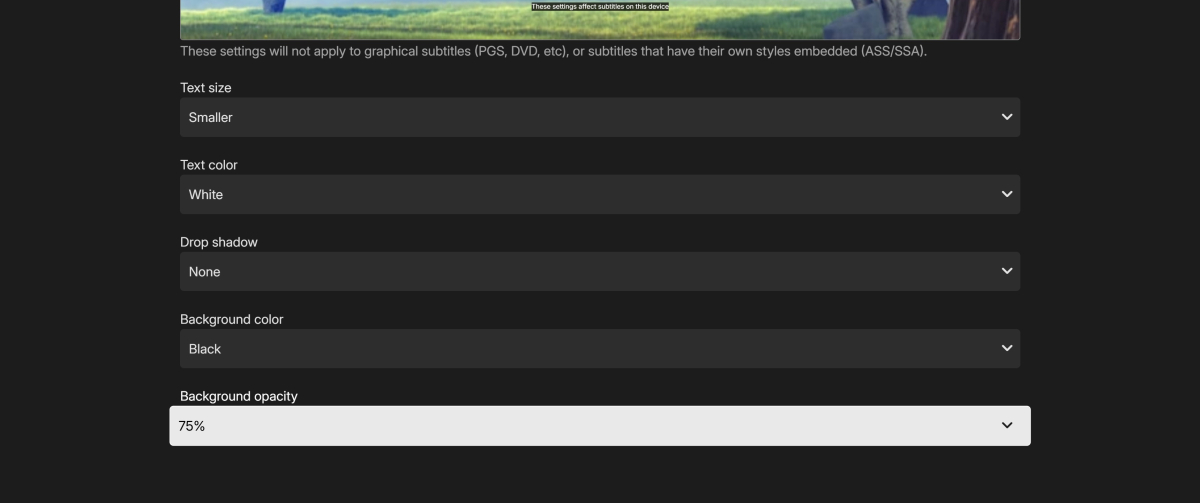
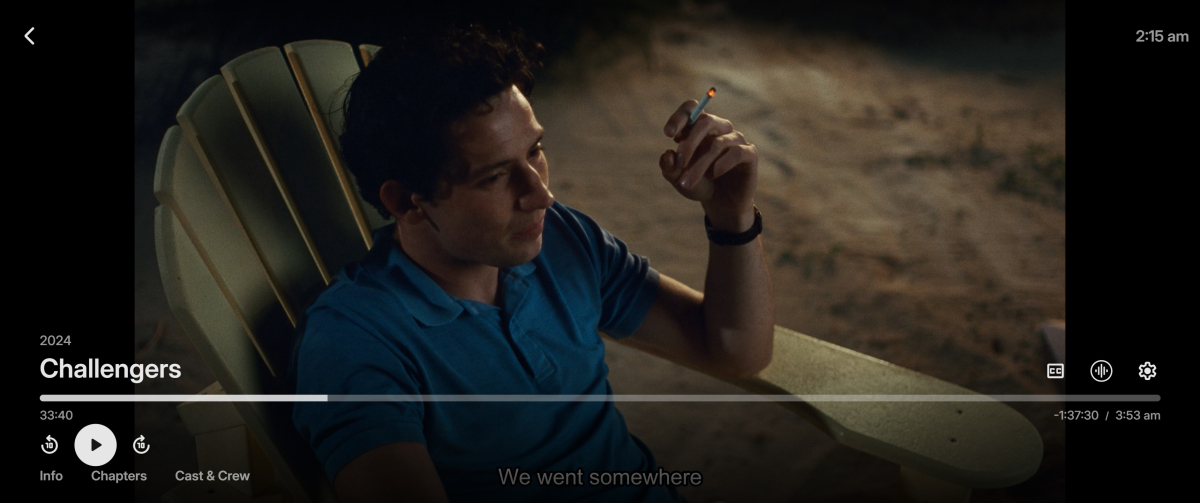
All subtitle options take effect in Emby for Firefox but only some take effect in Emby Theatre for Windows (2.234.2.0) Drop shadow will not disable and the border never enables. mpv-20260402T021555619.txt
-
I think it must be just an issue with that model of tv as they play back ok on other devices. did the 2 recordings playback ok on your device? So is it possible to set a automatic convert just on recordings only? I did have a look in the emby server but couldn't see it. many thanks
-
@Luke, are we going to get this release to potentially fix this USB audio crash on macOS any time soon?
-
There’s also no audio coming from the app. Every other app works including system sounds edit: I found the problem, I was looking at other posts and it looks like is related to the new continuous playback on 26.4 . When I turned it off everything started to work again including music embyserver.txt