
All Activity
- Past hour
-
 chenbu joined the community
 -
Or maybe a delay until after playback? Why is it validating so many files in the first place? Is it a code for something or is it actually somehow validating 127 thousand playlists? I also have a kodi log of a recent movie that I can send by PM if needed.
-
I will fix the scaling. Problem is that i forgot both horizontal and vertical are things that exist in this world.
-
 andrejtr joined the community
 -
 ChuckB316 joined the community
 -
 victor67 joined the community
 -
 Villamarina88 joined the community
 -
 TechDad joined the community
 -
 Jadadio joined the community
 -
 Pupatewza joined the community
 -
 墨不思然 joined the community
 -
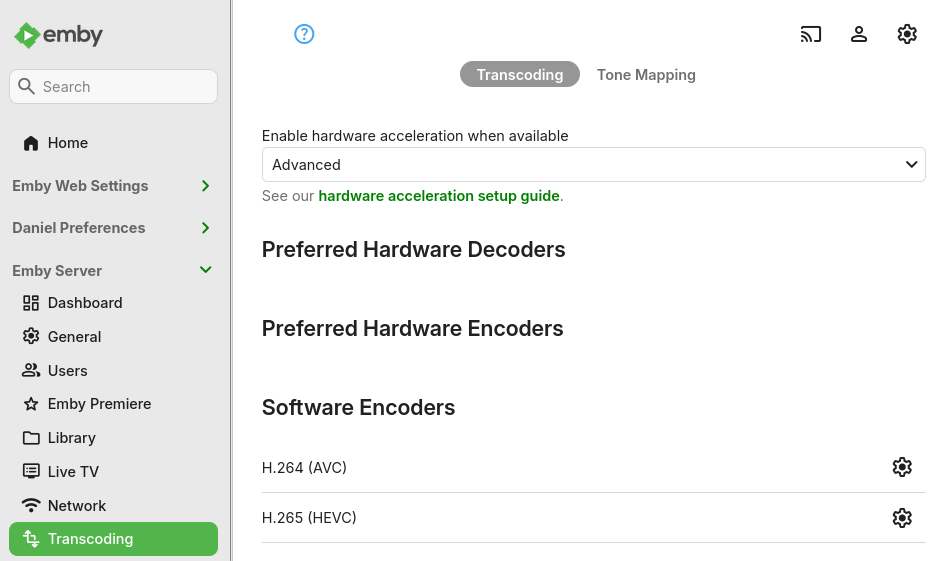
I had Ubuntu 20.04LTS and decided to upgrade. I took 2 steps: 20.04->22.04->24.04. Now I'm on 24.04LTS with a pretty recent kernel: 6.8.0-106-generic. I also upgraded to latest Emby: 4.9.3.0. Nvidia's manager is seeing the encoder & decoder correctly: $ sudo nvidia-smi Sun Mar 15 16:08:01 2026 +-----------------------------------------------------------------------------------------+ | NVIDIA-SMI 580.126.09 Driver Version: 580.126.09 CUDA Version: 13.0 | +-----------------------------------------+------------------------+----------------------+ | GPU Name Persistence-M | Bus-Id Disp.A | Volatile Uncorr. ECC | | Fan Temp Perf Pwr:Usage/Cap | Memory-Usage | GPU-Util Compute M. | | | | MIG M. | |=========================================+========================+======================| | 0 Quadro P400 Off | 00000000:07:00.0 Off | N/A | | 32% 45C P0 N/A / N/A | 0MiB / 2048MiB | 0% Default | | | | N/A | +-----------------------------------------+------------------------+----------------------+ +-----------------------------------------------------------------------------------------+ | Processes: | | GPU GI CI PID Type Process name GPU Memory | | ID ID Usage | |=========================================================================================| | No running processes found | +-----------------------------------------------------------------------------------------+ However it's not populated to Emby: Stock ffmpeg is detecting NVENC and NVDEC correctly: $ ffmpeg -hide_banner -encoders | grep nvenc V....D av1_nvenc NVIDIA NVENC av1 encoder (codec av1) V....D h264_nvenc NVIDIA NVENC H.264 encoder (codec h264) V....D hevc_nvenc NVIDIA NVENC hevc encoder (codec hevc) $ ffmpeg -hide_banner -decoders | grep cuvid V..... av1_cuvid Nvidia CUVID AV1 decoder (codec av1) V..... h264_cuvid Nvidia CUVID H264 decoder (codec h264) V..... hevc_cuvid Nvidia CUVID HEVC decoder (codec hevc) V..... mjpeg_cuvid Nvidia CUVID MJPEG decoder (codec mjpeg) V..... mpeg1_cuvid Nvidia CUVID MPEG1VIDEO decoder (codec mpeg1video) V..... mpeg2_cuvid Nvidia CUVID MPEG2VIDEO decoder (codec mpeg2video) V..... mpeg4_cuvid Nvidia CUVID MPEG4 decoder (codec mpeg4) V..... vc1_cuvid Nvidia CUVID VC1 decoder (codec vc1) V..... vp8_cuvid Nvidia CUVID VP8 decoder (codec vp8) V..... vp9_cuvid Nvidia CUVID VP9 decoder (codec vp9) Do you maybe have any suggestion worth trying? embyserver.txt
-
Just wanted to add.....similar to what Zhask observed, the dropouts do seem to occur more with sports (hockey). It makes me wonder if it has something to do with the frame rates required. I often see 59 or 60 fps. My knowledge of this stuff is very limited, but I do have a general understanding of the concepts so I hope I don't sound ridiculous. I am very willing to learn more if it can be of assistance.
-
Thanks for the update Luke. I will try to pursue this further, but similar to Zhask states in his posts, the IPTV provider is not terribly knowledgeable or helpful. I do now believing this is due to either IPTV source or internet provider signal quality. However I still wonder why NextPVR and ChannelsDVR will continue to record although they do skip. It's not desirable, but it does seems to indicate that they are able to 'recover' from voids in the stream and attempt to continue. They are often playable, but not perfect. Let me provide some more details to be clear. The recordings by NextPVR and ChannelsDVR do often have messed up timelines (not always). They report duration of a program as something bizarre (for example; 2days 5 hrs 12mins) for 1 hr recordings. RW/FF through them is often not possible and the playback often freezes, so they are not playable about half the time. Maybe this will shed some more light for you. I will pursue the 555 error and report back if I can get more info. Thanks again.
- Today
-

Emby Very high memory utilization impacting other Synology Apps/Services
Didiflix replied to Didiflix's topic in Synology
So far, so good. I'll keep these plugins disabled meanwhile, but they have been enabled since 2024. The snapshot below shows the 2 restarts with 2h45m difference in between. The second dot is when I disabled those plugins above. Thanks Luke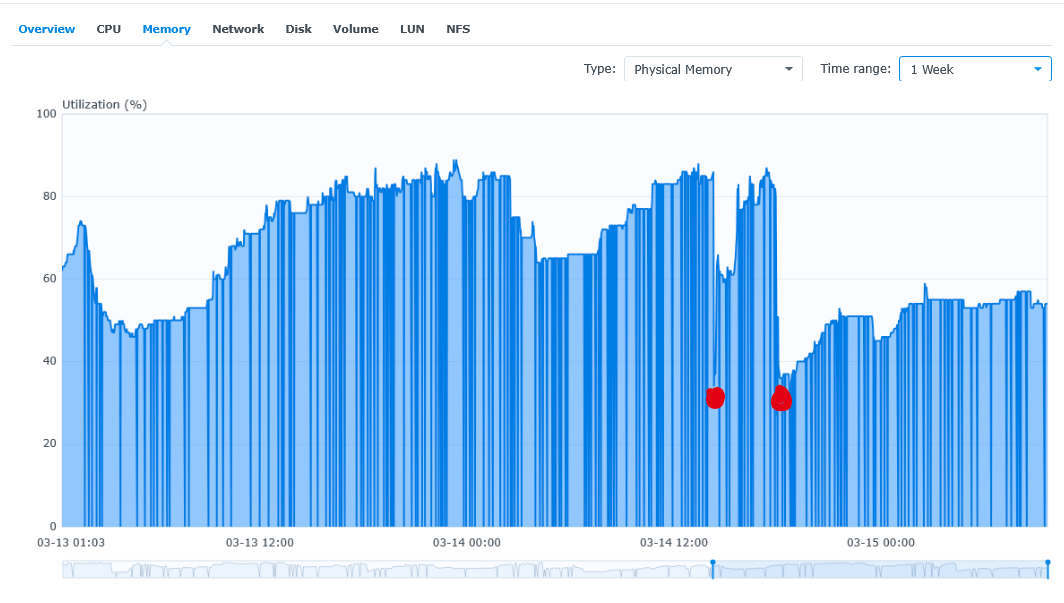
-

Suggestions from emby server not loading in Android tv
ebr replied to buhochileno's topic in Android
The new Google TV implementations don't even have these rows anymore but I wonder if this is a situation where the home screen is not allowing those images because they are insecure? Or, perhaps, just because they are on your local network. -
Hello, I did not find another thread related to this issue. If one exists, I apologize. I put this thread in the Web App client section as that is the only platform I was able to test and confirm this issue on. It seems Emby has a hard time dealing with files containing audio tracks with a positive delay on some platforms. I noticed that a few specific movies I encoded and made available on Emby would fail to play. It would load 1 or 2 seconds, show the buffering spinning wheel animation, load another second, show the spinning wheel again and finally exit the video with a "Playback Error No compatible streams are currently available." error. When seeking a few minutes into the movies, the video would play fine from that point on. It is also possible for Emby to manage to power through if the delay is small enough(3 seconds at most in my case). When I investigated all the impacted files, I noticed that all of them had a delay on the audio track. So to test this theory, I created a silence file the length of the delay(6001ms in this case) and merged it with the regular movie audio track. This is the flow I used to create the padded audio file(I used ChatGPT for help with these commands. I don't know if there is a better set of parameters to do this, but these worked): Extract all the files from the MKV(I used gMKVExtractGUI). Create a silence file with the command ffmpeg -f lavfi -t 6.001 -i anullsrc=channel_layout=5.1:sample_rate=48000 -c:a ac3 -b:a 640k silence.ac3 Create a file list.txt containing the following: file 'silence.ac3' file 'audio.ac3' Concatenate the silence and movie audio files with the command ffmpeg -f concat -safe 0 -i list.txt -c copy padded.ac3 Mux the video file, padded.ac3, subtitles and chapters into a new mkv with MKVToolNix. With this, the audio delay shown in MediaInfo was 0ms and the audio remained in sync with the movie and can be played fine on the Emby web app. I don't know if there's a better way to remove the delay while keeping the audio in sync with the video. This is the one way I managed to achieve it to "correct" the issue on Emby. I attached two 30 seconds sample files, although the issue is seen within the first 5 seconds: Test_WithDelayAudio.mkv - This video contains the delayed audio of 6001ms. This fails to play initially in the Emby web app. Test_WithPaddedAudio.mkv - This video contains the padded audio instead of the delayed one. This plays fine. I also tested having the two audio files in the same mkv and indeed, when selecting the track with the delay, the issue happens whereas it doesn't when selecting the track with the padding. As for the logs, Emby seems to create 3 transcode logs when attempting to play the test file with the delayed audio. I'm running Emby Server 4.9.3.0 on Debian and I'm playing the files through the web app on Windows 10 on both Firefox and Chrome. Thanks. embyserver.txt ffmpeg-transcode-ae9321fc-59d8-4367-8389-2c7cb5f7911b_1.txt ffmpeg-transcode-becd5750-9b6a-433a-b419-2219fa53de65_1.txt ffmpeg-transcode-c5ecb4d6-b68e-4c27-89b4-0c4067b1bc15_1.txt Test_WithDelayAudio.mkv Test_WithPaddedAudio.mkv
-
Can anyone tell me if this has been addressed and/or which version of the Android app should show the fix?
-
Hey Luke, I'm referring to the permissions assigned to my dataset in TrueNas Core where my media (movies) reside. Sometimes I have to make sure the permissions are correct when I create a new Emby server to allow Emby to access the dataset for all the movies to play. As I said, I don't think it is a permissions issue, I think it has to do with the software decoders. I'm just not sure how to get them. Chris
-
buenas quisiera saber si se pueden poner en emby las portadas que ultimamente hay por hay en movimiento , son gif , estaria bien si pudieramos ponerlas , o implantar algo para poder usarlas , gracias
-
Hello, as i soon will be moving to my new home, i was looking to Upgrade to a 5.1 system. It will be a 4m x 4m room. I am currently using a canton dm 75 soundbase which i really like, so was looking for another canton product and landed on the canton movie 2050.3.But it's nearly 9 years old and I couldn't find any reviews for it. Does anyone have a recommendation for a good 5.1 system under 2k?
-

Suggestions from emby server not loading in Android tv
buhochileno replied to buhochileno's topic in Android
yes -
MediaInfo For Emby Plugin(HDR, Vision, Atmos, DTS:X)
Gaevonn replied to Cheesegeezer's topic in Plugins
Thanks, I have tried the 1.0.2.2 version. With the slider not engaged, it works as it did before, only updating the Video and Sound Track Titles (per my config). It still renames the General Tile to the wrong thing; however, when the slider is engaged. I am including examples. Thanks all the work on this. Unchanged-General-Title-The Rip (2026).mkv.MediaInfo.txt Wrong-General-Tile-The Rip (2026).mkv.MediaInfo.txt -
Hi quickmic, i still have problems with movies / tv-shows using internal forced subs. kodi settings for subs are "forced only", but displaying internal subrip subs will not work for all synced content. A workaround exists....using the kodi player control during playback to switch the subs off, confirming the change, go again in the sub settings, switching them on and confirm, subs work than for this playback session. There are no problems with emby itself.. I will send you the link to a 1min test sample and some german works via pm... My systems: E4K 12.4.15 (and below), AddOn Mode, default settings,... Kodi 21.3 on Windows & CoreElec 21.3
-

Moved media Library to new location. Some media's metadata points to old Paths and won't play.
beefsnack replied to beefsnack's topic in General/Windows
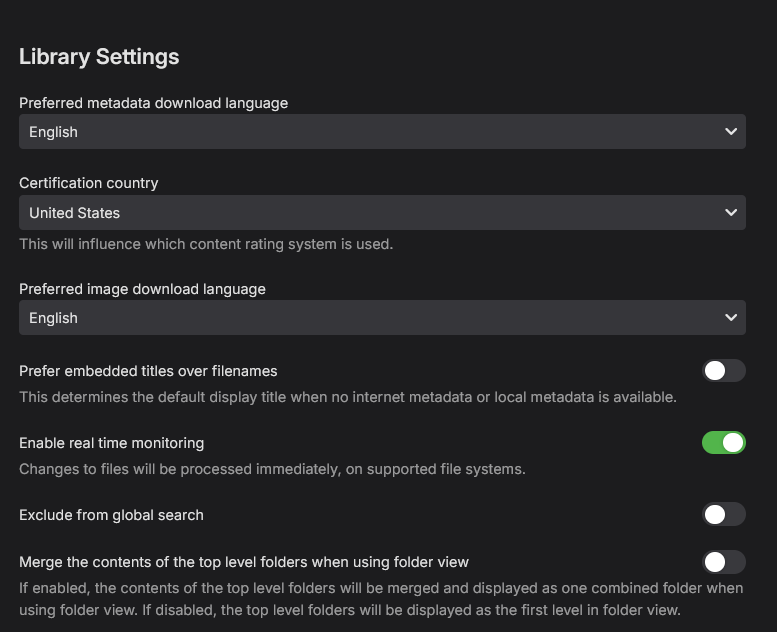
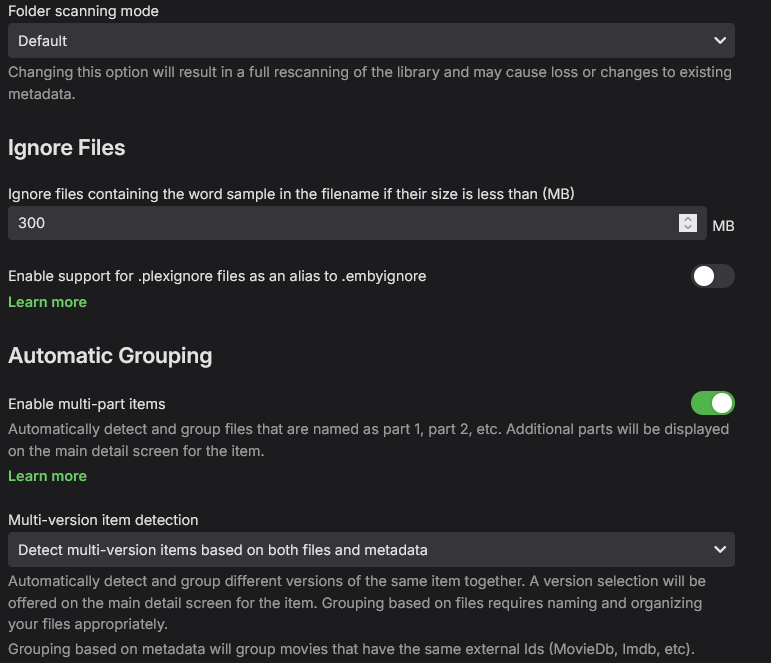
Here is what I have available to me, and what I have checked. sorry for the size, at least you don't have to zoom...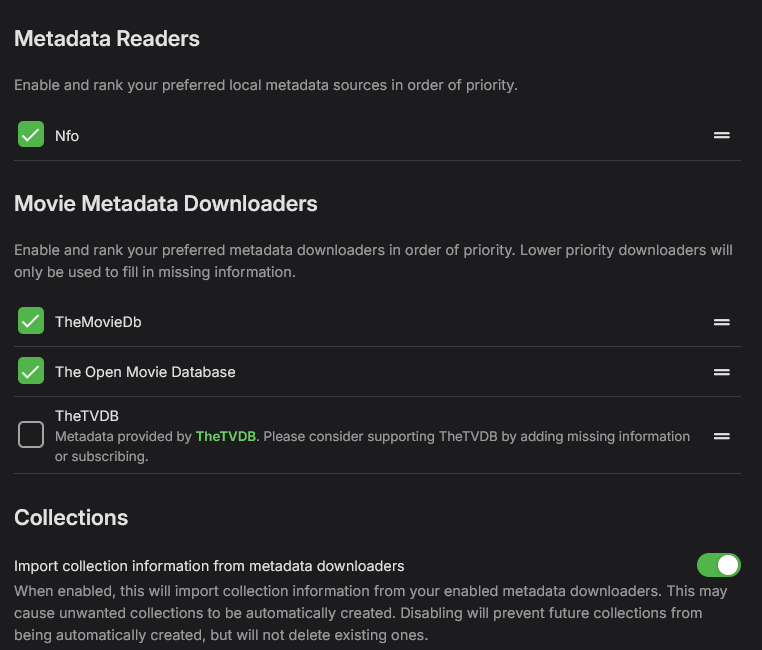
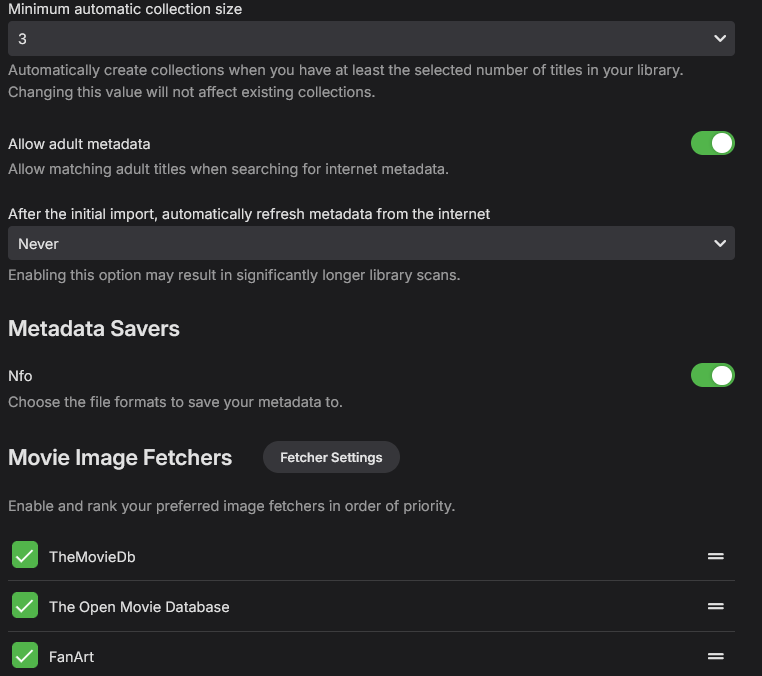
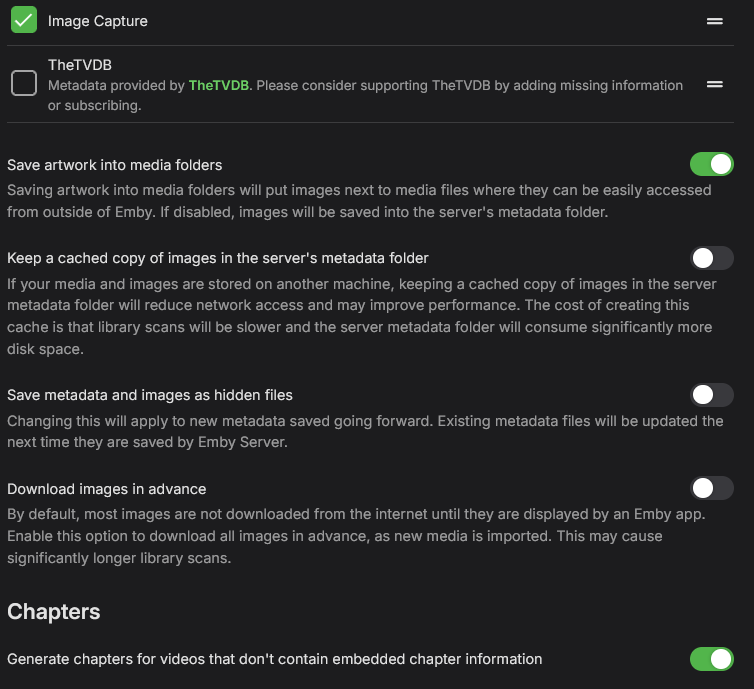
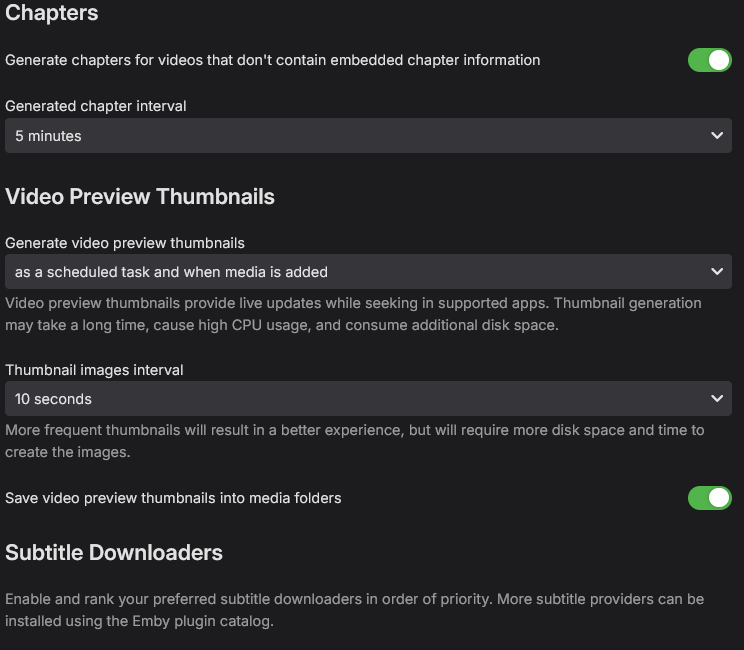
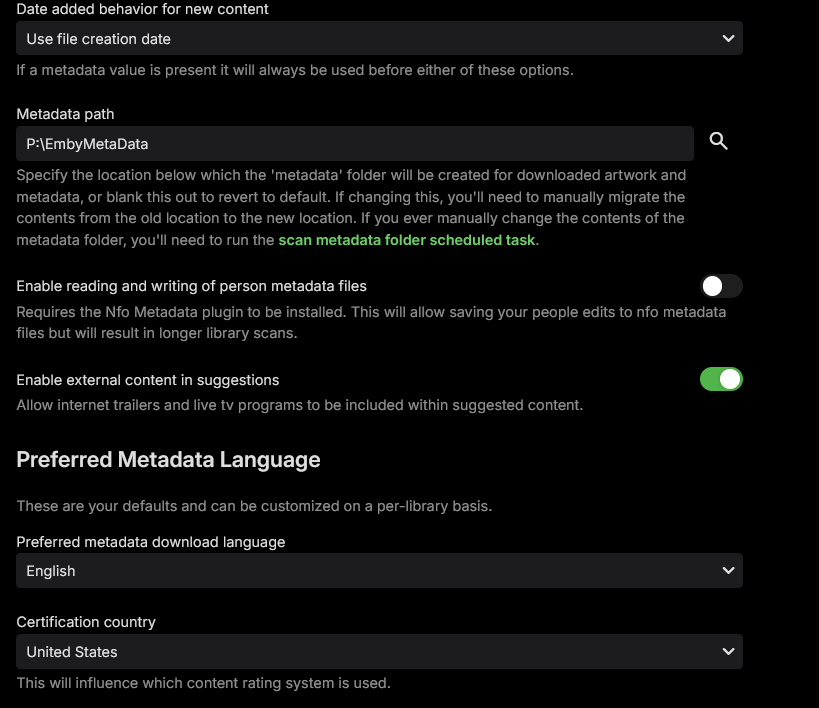
-

Emby for Android TV: Move "Subtitle Offset" popup to top of screen
Viper_21 replied to Viper_21's topic in Feature Requests
Sent you a PM. -
Ok! It is, will change it. Aaaaaaaand it solved everything, Thanx again @GrimReaper N.
-

Problems reading music video clips with Samsung
SamES replied to Tandhruil's topic in Samsung Smart TV
So is the picture quality OK now? A photo would be fine, but I am correct that Stats for Nerds now only says DirectPlay as the playback method? -
Die brauchst du auch niemanden geben, es werden einfach alle gescannt von irgendwelchen Bots oder so, die finden dich schon von ganz alleine Und wenns dann irgendwo ne Lücke gibt...
-
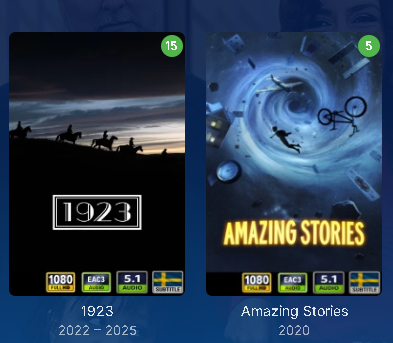
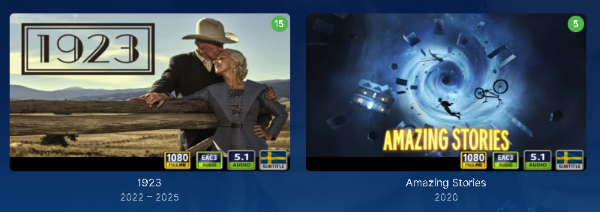
Hi Yocker! I was wondering if there would be any options regarding the black bars setting in different poster wievs? When i have "Primary" as settings the bar works beautifully, but my girlfriend likes her library as "Landscape" and then the black bar is a bit off, Is there any way for me to correct it with separate settings on a user basis or do i rize it enough in the setting to cover icons in both combined with changing icon size to smaller to find some middle ground? Pic:s attached. Thanx!
-
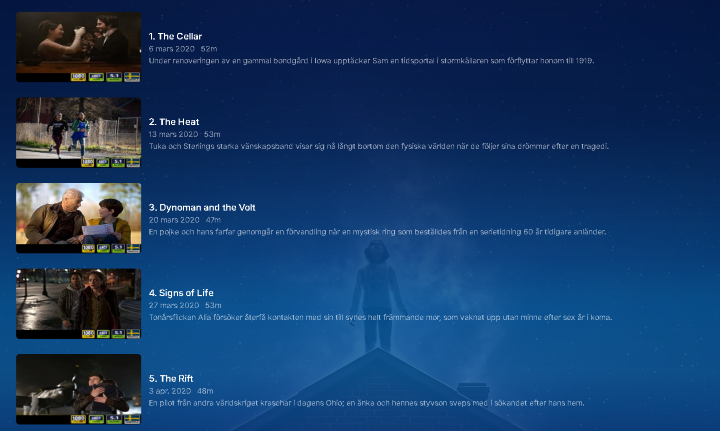
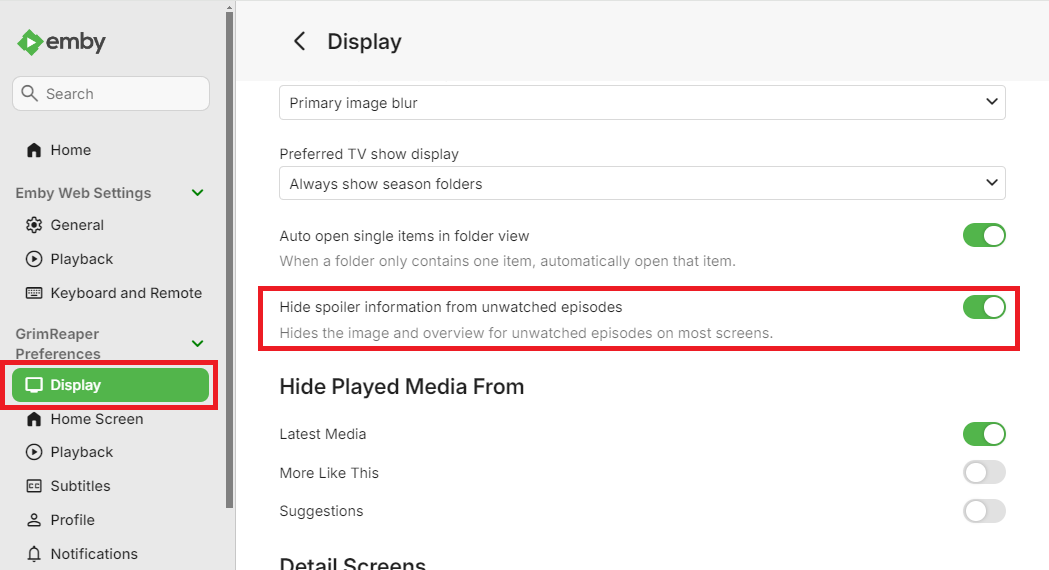
Your Hide spoilers setting is likely enabled (as no episodes synopsis' either); You might want to toggle that off if you want to see episode thumbs.
-
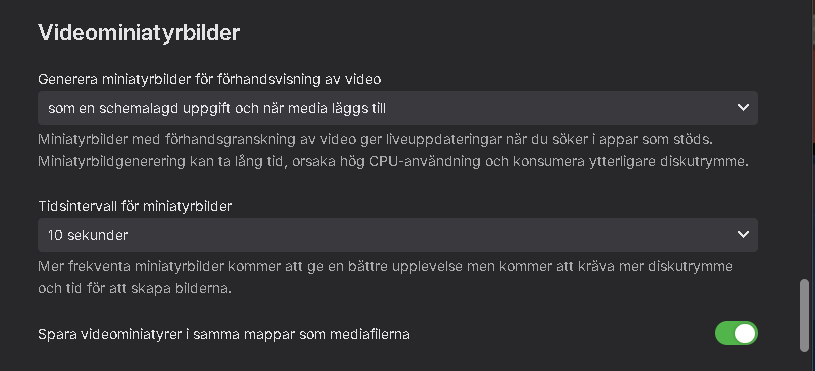
Hi! I have an issue with my metadata concerning video prewiev thumbs regarding series and Season episodes overwiev. When i click on a series season there is a poster image on each episode, but when i click "handle pictures" the primary is a video prewiev thumb but its not showing in overwiev. If i manually add a thumb from the series library folder it works if i upload it in "landscape". Im guessing this is a library setting i have missed but i have double checked that i have "generate video prwiev picture" checked and done a full library update with replace all metadata checked with generate video prewiev pictures. I attach som pics to show the problem, the two video prewiev pictures showing are two that i added manually and the primary showing in pic 2 is the one that Emby has chosen but doesnt apply, it goes back to the "generic" ones that the following episodes has. Any tips and pointers would be greatly appreciated. Thanx!


-
This. This has already been discussed several times before. An option to apply changes to all versions or just the current version, and an option to choose which version to edit, are both necessary.
-

Problems reading music video clips with Samsung
Tandhruil replied to Tandhruil's topic in Samsung Smart TV
Well, I guess we will stop here, I can't make screen-shot from the TV and I can say I have no more ffmpeg alarms since I've changed the codecs










