All Activity
- Past hour
-
 rasel@ joined the community
 -
 AiiizZY joined the community
 -
 382212973 joined the community
 -
 村长 joined the community
 -
 qqqqwwwweeeerrrr joined the community
 -
Okay, I figured it was something like this. The video profile (High 10) is not supported on the device. The standard app may be attempting to use ffmpeg to render it and the CPU just can't quite handle that.
-
 wellen123 joined the community
 -
 HerculesT619 joined the community
 -
 Snooom joined the community
 -
 tetchytech joined the community
 -
 Lyuxxb joined the community
 -
Transcode log attached for 5 minutes of playback of the movie giving the issue. ffmpeg-transcode-564c3a84-1bff-4875-bcc7-0c54b5e2fb27_1.txt
- Today
-
False Positives happens occasionally. Report the FP on the MB forum & miekiemoes, et al, will address it. I added an exception. YMMV
-

Two albums, by different artists "entangled" in Emby
brothom replied to brothom's topic in General/Windows
> Use scripting and/or Actions in Mp3tag to bulk remove all MusicBrainz embedded tags - Emby can't read what isn't there...!!! I want to try and keep the files untouched for now. > Remove the Emby MusicBrainz plugin - never tried it myself so don't really know...??? That'll disable the Emby's music identification all together. Maybe there's a setting for "reading metadata" I'm missing. -
I have the newest app installed, but I don't think I uninstalled the old app. So this only relates to the old one? Not sure why Malwarebytes has suddenly flagged it.
-
Sounds like that's what is necessary on that device. Can we please see the ffmpeg log from that playback?
-
When I enable Dolby Atmos in the settings of my Apple TV 4K 3rd generation, I no longer get sound in Emby. It works with all other apps. Is this possibly a bug in the Emby app?
-
No, no problems then. It was probably due to the many subtitles that were available.
-
Hello, I updated the TV app, and now I have it again, the "No compatible streams are currently available" error. I'm using Emby Server v4.9.3.0, the Emby LG TV app v1.0.50, and a Cloudflare tunnel. It was working in the past, as we solved some Cloudflare configuration issues, but now it is not working again (not sure if it's something about the last update or Cloudflare again...). Here is the log: embyserver.txt
-
This is still happening with Emby for Android 3.5.30. Movie stutters with choppy playback but the ATV app is smooth, but it causes the server to transcode. The same file plays fine on my honor magic v3 phone in the android app so it looks to be device related.
-

Two albums, by different artists "entangled" in Emby
user24 replied to brothom's topic in General/Windows
Two brute force methods, perhaps...??? Use scripting and/or Actions in Mp3tag to bulk remove all MusicBrainz embedded tags - Emby can't read what isn't there...!!! Remove the Emby MusicBrainz plugin - never tried it myself so don't really know...??? Not sure if these are good ideas though...try at your own risk...!!! -

Emby Theater v3.0.20 (Server v4.9.3.0) Homescreen Horiz. navigation broken
d00zah replied to d00zah's topic in Windows & Xbox
Not sure what else would qualify as "navigation arrows" on the Home Screen? (circled, w/ arrow pointing at arrow). Mouse clicks on these are ignored... left, or right...jpg.a9ed8adce8583b3ee25cb4230c9c57c2.jpg)
-
LG TV has a problem playing videos with embedded subtitles.
SamES replied to trekflix's topic in LG Smart TV
Sorry, I don't. It is only the server update that you should need to resolve this -

Hardware Acceleration / Transcoding always falls back to CPU
Q-Droid replied to toooo's topic in Linux
Intel HW tone mapping for HDR media is broken in release 4.9.3 and falls back to software. SDR transcoding still works. -
Bonjour, Je viens d'acheter une TV Philips OLED 65OLED850/12, qui lit le DV,HDR,HDR10+. Sur certains films en Dolby Vision, quand je les lis sur ma TV via l'application Emby, en bas à droite il y a écrit à la fois HDR10+ Adaptative et Dolby Vision, ce qui fait que mon écran scintille et me fait des écrans noirs. Comme si il voulait lire les 2 à la fois. Ca ne me fait pas ça avec tous les films en DB, mais certains. Sur les films en HDR, pas de soucis. Par contre, si je lis les mêmes films avec ma Shield, là pas de problème ! Quelqu'un aurait une idée ?
.thumb.jpg.53bf388ffe845aa73478456ff7a07c09.jpg)
-
Two albums, by different artists "entangled" in Emby
brothom replied to brothom's topic in General/Windows
@user24true true. I tend to correct any faulty data before adding them to my library but perhaps I'll need to be more thorough. It still strikes me as strange that files from different folder, with different albums and different artists and different years, become "merged" due to these tags. I'd expect there to be some continuity check / failsafe mechanism in place to prevent exactly this scenario. I'm also wondering Emby would look at these tags in the first place if it's not "actually using" them. The only post referring to this is one from 2001: The Music Naming page does mention supporting tags but not explictely which ones: https://emby.media/support/articles/Music-Naming.html > Emby should support all common tags written by Musicbrainz Picard. I'd rather see to it that this actually doesn't happen and that it doesn't read from MusicBrainz tags in my case. So the next question would be; How can we prevent Emby from reading from MusicBrainz tags. -
Just did a refresh and cannot see 970. Also not seeing these duplicates my end
-
Two albums, by different artists "entangled" in Emby
user24 replied to brothom's topic in General/Windows
Correct (I think). Emby only adds them into the Emby database for certain fields, if MusicBrainz fetchers are enabled for that library. Emby will also import the embedded ones that are there already. Depending on where your Music came from in the first place, there could be incorrect embedded MusicBrainz tags or other rogue tags that don't show up in the default Mp3tag views - therefore always check Extended Tags!!! It's easy enough to add MusicBrainz tags using MusicBrainz as a Tag source in Mp3tag (or via Picard), but also easy to mess it up!!! BTW, I'm more than happy to bypass the KP explorations too!!! -
Two albums, by different artists "entangled" in Emby
brothom replied to brothom's topic in General/Windows
@user24that was a great suggestion! Aparently both these albums had a bunch of MusicBrainz tags which were butchered beyond belief. I don't think Emby actually adds the MusicBrainz ID's to the files right? Now I can finally listen to Lana Del Rey without being interrupted by Katy Perry's lesbian explorations! -
Two albums, by different artists "entangled" in Emby
user24 replied to brothom's topic in General/Windows
Hey, have you checked Extended Tags in Mp3tag for any anomalies??? And, I guess you have probably tried scanning the virtual albums in Emby??? I'm happy to test the files on my set up, to see what occurs, if you get really stuck. No worries, ether way... -
+1 for 2FA for the admin account
-
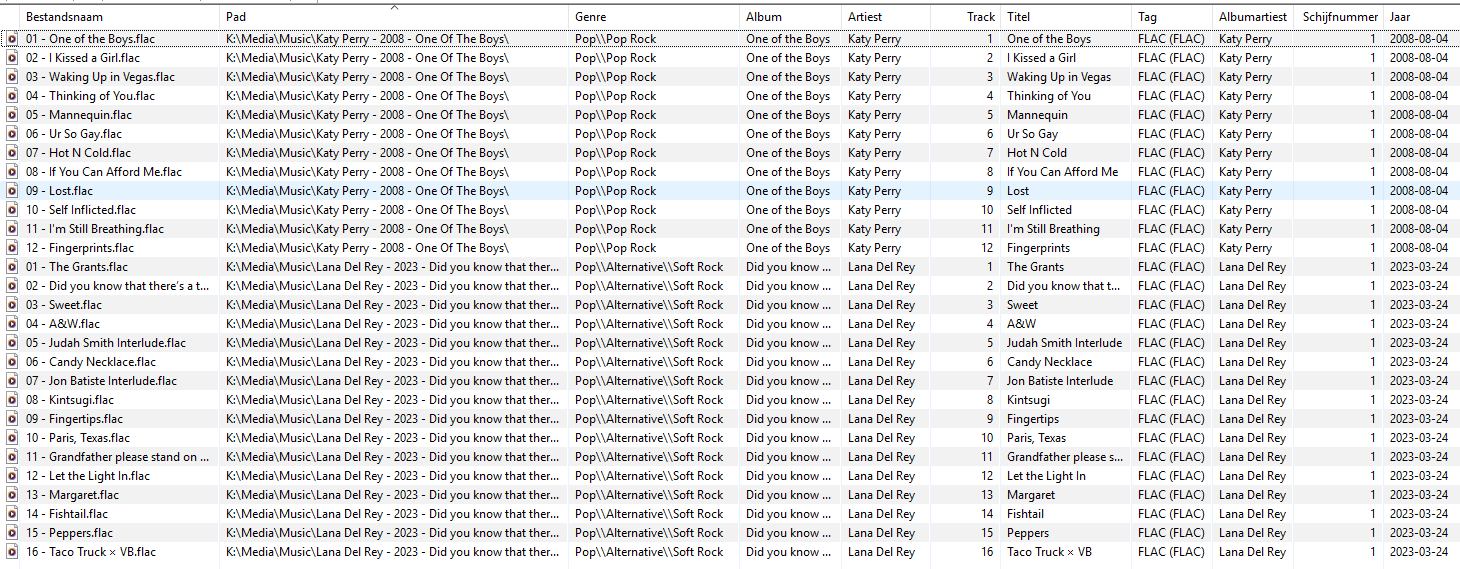
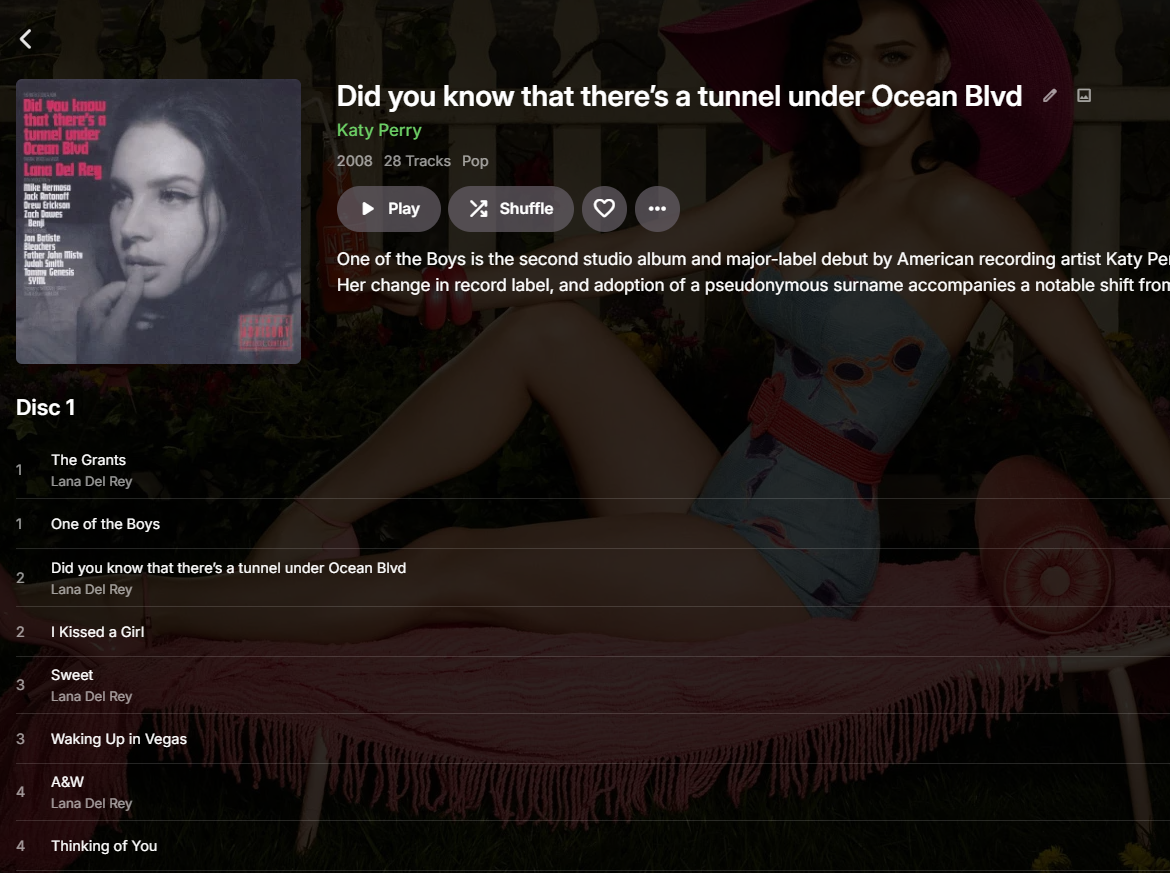
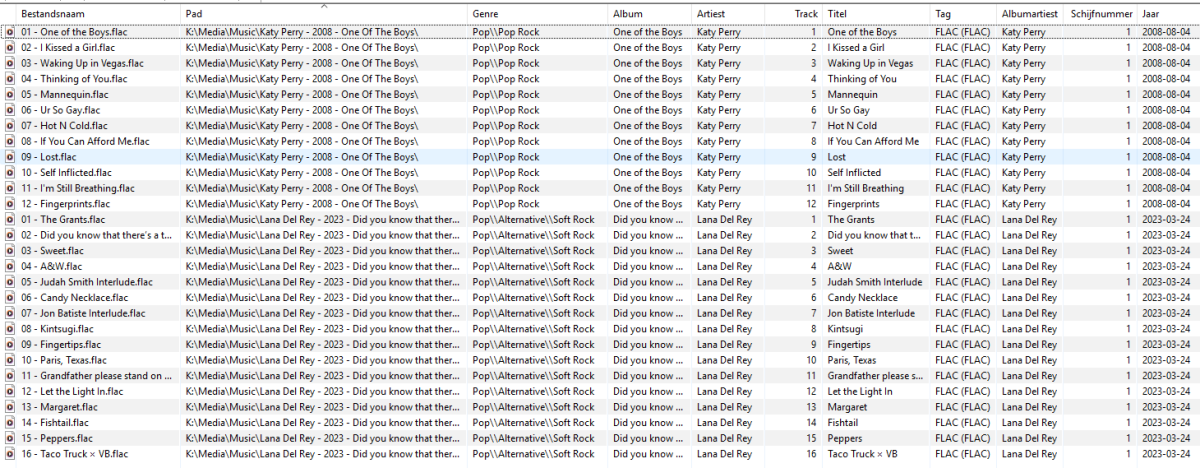
I have these two albums: K:\Media\Music\Katy Perry - 2008 - One Of The Boys ... K:\Media\Music\Lana Del Rey - 2023 - Did you know that there’s a tunnel under Ocean Blvd Both these albums have their Artist and Contributing Artist and Album set accordingly. The years also match and track numbers are applied correctly. I don't know how, or why. Emby merges these two albums into some kind of amalgamation, using the cover from one, the artist name from the other and just bunches these two random folders together: I've already tried to: Rename folder Move all songs of both artists out of the library, scan, and add them in one by one and scan Moved the folders to different parent foldes (so they have their own artist parent folder), scan Remove one artist, scan, add artist back in, scan Manually edit the ID's (they always point to either one or the other) An example of the files (within mp3tag) are: This issue is driving me absolutely bonkers. Any clues?
-
970 for BBC Red Button should be ok I am seeing a lot of duplication of channel numbers in the latest version of the Sky Q (West) lineup - don't know what the impact is yet. I have mentioned this to gracenote. 117 channels have double entries with different callsigns
-
No I didn't, but thanks for asking
-
FLAC files with same Album and AlbumArtist tags appear as a duplicate album if the Artist tags differ.
user24 replied to Standroid's topic in General/Windows
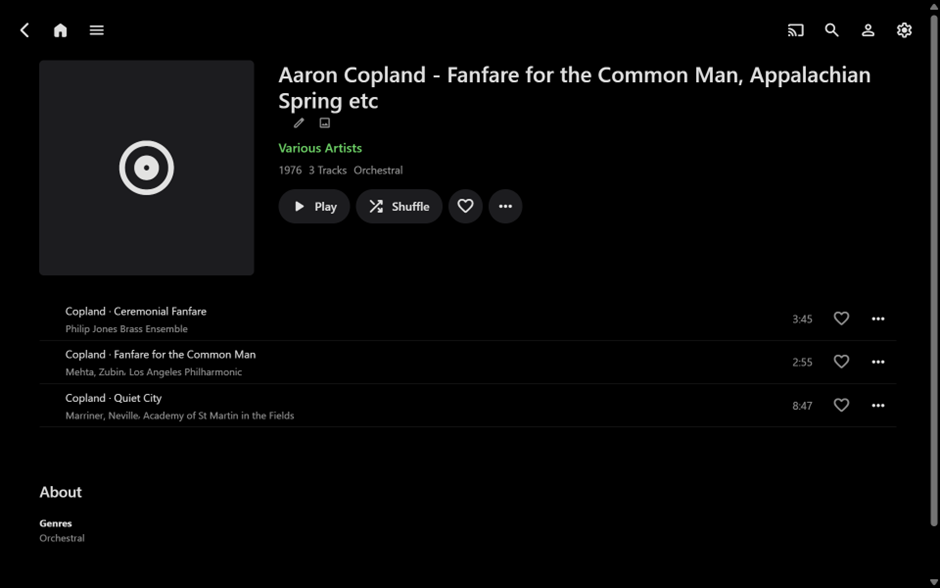
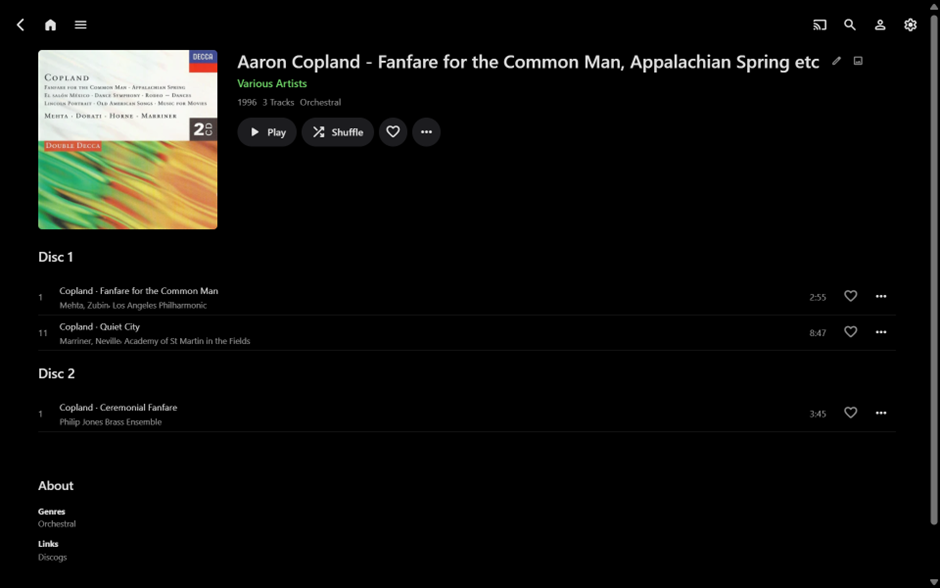
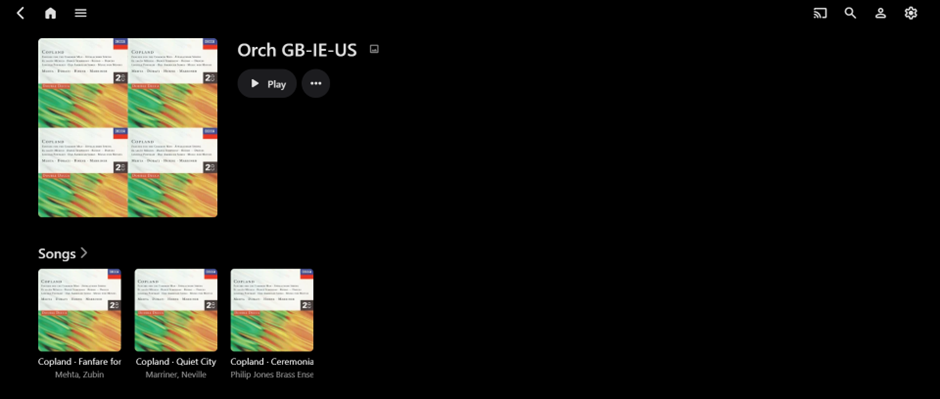
OK, here’s some thoughts… (sorry for the rambling length)…hopefully will give you some ideas to try out… A good point. Yes, it is somewhat possible. Note: Emby does not import all tags though. If you have modified your embedded metadata, usually Emby should pick up the changes upon a rescan of the library, or the relevant parent folder – but not always. Sometimes scanning the individual song files or the virtual album (more on this later) will work - but not always. (I think it has been a bit worse since 4.9.1.90 - but difficult, from the outside, to pinpoint why) A last resort is typically: Remove the problem album folder(s) from your music library Scan your music library (though I find the parent folder is usually sufficient) Now there should be no trace of the files in the Emby database and the relevant page views. Add the files back into your library (perhaps one Album at a time?) Rescan library (or parent folder) Now the modified album(s) should ideally appear correctly If the problems persist – recheck the embedded metadata in Mp3tag. It may ultimately come down to this and you could take this approach OR if you are just starting on setting up your Emby music library to begin with, it may be quicker and easier to start again by deleting the current library and creating a new one??? I downloaded your test files… Seeing that these are from a Classical music album, it now makes more sense that you don’t use AlbumArtist – though there may be better ways than using “Various Artists” that may be useful (more on this later). From your DISCOGSURL tag I think this is the relevant album: Upon firstly checking your embedded metadata tags in Mp3tag, all relevant fields/tags appeared to be correct with the same ALBUM and ALBUMARTIST across all the songs. Therefore (in theory) adding to Emby should create one album of three songs. (Note: I’m currently using Emby Beta 4.10.0.4 on a Windows PC. While this is different than your setup, my assumption is that this won’t matter greatly for this testing purpose???) When I added your test album/songs (unmodified) to my library, it imported as one album, as follows: Therefore, you may need to look at the removing/rescanning steps above, for your set up??? Keep reading though...! Beyond that, here are some more observations… You don’t have any embedded album art, so I assume you have folder.jpg (or similar) in your album folders? (as a test I added the embedded artwork in Mp3tag). The songs appear in alphabetical order rather than Disc and Track order because you have no embedded Track number tags and using (e.g.) a Disc number of “01-01” will not import the Disc number (as a test I added the Track numbers and used “1” and “2” as the Disc numbers, as per your tags and the Discogs album info). You have song years of 1976 and 1977 across the three songs. I assume these are the years of the individual performances (based on the Discogs data). Emby shows the album as “1976” probably based on the first song alphabetically? But the difference in song years doesn’t seem to split the album? (as a test I changed this for all songs to the album year of 1996). I also added the Discogs album reference number directly into Emby. Here is the result, upon rescanning the parent folder (rescaled to fit everything on screen): I’m not suggesting you have to do any of this (unless you want to). Maybe the correct Track and Disc Numbers are useful? Maybe the song performance years are more important than the album year? (Note: you could keep the song years embedded and still change the album year in Emby – but this could be lost upon rescanning.) For this Album you could potentially make the album Composer “Copland, Aaron” the Album Artist. Emby will see the Album Artist and the Composer as the same entity. There may be other useful Album Artist methods for Classical music – but not my area of expertise!!! I see you have an embedded PLAYLIST tag of: Orch GB-IE-US for these songs. If you make a new Mp3tag field called ROONTRACKTAG and copy over your PLAYLIST tags (it can be done in bulk) then Emby will import these for you, into an Emby Tag, upon a rescan: Lastly, while I’ve been doing all of this and then changing Album Artist to “Copland, Aaron” and back again to “Various Artists”, not paying too much attention – IT HAPPENED – rescanning the parent folder did not pick up this specific Album Artist change!!! I then tried rescanning from the virtual album and the change was picked up immediately. So yeah, there is possibly something strange going on, but rescanning from the album is easy to do… or may well have been my error?????? If anything above has not been explained clearly enough. let me know. There are more technical areas you could look at, such as FFPROBE and logs, but that would need Emby to assist, rather than me. Anyway, I managed to listen to a long forgotten ELP album and learnt that Aaron Copland was the original composer of Fanfare for the Common Man. Cheers!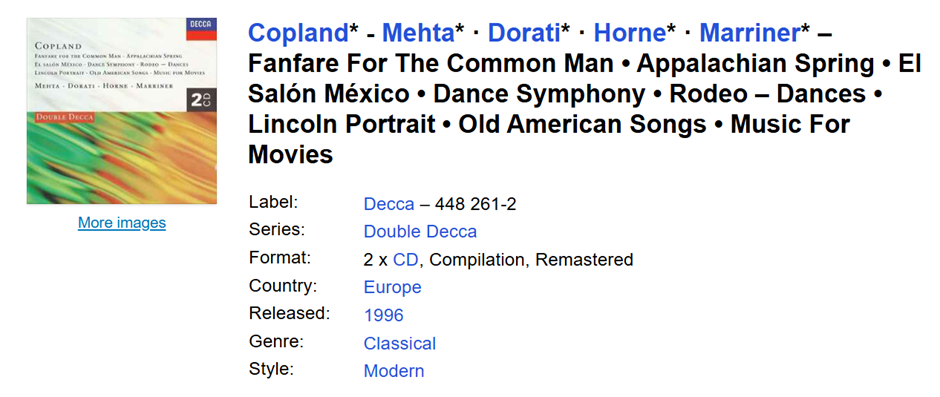





.jpg.8fcee557459f92b5d1950071ec40ba4b.jpg)