All Activity
- Past hour
-
 alok_p0 joined the community
 -
 Tirado93 joined the community
 -
 GUSTAVO LOAIZA joined the community
 -
 MrDaniBart joined the community
 -

HDHomeRun tuner not released after stopping Live TV (Kodi + IPTV Simple Client + Emby for Kodi Next Gen)
hetkoznap posted a topic in Linux
First of all I’m not sure exactly what’s causing the problem (Emby Server, IPTV Simple Client, Emby for Kodi Next Gen, Kodi, HDHomerRun), but I have to start troubleshooting somewhere, so I apologize in advance if this issue isn’t related to the Emby Server. Environment: - Emby Server 4.9.5.0 on DietPi 10.4.2 (Debian 6.12.90-2 amd64) - HDHomeRun HDHR5-4DT (fw: 20260326) - Kodi 21.3 on NVIDIA SHIELD Pro - Emby for Kodi Next Gen Kodi addon 12.4.21 - IPTV Simple Client Kodi addon 21.11.0 When I start a Live TV channel through Kodi using the IPTV Simple Client addon, stopping playback does not release the HDHomeRun tuner. The tuner keeps streaming indefinitely until I restart the Emby server. If you switch channels the second tuner will also be occupied. The HDHomeRun HDHR5-4DT has four tuners, so after the fourth channel the fifth won't start. Importantly, this issue only occurs when using the IPTV Simple Client addon in Kodi. When I start/stop playback using the HDHomeRun Kodi addon, the native Emby for Android app, the Emby web interface or the Emby for iOS app the tuner is released correctly every time. - The issue is not caused by another client actively watching the same channel - The issue is not present when using other methods to watch TV - Restarting the Emby server immediately releases the tuner, confirming Emby holds the connection (but it isn't shown on the web dashboard after stopping the channel) I upgraded from Emby Server 4.9.3.0 to 4.9.5.0 shortly after its release and I believe the issue started around that time — though I cannot confirm this with 100% certainty. I am not sure which component is responsible. It could be: - A bug in Emby Server 4.9.5.0 - A bug in the Emby for Kodi Next Gen addon (delayed or missing session close) - A bug in the IPTV Simple Client addon (not properly signalling stream stop to Emby) - A combination of the above - Or anything else Thank you for looking into this! embyserver.txt -
 li383260210 joined the community
 -
More than likely what you're seeing is for the web app the embedded srt subtitles are being delivered as a VTT so they're "external" and can therefore adjust the offset. On a device that is direct playing the file the offset can't be adjusted for embedded srt.
-
 manolo-cartuja@hotmail.com joined the community
 -
 Jkhuang joined the community
 -
 16608033084 joined the community
 -
 niruth joined the community
 -
 RedNo7 changed their profile photo
 -
I just noticed it runs on MacOS now, so, no longer need to use wine. That's a nice addition. I use it a lot to translate graphical subtitles to text subtitles. It's a great app indeed.
-
Apologies. This should never occur. There should be graceful error messages shown on the screen with dialogs. It should never crash and rudely exit the app. Usually when you receive an http response to an https request it contains a human readable error message to display to the user either in text, html, etc. If that were to happen and the json response couldn't be read because it was formatted as an html/text document that could very well be why it is crashing. We might be able to do something depending on where it occurs inside our code or inside Roku's object which we can merely observe and cannot modify. If it is something under our control certainly we would try to mitigate this. If you work with us, specifically me, on this I can probably figure out where this happens. Does this happen with just new users? Or when switch users can you also make it happen? If you sign out of the app then log back in can you make it happen? Does it happen after you log in and during the homescreen construction? Knowing where will help give us a starting point where to start looking for possible parsing mistakes when malformed json (ie, html/text/etc) is returned instead of json. I think we can read some property of the http session to determine the mimetype or something and pass that to the function. So that when the parsejson is done it actually is done against valid json. I bet that is what this is. If you answer the questions above it will give me somewhere to start. Thanks.
-
Hi there, that's a great idea. This will be used as the completion marker for a television series. Could you add it to the Emby catalog. Thanks.
- Today
-

emby server - auto bitrate vs user selected
Jdiesel replied to mastrmind11's topic in Feature Requests
Another vote for this, as described here https://emby.media/community/topic/148091-display-reason-for-bitrate-exceeds-directplay-limit/ -

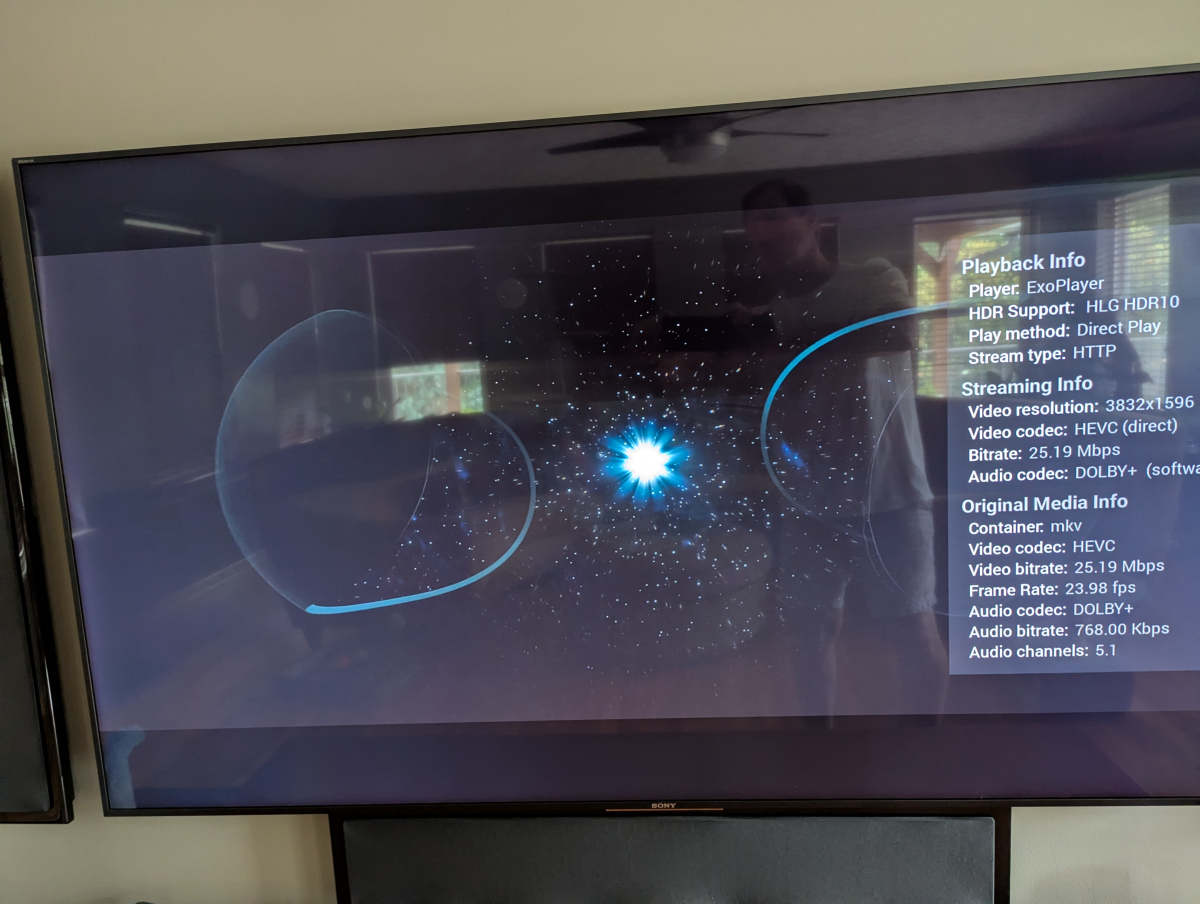
Grey letterbox bars on HDR playback with Emby for Android universal - Sony TVs.
kricker posted a topic in Android TV / Fire TV
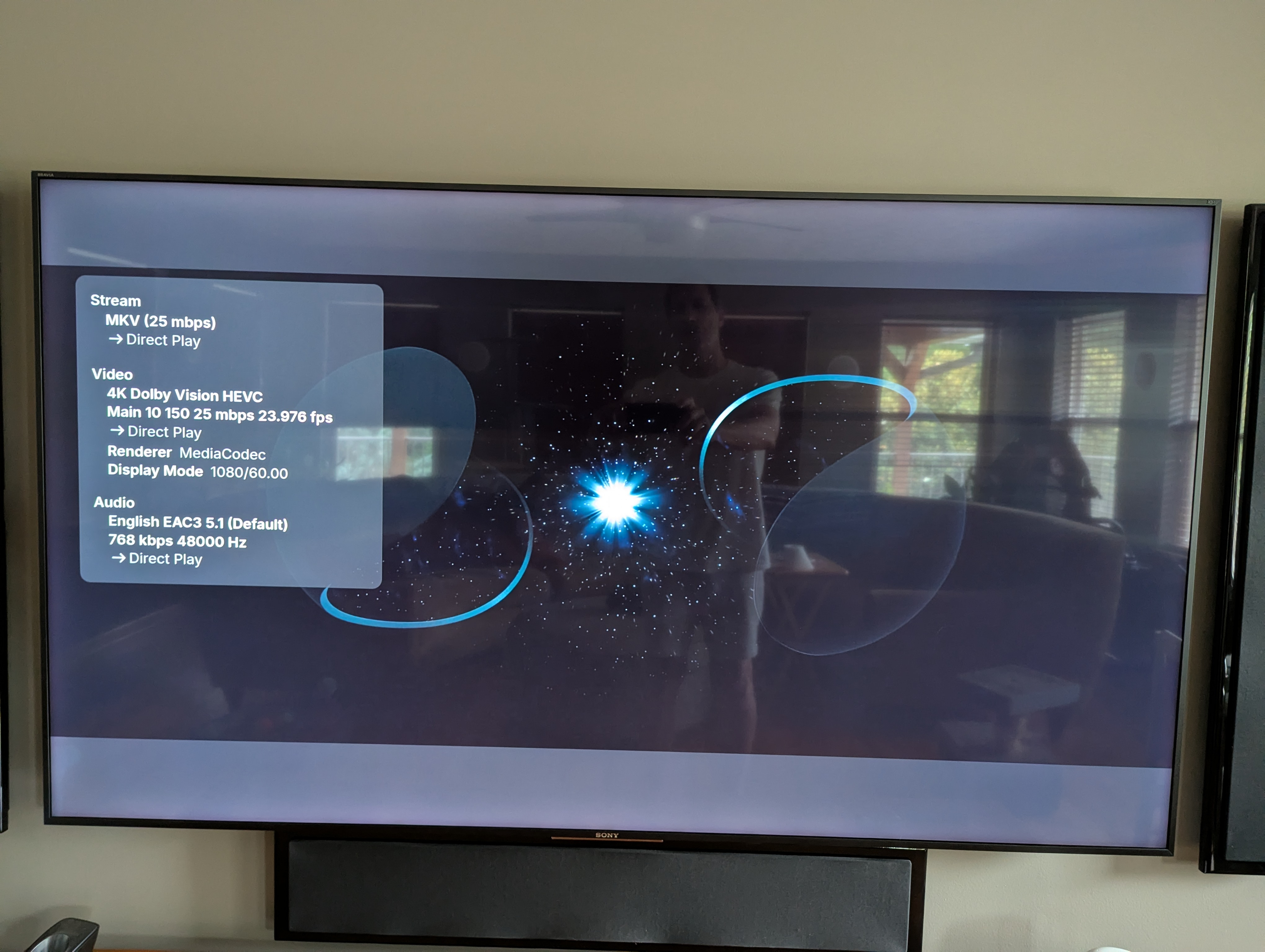
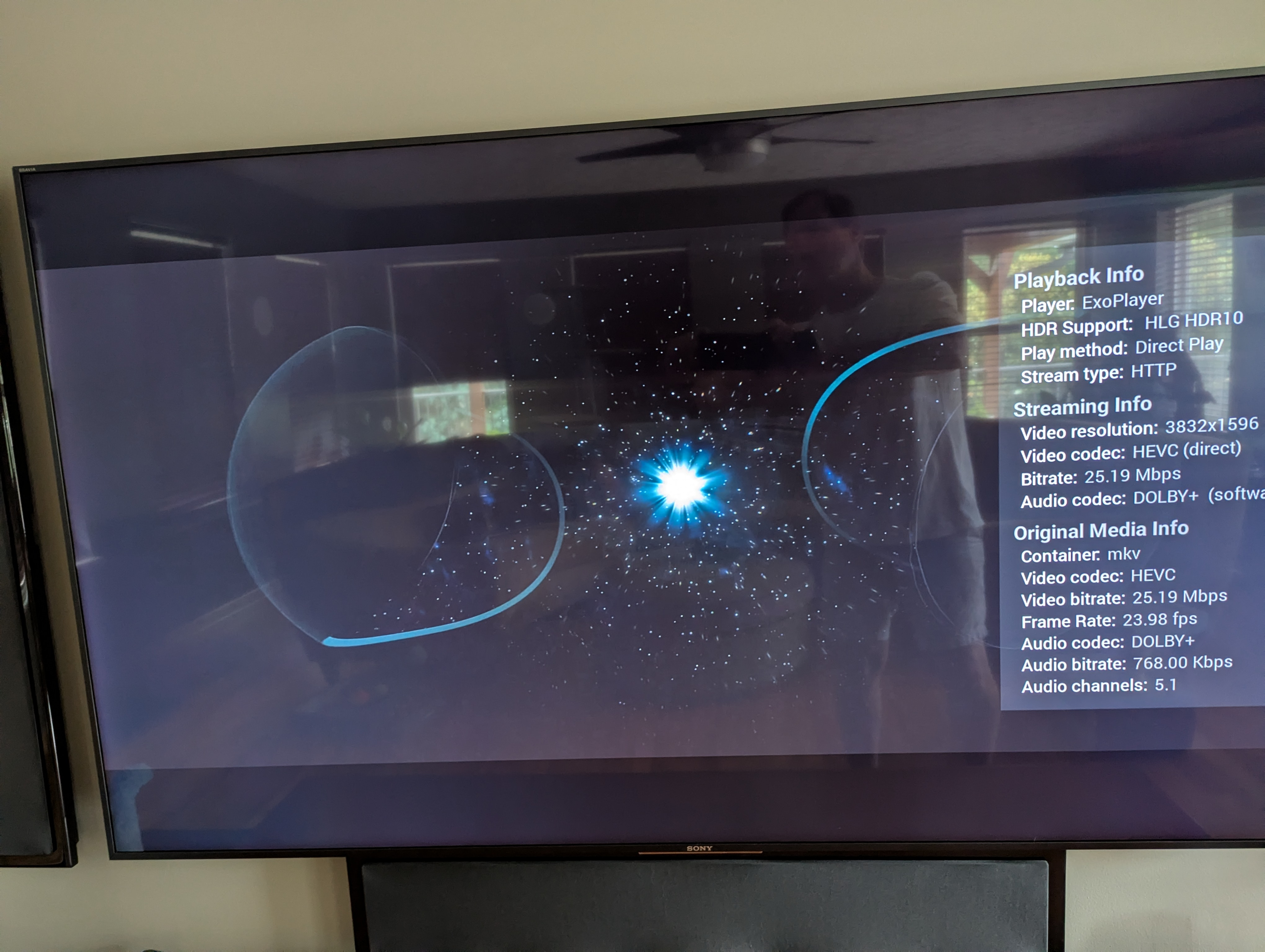
I noticed that the universal Android app has grey bars during HRD video playback on Sony TVs. Kodi had a similar issue due to some sort of rendering method on Sony TVs and various other devices. An overlay setting was added to Kodi's advanced settings.xml file that allowed that to be dealt with. Attached are images showing the same HDR content played back on each of the apps on an older yet still highly capable Sony TV.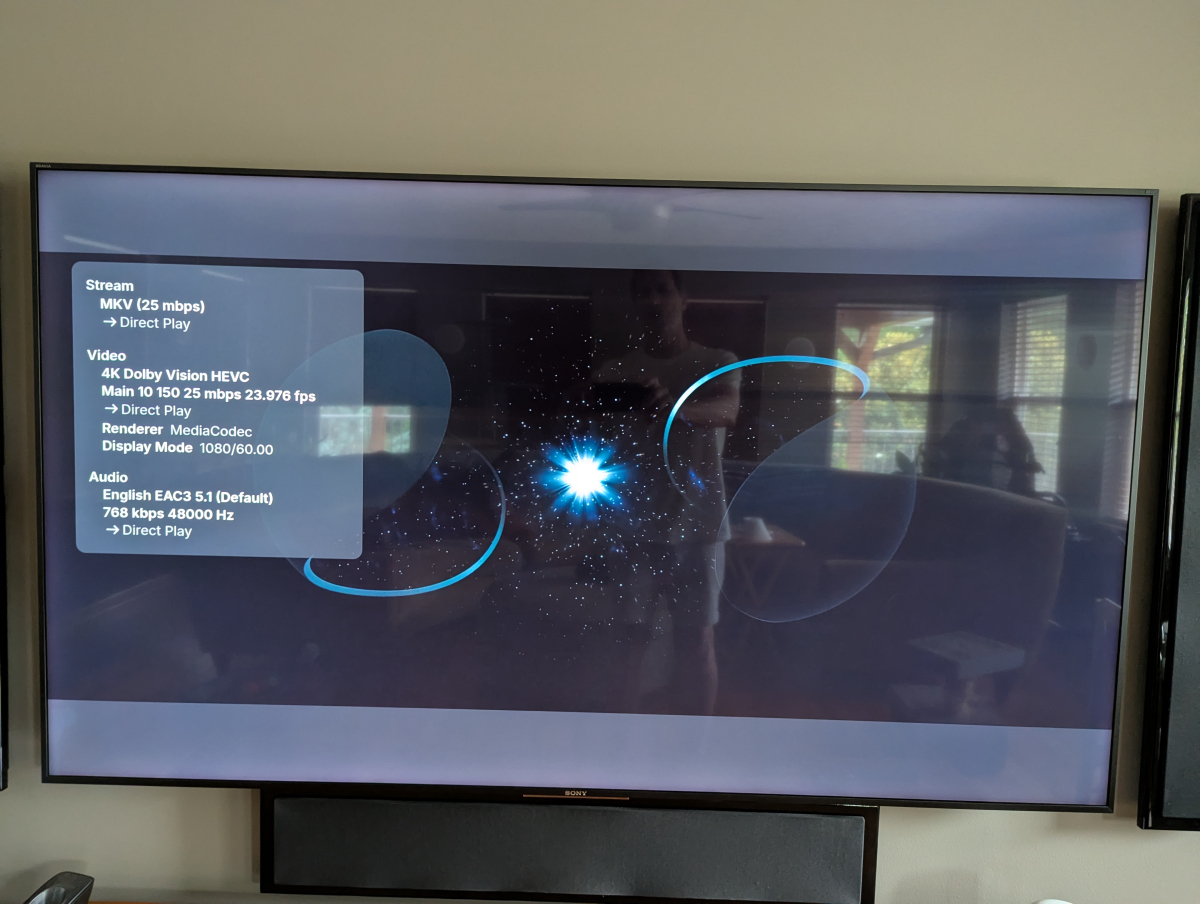
-

File created date vs file modified date
Richard Branches replied to dazed's topic in Feature Requests
Coming from a duplicate topic I made, I hope they add a "Use modified date" option in the "Date added behavior for new content" menu which is located in the advanced library settings. With that option I will be able to see all modified content for all types, specially for music, as I always edit the tags or when a file is replaced by a different one, for example when I replace an MP3 file with a FLAC file, the idea is to be able to play that content directly from the "Latest" rows on Emby home without having to search for each item:
-
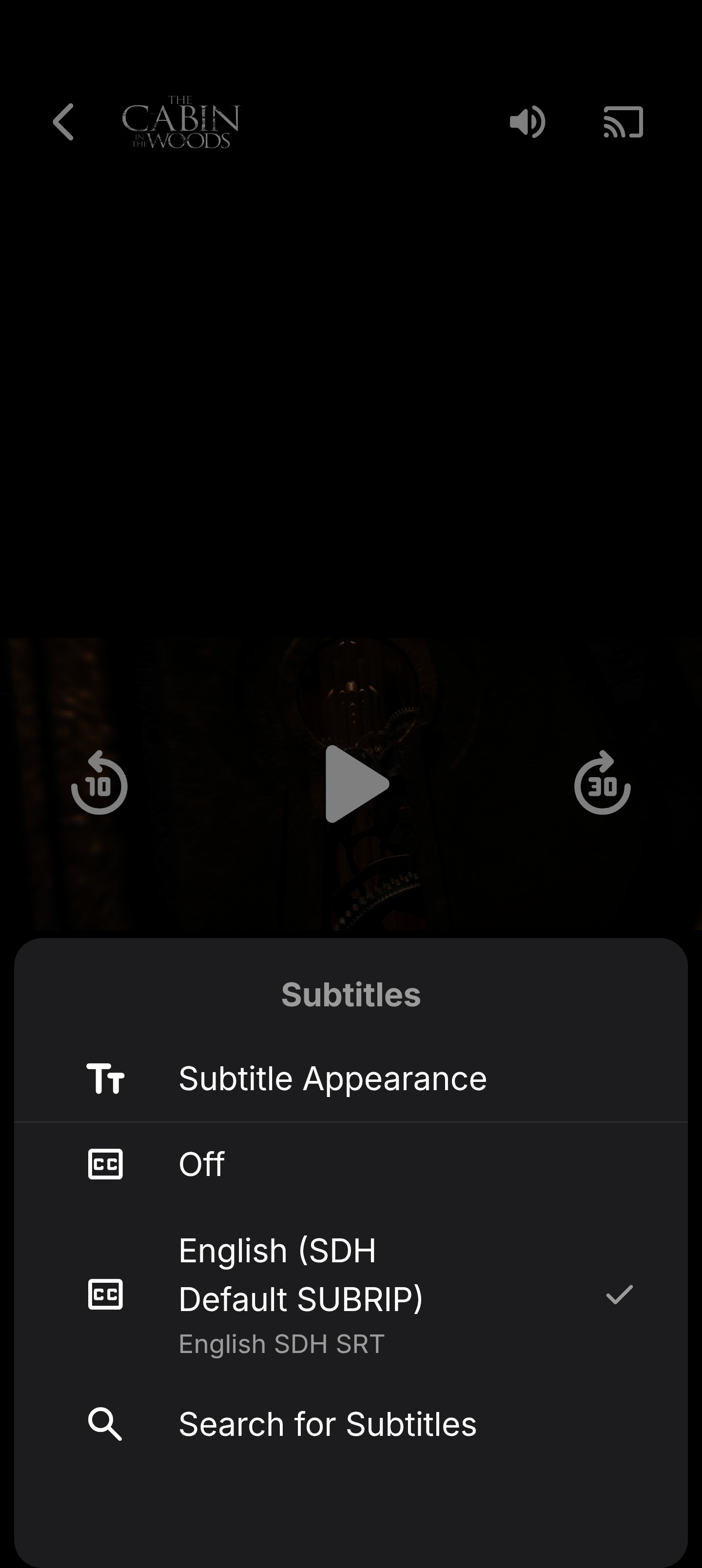
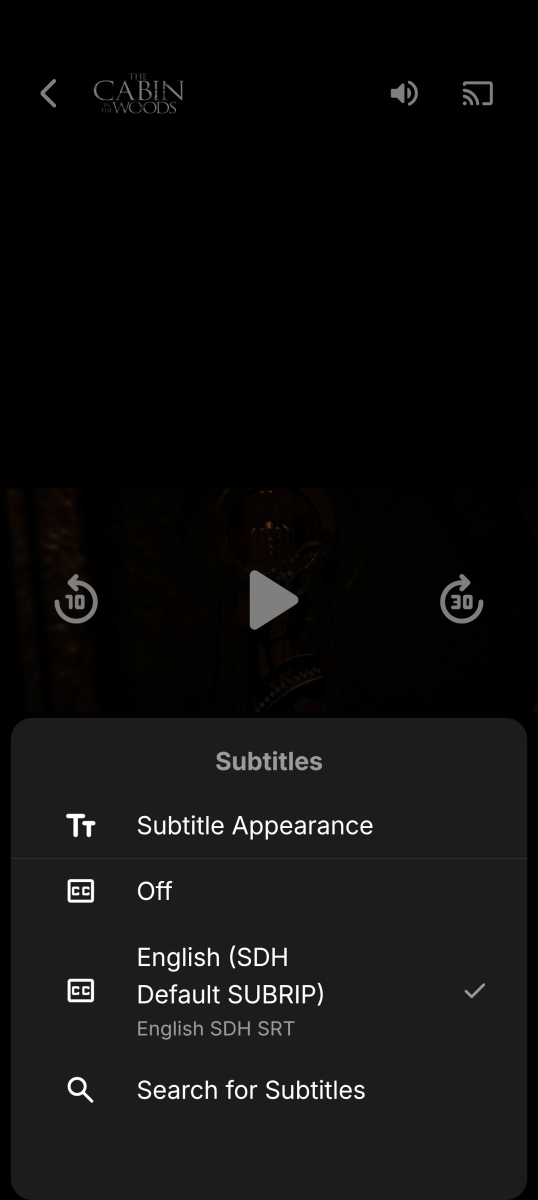
Attaching screen shot of phone playing the same movie missing the offset option.
-
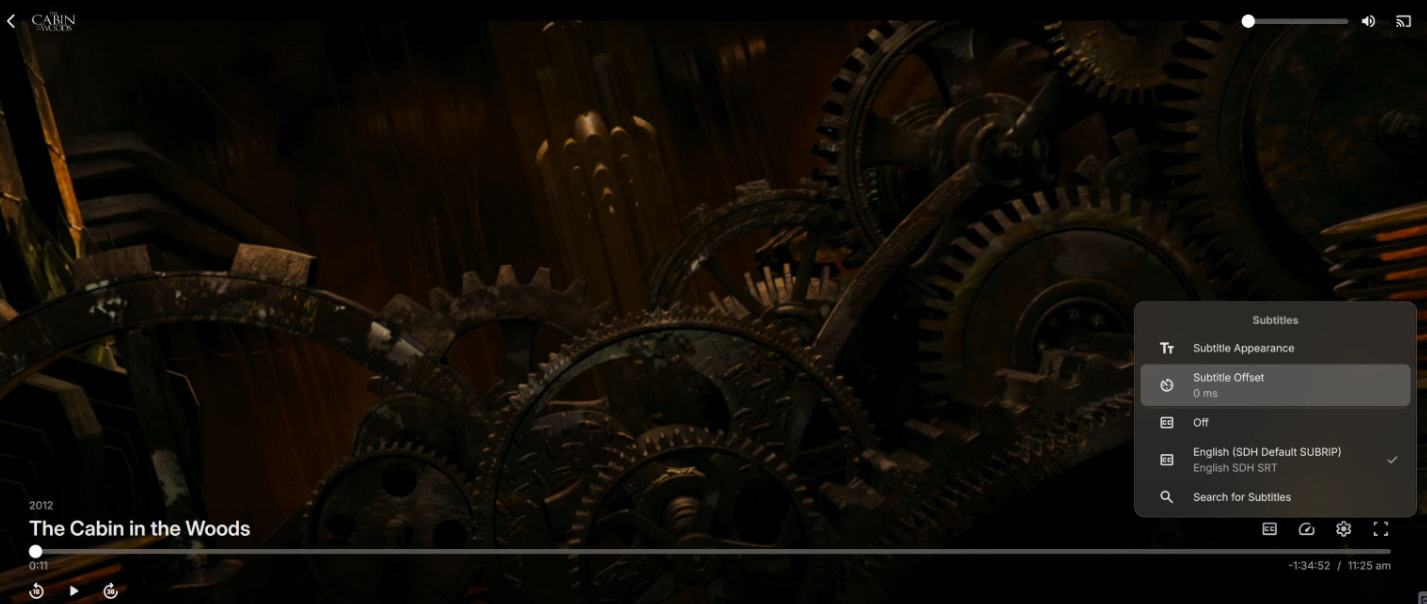
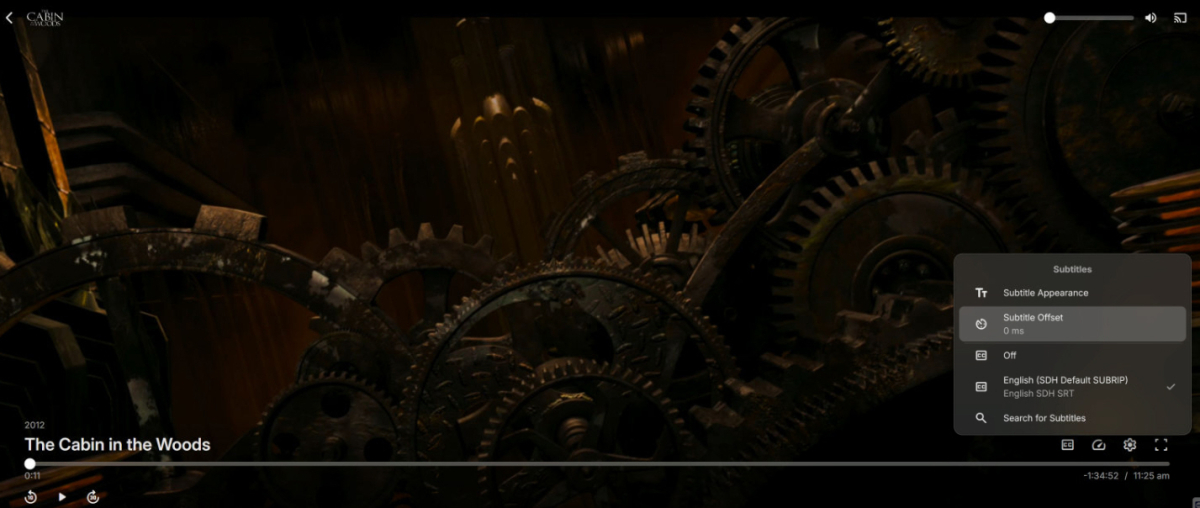
Okay, now I'm getting really confused. When I watch something in my web browser, I have the offset option and inside the "Subtitle Appearance" I found the position settings. I'm attaching a screen shot of Cabin in the Woods in 4K, showing the offset options with embedded SRT subtitles in a MKV container. Another odd thing is that when I play the same movie on my Android phone, I am missing the offset option. It is also missing on my TV. I have Emby for AndroidTV and Emby for Android installed. I know that Emby for my TV used to have it because I've used it and even when searching / downloading subtitles in the past I've had to use the offset option to sync them while playing a movie. None of the Emby versions seem to be consistent with how they manage subtitles or allow users to manipulate them.
-

Is it recommended to use the Android version over the Android TV version?
ebr replied to PapalPenguin's topic in Android TV / Fire TV
Please create a new thread with specific details (screen shot). Thanks. -
Why is Jellyfin so much more popular than Emby?
ebr replied to Nabukodonosor's topic in Non-Emby General Discussion
There is now a setting that the admin can use to take care of that. -
This is expected behavior. An internal subtitle that is not in sync should be extremely rare.
-
Display reason for "Bitrate exceeds DirectPlay limit"
ebr replied to Jdiesel's topic in Feature Requests
Hi, there's already an open request for this or something functionally equivalent. Please join in and contribute to the existing discussion at: -
Open Subtitles
-
Server - please add a "Use modified date" option for library organization
ebr replied to Richard Branches's topic in Feature Requests
Hi, there's already an open request for this or something functionally equivalent. Please join in and contribute to the existing discussion at: -
Is it recommended to use the Android version over the Android TV version?
kricker replied to PapalPenguin's topic in Android TV / Fire TV
@ CBers, where would be the proper place to report the grey letterboxing on Sony TVs for the universal Android version? -
Just following up to let you know I'm still hoping for an update that gets Trakt connectivity working again.
-
This is a Windows Powershell script to update all episodes of a series to match the episode's original air date pulled from Emby's database. You need to create an API code to connect to your Emby server installation. It will create a .json file on first run to save your server settings. The script will ask for your server's IP and API code, Emby's file path, and the Windows file path for the same content. After that, you type in the name of the series, and you will have the option to do a preview scan or a live run. After the preview scan, you can also do the live run. I've run it on several of my shows, and it appears to be working rather well. Use with caution, of course. This is my first-ever PowerShell script. Example of the .json file it creates: { "EmbyPathRoot": "/mnt/TV/", "EmbyUrl": "http://###.###.###.###:8096/", "WindowsPathRoot": "\\\\Tower\\TV\\", "ApiKey": "xxxxxxxxxxxxxxxxxxxxxxxxxxx" } /mnt/TV/ is the Emby path to the TV files, and \\Tower\TV\ is the Windows path. EmbyDateUpdater.zip
-

Is it recommended to use the Android version over the Android TV version?
CBers replied to PapalPenguin's topic in Android TV / Fire TV
A big 100+ page thread here, which discusses the differences between the Emby for Android TV (ATV) app and the Universal Android (Standard) app. It's probably about 50/50 as to which app people prefer. -
Is it recommended to use the Android version over the Android TV version?
kricker replied to PapalPenguin's topic in Android TV / Fire TV
FYI, Emby for Android on Sony TVs has grey letterboxes during playback. Emby for Android TV has proper black letterboxes. Emby for Android has some nice UI features like viewing actors while a show is playing, but the for ATV version will pause playback when you try to view actors. There are some other UI differences as well. I'd prefer to use the standard Android version, but since I have Sony TVs and don't want grey letterboxes, I'll be using the for ATV version. -
Hi I have tried both TVDB and MovieDB as Episode Metadata Downloaders and neither pulling in genre info. Have confirmed that they both have genre info related to TV episodes. As a test, I deleted a genre in one of my old episodes, that already had complete genre information, and asked Emmy to refresh the metadata for that episode, hoping it will pull in the genre I deleted. Once refresh was completed, I checked out the episode and it never pulled in the genre I deleted. System stopped pulling in genres for Dutton Ranch, Marshals, Your Friends and Neighbours, For All Mankind, Legend of Vox Machina, to name a few.
-
I’ve added a “Music” directory which plays my extensive mp3 classical music files through my great speaker setup. Sweet!
-
That behavior is possible. “Alexa, stop/pause/resume” are Alexa-level media commands, not necessarily Ear Wax skill commands. Alexa decides which active speaker or media session those commands apply to, and in multi-Echo setups it may control a different Echo than expected. For clean Ear Wax testing, please use the full skill form: Alexa, ask Ear Wax to pause Alexa, ask Ear Wax to resume Alexa, ask Ear Wax to stop Bare commands may still work, especially “next,” but they are routed by Alexa’s media-control layer before Ear Wax gets involved. If playback behaves strangely after a bare command, retest the same action using the full “ask Ear Wax” command so we know the skill handled it directly.
-
Nice to hear it's working, enjoy!