All Activity
- Past hour
-
 tonilparrunispa joined the community
 -
 tantij62 joined the community
 -
 richard.audet@gmail.com joined the community
 -
 fjzs8352 joined the community
 -
 herbjemby joined the community
 -
 Hua585956 joined the community
 -
 Aaron_17alm joined the community
 -
 vicentegaliano121 joined the community
 -
 dong.yu joined the community
 -
 Luthuli joined the community
 -

[URGENT] Large Server (90TB) — Library Scans Stalling on Synology NAS
BaNanaBlocks replied to BaNanaBlocks's topic in General/Windows
I have all my NAS devices, the EMBY server computer, and our internet provider on a 1Gb network, so I don't think bandwidth should be an issue. But I will definitely look into that, just in case. Thank you for the response. -
[URGENT] Large Server (90TB) — Library Scans Stalling on Synology NAS
BaNanaBlocks replied to BaNanaBlocks's topic in General/Windows
Now that all the data has finally transferred over to the new NAS, everything seems to be functioning as usual. You would think that with 2TB of free space on the NAS, EMBY wouldn't have any caching issues, but I can only guess that that was the issue since no one from EMBY ever responded to my issue. I guess this is not the way to contact someone from EMBY. Oh well. I'll close this issue and mark it as resolved. -
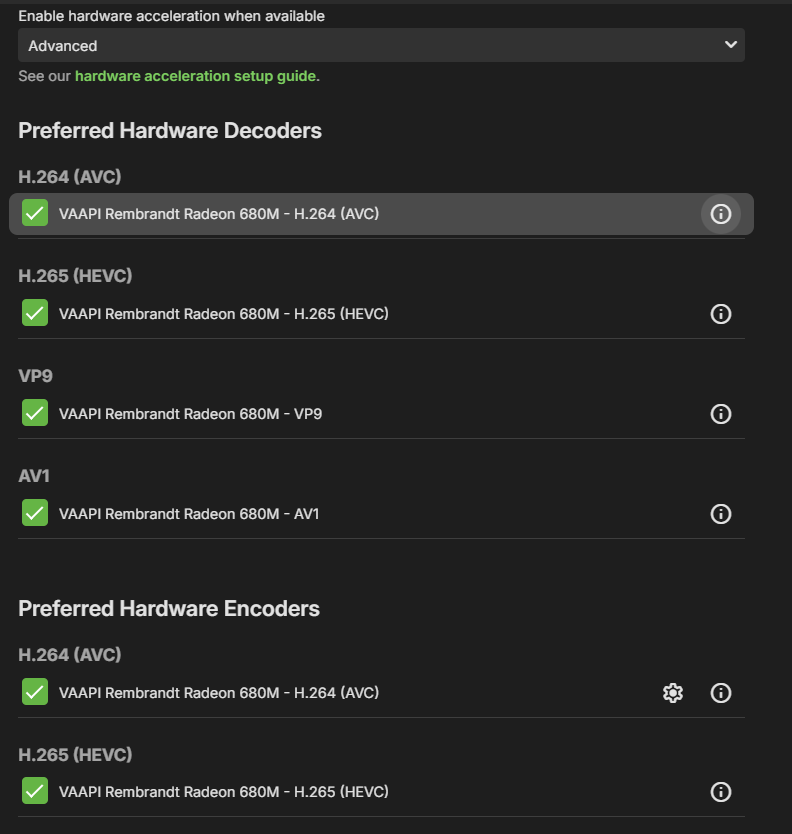
Hello, I love Emby, but I've got something that I can't get my head around: hardware transcoding. My CPU is an AMD Ryzen 7 7735HS with an integrated graphics chip and while that chip's not amazingly powerful, it should still be able to do hardware transcoding. My ffmpeg logs files: Enable Playback Remuxing: True Enable Video Playback Transcoding: True Enable Audio Playback Transcoding: True >>>>>> Processing Plan Name CanDoInHW WillDoInHW Reason Copy video stream >> False False Software Codec VideoInput >> False False Not a hardware decoder VideoOutput >> False False Not a hardware encoder Copy video stream >> False False Software Codec >>>>>> Video Processing Steps for [0:0]: H.264 (AVC) Step HW-Context Format SW-Format Size Next H264 >> - yuv420p yuv420p 1480x1080 >> Now, if I'm not wrong, this means that all the processing is done via software decoding, right? Which is slower. Why is that? If I go to the transcoding tab, I have quite few options for hw transcoding: What am I missing? Thank you!
-
Hello, I have quite an issue: when I've got subrip subtitles, at times, they just don't show up on my Samsung TV. They do show up if I watch a movie via the WebUI, they do show up on Android, but on Samsung, they refuse to do so. I have tried with both `Allow subtitles extraction on the fly` on and off, same result. I mention that the hardware's quite good: CPU: AMD Ryzen 7 7735HS Memory: 64GBs Integrated GPU in the Ryzen 7 I don't expect this to be a hardware related issue, since they sometimes work. I was watching a movie, subtitles didn't work. I downloaded an srt, added it to the movie but forgot to actually select it, and the SubRip just started to work. I then deleted the .srt file, the subrip continued to work....?!
-

Hide certain librarys from home screen or my media?
ryanfiller replied to Soundchasr's topic in General/Windows
Great, thank you. I was able to update to the latest beta and find this. I don't know if this is the correct place to offer beta feedback, but here it is — I just went to a user and removed all the libraries I didn't want them to see. Then I went and made a new library, and it showed up on their home screen. I would think this should be opt into visible by default rather than the way it is now? Or am I missing another setting somewhere? - Today
-
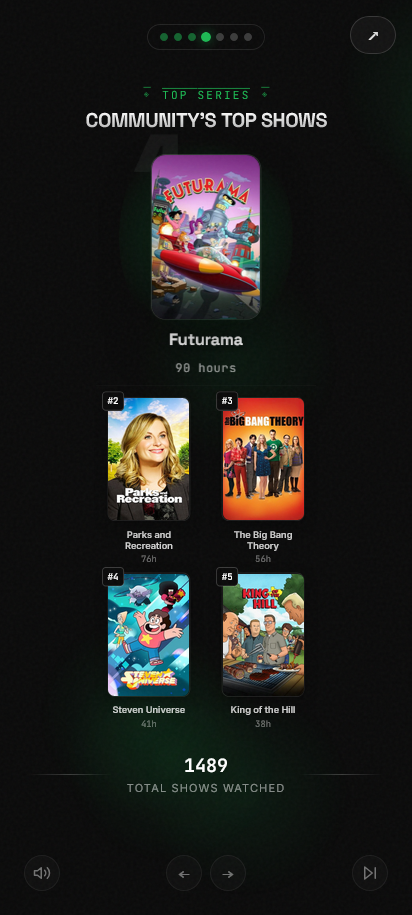
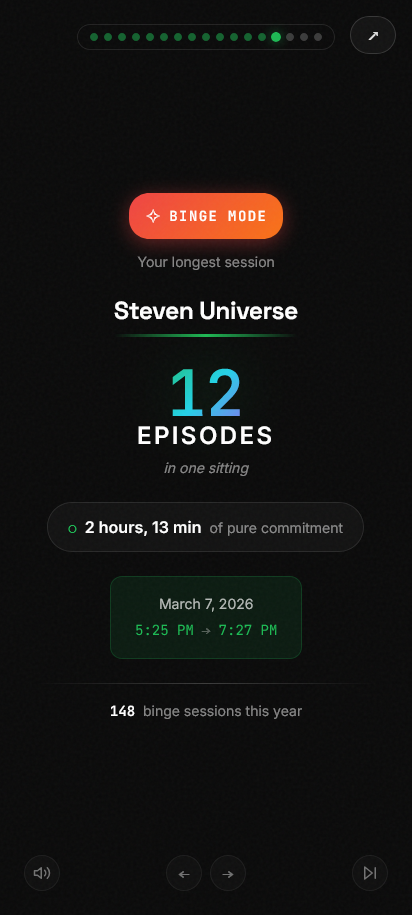
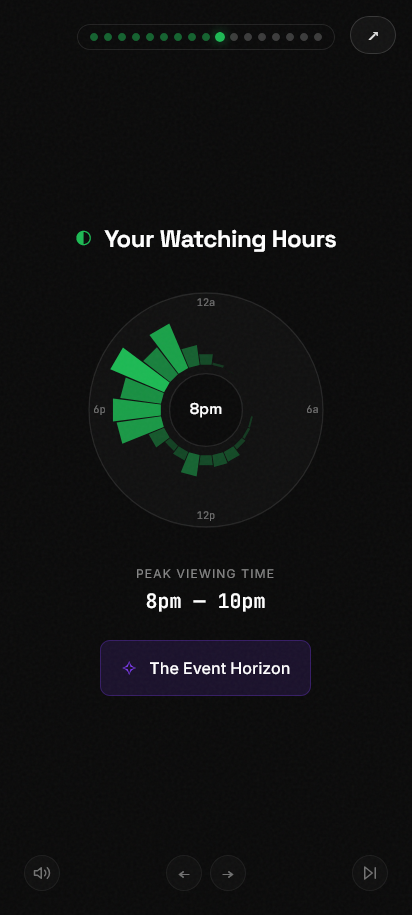
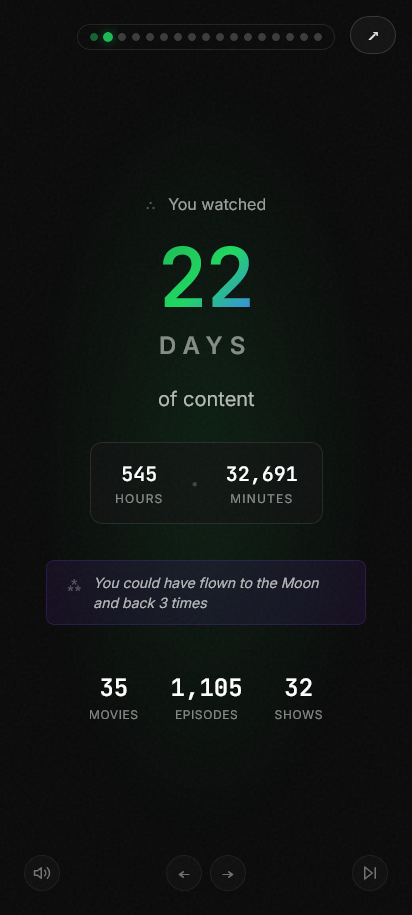
A Spotify Wrapped-style year-in-review for Emby. Runs in docker. Before I get into the features, you should know the requirements. Emby does not keep detailed play history stats by default, so we need one of two outside tools: Emby Playback Reporting Plugin (available in the Emby plugin repo) or Tracearr Features: Emby authentication - Added security via Emby authentication. Users must log in to see stats URL parameters - Provide URLs with a pre-selected time-frame Community watch stats - See stats for the whole server like total watch time and top movies/shows Individual watch stats - Individual users can see their own watch stats Share Cards - Download individual stat cards to share Flexible Time Ranges - Support for both yearly and monthly "Wrapped" views High-Quality Visuals - Automatically fetches higher resolution posters and artist images ... and more Feedback is welcome here or on github See even more features and screenshots at https://github.com/CtznSniiips/emby-wrapped
-
Read through all the comments , first what an excellent plug-in…. One thing I was thinking, could it be possible to add “JustWatch api” into it. Thinking to capture what ppl watched / like / hate outside of emby.
-
Hello n0se, ** This is an auto reply ** Please wait for someone from staff support or our members to reply to you. It's recommended to provide more info, as it explain in this thread: Thank you. Emby Team
-
I have a collection of my audiobooks I purchased from audible and then converted to .m4b I created the audiobooks library and added all of my audiobooks, but I am the only one who can even see the library. I can only get another profile to see the audiobook library if I grant them server management permissions and THEY create the library, but then only my profile and that profile can see the library....nobody else can. I have gone through and checked permissions and settings and I cannot figure out why the server will not allow my audiobooks library to even be visible.
-
Bonjour, non aucune issus, on a a meme passer la box du wifi a ethernet et ca ne change rien donc ce n'est pas un probleme de connexion...
-

Filters preferences on user profile instead of stored locally
visproduction replied to madblam's topic in Feature Requests
Using any filter, I believe still results in the filter button getting a highlight color. I think this can easily be missed. Perhaps there could be a warning alert text "Filtered results", or an overlay colored box that appears on top of the library title to remind the user that some filter is on. This type of UI alert doesn't happen anywhere else, so it is not consistent with the look of the site. There have been other forum posts and a current one, where filters cause "missing" media. I've run into it myself and I know to watch for filter settings. I think keeping filters on for the next login is correct and makes sense. An extra visible notice, might be nice. -

Movie Theme Songs Plugin Questions and Support Thread
ISeeTWizard replied to radeon's topic in Plugins
Yeah - now stress If you find something this would be great I'm changing the weekend all my libraries back to the mnt system - Just did a test with a smaller library and it work so for the moment I have a solution... -
Yeah, you'll likely be right then. I'm not in front of my machine until next week now but from memory it'll just using standard standard file operations to save the themes. As you say, because your Emby server is running on Linux, it cannot write directly to raw smb:// network paths. To fix this in the short term you would need to mount your network share directly in Linux (e.g., using fstab to mount it to a folder like /mnt/movies) and then update your Emby library to use that local /mnt/movies path instead of the smb:// path. Then when I'm back i'll look to see what I can sort
-
Got it and what’s the easiest way to make it in batch? Hope you or Dev team will be able to help me achieve it Keep in mind that Im running Emby on TrueNas. Thanks in advance! Max
-
Movie Theme Songs Plugin Questions and Support Thread
ISeeTWizard replied to radeon's topic in Plugins
So why does Emby successfully write posters and nfo files in the movie folder as example but theme.mp3 as example doesn't work and just throws an error... I suppose I've added the path correctly - the credentials are correct I even recreated the library but nothing Just when I mount the folder locally it works but I wanted to avoid this So maybe I need to swap back to this or simply give up and use another third party app to get the songs etc.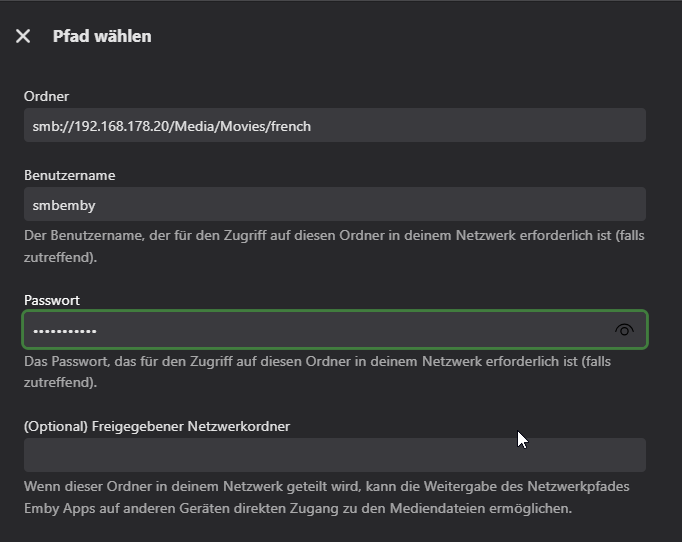
-
I’ve had the same struggle keeping up with games, and using the RubiScore match center has made it way easier for me to stay on top of everything without jumping between apps. I like that I can pin my favorite teams and get updates faster than the TV feed, so I don’t miss key moments. It’s been a solid fix for staying updated in real time.
-

Emby Theater v3.0.20 (Server v4.9.3.0) Homescreen Horiz. navigation broken
Ralph's Emby replied to d00zah's topic in Windows & Xbox
@LukeI'm on Beta latest and sorry but issue persist for me. -

M3U tuner: 403 Forbidden despite User-Agent and Referrer
AhmedNSane replied to sk222's topic in Live TV
Nice! That makes sense. I have it disabled via my router settings, too, because it keeps messing with my stuff, and I get tired of whitelisting domains/subdomains manually.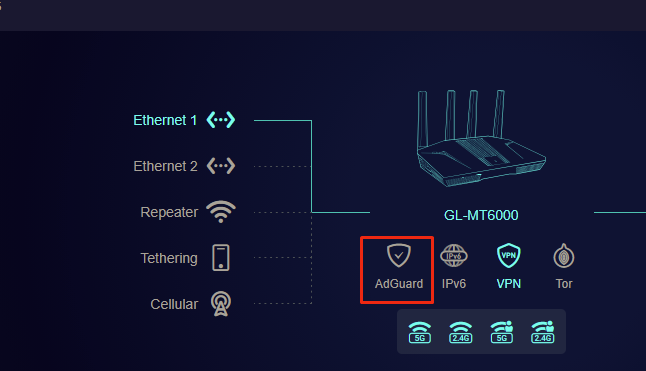
-
I call the mount points from emby, I don't map any so whatever your emby is configured with is what my plugin will use. The user it runs up in is the one emby is using as it's invoked from there I run emby in a docker on unraid and don't have any of those issues with the plugins
-

Hide Playlists from Included In & Group Albums by Release Type + Decade
GrimReaper replied to user24's topic in Web App CSS
v0.3 - Selection logic refined to reduce number of calls (faster UX) - UI reworked (QoL improvements) - Improved logging I need a screenshot of one in-progress window, there's something I need to check and I cannot do it on this test library as it's too fast, script needs to sun for few seconds, I'm doing it blindly. Thanks. emby_album_tag_importer.py -
Movie Theme Songs Plugin Questions and Support Thread
ISeeTWizard replied to radeon's topic in Plugins
No problem if your are busy - Now I know Yeah, rights, I would say too but it's just your plugin(s) who are throwing this messages and who don't work after the smb settings instead of local mapped swap. All the other can save (images, nfo files) without issues on my server over smb collection settings - else I wouldn't ask and would look somewhere else... The collections is even configured with the main admin user to be sure that it's not a hidden issue somewhere with permissions but nothing changed with that option - and more rights like the main admin I don't think there is... When I map the network drive locally it works too but I don't want that as if I ever have to change the Emby Server it would lead into rebuilding the collections and over smb directly on my Media NAS this isn't the case (I recently swapped and saw how easy it was compared to what I had before) I asked AI about it: That is fatal. The plugin is trying to treat the SMB path as if it were a local filesystem path starting with “smb:/...”, which Linux does not recognize. This means: The plugin is not using proper SMB mounts It tries to write to /opt/emby-server/smb: …which is obviously invalid. -
Nah, sorry pal, just really busy with work at the min. Your logs show Access to the path '/opt/emby-server/smb:' is denied. ---> System.IO.IOException: Permission denied --- End of inner exception stack trace So you're running into permissions there pal.
-
Hopefully this will work, firstly understand why they want to stay on share account, just in case you not aware (I don’t know which plug in is best. Cause building my emby server for friends & family now) their plugin’s now that allow if have separate accounts. To see what other members watched, other members can suggest, then use ratings, make personalized playlist / suggestions.
-

Subtitles not showing on Android for an mkv during playback
sa2000 replied to UsamaWaheed's topic in Android
@UsamaWaheed Initial feedback: This is suspected to be due to the compression on the embedded ASS subtitle stream and the way Exoplayer is setup within the android app. MediaInfo Text #1 ID : 4 Format : ASS Muxing mode : zlib Codec ID : S_TEXT/ASS Codec ID/Info : Advanced Sub Station Alpha Duration : 24 min 39 s Bit rate : 80.6 kb/s Frame rate : 9.353 FPS Count of elements : 13842 Compression mode : Lossless Stream size : 14.2 MiB (1%) Title : Full Subtitles [Kaleido-subs] Language : English Default : Yes Forced : No At this moment it is only possible to play an mkv like this with transcoding to uncompress the subtitle stream and show the text I have opened an issue on this for Emby android app development team -

Select “Continue watching episode,” but the episode listed under it doesn’t match the selected episode.
kira yamato replied to kira yamato's topic in Apple iOS / macOS
Is there any update?