All Activity
- Past hour
-
 Xusijie0725 joined the community
 -
 bruceyan joined the community
 -
 Winjack joined the community
 -
 BaiG_ joined the community
 -
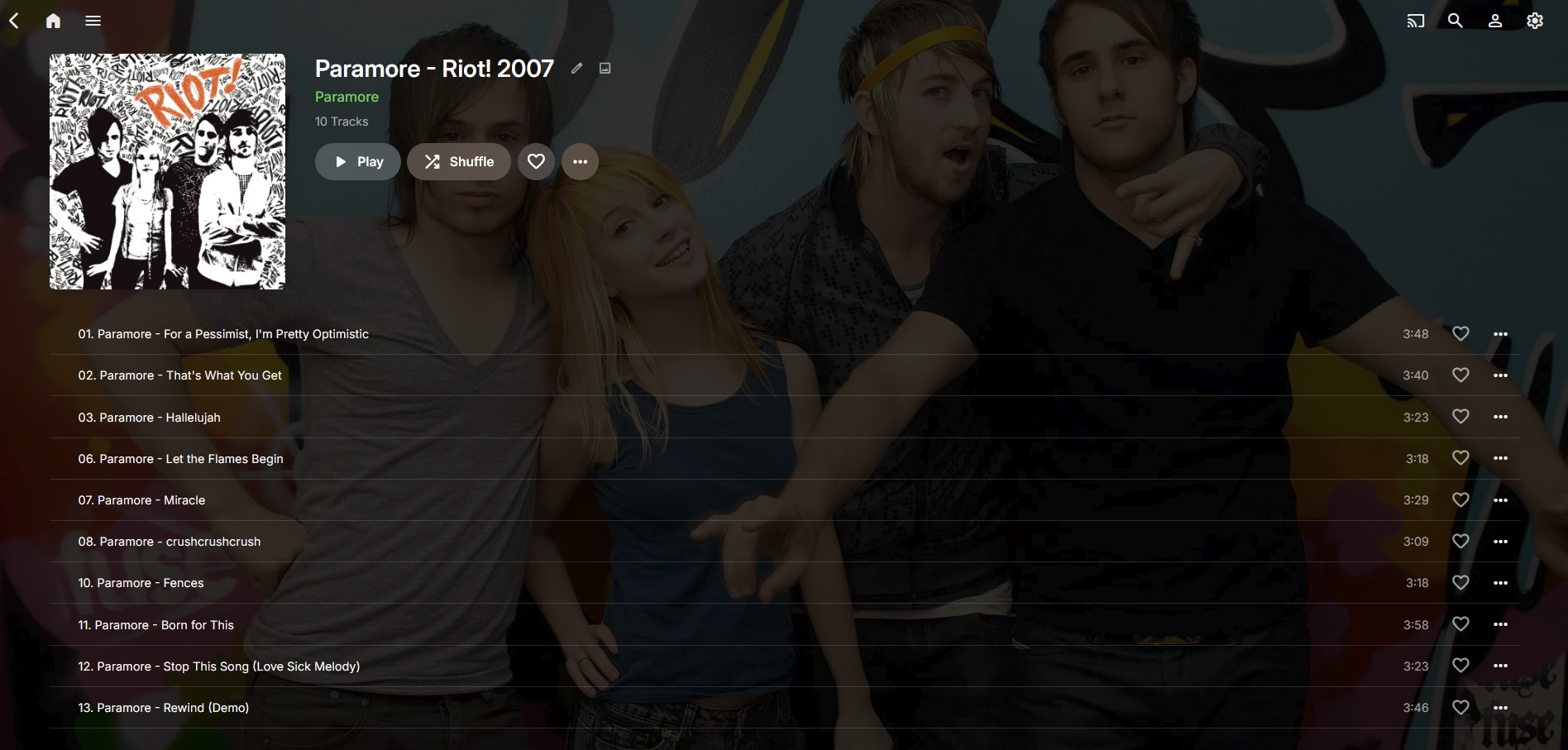
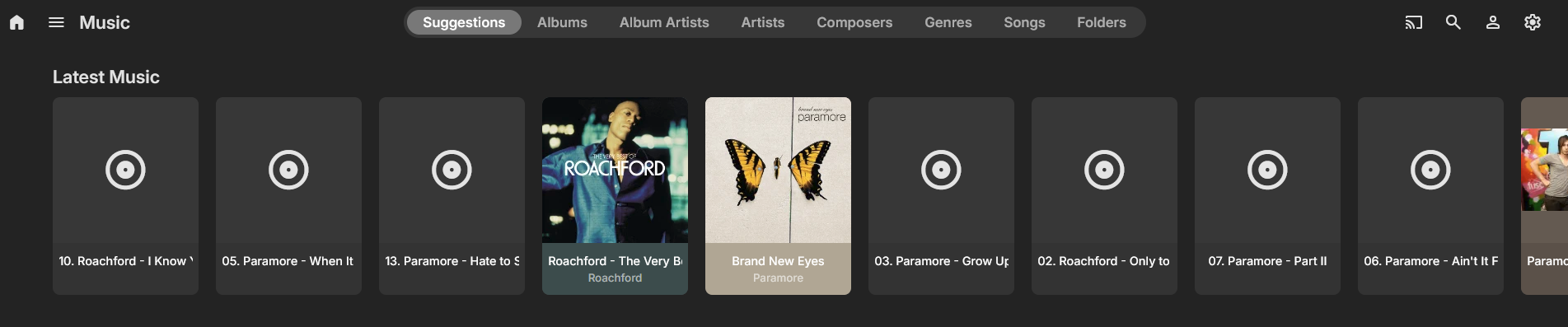
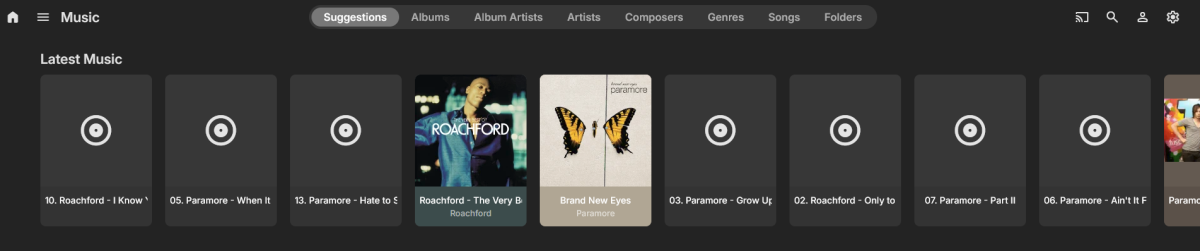
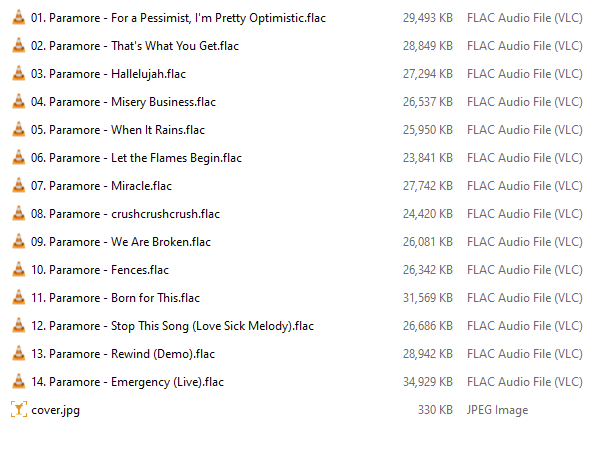
 Version: 4.9.3.0 Server: Windows (Win 11 Pro) Hi folks, I’m running into a strange issue with my Emby music library that I haven’t seen before. Up until now, adding albums (FLAC format) has been completely straightforward. I just copy the files to my NAS, run a library rescan, and the albums appear in Emby without any problems. Yesterday I added three new albums, but I noticed that some tracks are missing from all three albums inside Emby. In addition, the metadata appears to be incorrect or mixed up for some of the tracks. Things I have tried Removed the three albums from the NAS and ran a library rescan to clear them from Emby Verified that all the FLAC files are intact and playable (they are fine) Re-added the files individually to the NAS and rescanned the library (same issue) Tried manually adding the MusicBrainz ID for each album (no change) Has anyone encountered something similar or have any suggestions on what might be causing this? It's only happening with Music albums, everything else working as expected. In case its relevant, I nest music as FLAC > Artist > Album Name - Year > files Thanks in advance for any help. Sample - Tracks Missing Corresponding Directory on NAS Metadata Problems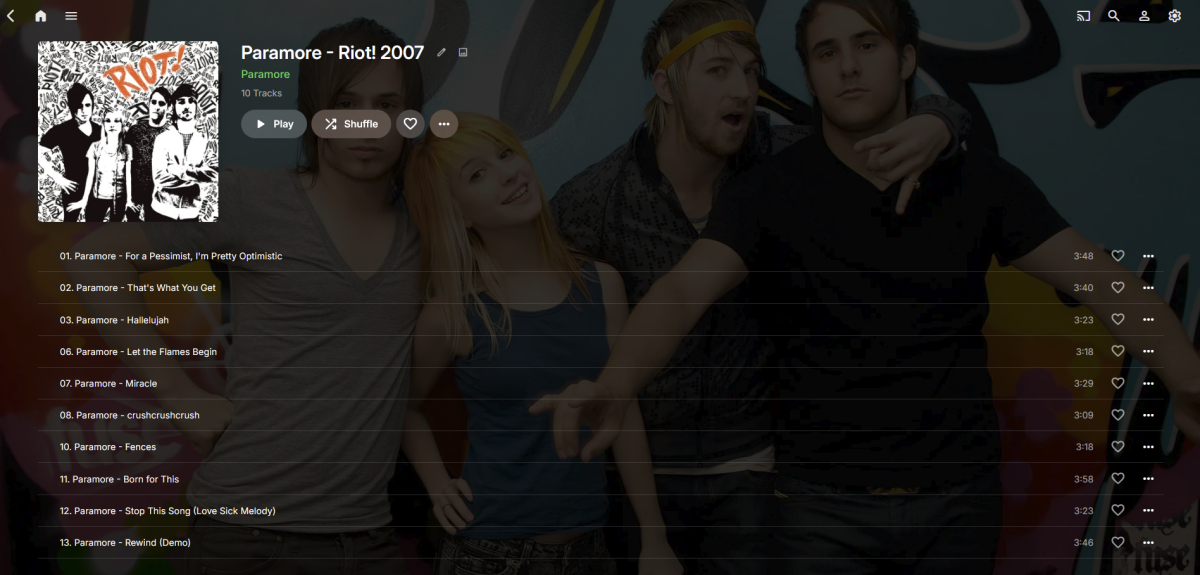
-
 smadidit joined the community
 -
Server name indication. Simple: The reverse proxy just reacts when the specified hostname, e.g. emby.yourdomain.com is called by the client. Many simple bots, vulnerability scanners and automated scripts try to connect directly to your public IP address.
-
 乐on joined the community
 -
 SosaEnRage joined the community
 -
 Reduwan joined the community
 -

Recording playback switches ratio when fast forwarding
visproduction replied to Jmackay82's topic in Android TV / Fire TV
Jm, What is the actual pixel aspect ratio of the original media? Sometimes with .mkv content, you might have a squeezed or stretched copy that has added metadata tag to resize the media for playback. When the player accepts this resize tag, the end playback looks fine, but any fast forward would miss getting this resize control and look incorrect, just like you described. VLC [Ctrl J] , ffprobe can both find the file info to show if this is happening. Aspect Ratio errors and forced resize settings i quite common with content from DVD's or from about 10% of online media. -
 Priscilla Fernandes joined the community
 -
【I need to add a custom option for transcoding frame rate】
visproduction replied to Kaouning's topic in Feature Requests
Kao, Another method, often used online, is to have an alternate, lower res copies, available to play for users who run into bandwidth or server/network traffic limits. When lower res media are made in advance and saved to the same directory, they can show up as a selection drop down in the media page: 4K 60fps, 4K 30fps, 1080P, 720P... -

No hardware acceleration on new Emby Windows 2.234.2.0
flic replied to flic's topic in Windows & Xbox
Thanks so much Lessaj it was set to HQ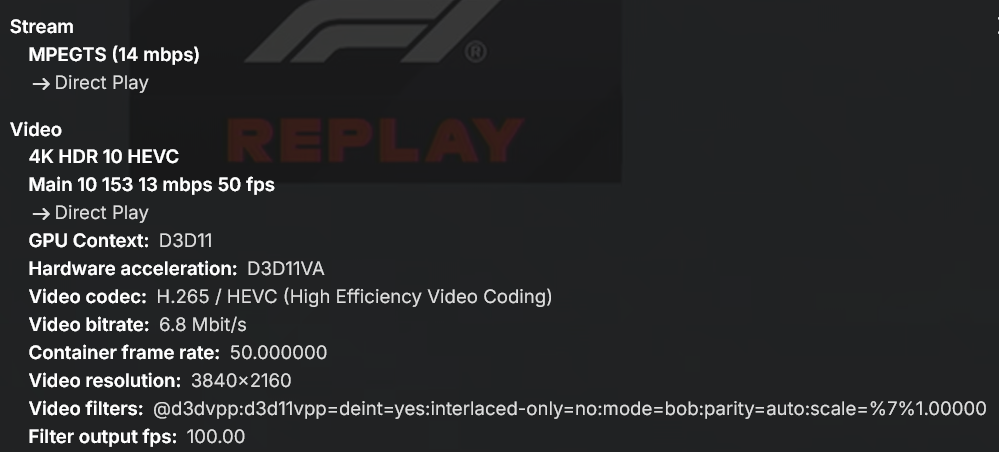
-

No hardware acceleration on new Emby Windows 2.234.2.0
Lessaj replied to flic's topic in Windows & Xbox
Go to Video Player and try changing the quality preset to Energy Efficient. -

I think my server was hacked
crusher11 replied to edvinmorales@hotmail.com's topic in General/Windows
What's SNI? -
I agree that for immediacy and non-technical users something is better than nothing. But we also have to be careful and not give those same users a false sense of security. Don't want them to think that changing their port range is a one-and-done fix and now they're secure...all good! As @rbjtech and many of us have posted before there are basic security hygiene steps the non-technical admins can apply on their servers. This is because out of the box Emby has horrible defaults and very little if any guidance and warnings in the application itself. The devs could do a much better job of initializing Emby with better defaults and opt-in settings in the name of security. And if someone decides to change their external port they should pick a value that services like Shodan don't scan, which is difficult. Shodan says they scan for 250+ ports which is vague and the API has a much longer list. For example: https://api.shodan.io/shodan/ports
- Today
-

Emby Theater v3.0.20 (Server v4.9.3.0) Homescreen Horiz. navigation broken
Symen_4ab replied to d00zah's topic in Windows & Xbox
A friend reported the exact same issue on my server today. Client Emby Theater 3.0.20, server 4.9.3.0 She's using the keyboard arrows for now. -
Few fixes and adjustment, etc... Also removed the pop-up hover effect over media cards (it started to annoy me.). Enjoy.. Emby Navy and Gold v2.4.css
-

I think my server was hacked
Apotropaic replied to edvinmorales@hotmail.com's topic in General/Windows
Appreciate your response but it’s probably a larger conversation for a wider audience. Sometimes you just have to make responses for quick wins for less technical Emby people out there. I wouldn’t normally advise obfuscation By using port 443 to hide in the background noise, all you’re really hiding from is traffic analysis monitoring from ISPs and other suspicious characters…lol You’re not going to hide from a port scan, a web server is a web server and if someone is looking for one they will gladly spend their curiosity looking at an Emby server, which in most cases will show the usernames… As for scanning, yes an automated scan makes a lot of things trivial but as I said, someone casually or even intentionally looking for Emby severs is not running a full scan. Anyone who blanket scans hundreds of thousands of home users is going to get noticed by their ISP and maybe even big brother. Especially using aggressive tools, otherwise it will take a long time and your Emby server is not likely to be a target. We can all give up if nation states want our Emby libraries!! I see hits against 80,443,8096,8920 from time to time. I’ve never seen anyone find my port - not that I’m setting a challenge But I do agree, a properly configured reverse proxy is the best solution but you’ve got to have actions that anyone can do regardless of their technical capability. Maybe they increase their learning and want to move to the next stage. Edit: this has reminded me of a suspicious event months ago, going to check my logs to see if I still have it. There may be more to this whole thing. -
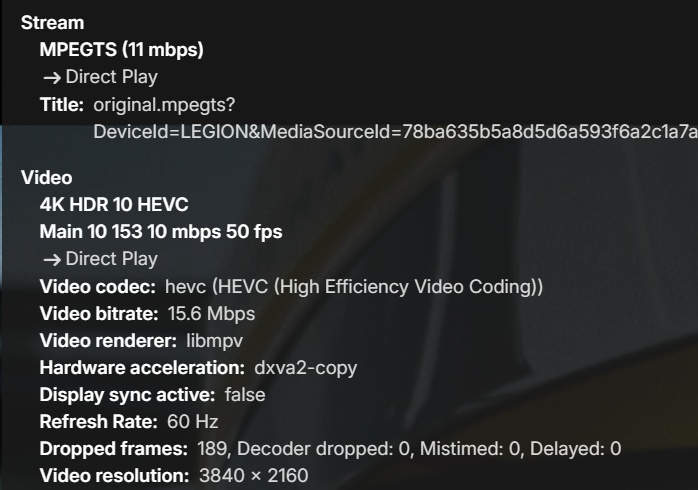
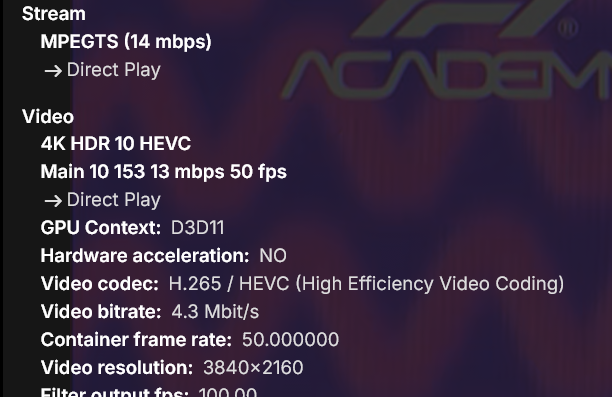
Here's my setup: Emby server 4.9.3.0 in a docker container on UnRaid. No GPU on it and no transcoding set, as desired Emby Theater 3.0.20 on Windows 11 home playing a 4K Live TV stream from server above Emby Windows 2.234.2.0 on Windows 11 Pro streaming the same 4K Live TV channel from server above Here's the Stats for Nerds from Emby Theater. As you can see Hardware acceleration is dxva2-copy. Stream is playing fine and client CPU usage is low Here's the Stats for Nerds from Emby Windows. Notice the Hardware acceleration is set to NO. Stream is playing fine except client CPU usage is through the roof So, how to set proper hardware acceleration on Emby Windows 2.234.2.0?
-
I recently started having issues with Live TV. That's our main use for Emby. We connect it to HD Homerun so we can watch antenna channels on multiple devices. Also recently noticed some of our recordings fail mid-stream. We travel sometimes and like to watch our local channels/shows wherever we are. Since we may go for a few weeks at a time, I created a start up task to re-start Emby daily. We may have an issue accessing/watching on one day, but it usually clears on the next. I read some past topics on Tuner not found error and tried to resolve this myself, but have been unsuccessful so far. Things that I have tried: 1) made sure Emby was up-to-date, 2) Tried re-starting EMBY & the server, 3) Verified Firewall still allows Emby services, 4) Un-installed my Anti Virus software, 5) Removed our picture library from displaying (not needed for us), 6) Re-downloaded HD Home Run app to make sure it is current. I did enable detailed logging and tried again, unsuccessfully. I can forward the logs, if needed. I've seen errors in the log like: Error LiveTV: Error deserializing C:\Users\xxxxx\AppData\Roaming\Emby-Server\programdata\data\livetv\timers.json Error HdHomerunHost: Error reading file: C:\Users\xxxxx\AppData\Roaming\Emby-Server\programdata\data\livetv\tuner_........._channels I am not sure what to try next. Any help is appreciated. Thanks.
-
Set up VirtualTV. Setup a channel for 80's Horror movies; setup dates from 1980 - 1989. Choose under genre HORROR, but nothing shows...I followed the guide line, but I do believe its out of date... I want to be able to choose horror genre only...ideas?
-
This plugin is great and keeps getting better. I have a couple of requests that I think will complete my use case, at least for now I would like to have the option to filter by "Overview" keyword with a contains or does not contain options. ALSO, perhaps adding the contains and does not contain options to the title filter also. Does the "Title" filter search episode titles? If not could we get an "Episode Title" filter with the options of contains and does not contain? USE CASE My use case is primarily for finding Christmas, Halloween and Thanksgiving episodes during the holiday season and putting and tagging them or putting in a collection. I would filter for keywords in the episode titles and in the overview. I normally am looking for the keywords Christmas, Halloween and Thanksgiving.
-
Hello, With Emby TVOS 2.03 on my Apple TV 4K, movies play perfectly in 1080p. However, as soon as I play a 4K movie with Dolby Vision, the colors and exposure become dull and flat.The same movie plays correctly via Infuse or Plex (on the Apple TV 4K). In all cases, it’s direct play. If relevant, here are the details (it is an MKV file): Title 4K Dolby Vision HEVC Codec HEVC Dolby Profile Profile 8.1 (HDR10 compatible) Profile Main 10 Level 153 Resolution 3840x2160 Aspect Ratio 16:9 Interlaced No Frame Rate 23.976 Bitrate 63 Mbps Video Format Dolby Vision Primary Colors BT.2020 Color Space BT.2020NC Color Transfer SMPTE 2084
-

Ya no está disponible la aplicación de Emby en Samsung?
Embyconnect290876547444 replied to Embyconnect290876547444's topic in Samsung Smart TV
Con Emb Tampoco sale disponible para Instalar -

Plugin: EmbyCredits, detect end credits and add auto skip.
yocker replied to yocker's topic in Plugins
New version out (v2.3.4) at yocksers/EmbyCredits Github. Added: Plugin now checks when a video has changed and sees if the time stamps are still there and if not restore them if they are present in the backup files. This feature can be turned on and off. This has been made to fix the problem of Emby sometimes deleting time stamps. Added a Chapter edit function, this can be found in the Chaper Edit tab. This was heavily inspired by Teams B Chapter API so a special thanks to him! Added an automatic skip intro blocker. When activated for a series it will stop intros from being automatically skipped if configured in Emby. This is for is people want to automatically skip some intros but not others. Changed: Backup system has been changed to save files per TV show instead of one big backup file. This was done for user friendliness but also to make the auto restore system work better. Fixed: Minor bug fixes that should not be noticeable to users. Special thanks as always to @Neminemfor help with the plugin. @spk2010@DarWunI finished and added the "fix" to Emby deleting the time stamps. Hopefully this will fix all the problems with Emby doing that until the devs look into the problem. -
Automating the scanning and attempts to breach reduce the level of effort to nothing. There's no inherent security in port values and trying to obfuscate the port doesn't add security. Once the server responds to a request then the application will be known immediately. You'd be better off adding Emby to the background noise by using a well known port (443) than trying to isolate it to a range that may confuse users, if you have any. If someone wants to secure their server then proven methods are better than obscurity. TLS is the most basic and facilitates others. A reverse proxy has become a must have. Enable SNI (many do by default) so that IP based requests are rejected. Enable IP geo-blocking. You can continue up the chain with IDS/IPS and more complex and robust measures. It all depends on the level of effort you want to invest and of course knowledge. A reverse proxy with SNI may be a good stopping point for most.
-
Sadly, the Default security configuration for Emby it is imo extremly lacking - it simply does not change when people tick the 'Allow remote Connections to this Emby Server'. Below are just some examples of what COULD be done when the above option is selected : Remote Access is automatically removed for any Admins - you can overwrite this, but it should default to no. This renders any system API useless, as the Admin account has no remote access. If Admin is your only account, then you get asked if you would like to clone it (+ all it's play history etc) and this new non admin account has the remote access. Enforce a decent password for any Admin Account & any account that has remote access. It doesn't need to stupid entropy - nobody is going to be personally brute forcing your emby build (good brute force protection is built into emby) - but it needs to be enough to keep out bots and previously breached passwords. Set 'Hide this user' when remote Set 'Hide this user on devices they've never signed into'
-

Ya no está disponible la aplicación de Emby en Samsung?
Neminem replied to Embyconnect290876547444's topic in Samsung Smart TV
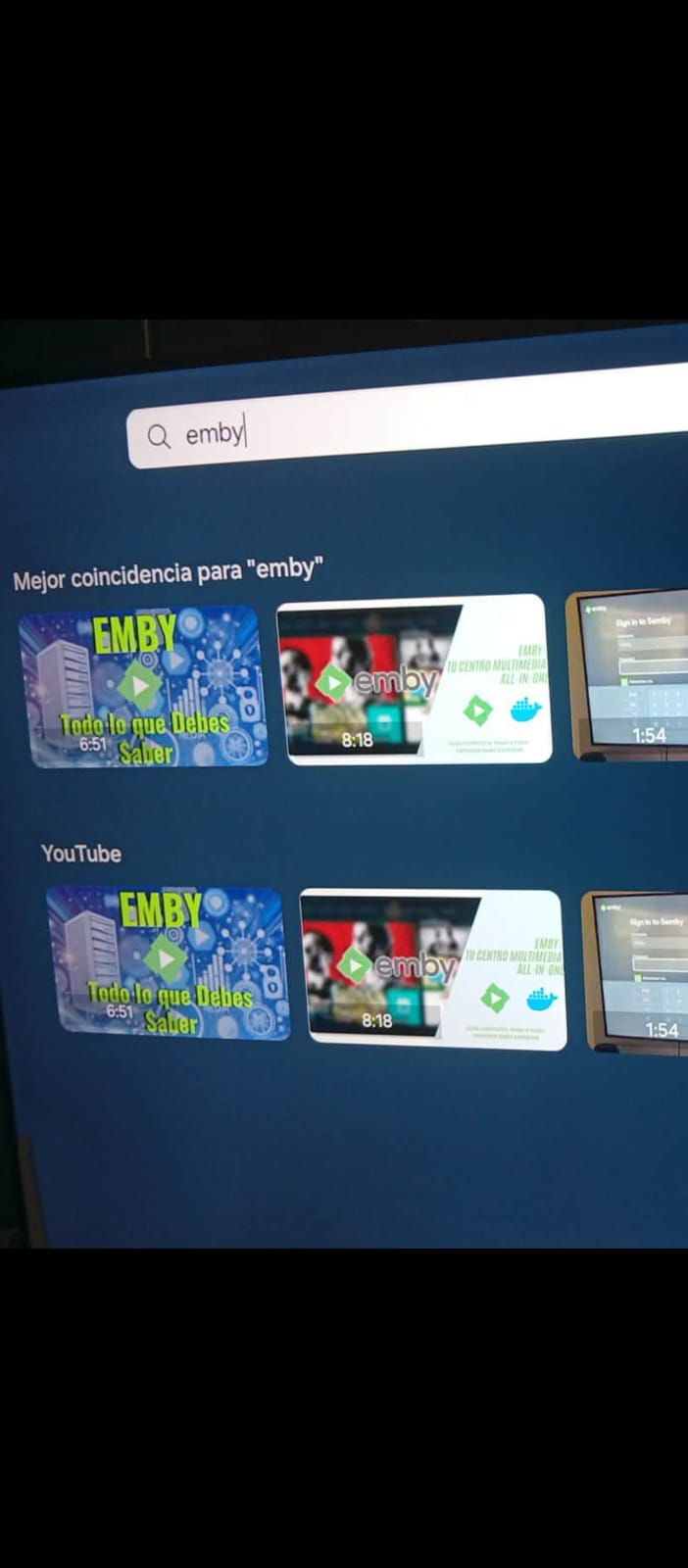
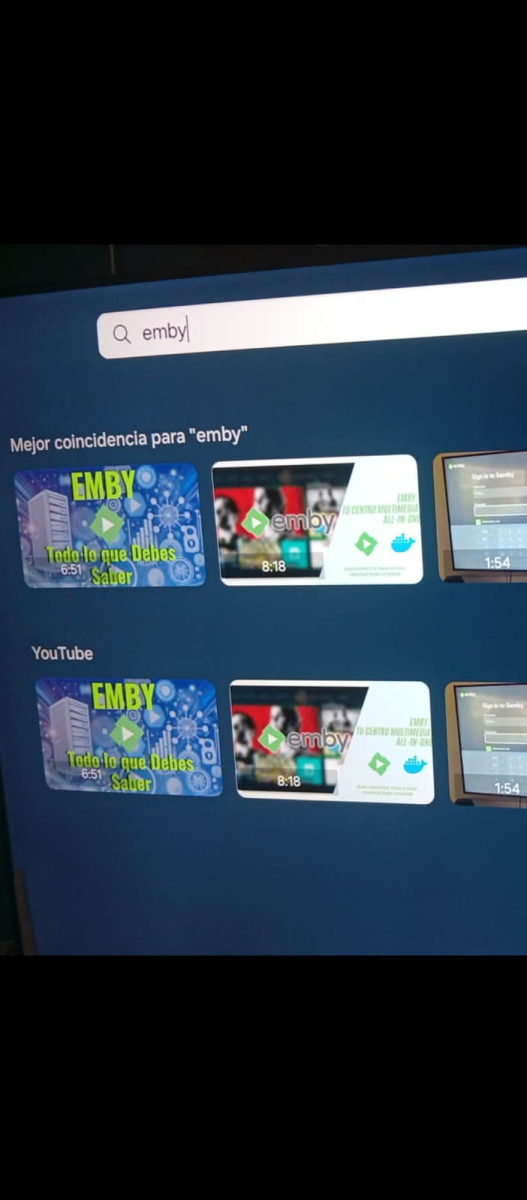
Try searching for emb -
Ya no está disponible la aplicación de Emby en Samsung?
Embyconnect290876547444 posted a topic in Samsung Smart TV
Hola Hace 2 años que uso el servidor Emby Y he querido dar acceso a un par de amigos nuevos Ellos tienen TVs Samsung de distintos años y modelos 2024 y 205 Ya no encuentran la aplicación de Emby en su tienda de aplicaciónes Antes si aparecía en cualquier modelo de TV samsung Que sucedió??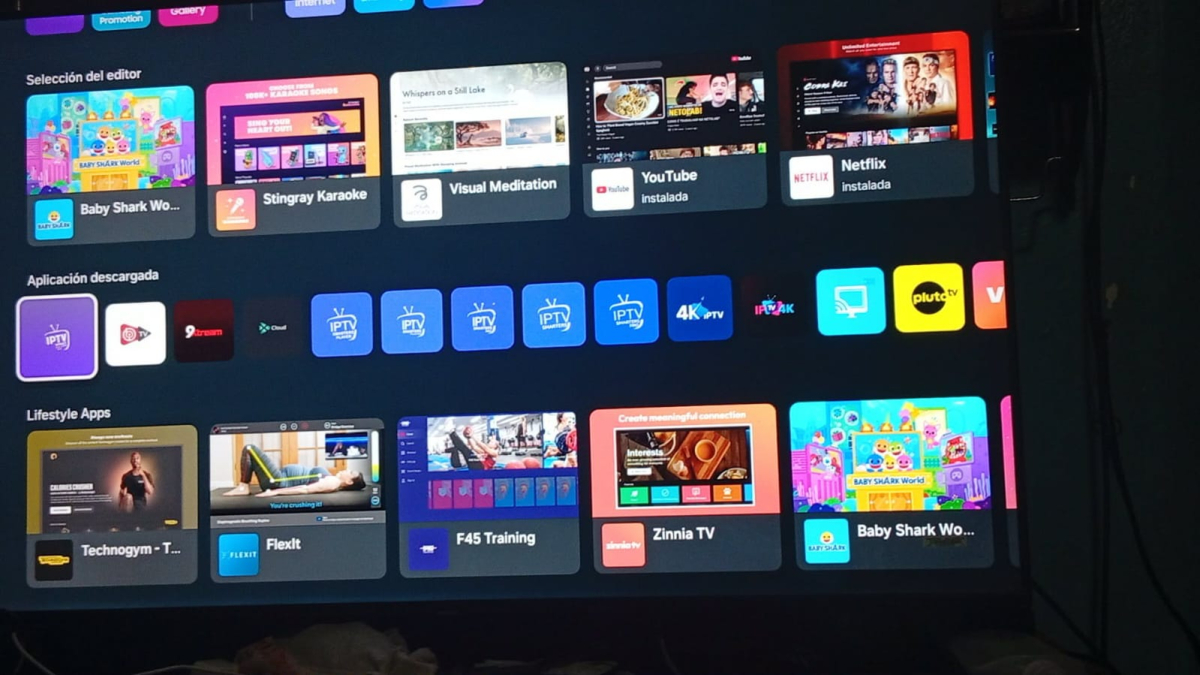
-
I think my server was hacked
Apotropaic replied to edvinmorales@hotmail.com's topic in General/Windows
443 is a good port to use if you need to get around an ISP that may be filtering your internet service. Or if you want to access your Emby server from WiFi cafe’s or work locations who again will be filtering ports, they can’t really stop anyone from accessing 80, 443… In principle it sounds ok to use but in practise anyone scanning you will find it as 80,443 are common ports they scan for. They’ll have received headers and it will arouse more interest. SSL/TLS can be run on any port, you don’t have to use 443, you can use for example 55,555 if you wanted. I would recommend leaving your Emby server as default as possible, so leave https running on 8920. But use your router to do the port mapping of 55,555 to 8920. Most modern routers should support this functionality. If you wanted to really up your security you could setup a VPN service at home, make all your remote clients VPN in before connecting to Emby. But of course now you have a VPN service to maintain and secure -

【I need to add a custom option for transcoding frame rate】
Kaouning posted a topic in Feature Requests
My TV is quite old, but it can play 4K 30fps videos. My TV box (Google TV) supports up to 4K 60fps. When I play 4K 60fps videos, my TV experiences lagging visuals, but the audio runs smoothly. I have no choice but to transcode to a very low bitrate to watch them. In fact, a compromise could be made by choosing high quality and low frame rate to achieve the best experience. This should not be difficult to implement in transcoding, and I hope this feature can be added. -

MediaInfo For Emby Plugin(HDR, Vision, Atmos, DTS:X)
rbjtech replied to Cheesegeezer's topic in Plugins
Hmm - I added this to my own version about 6 months ago to get a consistent (with Emby) MKV General|Movie Name for both TV Episodes and Movies - the version I uploaded above now contains this. (v1.0.2.1) I agree this should be a toggle/option - so I'll add this and release a new version over the weekend. Default will be off. FYI For Movies - it sets the MKV General|Movie Name to : Emby Movie Name + (Production Year) - ie Alien (1979) For Episodes - it sets the MKV General|Movie Name to : Show/Series Name + (Original Production Year) + Season# + Episode# + Episode Name - ie Young Sherlock (2026) - s1e8 - The Case of Beatrice Holmes