All Activity
- Past hour
-
 Nicolas1p2001 joined the community
 -
 Lazy slacker joined the community
 -
 gogo225 joined the community
 -
 FamiliaS.R. joined the community
 -
 Ashfaag joined the community
 -
 ovzero joined the community
 -

Brilliant move: Locked out my admin account. Designflaw!
Abobader replied to roockie1053262's topic in General/Windows
Done. -
 Tahirgori joined the community
 -
 carlosmorales20 joined the community
 -
 yolirodriguezz joined the community
 -
Bumping this. I noticed a few other threads around with a similar discussion. I know of the licensing issues faced by rockchip and FFmpeg. But would like to link here to other threads talking about this so as to make it easier for others to find this. If anyone like my has been searching for this, basically hang in there but don't expect anything soon...
-
Bonjour, j'ai un soucis, mon petit frere, qui a une connexion de bonne qualité (fibre) et une MIBOX xiaomi, a regulierement ce genre de message sur certains média : "Aucun média à lire" mais c'est tres aléatoire ces même medias arrive a être lu de temps en temps... dans la fin du rapport voir ce qui ce rapporte a la MIBOX et a la série "King & Conqueror" pour moi c'est du chinois. Merci de votre aide embyserver.txt
-

SRT subtitles not displaying, other unknown subtitles are displaying
speechles replied to davesurfer's topic in Roku
If you use the web app and click on the 3-dot menu you can "Edit Subtitles". It will open the subtitle download panel. On the panel find the big "Search" button and click it. Then below it will list these subtitles. You need to be accurate to ensure it syncs properly. This is why it lists common filenames. You can experiment to find the best match. The server will perform a hash-match when attempting to download them with the scheduled task on the server. All of this is using OpenSubtitles mind you. The icons on the right side are for "Preview" and "Download". You can preview them before you download them to your Emby server to make sure you have the correct subtitle. Otherwise you would need to manually extract that subtitle if it is embedded and then look inside it. They should just be text files with markup just like html/xml. You can easily see which one is correct before downloading them. After downloading it the beauty is it is now an external srt file. It isn't baked into the file. It doesn't have the same restrictions as embedded subtitles might. In other words, external srt are far more reliable on the Roku than using embedded subtitles. You will have much better luck this way.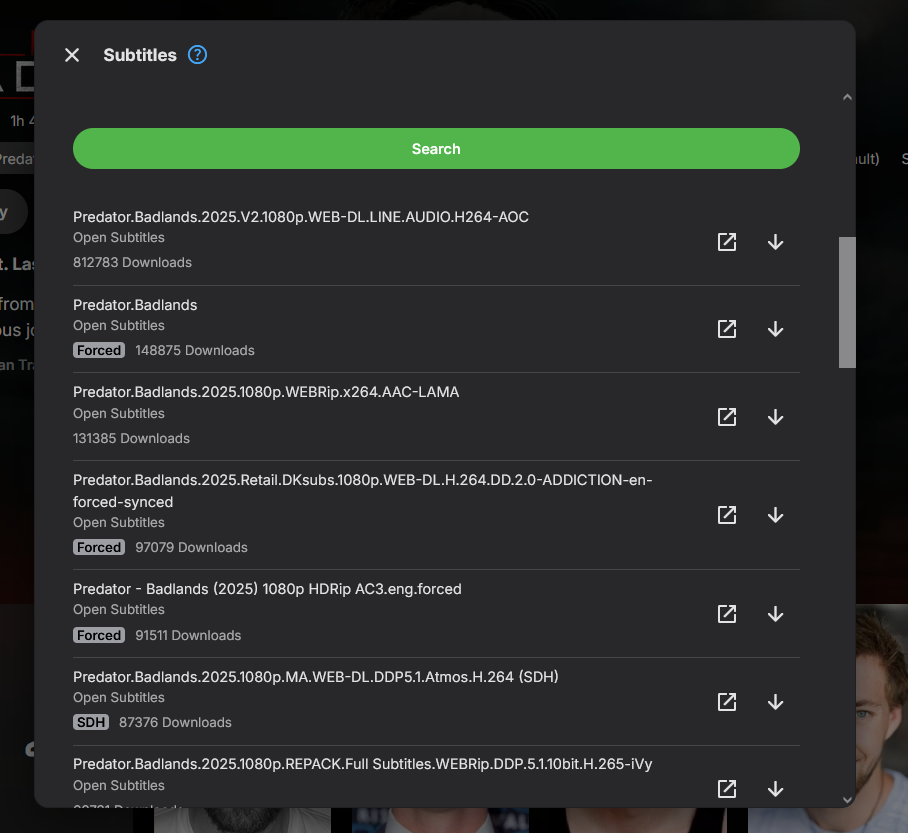
-

Emby 4.8.10.0 - multiple movie versions not properly managed
Dan64 replied to Dan64's topic in General/Windows
Today I moved to Emby v4.9.3.0, could you explain how I can select the thumbnails of chapters, or how the process has been improved in 4.9.x release ? Thanks, Dan -
Convert the iso video content to mp4 or mkv video files. Menus will not be converted and cannot be used anyway, with Emby. https://duckduckgo.com/?q=convert+ISO+to+video+file&ia=web === I like using AVIDemux as a 3rd party encoder. For DVD content, it is possible to directly merge the media content VOB files to a new VOB video, simply by concatinating the VOB files. I've written these steps up on my blu-ray info page: blu-ray content does not have this issue. https://www.producerelease.com/blu-ray/brsales.htm#VOBDVDcopy https://www.producerelease.com/blu-ray/brsales.htm#combineVOBfiles Any orginal DVD content will also need to have media height conversion from 0.9 pixel to square pixels. You may need to adjust differently for a wide screen DVD. I use AVIDemux software to handle the video resizing to the correct height, to match the original aspect ratio. You can find the aspect ratio for each commerical media, by joining imdb.com, logging in and scrolling to the bottom of the content media page. https://www.producerelease.com/blu-ray/parcalc.htm If you leave the VOB file without pixel height correction, Emby will playback the content and look squeezed. For DVD's, the best fix for media playback with Emby is to actually convert from the DVD 0.9 pixel ratio to square pixel and save a new media copy in the correct square pixel size. You can choose the h.264 codec and AAC audio in a .mp4 wrapped video file at a high quality encoding setting, but moderate compression size. These codecs in a media would not require transcoding for Emby users, if you kept the bit rate under 2400 kbps. Option 3 on the info page, gives info and settings for AVIDemux 3rd party video encoder. https://www.producerelease.com/blu-ray/parcalc.htm#opt3 === Creating a media copy Typically, Emby transcoding creates larger media copies, because it needs to convert, per user, to match the user's playback software or TV app and be able to convert in real time. If you have a fast server, with a supported media encoder hardware card, then a quality conversion in real time is easier. With a slower server, real time conversions need to be made quickly and this can mean a much larger file. It takes longer to convert, with quality, to a smaller file. Converting a 2 hour media file with a slow server that needs 4 hours to make a quality coversion does not help the user who wants to watch the content right away. OK, the larger file can look good, but it also has to be sent to the remote user and that may not be possible, based on bandwidth connection speeds. When this combination happens, the transcoding steps down to lower quality. You can get a situation where a remote user, on a slower Internet connection, views 4K media in a lower quality, or the transcoding automatically steps down in size, or the playback just doesn't work. If you pre-convert to a high quality, lower bitrate and copy out to h.264 and AAC audio in a .mp4 file, then Emby transcoding probably only kicks in for users with slow connections. No transcoding, means the content can playback directly for most everyone. Since you may need to convert each DVD video content anyway, I suggest you convert to that combination h.264, AAC audio in .mp4 and set the convertor to the highest quality. This approach is not popular, because it takes extra time and quality .mp4 content is larger than h.265 .mkv video files, but you have to make a copy, anyway, for DVD content to get the correct aspect ratio. Hope that makes sense and helps.
-
I've had the same problem with almost every Olympic event. I resorted to editing each events nfo file manually by going to tvdb, finding the "season", "episode", and tvdb number. Once I did that, the events showed correctly. I wish I knew why the nfo was generated with the wrong info.
-
Hi, is it possible to add an option to export only a certain path within a library? Lets say movie library contains /ToSort and /Archive and i just want to export stuff to /Archive Great plugin, really love it!
- Today
-
Is this by design?
-
@jriker1, I don't know if you're amenable to another monthly subscription or if you have the available hardware, but ChannelsDVR works as a great backend for Emby. It has the ability to pull in TVE channels from quite a few providers and also a few projects that capture website video (as long as you have either a subscription or it's included in your TV package). Once those are setup, you can bring them into Emby as M3U tuners.
-
I got an answer from the plugin dev - "Turn off the audio normalisation pal. ". This did indeed work! Settings=>Plugins->Select plugin->uncheck Audi Normalization near the bottom of the page.
-

Pixelated/Blurry/Discolored Playback on Roku when Transcoding
RanmaCanada replied to Xalactic's topic in General/Windows
What part of can't be replicated don't you understand? The fact they don't know what's causing it means they can't replicate the problem to see it in action so they can attempt to fix it. All they can do is look at the logs and check to see if there are any errors that should not be there. I'd say you're being difficult just for the sake of being difficult. A 2 year commitment for such a problem without replacing said hardware with known hardware that works is pretty stubborn. Some issues just can't be fixed, specially if the dev team can't figure out what is causing it. You've already been told by several high profile users to just stop using pgssubs on your Roku, and yet you still demand to have it working. -

SRT subtitles not displaying, other unknown subtitles are displaying
ebr replied to davesurfer's topic in Roku
Are you positive they are correct? Do they show up using a different app? -
I got this as part of the 4 pack, the other 3 seemed to work flawlessly, but this one got to 27.1% exactly, then stayed there for over 8 hours. I then stopped it, and it was in Stopping state still when I checked on it the next morning. Now if I restart the server, I try the plugin, it stays at 0% and does nothing. If I stop it, it will stay in a "stopping" state until the server is restarted. I tried uninstalling and reinstalling, but that changed nothing. There are no errors in the Emby log. How do I fix this?
-

Brilliant move: Locked out my admin account. Designflaw!
roockie1053262 replied to roockie1053262's topic in General/Windows
I entered it in the email form.. not the name form.. that it "magically" ended up there is quite baffling because i didnt write it twice and im yet to have my browser auto-fill my email anywhere else. -
Brilliant move: Locked out my admin account. Designflaw!
ebr replied to roockie1053262's topic in General/Windows
Really? Almost every modern browser has autofill forms. How would the forum know your email address before you entered it? -

Brilliant move: Locked out my admin account. Designflaw!
GrimReaper replied to roockie1053262's topic in General/Windows
You were already advised that an admin has to do that (and it is clearly stated under Member group privileges). -
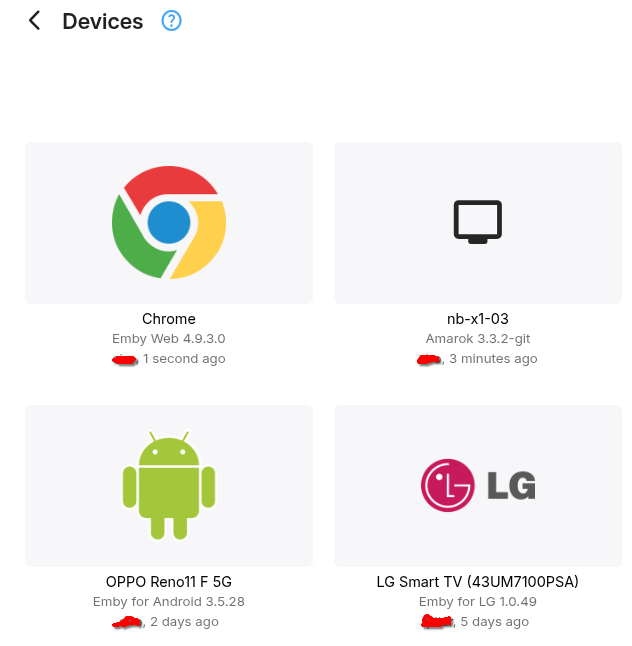
It might happen at some point in time. Is it OK for it to be detected as a Device/Computer?, should they submit a logo for Emby to show?.
-
Thank you. Long press does go back slowly. Short press goes back zero. Even though it is set to 10 secs.
-
Brilliant move: Locked out my admin account. Designflaw!
roockie1053262 replied to roockie1053262's topic in General/Windows
Isnt the mod here so he can change my nick and remove my email from this thread? we all agree it was a mistake -

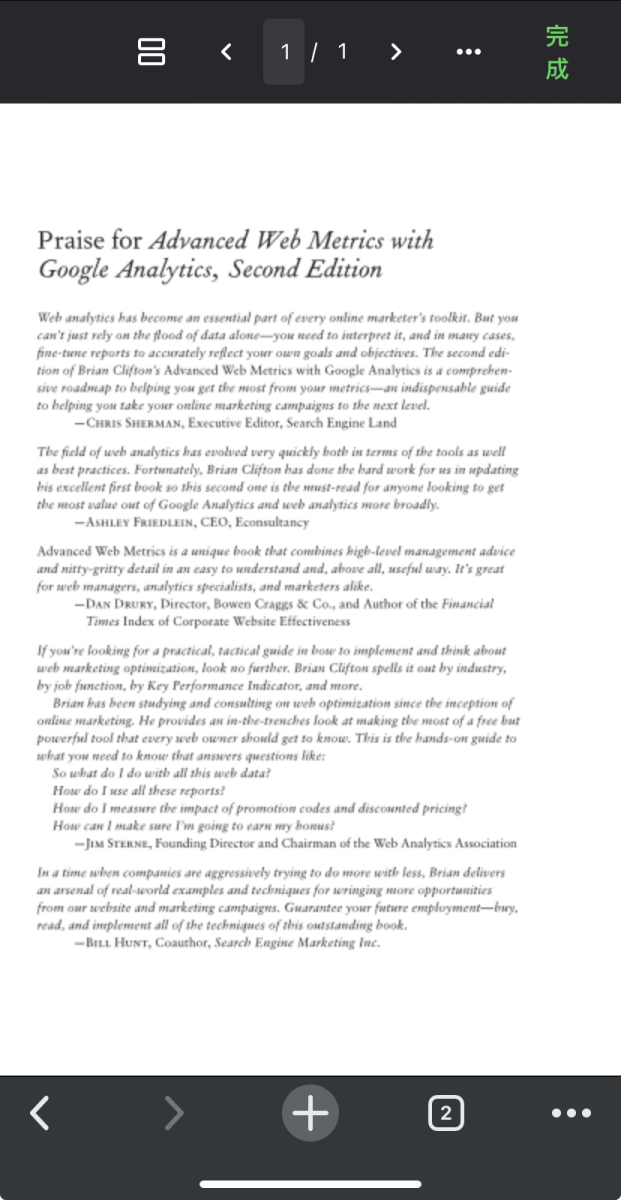
Iphone11 Chrome: PDF Rendering Blurry Issue & My approach to solving the problem
luguagua posted a topic in Web App
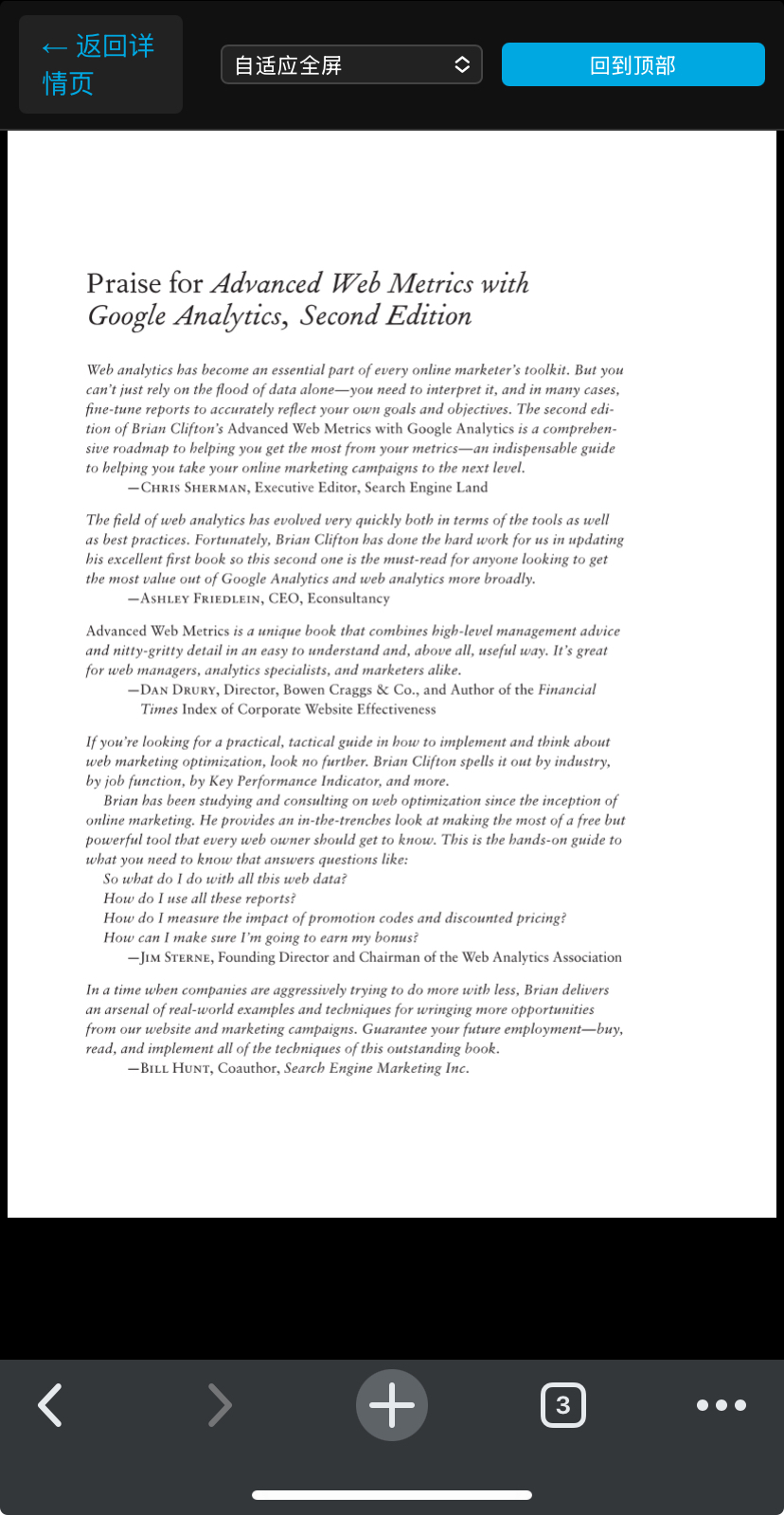
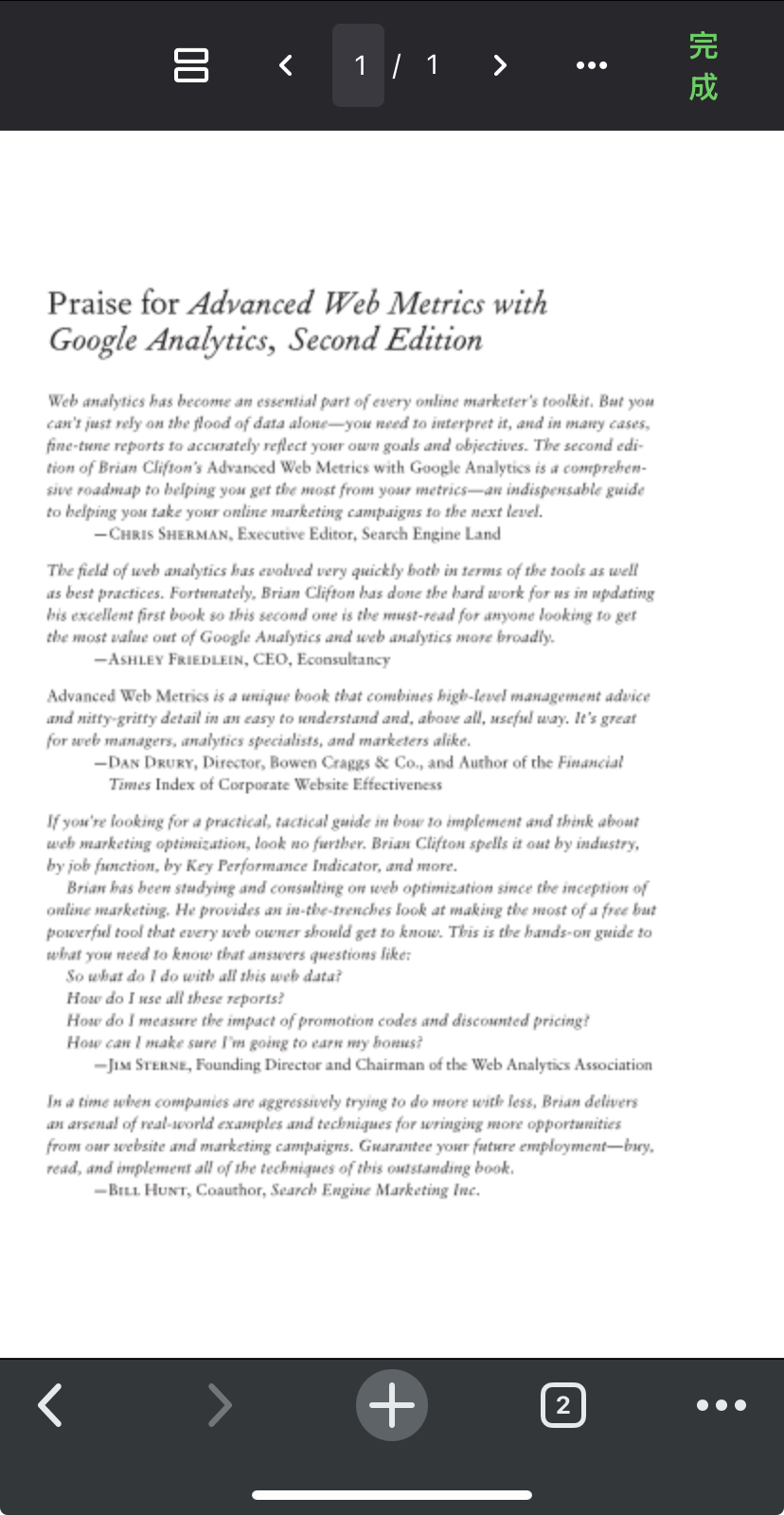
Hello! When I view PDFs in the Chrome browser on iOS devices (iPhone/iPad) via Emby, the PDFs appear blurry. I experimented with some crude methods and managed to display them clearly. I hope to share this with the community in the hope of contributing to the improvement of the official implementation. This method uses PDF.js to manually render the PDF to the Canvas, employing precise scaling and DPR adaptation to bypass the shortcomings of the native renderer. Here is the JavaScript part: let pdfDoc = null; const dpr = window.devicePixelRatio || 1; let lastScrollTop = 0; // Load PDF with PDF.js (fixes character encoding issues) async function loadFullscreenPDF() { try { const pdfDoc_ = await pdfjsLib.getDocument({ url: pdfPath, cMapUrl: '{{ url_for('static', filename='pdfjs-dist/cmaps/') }}', cMapPacked: true }).promise; pdfDoc = pdfDoc_; renderFullWidthPages(); } catch (e) { pdfContainer.innerHTML = `<div class="pdf-error">PDF Load Failed:${e.message}</div>`; } } // Render PDF pages with high-resolution scaling async function renderFullWidthPages() { pdfContainer.innerHTML = ''; const usableWidth = getUsableWidth(); for (let pageNum = 1; pageNum <= pdfDoc.numPages; pageNum++) { const page = await pdfDoc.getPage(pageNum); let viewport = page.getViewport({ scale: 1 }); const scale = (zoomSelect.value === 'auto') ? usableWidth / viewport.width : (parseFloat(zoomSelect.value) * (usableWidth / viewport.width)); const realScale = scale * dpr; viewport = page.getViewport({ scale: realScale }); const canvas = document.createElement('canvas'); const ctx = canvas.getContext('2d'); canvas.width = viewport.width; canvas.height = viewport.height; canvas.style.width = `${usableWidth}px`; canvas.style.height = 'auto'; canvas.style.display = 'block'; canvas.style.margin = '0 auto !important'; pdfContainer.appendChild(canvas); await page.render({ canvasContext: ctx, viewport: viewport }).promise; } } // Listen for screen/orientation changes to re-render (maintain sharpness) zoomSelect.addEventListener('change', renderFullWidthPages); window.addEventListener('orientationchange', () => { toolbarHeight = pdfToolbar.offsetHeight; renderFullWidthPages(); }); // Initialize PDF load loadFullscreenPDF();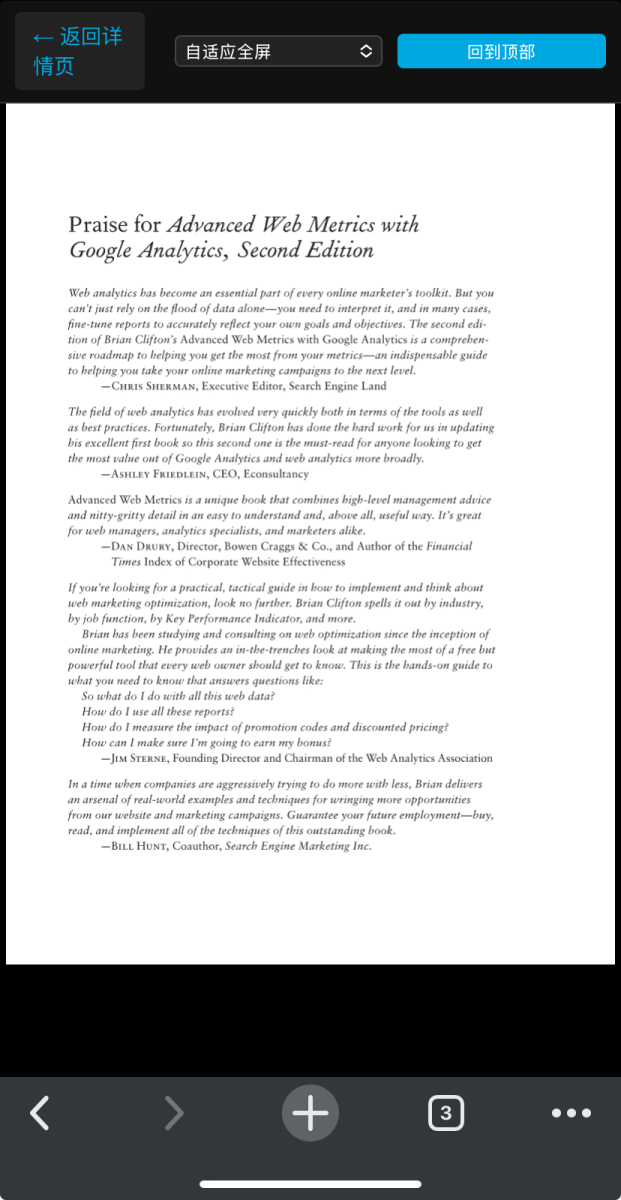
-
Interesting clue - the recycle bin has three folders: a UUID, the movie folder, and another UUID. The last UUID folder has a time stamp of when we deleted the movie the second time, and that folder has the movie poster image.
-
Brilliant move: Locked out my admin account. Designflaw!
roockie1053262 replied to roockie1053262's topic in General/Windows
20 more posts to go... -
Brilliant move: Locked out my admin account. Designflaw!
roockie1053262 replied to roockie1053262's topic in General/Windows
What i introduced myself as Ivana Humpalot from Russia, but realized i mixed up the emby forum for the LGTQB+ forum, do you still think its a good idea with the 50 posts rule before you can change your nick? Whats the point of that rule? -
Brilliant move: Locked out my admin account. Designflaw!
roockie1053262 replied to roockie1053262's topic in General/Windows
What if i put in some strange name like Dick Johnson, but then regret.. "oh noes, its emby forum, not "badjokes.com". Do you really want that weird name all over your message board before youre able to change it?