All Activity
- Past hour
-
 Jgallego joined the community
 -
 christawak joined the community
 -
 jisabar joined the community
 -
 MoeMasreya joined the community
 -
 Harijono joined the community
 -
 guogewwww joined the community
 -
 qsoncui joined the community
 -
 loulong12 joined the community
 -
 Uxxxx joined the community
 - Today
-

Android TV clients cannot authenticate through reverse proxy (browser and Android phone work)
Breezey replied to Breezey's topic in QNAP
This has never worked through the reverse proxy on Android TV devices. It is not a regression after an update." -

embyforkodi (next-gen) 12.X.X support
quickmic replied to quickmic's topic in Emby For Kodi Next Gen
I'll check it, native or addon mode? -
The one thing i ALWAYS forget, not everyone has my same setup. WIll look at adding this in (and checking any other elements on a smaller resolution).
-
Nope that was not it. It happens with the default stock google launcher aswell. It was working but when I turned the tv on, started emby nothing updated. I tried again, with home and open the app. I tried to open another app and the open emby, but nothing. I hit back until it asked me to exit emby. And after exiting (closing) the app completely and then reopen it refreshed. Can’t explain why this happens
-
Thank you for the shoutout! I'm happy you like the app!
-
......or Tailscale. Quick and easy. Set it up on your devices, connect to Tailscale ip address for your emby server, done.
-
This really looks decent. TY! While it looks great on my 4K screen, The only part that bothered me was on my smaller 22" monitor (1680x1050) the top pillbox navigation section was too far down with too much padding so I added this to the very bottom of the CSS & it looks perfect now. ((See photos below to compare)) I'm not really good at programming so I ran it thru my LLM and here is what it spit out. I figured I would drop the code here. /* =========================================================================== * Tab Position Fix - Pin tabs to top of header * ======================================================================== */ @media not all and (min-width: 66em) { .headerMiddle-withSectionTabs:not(.headerMiddle-tv) { margin-top: 0 !important; height: 2.5em !important; position: absolute !important; top: 23px !important; left: 0 !important; right: 0 !important; } } @media (min-width: 80em) { .headerMiddle.sectionTabs.headerMiddle-withSectionTabs { position: absolute !important; top: 13px !important; bottom: 0 !important; left: 0 !important; right: 0 !important; width: 60% !important; } } /* =========================================================================== * Page Padding Fix * ======================================================================== */ @media (min-width: 40em) { .skinBody-withFullDrawer .page-windowScroll.withTabs, .skinBody-withFullDrawer .withTabs .padded-top-page, .page-windowScroll.withTabs, html:not(.layout-tv) .withTabs .padded-top-page { padding-top: calc(5.5em + (var(--window-inset-top) * .7)) !important; } } /* =========================================================================== * Header Height * ======================================================================== */ .skinHeader:not(.osdHeader) { min-height: 75px !important; height: auto !important; padding-top: 0.4em !important; padding-bottom: 0.4em !important; } .emby-tab-button { padding-top: 0.3em !important; padding-bottom: 0.3em !important; line-height: 1.2 !important; } Before: After: I'll match my colors on the artwork later this week.


-

Advice please - getting the maximum from my EMBY Setup / Samsung HW-Q990C (Atmos and TrueHD)
Robnaeyaert replied to Robnaeyaert's topic in Hardware
@FrostByteI have a few dumb questions please based on your answer. Here goes Question 1 - I have my XBOX-X going directly into my TV which is then cabled via eARC to my HW-Q990c soundbar. Given your reply above do I have that backwards and should I connect my XBOX-X directly to my HW-Q990c soundbars HDMI 1 port to get advantage of the XBOX dolby features? Basically have I cabled this wrong? Question 2 - I have my Intel NUC PC (my Emby Media Server) directly connected via HDMI 1 to my Soundbar. I purchased a HDMI 2.1 cable today and I'm going to replace my current HDMI cable (which I suspect is not fast enough) with my new 8K 2.1 HDMI cable. So given I was asking about nVidia Shield PRO to get the best sound, can I achieve the same thing wiht my NUC Windows PC (Emby server) directly connected to my Soundbar with the 2.1 cable and forego needing to purchase the nVidia Shield? Thoughts? Thanks Rob -
@SamES
-
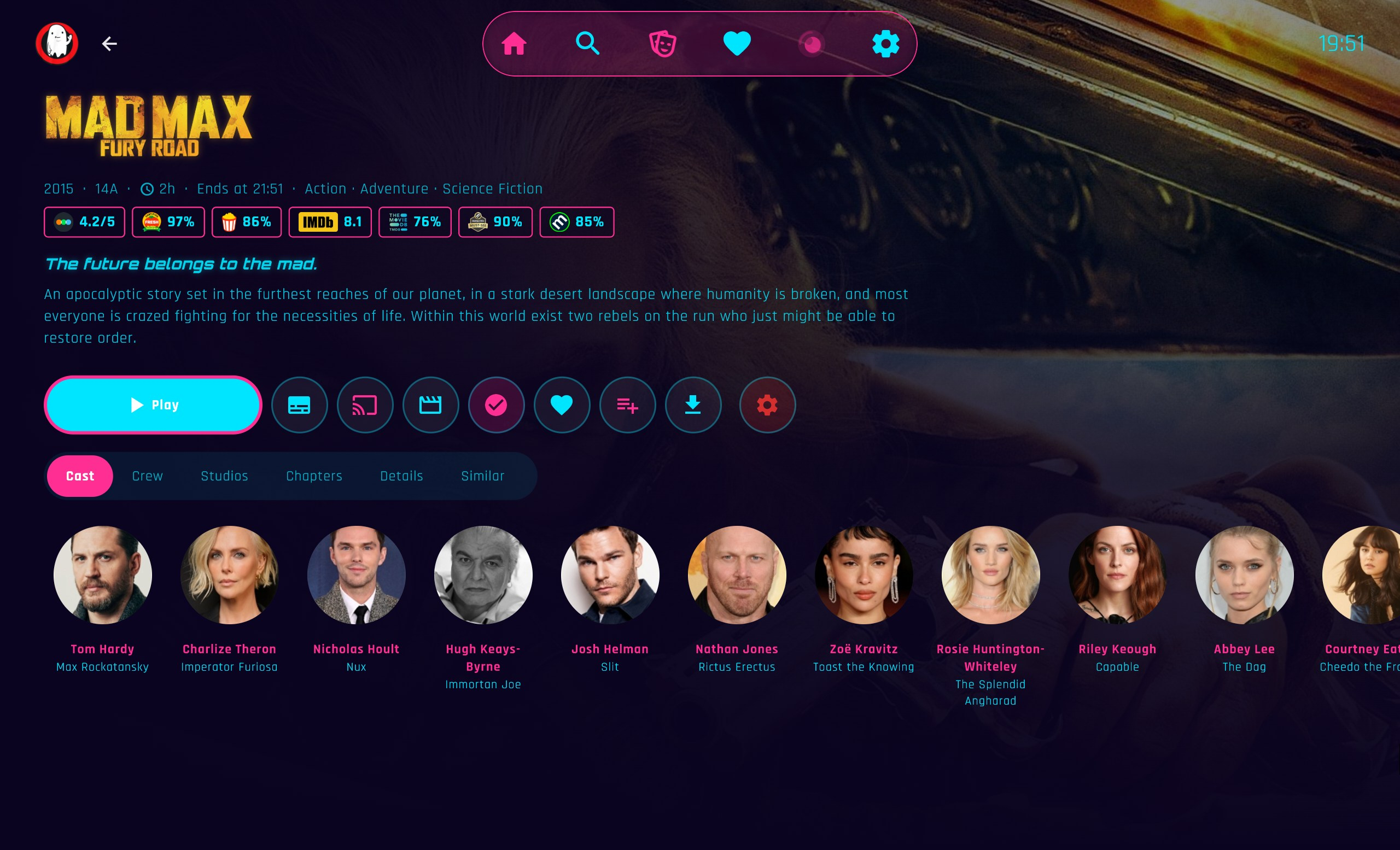
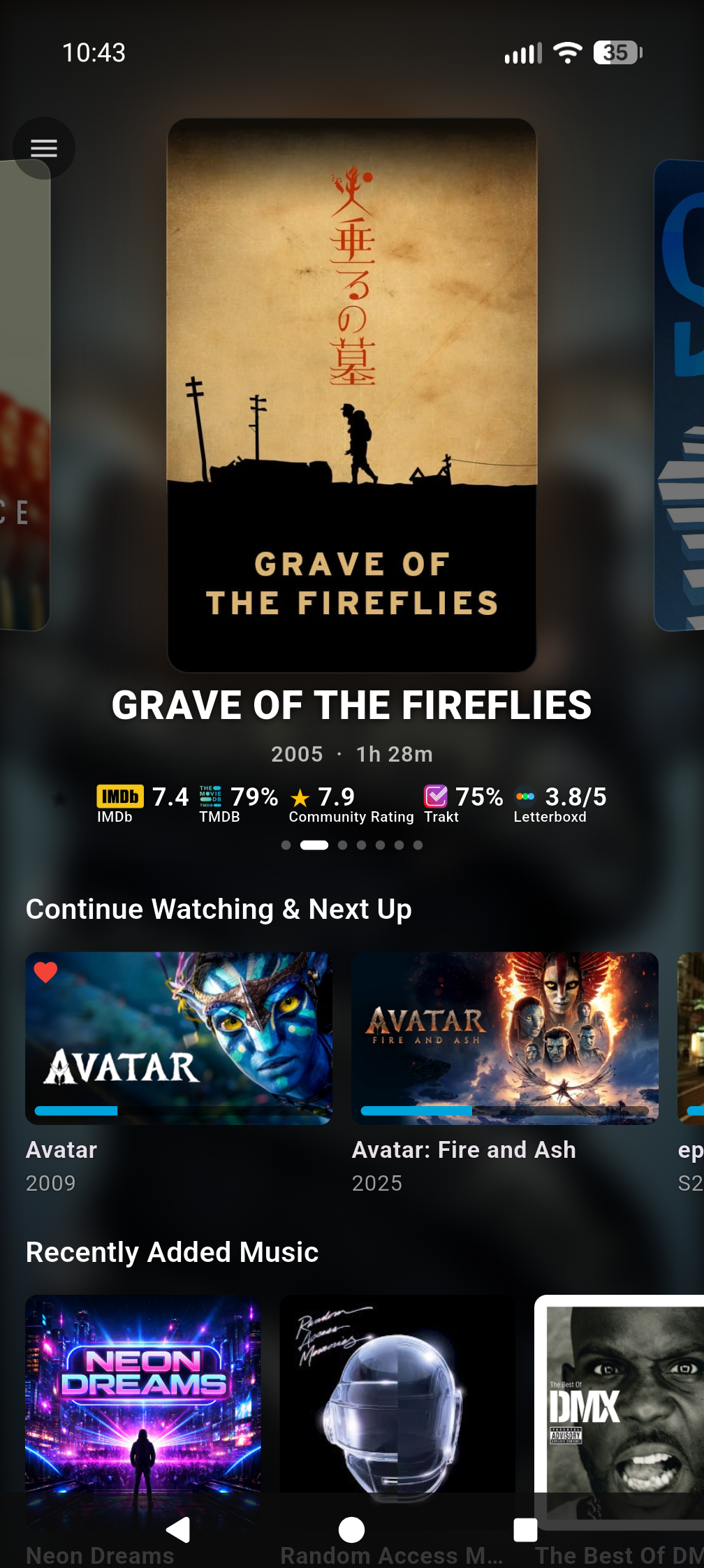
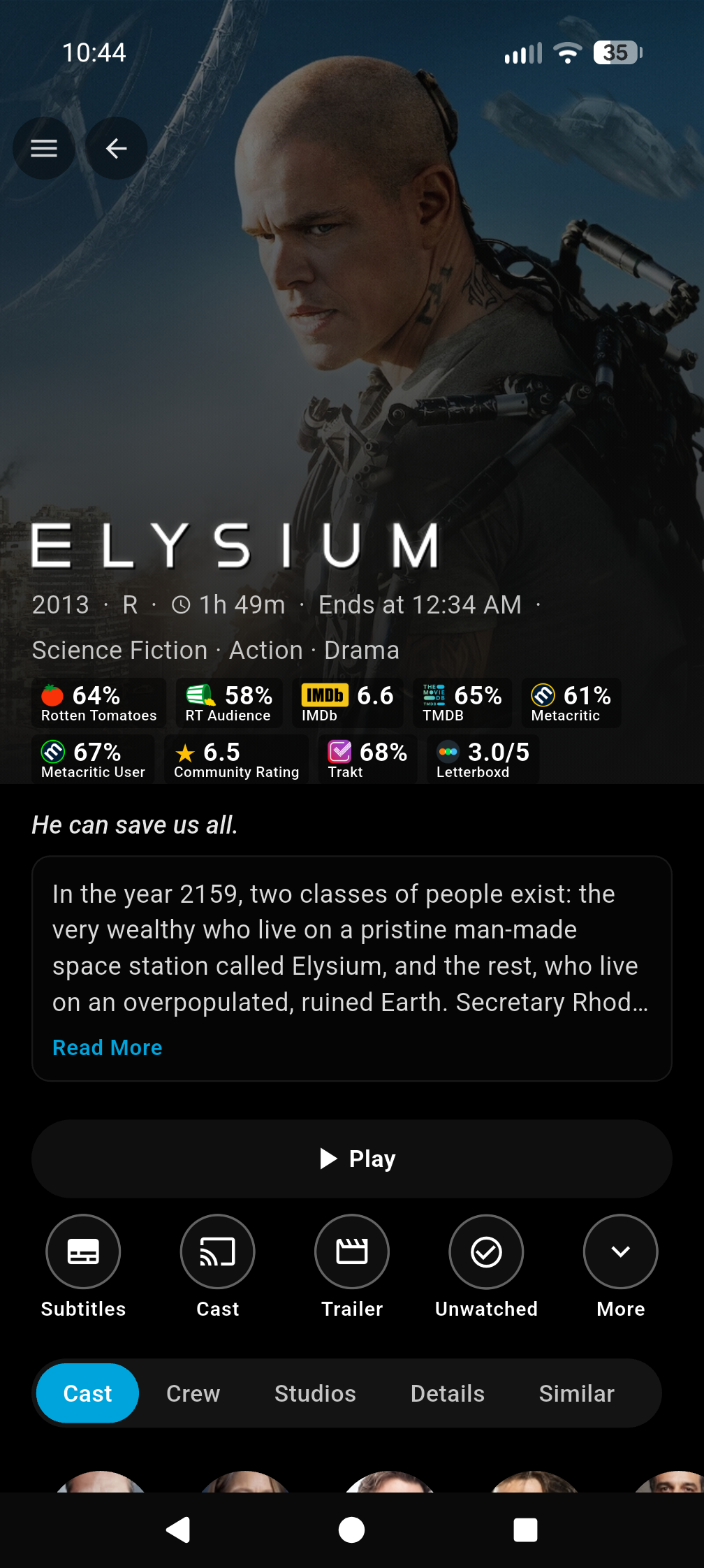
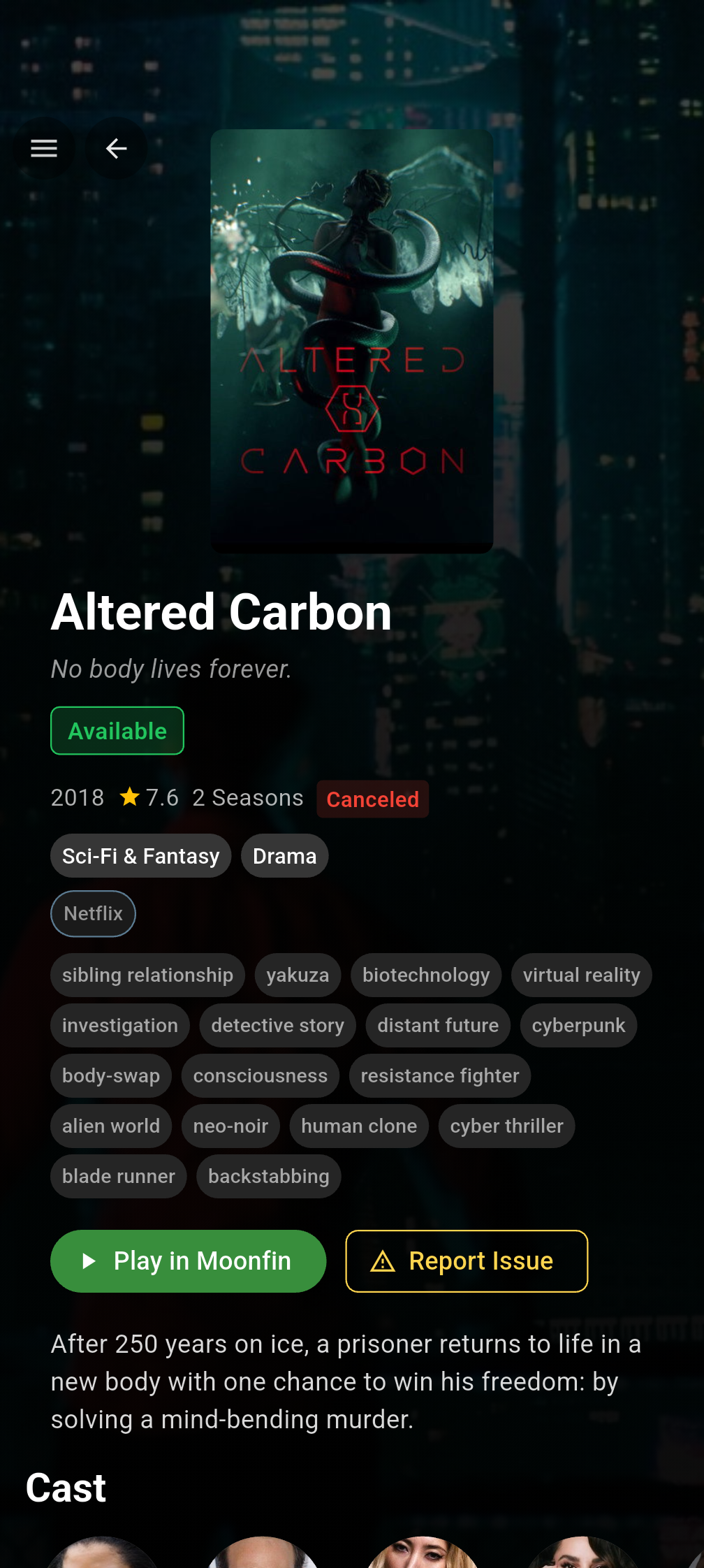
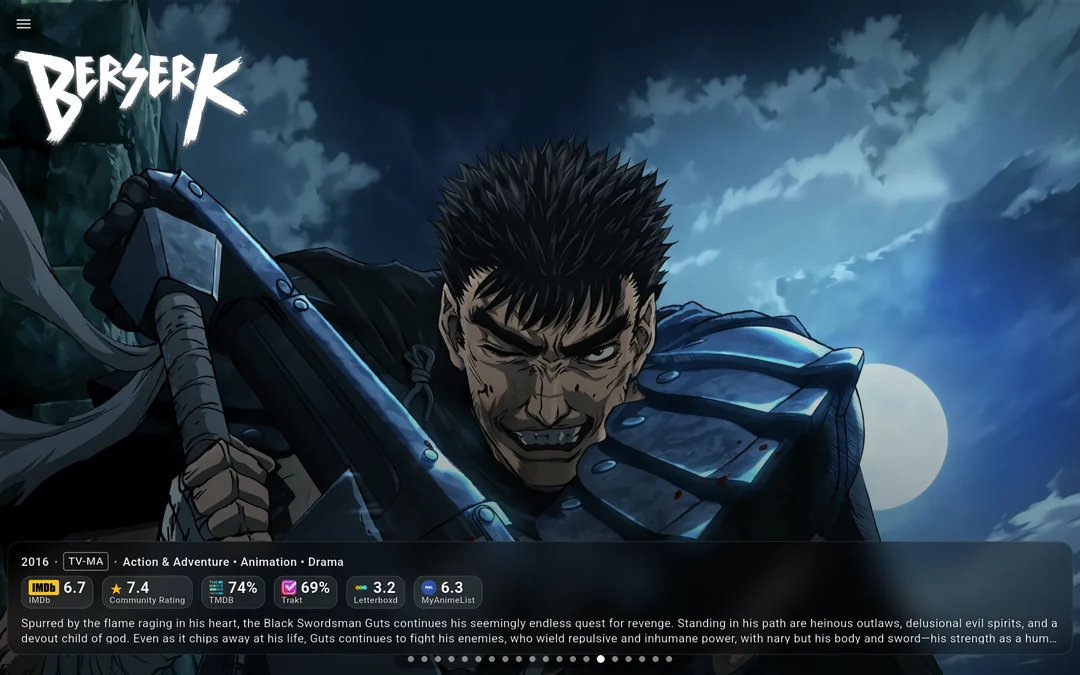
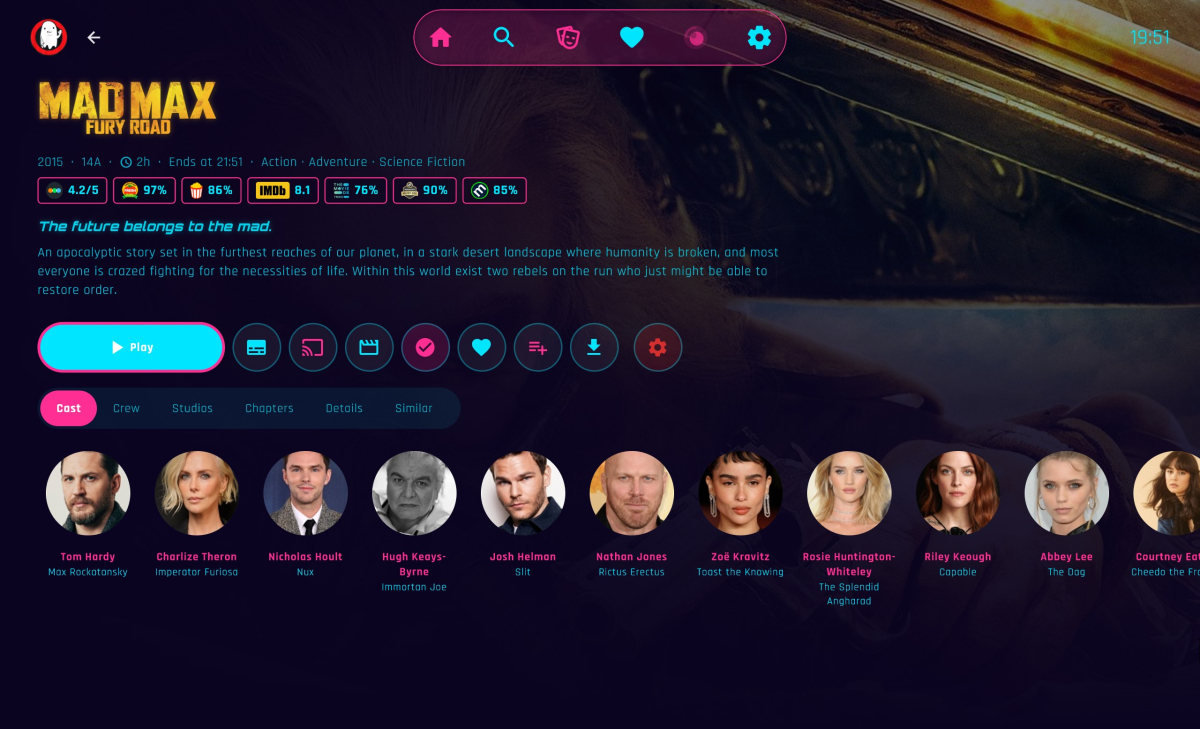
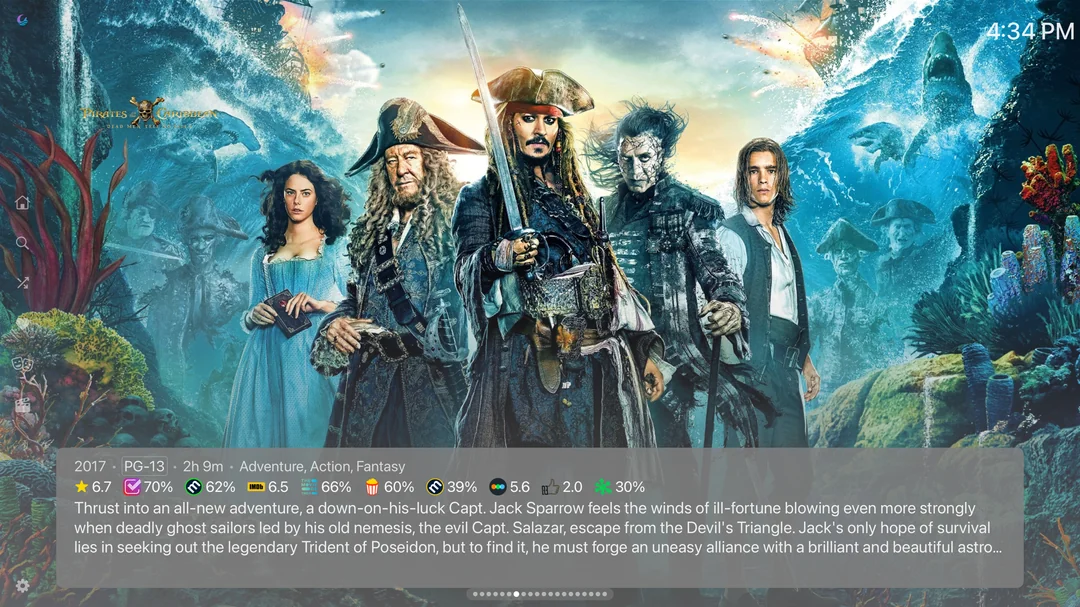
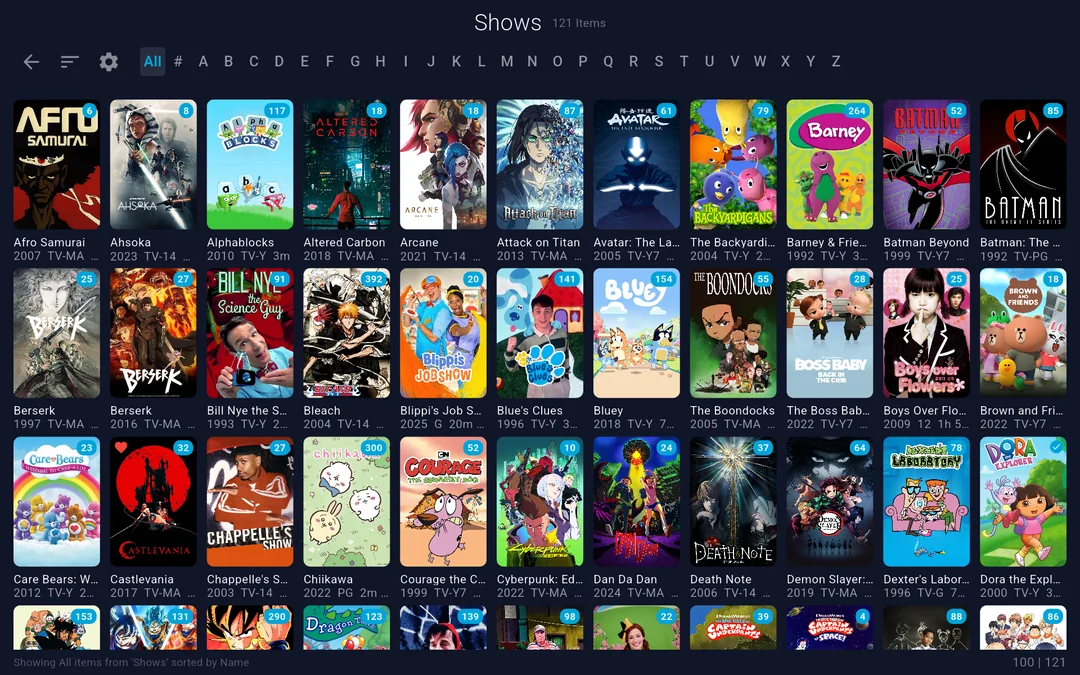
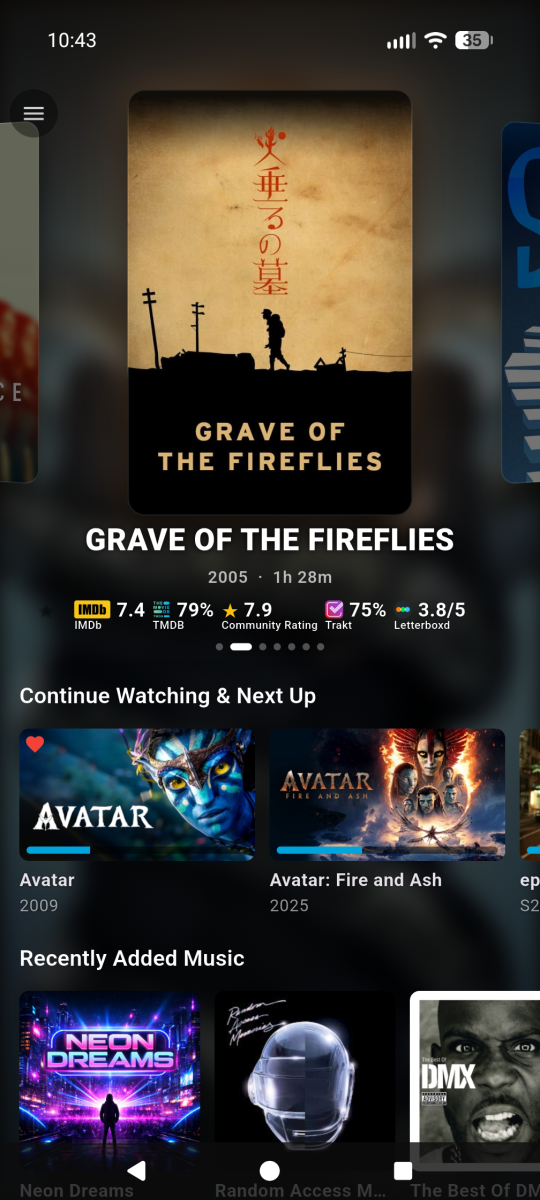
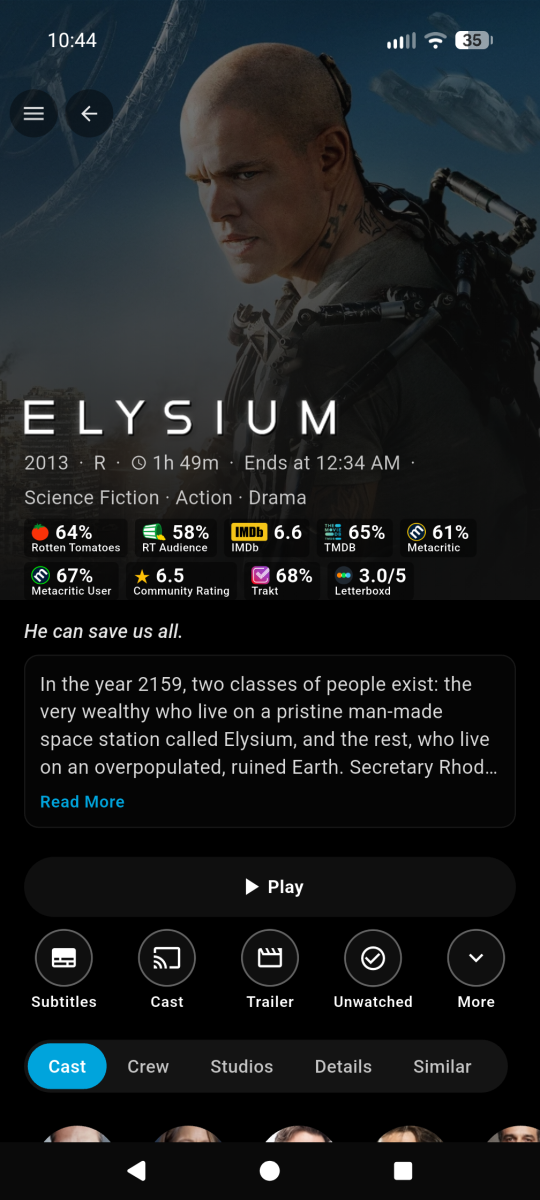
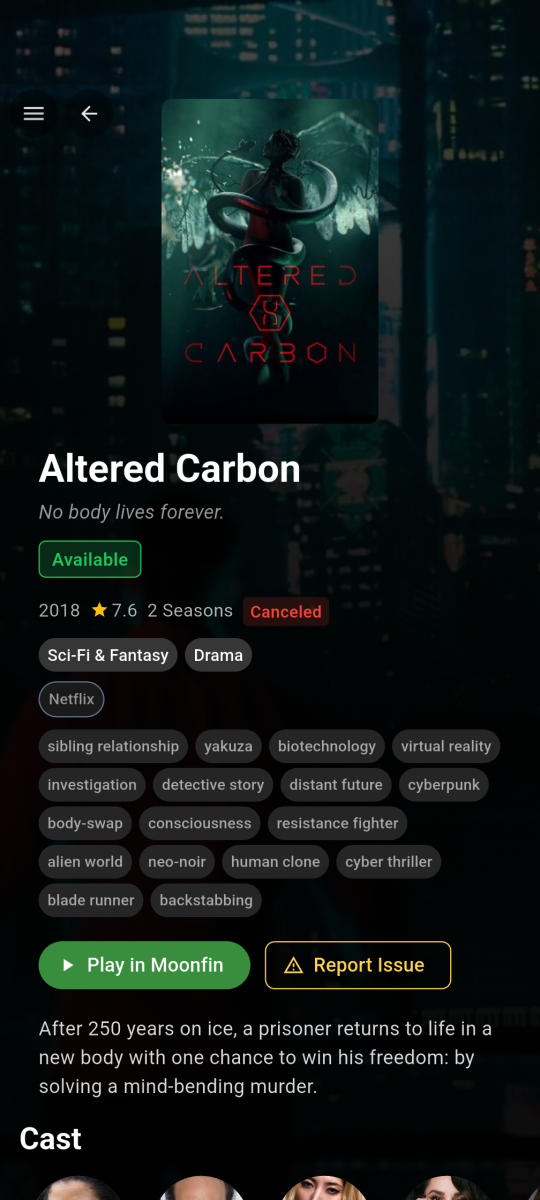
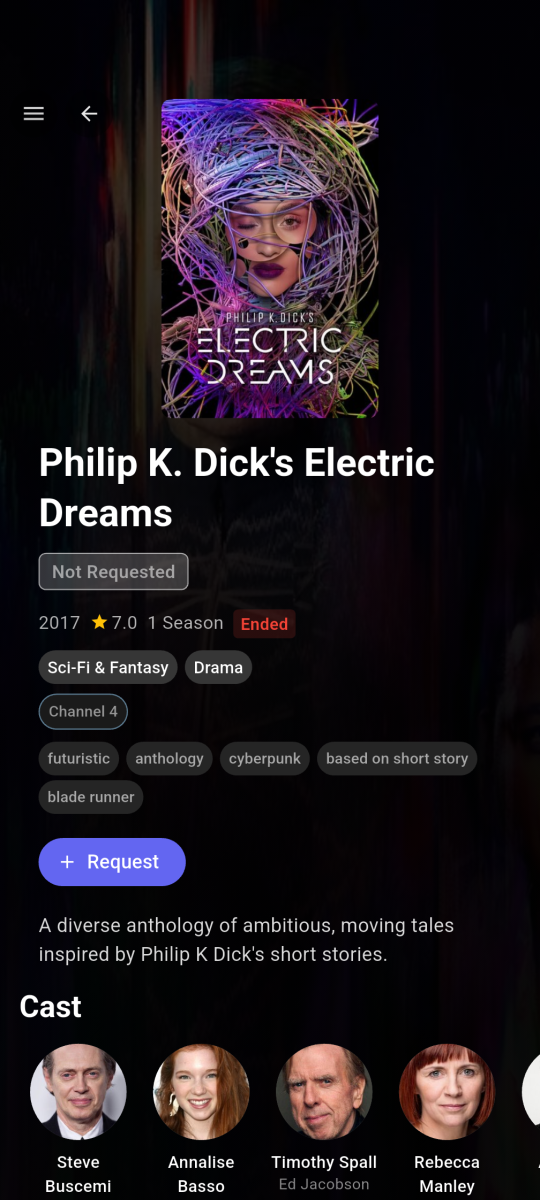
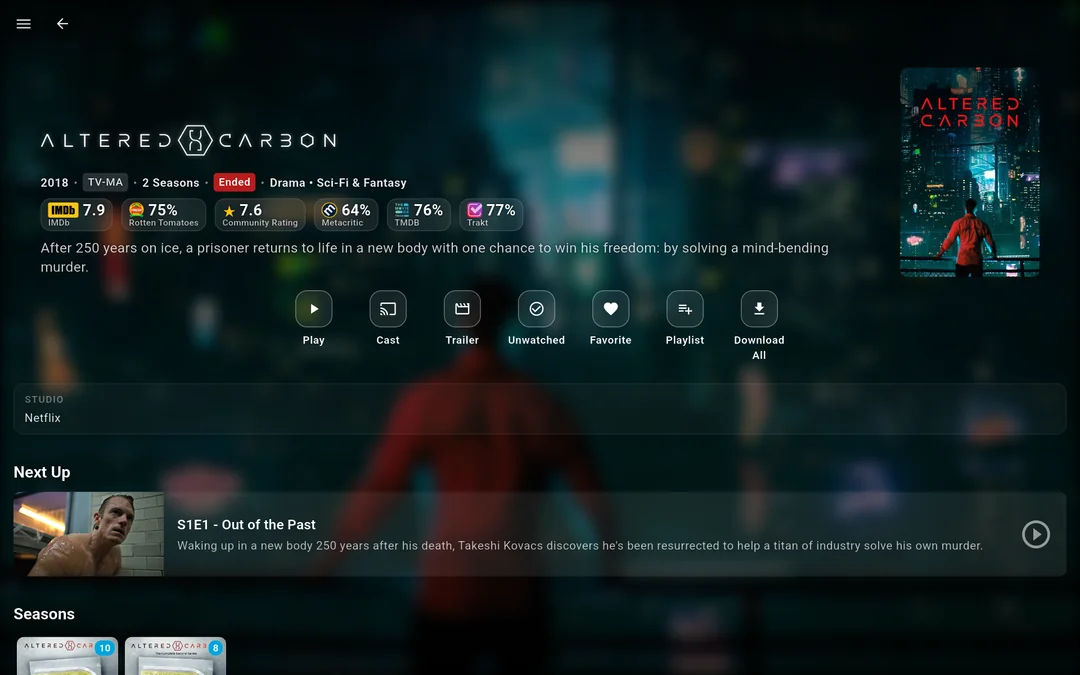
Hi everyone!!!! I'm the creator of Moonfin, a truly cross platform media client. If this is your first time hearing about the Moonfin project, welcome! Moonfin is a little shared ecosystem of third party clients that shares UI, functionality, and features across TV clients, Web, Mobile, and Desktop clients. It has been around since November 2025 and it is now on basically every platform you can think of. Up until now it was a Jellyfin only thing, but that's no longer the case. Moonfin Community Discord: here Moonfin website to test the web client and see more info here ────────────── How it works Everything is tied together by the Moonfin Server Plugin, which now installs on Emby seamlessly. The plugin is what powers the shared Moonfin experience across all of the Moonfin clients. It lets you log directly into Seerr, holds server wide MDBList and TMDB API keys, syncs your settings between Desktop (web gets counted as desktop if accessed through desktop or mobile if accessed via mobile browser. neat right?), Mobile, and TV, and handles the features and integrations that make the whole thing feel consistent no matter where you're using it. Install the plugin from here on your Emby server, point any Moonfin client at it, and you are good to go. ────────────── What the clients bring to the table NOTE: ALMOST everything here can be toggled on and off. No setting or UI is forced on you. It is YOUR media, YOUR way. Featured media bar slideshow with image preloading and content filtering, 5 different styles to chose from 4 Custom app themes and the ability to create your OWN custom themes as well Fully customizable home rows, including Seerr rows, TMDb rows, IMDb lists, and MDBList lists with proper posters Cross server playback, so multiple servers show up as one unified library Full Seerr integration with a dedicated requests screen, push notifications (as phone notifications and in-app banner for TV and desktop), download progress, and issue reporting MDBList ratings from IMDb, Rotten Tomatoes, Letterboxd, Metacritic, Trakt, AniList, and MyAnimeList Two different media detail screens with different styles and layouts to best suit your liking Live TV and DVR with an EPG refresh and lazy loaded programs In app YouTube trailer previews with SponsorBlock, theme music, and audio and subtitle delay adjustment Full playlist control with no item limit PIN protection per user and parental controls with content rating filtering Ebook, comic, and audiobook readers, plus a retro games library if you're into that (I know you are, dont lie) Offline mode with local first playback and original or transcoded downloads ────────────── All Moonfin Clients Platform Download Development Repository Android Mobile Google Play Store GitHub/Moonfin-Core Android TV Google Play Store GitHub/Moonfin-Core Fire TV Amazon Appstore GitHub/Moonfin-Core iOS Apple App Store GitHub/Moonfin-Core Linux Latest GitHub Release GitHub/Moonfin-Core macOS Apple App Store GitHub/Moonfin-Core Roku Roku Channel GitHub/Roku Tizen (Samsung TVs) Latest GitHub Release GitHub/Smart-TV tvOS (Apple TV) Apple App Store GitHub/tvOS webOS (LG TVs) Latest GitHub Release GitHub/Smart-TV Windows Latest GitHub Release GitHub/Moonfin-Core ────────────── Why so many clients? A lot of people ask how Moonfin ended up with separate clients across so many platforms. It honestly started pretty simply. The original goal was just to add the featured media bar to the Jellyfin Android TV client. Once that existed, people started saying it would be cool to have something similar on their platform. Then feature requests started coming in and it kind of took off from there. At the same time, platforms like webOS, Tizen, and Roku didn't really have alternative clients available like Android TV, Android mobile, iOS, and Apple TV have, so it felt like a good opportunity to create some. I enjoy building things and helping where I can, so I started working on ports. Having LLMs around for quick experiments, refactors, and figuring out unfamiliar platform quirks definitely helped along the way too. Why open source and why not charge for it? Honestly, I just enjoy building things and helping people. Open source lets others learn from the project, contribute if they want to, or adapt things for their own setups. I have no plans now, or in the future, to make any of these paid. : Screenshots shown in this documentation feature media content, artwork, and actor likenesses for demonstration purposes only. None of the media, studios, actors, or other content depicted are affiliated with, sponsored by, or endorsing the Moonfin client or the Jellyfin project. All rights to the portrayed content belong to their respective copyright holders. These screenshots are used solely to demonstrate the functionality and interface of the application.
-
- 1
-

-

A new approach to making IPTV behave more like traditional tuners
PowerCC replied to PowerCC's topic in Third Party Apps
Thank you to everyone who took the time to review and discuss the proxy architecture design I shared here. As some of you know, I originally built this project to work entirely through the Emby API. As development progressed, I discovered that the available APIs couldn't reliably determine when files were actively being updated. Without that level of visibility, it wasn't possible to guarantee safe file updates or consistently protect against corruption during provider failures. That realization led me to redesign the architecture from the ground up. Rather than relying solely on application-level APIs, the new engine works directly with the operating system to determine the true state of files before making changes. The result is greater stability, improved performance, and significantly stronger reliability. I'm also excited to announce that I'm officially partnering with @Fyb3roptikwhere my proxy code will be integrated directly into his Kernel Media Server, giving us a foundation that goes well beyond the limitations of existing solutions. Together, we're building a platform that delivers native HLS/DASH streaming, higher availability, and a more resilient architecture designed for long-term reliability and performance. Thank you again to everyone who shared feedback and ideas throughout this journey. Your input helped shape the direction of this project, and I'm excited to share what's coming next. -
I gotta figure out how to make it size screenshots (I should google it), but every picture I post is giant! did you actually see the log file hiding under that monster of a picture? (hope you laughed... I sure as heck did).
-
@Luke , it didn't work. Now canyouseeme.org can't see the open port after setting up port forwarding rules on the new router. I have an escalation case with GFiber. I've seen some posts about cloudflare or wireguard tunnels. Would these help bypass the issues I'm having? If so, is there a post on the forum on how to set these up? I'd like to use something that is low cost for me, and my invited emby users don't have to pay for or download anything.
-
OK, perhaps try a different public facing router port?
-
OK if you don't know it, then you probably haven't setup emby connect: Emby Connect But this doesn't matter right now. Not until remote access is working.
-

Advice please - getting the maximum from my EMBY Setup / Samsung HW-Q990C (Atmos and TrueHD)
FrostByte replied to Robnaeyaert's topic in Hardware
You have got to be the only one I've ever heard of who thinks transcoded 384 kbps AC3 sounds better than TrueHD Atmos because that's what you're getting using the Samsung app. Also, the server has nothing to do with it since the sound goes from the Shield to the soundbar. All the server is doing is passing it through unless it's transcoding. You can run Emby server on an old PC and no graphics card as long as it's not transcoding. The Shield passes the audio to the soundbar DSP just fine. As long as you turn off Dolby Audio Processing in settings and check all the supported audio codecs your soundbar supports the audio is sent bitstreamed and untouched. If you don't do that of course it will be modified. What you get is multi channel PCM if you don't set up your Shield correctly. -
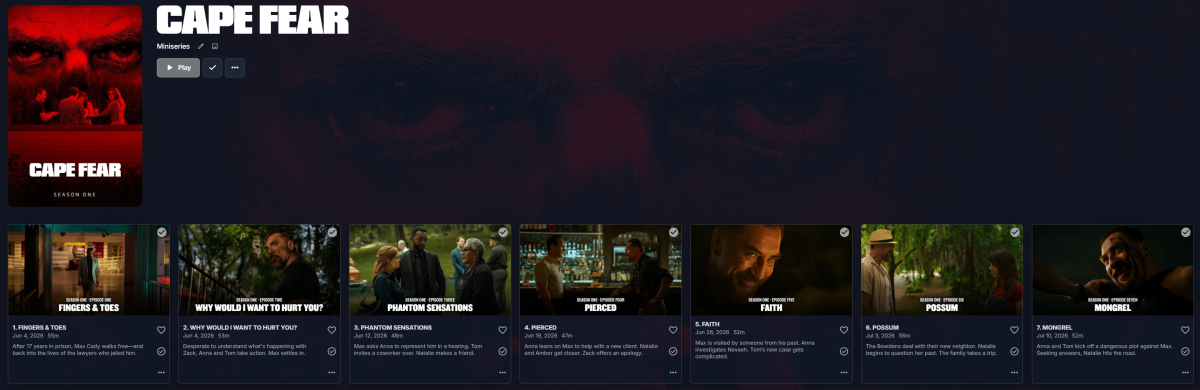
Should be fixed now, this css file includes a host of changes (ive moved away from using the JS script, felt too unsafe imo) Most noteable change is the tv episode grive view inline with the jellyfin theme Elegantemby.css
- Yesterday
-

Why is Jellyfin so much more popular than Emby?
Clackdor replied to Nabukodonosor's topic in Non-Emby General Discussion
Just saw something that I think is worth adding to this conversation. It looks like the dev behind the jellyfin desktop client is breaking off from the main dev team and will continue to develop the client under a different name no longer directly related to the main jellyfin project. From what I saw they plan on coming forward with more information as to why they came to this decision within the next day or so, but it appears to stem from internal conflicts and burnout from what I've read thus far. I've had this opinion for a while now, but Jellyfin's biggest weakness has been their client apps. Their Xbox app went unmaintained for well over a year until fairly recently. Their entire app ecosystem is completely disjointed whether that be first party or third party. There are far too many third party developed client apps that are touted as being the best at this one thing or that other thing. This is less of an issue if you're just hosting a media server solely for yourself, or people only use the web client. When you start inviting friends and family to your server and they want to watch on something other than a browser it becomes a nightmare trying to explain that they should use an app with one name on this platform, a completely different app on that platform, and the actual jellyfin app on this other platform. They've done some interesting things server side (and there are some arguments that can be made that some things might be handled better than emby there), but none of that matters when their app ecosystem is as dysfuntional as it is. I love free/open source software, but sometimes you get what you pay for. I run Jellyfin alongside Emby just to keep up with it. I would pick Jellyfin over Plex any day of the week despite it's issues if for some reason Emby stopped existing or went down too similar of a path as Plex. As long as Emby has an affordable lifetime license you'll never convince me that $0 is better than paying $120 one time (or a couple of times in my case as I have a couple of licenses just because I wanted to) for an overall better and more cohesive experience. IMO most people shouting that Jellyfin is better in every single way than Emby are likely basing their opinion on the price rather than the overall experience or that Jellyfin is open source as the free part is usually the appeal whether they admit it or not. Don't get me wrong, I want to actually see Jellyfin succeed, but it seems like their whole ecosystem takes just as many steps backwards as it does forwards. Emby is just a better overall experience from both the admin and user perspective. Emby on the server-side has progressed fairly well (and not surpisingly still far ahead of Jellyfin on a number of things IMO). Just as importantly the first party app support has been fairly consistently maintained throughout the years. All of my friends/family know to just download the app called "Emby" regardless of what platform they are on. I don't have to go through the explanation as to why they need to switch to this other app or platform because whatever volunteer dev that was working on the project hasn't released an update in over a year and the app is no longer compatible with the new server version. If Emby drops support for a particular app/ecosystem there will at least be a valid argument as to why it's no longer viable from a technical or supportability standpoint. It seems that when you have a dev team that gets paid for the work they do that the project actually has the resources to keep things going fairly smoothly. Who could have ever predicted that? -
In case you don't know, in the new(er) app, if you go to fast forward, once its fast forwarding slowly if you click the FF button again and again it gets faster and faster. But I still prefer the old way in the old app where you just hold the button down and it gradually accelerates all by itself.
-
I don't know my "embyconnect email". I log into emby.media with my standard email address.
-
8096 per screenshot. Typo
-

Alexa stop playing after the first song ends on multi echo devices (3rd generation).
Goober77 replied to Goober77's topic in Amazon Alexa
Hello, Tested the next song and it works on single echo device and not the group echo. It seems like it acknowledge the command but doesn't process it. Thanks -
Android TV clients cannot authenticate through reverse proxy (browser and Android phone work)
Breezey posted a topic in QNAP
Hi, I'm hoping someone can help because I've narrowed this down as much as I can. Environment Emby Server 4.9.5.0 QNAP TS-464 and TS-453D Native QPKG installation (not Docker) Nginx Proxy Manager (latest jc21/nginx-proxy-manager) HTTPS using Let's Encrypt Reverse proxy to Emby on HTTP port 8096 Reverse proxy NPM configuration is very standard: Forward Scheme: HTTP Forward Host: 192.168.x.x Forward Port: 8096 Force SSL: Enabled HTTP/2: Enabled WebSockets: Enabled Cache Assets: Disabled Block Common Exploits: Disabled No custom locations No custom nginx directives Emby Network settings Secure connection mode: Handled by reverse proxy External domain configured Public HTTPS port: 443 Local HTTP port: 8096 Local HTTPS port: 8920 Remote connections enabled UPnP disabled The strange part I have two completely separate Emby servers. Different NAS hardware Different databases Same Emby version Same reverse proxy Both behave identically. Testing results Works Windows browser via reverse proxy Android phone browser via reverse proxy Android phone Emby app via reverse proxy Android TV browser (Edge) via reverse proxy Android TV app via local IP OttoAibox Emby app via local IP Fails Sony Android TV Emby app via reverse proxy OttoAibox Emby app via reverse proxy Both Android TV devices authenticate correctly if I connect directly to: http://192.168.x.x:8096 They fail only when using: https://emby.backup.monitoringcomputers.com.au Emby Connect Emby Connect also fails. The PIN page says: Pin Confirmed. Thank you. but the TV never completes the login. Logs The server receives the authentication request. Immediately afterwards the log shows: GET /emby/Users/authenticatebyname followed by: Access token is invalid or expired. 401 Unauthorized Browser authentication succeeds through the same reverse proxy. Why I think this may be a client issue Everything else works: Browser Android phone app Direct LAN Same reverse proxy Same certificate Only Android TV-style clients fail when connecting through the reverse proxy. Has anyone seen this before? Is there something different about Android TV authentication compared with the Android phone app? Any suggestions would be appreciated. -
Not quite sure what you mean pal. The plugin won't be free as you have premium. I'm bound to only allow use of my paid plugins if a user is a premium subscriber but not the other way round. The plugins are $5 each from the catalog or £10 from my website for all 4.
-
One of the deal breakers for me on the universal android app currently the lack of fast forward/revarse on a remote. I can navigate to the progress bar, but it moves sooo slow and only moves in miliseconds. Also I can't find the option for starting the app with profile selector.


.thumb.png.1ddf135ad99a72646a26d671a28ffe35.png)