All Activity
- Past hour
-
I’m confused, should “Show Login Screen” in Settings > Display > Startup Behavior bring up the user login/selection screen *every* time the app is launched, allowing a logged in user to be selected ? Maybe it is the TestFlight I’m using, but that login/selection screen doesn’t come up each launch. For me it only appears after the app has been force quit and is starting up fresh. I’ve tried resetting the setting, force quitting after, etc. Is this working for people?
-
 hber995 joined the community
 -
 Kainan emanuel joined the community
 -
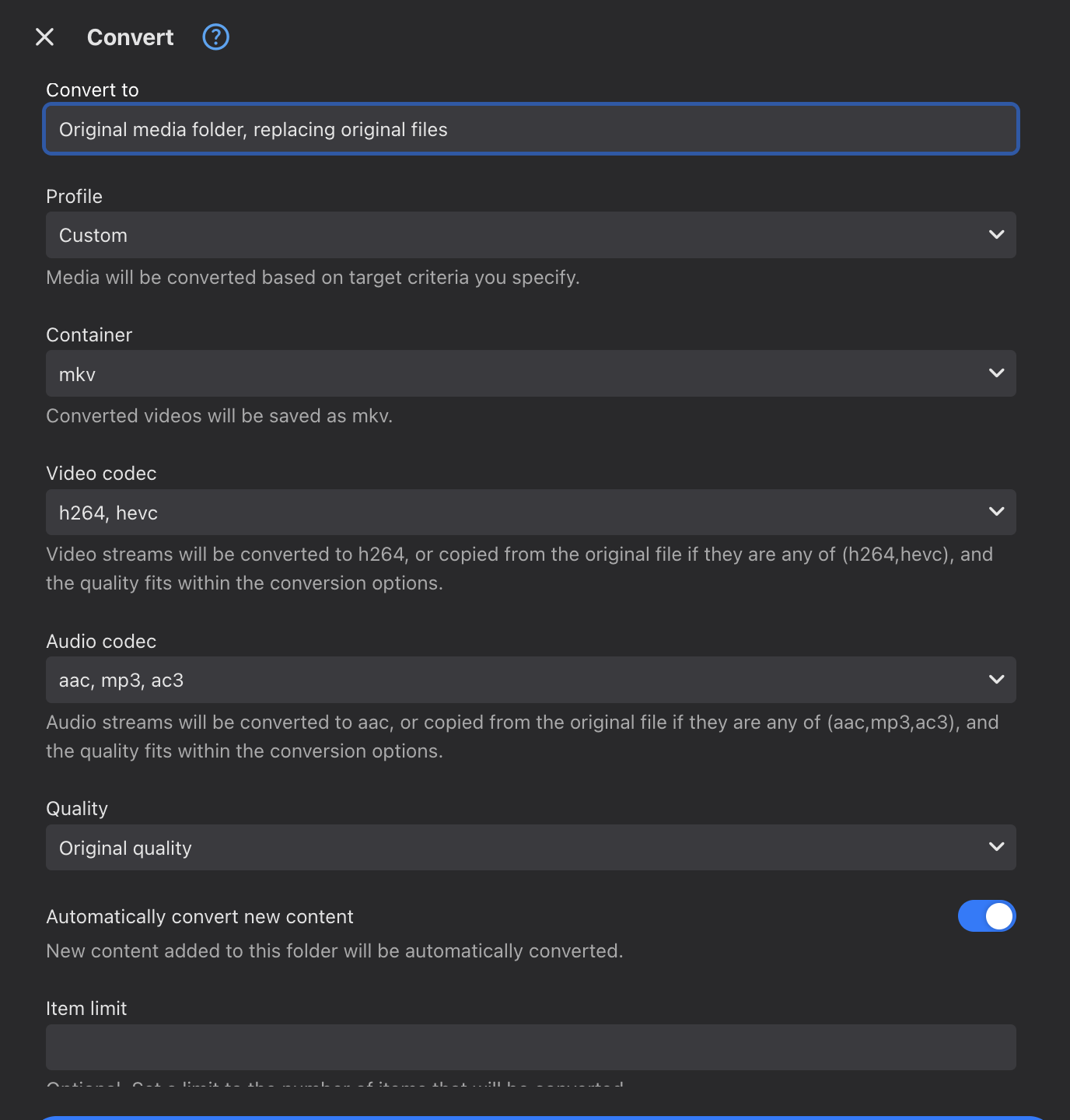
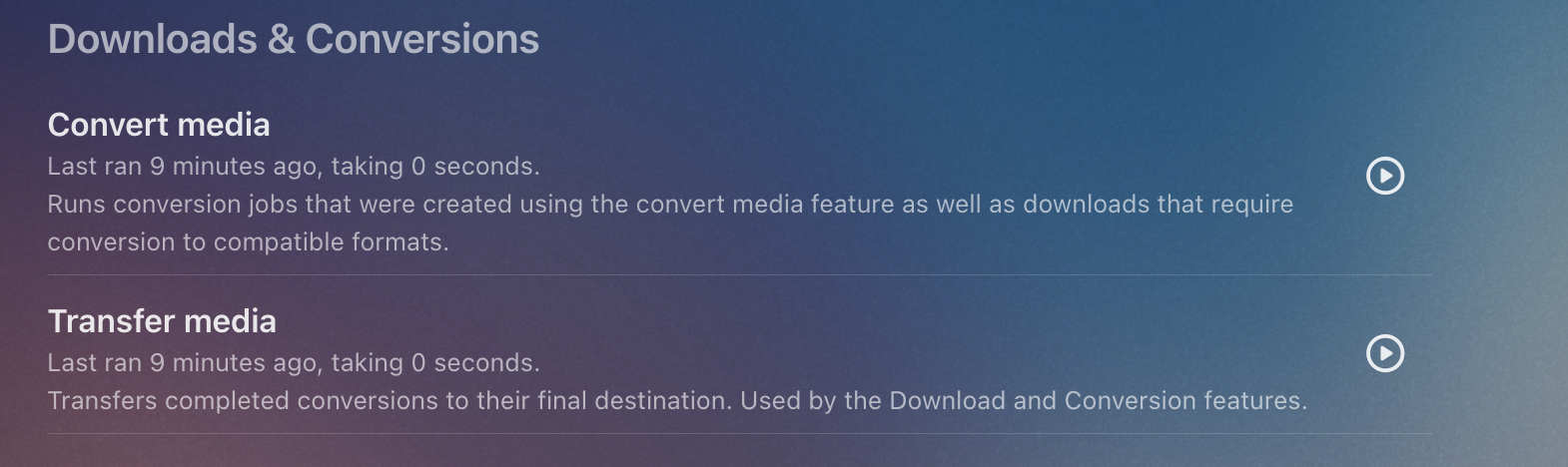
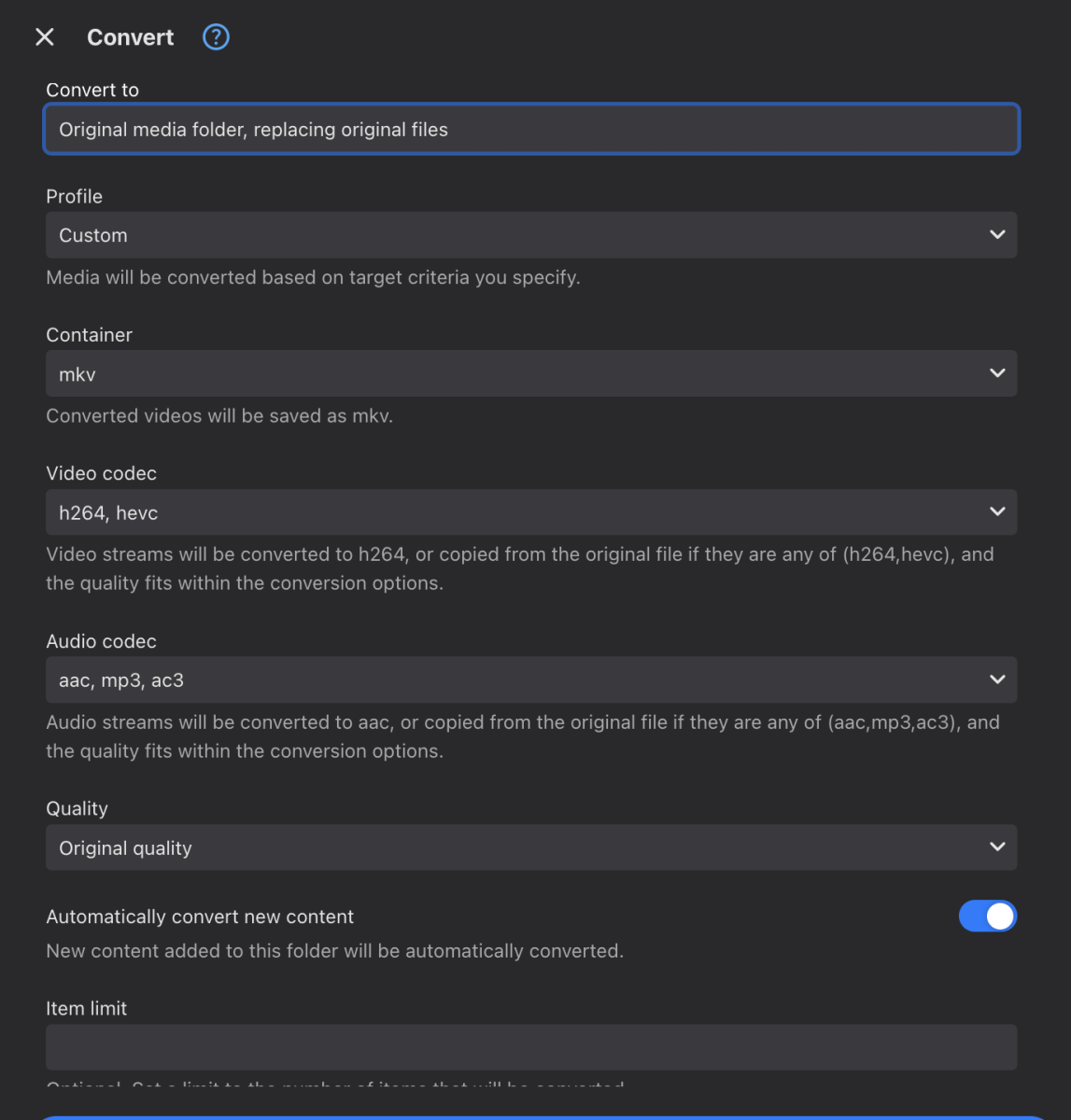
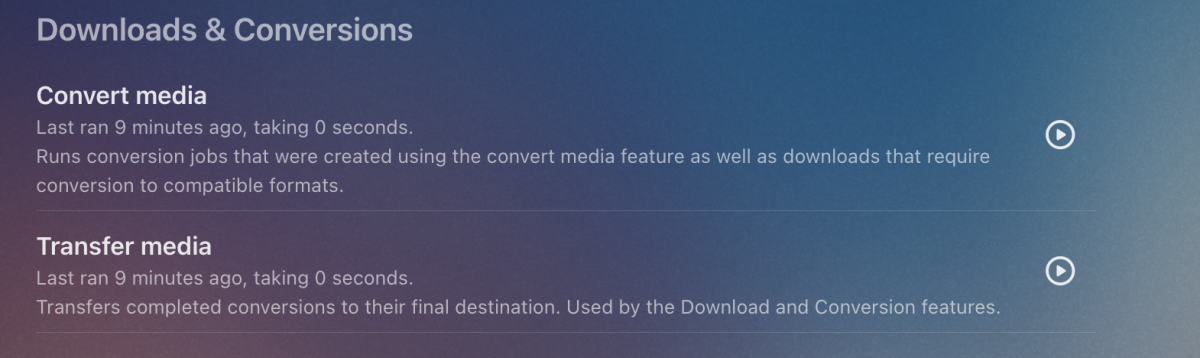
I'll test on a few devices tonight and confirm Yes. Click the ... menu on the Media Folder on the Dashboard for your recorded shows, the select Convert I select these options, you may want something different. After that, you can review and edit these options from the Conversions section on the Manage Server page You can adjust how often the conversion job runs in the Scheduled tasks section, mine runs hourly
-
 avillarroel joined the community
 -
 pGaMw9Nmk3 joined the community
 -
 Robertleather joined the community
 -
 emb80@servistore.org joined the community
 -
 张张张@ joined the community
 -
 Scorpion626 joined the community
 -
 Tmcw96 joined the community
 -
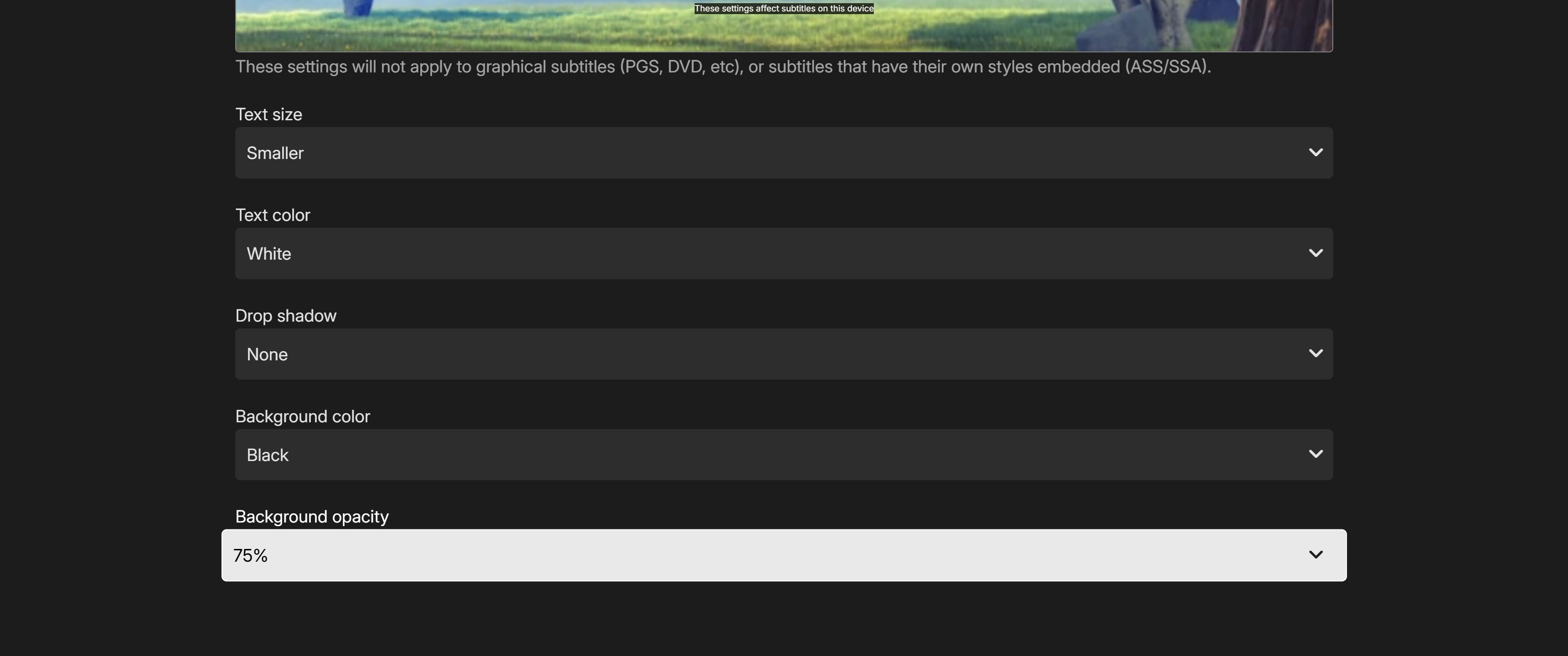
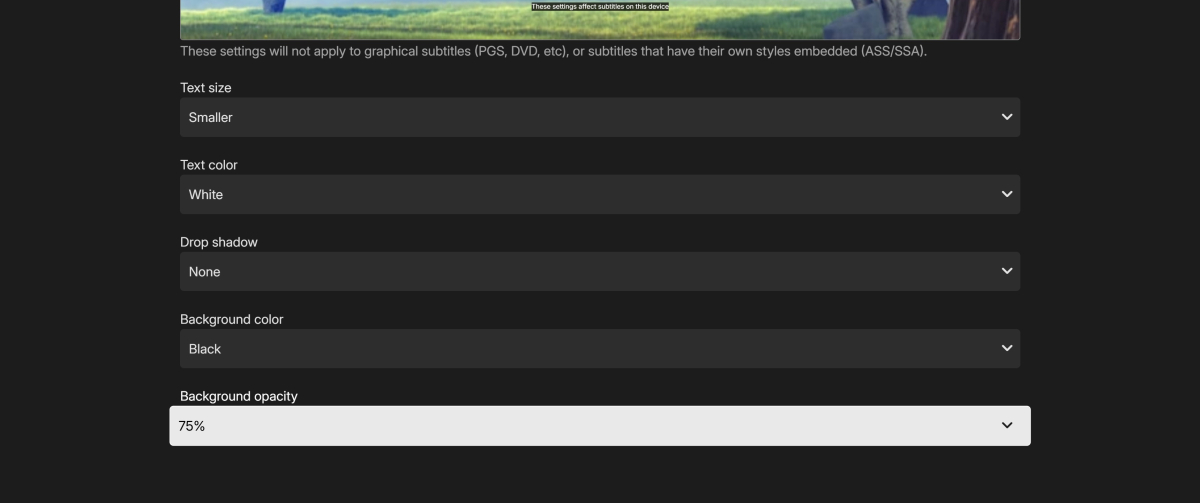
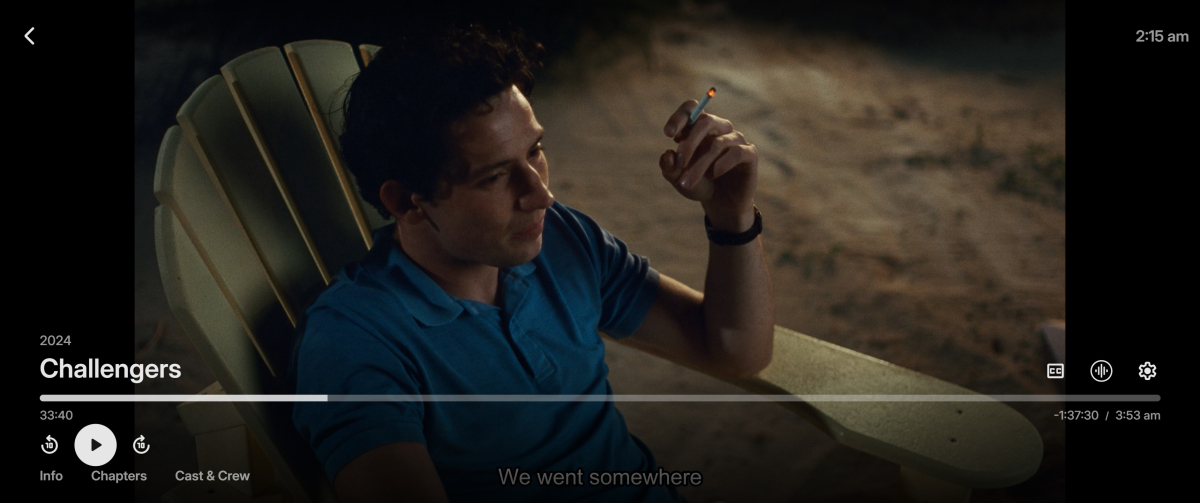
All subtitle options take effect in Emby for Firefox but only some take effect in Emby Theatre for Windows (2.234.2.0) Drop shadow will not disable and the border never enables. mpv-20260402T021555619.txt
-
I think it must be just an issue with that model of tv as they play back ok on other devices. did the 2 recordings playback ok on your device? So is it possible to set a automatic convert just on recordings only? I did have a look in the emby server but couldn't see it. many thanks
-
@Luke, are we going to get this release to potentially fix this USB audio crash on macOS any time soon?
-
There’s also no audio coming from the app. Every other app works including system sounds edit: I found the problem, I was looking at other posts and it looks like is related to the new continuous playback on 26.4 . When I turned it off everything started to work again including music embyserver.txt
- Yesterday
-

Problemas al configurar emby en My cloud ex2 pro
Oscar Daniel Tafur Vidarte posted a topic in Western Digital
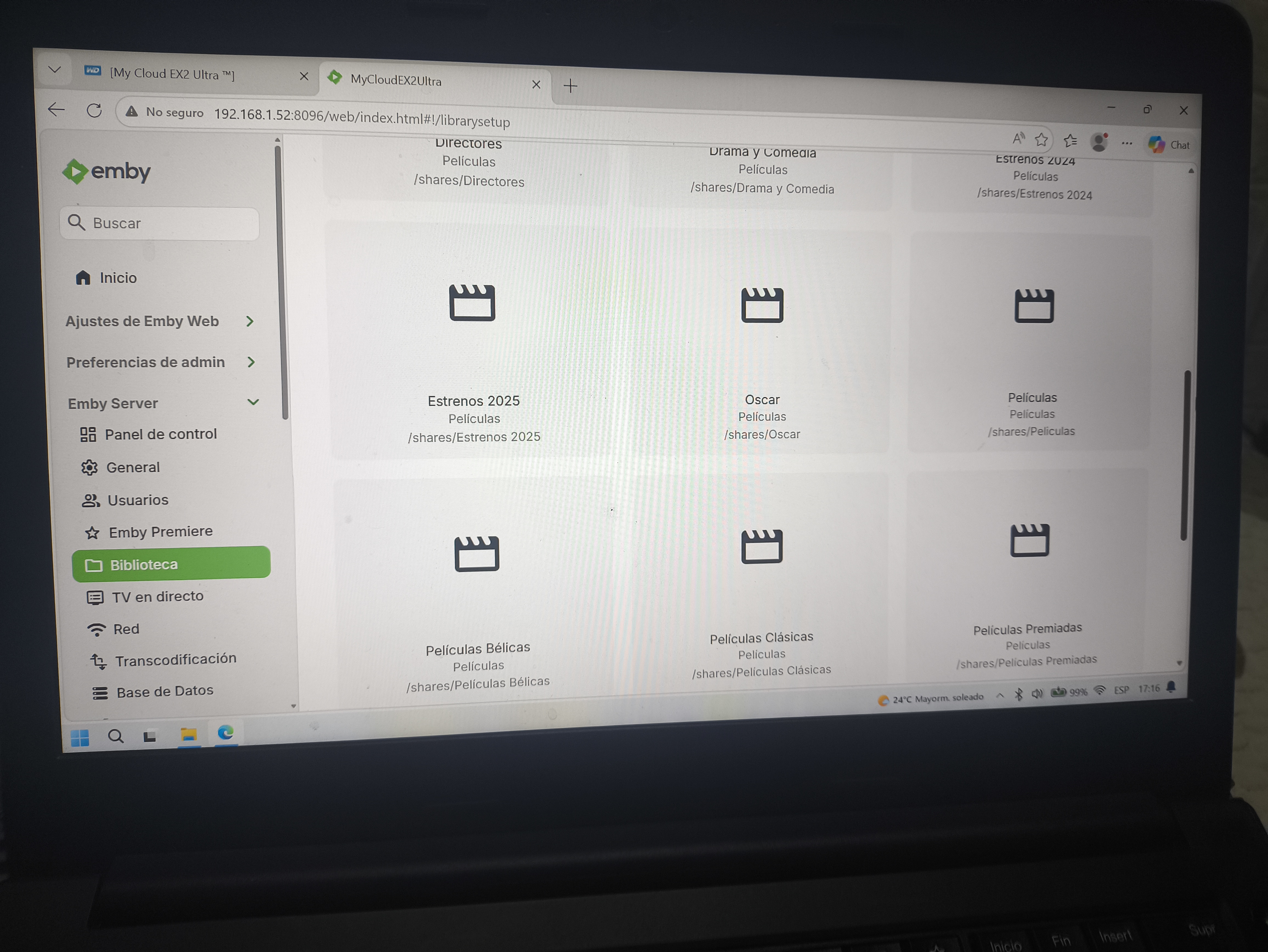
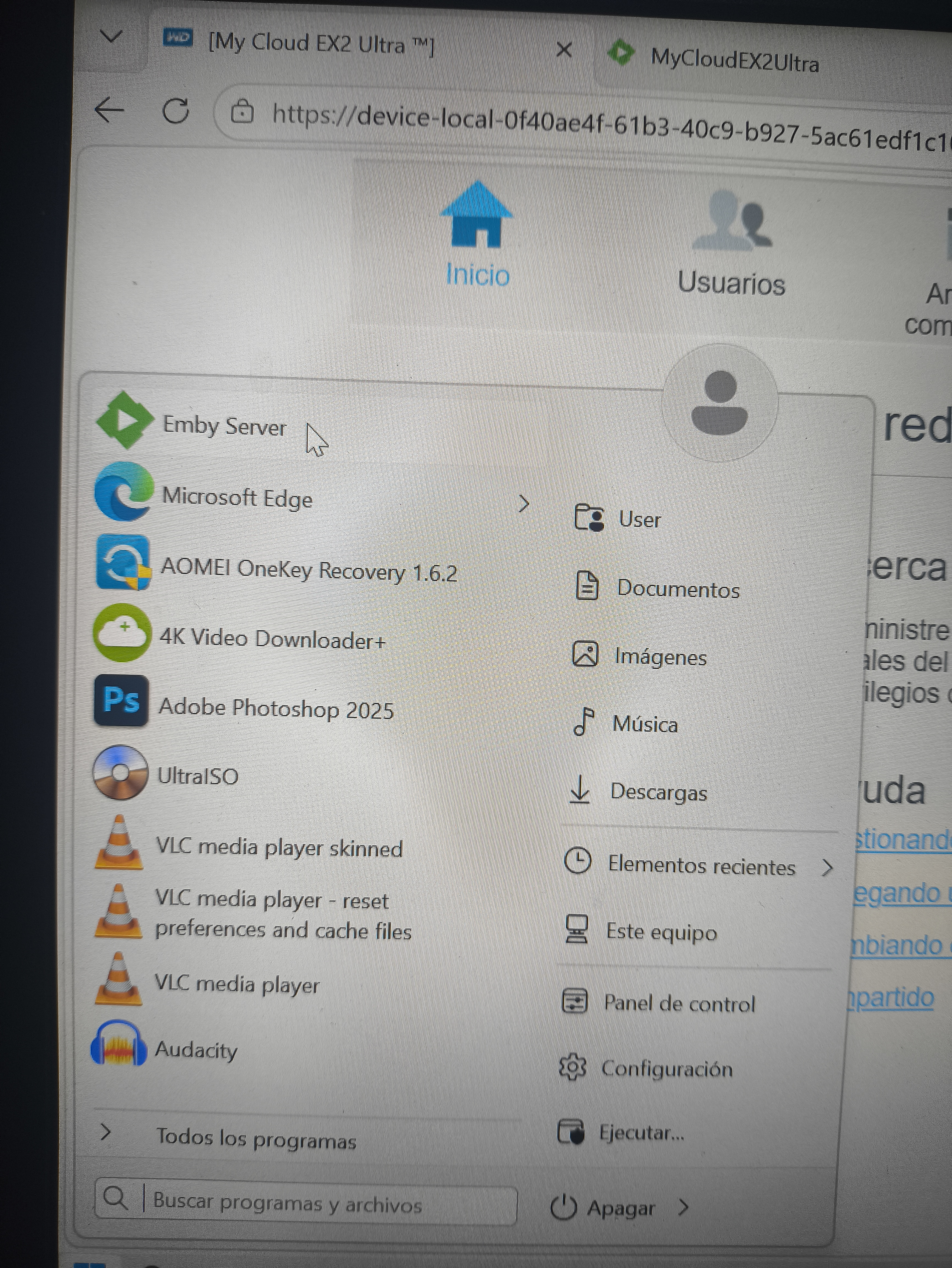
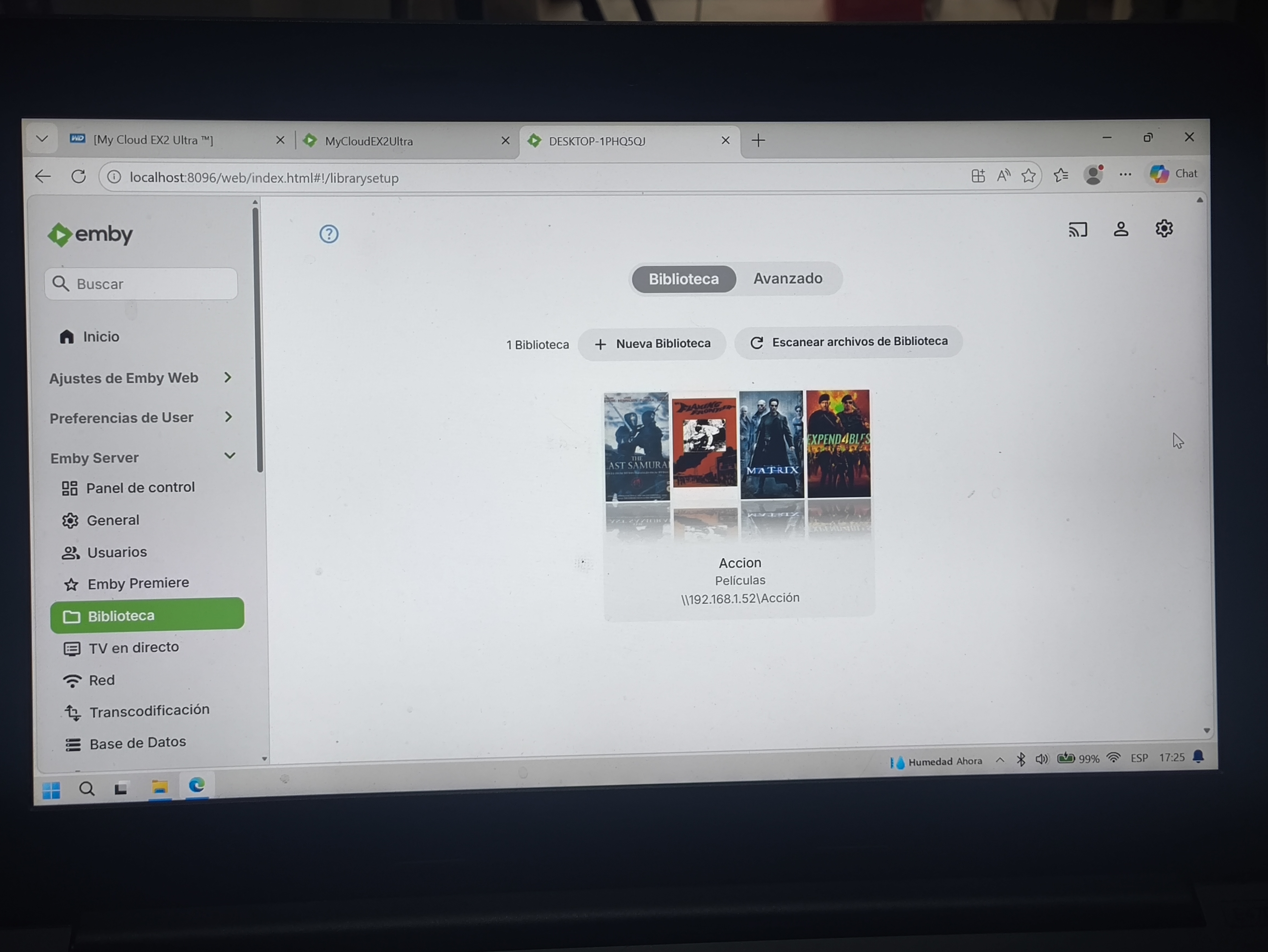
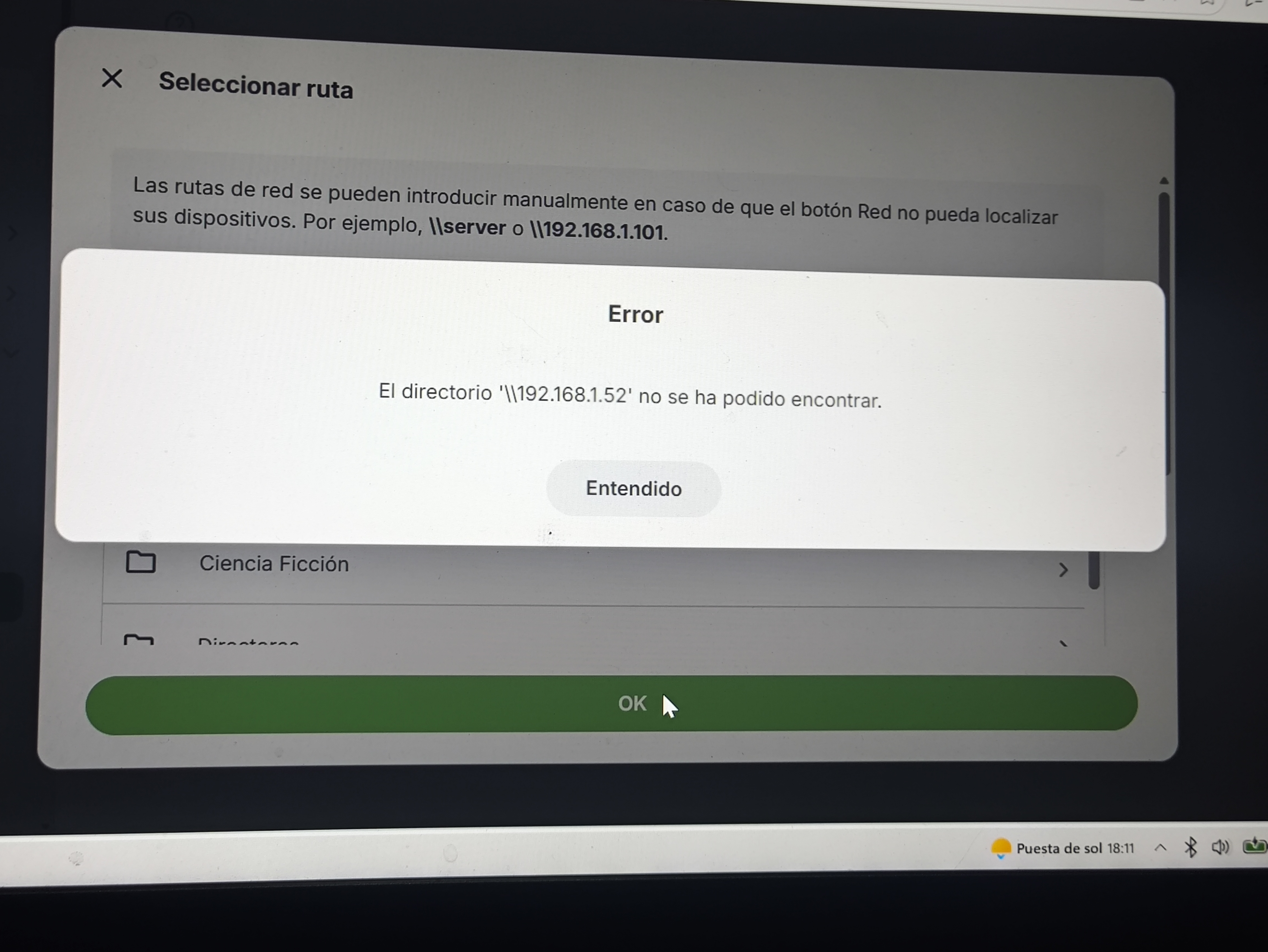
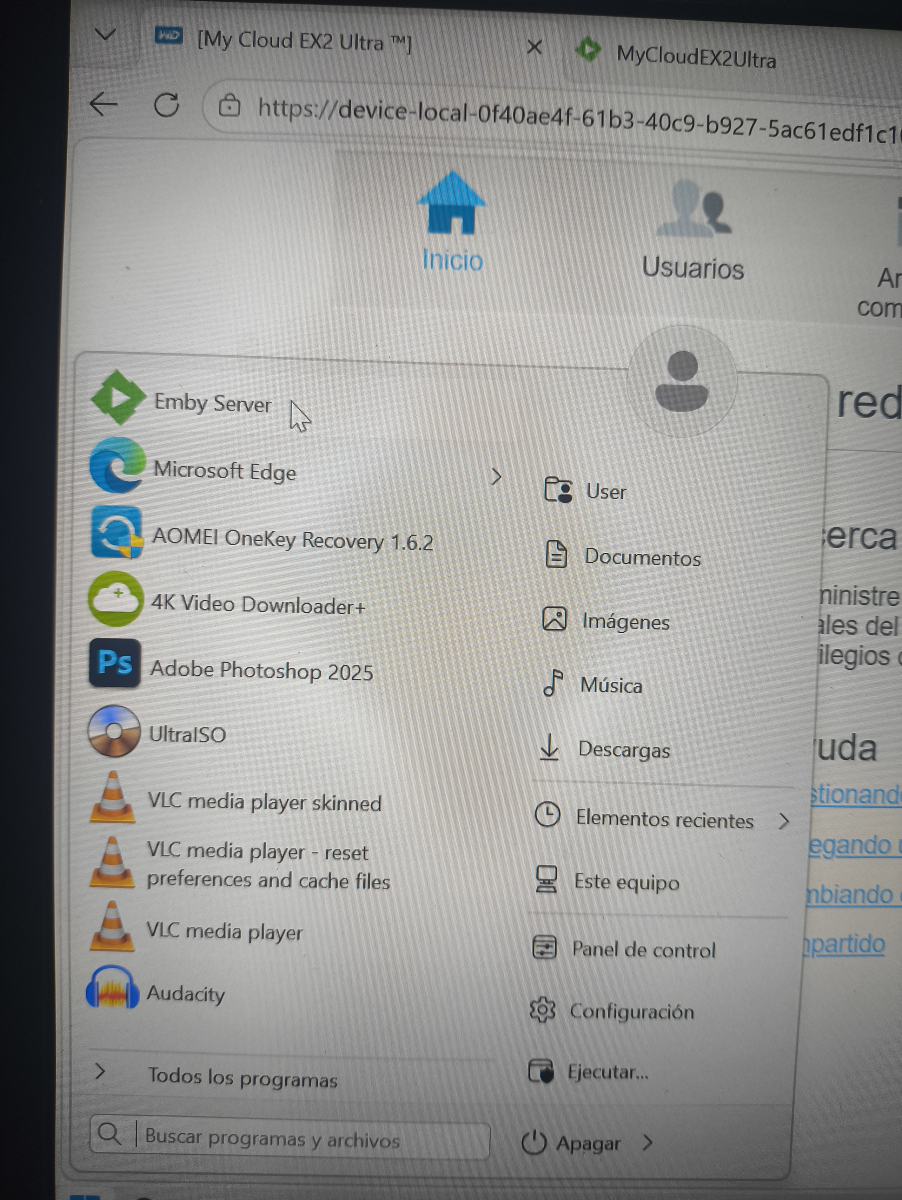
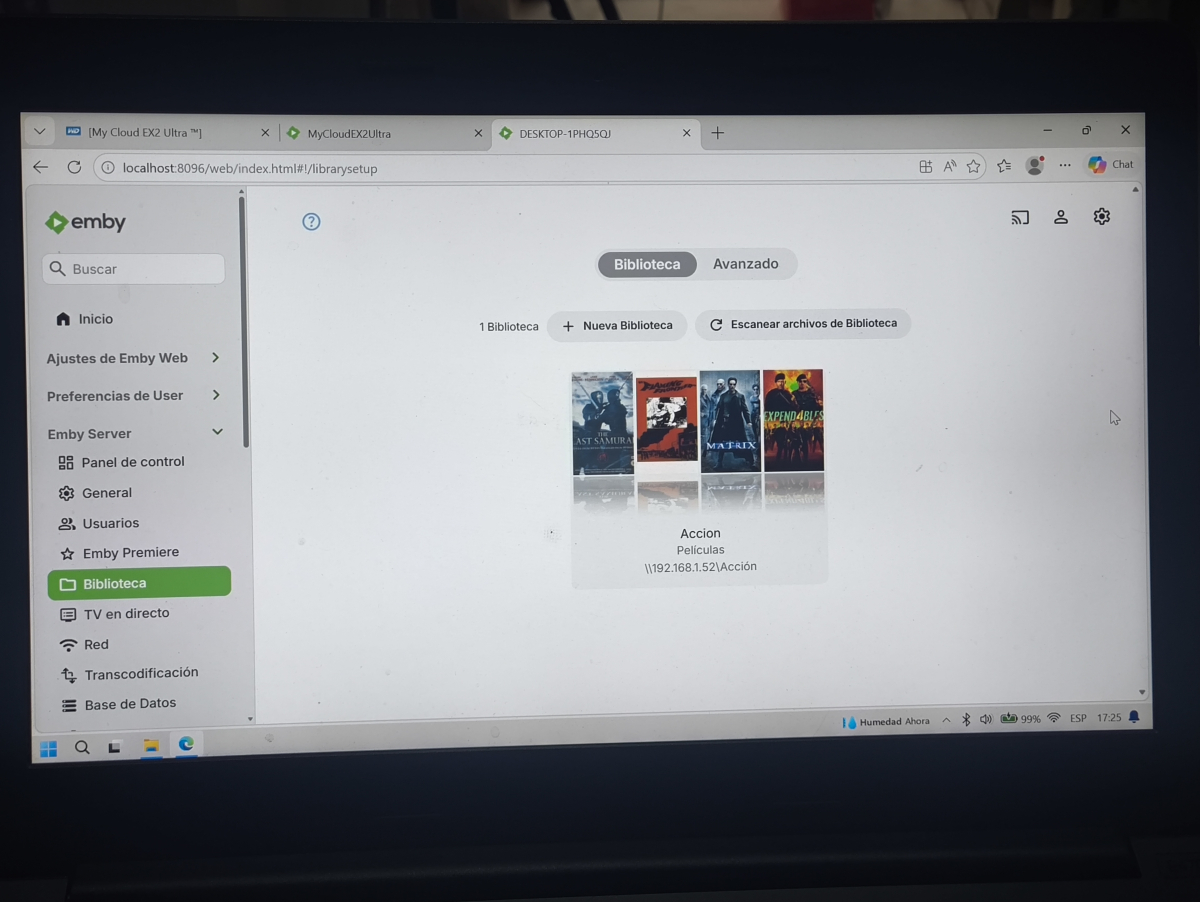
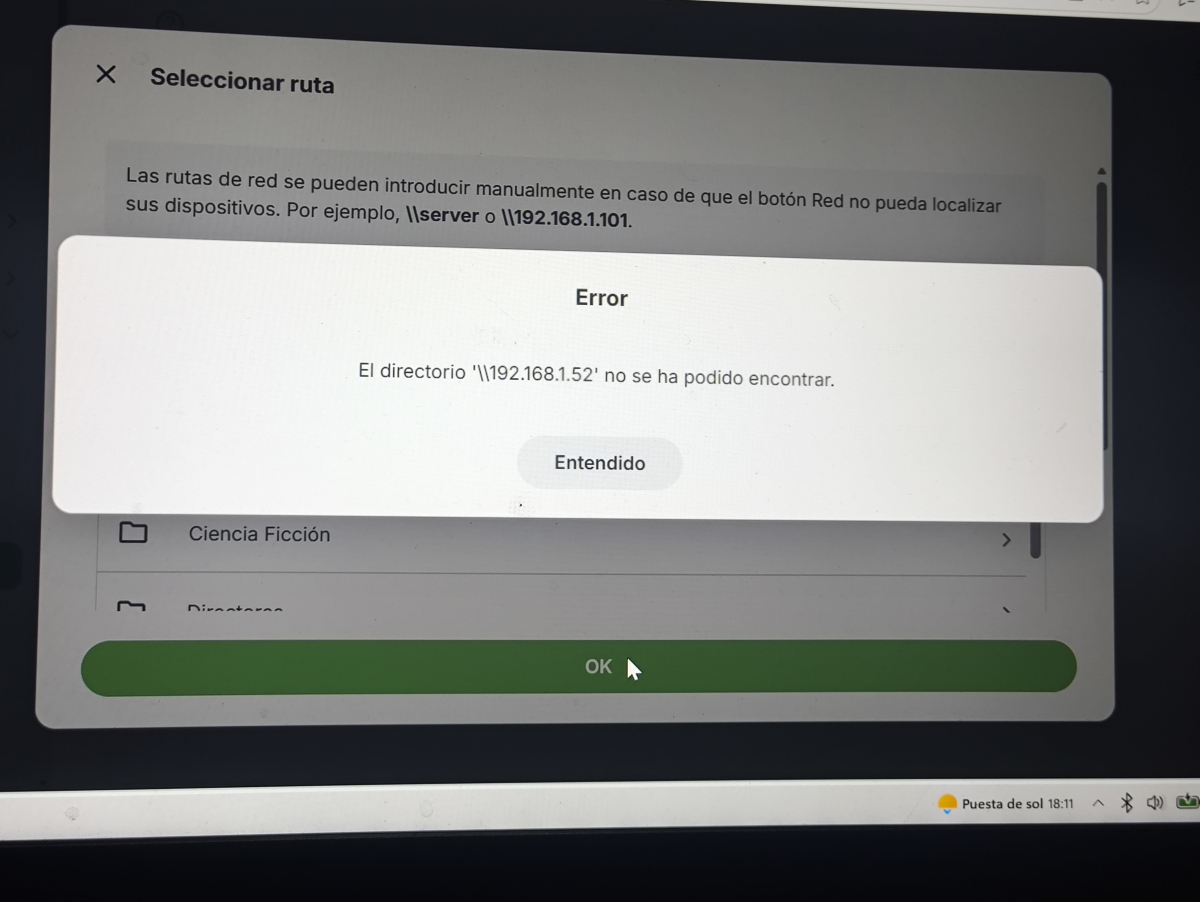
Tengo mi NAS My cloud ex2 pro, que uso solo para archivos multimedia (película, música y otros) instalé emby desde el menú aplicaciones externas y luego ingresé al programa emby desde el menú "configurar". Es el caso que allí puedo crear mis folders sin ningún problema (luego de haber otorgado permisos de lectura/escritura respectivos) pero nunca logro que me aparezcan imágenes en los folders del menú inicio. Y cuando instalo en Windows el programa emby server, desde allí creo una carpeta y si me aparecen imágenes en ella, pero no me permite acceder a entiendo cuál es el error, adjunto fotos sobre ello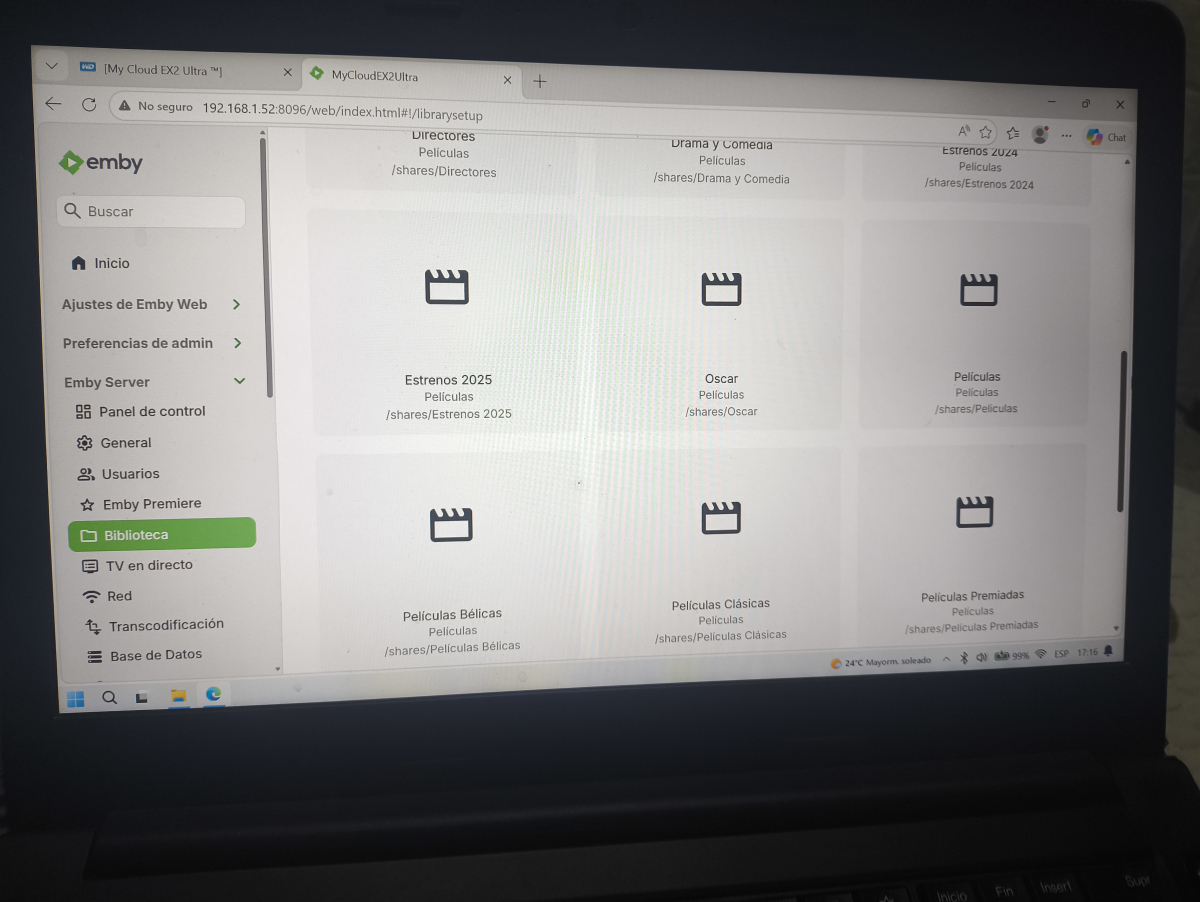
-
Thank you so much for the kind words! Glad you enjoy the update. For now its only meant as a cleanup function, honestly I only did it because I had a shit ton of old tags with no way to remove them all. This can certainly evolve into a tag and collection management sort of way. Just give me a few ideas and we'll see what we can do. One thing that struck me right now is that it would be nice to be able to click on a collection or tag and directly navigate into it. On the negative side of always adding functionality is that the bigger the code is, the more risk of breaking something. And I kind of want to back off a bit and give time for some proper real life testing and then maybe add this to the plugin catalog. I did get some "warnings" from another plugin developer that having a plugin in the catalog massively increases the demands and expectations from users, so I haven't decided yet how to do about that..
-
Yeah, I got the local address thing ... but local device IP addresses are obfuscated: Source Ip: host4, Why are local host names obfuscated?
-
Hi @GrimReaper Many thanks indeed for all your feedback. I do think Emby should protect itself against bad data even when it is as you say very niche But anyway… You have helped me a lot to understand what was going on and I really appreciate your time (as always!) cheers
-
That would add unnecessary overhead on every item for extremely few/niche cases percentage-wise.
-
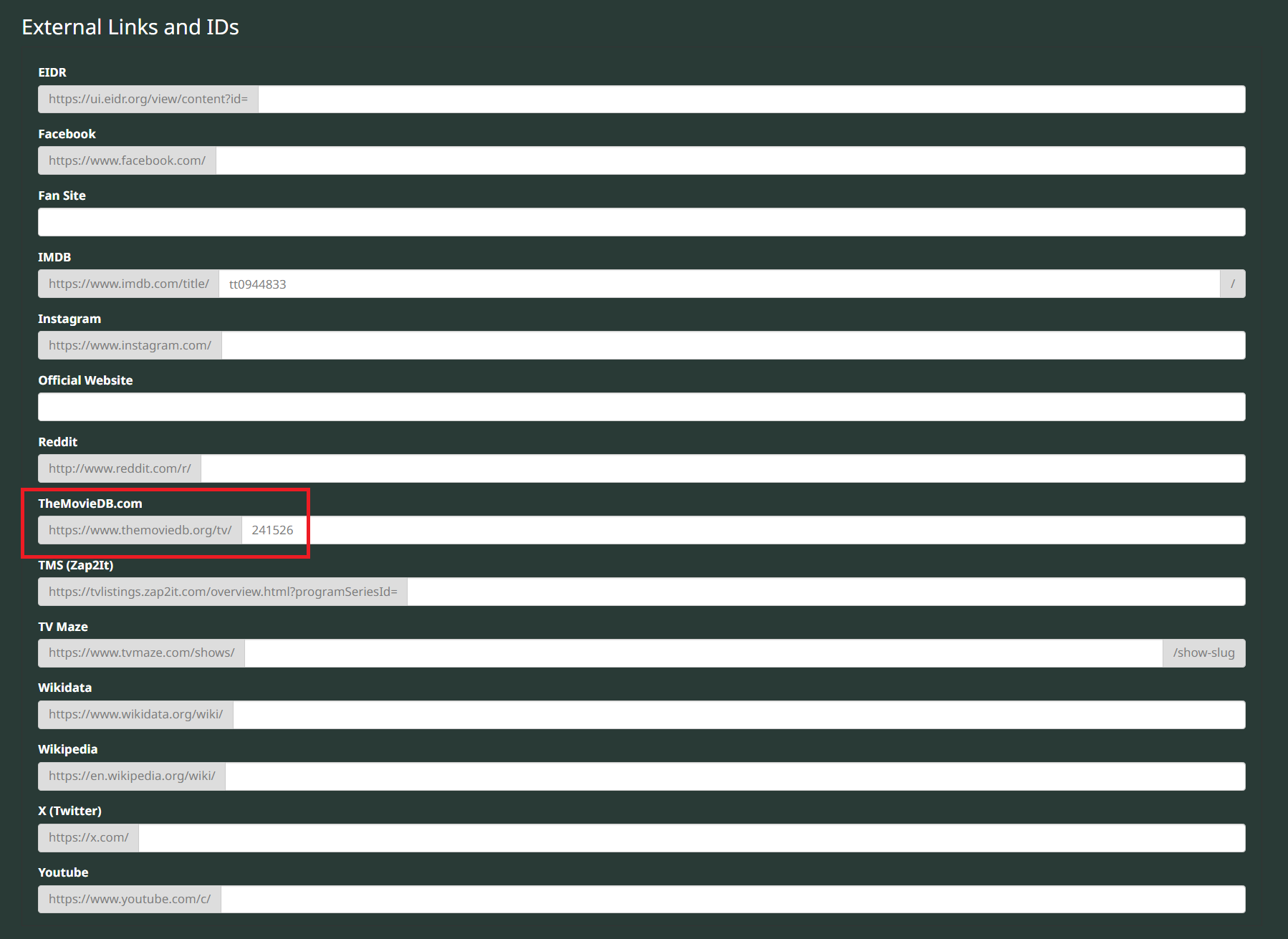
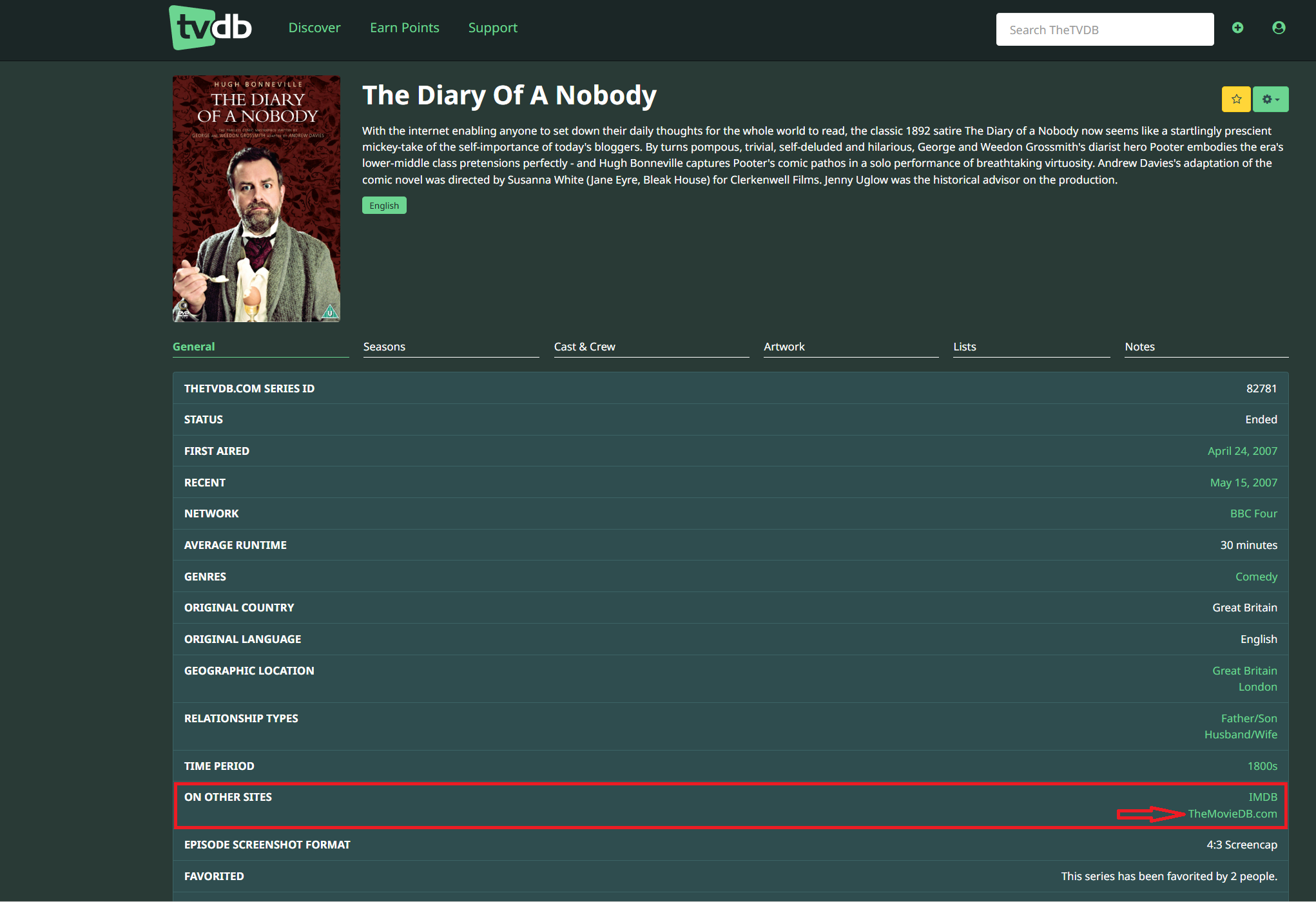
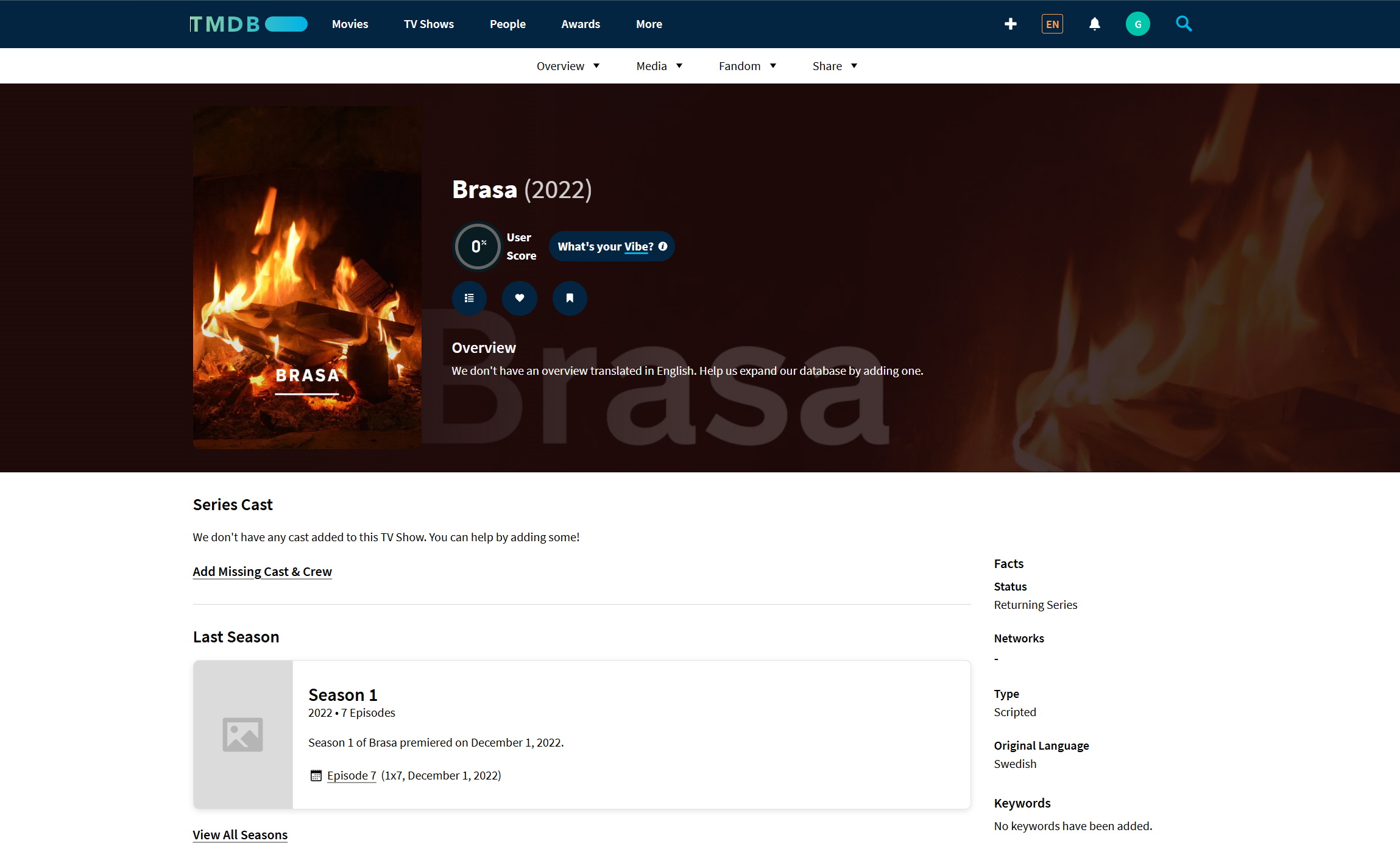
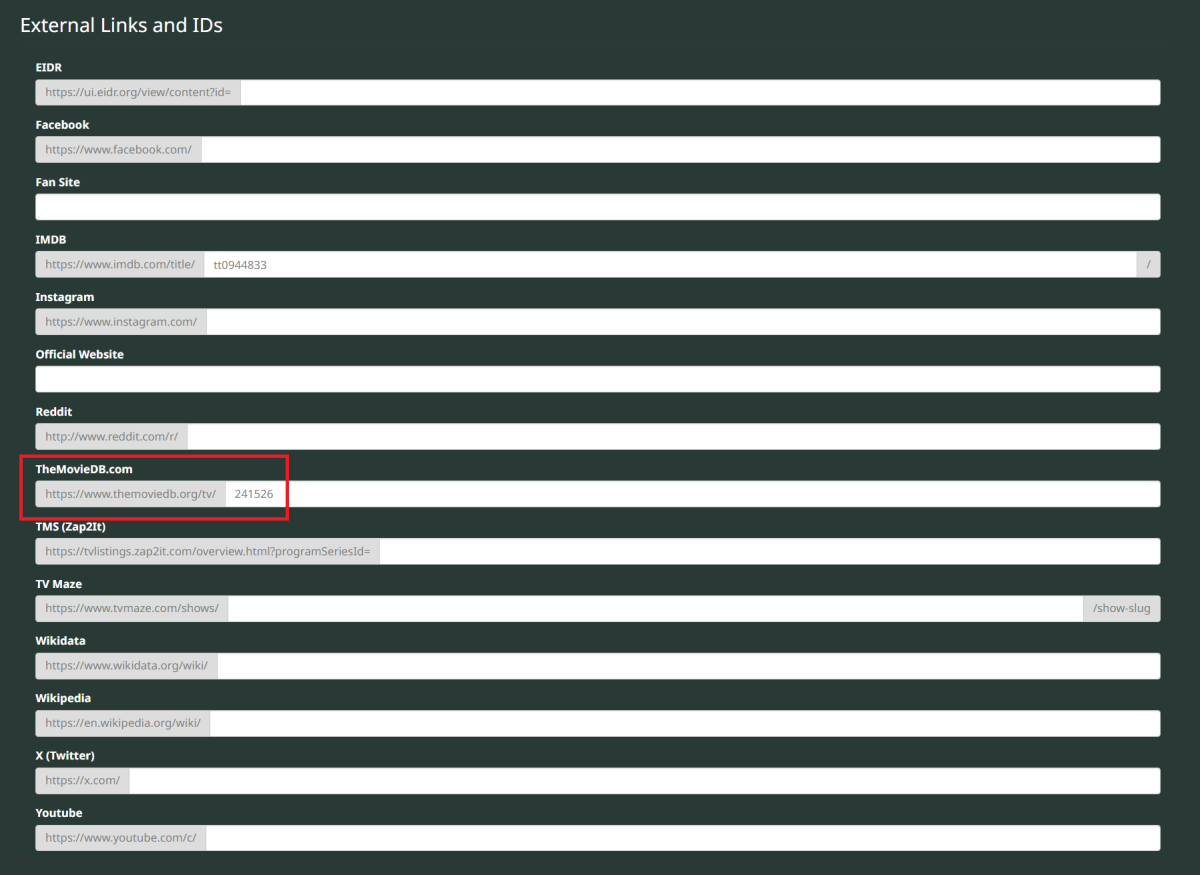
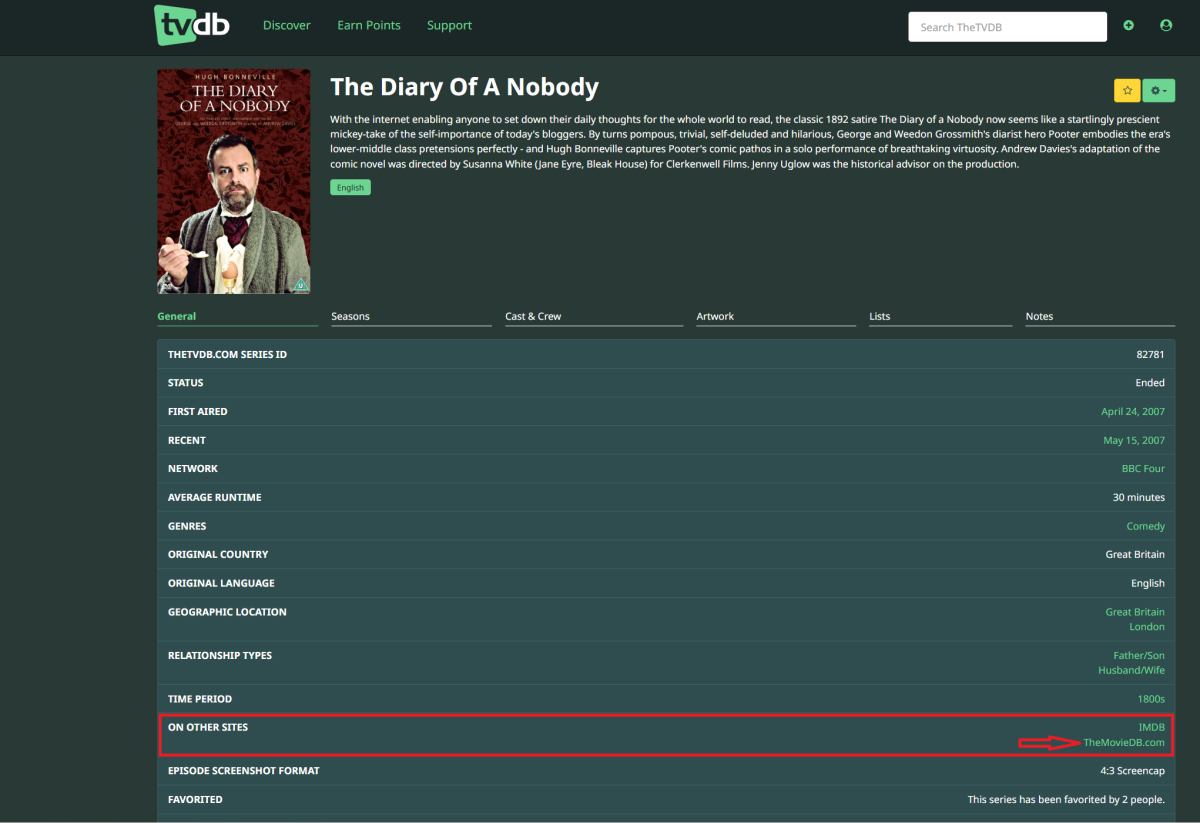
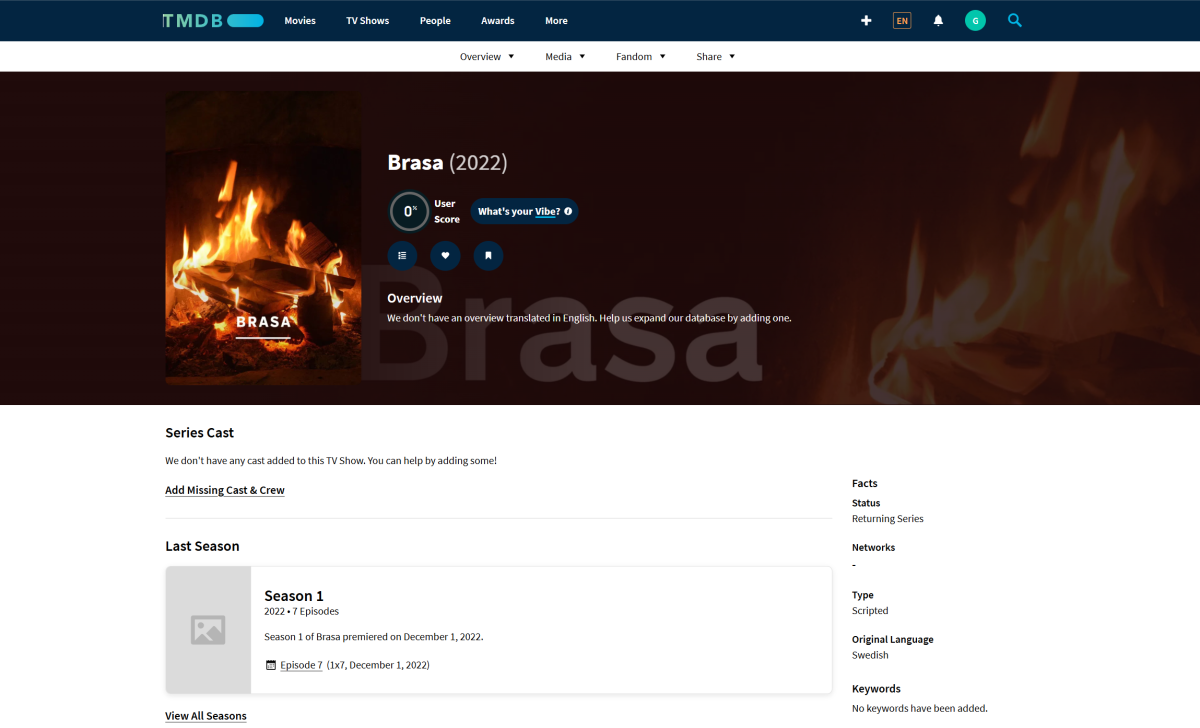
There is actually no way to protect itself, as the ID values are shared across media types, so both movie/241526 and tv/241526 exist, and Emby cannot interpret what pure numerical value represents, hence library types. I thought you did it manually, but it is actually a case of bad provider data (doesn't happen often, but not unheard of either), as TVDB (your primary metadata provider) has that same 241526 as ExternalID for TMDB: If you go to the show's TVDB page and click ON OTHER SITES: TheMovieDB.com link: it'll take you to Brasa's TMDB page: Same would occur if you clicked TheMovieDB in About section of item detail screen in Emby. Best thing to do would be to remove that ID from TVDB db (and do such thing any time you encounter similar case) for the benefit of the community.
-
That should be mostly fixed in the next version with a lot of other bugs i found. It's going to be a HUGE update, tons of core logic changes, user theme agnostic, etc... I'm getting there but still lots of work to do still. Thanks!
-

Hide certain librarys from home screen or my media?
ryanfiller replied to Soundchasr's topic in General/Windows
I'm just confused, the rest of this post from years ago is talking like there is already some way to do this? -
Hi @GrimReaper That now makes sense, thanks Though all I did was identify the TV serial through the regular Emby process, it was ***Emby*** that filled all the db id’s ***not me***. So obviously Emby does not protect itself against a TV series being wrongly identified as a film in the Movie DB (and then having the same id in the Movie db as another tv series) The tvdb id of the series which Emby also got is 82781 and the info there is correct. And imdb is tt0944833 and that is correct too. can i suggest that emby could protect itself in the future against different data sources returning inconsistent types for the same item, because it was initially confusing. i.e. When Emby fills in the ids of an item (imdb, tmdb, tvdb) it could check that all 3 keys are related to the same type (movie, tv serial)
-
@quickmicdoes it always load movies 4k/ themes?also do I have to sync everytime i turn on Kodi?....its still Syncing Load Changes again
-

Dreaming . . . Can Emby on an Unraid NAS server output the music audio from the server itself?
Embodiment replied to Embodiment's topic in Linux
The more I thought of it, the problem is the browser will not play the audio bluetooth from the NAS server. It plays it through the PC through the bluetooth connection to the bluetooth speaker. I did find an odd duck work around. RDP to another Windows box, bring up Emby in that browser and play the bluetooth connection through that PC. Then my working PC is free to output audio to my PC speakers. -
Platform: Emby for Android on Samsung Galaxy Tab S11 Ultra, Android 16 Server: Latest Emby Server (unspecified - no server logs captured) Date/Time of Issue: April 1, 2026, 21:00-21:30 CEST User: Local Emby account (UID 10384) What I'm trying to accomplish Screen share Emby for Android app playback with audio to Discord voice channel on my Galaxy Tab S11 Ultra. Remote Discord users should hear my microphone + Emby media audio mixed together. What happens instead Emby media audio is NOT captured by Discord screen share. Discord remote submix detects the playback stream (USAGE_MEDIA CONTENT_TYPE_MOVIE) but transmits silence for Emby audio to remote participants. My microphone works perfectly. Specific Steps to Reproduce Launch Discord on Tab S11 (Android 16) Ultra → Join voice channel → Start screen share → Select "Share Screen" Open Emby for Android app → Play any movie/video stream Local: Emby audio on tablet speakers Remote Discord users: Hear only my mic → NO Emby media audio Full-screen share test → Same silent Emby audio issue Root Cause Analysis (Android 16) Discord REMOTE_SUBMIX policy active for screen share audio capture Emby stream blocks AudioPlaybackCapture (flags=0xE00 excludes submix routing) Mic (VOICE_COMMUNICATION) routes fine → Media-only issue Android 16/Samsung: AudioHardening focus request ignored for com.mb.android Expected vs Actual YouTube App Screen Share Audio to Discord Emby Silent (media blocked) Mic + Video audio Spotify Mic + Music Attachments dump.txt - Issue with emby app (21:13 CEST) https://pastee.dev/p/pjJdT0Uq - dump1 dump2.txt - Working with spotify app (21:14 CEST) https://pastee.dev/p/pjJdT0Uq - dump2 dump2.txt dump.txt
-
It's a movie on TMDB, your link literally shows that as well: https://www.themoviedb.org/movie/241526-the-diary-of-a-nobody As is visible when you look at its page on TMDB. You're mixing TV show ID (TVDB) and movie ID (TMDB) on the same item, you shouldn't do that else unexpected results - like you've faced - are likely to be encountered Edit: As providers are queried by type, you were actually querying this item, TV show Brasa, that has 7 episodes. As you have 4, there are 3 "missing" for a TV show with TMDBId 241526.
-
It is a TV show with 4 episodes. So why does Emby see three missing episodes when it queries the Moviedb with this id (see the log entry in my post at the top)?
-

Problemas com permissões de Biblioteca pra usuário
Abobader replied to Truco?'s topic in General/Windows
Hello Truco?, ** This is an auto reply ** Please wait for someone from staff support or our members to reply to you. It's recommended to provide more info, as it explain in this thread: Thank you. Emby Team -
Boa tarde. Recentemente criei uma espécie de Emby Manager, funciona muito bem, porém estou tendo problemas com as permissões de bibliotecas no usuário, simplesmente tentei criar uma função que remove-se ou adiciona-se as permissões de bibliotecas de usuários, de forma massiva, porém não importa oque eu faça no código, sempre acaba removendo ou adicionando todas as bibliotecas, não importando quais eu selecione, coloquei o arquivo com a função que realiza isso abaixo, alguém sabe me dizer como resolver esse bug? function permitions-library.txt
-
@soderlundA bit busy to do any proper testing, however, it is obvious that the good stuff keep coming. I must comment on the new cleanup function. I know it is meant as a cleanup function but it could be the only place where one can get a comprehensive overall of the tags and collections across all the libraries in the system. I cannot speak for others but I find it incredibly useful. It doesn't offer random access via search, only sequential access via scrolling, even so it is welcomed. Thanks again for your work here. I can remove the smart playlist plugin. Appreciate it a ton
-
And unfortunately renaming all those files causes emby to forget some of the playlist names as well as remove all the playlists from collections so you have to recreate them.
-

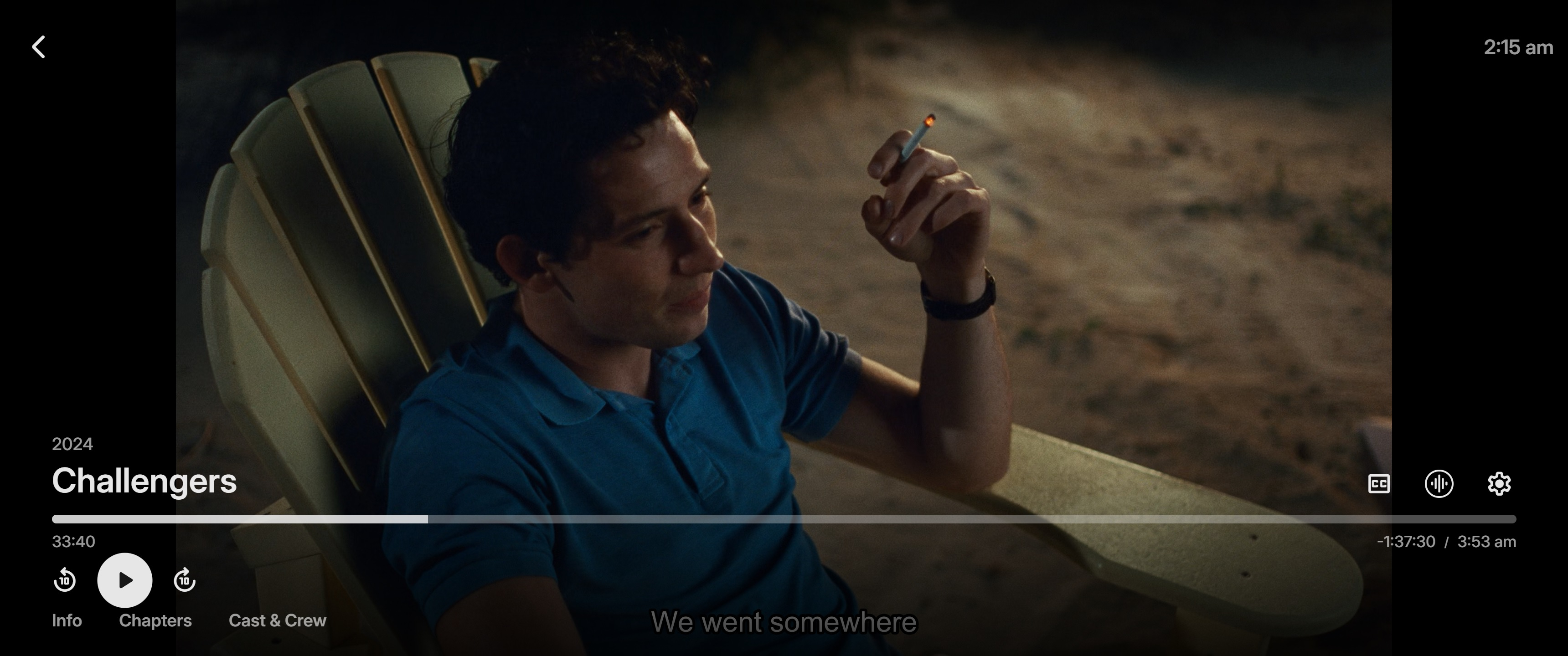
Play reaches the end but the last frame remain showing and the audio starts replaying from sometime well back
Luke replied to Gilgamesh_48's topic in Android
No it is likely an issue in the app. Thanks.