All Activity
- Past hour
-
 StuChase joined the community
 -
 Chloestlo joined the community
 -
 52518 joined the community
 -
 Hrnuszen@gmail.com joined the community
 -
 remusninfator joined the community
 -
 jahidul10i joined the community
 -

Roku sees server, but shows no users and I can't log into my user profile
KylerMarkle replied to KylerMarkle's topic in Roku
Something weird I've noticed as well since I've tried the whole "uninstall emby" thing a number of times; even after uninstalling on my roku and re-installing, it still has the server memorized, but it's the previous default name of the server which I've since changed. I've also uninstalled emby and unplugged the roku for minutes, and the same strangeness persists. Not sure if it matters, but figured I'd mention it. -
 iR0096 joined the community
 -
 mirna948 joined the community
 -
 terryqthompson6 joined the community
 -
 jc4fi joined the community
 - Today
-
Roku sees server, but shows no users and I can't log into my user profile
KylerMarkle replied to KylerMarkle's topic in Roku
I'm assuming I'm missing something simple and early. Is there something I have to do to confirm the server is up? -
Roku sees server, but shows no users and I can't log into my user profile
KylerMarkle replied to KylerMarkle's topic in Roku
Network discovery is on. For the IP address of the server, should I be including the http: and the :8096 port at the end? I'm sure I've tried every variation at this point, just want to make sure. -

Roku sees server, but shows no users and I can't log into my user profile
speechles replied to KylerMarkle's topic in Roku
Is UPnP disabled on your router? If you have UPnP enabled and this setting checked it should just work. If you do not want to enable UPnP the guide below explains what to do. https://emby.media/support/articles/Connectivity.html
-
Roku sees server, but shows no users and I can't log into my user profile
KylerMarkle replied to KylerMarkle's topic in Roku
Yes, albeit on wifi instead of ethernet. No anti-virus aside from the default windows built in stuff. All the Emby stuff is also set to allow in Windows defender firewall. -
I appreciate the effort of you trying to make things better. I wish I could somehow help.
-

Bug: Transcoding causes buffering plus transcoding when sending to LG TV.
yocker replied to yocker's topic in General/Windows
The ffmpeg log has an example. -

Migrating from TerraMaster NAS to Ubuntu Server (i5-12500) - best approach for preserving watched status with
TMCsw replied to me@jackbenda.com's topic in Linux
Yes, it's the ID.s, the path doesn't matter. -
Hi, can you please provide new log files after doing that? Thanks !
-

playback is often paused, crashes, freezes but for a specific user (its the wife-BIG problem :))
Luke replied to Zeltak's topic in MacOS
OK we are looking into this. Thanks. -
HI, we are working on improving this. Thanks.
-
Bug: Transcoding causes buffering plus transcoding when sending to LG TV.
Luke replied to yocker's topic in General/Windows
HI there, can you please provide a specific example? How to Report a Problem Thanks ! -
Hi, yes this has been an issue forever and it is something we should look at getting resolved. Thanks.
-
Roku sees server, but shows no users and I can't log into my user profile
speechles replied to KylerMarkle's topic in Roku
The Roku is connected to the same router the Emby server is connected through? In other words, there isn't a double NAT situation going on is there? Where you have two routers on the same network each assign their own dhcp? Do you run any anti-virus that might be causing Emby to be invisible? You might need to make an exception for Emby if so. With Windows Firewall Emby should have already made the exception. You can temporarily disable Windows Firewall then try to connect and see if that makes it so the Roku can connect to the server. -
Bug report/feature request: Dolby TrueHD 7.1 transcodes into 192 kBit/s mp3 for Chrome client
Luke replied to AV1Opus's topic in General/Windows
Hi, we'll look at improving it. Thanks. -
Emby Connect, what kind of black magic is this?
Luke replied to MediaIntelNUC's topic in General/Windows
HI, has it continued? -
OK please keep us posted. Thanks.
-

Migrating from TerraMaster NAS to Ubuntu Server (i5-12500) - best approach for preserving watched status with
me@jackbenda.com replied to me@jackbenda.com's topic in Linux
@TMCsw- Thanks, that's really helpful. Just to clarify: when you say Backup and Restore works even with different paths, does that mean Emby matches items by their metadata provider IDs (TMDB, TVDB etc.) rather than file paths when restoring? Or would I still need to use Path Substitution (or recreate the original paths as mount points) to get it to line up? -
Roku sees server, but shows no users and I can't log into my user profile
KylerMarkle replied to KylerMarkle's topic in Roku
Windows, yes. My computer is connected via ethernet cable and says it's a private network. -
Roku sees server, but shows no users and I can't log into my user profile
speechles replied to KylerMarkle's topic in Roku
Is this a Windows PC? Is the network type set to Public or Private? You need to make sure the network type is set to Private.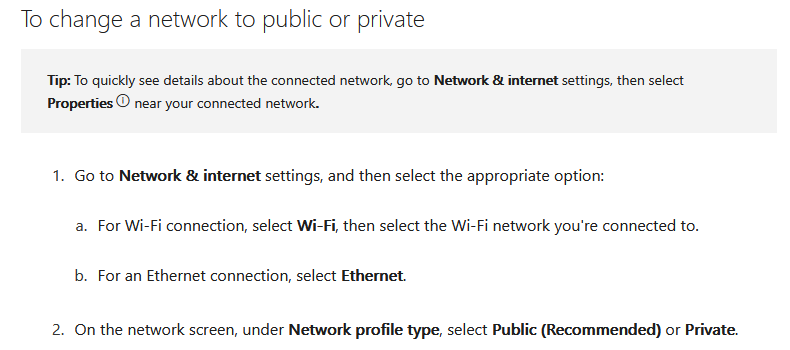
-
Roku sees server, but shows no users and I can't log into my user profile
KylerMarkle replied to KylerMarkle's topic in Roku
Yes, it's inside the LAN, though I'm not sure if the roku is on a subnet or something like that. I've tried to connect manually and it says it can't communicate with the server, using both LAN or WAN IP address listed inside EMBY.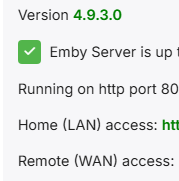
-
I did send the logs.
-
Migrating from TerraMaster NAS to Ubuntu Server (i5-12500) - best approach for preserving watched status with
TMCsw replied to me@jackbenda.com's topic in Linux
“Backup and Restore” should work just fine to preserve the user-watched status, even if the files are on different paths than before. No need for Trakt. You can actually recreate the paths on Ubuntu “/Volume1/public/Films”, using /mnt/… It's just a suggestion, not a requirement. (SMB or NFS) Just mount them properly in /etc/fstab. Regardless of the paths, "Save artwork to media folders" and "Save metadata to NFO files" will make the scan go much quicker if the paths change. YMMV, so test before punishing your users! Don’t disable your current setup; both can run concurrently (yes, the same Premier key can be used on both). And you can always try again. I don’t use “Emby Connect”, so I can’t help with that. -
Roku sees server, but shows no users and I can't log into my user profile
speechles replied to KylerMarkle's topic in Roku
This is inside your own LAN? If so, you can disregard Emby connect unless you want to connect remotely. If you are connect locally. Which is the case, when both the server and the Roku exist at your house. To avoid disruption during internet outages. I would configure the user manually so that if ever the internet isn't reachable you would still have access to your Emby server using that manually created user over your LAN. Does it show any errors on the Roku (error numbers, error strings, anything?) when trying to connect manually? To recreate an entirely new install on the Roku you would need to delete all the Emby apps from that Roku. Then restart the Roku so it deletes the app cache stored for Emby. Then install Emby on the Roku again and start it. You will be presented as if it was the first time you've ever used the app. You should then choose to skip and connect manually. After that enter everything matching the web dashboard for your LAN IP address and host. Then enter your username and password you assigned to that user in your Emby server settings when you set up that user. When you set a user up manually you set their password. They then must complete this challenge when presented with the password box on the Roku. With Emby Connect the password is the same as you would use on this forum to login to that user. You want to avoid using Emby Connect on a local connection because it requires working internet to log in. You might have times when the internet dips and then you are locked out of Emby on your Roku unless you at that time manually enter the information.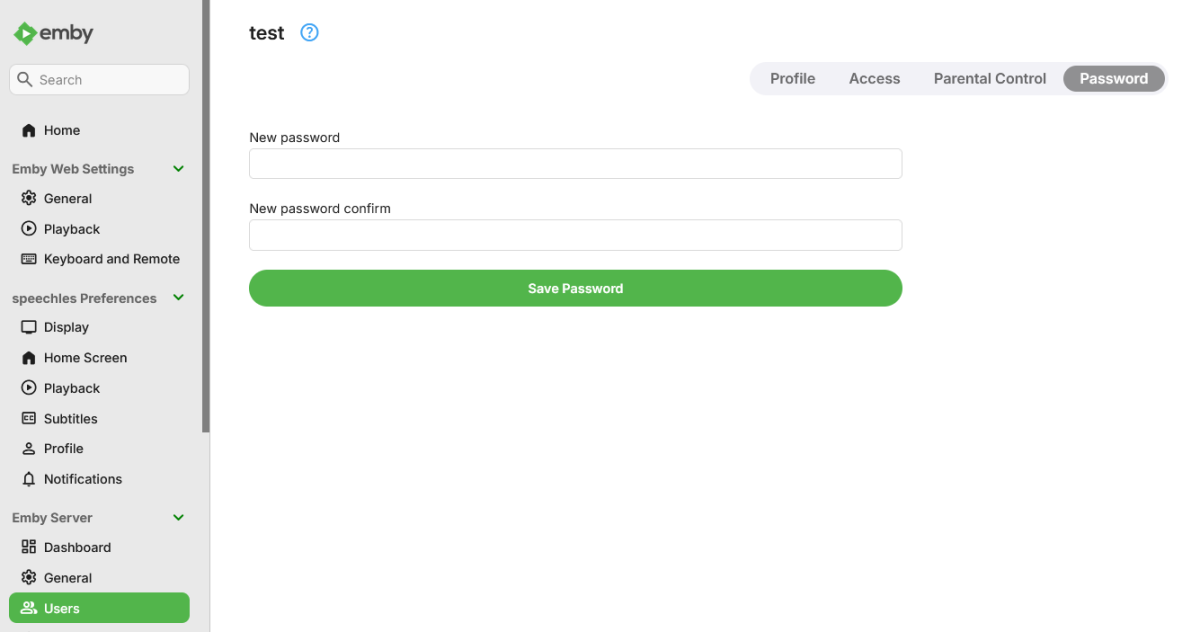
- Yesterday
-
Roku sees server, but shows no users and I can't log into my user profile
KylerMarkle replied to KylerMarkle's topic in Roku
My own server; I used emby connect, I've tried unsuccessfully to connect manually