All Activity
- Past hour
-
 menu1988 joined the community
 -
 Christian988 joined the community
 -
 sylvie1970 joined the community
 -
 Craigo600 joined the community
 -
 liljabara joined the community
 -
 uiwki73813 joined the community
 -
 梅西桑德罗 joined the community
 -
 Angellunas1998 joined the community
 -
 EmmaJoan joined the community
 -
 PFDaddy joined the community
 - Today
-

Can't display videos, Exception has been thrown by the target of an invocation.
pwhodges replied to bobbee001's topic in General/Windows
You'd be stuck with comprehensively editing the database. Could you possibly change the other machine's drive letters to match? - or would that break other programs? Paul -
can't load video, Exception has been thrown by the target of an invocation.
pwhodges replied to bobbee001's topic in General/Windows
You'd be stuck with comprehensively editing the database. Could you possibly change the other machine's drive letters to match? - or would that break other programs? Paul -
When a user from an item's detail page in Emby chooses the download option and they're downloading it onto an iPad or an iPhone, in the control bar at the bottom in the middle it has a downloads button. I see this either on MB's home page or on any of the detail pages. If you're on the home page and you press downloads, will that show you all of the downloads that are currently on the machine that came in through MB? As opposed to when a user is on a detail page and clicks the download button, would that then show only downloads of that particular item? I can't quite figure it out, because whenever I try to download something to the iPad, it says it's downloading, but then there's no further indication of progress or anything else. When I go into the downloads folder, either the one on the home page or the one on that item's description page, nothing is there. Can you explain that? Thank you.
-

App hangs on launch after Shield standby — no requests reach server
tophDoggy replied to tophDoggy's topic in Android TV / Fire TV
First of all, my bad... Emby Server was still on 4.8.8, so that might be the issue right there. Guess I didn't catch that while updating everything else and running health checks on the NAS. Luke, my server dashboard does display the correct address. Sometimes when this happens it hangs until it goes to the screen to select the server, but it shows "SynologyNAS" as I would expect with the correct IP. And unless I'm misunderstanding something, I don't see how how that would be the issue since toggling ethernet or force closing the app fixes things. ebr, I downloaded "Emby for Android" version 3.5.36 com.mb.android. Between those 2 changes, we'll see if that fixes things. In the meantime, do you guys have any recommendations for further logging? -

Allow half-decimal numbering in episode order.
thekingswolf replied to Mkilbride's topic in Feature Requests
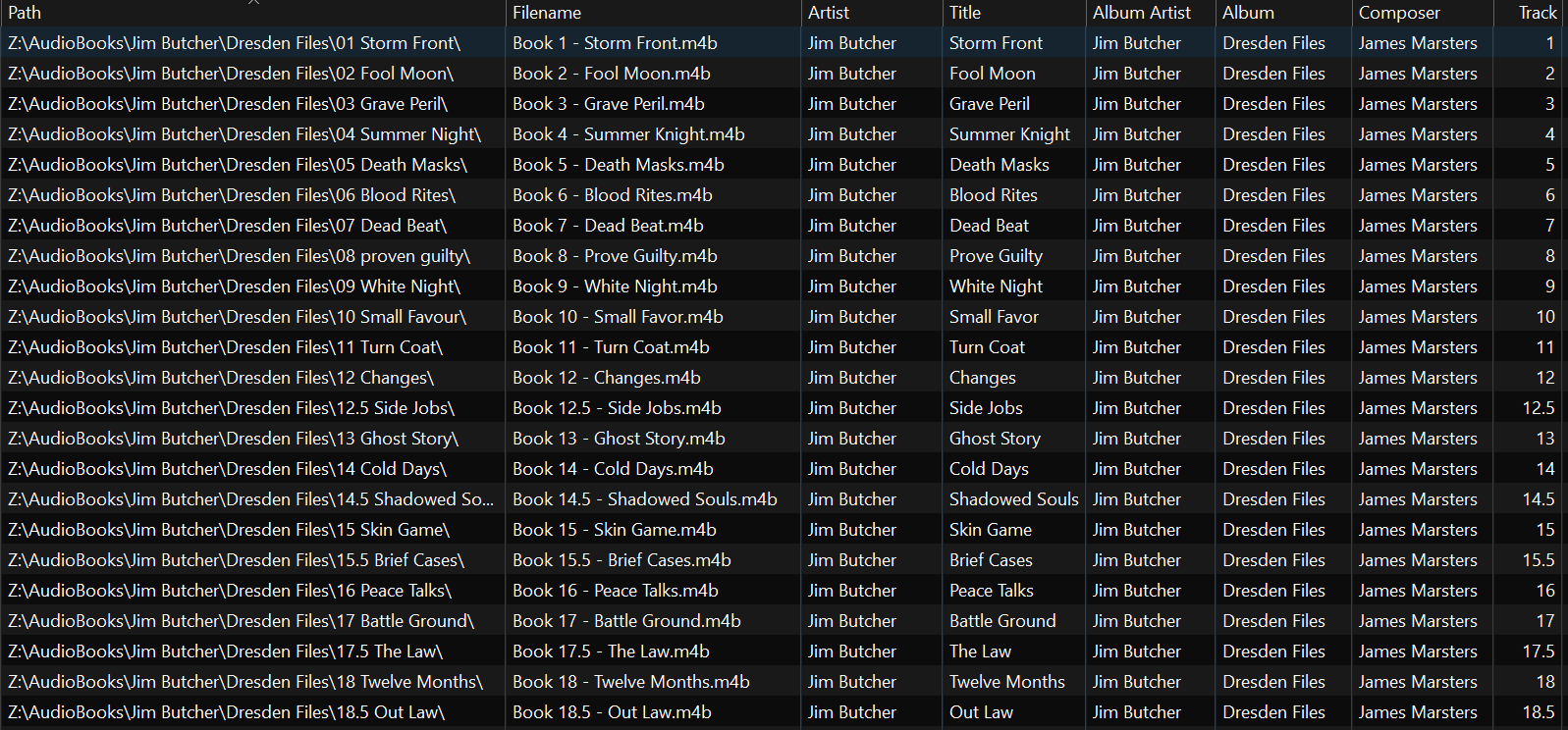
this is the best way i've found to organize audiobooks, i welcome alternatives to allow me to insert half books into the series as needed -
Allow half-decimal numbering in episode order.
thekingswolf replied to Mkilbride's topic in Feature Requests
Was directed to this 6yr old thread with no activity since 2023 lol. that functionality you are talking about with "Play episode before/after" is not available in Audiobooks. I have book series organized using album structure. Author/book series/book name, tagged the same in the file metadata. decimal places are not allowed and just put them at the top, need to be able to insert audiobooks in between tracks. see screen for example series how I do the tags for a book series to show up together.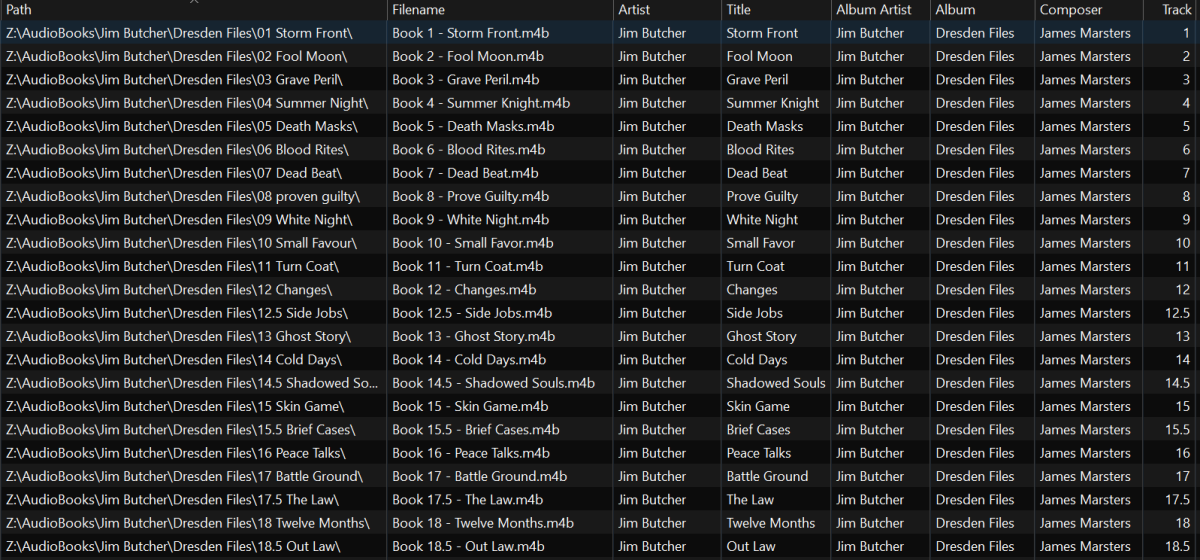
-
On my Nvidia Pro I am getting when opening Emby this message "Unable to connect to configure server" this last for second or so and goes away. I Have up to now ignored this since movies and video's all seems to play. I need to explain that a couple months ago I changed from a Qnap NAS to a Asustor SSD NAS using the same IP as Qnap which is no longer on my network, For the most part everything seems to play Bluray's, DVD's & video's; But I add a new mp4 video and it is slow to start on Emby and then plays for few seconds and seems to buffer and plays a few seconds. Other mp4 video's play fine. The offending mp4 video plays fine on my PC so I don't think the files is bad. Is there some setting that need to be change after changing NAS's?? Thanks Rew
-
Aperture v0.7.7 Release Notes This release strengthens recommendations and watch-history accuracy (duplicate library copies, in-progress exclusion, stale sync cleanup), improves Top Picks poster overlays, fixes STRM sidecar handling for Emby, and ships CI / developer tooling improvements. Baseline: follows v0.7.6. At a glance Theme What shipped Recommendations New Content Only now excludes in-progress movies and series at ≥ 5% playback progress; watched-title exclusion spans duplicate library copies (same TMDb/IMDb/TVDB ID). Watch history sync Syncs resume / partial plays from Emby/Jellyfin; maps items by external IDs when provider IDs differ; prunes removed media; dedupes rows that resolve to the same internal movie/episode before bulk upsert. Top Picks Skips stale items without valid media paths; prefers Emby library posters for rank overlays; improved poster URL resolution for overlays. STRM Renames basename-matched sidecars (BIF trickplay, chapters, subtitles) when symlinking to standardized names so Emby associates them correctly. Jobs (admin) Saving daily/weekly schedules can clear interval fields; JobConfigDialog save payload aligned with partial config params. CI / tooling Faster parallel CI (lint + typecheck job, parallel Docker builds); pnpm ship interactive menu for local build and GHCR deploy; pre-commit validate hook. Other Studio population deduped by name; German locale updates. Summary for users With New Content Only enabled, recommendations skip titles you have fully watched or started (about 5% or more progress), not just completed plays. Watched-content filtering is more reliable when the same film or show exists as multiple copies in your library (e.g. theatrical vs extended cuts). Top Picks rank overlays should show the correct library poster more often and omit broken/stale entries. STRM libraries should surface trickplay / chapter sidecars correctly in Emby after symlink renaming. Summary for admins Watch history and partial progress After sync-movie-watch-history / sync-series-watch-history: Rows store played, playback_position_ticks, and runtime_ticks from the media server. Resume items (/Users/{id}/Items/Resume) are synced alongside fully played and favorited titles. When New Content Only is on (include_watched = false), exclusion uses fully played titles or partial progress ≥ 5%. Taste profiles still use only fully played or favorited history (partial-only rows are not taste signals). Re-run watch-history sync after upgrading so partial progress is populated. Duplicate library copies Watch-history sync resolves movies and episodes by provider item ID, with TMDb / IMDb / TVDB fallback. Recommendation exclusion expands to all library copies sharing those external IDs. Top Picks posters Rank overlay images prefer posters from the user’s Emby/Jellyfin library when available, with improved URL resolution for overlay generation. STRM sidecars When Aperture symlinks media to standardized filenames, matching sidecar files (subtitles, BIF trickplay, chapters) sharing the same basename are renamed alongside the video so Emby can link them. Scheduled jobs UI Admin → Jobs — editing a daily or weekly schedule can clear optional interval fields without the save being rejected. Developers / operators pnpm ship — interactive menu for local Docker build, GHCR publish/pull, prod compose profiles, and CI workflow triggers (also linked from pnpm menu). GitHub Actions: separate fast check job (lint + typecheck) and parallel Docker image builds. Database migrations Run your usual migration command so this applies: Migration Purpose 0114_watch_history_playback_progress.sql Adds played, playback_position_ticks, runtime_ticks on watch_history; backfills played for existing fully watched rows. API notes (operators) GET /health — version field reports 0.7.7 (was previously stale in some builds). No new public settings API; include_watched behavior is unchanged — partial exclusion is automatic when New Content Only is selected. Update instructions For Docker users docker compose pull docker compose up -d Apply database migrations per your process (pnpm db:migrate or automatic on startup, depending on deployment). Operator checklist Run migrations — 0114 must apply before partial-progress exclusion can work. Re-sync watch history — run sync-movie-watch-history and sync-series-watch-history (or wait for the scheduled jobs) so resume position and runtime are populated. Re-generate recommendations (optional) — if users reported watched titles still appearing, run recommendation jobs after watch-history sync completes. Full changelog (commits since v0.7.6) b128e94 fix(sync): dedupe watch history rows before bulk upsert 6c6deea feat(recommendations): exclude in-progress titles at 5% threshold f96dca5 docs: add Cursor rules for lint, typecheck, and i18n 8b029e9 chore: resolve ESLint warnings and fix Docker prod-deps install 4948e79 ci: rename workflow jobs for clearer Actions UI d53dc79 fix(ci): build workspace packages before typecheck 723eff5 fix(top-picks): prefer Emby library posters for rank overlays a1d86a3 chore: fix lint errors and enforce validate in CI and pre-commit ed85b92 ci: run typecheck only in fast check job e68bed2 ci: parallelize Docker builds and add fast lint job 6936f51 fix(jobs): align JobConfigDialog save payload type with partial config params 7c5c0d0 fix(strm): rename basename-matched sidecars for Emby compatibility 0a1ff62 fix(jobs): allow clearing interval fields when saving daily/weekly schedules 6038840 try and fix missing poster overlay 793183a feat: add pnpm ship interactive menu for build and GHCR deploy d3fac75 fix(recommendations): exclude watched titles across duplicate library copies 7b969b9 fix(sync): prune removed media and map watch history by external IDs 644e6e1 fix(media): include external IDs in watch history API responses 996f1f5 fix(top-picks): skip stale items without valid media paths 18a6ef4 fix: dedupe studio population by name to avoid ON CONFLICT error 49de0ed updated german Thank you for running Aperture and reporting watch-history, recommendation, and Top Picks edge cases in production libraries.
-

ScripterX Help to see if I'm doing Things correctly? in windows.
TMCsw replied to Leafstrider's topic in Plugins
What is that? We need a lot more info to help you. Please provide screenshots, the script you are trying to run and logs. -
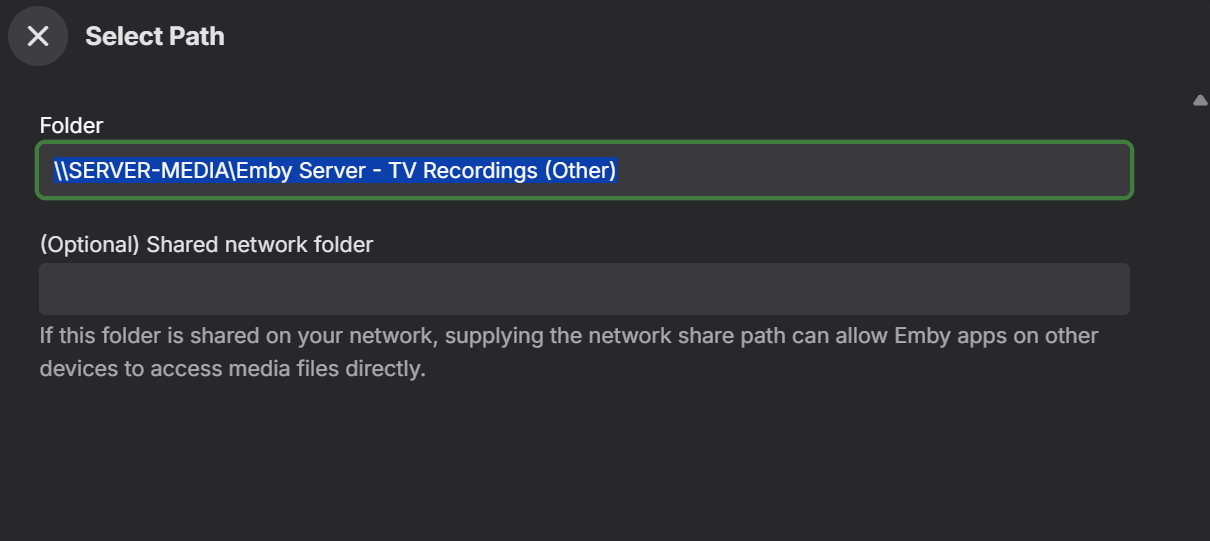
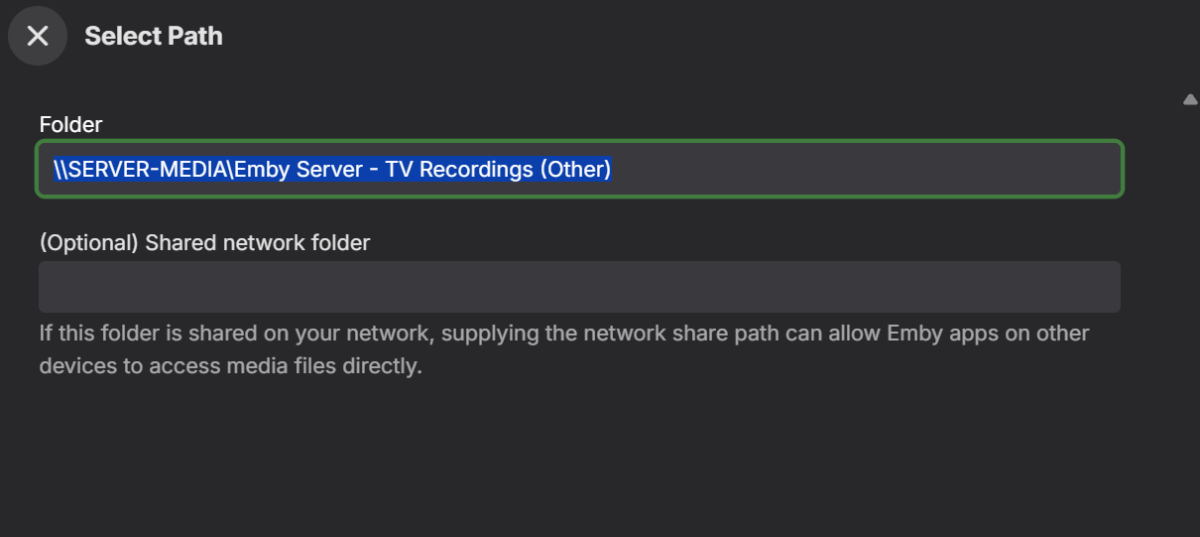
Hello, When i select an existing library to edit the media sources, the first field cannot be changed (you can highlight it, but cannot change it). As a workaround I have to add the new path and remove the old one. Doesn't matter if I was running as a service or not, same issue. Thanks, Erik
-
I'm just going to leave this here.
-

playback will result in a black screen with audio until device restart
BeachBum83 replied to katbyte's topic in Apple TV
Seemed like a good idea to jump in and say that I'm seeing this intermittently as well. Press play, the video starts, the sound is fine, but the picture is a black raster most of the time. Sometimes the picture is a dirty gray raster instead. At first, I thought restarting the hardware was the solution. But I later discovered that it's necessary only to quit and re-launch the Emby client to clear the error. For a while. -
Nice Job, I was starting to get tired of Emby, this theme just gave it life. But you could have just left the Dashboard with the original Emby Theme
-

Windows app not recognising Emby Premiere
wookie_jmc replied to ProjectBlue's topic in Windows & Xbox
My issue still persists. I double checked that TinyWall excepted Emby for Windows. The app still shows my premier key and I hit save on that page. The app responded that my key had been saved, but trying to play anything still fails. The error comes up that I don't have a Premier Subscription. I have other Windows and Linux machines with the Emby app and none of them are showing this behavior. They work correctly with nothing unexpected. Should I include logs or try some other t-shooting steps? -
close
-
For anyone else who wishes to remove the crew roles from the shows/movies, I have a Python script that will do this for you in seconds. It includes instructions on how to use within the header... by default this makes NO CHANGES - you must personally modify 1 line of code to commit the changes. Before I post it, I will check that Luke is okay with this being uploaded as an attachment first. If he agrees, I will post the Python script as an attachment. As always, the Python script WOULD BE supplied as is, and to be used wholly at your own risk. ALWAYS MAKE A BACKUP COPY OF YOUR LIBRARY.DB BEFORE MAKING ANY CHANGES.
-
I have problems with „zxx“ audio tracks. I created custom image and named it lang.zxx.png but it won’t be shown as overlay. The pictures lang.ger.png and lang.eng.png work as expected. what can I do?
-

Can't display videos, Exception has been thrown by the target of an invocation.
bobbee001 replied to bobbee001's topic in General/Windows
I reinstalled the emby server which appears to fix the issue. I have another PC with the same libraries, different drive letters. Are there files that I can copy to the newly installed server and then just change the drive letters? -
can't load video, Exception has been thrown by the target of an invocation.
bobbee001 replied to bobbee001's topic in General/Windows
I reinstalled the emby server which appears to fix the issue. I have another PC with the same libraries, different drive letters. Are there files that I can copy to the newly installed server and then just change the drive letters? -

Further Horizontal Home Screen Customization?
Smitty018210 replied to JGelps's topic in General/Windows
You should take a look at beta server section. I don't use it myself, but I know they are making a ton of home page changes for upcoming server version. -
Works like a charm! Thanks!
-
Turns out image size does work but requires a restart. So changing it to smaller gets a lot more on the screen which is nice. Notably it still doesn't change the left section at all. But this is pretty good.
-
-
Yeah, Dev opted for longer way around: click three-dots>select Go to Item in the dropdown.
-
Sorry to bump an old request, but how and why something so useful still has not made its way to the UI for playlist?