All Activity
- Past hour
-
 ealexko joined the community
 -
 demito joined the community
 -
also does sorting titles not work. it seams to arrange collections in alphabetical order. but sort title for things i want at the top or first in order of collections doesnt work. sort_title: _004_
-
 Pacificador1281 joined the community
 -
ty for the update just got a chance to try it. it seams adding the emby dll doesn't work. doesn't install on emby and cant find it in catalog or anywhere else. on the plus side it looks like the update are working for collections now, ty. had to trouble shoot some more errors. seams it doesn't like multiple sync:settings for different builders in same collection.
-
-
 Noyadahahn joined the community
 -
 satyasrodda joined the community
 -
 Noya dahahn1234 joined the community
 -
 SeadahbkK joined the community
 -
 koenig99 joined the community
 -
 Gmac777 joined the community
 -
 Sonofagun joined the community
 -
Switched to native and worked for me think has something with update ios 26.4 hope they update soon
-
https://emby.media/community/forum/93-android/
-
-

Transcoding in Emby Android but not in Emby Android TV
gnubrew replied to gnubrew's topic in Android
SFN says "embedded subtitles" as reason. But my settings should not lead to transcoding at all. Besides - emby is also transcoding when I play the video with deactivated ST. @tollgate: Emby android played videos directly. Emby Android TV still does it, even with subtitles. -
After reading several other posts on this topic, it is clear that this is not an isolated case. The old filesystem-based method for Persons is no longer reliable in the 4.8+ era, even if nobody wants to just say that plainly. What has made this especially frustrating is not just the behavior itself, but the support pattern around it. I tested the available refresh paths, described the results, and identified the only method that works reliably. At that point, continuing with repeated “one more detail” troubleshooting loops does not really address the core question anymore. That kind of approach may make sense for a one-off UI issue, but it is not helpful for a bulk workflow problem where the real question is whether the old method is still supported at all. I do not understand why that was not stated upfront, because it would have saved a lot of wasted time. At this point I have re-scripted my workflow to use the API instead. That works immediately and bypasses the manual UI/scanner limitations entirely. So for anyone else dealing with large local libraries: stop relying on direct filesystem management for actor images. The API is the only method I have found that reliably updates the database.
- Today
-

[URGENT] Large Server (90TB) — Library Scans Stalling on Synology NAS
js28194 replied to BaNanaBlocks's topic in General/Windows
Never had a large library scan prevent any playback. They can happen concurrently with no issues. The better minds would need the EmberServer.txt log file to take a peek. Sounds like drive/access issue. -
Nevermind it worked, I updated the wrong field in Emby which is what caused the issue. Port 80 worked thanks!
-
Now both lan and wan don't work. I set the port from 8096 to 80 inside my Emby server http port. In cloudflare I have: - hostname: emby.server.com service: http://192.168.1.xxx:8096
-
Here's a few screenshots and emby log showing what I mean. embyserver.txt
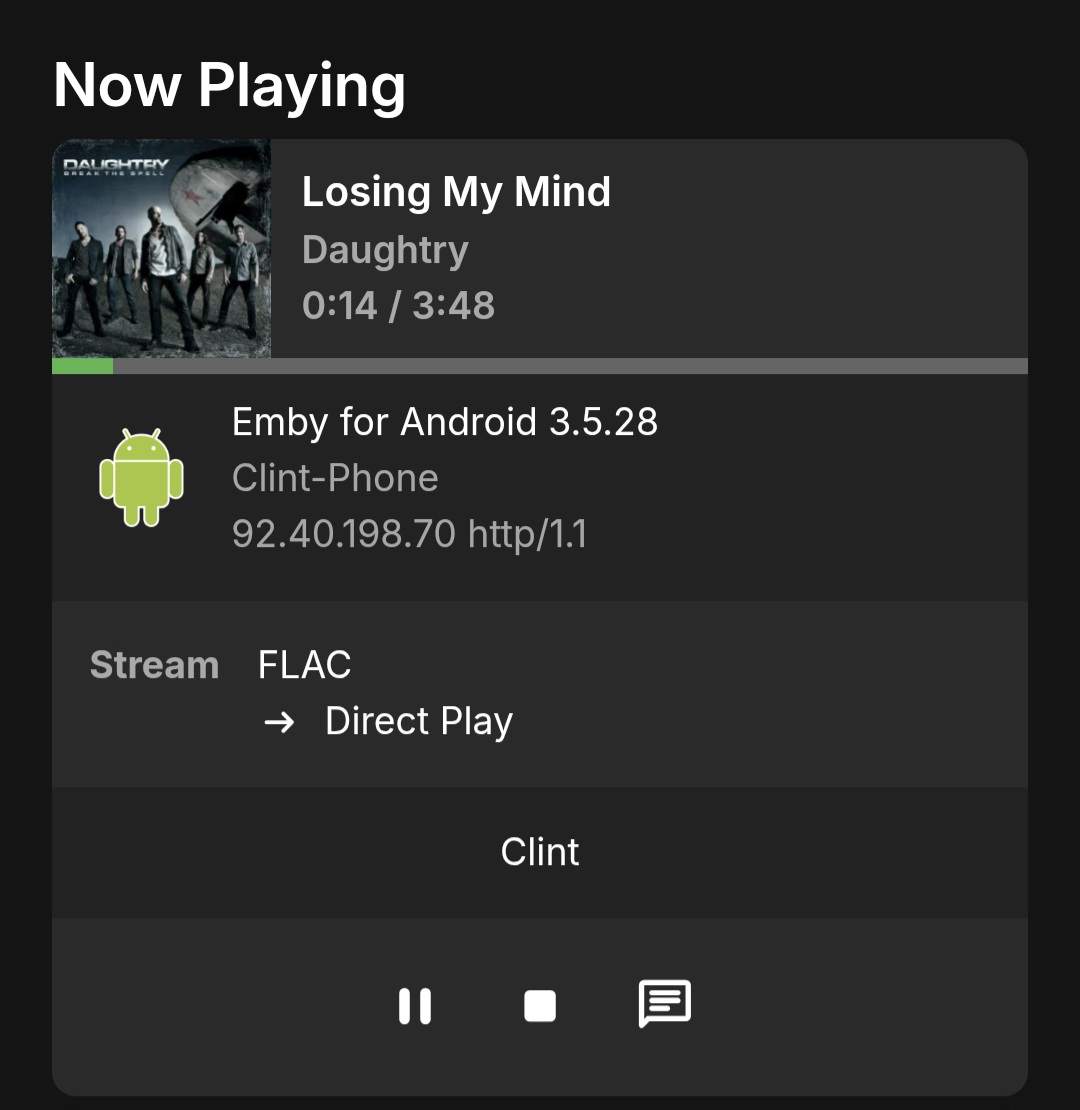
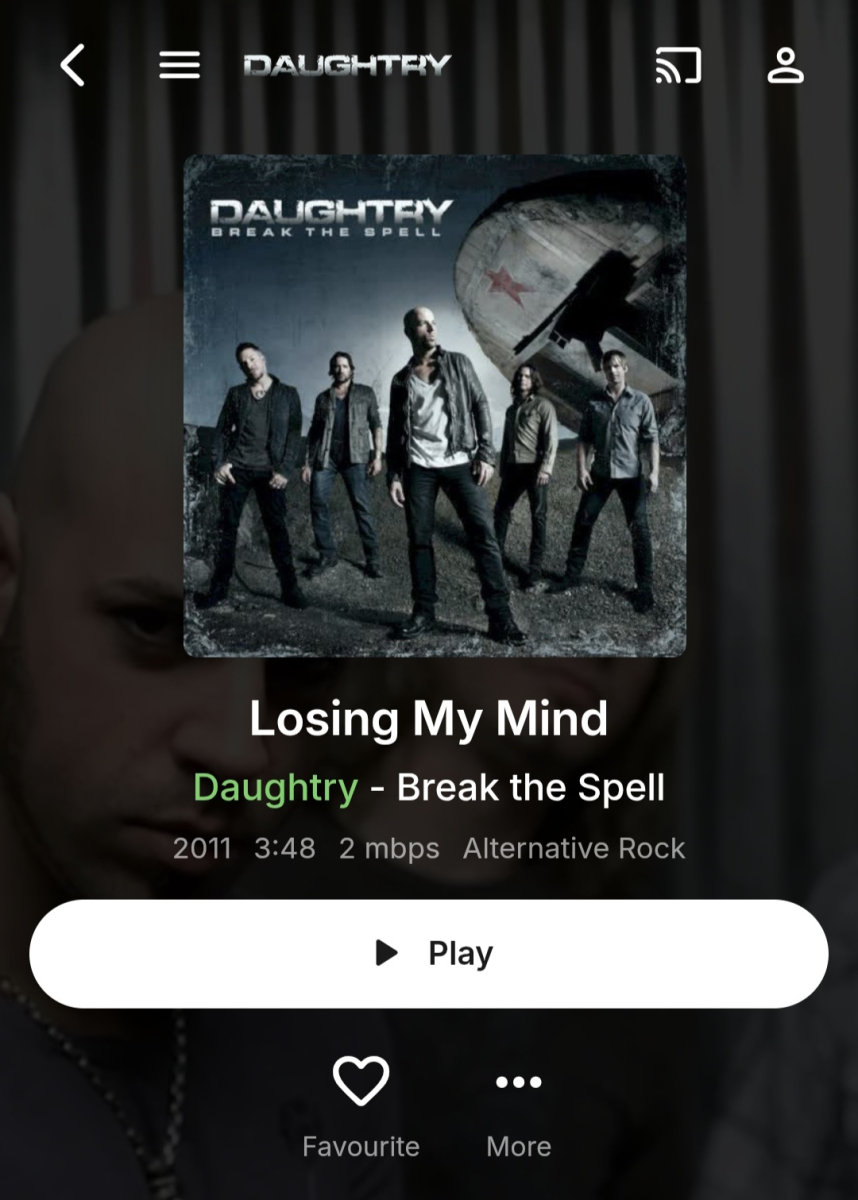
-
+1 This would be very useful; I'm going to try Vic's tool for now. EDIT: I tried Vic's tool, I do apricate his hard work but it is very hard to use. It shouldn't be a reason not to implement this feature request as native functionality
-
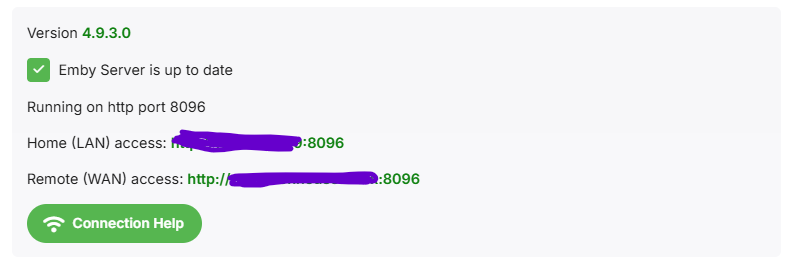
Domains point at IP addresses, NOT port numbers. Your domain only points to 192.168.1.xxx. With http, web browsers will try port 80 unless told otherwise. (https, they'll try 443) Cloudflare however is a proxy that is listening to port 80/443, and proxying to port 8096. Set your 'public http port number' to 80 under 'dashboard'>'network', and the address displayed on the dashboard will work.
-
I have a question relating to this topic. My cloudflare is on my hassio (homeassistant server). The cloudflate domain works but cloudflare already added the 8096 port into it. I noticed when I place this domain under the External domain it add an extra 8096. So lets say my cloudflare domain is: emby.server.com (which is linked to 196.168.1.XXX:8096), Emby makes it emby.server.com:8096 which is basically 196.168.1.XXX:8096:8096 hence it doesn't work when I click on it fromt the emby dashboard but when I use emby.server.com on its own it works but brings me to a login page that doesn't work (no matter what login I use it won't connect me).
-
Hi. If you have a current Jeep Wagoneer/Grand Wagoneer or a BMW i7, then our app should be available. These are the Amazon flavors of AAutomotive only.
-
Have you tried manually running "Scan metadata folder" scheduled task (which is separate task from all those listed) after replacing image?
-

Multiselect Metadata Editing ("Parental rating" / "Custom rating")
ebr replied to HanSolo's topic in Feature Requests
Hi, there's already an open request for this or something functionally equivalent. Please join in and contribute to the existing discussion at:- 1 reply
-
- 1
-

-
Where exactly: library-level refresh/scan on the library containing the media metadata refresh on the title containing the actor metadata refresh on the person entry itself subsequent scheduled scan behavior None of those caused Emby to adopt the manually placed replacement folder.jpg. In practice, the file was not honored and the result was either no update, a blank image, or removal of the file. If I upload the image through the web UI or API, Emby writes the same folder.jpg itself and it works. So the real question remains: is direct filesystem management of person images in metadata/people still intended to work, or not?
-
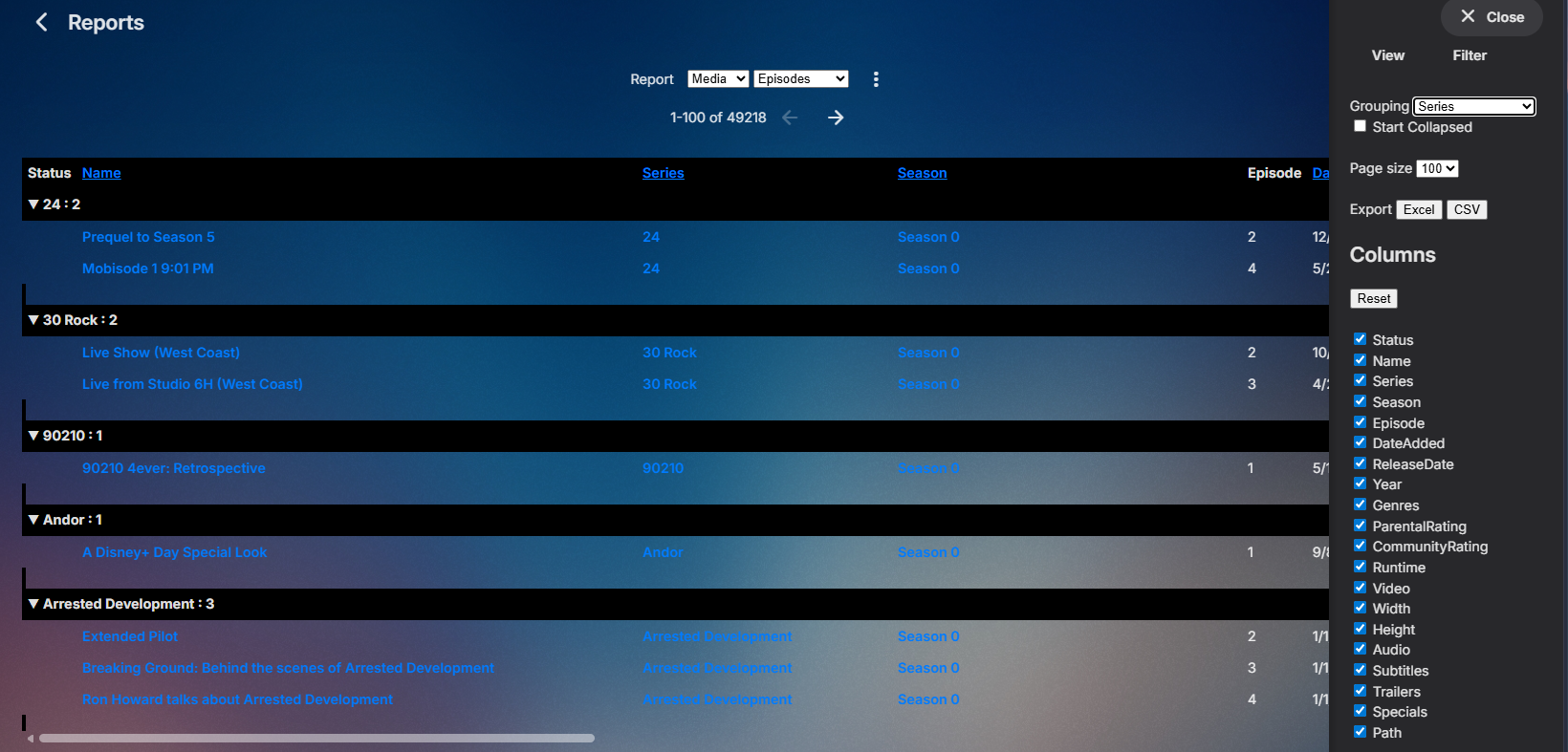
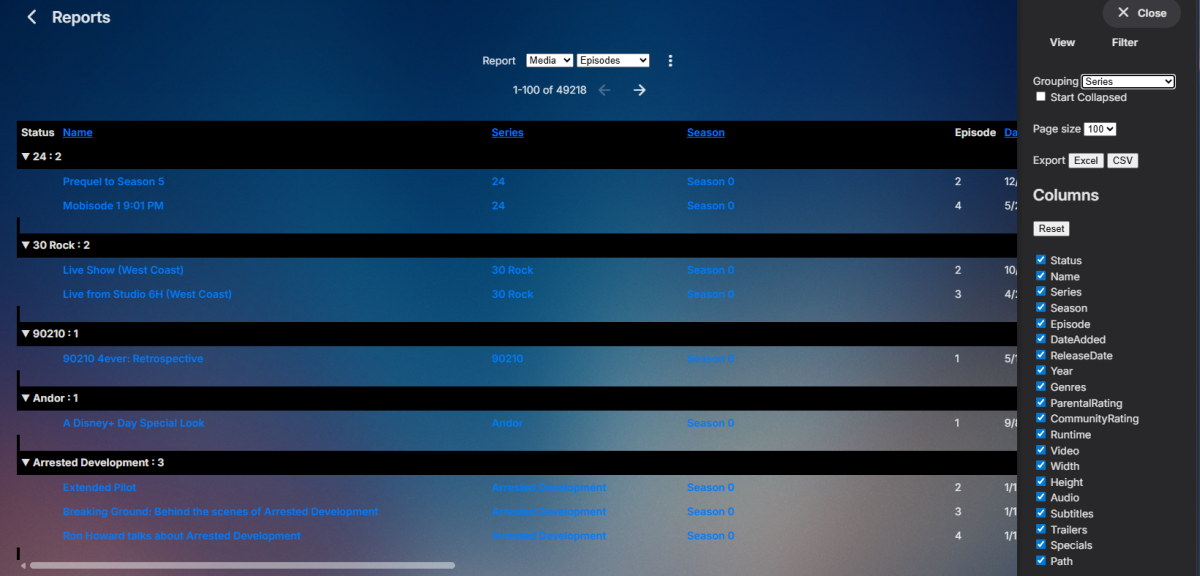
The closest you will get is the Reports plugin (in the plugin catalog) using the Episodes report grouped by Series. But don't believe it shows multiple track or size, but since it is a public/community plugin I wouldn't think it would be that hard for someone to add. MediaBrowser/EmbyReports
-

Subtitle Encoding Issue After Emby Premiere Activation
Andoo replied to Andoo's topic in General/Windows
I didn't want to publish my data, it seems like an absurd solution to me. I chose Jelyfin and I'm happy with it to this day. But thank you for trying to help and good luck to you. -

[URGENT] Large Server (90TB) — Library Scans Stalling on Synology NAS
BaNanaBlocks posted a topic in General/Windows
Running into a persistent issue I haven’t seen in years and could really use an experienced set of eyes. Emby Server: Windows PC Storage: Multiple Synology NAS devices (currently 2, adding a 3rd) Library Size: ~90TB Issue: Two of my largest libraries will not complete a scan. Scans start but never finish Content remains unavailable for playback Metadata is not updating This has been happening consistently for several days now. Impact: This is effectively blocking access to a large portion of my media and breaking normal server operation. What I’ve tried: Re-running scans multiple times Waiting extended periods (no completion) Request: Looking for guidance on: Identifying what’s causing the scan to stall Logs or diagnostics I should pull immediately Known issues with large libraries + Synology setups Happy to provide logs, screenshots, or run targeted tests right away. -

Multiselect Metadata Editing ("Parental rating" / "Custom rating")
HanSolo posted a topic in Feature Requests
Hello. I'd like to request the ability to edit the metadata for multiple files at the same time. It's really just the fields "Parental rating" / "Custom rating" that I'm interested in. Most of the time I can accomplish this using a tag editor but there is one case that I keep running into when editing the "Parental rating" or "Custom rating" that I can't accomplish with a tag editor. It would save me tons of time if I could select a bunch of files and update the "Parental rating" / "Custom rating." As far as I can see the "Parental rating" / "Custom rating" are not written as id3 tags so I can't use a tag editor to accomplish this. I think the info for "Parental rating" / "Custom rating" used to be written to the album folder .nfo files but could not find any evidence of this in my current library. Regardless, it's my understanding that there is no way to read nfo file information currently, so this won't work for me either. Thanks for the consideration -HS -
Haha, yeah thats a bit odd.. But I did use Claude Code to find what it could have been. And I build a function in the last version to make a call within Emby that is not exposed as an API, and this is similar to the same way malware works, and that's probably why the false-positive detection. I remade the function in the plugin to use another method that seems to be working. I have updated the .dll with a fix for this. (Didn't bother to update the version number)
-

Transcoding in Emby Android but not in Emby Android TV
tollgate replied to gnubrew's topic in Android
My understanding is the Shield does not support AV1 so transcoding on the server is always required.