All Activity
- Past hour
-
 ElianGames15 joined the community
 -
 nathalieantias1 joined the community
 -
 jgardel joined the community
 -
 jeancomall28 joined the community
 -
 kormama69 joined the community
 -
 EmbyAgent26 joined the community
 -

After Ver 4.9.5.0 updated, my RPi4 Kodi boxes would not play files from my TV folder
ItsDrBob posted a topic in Emby For Kodi Next Gen
Running a couple of Raspberry PI4s with Kodi21 and using Emby for Kodi Next Gen 10.0.47. They connect to my Synology with two directories, Movies and Television. After Emby updated on my Synology server I could no longer play anything in my Television folder with either RPi. It would come back as 'Unable to play' but Movies played fine. Restarted everything- no difference. Doing the 'update library' on Kodi did nothing. The resolution for me was to go to Add-ons/ Services and configure the settings in Emby for Kodi Next Gen/ Sync/Manage libraries/ and choose Repair Libraries. It went thru and put my episodes back so they would all play. Maybe someone will see this and save some time trying to figure out how to force a resync. -
 DudaRehder joined the community
 -
 Chandrika joined the community
 -
Yes, that's why I'm asking whether there could be artifacts in the Emby database. I have done the Emby dance multiple times including multiple scans and even restarting the server entirely while all of these files were nowhere near the Emby library directory. So why, @Luke, is Emby still showing Musicbrainz ID, when, as you can see from the files uploaded above, there is no musicbrainz ID anywhere in the individual Flac files. How are "albums" created that would have a musicbrainz ID associated with them, when not a single one of the individual track files has that information inside it.?
-
The logs you provided do not contain any outgoing requests to musicbrainz.
-
I believe we have a sanity check in place to ignore unrealistic dates such as 1594. That’s probably why it is blank.
- Today
-
But what if you change the messsage? Wouldn't you want the user to see it? That would not be possible if there was a "Do not show me this again" button too. The "Got It" allows you to collapse that item. It disappears. Suppose you update the message now "Server will be down Friday, June19th 5pm-7pm" but they used the do not show me again button. They now do not understand why your server disappeared. You get angry calls from family between the hours of 5pm and 7pm on Friday, June19th. We could store the message on the Roku to know if it changes or not. Then the "Do not show me this again" could be possible since the app could know the message has changed and then is going to show it to you since it is different. That would be possible too. At first I think we should just correct the issue of the text not wrapping and those issues. Then afterwards if we need to do something with an extra button we could perhaps look at doing that at that later time. But at first I think the bigger issue is the text is being cut off with just 1 line.
-

Can I install two versions of emby side by side on Sony Android TV?
EZEd replied to ivnivnivnivnivn's topic in Android TV / Fire TV
Both the DroidTV and standard Emby app can be loaded on the same device simultaneously but it may be that the OP is asking if 2 versions of DroidTV app can be loaded simultaneously and the answer is no. OP can you clarify? -

After ISP change, can't connect to Emby Server using WAN anymore
seanbuff replied to RhoSer's topic in General/Windows
It is highly likely that switching to Free has put you behind CGNAT. You will need to request to switch to their "IPv4 Full Stack" plan to be able to access your Emby Server via its WAN address again. -
Two months later and still nothing... it seems the developers aren't working very hard on this problem.
-

After ISP change, can't connect to Emby Server using WAN anymore
MBSki replied to RhoSer's topic in General/Windows
Take a close look at the port forwarding section. Did you adjust these settings on your router?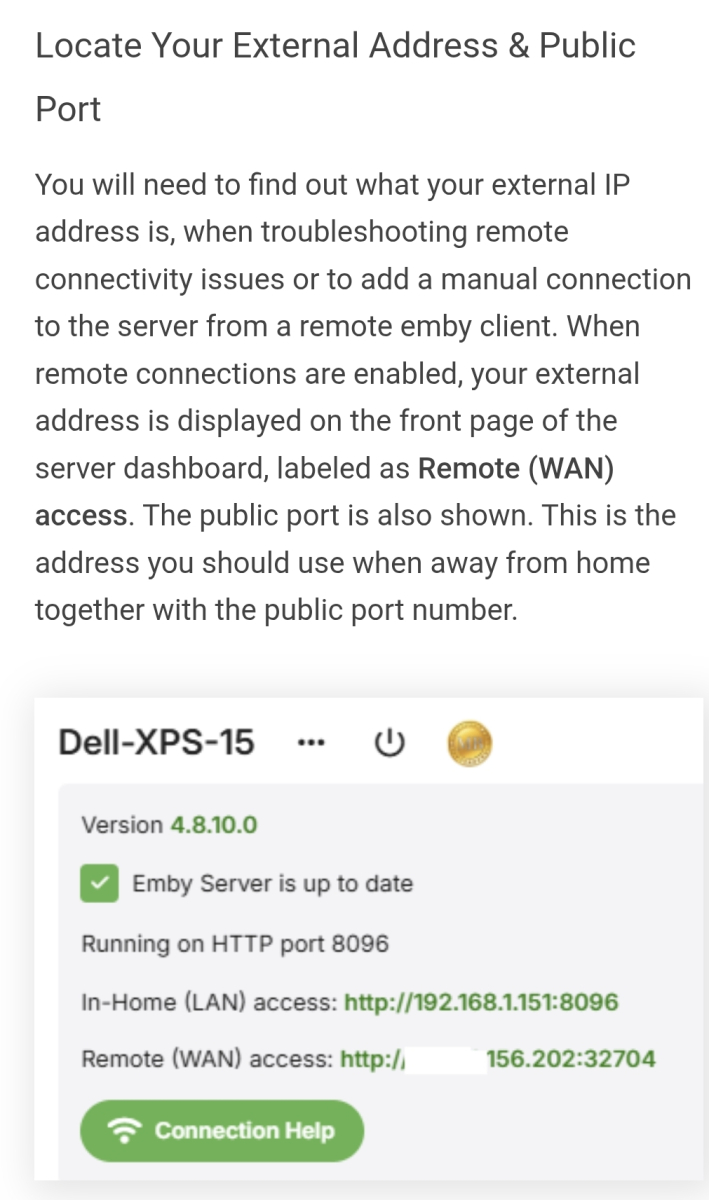
- Yesterday
-

2.310.2.0 only shows folder view in mixed content libraries
jellowe replied to jellowe's topic in Windows & Xbox
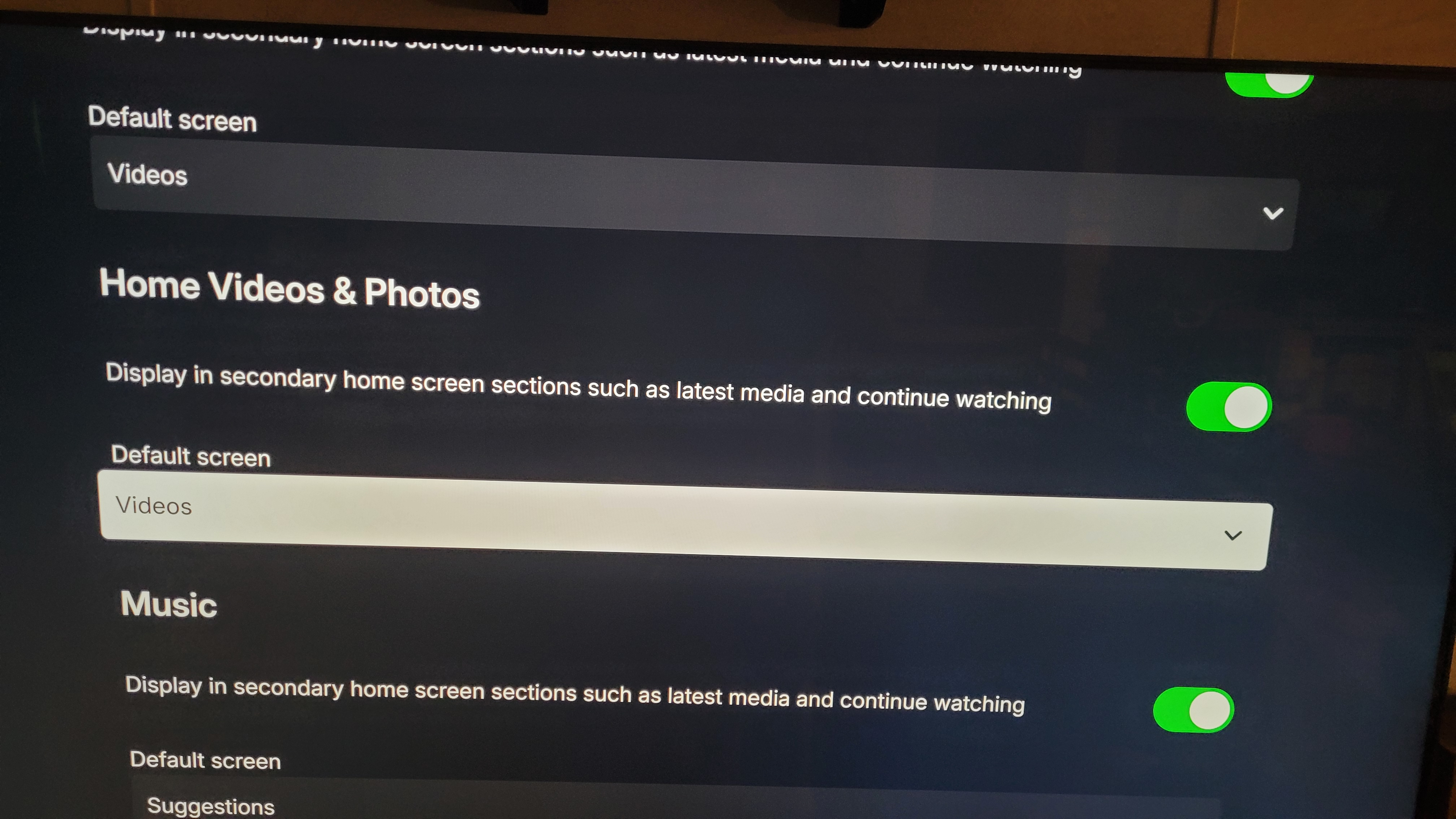
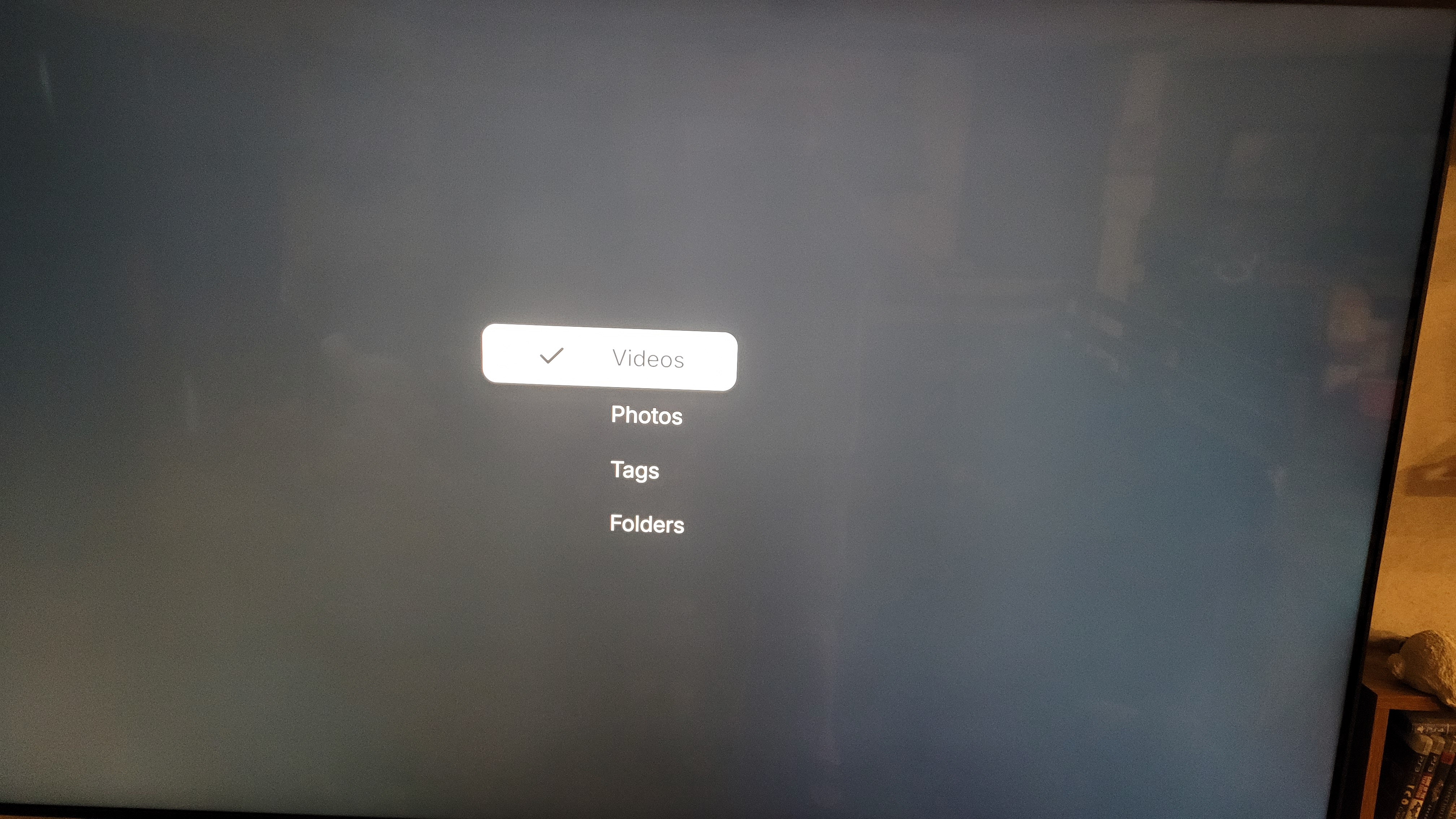
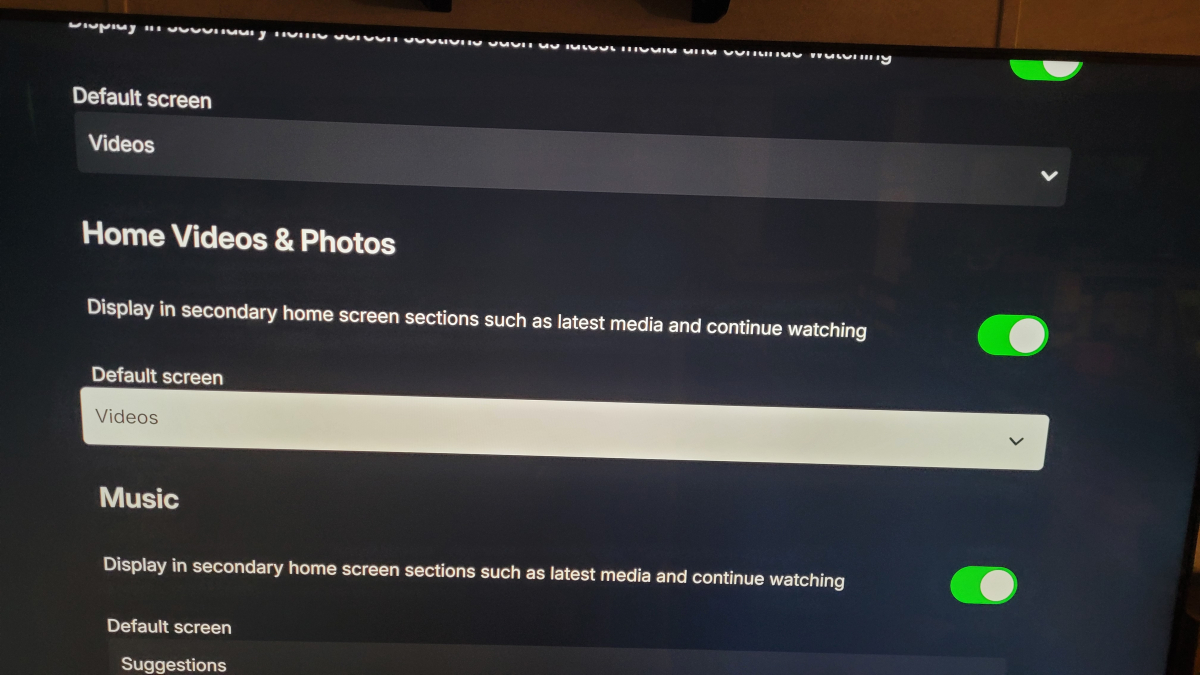
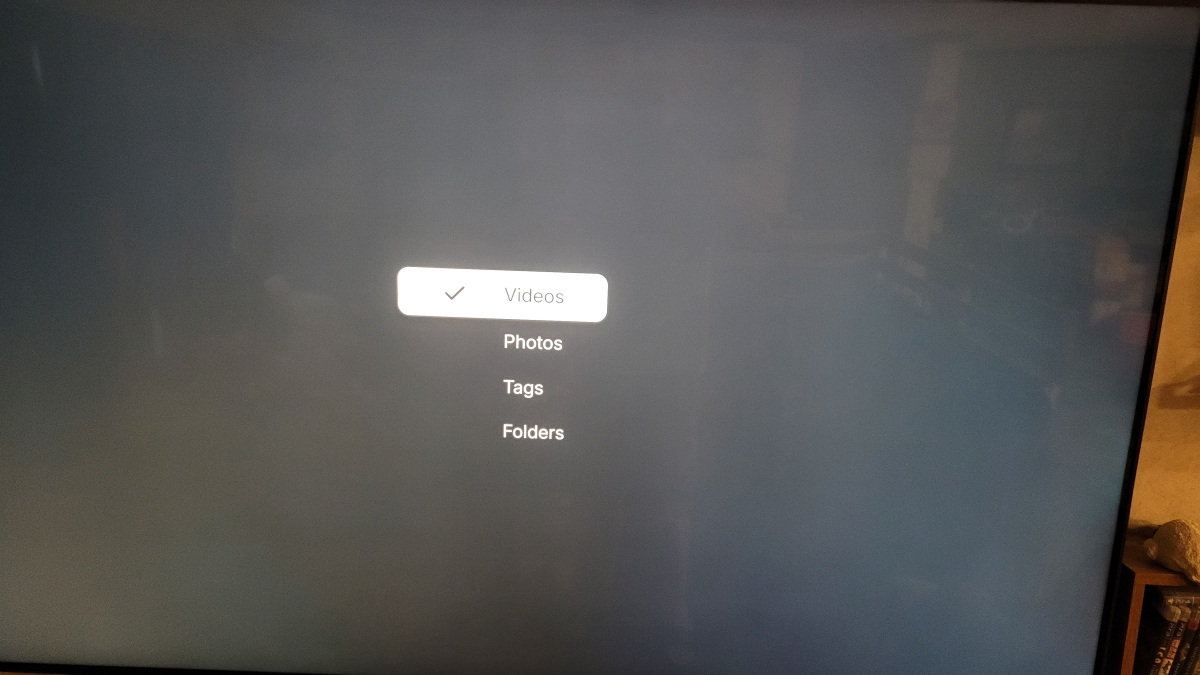
Thanks for the reply, but the horizontal/vertical is a system wide setting. In the previous version of the store app, the behavior matched the web client and Android client, where you could select folder view or video view. The new version no longer has the option to toggle. Is this something that can be added back in? In the Home Screen section of my user preferences it still shows these options but they no longer do anything. (Pic 2 and 3)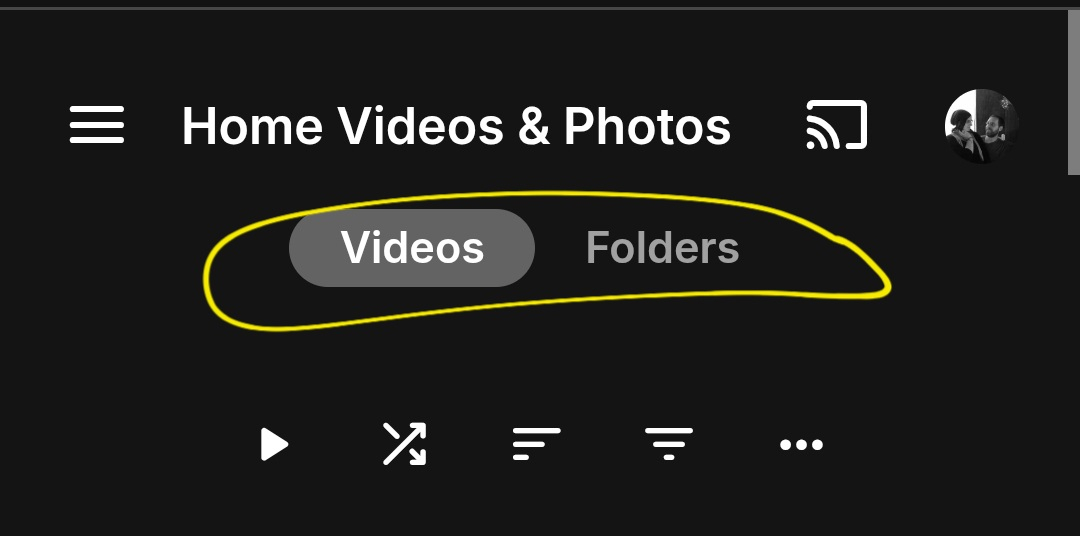
-
Just wondering why Emby doesn’t use the same Emby icon as everywhere else. I think it would look a lot better because it would be more minimalist. Right now it technically has the logo but it would look better if it was just the Emby logo in a black background with no letters. That’s what most modern apps do
-
I've been running an 8-bay DS1821+ with the same V1500B processor for 5 years now with no problem. I also don't do any transcoding, and all my movies are remuxes. The only thing I really did was bind my 4 network connections into two connections, but Emby was running fine before that. The only other thing I use my NAS for other than Emby is Surveillance Station for my security cameras.
-

MediaSync - Automated -arr/Emby sync tool, media pipeline dashboard (coming soon)
Eigeplackter replied to gbarone123's topic in Third Party Apps
Got it, thank you. Keep it up -

After ISP change, can't connect to Emby Server using WAN anymore
Abobader replied to RhoSer's topic in General/Windows
Hello RhoSer, ** This is an auto reply ** Please wait for someone from staff support or our members to reply to you. It's recommended to provide more info, as it explain in this thread: Thank you. Emby Team -

After ISP change, can't connect to Emby Server using WAN anymore
RhoSer posted a topic in General/Windows
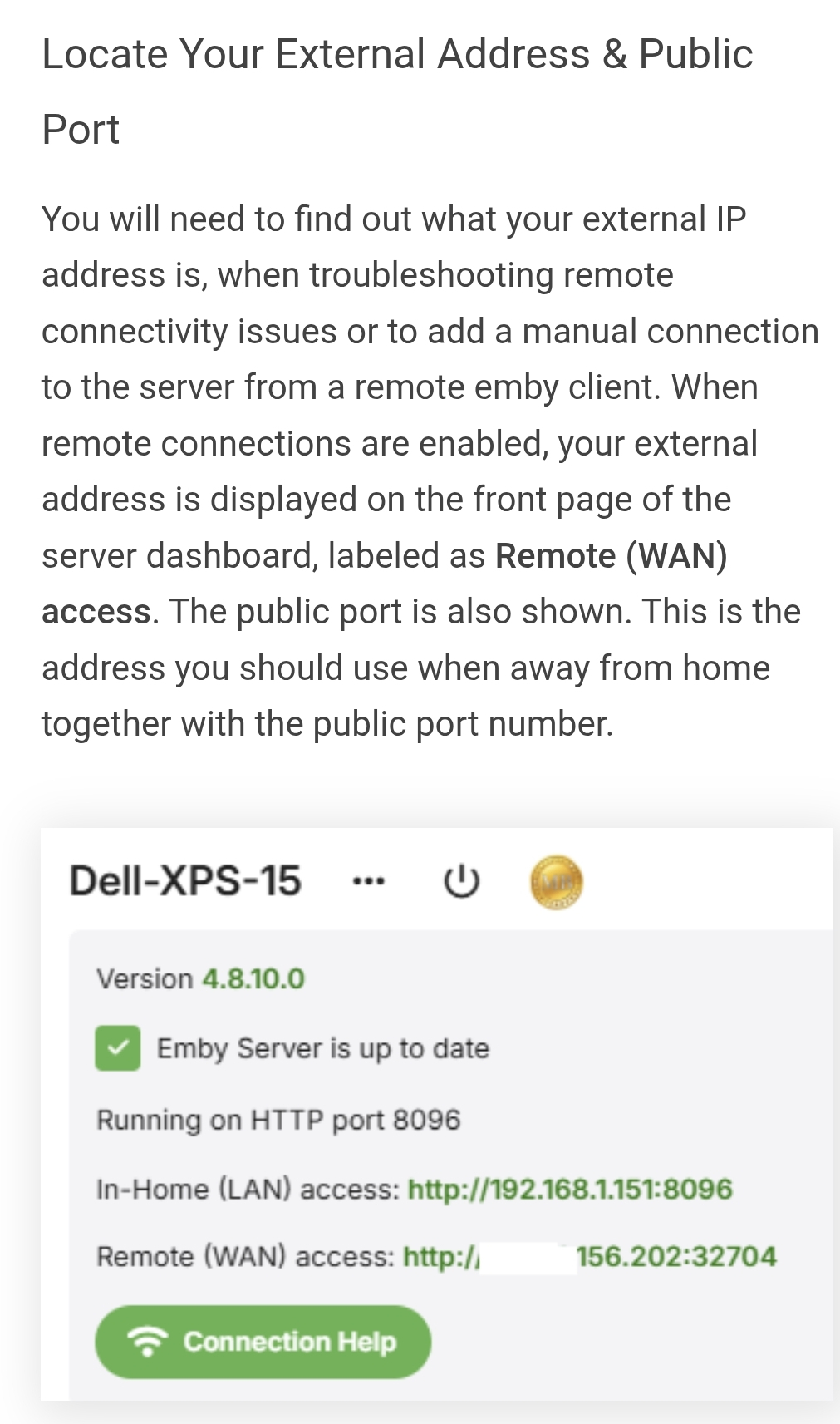
Hello, after swapping from Bouygues to my new ISP Free (I use a freebox), family members can no longer log into their accounts from their home address. It's saying that the WAN IP address doesn't allow the connection. I've followed thoroughly the steps outlined here: https://emby.media/support/articles/Connectivity.html#external-connections and I still cannot log into Emby outside the local network. I've made sure to enable automatic port forwarding via my router since it supports UPnP., I have changed the tag <IsPortAuthorized> to false in the xml file located here: C:\Users{username}\AppData\Roaming\Emby-Server\programdata\config\system.xml, I've seen insights related to DCHP reservation but first I wasn't sure how to set that up properly, and second I couldn't gauge whether it was relevant to my issue here. Could anyone provide guidance on what to do next?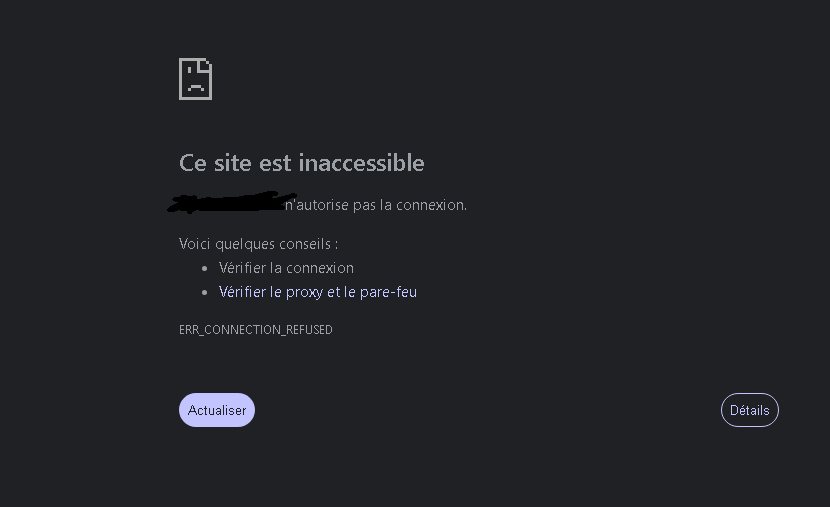
-
Hello all, I’m looking for some advice before i upgrade my home NAS, i have been looking at the Synology DS1525+ 5-Bay NAS Enclosure but I’m concerned about compatibility with Emby given the CPU Model is a AMD Ryzen. I do not use transcoding and play everything via direct stream. I was told on the Discord channel that the DS1525+ will not run Emby, i find this very odd and it cannot be correct? Please can any of the Devs confirm?? I don’t want to jump in a buy all the hardware only to find out the Emby doesn’t run, it would be an expensive mistake. Many thanks, Chris
-
FWIW, I got my Ugreen NAS a couple weeks ago (also after a Synology died). I also had to learn Docker and was hesitant at first but (1) it's really not a tough learning curve, and (2) you will get so much more out of it if you just learn it. This is great hardware and Docker opens up a whole world of stuff for which there aren't/probably will never be native apps. Also the nature of Docker is that you can mess around with stuff and fail with very little consequence, since everything's just running in its own container.
-

MediaSync - Automated -arr/Emby sync tool, media pipeline dashboard (coming soon)
gbarone123 replied to gbarone123's topic in Third Party Apps
Thanks for sticking with me through this. I think the issue is solved. Glad the naming convention issue got found before it was up too long. -
MediaSync - Automated -arr/Emby sync tool, media pipeline dashboard (coming soon)
gbarone123 replied to gbarone123's topic in Third Party Apps
Yup, naming convention caught me. It’s fixed now. You can pull v2.1.5 with latest now. Should be fixed for you now. -
These are minidumps - the default. I wanted to see if we can get a full dump. See my instructions about the registry changes When you get a full dump - it may be too big to attach so I will send you upload link for the zip and also the related logs
-
:sigh: A Docker container is isolated from the host and can only run commands that exist inside the image. Shell into the running container so that you can see what's available. $ docker exec -it <container name> /bin/sh Then try to see which commands are available from the container command line. You might also want to check their options because chances are that not the same ones are available as on your host OS, even for the same command. Hint: They'll be under /bin, not /usr/bin.
-
That's right, it will work correctly in Mexican Spanish, but I translate it into Spanish from Spain, or European Spanish as some people outside of Europe call it. And it doesn't translate it into Spanish from Spain, or what you categorize simply as Spanish. If the solution is that I have to put it in Mexican Spanish... Why bother translating it into Spanish from Spain, or Argentina, or even the United States... if it already works with Mexican Spanish?
-
Hola, aqui lo tienes. Saludos y gracias. logs.7z CrashDumps.7z
-
Hola, mi TV es antigua (2009 creo), y no tiene posiblidad de APPS. Es por ello que uso HTPC y Chromecast para Plex y Emby. Saludos
-
Getting a dump file and the associated Emby Windows app log files for one of these 2.310.2.0 crashes may help find the cause For the stable release from the MS Store, the logs should be here %LocalAppData%\Packages\EmbyMedia.EmbyTheater_svmepx4c03f7m\LocalCache\logs But suggest first you try and enable the windows option for getting dump files for these crashes You can use RegEdit to do that and then one enabled, the Emby app dmp files will be in this folder %LocalAppData%\CrashDumps Use the Windows Registry Editor to configure Windows Error Reporting: - Open Registry Editor: Press "Win + R", type "regedit"regedit, and hit Enter. - Navigate to "HKEY_LOCAL_MACHINE\SOFTWARE\Microsoft\Windows\Windows Error Reporting" - If there is a "LocalDumps" key below this then proceed to Configure Dump Settings, otherwise: - Create the "LocalDumps" Key: - Right-click on the "Windows Error Reporting" folder, select New > Key, and name it: LocalDumps. - Configure Dump Settings: - Right-Click on the LocalDumps key, - New > Key and name it: Emby.Client.WinUI.exe - Then Right-Click on the Emby.Client.WinUI.exe key - New > DWORD (32-bit) Value and name it: DumpCount - Set the value to 3 (only last 3 dumps will be kept) - And again Right-Click on the Emby.Client.WinUI.exe key - Select New > DWORD (32-bit) Value and name it: DumpType - Set the value to 2 The value of 2 for the DumpType will result in full dumps - change it to 1 after dumps are obtained. This will then switch to minidumps. Once you have a dump file and located the related app log files, let me know and I will send you an upload link