All Activity
- Past hour
-
 SilviaAnd joined the community
 -
 Wanderson7878 joined the community
 -
 Andrew401 joined the community
 -
 Ghan joined the community
 -
 pjhart07 joined the community
 -
 mickeyilove joined the community
 -
 2036154192 joined the community
 -
 yaraalm joined the community
 -
 Jesusplm joined the community
 -
 Klooo joined the community
 -

Stuck at Ready to Transfer (Windows Emby App)
mrtechnologist replied to mrtechnologist's topic in Windows & Xbox
Hi. I've updated the app via Microsoft Store app and the issue is still there. Still stuck at Ready to Transfer. Windows app version is 2.317.2.0 How to fix it? - Today
-

External subtitles (srt) reset after app suspended
sjsadowski replied to sjsadowski's topic in Android TV / Fire TV
com.mb.android 3.5.36 was what was downloaded from google play -
The web client and android client does seem to get close to 3300ms when requested, stangely larger values seem to be less generous, maybe i increased the value too far. Maybe the server restart message my user reported is interupted by something (the server restarting perhaps :-)) NotificationTimeOuts.mp4
-

Please send in an up to date stable version to the Tizen store
JonKanon replied to JonKanon's topic in Samsung Smart TV
Nice. Still not for me though... Model number: QE75QN95AATXXC -

Es werden keine Bilder und Beschreibungen mehr für Sammlungen geladen (Beta 4.10.0.24 )
Anz30 replied to Anz30's topic in German
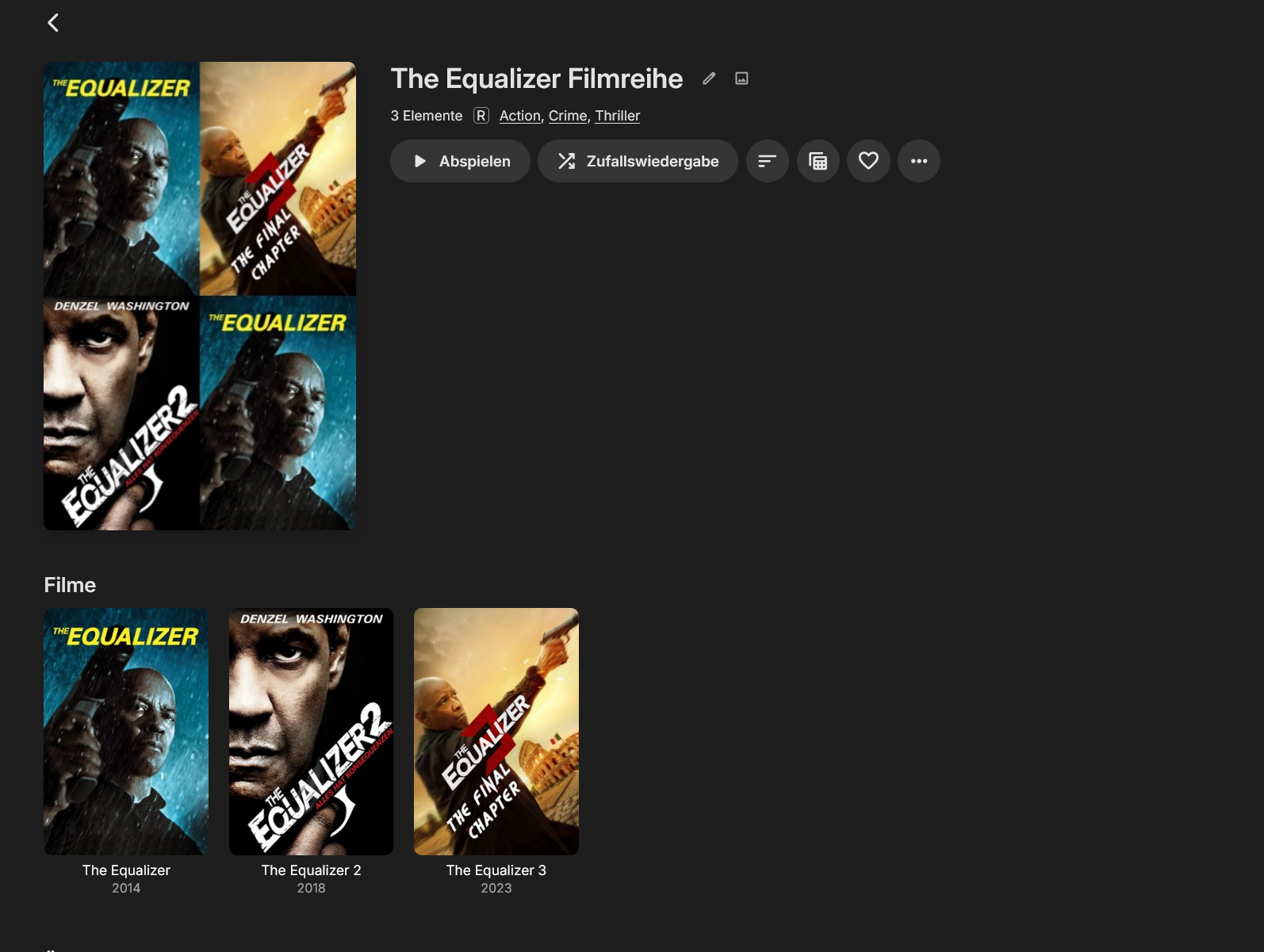
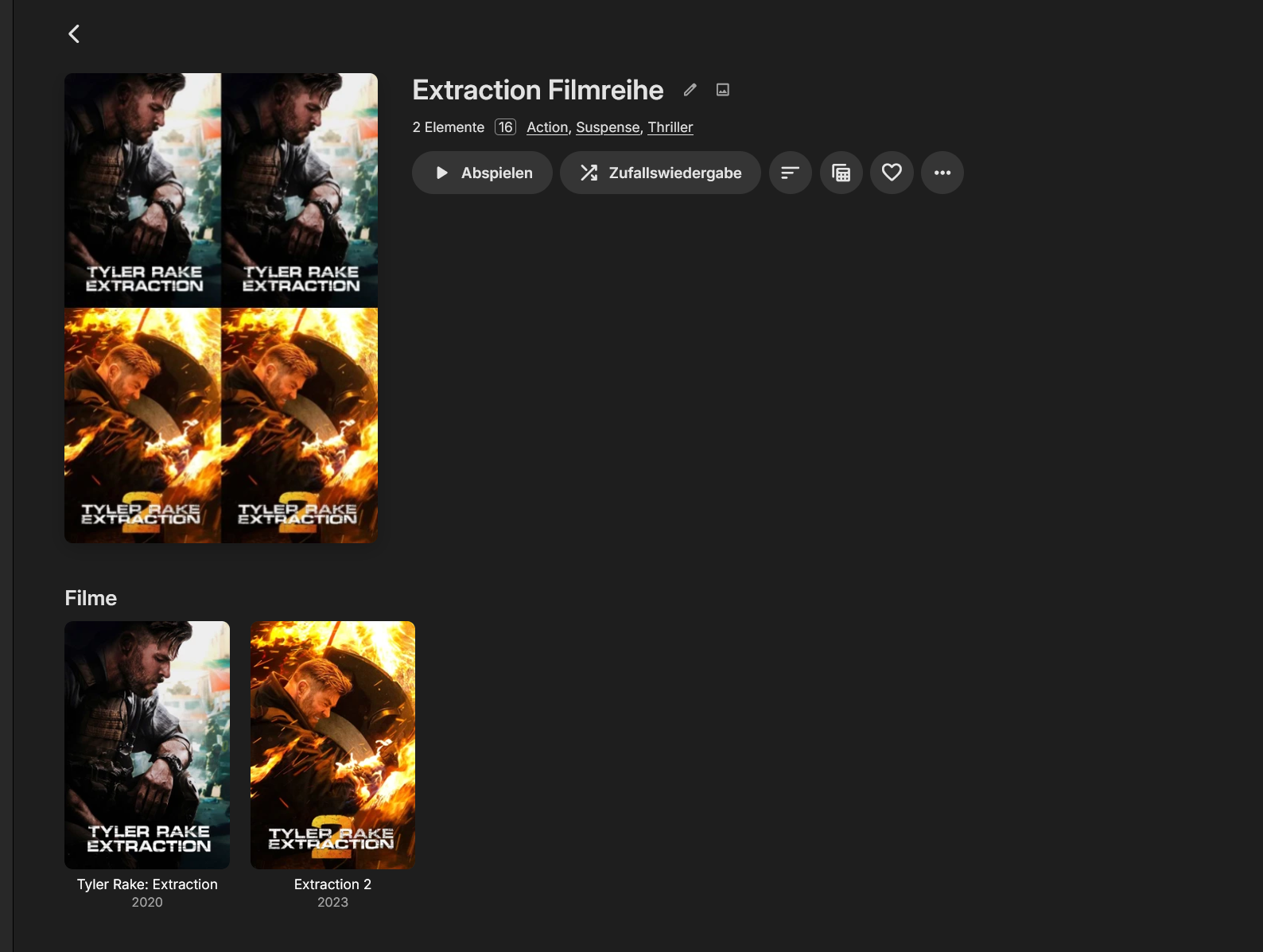
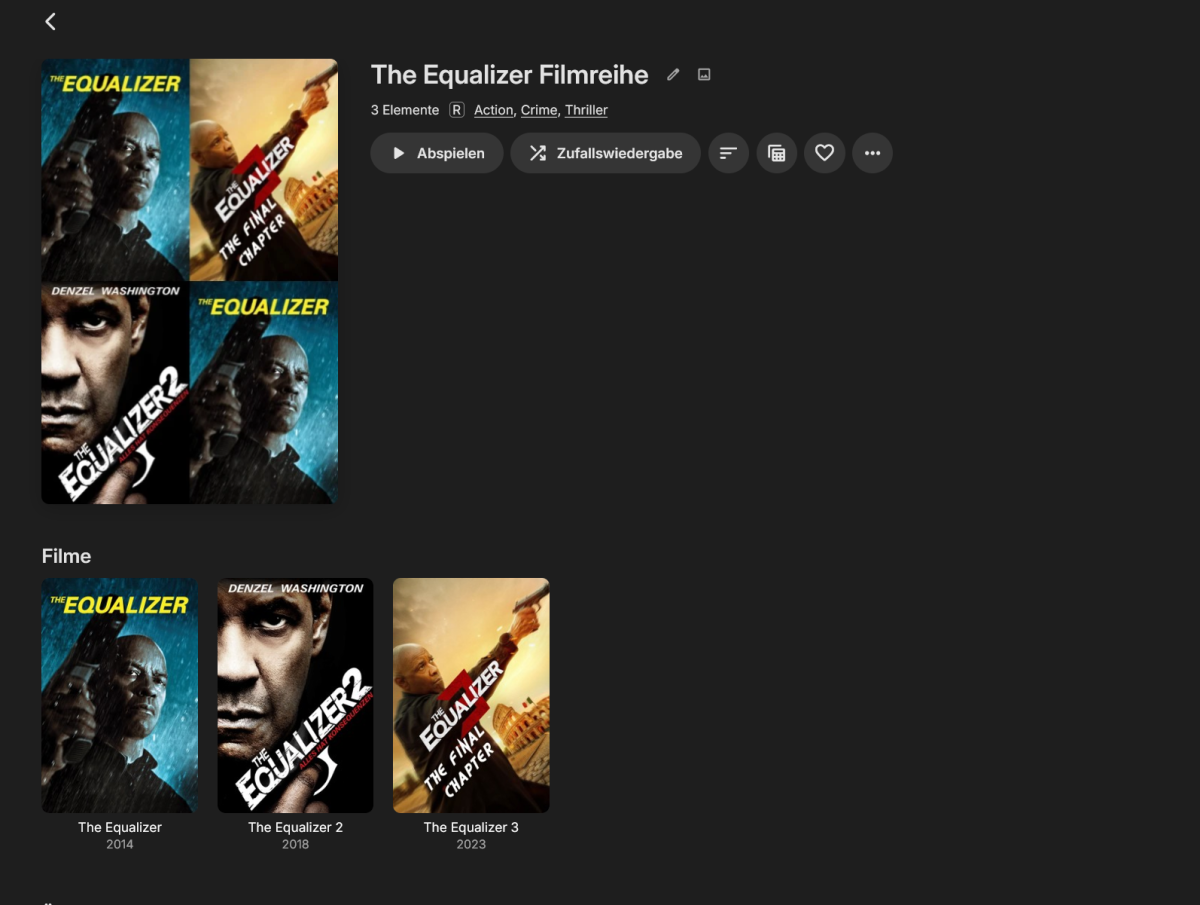
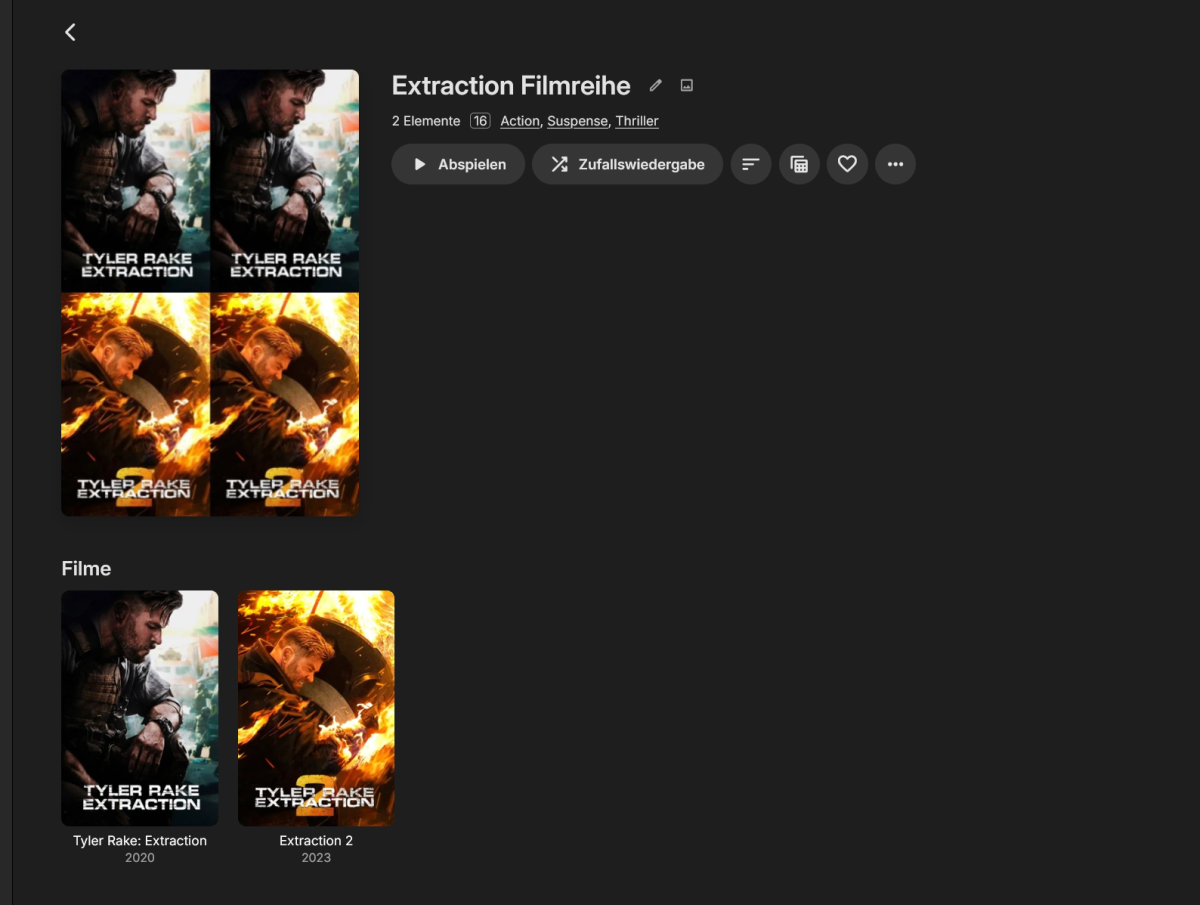
Danke Luke, hier war tatsächlich plötzlich kein Haken mehr drin. Ich hatte dort seit der Einrichtung damals nichts merhr verändert, verstehe nicht warum jetzt der Haken raus war. Es wurden ja bis auf die 2 aktuellen Beispiele in der Verganhenheit alle Sammlungen ordentlich geladen. Kann manchmal so einfach sein, muss man nur darauf kommen. Jetzt werden auch die beiden neu hinzugefügten Filmreihen wieder geladen. Es fehlt hier zwar noch die Beschreibung der beiden Reihen, damit kann ich aber leben, vor allem da es bei anderen Reihen geladen wurde. Vielleicht gab es für die beiden einfach keine. Edit: Hier nochmal für die einzelne Sammlung Metadaten erneuern, dann werden auch diese Infos nachgeladen Auf jedefall wieder mal ein großes Dankeschön für eure Geduld und Hilfe bei der Problemfindung. Ihr seid wirklich klasse - Danke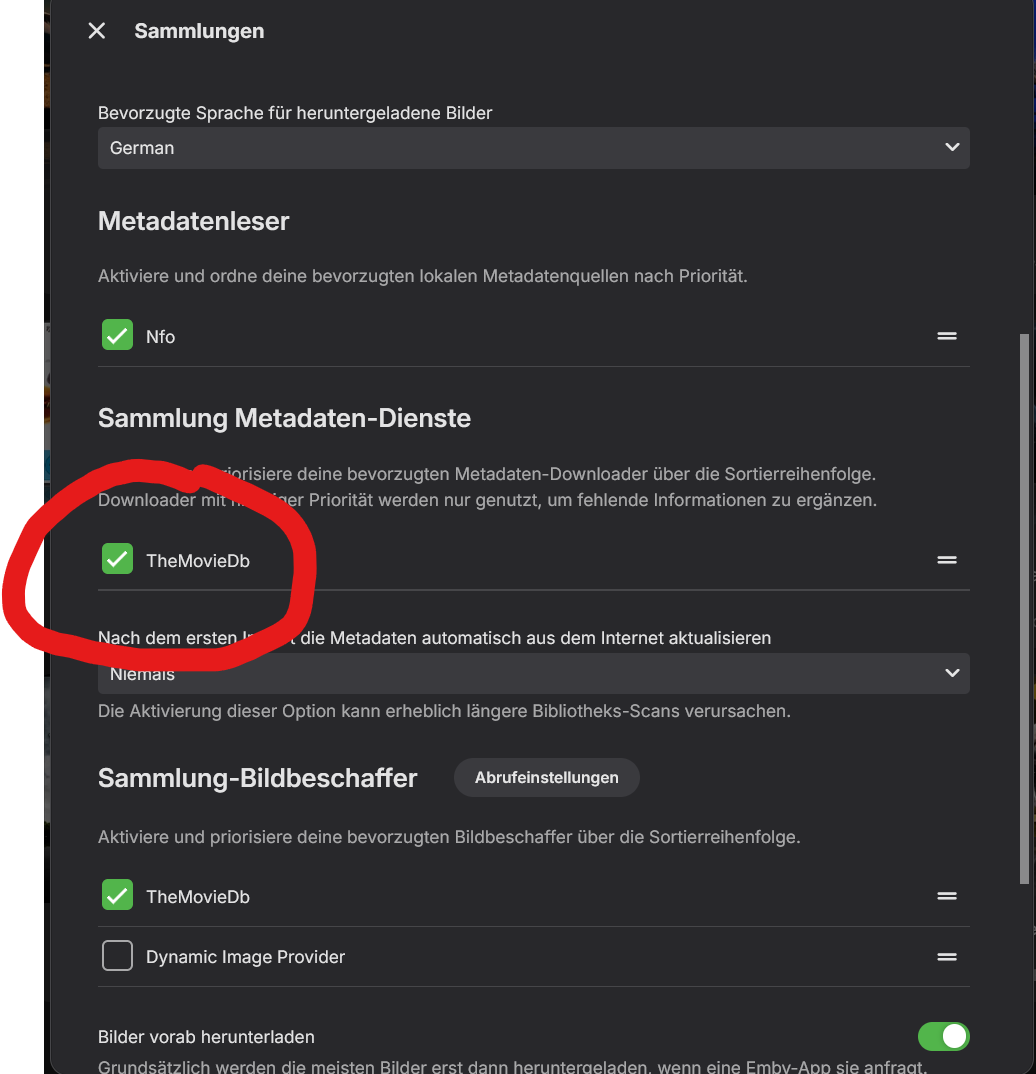
-
Hello York607, ** This is an auto reply ** Please wait for someone from staff support or our members to reply to you. It's recommended to provide more info, as it explain in this thread: Thank you. Emby Team
-
I just started using Emby earlier this month. I have a server set up with multiple users, and I recently noticed that the app will not download anything over cellular data. I am running an iPhone 17 with the most recent version of Emby for iOS and my close friend is using a S25 Ultra running the most recent version of Emby for Android. Both devices have the download over Wi-Fi only button unchecked. When initiating a download the server puts it in a “Ready to Transfer” status where it continues to sit as the app will not pull it unless you are connected to Wi-Fi. From checking the logs it appears to go down the file path and then cannot see the movie file on cellular, but as soon as I turn on WiFi only and enable WiFi on my phone it begins to download. Attached will be logs from my iPhone where I attempted to download the movie Alien from my local server. emby_ios_1786866590956.563.txt
-

High RAM usage on Emby Server 4.9.3.0 even with Direct Play and rclone mounts
iloveparks replied to jordan888's topic in Linux
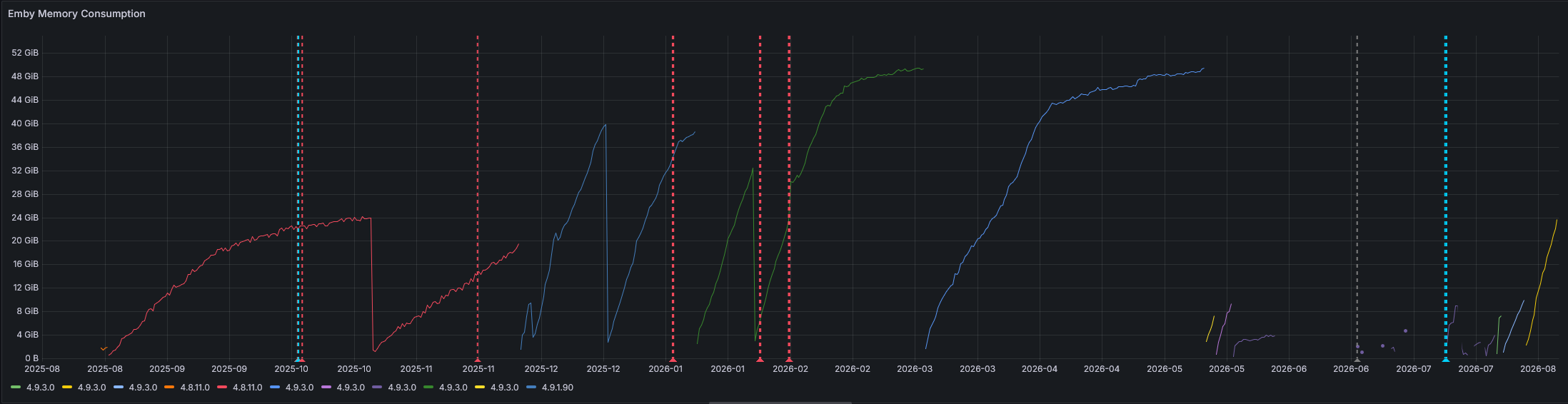
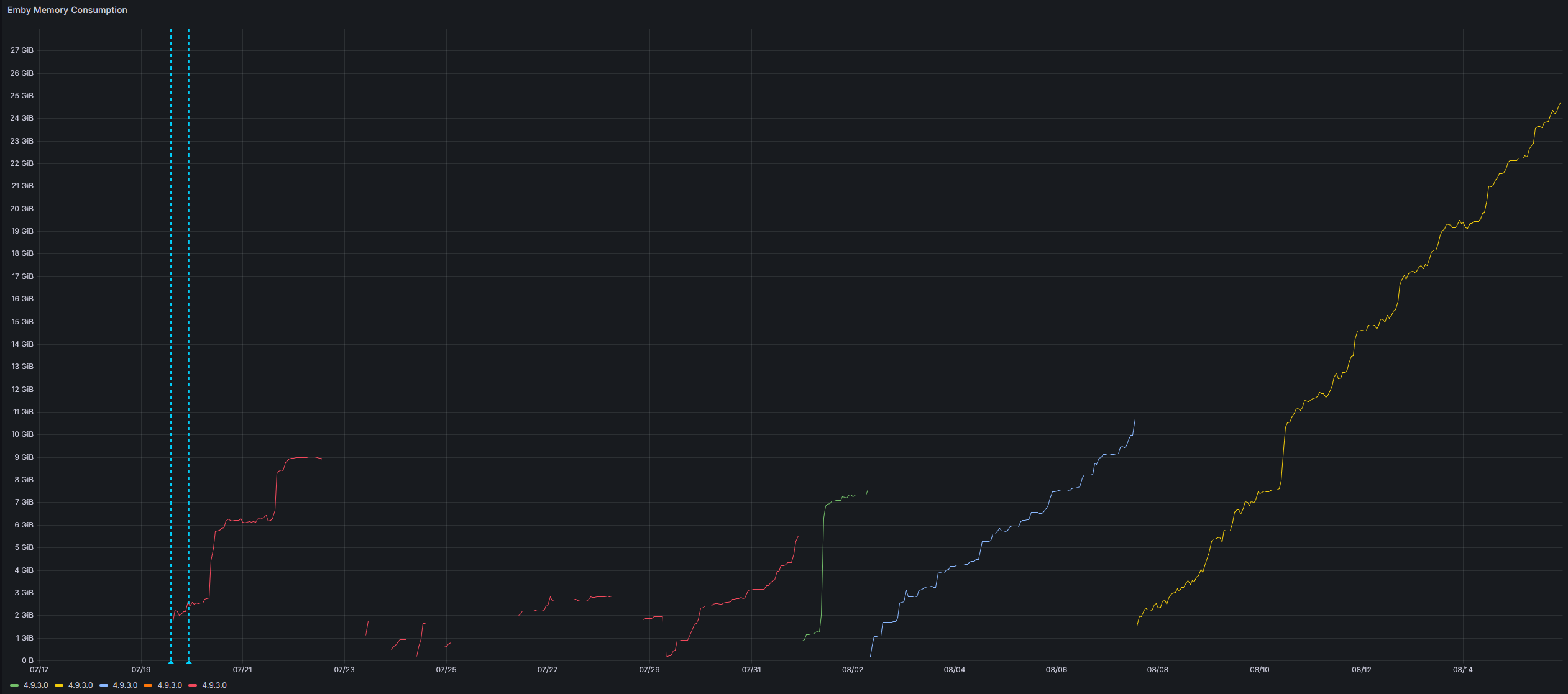
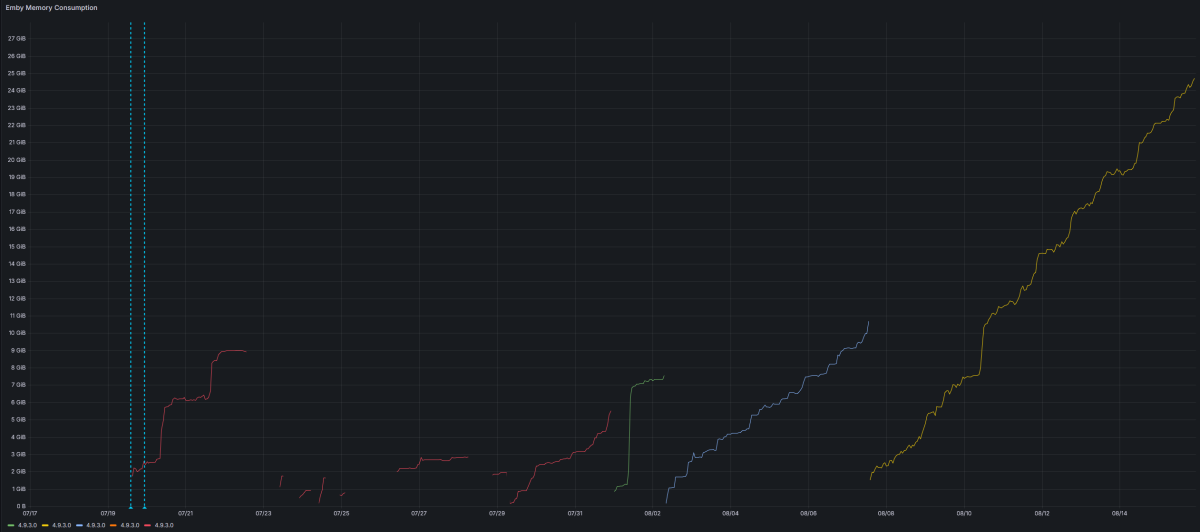
I have upgraded to 4.9.5.0 for now, we'll see. I also went back through my Grafana monitoring and found memory usage was higher than I thought with 4.8.11(25GB after 2 months), but that happened much slower and is still half of what I have seen 4.9+ consume. For reference, here is a Grafana screenshot showing memory usage for previous versions across the last year. Apologies that the version numbers are "out of order" on the legend, but you can see on the left-hand side of the graph that 4.8.11.0 consume 24GB of RAM slowly, after 2 months. The light colored blue after that red one is 4.9.1.90 - memory consumption instantly shot up aggressively. It only took 1 week of running on 4.9.1.90 to consume as much memory (21GB) as 4.8.11.0 would consume after running for a month+.. 49.3GB after 2 months of running 4.9.3.0 (green line in the middle) - same pattern with the blue line starting in March of 2026 - 4.9.3.0 consumes 49GB of RAM after 2 months. And attached is also a more "zoomed in" view of current memory consumption trends on 4.9.3.0.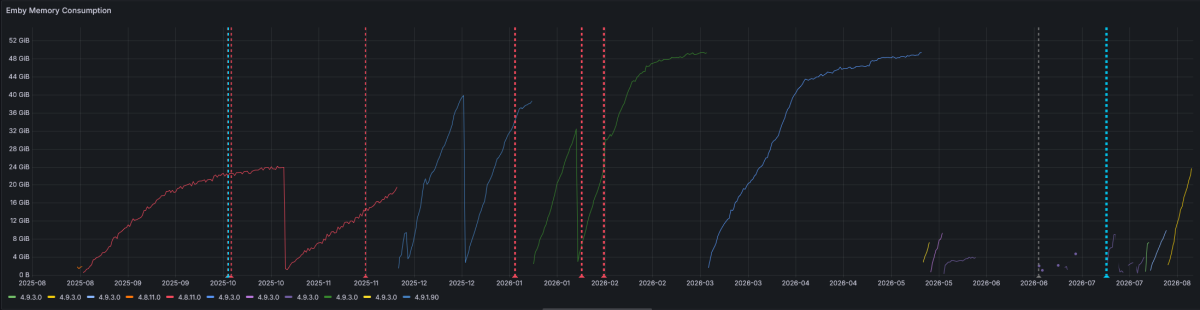
-
High RAM usage on Emby Server 4.9.3.0 even with Direct Play and rclone mounts
iloveparks replied to jordan888's topic in Linux
I am not opposed to giving it another shot. I feel like I have but now I can't recall. I will upgrade to 4.9.5 to see. I also found this thread with a lot more posts, didn't read everything, only the last few pages, but not sure I saw any resolution there either. https://emby.media/community/topic/142886-emby-ram-maxing-out/page/18/ -

High RAM usage on Emby Server 4.9.3.0 even with Direct Play and rclone mounts
Luke replied to jordan888's topic in Linux
Hi, have you updated to Emby Server 4.9.5? Has that helped? -
High RAM usage on Emby Server 4.9.3.0 even with Direct Play and rclone mounts
iloveparks replied to jordan888's topic in Linux
This did not seem to be the case before 4.9.3.0.. I have had a consistently large library for a long time and only recently started experiencing this. Previously my Emby Server would run for literal months and never go above 6-10GB of RAM. 4.9.3.0 has been running for 2.5 weeks and is consuming 25GB right now. I don't really think the solution should be "slower intervals for media scans" or "weekly server restarts" when this is clearly a regression and should be fixed? -

Incorrect Artist Identification / Search Results
Rumzzz replied to Rumzzz's topic in General/Windows
Well what's odd is that all 3 artist IDs are the same between the single-track artist page and the "correct" artist page (MD, AudioDB, Discogs). I did not see any spelling differences on the album tags. On the file itself, there are no artist IDs (only MUSICBRAINZ_ALBUMID). Running the files through Picard, saving them, and forcing a rescan in Emby does not fix the incorrectly identified artists in the search results. -

Using libplacebo to Fix the Dolby Vision Profile 5 Transcoding Tonemapping Issue
lswang168 replied to UnkNow404's topic in General/Windows
Title Dolby Vision Profile 5 sources transcode to green/purple: Emby inserts no tonemap for P5, while CUDA DOVI reshaping (jellyfin-ffmpeg tonemap_cuda) fixes it on identical hardware Body Environment Emby Server 4.9.5.0 (stable), Docker on a QNAP NAS (Premiere active) NVIDIA GTX 1050 Ti (Pascal, CC 6.1), driver 575.x, NVENC/NVDEC healthy Hardware tone mapping enabled and working for other HDR types Symptom Any Dolby Vision Profile 5 source (dv_profile: 5, dv_bl_signal_compatibility_id: 0 — base layer IPTPQc2, no HDR10/SDR compatibility layer) transcoded to 1080p SDR produces a fully green/magenta picture. Playback, speed and subtitles are fine — only color is wrong. Control group, same day, same GPU: HDR10, DV Profile 8.1 and Profile 7.6 all tone-map correctly (tonemap_cuda=hable appears in the ffmpeg-transcode logs). Root cause observed For P5 sources Emby's graph builder inserts no tonemap filter at all (verified from the ffmpeg-transcode logs). The IPT (ICtCp) data is then scaled and encoded as if it were ordinary YCbCr, hence green/purple. What we tried that did NOT work (all verified empirically, same frame) EnableSoftwareToneMapping=true: byte-identical filter graph and byte-identical output frames (md5) for P5 — zero effect. Emby's built-in supertonemap filter on a P5 frame: pure black output. libplacebo/Vulkan route (forum topic 144597): not viable in our NVIDIA Docker setup — no Vulkan ICD manifests, runc container with manually bound /dev/nvidia* (no nvidia-container-runtime), and no NVIDIA driver libraries inside the GPU image. What DOES work on the exact same hardware and frame jellyfin-ffmpeg 8.1.2 tonemap_cuda: colors fully correct. DOVI reshaping for P5 is baked into the CUDA kernel (jellyfin-ffmpeg#151, never upstreamed to FFmpeg). tonemapx (CPU software route): also correct. The blocker is server-side graph generation An ffmpeg binary with P5 reshaping is necessary but not sufficient: Emby decides the filter graph, and for P5 it decides on no tonemap. Swapping in jellyfin-ffmpeg wholesale is not viable for us either, because Emby's ffmpeg is a fork with private filters (e.g. supertonemap) that our working HDR10 / P8.1 / P7.6 paths depend on. Request Add Dolby Vision Profile 5 (IPTPQc2) reshaping to Emby's transcoding pipeline — ideally the CUDA route, since the kernel work is already proven by jellyfin-ffmpeg#151, with a CPU fallback. Failing that, a supported/documented escape hatch to hand P5 transcodes to a custom ffmpeg without disturbing other codec paths. Clarification: does the 4.10.0.24/25 beta changelog item Fix Hardware Transcoding for HDR Video when Tone Mapping is enabled affect DV Profile 5 at all? Offer Happy to beta-test on the affected hardware. We have a repeatable one-frame probe (a known P5 file, frame at 420s, compared against reference frames produced by the working tonemap_cuda pipeline), so any candidate build can be verified in about a minute. Impact note Direct play on DV-capable clients is unaffected; this only hits the transcode path (remote/cellular viewing). About 30 items / 10 titles in our library are affected. -
How do you prevent movies from stacking that have the names Part 1 and Part 2 in their title?
Luke replied to pierce1921's topic in General/Windows
HI ,it works just fine, but it requires a library scan after changing. -

How do you prevent movies from stacking that have the names Part 1 and Part 2 in their title?
pierce1921 replied to pierce1921's topic in General/Windows
It looks like renaming just part 2 using that naming standard: (i.e. Chainsaw Man - The Compilation Part 2 (2025) [tmdb=1544707]). It does indeed unstack the videos. Thanks for your help RanmaCanada! I will have to say that I think it's a bug, though. The library option of "Enable multi-part items" doesn't seem to work as expected. -
I was in the same situation when I first started using IPTV with media servers. It can be a little confusing at first, especially if you’re not very familiar with the setup. I ended up using Xuper TV separately for streaming because it was much simpler for me and didn’t require a complicated setup.
-

How do you prevent movies from stacking that have the names Part 1 and Part 2 in their title?
RanmaCanada replied to pierce1921's topic in General/Windows
Have them in separate folders for starters and name their folders and files properly as per the naming guidelines Name (Year) [tmdb=xxxx] Chainsaw Man - The Compilation Part 1 (2025) [tmdb=1544513] Chainsaw Man - The Compilation Part 2 (2025) [tmdb=1544707] This should fix it. -
OK we'll take a look at it. Thanks.
-
How do you prevent movies from stacking that have the names Part 1 and Part 2 in their title?
pierce1921 replied to pierce1921's topic in General/Windows
Which help text? On this forum or in the emby library settings? -
How do you prevent movies from stacking that have the names Part 1 and Part 2 in their title?
Luke replied to pierce1921's topic in General/Windows
HI, did you also read the help text at the top of the dialog? -
Apologies in advance for the AI prepared tarball but I have been trying to work with Claude to understand the root issues for the last 2 months and it has all the memory stored! @LukePlease see the attached tarball for multiple logs. It contains a mixed usage of software encoding + hardware accelerated encoding. Let me know if you require anything else! NOTE: Tarball is 3.9MB and gets extracted to around 45MB and contains 10 text files. emby-stuck-sessions-logs.tar.gz
-
How do you prevent movies from stacking that have the names Part 1 and Part 2 in their title?
pierce1921 replied to pierce1921's topic in General/Windows
Yes. The first thing I did was turn off "Enable multi-part items". It still didn't change it's behavior. -
How do you prevent movies from stacking that have the names Part 1 and Part 2 in their title?
Luke replied to pierce1921's topic in General/Windows
Hi there, have you explored the options on the library? -
Emby for Android - can fast-forward past current time in Live TV
Luke replied to JayG7800's topic in Android
Hi, we are working on improving this. Thanks. -
Hi, what version number of our standard android app did you try?