All Activity
- Past hour
-
 Videomax123 joined the community
 -
 ik_ben_carly joined the community
 -
 aslong joined the community
 -
 franxiety joined the community
 -
 koolsamurai joined the community
 -
 Skrke joined the community
 -
 carlos313 joined the community
 -
 7m joined the community
 -
 7maids joined the community
 -

Help with library sync/refresh accuracy
quickmic replied to jordn613's topic in Emby For Kodi Next Gen
The only option for a clean state after you reinstalled the emby server is a factory reset (in the next gen plugin settings). In 11.X and 12.X versions, it should not wipe any settings in Kodi beside the plugin settings (optional) but it will clean ALL Kodi media libraries. If you have no Emby (Kodi native) content synced, it will wipe them too! If you afraid losing settings, take a full Kodi backup (the backup option from plugin is not enough in this case). Beside your library issues, don't count that Kodi never has fatal issues. -
- Today
-

Default Subtitles Not Automatically Selected
emby.trace706 replied to emby.trace706's topic in Android
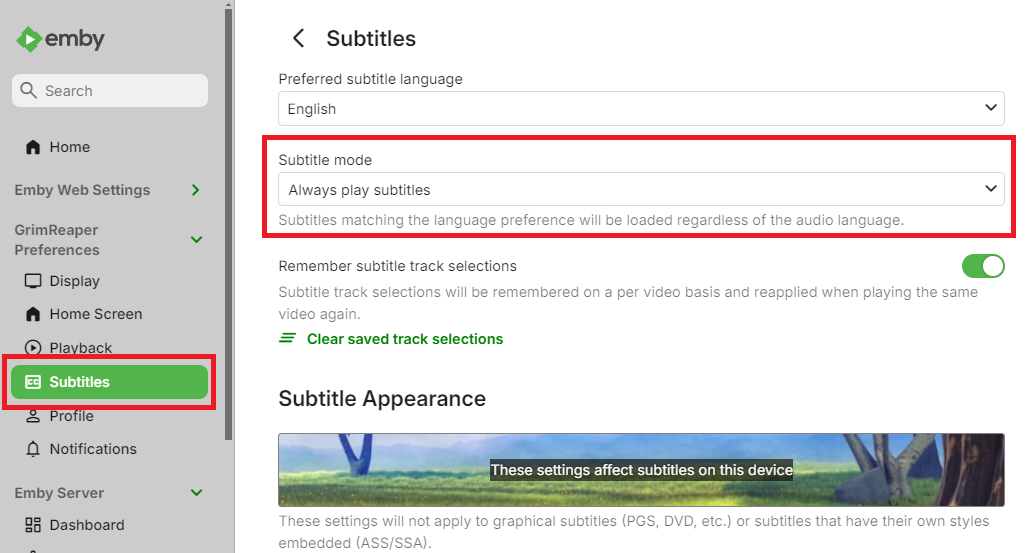
What do you mean by subtitle mode? Subtitles are on by default. Im expecting English, however there are multiple English subtitles available, such as the English subtitles for the Japanese audio of the episode, and English subtitles for the Englished dubbed version of the episode. There is also another set of subtitles for only the songs and signs throughout the episode. In the drop down list, the first option is the songs and signs, the second option, which is the default and what I am expecting, is the English for the Japanese audio, and the 3rd option is the English subtitles for the English audio. -

A lot of videos are stopping only 10 seconds into playback
TVTech replied to dimitrik's topic in LG Smart TV
I started having the same playback issues since the last server update on March 4. Happens on all Emby clients. So what was the point of an update if y'all didn't fix the most serious problem that all these folks reported since last year? How can someone enjoy their media if they can't even play them properly? I spent the last hour reading older complaints on here from users reporting similar playback issues dating back to last year, and as usual all none of these were ever resolved by the Emby team. You ask for logs, then say you're looking into it, then silence. -
Some more information/specific example would be required: what is your Subtitle Mode set to? What language you're expecting? What subtitle is actually preselected if not expected one?
-
I have folders named .hidden in which I previously had empty files named .ignore. This was sufficient to hide the entire folder from Emby. The folders reappeared due to the changes in 4.9, so I renamed the .ignore files to .embyignore and put an asterisk in each one. I rescanned my files but the .hidden folders are still showing up in Emby. For example, I have folders: TV/Programs/Girl Code (2015)/.hidden TV/Programs/Girl Code (2015)/Specials TV/Programs/Girl Code (2015)/Season 1 TV/Programs/Girl Code (2015)/Season 2 TV/Programs/Girl Code (2015)/Season 3 TV/Programs/Girl Code (2015)/Season 4 Inside .hidden is the .embyignore file along with some conversion notes and scripts—no playable content. Emby (web & Roku) shows .hidden as a "season" of the TV show, with no content. What's the trick to getting rid of it again?
-
I have found that the default subtitles are not automatically selected. I am noticing this between multiple TV series, specifically Anime series. I have ripped the media from the disc myself, and used MKVToolnix to set the default track. When looking at the episode before watching it, I can see that the wrong subtitle track is selected in the dropdown. In the dropdown, I can see listed the track that should be default, such as "English (Default PGSSUB)". I have just started using the server again after being away for a few weeks. I kept the server updated while I was gone, so I am unsure if this started after a specific update. I am hosting the Emby sever on TrueNAS Scale, downloaded from the catalogue. The App Version is v4.9.4.1, version v1.4.2. I am seeing on the dashboard that Emby Server 5.10.0.5 is available, and that I am on 4.9.4.1 beta. I am unable to change the version due to it being installed through the TrueNAS Catalogue.
-

What are some tips for helping users find content?
podonnell replied to podonnell's topic in General/Windows
Just double checking, but this feature and anything about smart playlists did not come with 4.9, right? I am on 4.9.3.0 and don't seem to have anything related. -
Can't browse to different shortcuts in browser, need new tab
podonnell replied to podonnell's topic in General/Windows
Is there a chance this can be fixed in any way or is this behavior just the way the web interface will work? -
Stats for nerds on FireTV emby client shows direct play. Also Emby server shows direct play. And router is indicating higher bandwidth than 3 so that's why I think it is not getting done. Maybe all these are bugs?
-

Emby + YouTube .strm link not working on Android TV app v2.1.43
Boni340 replied to Boni340's topic in Android TV / Fire TV
Hi, I clean streamer cache and make reset. I checked again, and now emby app plays without lag or buffering with both 1080p and 4K YouTube links. I’ll stay with this standard Emby version for now. When a new version of Emby for Android TV is released, I’ll test it again. Thanks. -
Because it just works great and there's a problem with tone mapping on intel QSV on the intel systems that's being fixed and in the beta channel now there's it's own thread on it, just waiting on the 4.9.ish stable but even then I haven't found a new feature worth changing over to but I need to investigate the new features more
-
My first thought was you had 'hide spoiler info' enabled but then realised you were still on 4.8.11 Any specific reason you're still on such an old server version of Emby?
- Yesterday
-

I think my server was hacked
speechles replied to edvinmorales@hotmail.com's topic in General/Windows
To revoke all the previous API keys for your administrative user you need to change the password of that exact administrative user. API Keys are tied to the user that generated them. Doing so should generate a new API key for your Emby administrator once you change password. That new API key will not match the old one they have stolen. Remove any API keys in the "Advanced" section under the API Keys tab. Once you remove all the API keys and have changed your Emby administrator password then you should restart your Emby server. Once it restarts, make sure to only share logs which you have obtained from the Emby server dashboard. If you download them through this interface all the sensitive information will be automatically redacted and replaced with placeholder text.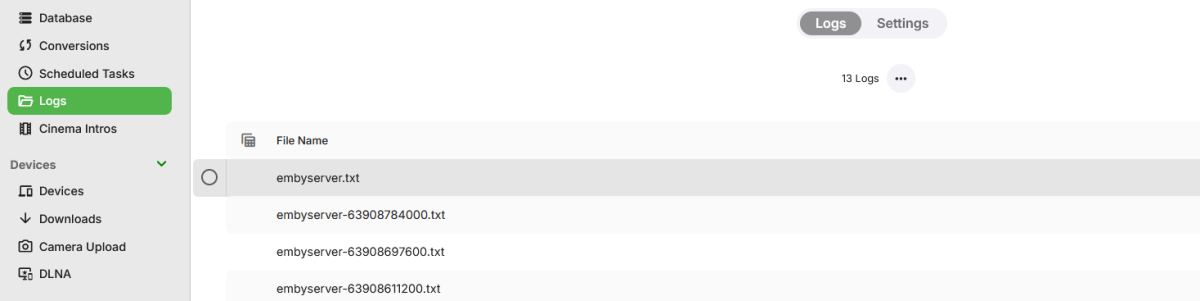
-

I think my server was hacked
edvinmorales@hotmail.com replied to edvinmorales@hotmail.com's topic in General/Windows
There is no way to find out and maybe remove that person from being able to access emby ever again? or maybe dont have people post their logs here and be sent privately to the moderators when they ask us for the logs. -
I think my server was hacked
edvinmorales@hotmail.com replied to edvinmorales@hotmail.com's topic in General/Windows
So far i discovered that i had an open tunel or DMZ host open, with my internet router just because i was configuring my ports forwarding , but other than that also i think the 3rd party apps on emby have access to our API keys, logs etc, but im 100 % sure it was an EMBY member, it should be investigated on the MODERATORS END. Please, other than that my password was recently changed my IP was recently changed and I just moved to a new house so router is also less than a month new, makes me think API keys is the root cause. or somebody entered my DMZ tunnel host -
I think my server was hacked
edvinmorales@hotmail.com replied to edvinmorales@hotmail.com's topic in General/Windows
Before i have posted emby server logs here, maybe somebody stealing the logs and doing all this none sense, because only somebody that know how to use emby would do what my hacked did in 10 minutes, move trough all users, create a new user and download only family pictures. instead of like movies -

Emby Theater v3.0.20 (Server v4.9.3.0) Homescreen Horiz. navigation broken
step55 replied to d00zah's topic in Windows & Xbox
As others have said - the left/right navigation arrows (that appear when "Enable TV display mode" is disabled) don't respond to mouse clicks, which makes convenient navigation impossible. I'm using Theater version 3.0.20, and an older server version - 4.8.11.0 -
They seemed to have stopped working on the latest series I've added. Series and usually even seasons get art but the individual episodes seemed to have quit. On a later one 1/2 the episodes have an image, rest are just the image of the series. I've also got a cover as an attachment in the .mkv which I thought would get used if necessary as a backup to online but I can't see a setting to use those so I'm not sure what/when/why those are even useful? On DSM 7.1.1 Emby 4.8.11 with TVDB and MovieDB plugins installed - thanks
-

Apple TV 4K A-Z Quick Scroll Bar
DansBlockbuster replied to DansBlockbuster's topic in Feature Requests
Is this something that will be released soon or at least in the year 2026? -
Link for both betas
-
Sorry, I don't know what this is. Where do I start?
-
What do you mean? If it's not watched then it's not played, and therefore the filter will ignore them. The "Last Played" filter will give you all items that have been played within the days you set by the selected user. It will give you movies that are started but not finished, and movies that are completed. So for example, a movie that the selected user have watched 15% of and 100% will be included. (It still need to pass the threshold set in Emby library settings, default 2%). I noticed now the filter only gives movies, it should also give series. I'll look into that. Anyone else noticed more filters that only gives movies? My intention has always been to include both movies and series as default.
-
The app isn't working for me, it stays the same without any change, I'll add photo to show it. I'm using the app on my pc.
-
What makes you think it's not being transcoded to 720p 3 Mbps? This log very clearly indicates that. It cannot be direct playing, both the video and audio tracks are transcoded. You don't have throttling enabled so it finished transcoding the whole file in a little over 4 minutes. Are you sure this it the correct example?