All Activity
- Past hour
-

Playlist add new songs on top instead on bottom
crusher11 replied to ich777's topic in Feature Requests
In Pocket Casts, when adding a podcast to your queue it prompts you to select whether to add it to the top or bottom of the list. -
Hi, there's already an open request for this or something functionally equivalent. Please join in and contribute to the existing discussion at:
-
 Ans12345 joined the community
 -
 wuxiupeng joined the community
 -
 dameem joined the community
 -
 bandanacheez joined the community
 -
 136Maryamalnemer17 joined the community
 -
 Embynetx587274 joined the community
 -
 Shaniyaltariq joined the community
 -
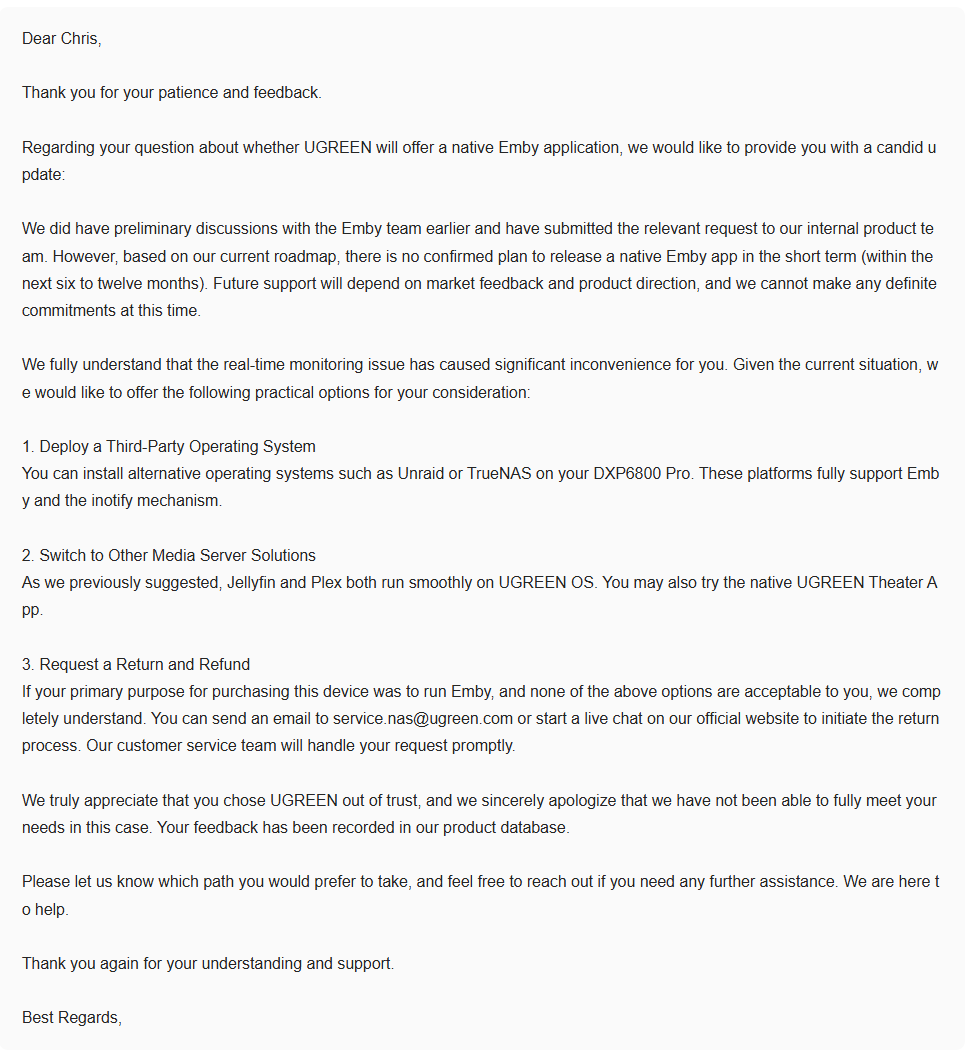
Nothing for at least another 6 to 12 months. Seriously considering dropping UGOS and switching to TrueNAS.
-
 Nicolezarate joined the community
 -
 Mackinnon joined the community
 -
@Luke Well at least you have your answer on the native application. Nothing for at least another 6 to 12 months. Seriously considering dropping UGOS and switching to TrueNAS.
-
When I add an item to my “play next” queue in Pocket Casts, it asks whether I would like to add it to the start of the list, so it will be played next, or the end of the list, so it will be played after everything currently in the list. So if it's a news podcast, I can add it to the top, if it's a new episode from a podcast I'm still working my way through, or catching up on, I can add it to the bottom. I have an Emby playlist I'm using as a Watchlist, and have pinned to the home screen. I add things to it if I feel I want to watch them in the near future. However, sometimes I want to prioritise watching something (for example, I watched Close Encounters and E.T. before going to see Disclosure Day earlier this year), but then I have to either scroll all the way to the end of the watchlist—which has about 50 movies on it at this point—or manually drag the newly-added movie to the top of the playlist after adding it.
-
 In the `Home Screen` settings, I typically disable `Display in secondary home screen sections such as latest media and continue watching` for some libraries. I do this because sometimes I have duplicate copies of a title in another library, and I only want one copy to show up on the Home screen. For example, if I am watching a show in a local library, but I have the same show in a remote/VOD library, I only want the local one on the home screen `Continue Watching` section. This works well. However, for a title that I have favorited, the `favorites` section shows copies from all libraries. I would love it if this "section" would respect the library settings for "secondary display". Or a separate setting for the favorites of that makes more sense.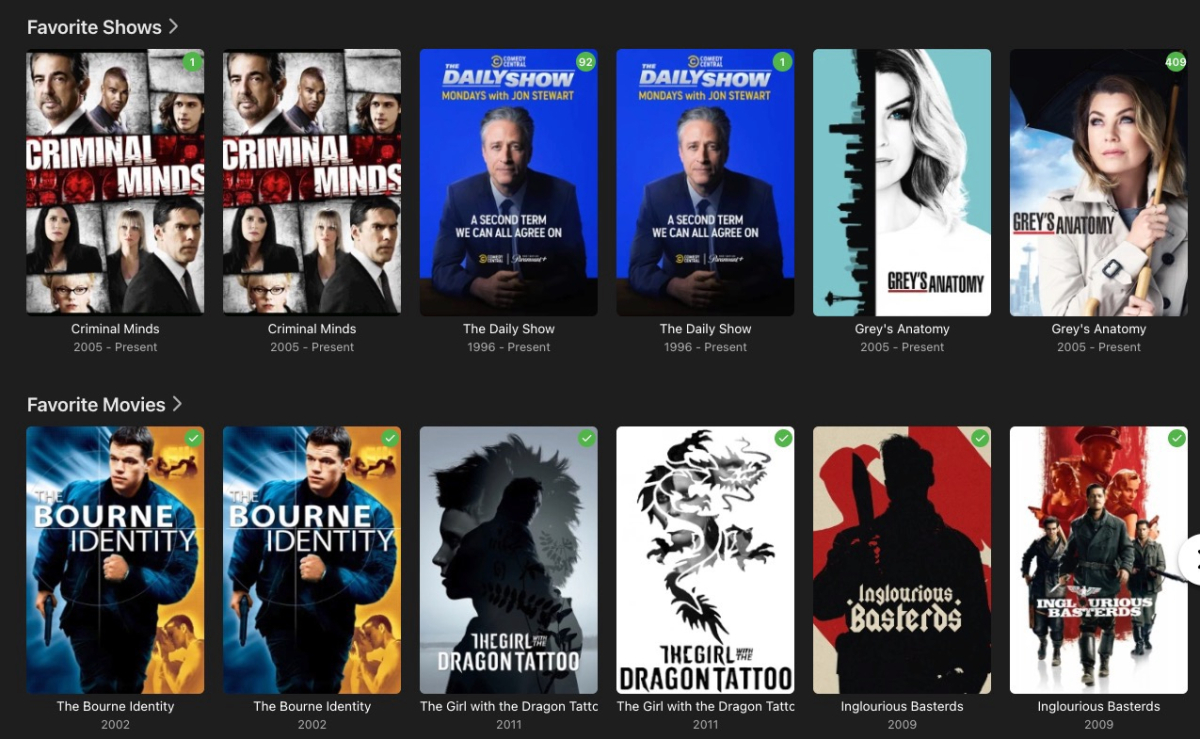
-
Hello everyone! @Mangopulpfrom the community here asked me to share these after seeing a screenshot of my setup. So here it is! I created a custom icon set for my Emby server where I pulled greens from the Emby logo & added some blue-ish tints to try tying in with a blue CSS theme. Here's what I ended up with: What's Included GIMP Template Files I made a simple GIMP template containing the following layers: Text options (single row / 2-row text variants) Emby logo Artwork graphics area Shadow layer Background Font used: Cantarell Extra Bold (but feel free to use whatever you like!) How to Create Your Own Icons Download the attached .xcf template file Find graphic artwork images (discs, vintage TVs, tablets, movie clips, etc.) Simple image search on DuckDuckGo (or create your own if you feel up to it) Filter for TRANSPARENT backgrounds Save images you like and drop them into the template Customize as needed I used GIMP to create the template, so I recommend using that. It's free, open-source, and available for all OS's. Example Icons Created Here are a few icons I already made for my own server: Download: TEMPLATE.xcf EnJoY!



-
- 1
-

-
Mi problema es que no puedo entrar a la aplicación, he cambiado la contraseña pero tampoco me deja
-
自动就是e02 以前是e01 不可设置了现在,但是按道理来说你如果有片头标记应该是可以出的 检查下日志的错误原因 并且要确保剧是有片头的 电影可以用黑帧判断
-
Ok.... understood... just saw if before the update
- Today
-

Error connecting to server at iOS app launch
pwhodges replied to CharlesF's topic in Apple iOS / macOS
Isn't this just the new pre-emptive connection delay message? I noticed it today in iOS when I was away from home, and thought it was a bit too soon for it to show. Paul -
Are you sure the app is trying to connect with the same port as the browser?
-
Hi, when and where exactly do you get this?
-

Stuttering, Lagging, choppy playback on all devices, multiple homes
Luke replied to Kjclark23 's topic in Android
Hi, we’ll take a look at it. Thanks. -
No puedo ver la contraseña, se la he cambiado para descargar la aplicación y me dice que la contraseña es incorrecta
-
Hi, I haven’t seen this but we’ll take a look at it. Thanks.
-
It doesn’t make sense that they would say that. The real-time monitor in those other applications is built the same way.
-
Recently I am immediately met with an error message saying the app cannot to connect to the server. It resolves itself in a couple of seconds and connects, however I never saw this behavior before. 1. is anyone else seeing this now under 4.9.5.0 2. does anyone know how to 'fix' it
-
Then if your server is unreachable you have no opportunity to cancel the attempt to connect and must wait 30 seconds for it to time out.
-

Stuttering, Lagging, choppy playback on all devices, multiple homes
Kjclark23 replied to Kjclark23 's topic in Android
I was not able to get the logs off my TV. The option to send logs doesn't come up. All I get is a share button, which doesn't work. However, I used a different device, my tablet and got a log from there (attached). Funny thing here, my tablet plays the video ultra fast along with the audio (this is pretty funny), while my TV plays the video ultra slow (but audio is fine). This is using the Android app. Now, when using the Android TV app, the video plays fine on the TV. I attached my server log file, but I wasn't sure how to get it in the time frame. The movie I was using was Harry Potter and the Sorcerer's Stone. Although this happens for many other titles, mainly DVDs. Let me know if I missed anything or I did something wrong. I would like to continue to help resolve this issue, it's been ongoing for a long time now. embyserver.txt emby_android_1787239297230.txt -
Hi. 45 minutes is actually a step point for the logic. Over that displays at 90 seconds to the end. Less than 45 min and it is 50 seconds. So these must be right on the edge. You can add end-credit markers to your items to make it exact.
-
Exactly.
-

embyforkodi (next-gen) 12.X.X support
quickmic replied to quickmic's topic in Emby For Kodi Next Gen
I'm currently on vacation and will review the posts after returning. -

embyforkodi (next-gen) 12.X.X support
Eisi2005 replied to quickmic's topic in Emby For Kodi Next Gen
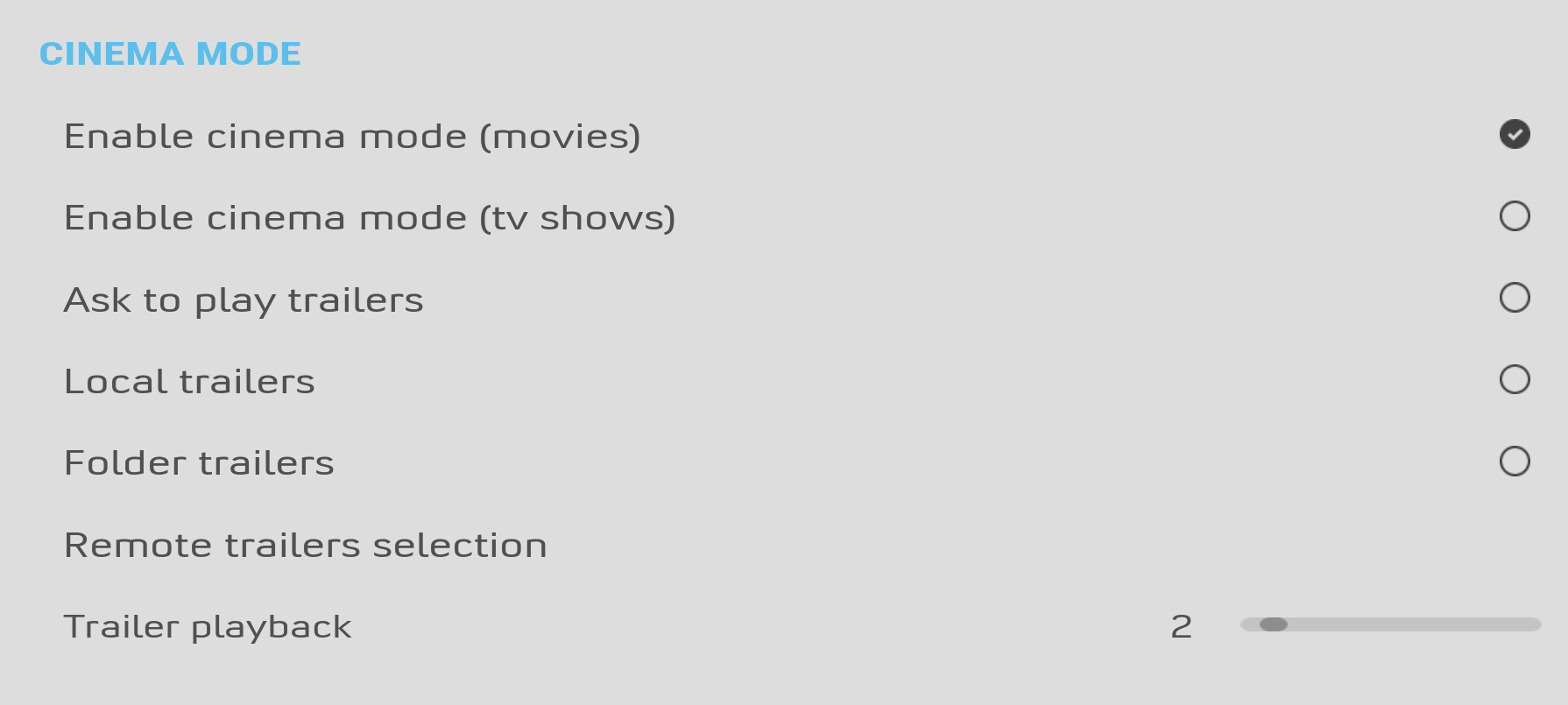
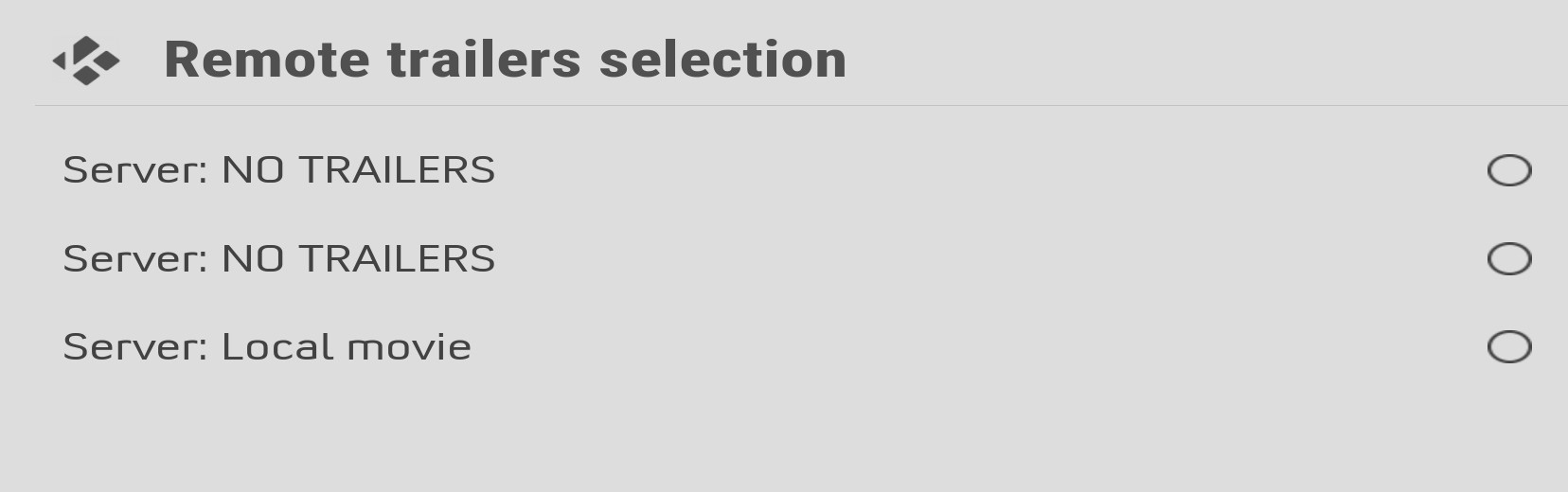
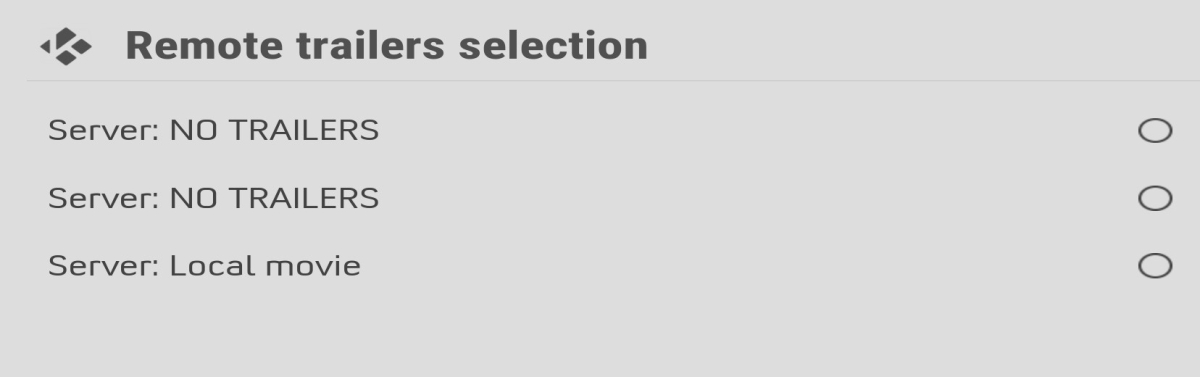
I have a question about Cinema Mode. When I use the native Emby app and enable Cinema Mode there, it plays a trailer from a specific folder I’ve set up in Vantage Point before the movie starts. Is this option available here as well? So far, I’ve only been able to get it to play a trailer from one of my existing movies. But the folder I’ve specified in Vantage Point contains trailers for upcoming movies. What settings do I need to configure here so that it works exactly the same way?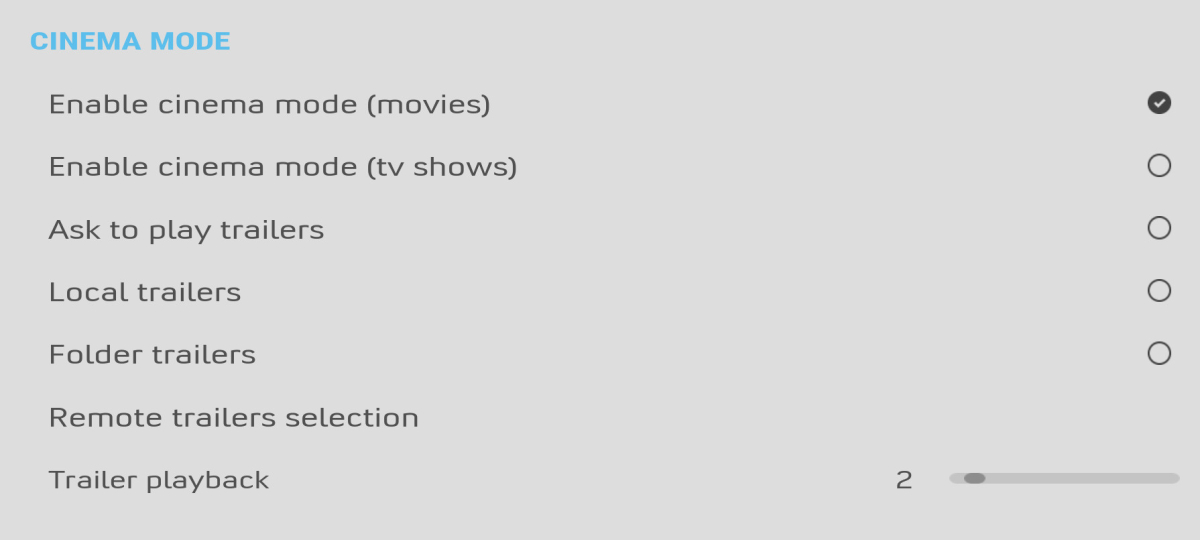
-
The next up on Roku is great, thank you! Can you look at allowing the user to adjust when it displays? For example on ST:TNG, 45 min episoides with ~ 50sec credit roll, I think it's currently appearing around a minute or so before the end of the file, so it's popping up and obscuring the show for the last 10-20 seconds. I'm sure there's no easy perfect setting without adding some kind of markers like for Skip Intro, but I'd rather have it appear late in the credits than before the show ends


.thumb.png.1ddf135ad99a72646a26d671a28ffe35.png)