All Activity
- Past hour
-
 Oscarmen joined the community
 -
 618885449 joined the community
 -
 n8390711 joined the community
 -
 Harshapeddi joined the community
 -
 Amaakko joined the community
 -
 。。。ijyfg joined the community
 -
 jvoiajg joined the community
 -
 Killex55 joined the community
 -
 Ainsley joined the community
 -
 Daddy_123 joined the community
 -

Best path for cleaning up duplicate People profiles / folders?
Smitty018210 posted a topic in General/Windows
I am working on a small helper app for my Emby People metadata. The app scans the Emby metadata/people area and looks for possible duplicate person profiles. The goal is not to blindly delete anything. The goal is to help review possible duplicate People folders before doing anything risky. Right now the app is looking for duplicates by things like: Same normalized person name Same TMDB person ID Same IMDb person ID Linked duplicate chains, where one profile matches by name and another matches by provider ID Skipped/problem profiles with missing or unreadable info The issue I am trying to solve is duplicate People folders like this: Vin Diesel Vin Diesel-tmdb-12835 or cases where one profile has provider IDs and another is name-only. My concern is this: If I delete the “bad” / name-only People folder, will Emby just recreate it later from movie/show/episode cast metadata? From what I understand, the person profile NFO itself does not store credits/media links. The media item metadata is what contains cast/actor information. So deleting a People folder may only delete the stored person metadata/image folder, but it may not fix whatever source caused Emby to create that person entry in the first place. I am trying to find the safest and most Emby-correct cleanup path. Questions for the Emby dev team: Is the correct preferred People folder format still like this? Person Name-tmdb-123456 Person Name-imdb-nm1234567 Should TMDB ID be treated as the preferred primary person ID, with IMDb as fallback? If a duplicate name-only People folder exists beside a provider-ID folder, what is the safest way to remove or merge that duplicate? Does Emby recreate name-only People folders when media NFO/cast metadata does not include a provider ID? If local NFOs are used, should the fix be made in the movie/show/episode NFO actor entries first, before deleting any duplicate People folder? Is there any safe way through Emby API or metadata refresh to tell Emby that one person profile should be treated as the correct one? Is there a recommended process for cleaning duplicate People records without damaging existing images, locked profiles, or manually edited person metadata? What I am trying to avoid is building a delete/cleanup feature that appears to work, but then Emby recreates the same duplicate People profile on the next scan because the source metadata still points to a name-only actor entry. Any guidance on the correct order of operations would help. For example, should the safe process be something like: Identify the good provider-ID People profile. Check movie/show/episode cast metadata for name-only actor entries. Correct actor/provider IDs in the media NFOs first. Refresh/rescan Emby. Only delete the duplicate People folder after Emby stops recreating or using it. I would appreciate any clarification on how Emby decides when to create a new People folder versus reuse an existing People profile, especially when one profile is name-only and another has TMDB/IMDb IDs.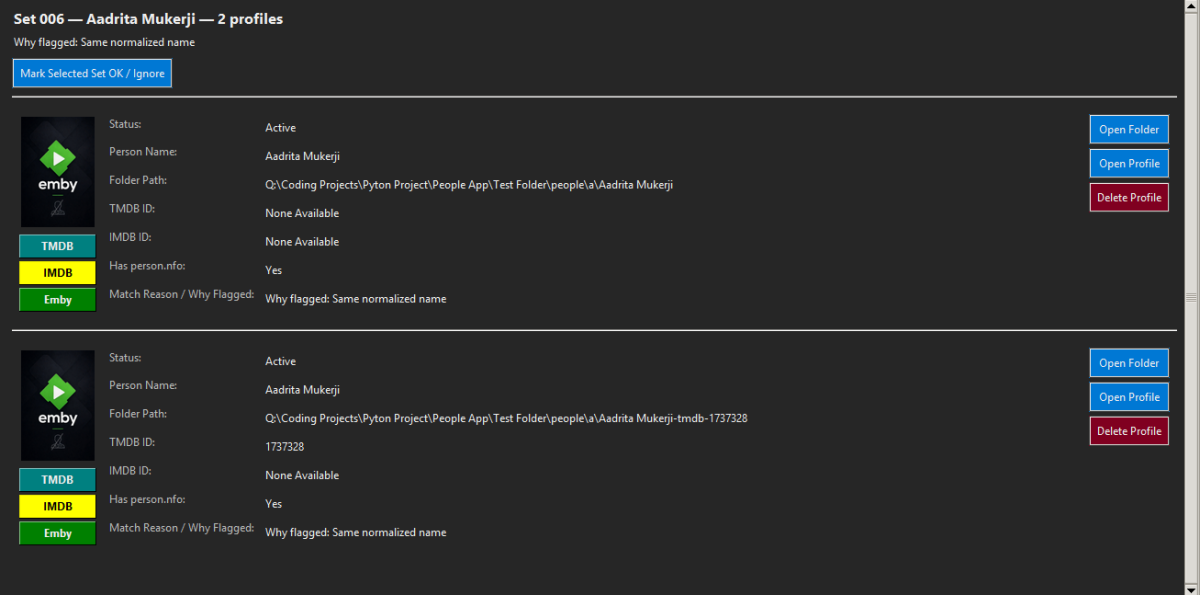
- Today
-
Yes, after some investigating still happens. I think when anything is being transcoded (audio mostly from what I've seen)
-

PSA - New Edge Update - Image Scaling Changes on Home Page(?)
DarWun replied to DarWun's topic in General/Windows
Sorry for not being more clear on that. It is a regression (I think) with the latest Edge update. It has nothing to do with Emby. After updating to v149 of Edge, the Favorites drop down shows this: All custom icons are gone.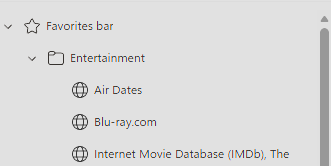
-

TV episodes flagged as "watched" as soon as started.... no resume point if stopped early
OMGzilla replied to OMGzilla's topic in MacOS
Mmmm... I'm not sure what detail screen you refer to. When playing the video, it shows amount of time played and time remaining. If I go to the server and inspect the videos, perhaps here is what you mean? As a comparison, if I look at a movie, I see the total runtime and the time it will end if starting at that moment. I see no such detail when looking at any TV episode. I just double checked and I do get a resume option for movies. -
Hi there, please attach the Emby server log from when the problem occurred: How to Report a Problem Thanks!
-
Hi there, let's look at an example. Please attach the information requested in how to report a media playback issue. Thanks!
-
Hi, this is because the apps don't have this information in their downloaded database. It is something we'll have to look at implementing. Thanks for reporting.
-
One does not need to do that.
-
HI, it's if an artist is tagged as an artist but not as an album artist.
-

PSA - New Edge Update - Image Scaling Changes on Home Page(?)
Luke replied to DarWun's topic in General/Windows
Hi, what are the globe icons that you're referring to? -
HI, we should have our app update out soon. Thanks.
-
I was just double checking.
-
TV episodes flagged as "watched" as soon as started.... no resume point if stopped early
Luke replied to OMGzilla's topic in MacOS
Does the detail screen for this video show a known runtime? -
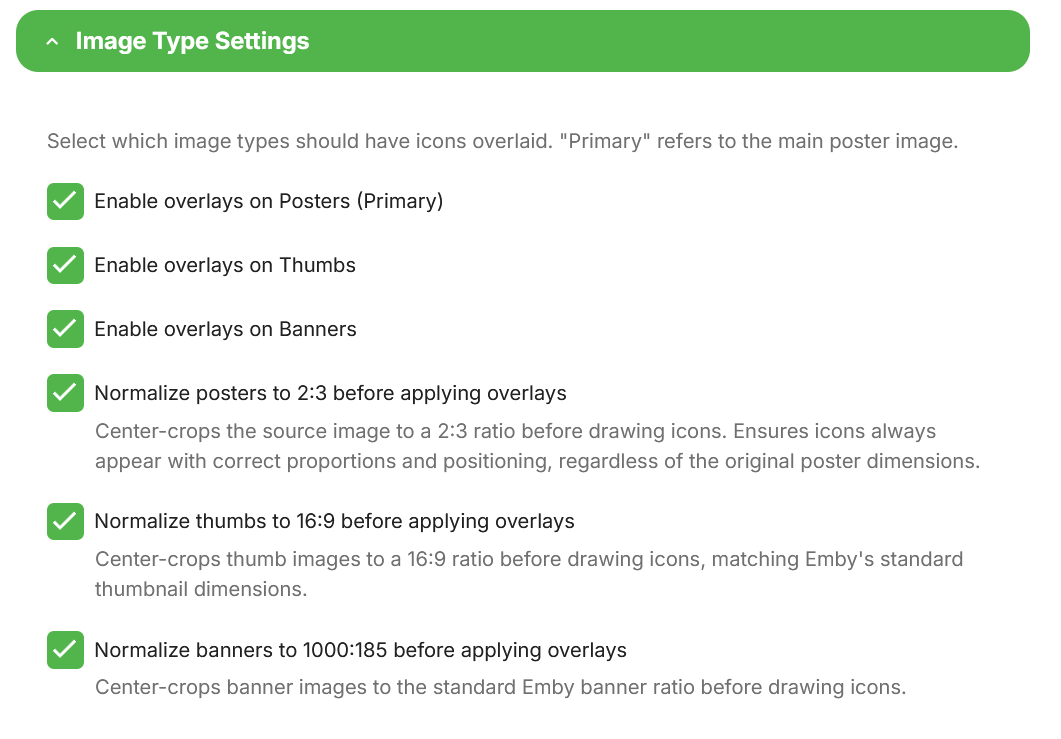
@Asdepique777It's done. You can get the new version from the catalog, beta v5.54.2.0. This should give some options to play with. I suggest testing horizontal mode and report back to me, as i might not have hit that correctly. Now unless there are bugs then i WILL get my vacation!! No more plugins until summer is over and i run out of beer!
-

Script - Parental Rating Copier from Show to Episodes
ginjaninja replied to ginjaninja's topic in Tools and Utilities
Created as plugin and adding custom rating copier. -
PSA - New Edge Update - Image Scaling Changes on Home Page(?)
DarWun replied to DarWun's topic in General/Windows
Whoops...double post deleted. -
PSA - New Edge Update - Image Scaling Changes on Home Page(?)
DarWun replied to DarWun's topic in General/Windows
Definitely #2 PSA = Public Service Announcement. I posted it that way as I don't think anyone will notice unless pointed towards it. If others do notice it, it is a Microsoft Edge change in scaling and not a result of anything Emby has done. Do I care? Not so much. But others might. -

PSA - New Edge Update - Image Scaling Changes on Home Page(?)
TMCsw replied to DarWun's topic in General/Windows
Probably #2.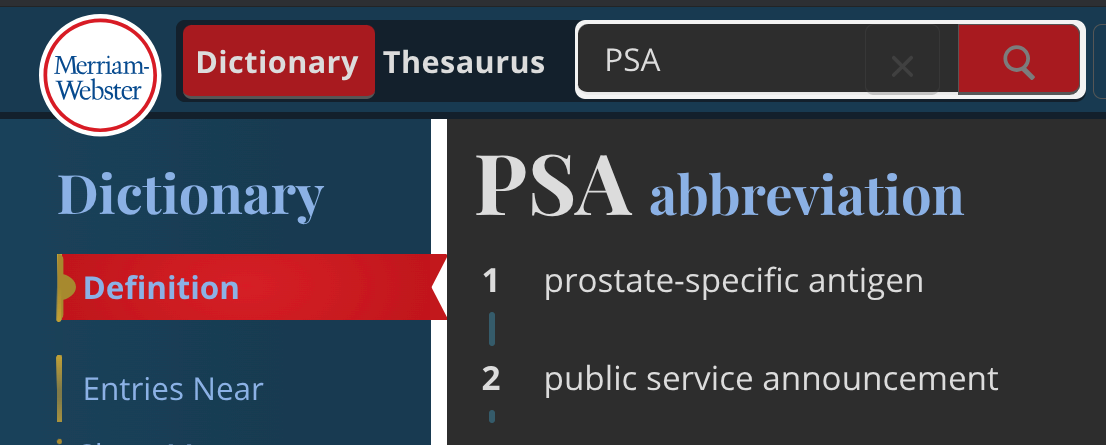
-

Regression: New Emby for Android app (3.5.16) ignores "Convert to AC3" for AAC 5.1 on TV with ARC systems
mak60062 replied to SvenKlomp's topic in Android
Ran into this same issue with my TCL QM8K and my Onkyo NR797. The only solve I've found is doing a playback correction three times to force transcoding. Obviously this is annoying to do for any AAC encoded movies. -

PSA - New Edge Update - Image Scaling Changes on Home Page(?)
Gilgamesh_48 replied to DarWun's topic in General/Windows
Iread the post and I understand the problem however I do not understand what PSA means in context. I did a search for PSA and the main hit was: PSA is the world's largest third-party authentication company; the industry leader in card grading as well as autograph and memorabilia authentication. And the second hit was: PSA stands for Prostate-Specific Antigen, which is a protein produced by the prostate gland, and its levels are measured through a blood test to help check for prostate conditions, including prostate cancer. High levels of PSA may indicate a problem with the prostate, but they do not necessarily mean cancer is present. I do not think either meaning for PSA is true here but, even if I am not impacted by the issue, I like to understand the questions being asked. Thanks -
PSA - New Edge Update - Image Scaling Changes on Home Page(?)
DarWun posted a topic in General/Windows
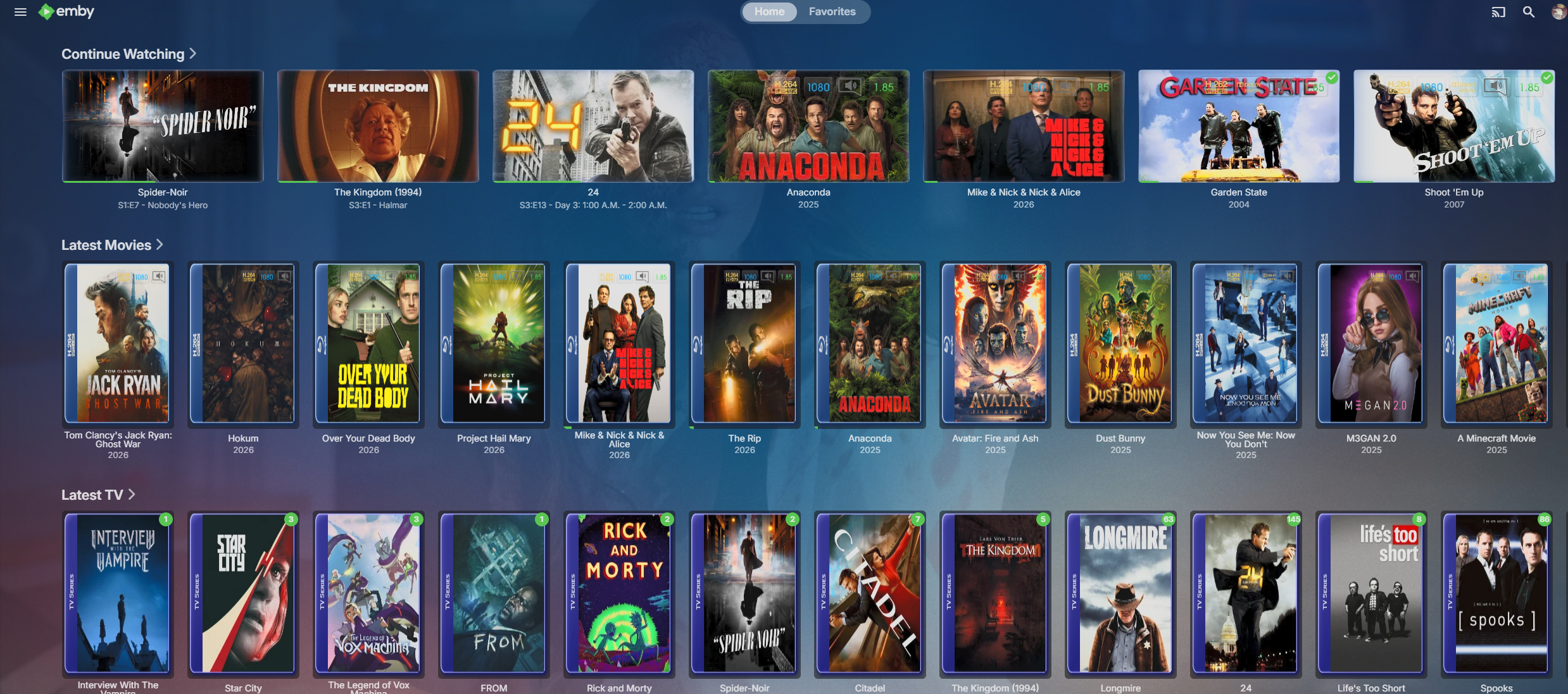
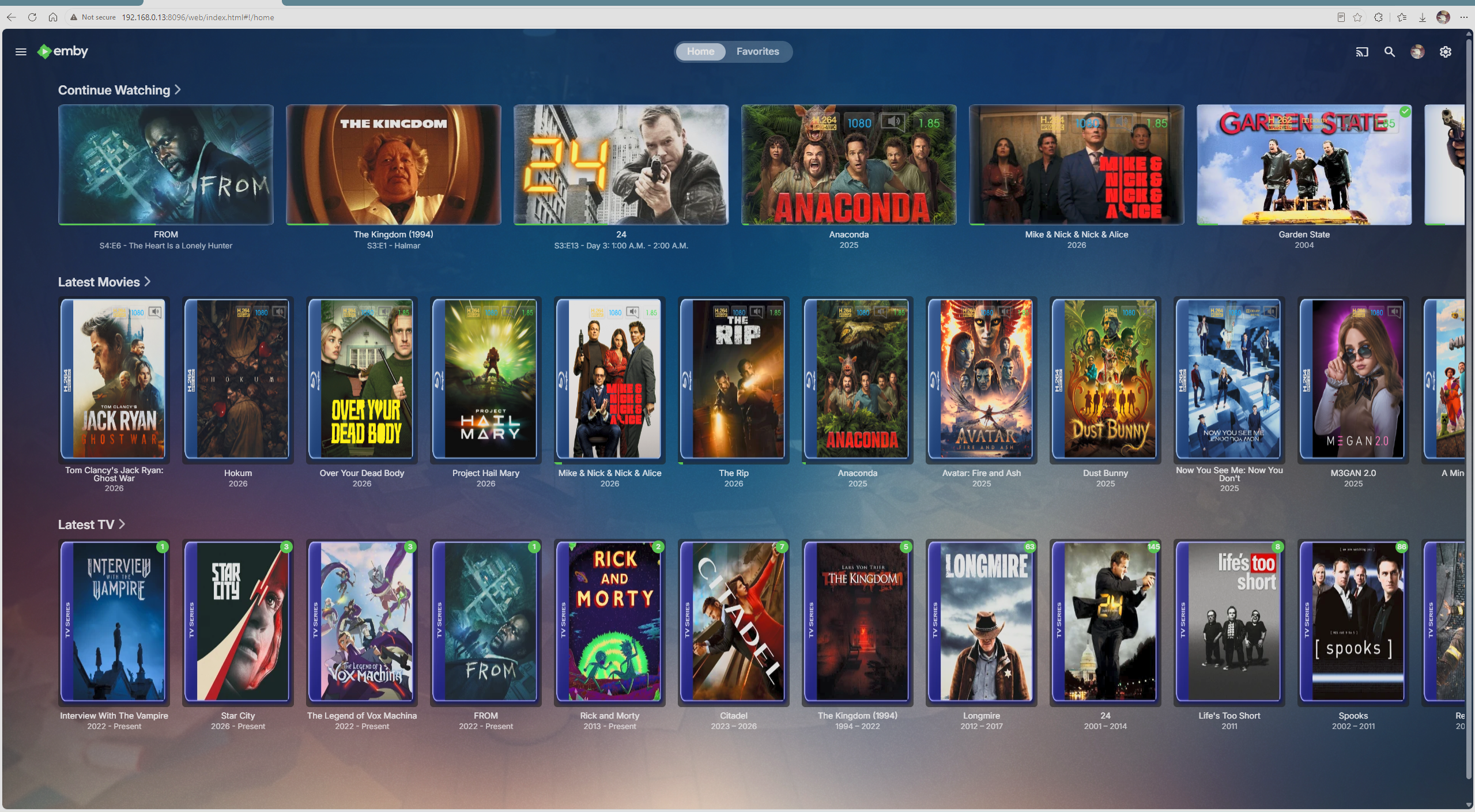
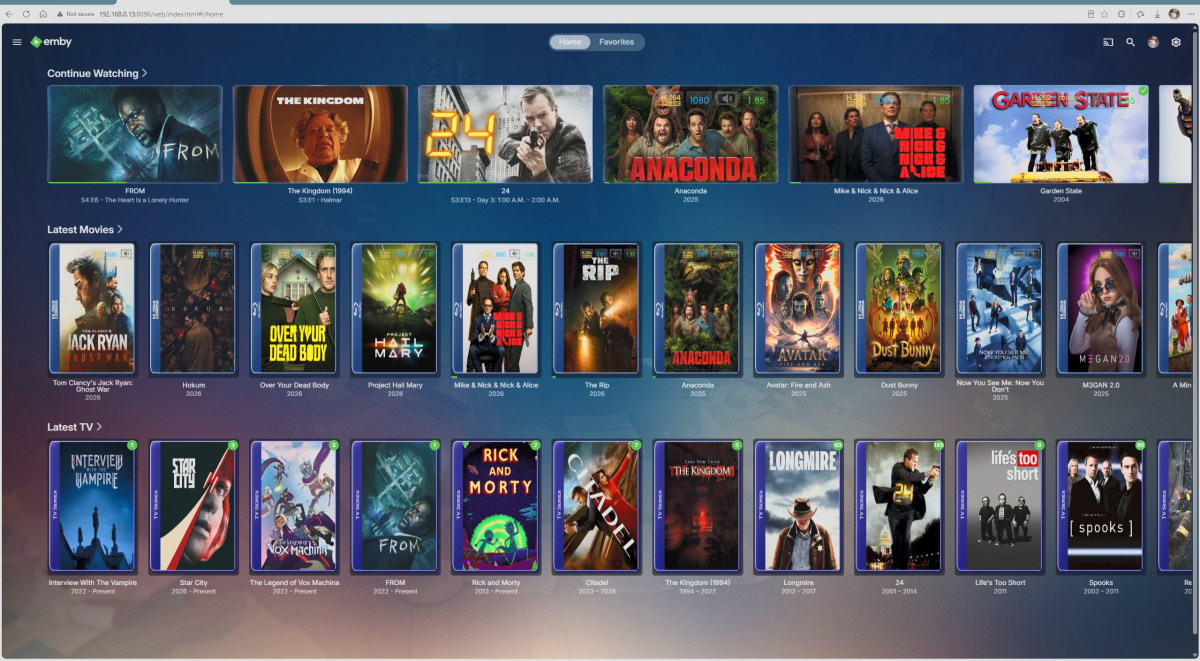
PSA. The Edge browser on my system was updated today to v149.xxx. Rounded corners are now permanent with no way to disable. Custom icons in the Favorites list are now generic "globe" icons. What I think will probably go unnoticed, is the scaling of Emby Home Screen icons is changed. Prior to update from Edge v148 to v149: After update to v149: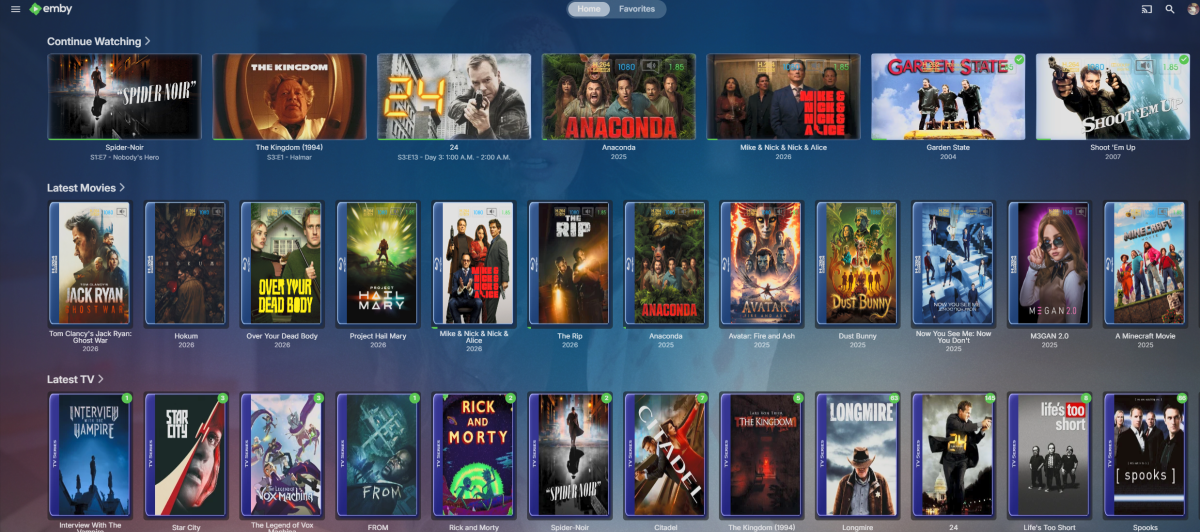
- Yesterday
-
Hey, I recently switched to Apple TV for all my apps and streaming purposes. Since then I've had an issue where Emby crashes every now and then. I would say it's daily and sometimes multiple times on the same day. It never used to do this when I watched via the Emby app on my Sony Android TV. I've tried looking at logs and searching but haven't found anything that relates to precisely this. I've seen other threads but they seem to have more precise times for the crashes and more intense issues (like every fourth minute or so). I can usually watch at least an hour before it crashes. Sometimes more. It seems pretty random to me at least. I've attached a log including errors. Does it make sense to anyone else what the issue is? Other info: I run Emby on my Synology DS916+ via Docker/Container app. Thanks in advance! 2026-05-08 204808.551 Info MediaInf.txt
-
Hi, Sorry for the delay. Here is a log window of me seeing that English (The preferred) is fine when playing from the normal library, but when a download version is used it reverts always to Spanish, even when English has been chosen for a play; coming back out it defaults back to Spanish. embyserver.txt
-
TV episodes flagged as "watched" as soon as started.... no resume point if stopped early
OMGzilla replied to OMGzilla's topic in MacOS
Hey, sorry I overlooked this earlier. Here's a log file freshly made. embyserver.txt -
Unsure why @Lukeasked, then...not like I'm able to update to anything newer than the version I was on when I reported the issue.