All Activity
- Past hour
-
 Martin2305. joined the community
 -
 Suhay joined the community
 -
 Maria d Lourdes villegas joined the community
 -
 Javier15. joined the community
 -

Playback Error: No compatable streams (Samsung/LG only it seems?)
Luke replied to doonze's topic in General/Windows
HI, is the issue only with this one video? -
 dadcaseros joined the community
 -
HI, using the metadata editor for a track.
-
BUG: Chinese Subtitles Displayed as Boxes on Apple TV After Updated
Luke replied to zeroooo's topic in Apple TV
Hi there, let's look at an example. Please attach the information requested in how to report a media playback issue. Thanks! -
 Pinkypie79 joined the community
 -
 same here but m joined the community
 -
 Madilynclaire joined the community
 -
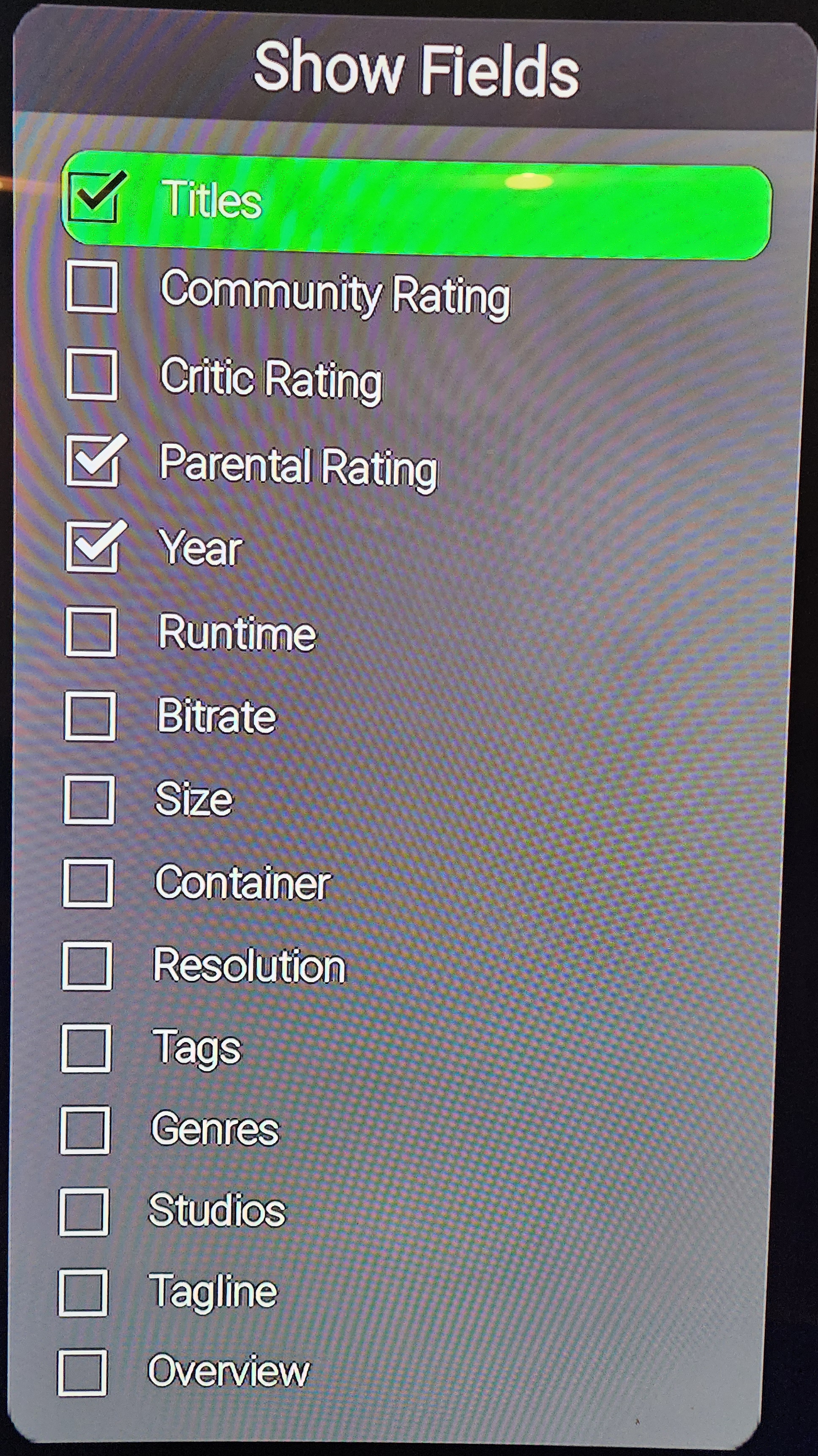
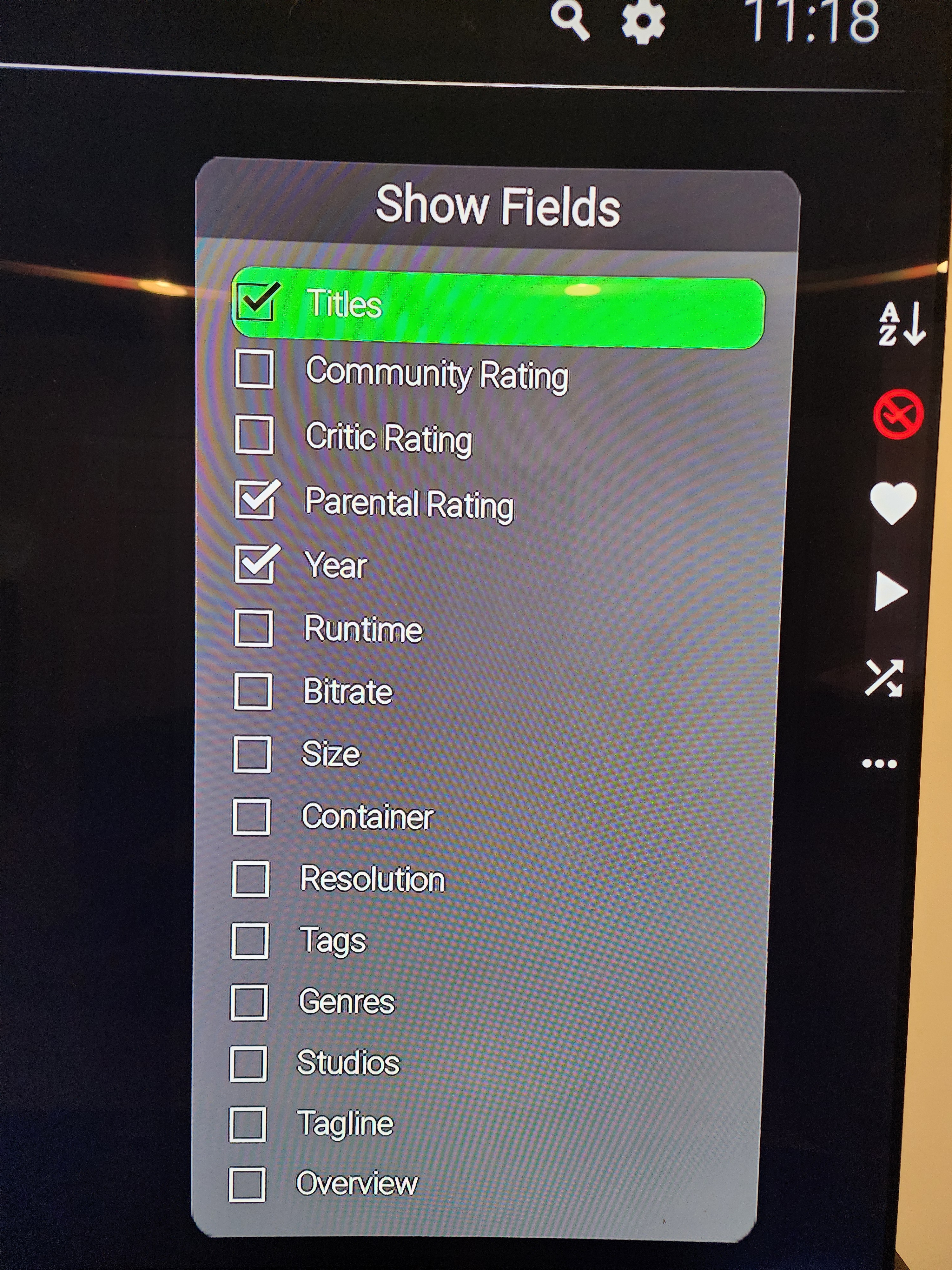
I am saying that on the grid you control what is shown. Right now it lacks what you've provided. We will add that. It will work similar to the web app. The Roku allows titles to wrap and any extra space in "the gap" will be taken by the title. If the title is disabled then "the gap" will close and reduce to just the fields you have selected. When titles are selected as fields it will always create "the gap" at 5 lines. This is purely to allow the titles to wrap into the excess space and make it easier for you to browse. The web app is not doing this yet. In the future, you will also be able to do this on rows and exactly as you described is how it will work. Sort by date created and date created field automatically appears. On the row right now you see 2 lines of text. When sorting is allowed you gain a 3rd line which can show the extra field. You can see this right now if you go to collections and choose to group by media type. It will change the view from grid to a rowlist. On the grid you cannot see the date created because the field is missing. But on the row it will show as a duration ago. Do you expect to see the "Date Created" as simply a date. Or are you expecting to see a duration ago? as date: Friday, April 10th 2026 @ 11:00 PM as duration ago: 10 hours 44 minutes 32 seconds ago Presently it shows as duration ago. But we can change this and make it adaptable if you expected to see the exact date.
-
Thanks for the response. I am not sure I understand if adding Date Created will work the same as in the Web client. Are you saying if the Date Created field is added and I enable it and disable Year the Date Created date will not be shown? In my use case an NFO file is being created which Emby is then seeing and displaying the Date Created correctly in the web client.
-
Would a built in delay to the search function help? Typically, fixing a complex search is done on the server side where the product owner can distribute the demand to multiple servers. When the server is local to the admin, then fixing complex searches with more server bandwidth can be recommended, but won't help for admins that don't upgrade hardware. So, maybe a built in delay to force complex searches to be more friendly, could limit the demand on the server to be more friendly. This doesn't make complex searches work any faster, but perhaps would keep the server from locking up. Or throttle down (raise the LInux nice setting) search priority and just offer a text update "... Searching now through all the libraries..." Just an idea. https://duckduckgo.com/?q=SQL+lokup+searches+with+delay+using+.js+script&ia=web For Linux: https://www.geeksforgeeks.org/linux-unix/nice-and-renice-command-in-linux-with-examples/
-
Hi. Thanks for spotting this. It isn't intentional. When the feature was developed it did match the web app. The entire idea is to match the web app. The web app added fields without telling us. Or we didn't notice. Probably the latter... lol. We can add the missing fields and match the web app. Will also add this to our issue tracker so it is visible to the entire team. Also keep in mind that the behavior between the rows and the grid does differ a bit. There is a reason they differ. When rows can be sorted, they will automatically expose the field which the row is sorted by. So sort by "Date Created" and the date created field is automatically applied below the title. Sort by "Runtime" the runtime shows up. Right now, in the present Roku app, only the Collections has the ability to sort when grouped by media type. But in the future, in regards to the Roku app, there will be sorting available for most things shown as rows and it will show the sort field associated with the sort. There is no way to enable or disable fields when showing items in rows. You just get what is shown. This is the main difference. While on the grid, there is a limited amount of space to show things. We cannot force the fields to change since you are shown the options to change them and allowed to show whatever you want. It is also designed so you can change the sizes of the images. This makes it harder for the grid to automatically show these things because that is not what you may want. You might want to sort the grid by runtime and then see the ratings and title, without the runtime visible. The grid allows flexibility while the row allows uniformity. I've created a "ticket" for you below. Reference: Issue #1774: [PosterGrid] Compare "show fields" to web app and add missing fields to Roku (enable scroller)
-
Could the different Dolby Vision versions be part of the problem? Does Emby support all of them? https://www.faceofit.com/dolby-vision-1-vs-2-vs-hdr10-vs-legacy-dv/
-
absolute legend for adding the selected collections option so quickly! This will push my home screen exactly into the direction I had in my mind
-
- Today
-
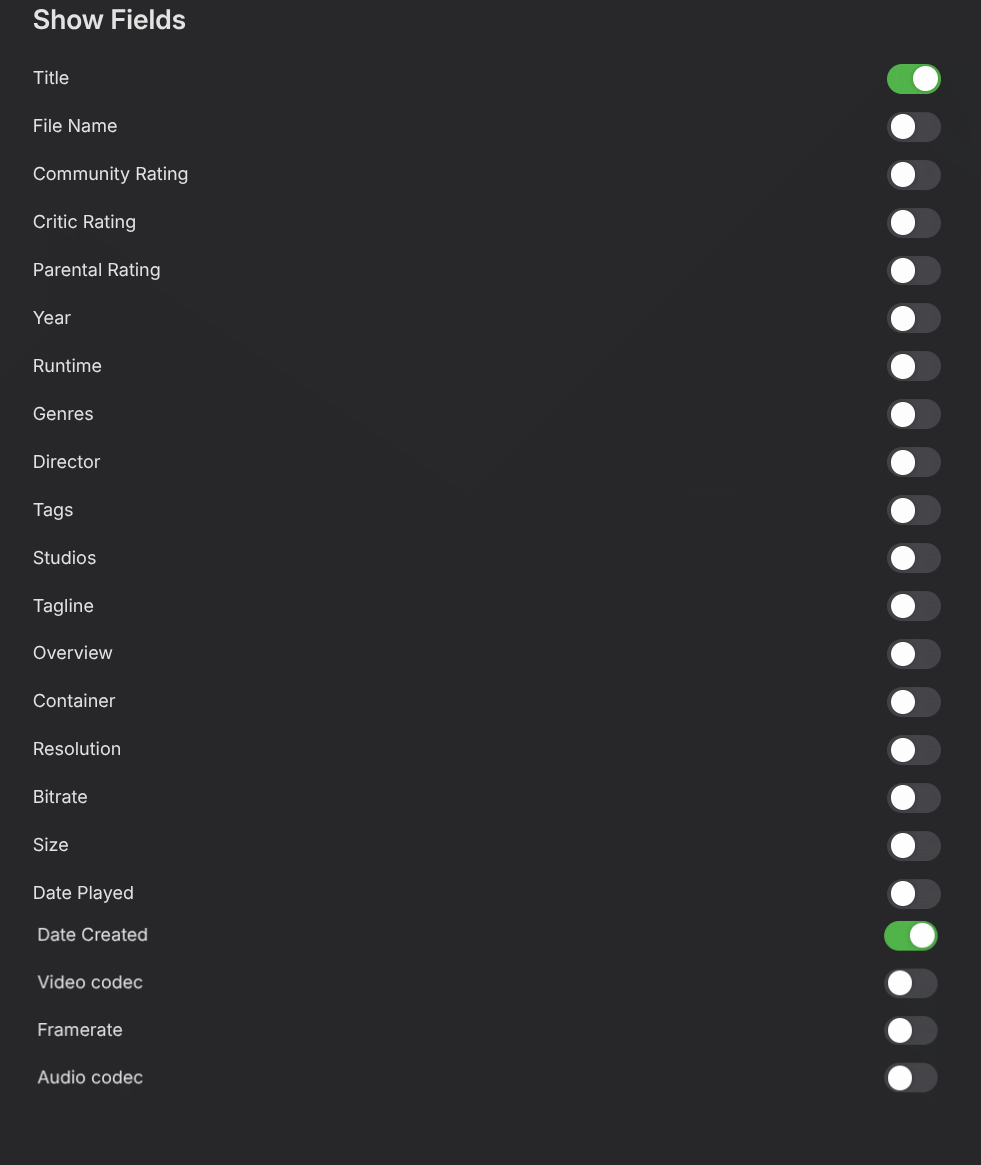
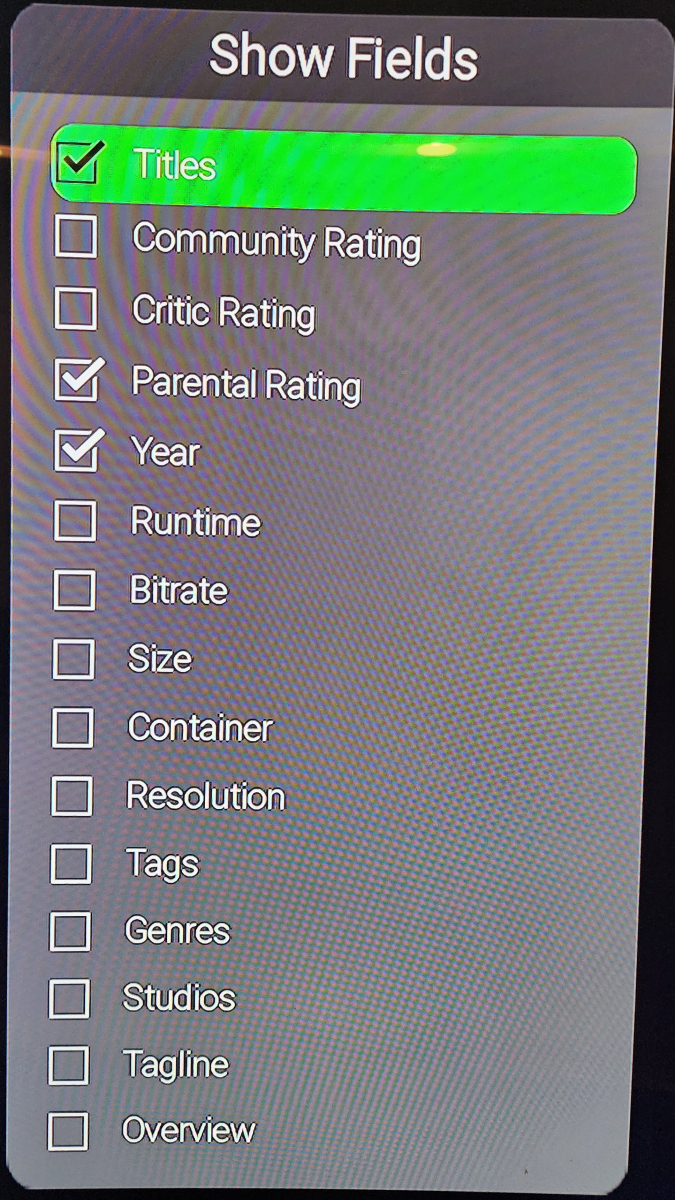
Here is a comparison of both Show Fields sections. Web vs Roku client.
-

Changing Path of Library to new one without Rescanning
cnstarz replied to roshanconnor's topic in Linux
Is there still not a built-in solution for this? A built-in solution that simply finds and replaces text and runs a few SQL update statements seems pretty logical. -
Please bring a feature like this into Emby. Also some more sugestion would be nice. Why not make home screen sugestions slides for all genres and just show movies with the top ratings that a user has not yet seen? It doesn't need a fancy algorythm or AI in the first place. just show unseen movies from different genre. Emby is a nice little streaming solution, but the interface is something else currently... The UI could be tramendously improved with very little affort, just add some more slides and some filters
-

Is offline use with Xreal Beam Pro possible?
bobaldis replied to bobaldis's topic in Emby For Kodi Next Gen
I've updated EFKNG to 12.4.17 - No Change Also thought I'd test the behavour on the Emby client using it's own inbuilt player. Client login registered on Server. Currently playing not reflected on server when playing from Downloads section, but does when playing from Continue Watching although states "Version Downloaded version" in GUI Watched Progress updated when playing from Download only on next Emby startup, may up periodically whilst watch, but I was jumping progress manually while testing, when started from Coninue Watching reflecting live viewing. -
So there's something really wrong with those people. It even says "Android TV", at least, on the front and back of the box. Anyway, it was just my opinion.
-
I have a library that automatically has videos added to it and they get automatically deleted after a certain amount of time. Having the Date Created field working shows me when it was downloaded so I can see which videos to watch first before they are removed. If you look at the Show Fields section in the web client you'll see there is a lot more present there. Maybe bring over all the missing fields that the web client has that the Roku client does not? That would make the Emby experience more standard across clients so you can do the same things regardless which client you are on. If you compare the two sections you can see what is missing.
-
Okay, the "Show fields". Thank you. We can look into adding it although that seems like kindof an odd thing to show for an end user... @speechles
-
The Shield is one of the most popular devices and I guarantee you people have it and don't know it is Android TV. We are just trying to make it easier for people to find the app for their device. In any case, you can see that the apps in the store on the Shield are: Emby for Android Emby for Android TV Those are the only two.
-
In a libraries there is a settings section where you can toggle attributes on or off.
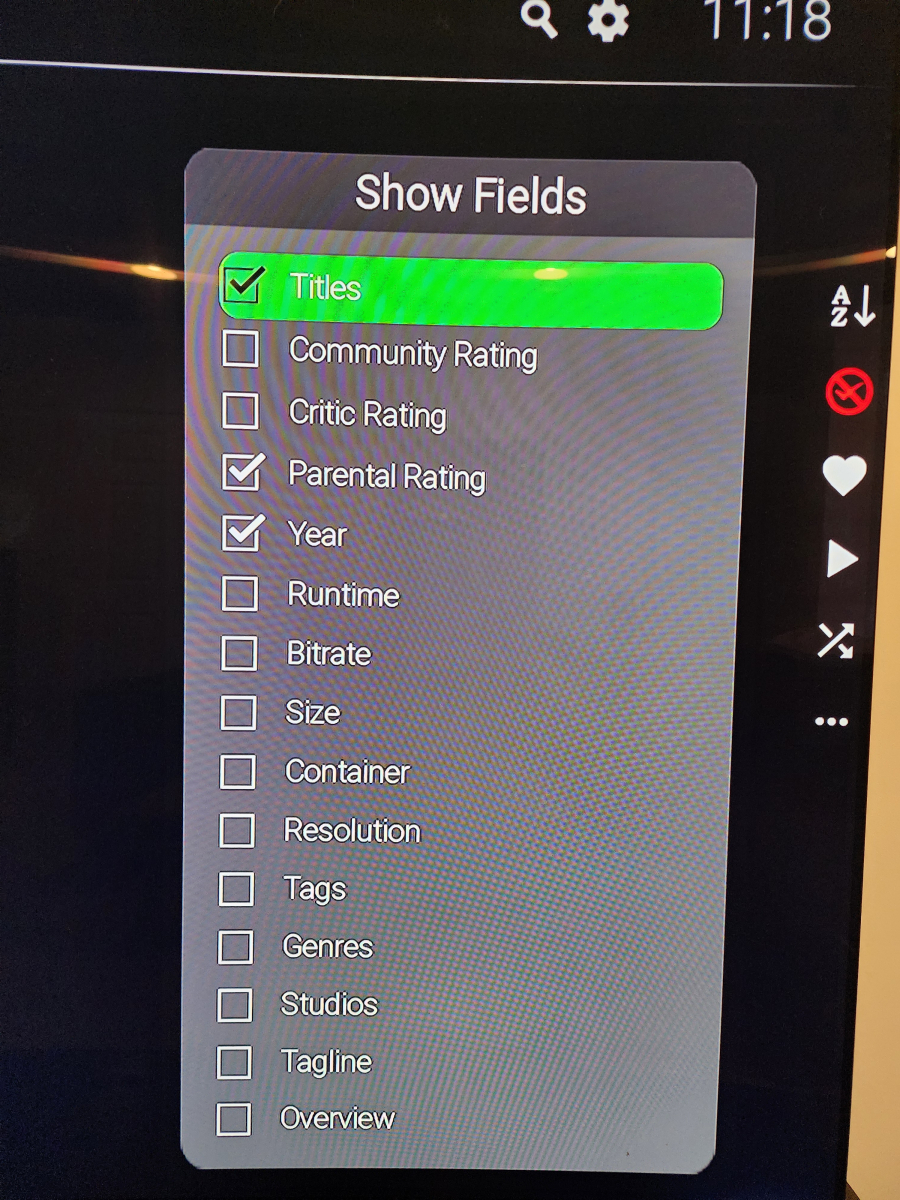
-
Thanks. I was wrong. SubRip is the srt. So that's not it. Sorry. So, does transcoding gets triggered because either the connection speed or some test of the end user's ability to play back fails? Did an older version of Emby work and now a new version doesn't? Maybe get some quality test media with different resolutions and see which media works for direct play. That could help find what forces the transcoding and make it easier to fix.
-
Sorry but I can't agree with you on that. If someone pays $200+ for a box and doesn't know that it runs Android TV... Also, in that case, you had to do it to several TV box brands/models.
-
-
Setting? Setting for what? Exactly where are you having a problem?
-
si es un roku, , pero lo raro es que estaba funcionando bien , y cuando hablas del servidor se supone que este no actualiza solo?
-
We are just providing links by device since some users may not know a Shield is running Android TV. Those images are from Emby for Android TV.