All Activity
- Past hour
-
Yeah, SW was a little sarcastic in that statement. We do have some insights (like the above) that normal user's don't. But, our commitment to not "track" you does make it harder.
-
 Nofar amar joined the community
 -
So how do you determine the actual number of users consuming guide data that must be reported to GraceNote if there is truly no telemetry? Is that number based on measured usage, or does GraceNote actually accept a "best guess"? Because earlier statements from ebr seem to suggest that this number is known, not estimated.
-
 BillyChen joined the community
 -
 JuryDuty911 joined the community
 -

External SRT subtitle file not showing up!
fabien_m2002 replied to fabien_m2002's topic in General/Windows
Here: I have 2 folders for 2 versions: Industry (2020)/ Industry (MULTI) (2020)/ The scan is done only for Industry (2020)/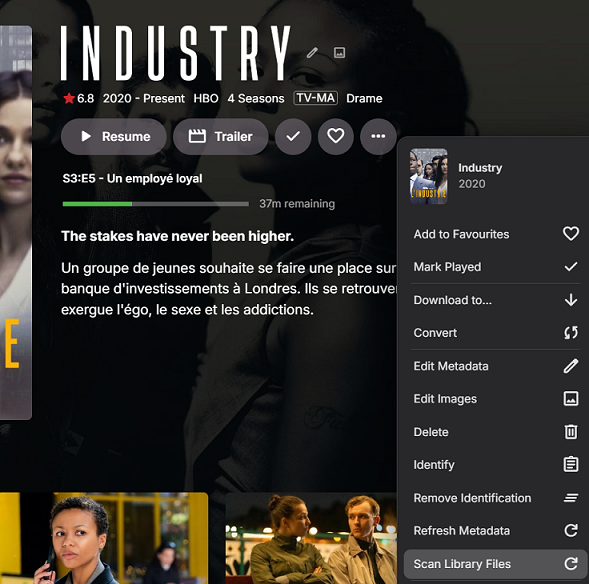
-
 tzwx joined the community
 -
 Alpacino26 joined the community
 -
 fgisdklssdigbh joined the community
 -
Hi. That is going to depend on your screen size but we can see if it can be improved.
-

I moved and now I can't access my WAN emby server
Q-Droid replied to drpickles's topic in General/Windows
Make sure it matches the WAN IP of your router, not your server. This is because the server is getting the same information you did from the site. You want to make sure the WAN interface on your router also has the same IP. Otherwise it's double-NAT or CGNAT. -
 Cristian Pereira joined the community
 -

I moved and now I can't access my WAN emby server
drpickles replied to drpickles's topic in General/Windows
The IP matches the WAN IP for my emby server so I don't think it's a CGNAT. The Port checker says my WAN IP port is closed though so there's something wrong with that. I tried assigning a different port to the WAN IP server and forwarded that in my Router but that didn't work either. I tried assigning and forwarding 3 different ports but they all say it's closed. I don't know how to proceed. -
and also, can you add DTS-HD MA and DTS-X as different as DTS, and displayed a different icon?
-

External SRT subtitle file not showing up!
rbjtech replied to fabien_m2002's topic in General/Windows
Which option are you using ?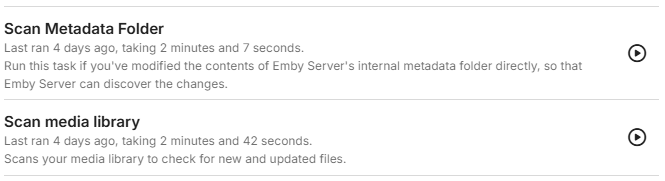
-
 Adrian busson joined the community
 -
 Cylon2 joined the community
 -
 Shalom amar joined the community
 -
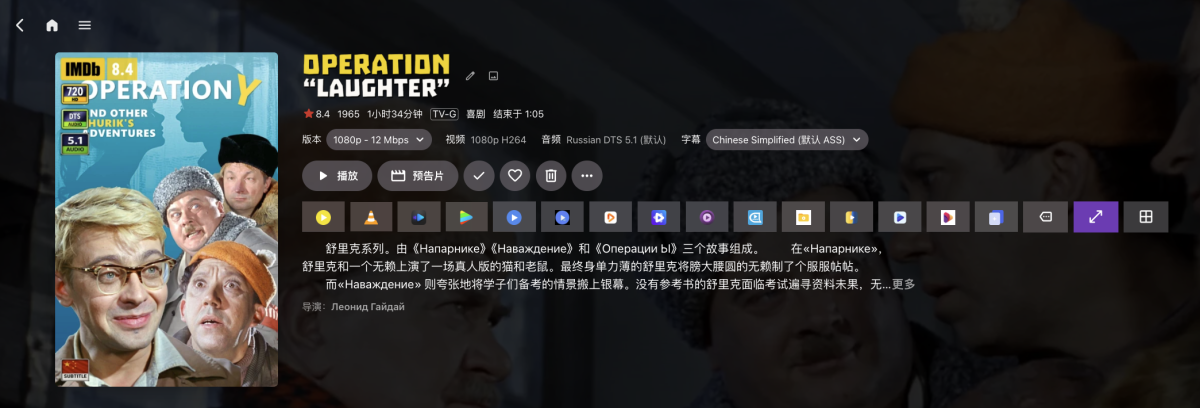
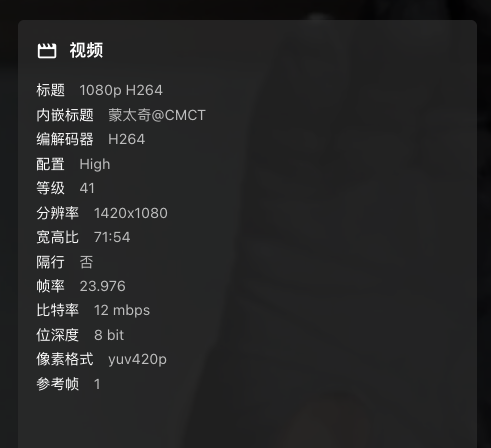
the resolution icons still have problem, sometimes think the 1080p as 720p,or can't display 4K icon for 4K movie I think the problem is: for example the resoution is 1440*1080 the plugin only take the width pixels = 1440, less than 1920, so it think it as 720p. But if the heighth is 1080, ut should be 1080p the 4k is the same, if the heighth is 2160, it should be 4k
-
Suspect origin of issue is subtitle positioning metadata, embedded in the media file. Some TV's Apps might handle "Alignment 2" as the short term name for bottom center and other TV apps, perhaps your LG, does not have code to recognize "Alignment 2" and considers it, instead, to be center aligned, from top left. This is just a guess. This type of strange issue can come from an online software update from LG. The media file subtitle positions can be fixed with ffmpeg. If this is true, then Emby would, at the most, be trying to fix an issue, caused by the media file. Maybe a previous Emby version had some process working to fix this. The better solution is to fix the media file embedded subtitle positions. Have examples been found where the exact same media file works on a different Emby version? Fixing embedded subtitle positions by resetting the metadata inside the media file. see: https://stackoverflow.com/questions/57869367/ffmpeg-subtitles-alignment-and-position === A fix I prefer is to remove the subtitles from the media file and convert them to separate .srt files. Remove - MkCleaver (older verison 0.8.01 because the new version has false virus issues) Convert - https://subtitletools.com/convert-sup-to-srt-online
-
Agree about your opinion. just focus on the overlays of posters, and just work on customize positions and priority. It's good enough and also light enough. I like this very much
-
External SRT subtitle file not showing up!
fabien_m2002 replied to fabien_m2002's topic in General/Windows
Thanks but too long on this library (1 hour+). I found a way: Go to the serie frontpage -> 3-dots: "Scan library files" -> It works only for the default version! Example: for the serie "Industry", i have 2 versions: FHD & UHD format -> 2 folders. Only the folder for FHD format is scanned, how can i scan files for the second version where my SRT file is? -
External SRT subtitle file not showing up!
rbjtech replied to fabien_m2002's topic in General/Windows
How are you looking for the change - if in a browser, then you simply may need to just refresh the page as the cache will show the previous 'non SRT' version of the page. -

External SRT subtitle file not showing up!
visproduction replied to fabien_m2002's topic in General/Windows
Fab, Try scanning an individual library, instead. You can do that with the 3 dot icon inside each library in Admin / Libraries. (right click with Windows) In practice, as long as the library scan eventually works automatically, you can ignore the issue. Users will eventually see the subtitles in the list, once libraries are rescanned. Many dbase related applications and Internet DNS updates have this delay to show issue. It's an normal process and support usually just tells the users that the update will take some time. -
Thought I'd mention that sometimes files don't have the same name as their folder. I haven't dug into this duplicate searcher, but I thought I'd mention it in case that issue could be confounding the search for some people. . . . I user directory opus as my file manager. It's not free, and a little pricey for an app (but the license lasts for years so I consider it fairly reasonable). I love it. There may be similar functionality in other 3rd party file managers. . . . In that case I outlined above, where media file's names don't reflect their folder name meaningfully for whatever reason, I use my 3rd party file manager "Directory Opus" as follows: - I open the folder that contains all of the media files - I change the view to "flat view" in directory opus (icons for that at the top of it's interface) , so that all of the files are exploded out into a main listing instead of being hidden inside of their folders. - From there I can hit the top column heading to sort by "Type" so that all of the video files appear together in one nice block. - I click the topmost file with a media suffix, hold shift, and select the bottom one to select all. Otherwise CTRL + click individual media-suffix files that are named strange. - In my case, I set the tiny scriptlet detailed below to a button on the top area of the directory opus file browser/manager. - clicking the button, all of the selected media files are renamed to the name of their parent folder. . . . . . . . . . . Here is the "script" that does it in directory opus Method 2: Using a Button/Hotkey Command For frequent use, you can create a custom button or hotkey that runs the command directly. Right-click on an empty space in a toolbar and select Customize. Drag the Rename command to the toolbar or double-click to edit an existing button. In the button editor, modify the command to: Rename PATTERN * TO {parent}.* Save the changes. Now, clicking this button after selecting files will perform the rename operation instantly. Method 3: Using a Simple Inline Rename Shortcut (Opus 13+) In newer versions of Directory Opus, a built-in shortcut is available during inline rename mode. Select the file and press F2 to enter inline rename mode. Press Ctrl + / to automatically insert the parent folder's name while preserving the file extension. Press Enter to apply. . . . . . . . The bulk rename utility might be able to do something like that too, not sure. I typically use that utility to truncate names down closer to just their title. In some cases, I do this either before or after the operation above, in order to cut down long winded descriptions in folder and/or file names. https://www.bulkrenameutility.co.uk/ . . . I think if both the bastard filenames and the long form folder/filenames are addressed, it would probably make searches and indexing easier for apps.
- Today
-
By the way do you plam to include external player feature to linux version? I'd say it is a necessity to have it on linux and android (maybe windows too) since there are so many distributions, kernles, drivers, hardware, so one never knows what will be broken at any point of time on some configurations.
-
I believe they are different
-
Agreed. I don't think my link has been updated yet with the recent changes. Anyway, always best to go with sky's info
-
Never mind, I never noticed that side scroll bar, I guess this is just bad UX design, there is no indication of anything existing below that screen I have found the incorrect image there and removed it
-
The latest Emby beta is 4.10.0.4. So, if you're running DSM 7.2 on your NAS choose the file with synology72_4.10.0.4 and then ending with your processor type.
-
That might be browser issue, not necessarily Emby issue, since you're using Firefox (which ain't exactly known as a great media-consumption browser). Have you tried playback in some other browser (Edge, Chrome, Thorium...)?
-
It doesn't say that at all. The "subtitle encoding regression" was in an earlier beta, and has nothing to do with the subtitle positioning. I don't think they're even working on this.
-
An MKV file. A movie called Signs. By clicking on the movie in Emby, like I would any other content within Emby. Tried it multiple times within that log, probably 4 or 5 times near the end of the log. The log should show this. Nothing. Emby sits on a black screen and spins forever. I cannot get the file to play, regardless of what I do. No idea why any of that would be happening, literally just purchased Emby premium a couple weeks ago and have uploaded my media into it. There should be no reason for any errors or "other processes, no authorized"
-
I need to check other sources because sky q channel numbers may be different from sky glass
-
I had already serch on the GitHub page, but 've no found avr references, also the wiki page in empty. This is just to be sure to use the correct version