All Activity
- Past hour
-
 gerMon joined the community
 -
 mypubss joined the community
 -
 Varigass joined the community
 -
Updates: More seasonal/Holiday themes added in. Each holiday is very unique in their own way, from colors to animations. Holiday options are: Valentines Day St. Patrick's Day Easter 4th of July Halloween (My favorite one) Thanksgiving / Autum Harvest Christmas New Year's Eve Enjoy! Emby Navy and Gold v3.0.css
-
 lla8ll joined the community
 -
 rafalopez joined the community
 -
 Jordandihfiglio joined the community
 -
 Hairen_k joined the community
 -
 essssk joined the community
 -
 cwick2542 joined the community
 -

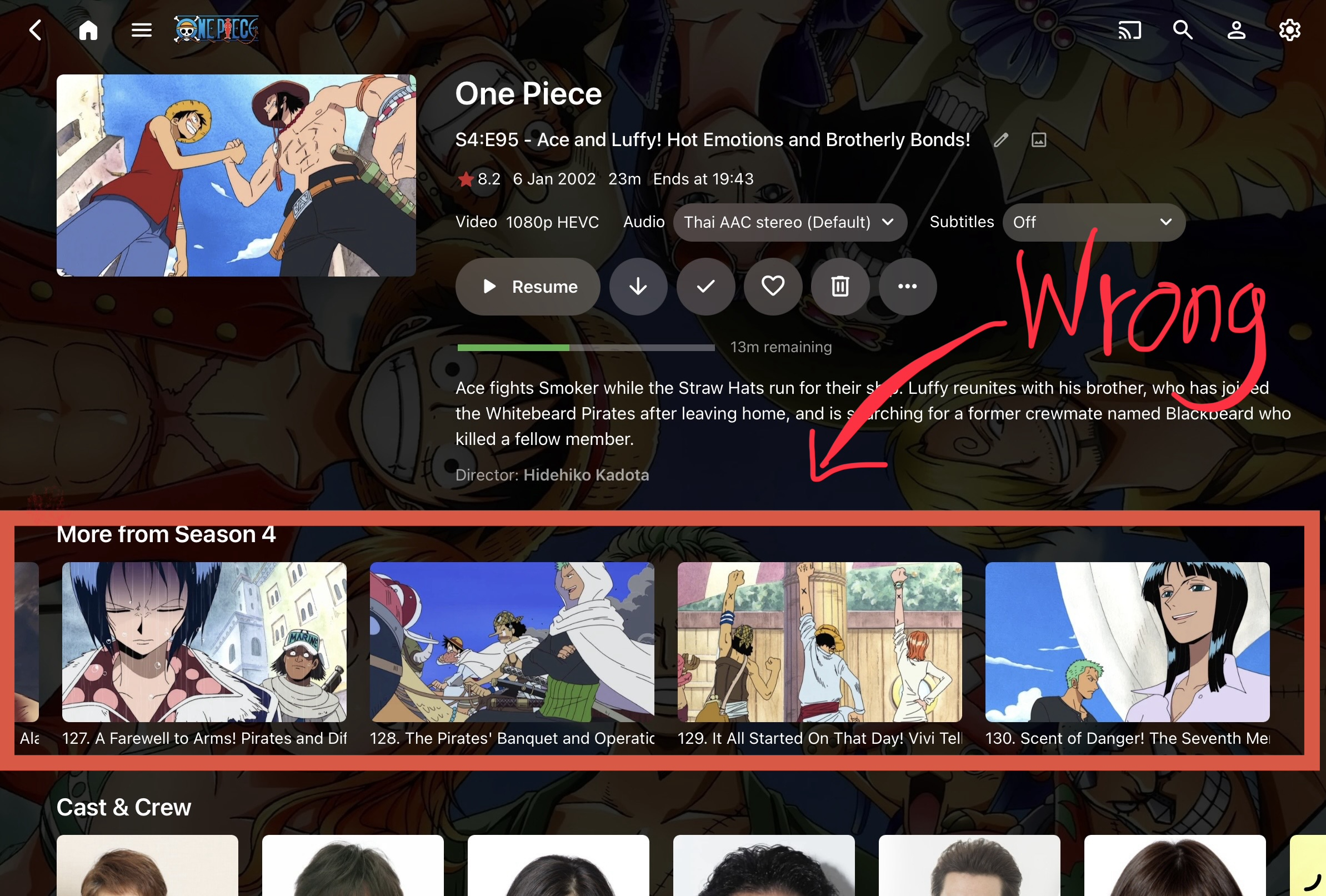
Select “Continue watching episode,” but the episode listed under it doesn’t match the selected episode.
kira yamato posted a topic in Apple iOS / macOS
After selecting “Continue watching episode,” the episode listed under it doesn’t match the selected episode. It either takes me to the beginning or the end of that season..This bug is incredibly annoying. It has occurred on both iPhones and iPads. Emby version 2.2.51 ipados 26.4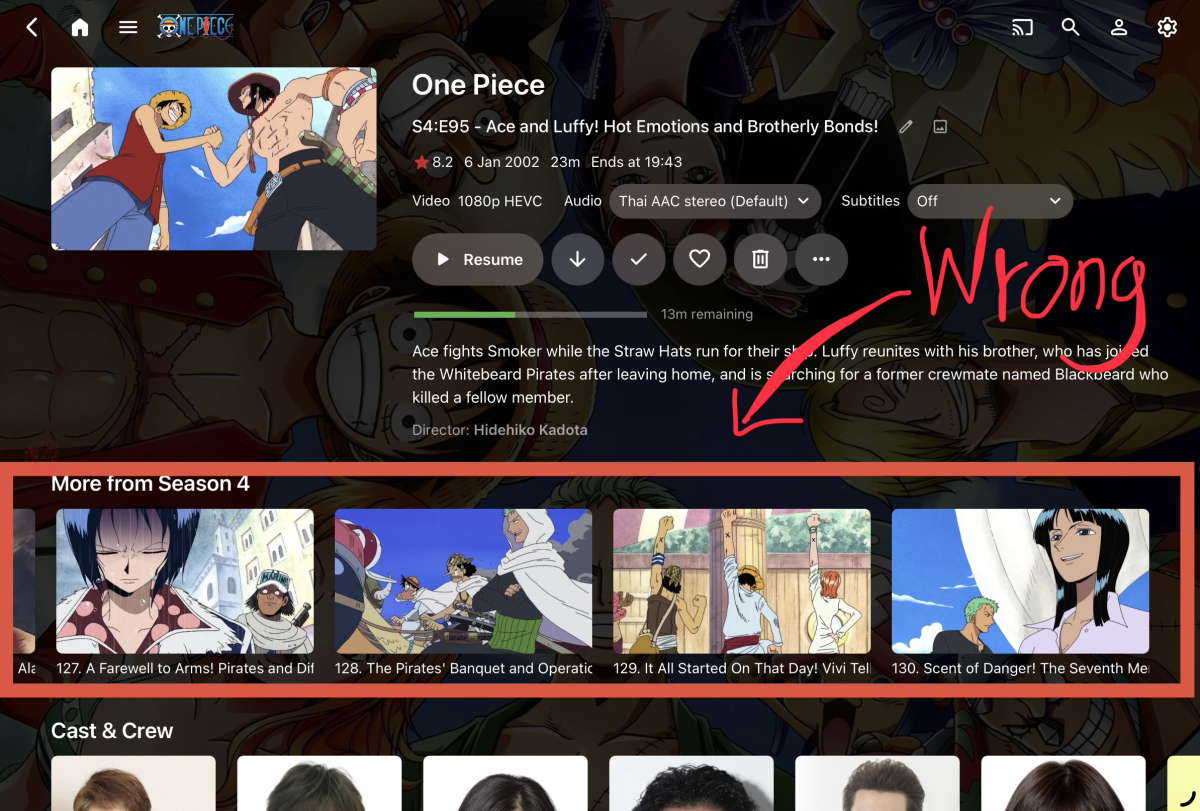
-
When I said “manual scan,” I was referring to the various manually triggered refresh/scan actions in Emby, including library refresh and metadata refresh. I tried all of them. None of them caused Emby to adopt the manually placed folder.jpg. In practice, the file was not honored and was eventually removed. So this is not really a terminology issue. The actual issue is that direct filesystem management of person images no longer appears to work here, even when using the exact metadata/people folder and filename Emby itself creates. The only reliable method I have found is the API path, where Emby creates the folder.jpg itself. Is that now the intended workflow for person images?
-
Hi. Can you give some more details about the SSL renewal? I have some Samsung TV that cannot remotely connect while others in the same location and AppleTv or Roku devices work.
- Today
-
New stable release - Version 3.2.1.0 Download .dll and full release notes: https://github.com/soderlund91/HomeScreenCompanion/releases/tag/v3.2.1.0 This updates bring mostly some user requested improvements to the Smart playlist filters, with support for music and music videos among other new filters. Also adding the filter function to all source-types, so now you can filter and match the list from ex MDBList to only tag movies that are in 4K. IMPORTANT! Minimum required Emby server v4.10.0.6 Note Make sure to back up your settings before updating, just in case. Both the plugin and Emby (user data) Note Included a .NET V6 release, this is for MacOS or legacy support. This version is NOT tested. New features Added filters for all source types. Updates & Improvements Added support for music and music videos in Smart Playlist function Added a WatchedByCount (how many users have watched this movie) in Smart Playlist filters Added collection and playlist as options in the smart playlist filters. When using local playlist as source or in the smart playlist filter, now every users playlists is shown. Improved sync with Emby native home screen section settings, and added more options when creating a home screen section from the plugin. Fixes Fixed an issue where home screen sections was created multiple times if they where reordered from the plugin tool. HomeScreenCompanion.dll HomeScreenCompanion_NET6_MacOS.dll
-
You can do this with Handbreak HandBrake: Open Source Video Transcoder
-
Ok and how may I solve this issue my friend? Ill be waiting for your further help Regards,
-
This is a 2020 year model TV. Samsung don't typically update the root and intermediate certificates on their TV, so if xolphin have started signing with a newer Sectigo certificate then this is probably the issue. I suspect that this is most likely your issue, especially if the web browser is also reporting wrong ssl certificate. Unfortunately, if that is the case, there isn't really much that can be done to avoid it. The other option is to avoid using https on the Samsung TV. Looking at the root/intermediary certs in the ssl certifcate chain, they appear to have been generated from 2021 so it is very likely that the root certificate is missing in the TV. Unfortunately it's very unlikely that Samsung will update them. Quite some years ago the same issue occurred with LetsEncrypt certs which were very commonly used, and as far as I know, they still haven't been updated on older models. I think plain http on the TV is going to be the only option.
-
Hi People, Someone able to use catchup with this plugin? I useing the Online method and did not see any option to brows back.
-

Does Emby support IPTV catch-up (from M3U), or is there a workaround?
LoLoEmby replied to MrSuspect's topic in Live TV
Hi Dear, Did you able to enable the catchup? 'm in the same situation and did not find a way. -
Hello i run with last version of Emby server, have Emby premiere and yesterday i deleted my m3u TV source to recreate another one. I have all my channels working but i cannot see the TV live section in the sidebar menu, why? ps: I have reinstalled Emby server and now i have the menu
-
Thanks for suggestion but doesn't do the job as I don't get a list per show / seasons / episodes with size of file, and audio tracks listed
-
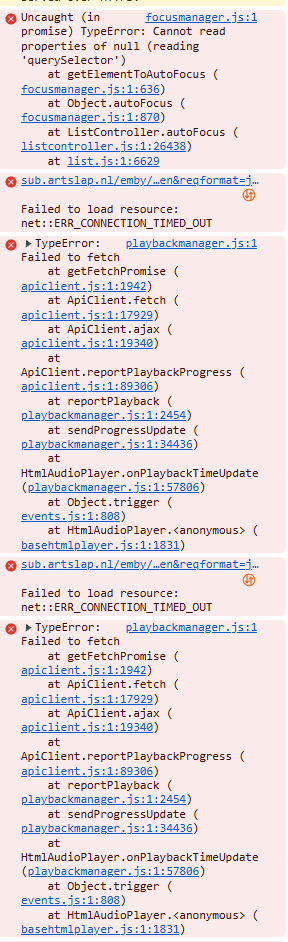
Had another freeze, this time it seems that it was caused by `focusmanager.js`: I'm not really sure which element it was that broken, but since that the fetch is causing timeouts / failures. The server has been responsive throughout this freeze (since I was coincedentally connected and working on it remotely).
-
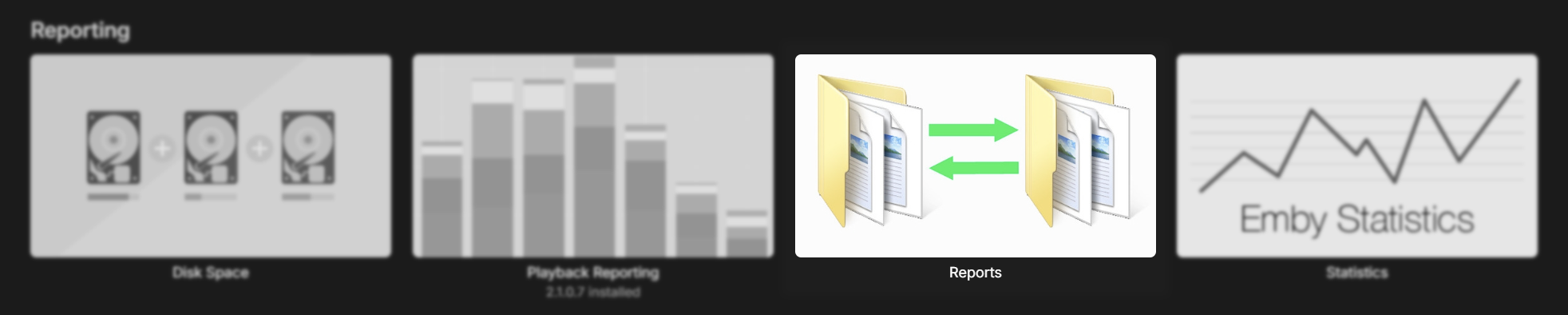
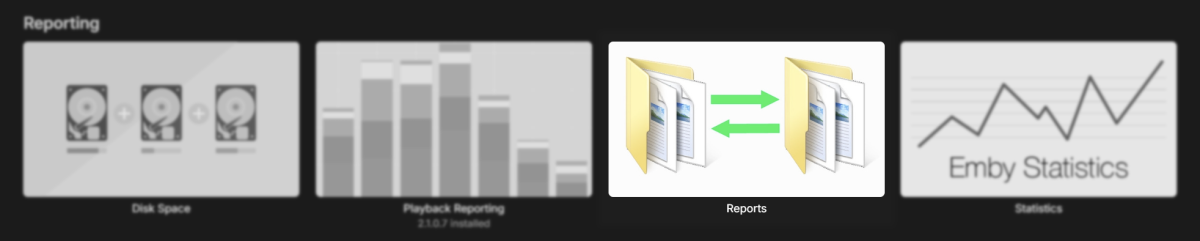
You can use the 'Reports' plugin to do that
-
Hi For some easier management, I'd like to be able to export the whole list of TV shows I have in Emby in a spreadsheet listing name of the show, seasons, list of episodes, size of file and languages of sound tracks in it. Is there already something existing that would allow that easily ? or does it imply I would need to do some SQL requests on Emby database to extract datas I need ? Thanks Vincèn
-
If we add a filter in the smart playlist, then we can combine collections and use a filter that look likes this: Collection = James Bond AND Collection = Daniel Craig I'm gonna go ahead and do this, it makes sense to me to have this option in the local media info filters. I'm gonna keep collection and local playlist as soure types (for simplicity and backwards combability) and add the options in the filters for the smart playlist.
-
Luke we established that this is possible more than 5 years ago, with many other posts from me. will it ever happen? when?
-

Intel QuickSync H.265 Max Bitrate 39Mbit/s -> falls back to software encoding above this threshold
Brudertac replied to embart0r's topic in Linux
I can confirm that the fix works very well. Encoder QuickSync DG2 Arc A310 [1] - H.265 (HEVC) Adapter #1: 'DG2 Arc A310 [1]' Id:22182 (Driver: , Vendor: 32902, SDK Version: 1.255) Max Bitrate: 156 Mbit/s - Frame Sizes: 32x32...8192x8192 - Width Alignment: 16 - Height Alignment: 16 Color Formats: NV12 - Bit Depths: 8 Profiles: Main Profile (Level 5.1), Main Still Picture (Level 5.1) BTW a Question... Shouldn't it be possible to use a lower minimum bitrate than 40 with h265 in 4k? -
It look like there are some issues with this file. Try converting it to mp4 from avi. 20:14:19.858 Input #0, avi, from '/media/TV Shows/DesperateHousewives/Season 4/Desperate Housewives Season 4 Episode 17 - Free.avi': 20:14:19.858 Metadata: 20:14:19.858 artist : TSV Productions 20:14:19.858 Duration: 00:43:01.33, start: 0.000000, bitrate: 1145 kb/s 20:14:19.858 Stream #0:0: Video: mpeg4 (Advanced Simple Profile) (XVID / 0x44495658), yuv420p, 624x352 [SAR 1:1 DAR 39:22], 1003 kb/s, Level 5, 23.98 fps, 23.98 tbr, 23.98 tbn 20:14:19.858 Stream #0:1: Audio: mp3 (U[0][0][0] / 0x0055), 48000 Hz, stereo, fltp, 128 kb/s 20:14:19.858 Stream mapping: 20:14:19.858 Stream #0:0 -> #0:0 (mpeg4 (native) -> h264 (libx264)) 20:14:19.858 Stream #0:1 -> #0:1 (copy) 20:14:19.858 Press [q] to stop, [?] for help 20:14:19.860 [mpeg4 @ 0x805859c00] Video uses a non-standard and wasteful way to store B-frames ('packed B-frames'). Consider using the mpeg4_unpack_bframes bitstream filter without encoding but stream copy to fix it.
-
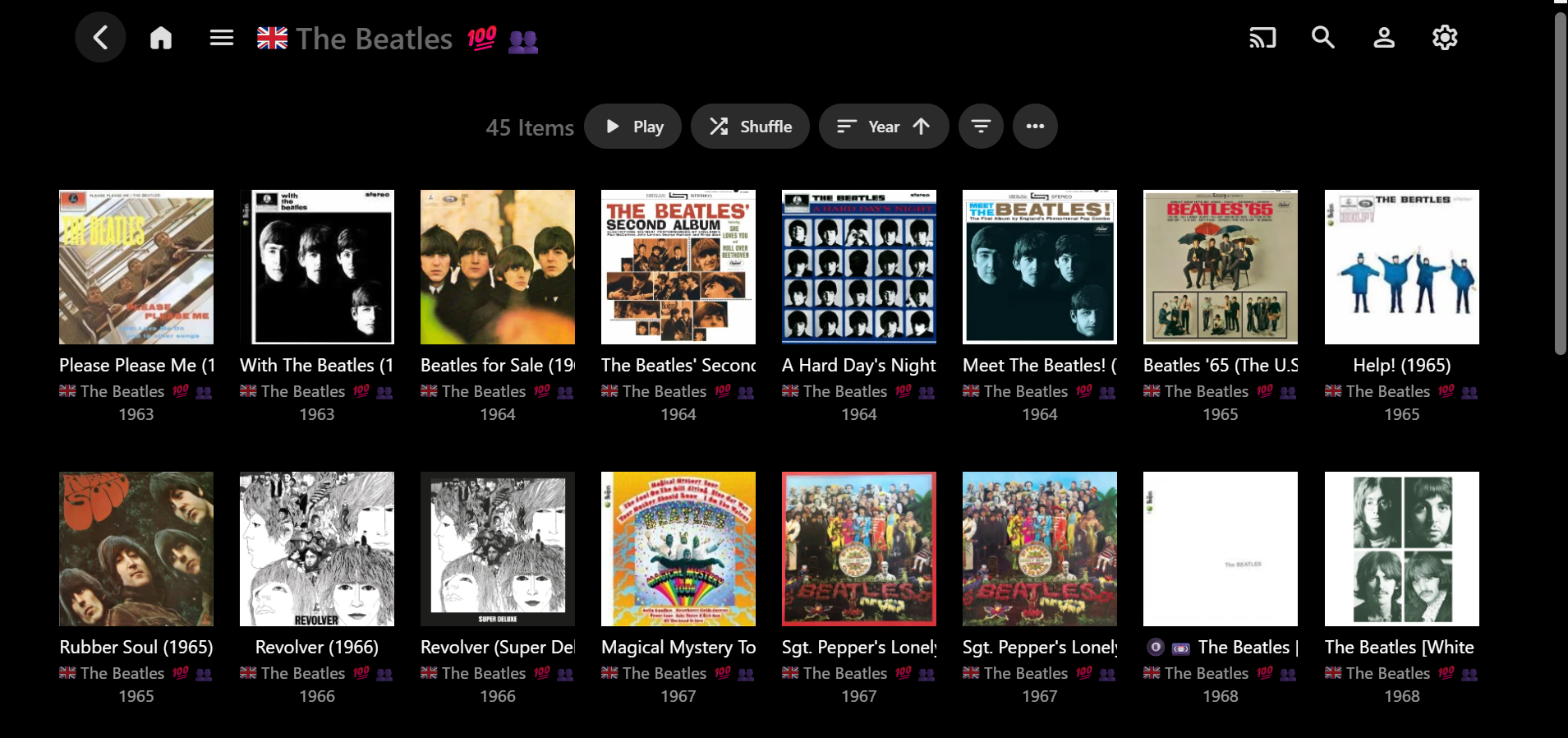
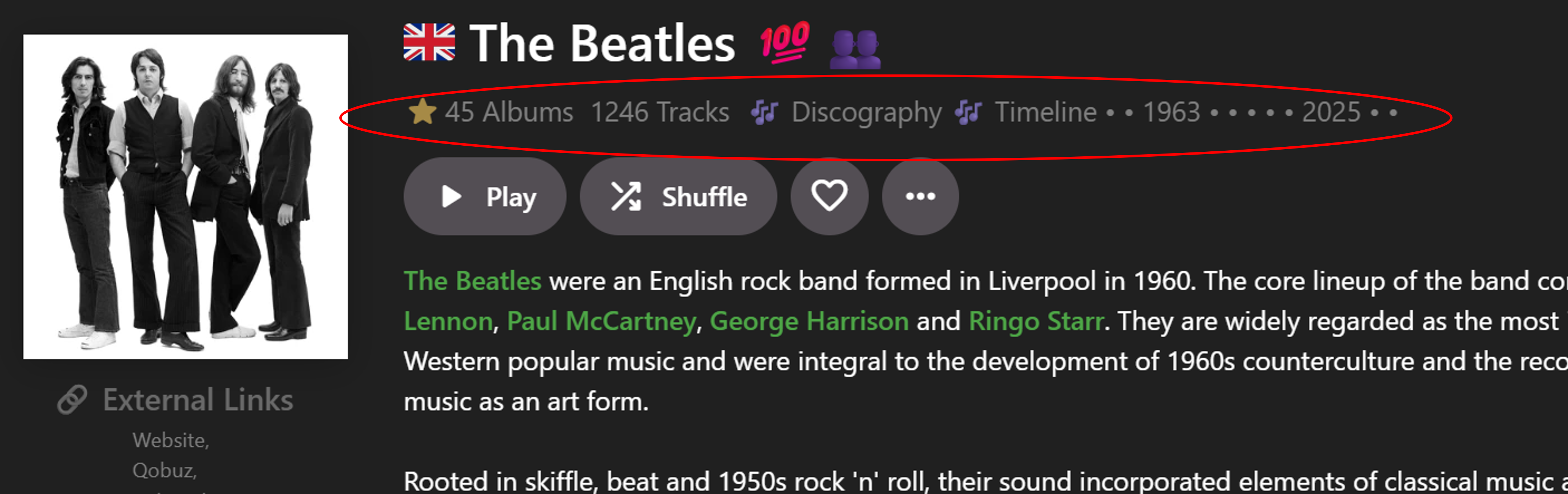
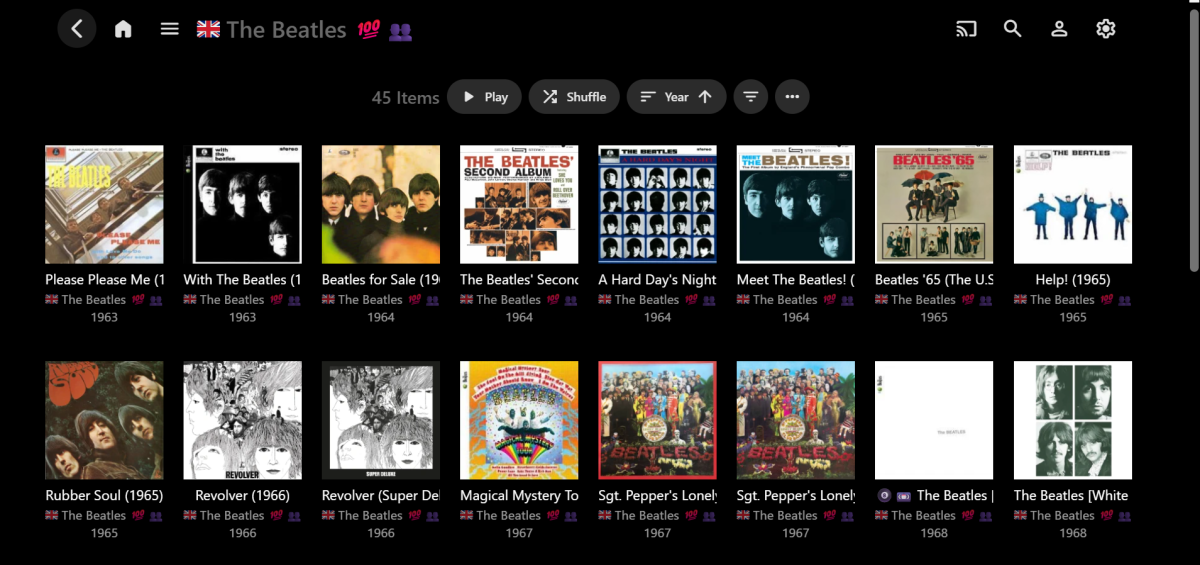
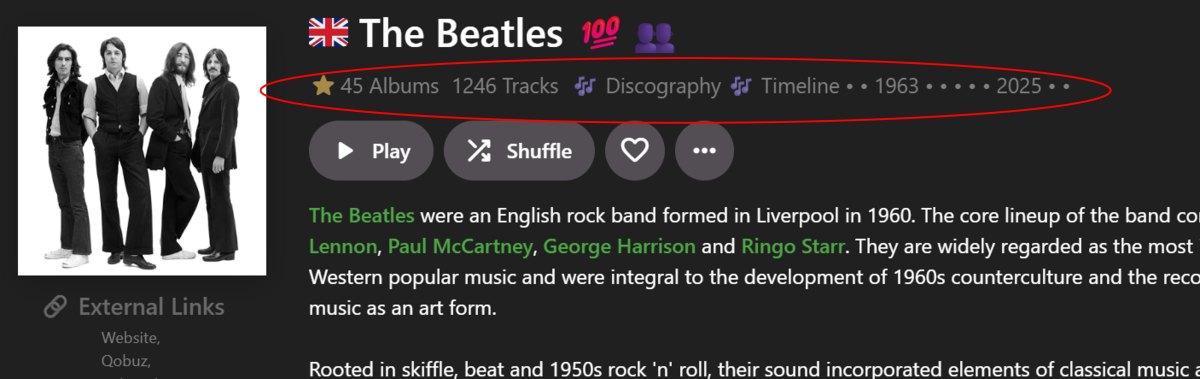
I've been wanting to group Artist Albums into sub-categories for quite a while. So this is related to the detail Album pages which, in primary view, show one group of albums in a grid (e.g.) So rather than one whole block of Albums, there woud be two possible new groups, split into sections: Release Type (Studio Albums, Live Albums, etc.) Decades (1950s, 1960s, etc.) Release Type has been asked for by myself and others in various topics. E.g. group albums into Studio Albums, Live Albums, Compilations, Singles & EPs (or whatever main categories you want). There is an embedded metadata field for this, but I was thinking just to use Emby Tags on Albums because album-only tags cannot be imported. It may take me 6+ months to tag all of my albums like this in Emby, but waiting for a Feature Request to possibly eventuate could take a lot longer! Decades could possibly be determined by the Year tag, but decade album tags could be used if Years didn't work. Decade groupings, etc has also been asked for elsewhere, across all media, but I don't think anyone has yet discussed both Release Type AND Decades together as alternative Album groupings. If Emby were to implement this, then ideally, to match the current UI and how Collections can group now, there would be a Group By button in the menu and you would be able to select: None (default) Release Type Decade Anyway, that's the basic idea. Beyond that, I've recently re-purposed the row under the Artist name on the Artist pages: The Community Rating star field now shows Albums count and links to the Albums page (usinig a workaround + JavaScipt) The Tracks count now links to the Songs page (using Javascript) Discography (in the Genre field) now links to the Albums page (using JavaScript) Timeline (in the Genre field) now links to the Albums page (using JavaScipt) That's about the limit of my progress (and knowledge) so far. The next step would be to somehow achieve: Albums links to standard Album page grouped by None (but perhaps with an "All Releases" heading) Discography links to Album page grouped by Release Type (with relevant headings) Timeline links to Album page grouped by Decade (with relevant headings) I have no idea yet whether or not this is even possible, I only just thought of this linking and grouping possibility because your script worked for spliitng the "Included In" row! Hopefully that explains the idea well enough? Perhaps you would know what may be technically feasible or not? Or other ways to potentially achieve the same end result? Let me know if you want any more info... and, as before, help is not expected, but always appreciated!
-
I'll take a look at the Mal/Anilist issue later. For the plugin, it's a dll that needs to go in your Emby plugins folder, Aber a successful install and Emby restart, the plugin will be listed within your Emby plugins. I've updated the docs https://github.com/tommargar/Kometa/blob/nightly_feature_emby_overlays_2/docs/config/emby.md see Emby specific settings. Let me know if you need more information. /EDIT: Good catch, this was a bug on my end, not a problem with your config.There was unfinished experimental code in kometa.py that incorrectly assumed every collection has a template: key. Collections using direct builders like mal_airing, mal_season, anilist_search etc. don't have that key, so it crashed immediately when it hit one of them. That's why commenting out collections one by one seemed to "move" the error — it always failed on the first collection without a template. I've updated the code on GitHub. MAL and AniList builders were never the actual problem, they just happened to be in the collections that triggered it. Give it another run and let me know how it goes!
-
I have some information that might help. The Recordings that do not play on the LG TV will play if i start them off on the windows emby app and resume on the LGTV. The problem seems to be they recordings will not play from the beginning on the LGTV thanks
-
this forum is horrible. doesnt let me edit posts so have to keep making new ones do you have a discord for this or anything. i didnt see any updated docs for embyplugin. the only thing i found was this post. EDIT: Added files. Put the dll file in <your plugins folder for the overlays, point to your Kometa export folder and hit 'save'. is this saying put plugin into the emby plugins folder. i dont understand what to point to kometa folder means and hit save. where is this suppose to be edited.
-
i removed all the collections with search attributes and left only the ones like this, and it seams to be building collections. just not working with any mal / anilist builders. i see mal isnt in the docs but anilist is but still doesnt work with anilist ones. Action: template: name: Anime genre: Action
-
almost there. it did edit user ratings the first run but as soon as it starts to build collections it has problems with templets. i checked your docs and the templats im usings are listed in the builder. i have tried to # out the ones errored but after doing that multiple times i have to remove all builders from collection and then it errors on the next collection. so seams like no builders are working right now or im doing something wrong lol. this is the yml im trying to use, same i use for plex. meta-9.log meta.log animefast.yml