
All Activity
- Past hour
-
 Elvisrojas joined the community
 -
 Ormaimon2010201 joined the community
 -
 Alan Minda joined the community
 -
 ORMAIMON2010 joined the community
 -
 Luolitrt joined the community
 -
 Alr joined the community
 -
 Lumlu34 joined the community
 -
 ahierjoc joined the community
 -
 GiovaniRS joined the community
 -
 buyu151 joined the community
 -

I think my server was hacked
woofstream replied to edvinmorales@hotmail.com's topic in General/Windows
Makes sense. I accidentally put a 1 where a zero should have went in my port forwarding. Port 80 isn't showing a login page anymore, thank you! -

Moved media Library to new location. Some media's metadata points to old Paths and won't play.
bennymac posted a topic in General/Windows
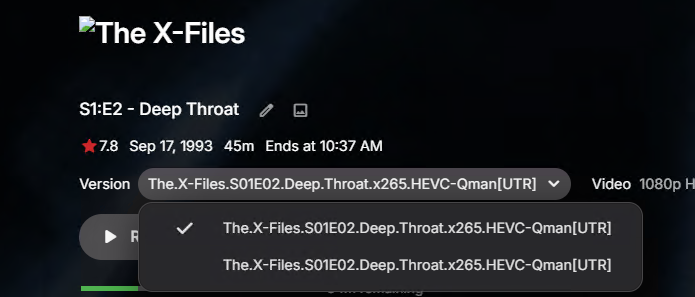
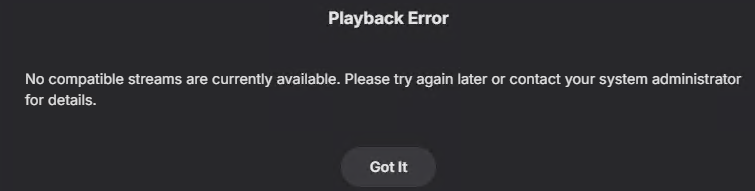
Hi Team, I have run Full Library Scans, refreshes after moving Media and not sure how best to proceed. In the past week we went from Media Libraries pointing to Local internal disks to a dedicated NAS and consolidated paths to single UNC path on the NAS for each content type. All libraries were updated and Library Scan's completed. From what i can see 90+ % seem fines although some media is not playing showing a failed artwork icon. For some files are not playing with "No Compatible Streams Available" Error. Looking into further some paths on content as pointing to old Path. E.g. TV Show library was configured for Z:\TV\XXX, D:\TV\XXX, F:\TV\XXX Now it's all \\192.168.1.221\Media\TV On some media we are getting a Playback Error On those media's metadata the old path shows. There is an alternative version of the same name. presumably what is being reference in the previous file path? We have run manual library scan's and freshed many times but it's not updating the paths. Any idea's would be super appreciated.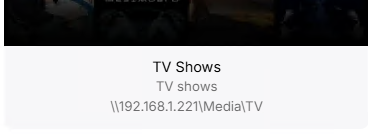

-
If its a known issue, then why does it allow me to use the word "emby" for my server name?, it should have given a warning or just stated it was not allowed Instead it accepted my server name without complaint and then I spend hours trying to figure out why the server name is not showing up correctly on the login page!
-
I don't actually use NPM to properly answer that question but I would assume no the login page should not be exposed, only the port that is used for whatever services you have configured to run behind it - which should only be reachable via domain name (SNI) on that port, which is probably 80 and 443. Some light research indicates that port 81 is the login page, definitely don't expose that.
-
The replacement Emby does because "Google" often flags any server name that contains this as impersonating Emby and gives a big red warning to anyone trying to access it! So use any server name that doesn't contain the text "emby".
-
I think my server was hacked
woofstream replied to edvinmorales@hotmail.com's topic in General/Windows
Thank you! I have that setup now, new IP address from my ISP as well. I am curious though, is the login page for Nginx Proxy Manager meant to be exposed on my IP or is there more I should do? - Yesterday
-
What do you mean by "my own web app" I don't have my own app, I am logging into the Emby dashboard, should it not show the servername correctly as I specified? Would this not be the same for any of my users who login? they are going to see incorrect server name also? What is the point of giving us the ability to name or rename our servers as we want, but then you ignore that and replace it with "Media Server" it makes no sense Is there CSS code that can over-ride this terrible behavior?
-

Malwarebytes finding malware from Emby Theater (Windows)
Luke replied to ptvir's topic in General/Windows
Hi, the version of electron it embeds is old. You may want to uninstall and then install our new windows app from the windows store. -
-
This only happens on your own web app, not our other apps.
-
Intel QuickSync H.265 Max Bitrate 39Mbit/s -> falls back to software encoding above this threshold
Luke replied to embart0r's topic in Linux
Hi, yes we are working on a new ffmpeg build for the server that should be on the beta channel soon. -
So your saying if I name my server "emby" somehow that is getting replaced by the words "Media Server" @Lukeare you able to advise on this? Its all very confusing, or maybe I just don't understand Linux well enough I don't see why the name would be overwritten on Linux, when on Windows you can set the server name whatever you want
-
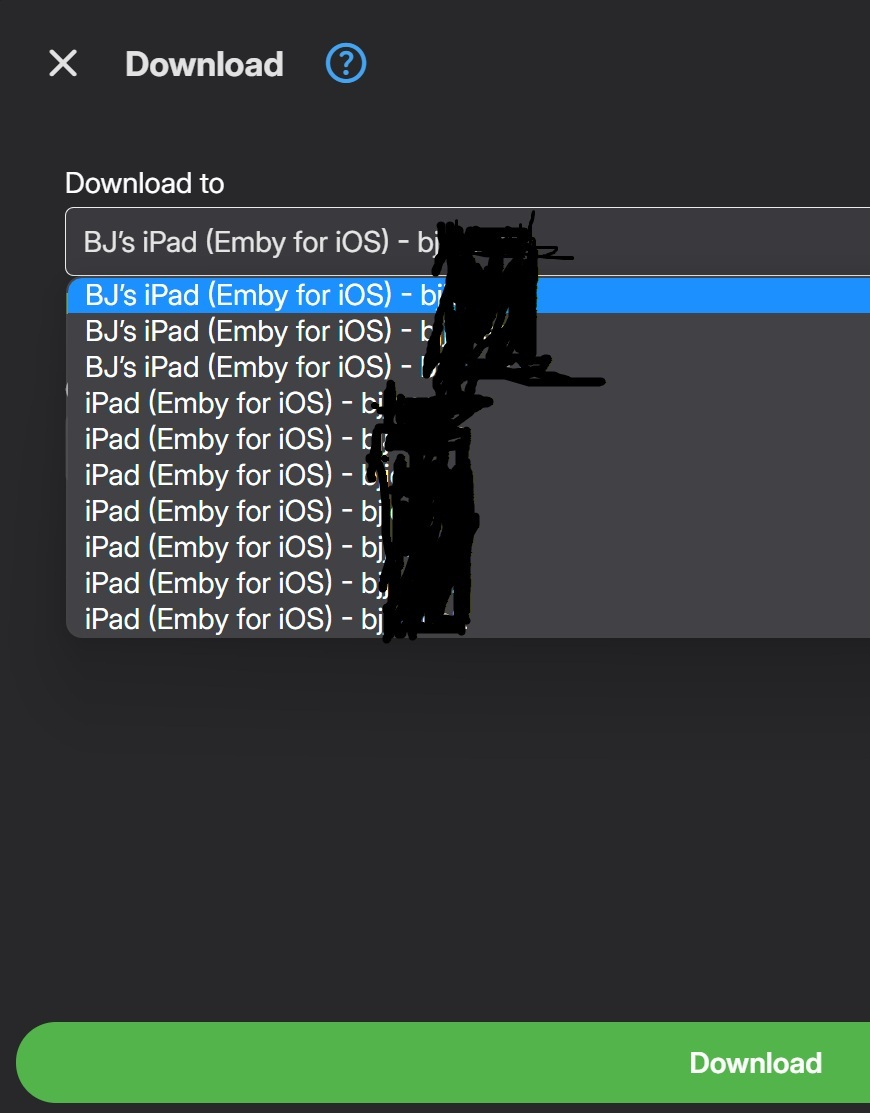
I'll post this here in case it's a server side fix rather than in a client thread, admins please move it where it ultimately belongs. Synology DSM 7.1.1 Emby Server 4.8.11 Issue is over the years and several iPads I've built up lots of 'download to' entries in the dropdown box for my iPad. I was trying to download something that just wouldn't come over until I scrolled down and found the extra entries (I had been picking the default first one). I have 2 user accounts on my local server, 1 is an Embyconnect acct and 1 local, I also have 2 remote servers on the same Embyconnect acct. In the dropdown box I have 7 choices all labeled identically for the embyconnect acct and 3 identical (but different than the embyconnect one) choices for the local account. If I'm logged into the embyconnect account those 7 show first followed by the other 3. Signed in to the local account it reverses to the local 3 first with the 7 embyconnect entries following. Since only a few of them actually generate a download where are these options stored and how can I remove the non-working ones. My guess is they're in the server side somewhere, I've deleted the iOS Emby client and reinstalled and the entries still exist, I've disabled downloads for the local account, it causes the 'download to' button to not be there, but when reenabled the same 3 entries return. On Emby Theater local Win11 all the same entries show up.
-
Hi there. As we are already mid March, I was wondering if you have any update. Thanks.
-
That would be super cool, nice idea!! At the top of my head that would very much be possible! We get the list from Trakt or MDBList, check what movies we have in the library and if they also pass a filter based of local database info. For a future update I'm absolutely gonna look into this!
-
When I turn off Dolby Vision, the colors look perfect in Emby. And yes, it works with Dolby Vision in Infuse The Emby developers should be able to test this easily. I hope so...
-

Metadata issues and Tracks Missing from Music Library (Newly Added Files only)
user24 replied to mev's topic in General/Windows
Hi, from your screenshots, it appears that the individual songs are being scanned into Emby (e.g. 05. Paramore - When It Rains.flac) and appearing, but not being combined into the required Album. Is this what is happening? According to Emby documentation, for Songs to be combined into Albums, they must have the same Album name and the same Album Artist name in the embedded metadata of the individual files: https://emby.media/support/articles/Music-Naming.html What does the Emby metadata editor show for an individual problem song? Have you used a music tagging program (e.g. Mp3tag) to check your embedded metadata? If not, this is a good way to check and correct any anomalies. If you are just making the changes in Emby (to your database) and not your embedded metadata (in the files themselves) then Emby will just re-import the incorrect correct values and any problems will persist. Another tip: if using Mp3tag: Also check the Extended Tags setting, not just the default LHS tag panel. Let us know if this helps or not? Cheers!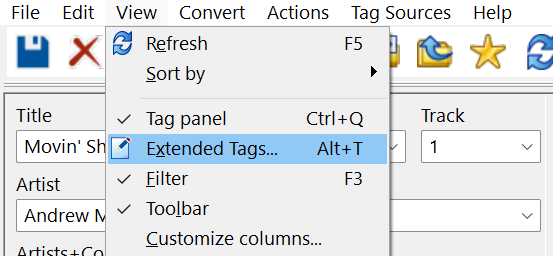
-

Default Subtitles Not Automatically Selected
emby.trace706 replied to emby.trace706's topic in Android
I will try that, however, I am not changing the selected track when I watch, so what should be carried over (the default), is not being carried over, and instead it is changing it to a different track. -
I guess two clicks click search type your genre click said genre Or one click via global library As your first post seems to only be about clicks.
-
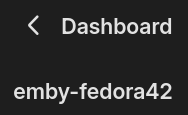
I can tell you that references to the word "emby" get replaced with "Media Server" but your case should say "Media Server-test". Maybe cached from an older name?

-
My Malwarebytes instance just alerted about and quarantined file "..\APPDATA\ROAMING\EMBY-THEATER\SYSTEM\X64\ELECTRON\ELECTRON.EXE". It found Spyware.Stealer from that file. My friend's Malwaresbytes alerted about the same file on his workstation. Anyone else noticing this?
-
@alex77777 Hey, thanks for your help. I tried it, including restarting the Apple TV after making the change. Dolby Vision still looks significantly worse in Emby; the colors appear dull and lifeless. In a direct comparison of the same scene, nothing has changed. I connected the Apple TV directly to the TV for testing (previously it was connected via the receiver). No change. In Infuse, the picture is much more colorful and not dull. @ebrThe format is EAC3 7.1. I also have it in TRUEHD 7.1 and AC3 5.1. In Infuse, the images are significantly more colorful and have higher contrast.
-

Emby Theater v3.0.20 (Server v4.9.3.0) Homescreen Horiz. navigation broken
Symen_4ab replied to d00zah's topic in Windows & Xbox
Yeah, I think the "using the keyboard arrows" is a better workaround than using rdp Just did the test, I can confirm this issue using emby theater 3.0.20 on my local server running 4.9.3.0. (same issue connecting to the beta 4.10.0.5 server, this is of course a client issue) -
This is not strictly correct as, I strongly suspect the reason you are seeing this is due to the audio format (probably TrueHD or DTSHD).
-
Global search?











