All Activity
- Past hour
-
 brockm98 joined the community
 -
 jhon2205 joined the community
 -
 Bullgodd joined the community
 -
 Nerkop joined the community
 -
 daniel48 joined the community
 -
 peaky joined the community
 -
 DaveB1988 joined the community
 -

Does Emby store the tvdb notes "Season Finale"/"Series Finale"?
pwhodges replied to Kyouma's topic in General/Windows
I don't believe it does - but I can see it would be a sensible idea. Paul -
 Manalco joined the community
 -
目前有更好的技术 WebP Sprite + WebVTT 速度快效果好 也许我们也能与时俱进 做大做强再创辉煌
-
hi?
-
You don't. If you did not rip these yourself, your only option is to do it one at a time or replace the series with a copy that has them included, which no one here can help you with.
-
hi there, I have made 2 short recordings off the Emby tv guide. one plays back ok, the other doesn't on my LG OLED65CS6LA. They both playback ok on emby windows app and LG OLED55B7V. I have not touched the file structures meta data etc... I have zipped up both below. Hopefully somebody can unzip and put into there pvr folder to test playback, or look to see if they can figure out why it wont play back on my tv. thanks PLAYS OK.zip WONT PLAY.zip
-

I'm moving and have to give up having a fixed IP - how do I share outside my LAN?
Mendocinotim replied to Mendocinotim's topic in MacOS
That is worth looking into. Thanks for the tip. -
 timdixon73 changed their profile photo
 -
Wouldn't it open in a browser like it does does on your phone? My tv does have a browser installed.
- Today
-

Guide - SSL Qnap certificate and Emby (manual and automatic)
renefw replied to dieffe70's topic in QNAP
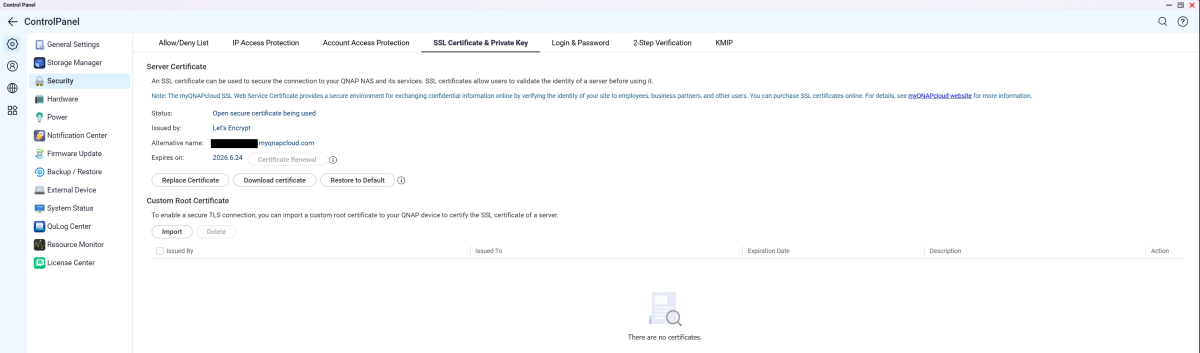
Until recently, I had QTS running on my QNAP NAS systems. This guide worked perfectly then. I've since updated all my QTS systems to hero h6.0.0.****. Unfortunately, I haven't been able to get the script to run since then. I learned from QNAP support that under QuTS Hero it's no longer possible to let the certificate be converted automatically, as was previously possible with QTS, because the Let's Encrypt certificate is no longer stored under a fixed path. My hope was that I could manually download the automatically updated certificate using the QNAP Control Panel under Security, SSL Certificate & Private Key, and that at least the conversion to a p12 certificate would then happen automatically. Unfortunately, I can't get it to work either. I'm not getting any error message. The log file also always shows that the certificate key hasn't changed, even though I've updated the CRT and key files. I saved all scripts, certificates, and the log file in a folder I created myself, named SSL-Certificate. Since QNAP renamed the cert file to SSLcertificate.crt and the corresponding key file to SSLprivatekey.key, I modified the CertRenew.sh script as follows. My SSL certificate folder looks like this. What's wrong with the script? It's not recognizing that the SSLcertificate.crt file has been renewed, and therefore the certificate and key have changed, so that the emby.p12 certificate should also be updated as it should be. The CertRenew.sh script is running correctly as a cron job every hour, and I can see in the check-p12.log that the key supposedly hasn't changed. Could someone please give me a tip on how to automatically update my emby.p12 certificate using the script? This should happen as soon as I download an updated SSL certificate via the Control Panel and save the contents of the extracted ZIP file to my SSL-Certificate folder, overwriting the SSLcertificate.crt and SSLprivatekey.key files, including the SSLIntermediateCertificate.crt file, with the updated data. I don't think the latter file is needed for this update. Looking at the first two files, I see that the validity period of the certificate (crt) has been updated to the end of June this year, and the contents of the key file are also different.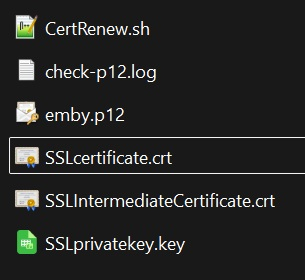
-
At least on Emby for Android it seems that the Version in the radial menu is not the one downloaded unless it is also the default selection. For example, I have two versions of a movie, the Theatrical 4k and a Directors Cut 2k and even when I have the 2K DC selected in the version menu, when pressing download it Dow loads the 4K edition. I would request that we download the version selected. The bitrate dialog is not sufficient alone to grab the right version.
-
If this is causing the problem I always preferred using the pipe symbol | (shift \) for this.
-

Intel QuickSync H.265 Max Bitrate 39Mbit/s -> falls back to software encoding above this threshold
zabbie82 replied to embart0r's topic in Linux
Oh, I see! The lowest 4K option Emby ship is 40 Mbps, but I think that's just a missing preset, not a technical limitation. Lower 4K bitrates should work fine with QSV but I'm not sure what lower threshold would drop quality. Worth raising with the Emby team as a feature request? Some clients also have a custom bitrate option. -
For me, it’s constructive criticism and not meant to offend; I would love to see Emby be the best it can be. I bought a lifetime subscription a few months ago, but I find it odd that basic features are missing or non-functional compared to Jellyfin. Auto-next episode is not working: I have to install diagnostic options and enable "Disable HLS Subtitles" to get it to function. Missing TMDB thumbnail options: There is no TMDB option to optimize my thumbnails with text for TV shows. I currently have to rely on Jellyfin to do the "donkey work" of downloading thumbnails with text. Default Functionality: Jellyfin includes the TMDB option for TV show thumbnails with text by default, whereas it seems to be missing here. Auto-next episode : Works perfectly
-
This is a great idea, which has been requested in several different threads here.
-

Narrator Tag Support and Multi-Version Grouping for Audiobooks
Flest posted a topic in Feature Requests
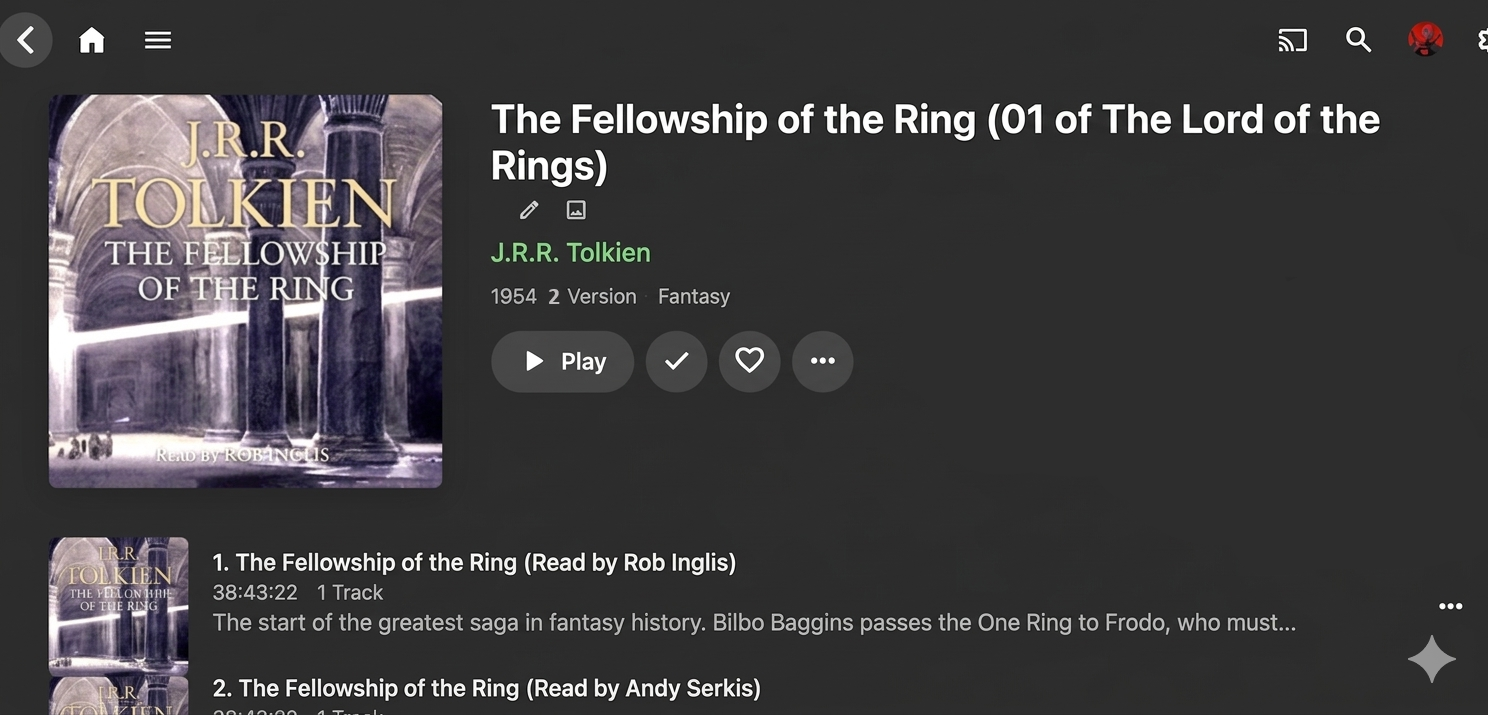
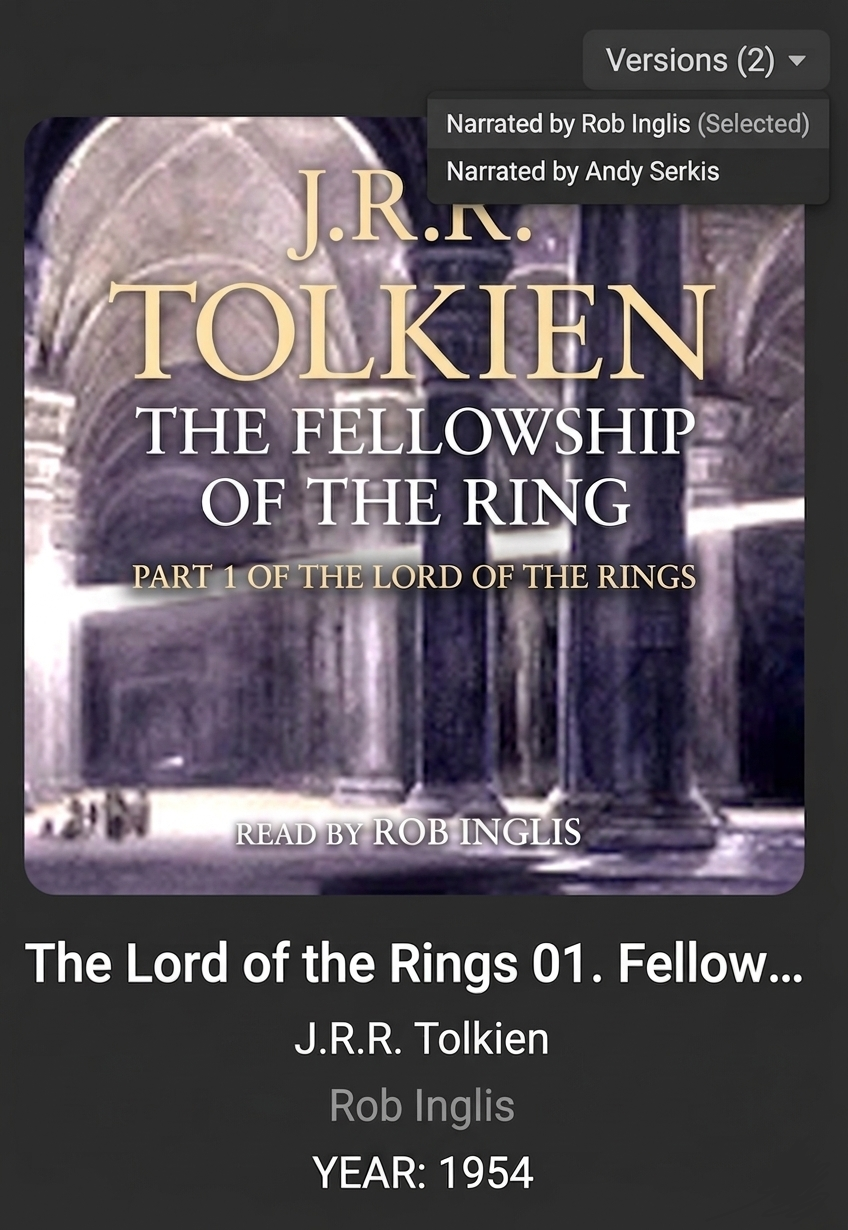
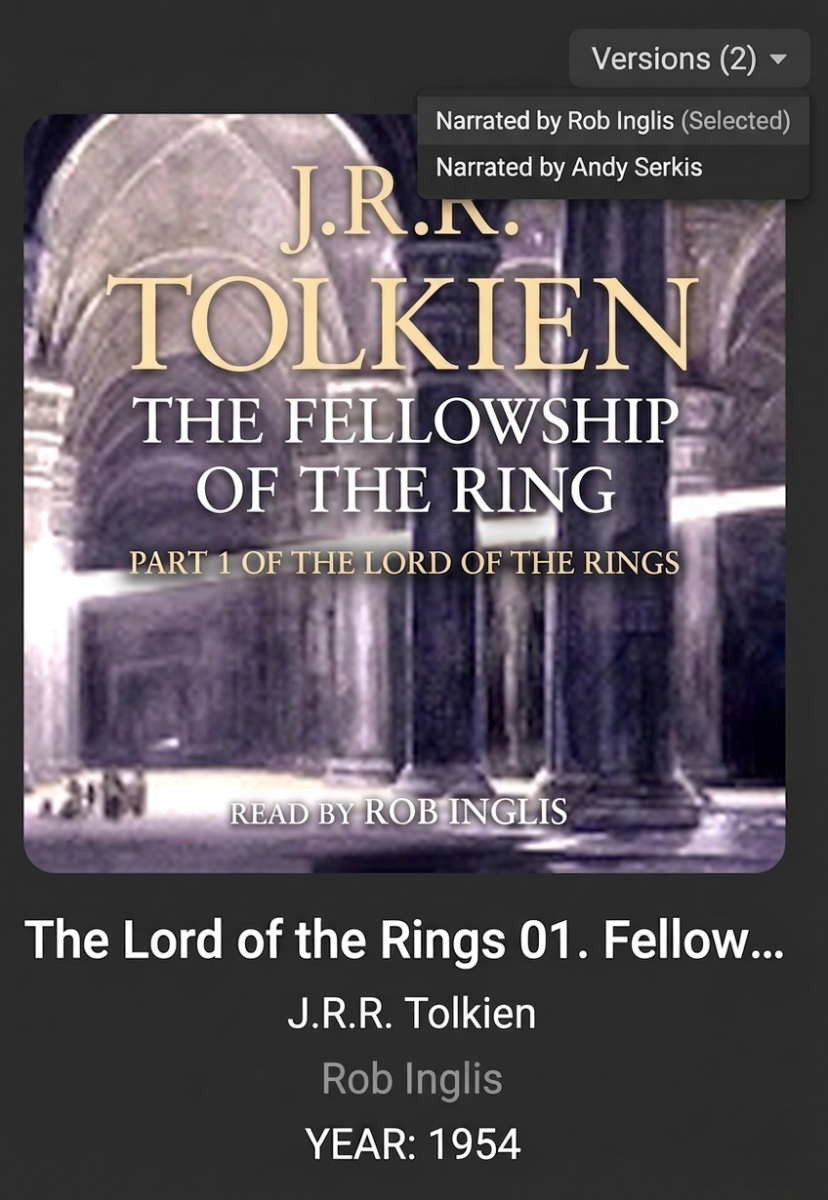
Disclaimer: I know this is a long-standing request. Since previous threads have been ignored for years, I am presenting a more structured and technically detailed version of the proposal in hopes of finally getting it addressed. Background: Currently, the server does not support the Narrator (or "Read by") metadata tag. This makes it extremely difficult to manage libraries where a single book has multiple versions performed by different narrators. Proposed Features: 1. Narrator Tag Support Add support for reading the Narrator (or Composer/Writer mapping used for narrators) tag from file metadata. Display the Narrator on the book's main page (similar to how Artists or Directors are displayed). Make the Narrator field searchable and filterable. 2. Multi-Version Support for Audiobooks Implement a "Versions" system for audiobooks, similar to how it works for Movies. Current Issue: Currently, if there are two versions of the same book (e.g., narrated by Stephen Fry vs. Jim Dale), they either appear as two separate books with identical covers or as one book with doubled tracks. Proposed Solution: Allow multiple versions of the same book to be grouped under one single library card. Users should be able to select their preferred narrator/version via a dropdown menu or a "Version" selector on the book page. Why this is important: For audiobook listeners, the narrator is as important as the author. Many listeners collect multiple versions of the same title. Proper tag support and grouping would significantly improve the library's organization and user experience, bringing it closer to dedicated audiobook players. Technical Implementation: Mapping tags like WM/Narrator, ©nrt (MP4), or a custom NARRATOR tag. Using the existing "Multiple Versions" logic already present in the movie/TV show library.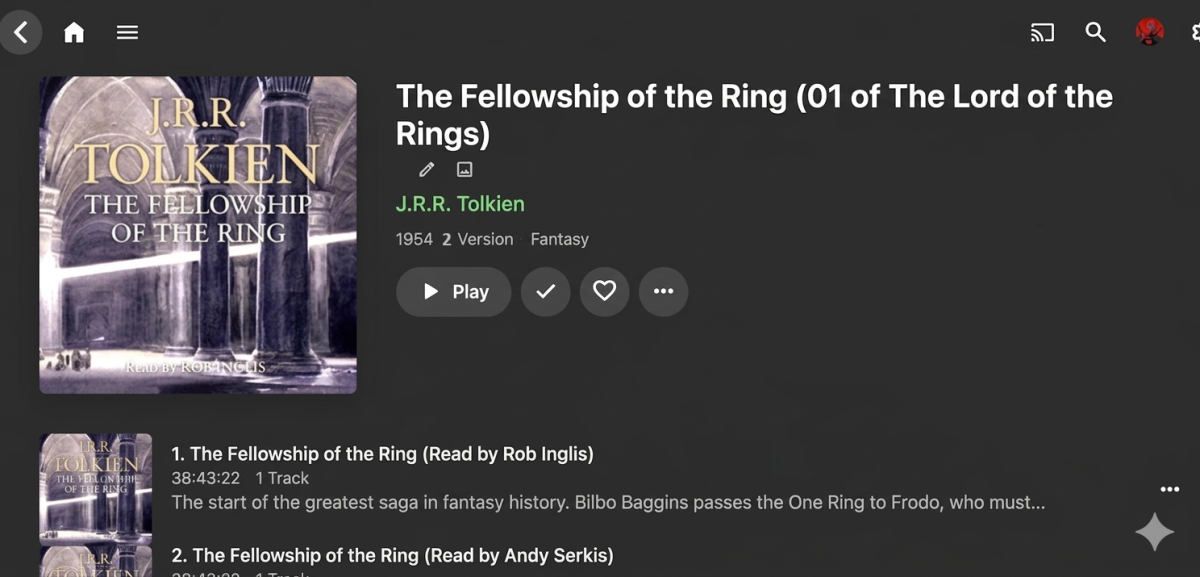
-
@soderlund Tagging something by collection seems to fail if there is a comma in the collection name. Worked fine in older versions of the plugin, but now fails using both the old “Local Collection” method and the new “In Collection” method. EDIT: I'm guessing it's because you added the ability to include multiple comma-separated values?
-
[BUG] Critical issues with Metadata Parsing and NFO Ignore for Audiobooks
Flest posted a topic in General/Windows
Description of Issues: 1. Improper Metadata Mapping for Sorting and Series Tags The server ignores existing sorting tags even when they are duplicated in multiple industry standards (Apple/iTunes) for compatibility. Specifically, the server fails to recognize: Apple tags: series_apple_name / series_apple_index iTunes tags: series_itunes_name / series_itunes_index MediaInfo field: Album/Sorted by Current Behavior: Instead of reading these fields, the server defaults to copying the Title value into the Sort Album field, which breaks the correct sorting order for book series. 2. Book Overview Mapping Error The book summary (annotation) is read only as "Track" metadata. The main "Book" (Album) page remains empty. Current Behavior: In the case of .m4b files (one file = one book), the description is visible within the track info but is not mapped to the book’s overview page. 3. Date Parsing Error (Timezone Offset) The server applies a timezone offset when reading the "Year" tag. Current Behavior: If a file has a date set to "01.01.[Year]", the server's UTC offset often pushes the date back to "31.12.[Year-1]". Expected Behavior: The year should be read as a static value, ignoring the server's local time or timezone settings. 4. Complete Ignore of Local NFO Files This is the most critical issue. The server completely ignores existing .nfo files located in the book folder during the initial library scan. Current Behavior: Even if a user provides a correctly formatted NFO with fixed tags and collections, the server bypasses it and creates its own database entry containing the errors mentioned above. This makes external automation via scripts impossible. Expected Behavior: NFO Priority: If an .nfo file is present in the directory, its data must take priority over automated scraping. Tag Support: Full support for Apple/iTunes series and sorting tags. Proper Mapping: Automatically mirror the track description to the book overview if the album contains only one file (common for audiobooks). Static Date Parsing: Read the release year without applying timezone shifts. Environment: File Format: .m4b / .mp3 Metadata Tool used: MediaInfo / Mp3Tag / Tone -
Edit 29/03
-
I cannot see any logged exceptions in the android logs which cover Sat Mar 28 13:10:23 to 13:23:44. What time was the crash and what was on the screen? From the server log, i can see last episode playbacks starting at these times 2026-03-28 13:18:46 Hell Mode - S01 E02 2026-03-28 13:19:28 Hell Mode - S01 E03 2026-03-28 13:19:43 Hell Mode - S01 E02 2026-03-28 13:20:04 Hell Mode - S01 E03 2026-03-28 13:20:21 Hell Mode - S01 E02 At what point did you click on next episode and get the crash and was the android app exiting out?
-
If you are noticing no audio on Emby after updating to TVos 26.4, turning off the newly introduced feature called "Continuous Audio Connection" in the settings of the Apple TV will resolve the issue. Some people have suggested to change the preferred player from "Auto" to "Native" in the Emby App itself but this is not a solution to the issue and may cause more issues with playback. Keep your preferred player set to "Auto".
-

INFUSE可以识别到EMBY服务器的海报,但是不能播放EMBY服务器上STRM文件
RanmaCanada replied to warbler2008's topic in General/Windows
Why would you ask AI? Stop using it, as it's useless. Your question needs to be asked in the INFUSE forums, NOT HERE. -
I also like some tubes especially for the front center speaker. This helps to smooth out the center dialogue. I find compressed surround sound tracks to be sort of edgy for voices coming from the center speakers. This is especially pronounced with sound bars that have 2" speakers. If you find a small tube preamp and add that into the center channel, this can help make the voice sound human again. Not sure how to even try to do that with HDMI audio connections to soundbars. I use a blu-ray player with RCA out. A proper AV amp will have, perhaps, some way to add in a tube preamp for center middle channel. Does someone know how to pull out the center channel to be able to add a tube pre-amp when you are dealing with HDMI or digital audio connection? I don't think that is easy. You have to get the line out, then go through the pre-amp and back into line in and out an amp to the center speaker. It works with old RCA connections, but that comes out of DVD or some blu-ray players, not playback from Emby. Or just use tube amps for everything... tricky.
-
I'm having exact same issue and can confirm as of iOS 26.4 no audio on any video no matter the format. I switched from auto player to native but that is buggy locking up after pausing a video or randomly the app locks up at the end of shorter tv shows for no reason. I have since gone back to auto and turned off "Continuous Audio Connection" and the problems went away.
-
New Emby Beta server v4.10.0.8.
-
Thanks for all the tests Was this subttle issue for this episode file? Fate+strange Fake - s01e01 - The Heroic Spirit Incident - WEBDL-1080p-Kaleido-subs.mkv would it be possible to get the file for me to try and refer to the development team? If it would be ok, I can send you an upload link And is this a regression from the earlier version ?
-
Had a similar request to be able to configure a separate library which has no defined folder structure. Regex patterns can be used to locate files in the folders and attach to a TV series. For my scenario, each of these series have no associated metadata to be looked up, and each series is manually added with relevant metadata. Content of request pasted below. ------------------------------------------------------------------------------------------ I have live racing replay media which is not available in the normal "SXXEXX" or similar format, but is named "YYYY Round XX". Currently, I duplicate the content for tracking in emby which is renamed and spread across multiple folders for different series. I then keep another clean copy of the content for seeding. If we could provide a custom regex string for specific folders, series, or libraries for custom name handling of content, I could easily provide emby with the information on handling the content. Similarly, the regex string could also allow a single folder to have multiple separate TV Shows. For example Pre-Race show, Race and Post-Race show. For example, the content might be available in the following folder format: - 2026 AMA Supercross Rd 11 Detroit 1080p60 x265.mkv - 2026 AMA Supercross Rd 11 Detroit Post Show 1080p60 x265.mkv For the main race content, I could just a regex pattern below which provides season and episode as named groups, and would only get the race. 20(?'season'\d\d) AMA Supercross Rd (?'episode'[\d]+)( [a-zA-Z]+){1,2}(?:Post Show(*FAIL)|) [0-9p]+ x26[45] For post race content, a separate regex pattern for the series could be done which forces pattern matching for the post show. 20(?'season'\d\d) AMA Supercross Rd (?'episode'[\d]+)( [a-zA-Z]+){1,2} (Post Show) [0-9p]+ x26[45] This is one example, but other content might be 4-6 different races throughout the event with unique naming and tags. I was thinking each pattern could be added similar to adding "Folders" but each Regex pattern creates a separate TV series with all of the matches. Each regex pattern would scan all of the content in the indicated folders to build up the series database. Thanks,