All Activity
- Past hour
-
Hi Luke... Also...When you PAUSE a show/movie you are watching, and the ANDROID screen saver comes on, the show un-pauses and continues to play behind the screen screensaver. You can hear the audio as it plays.
-
Not sure why the ATV app took 12 seconds, as just tried it again and it was 3 or 4. There's nothing on my Shield that shouldn't be. I have uninstalled everything I don't use. Hopefully @Lukecan marry up the log with the video and see what the issue is, but I've always had slow load times for the UA app, going back a couple of years now.
-
 Vangoanka joined the community
 -
 tz.37212 joined the community
 -
 JanelleMiller joined the community
 -
Is there some reason why Emby can't include libplacebo filtering in its ffmpeg build like Jellyfin does? I'm semi tempted to just bind mount the JF version and make a shim for ffmpeg to make a POC that it can work.
-
 Abdullahxxx joined the community
 -
 manuelhickrox joined the community
 -
I have a rule set up to tag all the movies in my James Bond collection. It's tagged everything except the Connery entries; no idea why that would be?
-
 azorel joined the community
 -
There has to be something wrong with your device or your network (DNS?) because even 12 seconds for the ATV app is way too long. Have you tried to debloat your Shield? 2026-09-03 14-15-26.mp4
-
 dassen1 joined the community
 -
 3PRancher joined the community
 -
 ebkr joined the community
 -

Plugin: EmbyCredits, detect end credits and add auto skip.
RedNo7 replied to yocker's topic in Plugins
Thanks @yocker. I do only have 1 real TV library. -
Hi, we'll take a look at it. Thanks.
-
Hi there, let's look at an example. Please attach the information requested in how to report a media playback issue. Thanks!
-
Dear community, with some mkv files I see a strange behavior when watching mkv videos on my Samsung TV from 2025 (S95F I think). No matter what language is selected during playback the audio track remains a certain one. Sometimes it is the last (e.g. commented audio track) sometimes the first (then most of the times english). I copied the discs to my NAS using makemkv always copying the whole movie with all subtitles and audio tracks. I also tried changing the default track using MKVToolNix. User preferences are set to german and even ignore the default track. Both settings changed seperately with no effect. Server version is 4.9.5.0 (most recent stable) TV App version: 2.3.6 (most recent store version in germany) Is that a known issue? I could not find anything in the forum but maybe I used the wrong search terms. Could that be solved with the most up to date TV App version (2.4.8.)? Thanks in advance! Michael
-
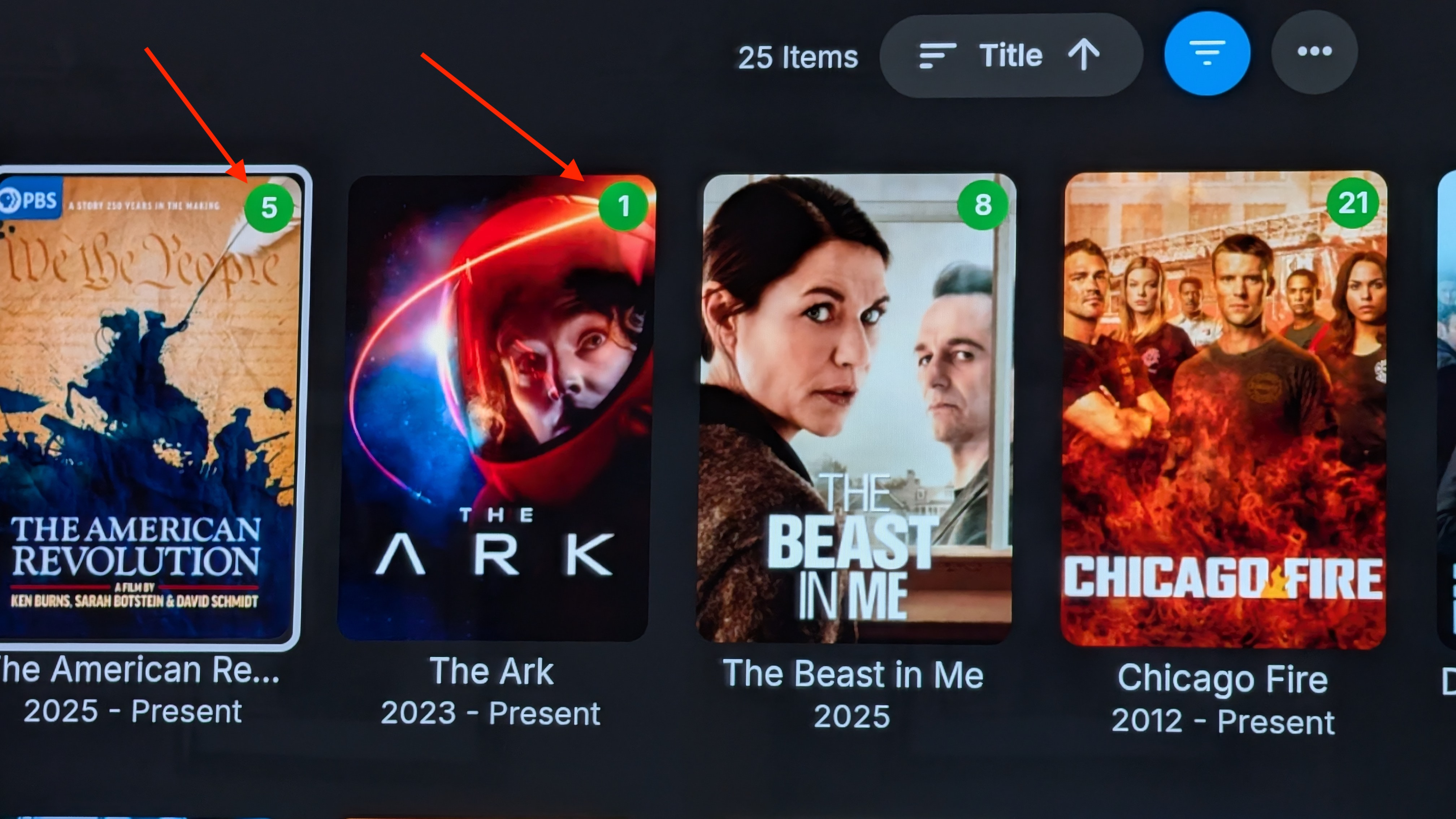
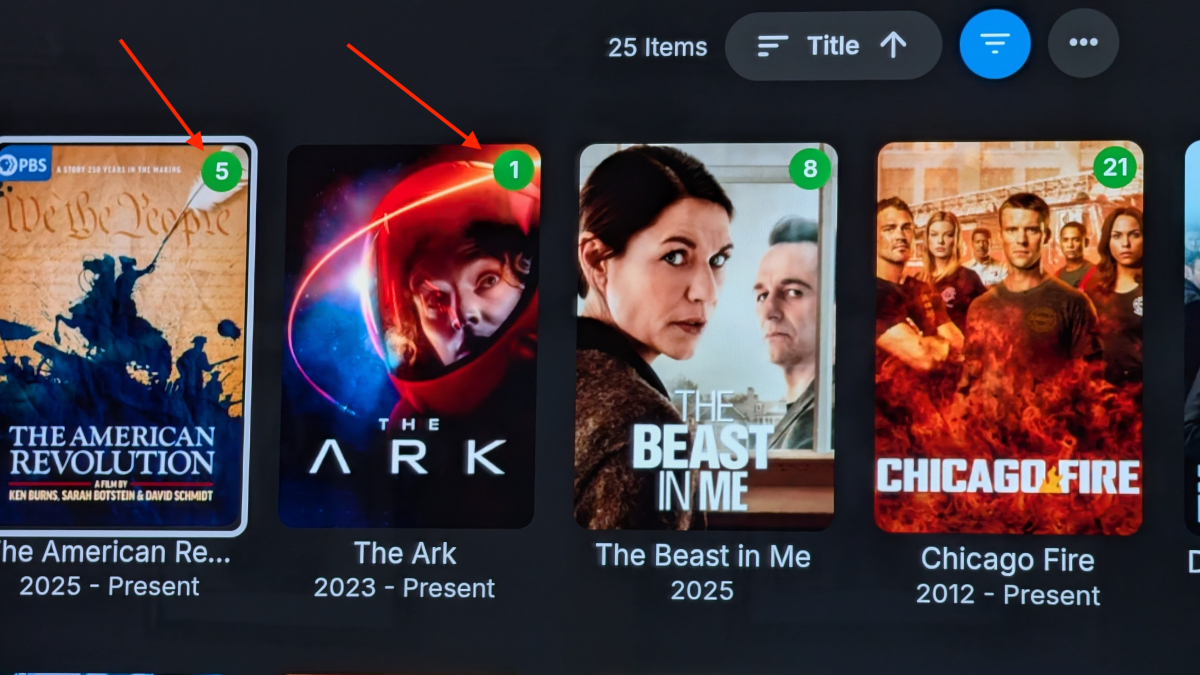
Emby Server 4.9.5.0 Nvidia Shield Pro Emby Android Ver 3.5.55 This has been happening for a while now, but I figured I would just report it seeing that the app was just updated. When you watch a show and complete it, the green show counter icon in the top right hand corner of the clipart doesn't reduce unless you exit and go back in. (With Emby for Android TV it does work as it should.) In the screen shot, if I were to watch The American Revolution, the counter will remain at five even after watching a show. If I was to watch The Ark, which is currently showing 1 show remaining, it should remove that from the screen entirely when I finish watching that episode as I have no unwatched episodes. It doesn't do either of these things unless you exit out and go back in and then it's updated. (Note that when you exit out of a watched show (and have watched enough of it), it shows show the next episode to play correctly. So it seems to be a counter refresh issue.) Hope you can fix this. Thanks
-
sleep.htmlHi Sorry for late reply, if I need to get this file closer to a no sleep event then I will do it on the next time it happens Cheers
-
Here you go @Lukea video screen capture of the Universal Android app loading, which took 35 seconds to get to the EMBY logo, another 3 seconds to get to the "Connecting to server" message and then another 12 seconds to get to the home screen, so a total of about 50 seconds in total. Also in the video, is the launching of the ATV app, which took 12 seconds to get to the home screen. The log for the UA app loading is also attached. Any thoughts? Android TV Home_20260903_184243_Manual.mp4 emby_android_1788457370929.txt
- Today
-

Library Real Time Monitoring needs SAFETY CHECK
Lessaj replied to MacGyver27's topic in General/Windows
If your storage is normally mounted to /srv/media then when it's not mounted /srv/media will exist as an empty folder, but /srv/media/YouTube would not. To my knowledge the server already has a check in place wherein if the mapped folder does not exist at all it does not try to scan and delete. You mentioned docker specifically, so I believe if you're running the container with mapped paths and those paths don't exist that it will still map them anyway (it will create the path on the host?), so the Emby server running inside the container would yes see the folders as being empty and then clear out. It would be better to require your storage to be mounted before starting the docker container, or mapping a lower path instead so that your actual folders would not exist and you would not have that problem. So if you map /srv/media into the container, then only map the library paths as /srv/media/YouTube and /srv/media/.downloads/ADV, if /srv/media is not mounted those folders would not exist and it won't delete anything. -

Library Real Time Monitoring needs SAFETY CHECK
RanmaCanada replied to MacGyver27's topic in General/Windows
This is not an Emby problem, this is a problem with your hardware being faulty. Replace it. -
Thanks Luke. Marked that as the answer. If you need any help debugging the installer, let me know. Tenured full-stack C/C++ and .NET engineer here. Good to know about the Docker situation. Would be cool to have a native Docker image using process isolation mode for Windows-on-windows convenience, especially since I think a good chunk of Emby is in .NET (but I haven't kept up with that sort of thing in a while), and as I mentioned earlier, I'm a bit of a newbie when it comes to the actual docker hosting for production use (versus a development sandbox). -sz
-

embyforkodi (next-gen) 12.X.X support
quickmic replied to quickmic's topic in Emby For Kodi Next Gen
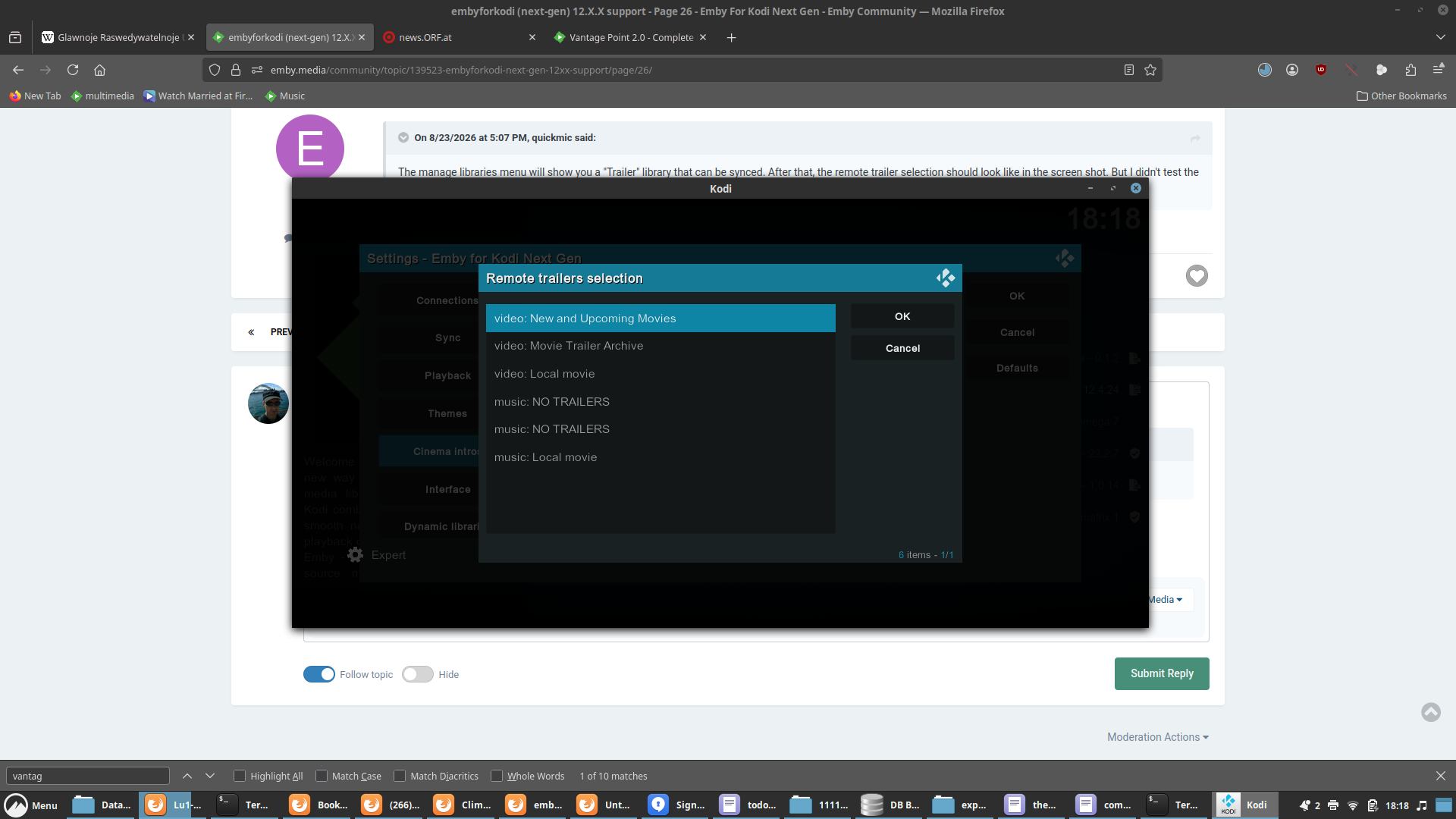
Still didn't review the vantage point addon. I'm not familiar with it, I use Emby's CInema Intro's addon and works with custom trailer-folder. Also I cannot even see any remote trailers on your setup, but again. You use the vantage point addon and this needs to be review. It takes several hours only to figure out how the addon works and reports data via Emby's API. Then I need a sync strategy to Kodi (if possible) etc. This all takes time and frankly has a low priority, as Kodi actually updated it's databases in the last days at two times. This could result in showstoppers and has priority one. Howver, what I can tell you yet, the Emby server config doesn't matter. The actual trailer playback must be configured in the Kodi addon and will only work if the addon can sync the trailers.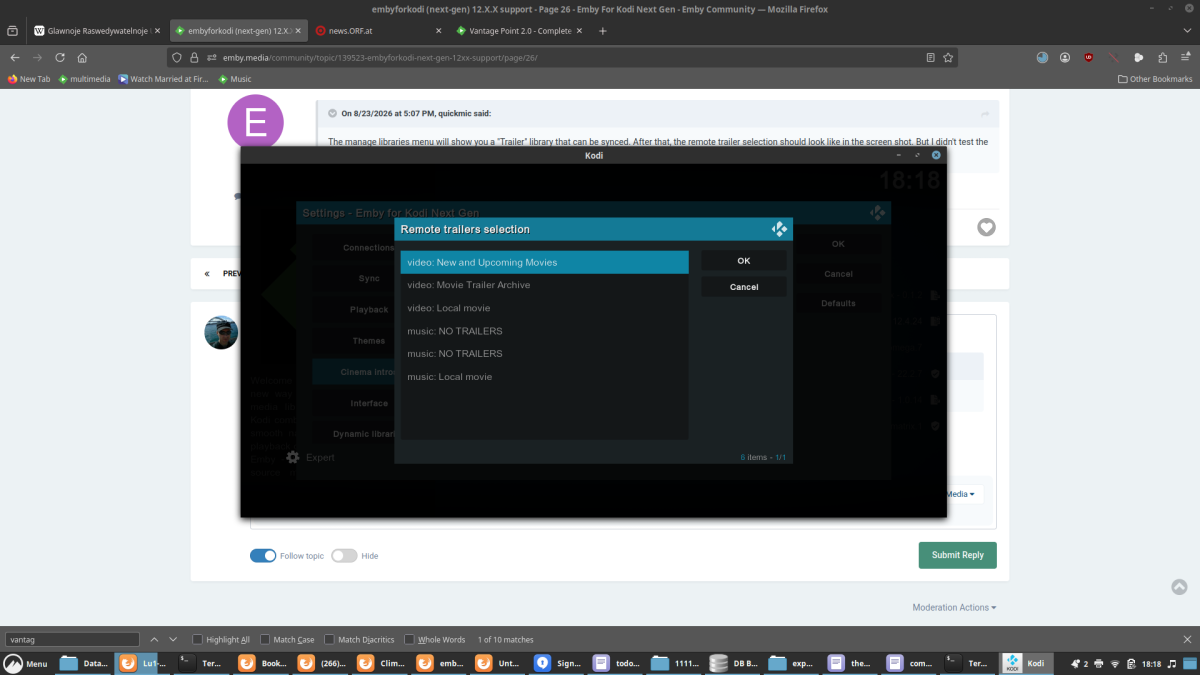
-

embyforkodi (next-gen) 12.X.X support
Eisi2005 replied to quickmic's topic in Emby For Kodi Next Gen
-
embyforkodi (next-gen) 12.X.X support
Eisi2005 replied to quickmic's topic in Emby For Kodi Next Gen
Hi, I’d like to bring up Cinema Mode again. I’ve installed the Cinema Intros on the Emby server. However, I can’t find anywhere to specify the path for my trailers. I don’t want to play the trailers that come with my movies; instead, I want to play trailers from a separate folder. I tried specifying this path in the “Custom Intros” section as a test, but even then it doesn’t play any trailers from that folder. -

Grey letterbox bars on HDR playback with Emby for Android universal - Sony TVs.
kricker replied to kricker's topic in Android
I just tried 3.5.55 and 3.5.56, and they both still exhibit grey bars on HDR content that does not fill the screen. The same content is fine in the AndroidTV version. -

Atrium — a native tvOS app for your Emby server
Grumpy1 replied to vdatanet's topic in Third Party Apps
a minor thing When you put Atrium in the top row on the tvos homepage the headers( continue watching) are not the proper language for my setup. -
I am using the github EPG and it is using different sources and maybe from channel website too, it is not really one source that we can ask
-

Plugin: EmbyCredits, detect end credits and add auto skip.
yocker replied to yocker's topic in Plugins
Depends on if you have the same libraries activated in scheduled task as in the manual detection. I can see from one of your screenshot that you only have one library activated for schedule task. I am going through your logs and settings now, I will report if anything stand out. -
User fix here:
-
Plugin: EmbyCredits, detect end credits and add auto skip.
RedNo7 replied to yocker's topic in Plugins
Thanks, but I have 17,824 shows - has it done them all (according to the original ETA it was going to take 300 hrs to complete). The manual processing says ~6,400 episodes skipped which surely means it's only ~1/3rd done? I'll try it anyway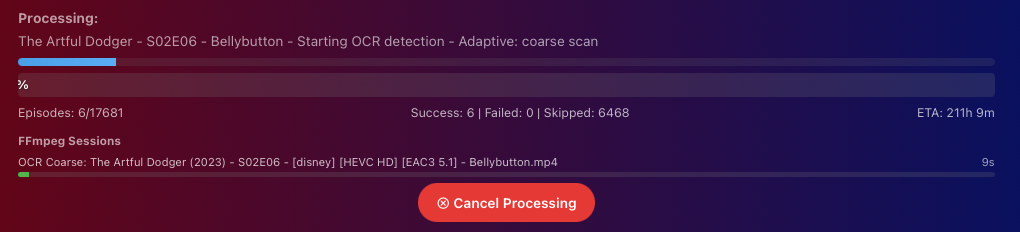
-
Plugin: EmbyCredits, detect end credits and add auto skip.
yocker replied to yocker's topic in Plugins
@RedNo7Looking in the logs there is nothing wrong. It ran and stopped as it should. 2026-09-03 11:16:28.891 Info Plugin: Processing complete: 46 succeeded, 0 failed It skipped a lot of files that already has end credits in them hence why it might have been so fast. Have you enabled the schedule task to run in all the libraries that you want detections in? I saw from your screenshot that you have 2 libraries and only one is enabled. Edit: I have just uploaded a new version to the catalog as i found and fixed a small bug that could cause the schedule task to run in dry run. In short i had set a line to be enabled and not disabled by mistake. I don't think this is the problem you have but worth a try.