All Activity
- Past hour
-
 ixysz joined the community
 -
 nicolascu3@gmail.com joined the community
 -
 Oscar3400 joined the community
 -
 ldn854 joined the community
 -
 4rizona joined the community
 -
 Waalghanim joined the community
 -
I think you will likely cause more issues trying to downgrade the server. I would suggest waiting for the client update which should be soon
-
 Malak ccfff joined the community
 -
 Olbjerre joined the community
 -
 Edneide joined the community
 -
If you have lots of MKV files with embedded subtitles and need the subtitles a lot then it may be worth going back to the older version, but if you can put up with it a bit longer and download SRT files instead of embedded, you may save yourself a bunch of work. That's my strategy at the moment as given the developers have submitted the updated client code to LG for approval, it may not be much longer now.
-
@Luke figured it out, those two streams are now DRM and Emby doesnt support DRM streams does it?
-
bless you.. thanks!!!
-
Please repeat this test and follow the instructions to send a log from the app right after. Thanks.
- Today
-
Hi. Run the installer as admin.
-
The issue is Emby... NextPVR is working, and i can view, record, etc in that - of course I prefer and have put a lot of time in setting Emby up..
-
So - somehting happened to my pc running Emby last night. I had a black screen with cursor working, reachable on the network. but no desktop. I'm working thru that issue - its a real bear... however I'm trying to reinstall Emby and it will NOT install. the error log from the installation failure is attached. anyone know what is wrong, and i can do to fix this? I am having a lot of issues trying to just reinstall wiindows but it did just do a an OS update. i'll keep working on this but its not good to have Emby down.. QLT2D6SZ.log
-
Not to sh*t on the devs, but I wish they would let me into the codebase. I optimize database queries for work, and would gladly try to help fix this ancient bug lol.
-

Playback issues with certain shows on Sony Bravia using Emby app
visproduction replied to Zaryt's topic in Android TV / Fire TV
Interesting... Good testing... It would be nice to find out where this happens in the Android app. -
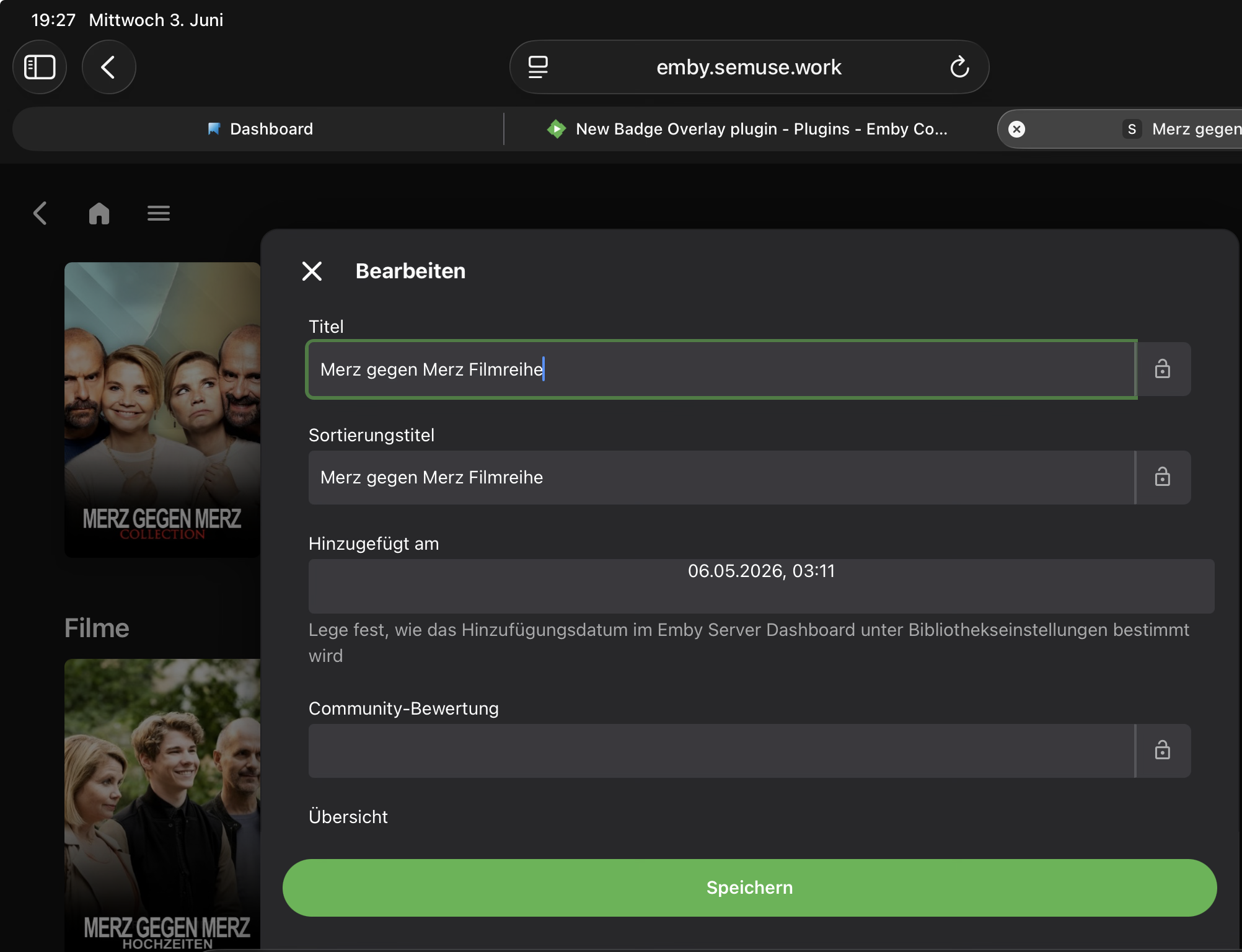
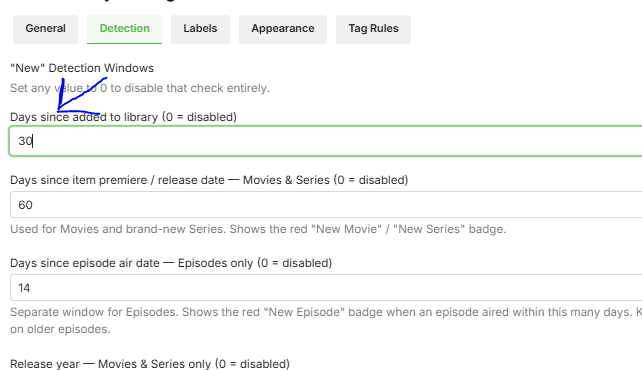
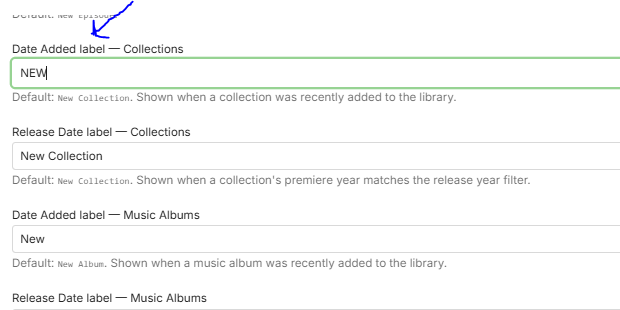
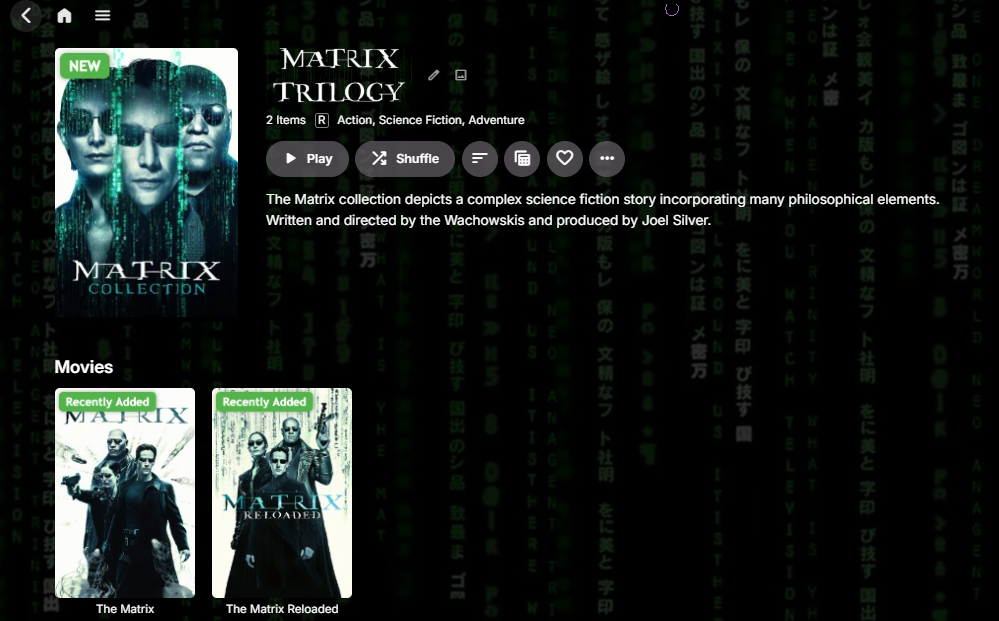
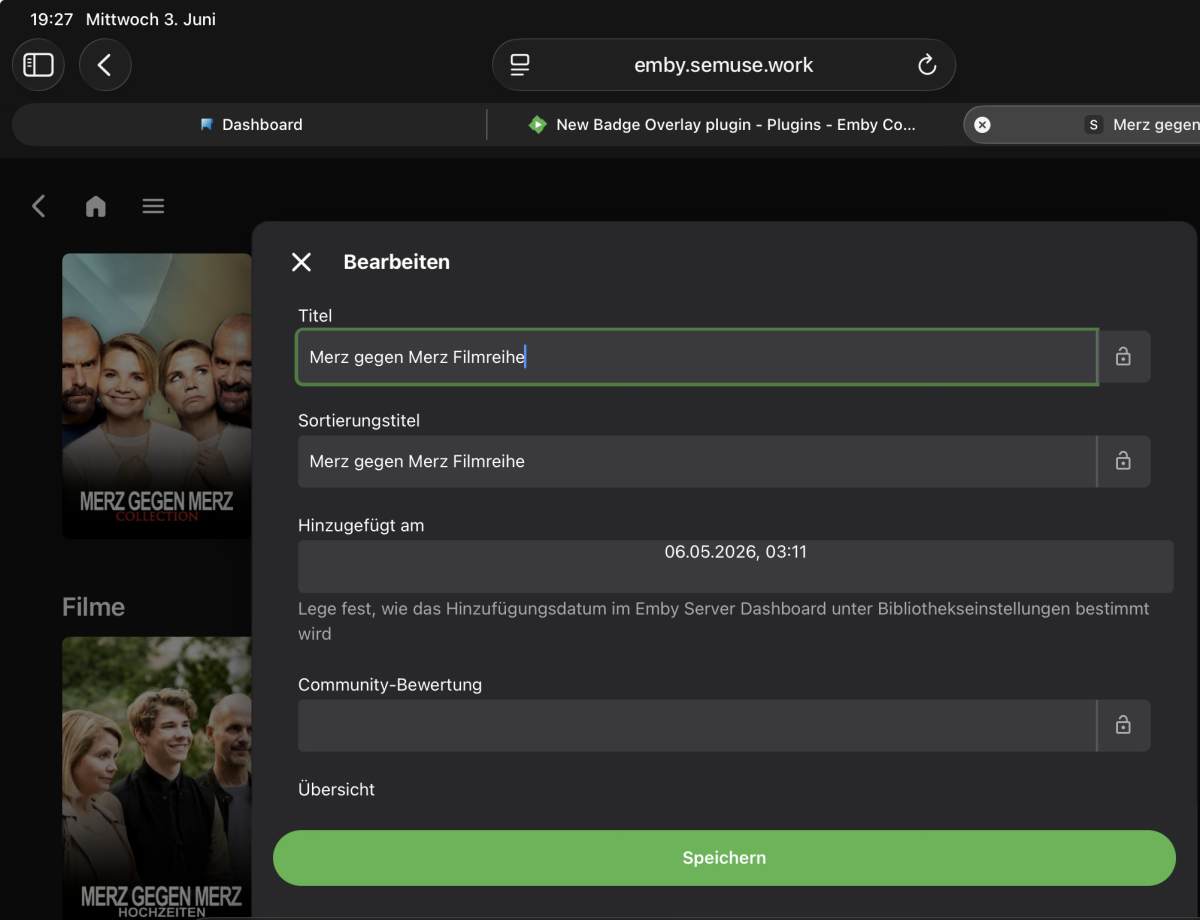
So the date you are showing in your screenshot is the date added field, what was seen on my previous screenshot was the release date, if you want the badge to appear based on the date added, you can set the config page under date added label - collection to "NEW" and it should display the badge given u set the "days since added to library" to < or equal to the date collection added to emby library....if that doesnt work may be try redownloading the artwork from your metadata provider and it should appear..... or try opening it in incognito mode. if this doesnt work there might be some other problem.
-
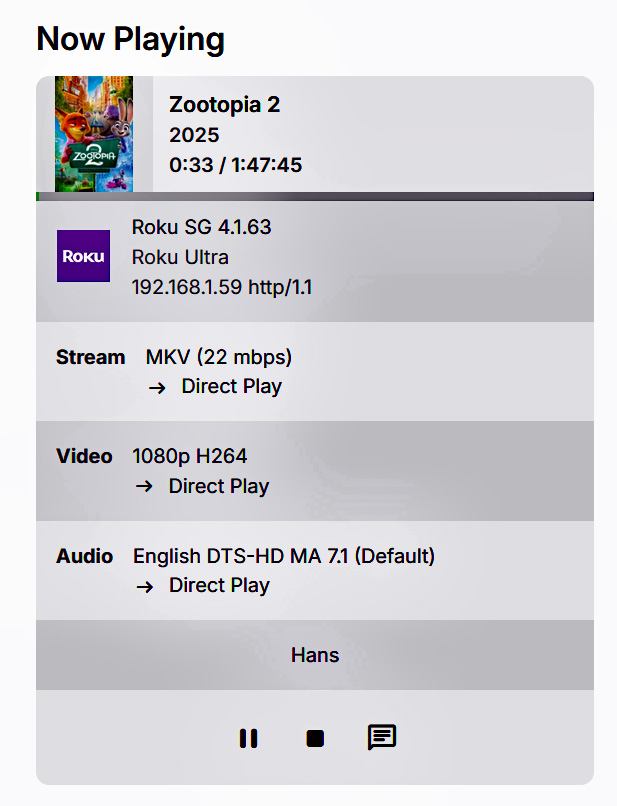
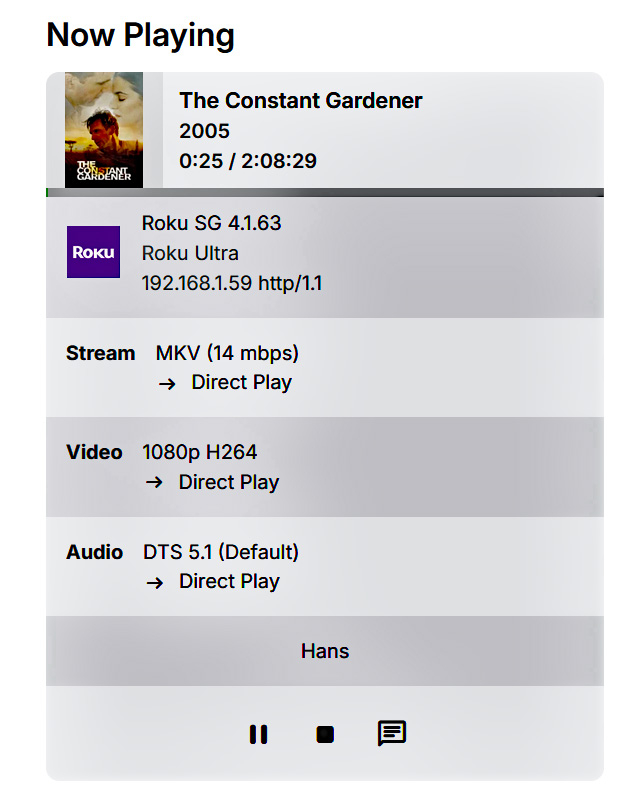
Here we go: I changed the digiral options to DD Plus and the DTS set to ON. Restarted the Roku device and these are the results. 1.. Bourne Identity (DTS-HD MA 5.1) Played flawless because of transcoding and attached is the log. 2. Zootopia 2 (DTS-HD MA 7.1) NO ffmpeg log because it was a direct play look and the screenshot was from the Emby server. Video played but no audio at all. Didn't think the Roku had the DTS-HD MA codecs. 3. Constant Gardener (DTS 5.1) again NO ffmpeg log and it played flawless the video and audio. ffmpeg-transcode-51117f7b-4d06-4a8b-9524-7dc1ee312ba6_1 (DTS-HD MA 5.1).txt
-
I did first setting the digital output to auto and I believe that are the logs I posted. I will now set the digital output to custom and the DD is already set and will change DTS from OFF to ON. Will run the same too files Bourne Identity eith DTS-HD MA 5.1 and Zootopia 2 with DTS-HD MA 7.1 and will post those 2 ffmped logs.
-

Can end users reset their password by themselves ?
Neminem replied to thibbb's topic in General/Windows
I just tell my users to f-off if they can't remember there own created password. And tell them to check there email I send them ID10T users are always in the way of my sleeping habits . -
Nope, doesnt work. Restarted the iOS app. Tried in browser with cache reset, still on Tag. If I get that right and if it would work, I‘d have to edit every single collection. Sounds tedious. My thinking was, if a movie is added, which has a filled <set></set> tag it might be possible to adapt the date automatically.
-

Can end users reset their password by themselves ?
yocker replied to thibbb's topic in General/Windows
Resetting a password requires the server admin. I agree though, a feature for this would be nice as for example it's not always i have access to my server when family members forget their password for the umpteenth time. -

embyforkodi (next-gen) 12.X.X support
quickmic replied to quickmic's topic in Emby For Kodi Next Gen
Each Kodi profile starts blank (unless you instructed Kodi otherwise). Each Kodi profile has its own Emby connection/session and you can use any Emby account as connection. -
Could help me? How did you return to version 4.9.1.90? I also have an LG TV. Thanks!
-

Playback issues with certain shows on Sony Bravia using Emby app
cnieuweboer replied to Zaryt's topic in Android TV / Fire TV
Just transcoding the video to "-c:v av1_nvenc -rc constqp -qp 23 -preset slow -pix_fmt p010le", and copying the audio/subtitle tracks, did allow the normal Android app to play the video. So it's 100% the video track that only the normal Android app struggles with, while the Android-tv app plays it fine. -
when is the flathub going to get updated
-

Introducing Traxx, an Android music app built for Emby music libraries
GrimEvil replied to Hauzz's topic in Third Party Apps
i would love to test it as I can use it with both my phone and car. does it work on android tv ? -
Playback issues with certain shows on Sony Bravia using Emby app
cnieuweboer replied to Zaryt's topic in Android TV / Fire TV
If my tv didn't support the codec, why would the Emby Android tv app play it without issues, without transcoding? Selecting the Japanese stereo track (before the video starts) didn't change anything. And that is far lower bitrate. The audio itself plays fine, the problem is the video as shown in the screenshot. But still, I tested by converting to stereo AAC: Video: MPEG4 Video (H264) 1920x1080 23.976fps [V: h264 high 10 L4.1, yuv420p10le, 1920x1080] Audio: AAC 48000Hz stereo [A: aac lc, 48000 Hz, stereo] Didn't change anything. -
Playback issues with certain shows on Sony Bravia using Emby app
visproduction replied to Zaryt's topic in Android TV / Fire TV
Maybe your Sony TV does not support this video codec high 10? DNLA settings for this particular Sony TV model? 6 Channel Flac is a very high bitrate audio that could be too much for transcoding to manage in real time. The audio is forced. Can you remux the audio with some 3rd party transcoder to a more standard AAC stereo and see if that helps. I suspect the high end audio to be perhaps the cause. Related to video rowbyte stride error? https://stackoverflow.com/questions/52162053/can-an-sdp-error-cause-stream-corruption https://learn.microsoft.com/en-us/troubleshoot/microsoft-edge/development/video-playback-issues Possible code that can help: https://github.com/opencv/opencv/issues/25886 From search for video: https://duckduckgo.com/?q=video+rowbyte%2Fstride+error+playback&ia=web -
And still having changed nothing, I'm again unable to access my server remotely. I'm getting a CloudFlare timeout error when I attempt to access my domain, and a browser timeout error when I attempt to access my WAN IP.
-
Playback issues with certain shows on Sony Bravia using Emby app
cnieuweboer replied to Zaryt's topic in Android TV / Fire TV
The codec info is as follows (from MPC-HC file properties) Video: MPEG4 Video (H264) 1920x1080 23.976fps [V: BD 1080p 10bit [Yousei-raws] [jpn] (h264 high 10 L4.1, yuv420p10le, 1920x1080) [default,forced]] Audio: FLAC (framed) 48000Hz 6ch 6912kbps [A: English 5.1 FLAC [eng] (flac, 48000 Hz, 5.1(side), s24) [forced]] Audio: FLAC (framed) 48000Hz stereo 2304kbps [A: Japanese 2.0 FLAC [jpn] (flac, 48000 Hz, stereo, s24)] Subtitle: Advanced SubStation Alpha [S: Signs & Songs [eng] (ass) [default,forced]] Subtitle: Advanced SubStation Alpha [S: Full Subtitles [Underwater modified] [eng] (ass)] Subtitle: Advanced SubStation Alpha [S: Full Subtitles [Doki modified] [eng] (ass)] Subtitle: UTF-8 [S: No subtitles] Disabling de subtitles doesn't make a difference.