All Activity
- Past hour
-
 Shikha99 joined the community
 -
 volttt joined the community
 -
3.5.48 Improve syncing of watch data for downloaded content Core UI Changes from 26.0.13 to 26.0.14 Improve loading dialog Improve detail screen transitions Add context menu button for collections to view missing items (requires Emby Server 4.10.0.24+)
-
Emby for Android 3.5.48 Released Changes 3.5.48 Improve syncing of watch data for downloaded content Core UI Changes from 26.0.13 to 26.0.14 Improve loading dialog Improve detail screen transitions Add context menu button for collections to view missing items (requires Emby Server 4.10.0.24+)
-
 DamienZufic joined the community
 -
 edwardluo333 joined the community
 -
 Fridaisabel joined the community
 -
26.0.14 Improve loading dialog Improve detail screen transitions Add context menu button for collections to view missing items (requires Emby Server 4.10.0.24+)
-
Emby Web App Update: Version 26.0.14 The Emby Web app has been updated to version 26.0.14 Go and try out: https://app.emby.media/ Changes 26.0.14 Improve loading dialog Improve detail screen transitions Add context menu button for collections to view missing items (requires Emby Server 4.10.0.24+)
-
 victorkl joined the community
 -

4K HEVC shows as 1080p, think I can't find any setup to fix?
PeteGul replied to PeteGul's topic in Android
Here I don't understand what you mean. MediaInfo and Emby shows it as 4K, if you see the first picture it shows as 4K, but streams at 1080p. So all units in the chain streams it at 1080p. Log is attached. Did not see any difference. emby_android_1787463722072.txt -
 Jamaicaojt joined the community
 -
 Dantino joined the community
 -

My home media server project got a little out of hand…
skidmarks posted a topic in Non-Emby General Discussion
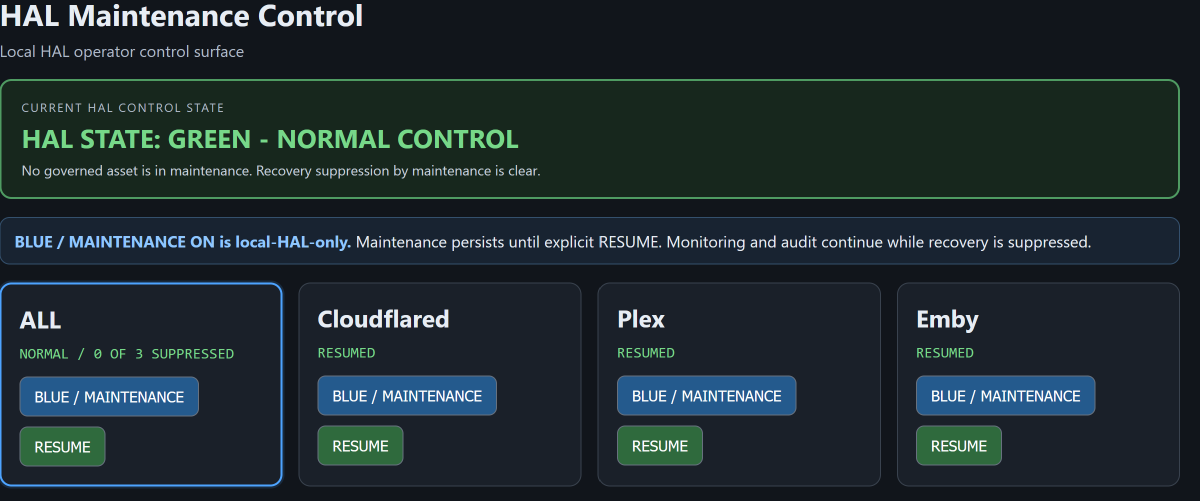
I’ve been building a pretty ambitious home media/server monitoring and recovery system around Emby, Plex, Cloudflare, and the rest of my home infrastructure. The goal is simple: if something important goes down while I’m away, the system should be able to recognize what actually failed, avoid making the problem worse, recover the right thing automatically when it’s safe to do so, and leave a clear record of what happened. Cloudflare is also a significant part of the design. I know there has been a lot of discussion lately about whether Cloudflare is still a practical option for home media environments. Without getting into the nuts and bolts of my implementation, I can say that I’m actively using it as part of a secure remote-access architecture and have been deliberately testing not only normal operation, but failure and recovery behavior as well. It’s grown into a lot more than a dashboard. I now have health monitoring, service checks, dependency awareness, controlled automatic recovery, startup protection, failure history, and safeguards to keep one bad recovery attempt from taking down everything else. One of the more interesting recent tests started with Plex acting strangely after a reboot. Plex eventually recovered on its own, but the recovery system exposed a completely different hidden problem: one stuck recovery attempt could block recovery for another service. That led to redesigning the recovery layer so each service is handled independently, with its own limits and safety rules. I’m also documenting the whole thing as I go so it can be rebuilt from scratch years from now instead of becoming one of those “only the guy who built it understands it” projects. It’s still very much unfinished, but it’s now at the point where I can deliberately break parts of the system, watch it determine what actually failed, recover what it should, refuse what it shouldn’t, and prove afterward what happened. I am also in the middle of building the API that will work hand and hand with my control panel to visually inspect and repair IF the automation should fail its checks and balances. For a home media setup, it has gotten a little ridiculous. And I’m having way too much fun with it. There are a few control panel elements, not the entire panel, that i am willing to share for now. I now completely understand what the developers go thru to deliver an application with little to no bugs every update that is released. 100's and 100's of man hours have been put into this and probably 100s and 100s more before everything i Invision is implemented. See guys i didn't go away, i took a break and have come back with a little project i've been working on.

-
 GiordanoMedia started following Emby on Roku crashing
 - Today
-
What was on the gray screen?
-
Hi there, please attach the Emby server log from when the problem occurred: How to Report a Problem Thanks!
-
Just started today, Emby works fine on Fire TV, but Roku Emby crashes aftercwrlcome screen. Similar problem was mentioned in the forum in Oct, any ideas?
-
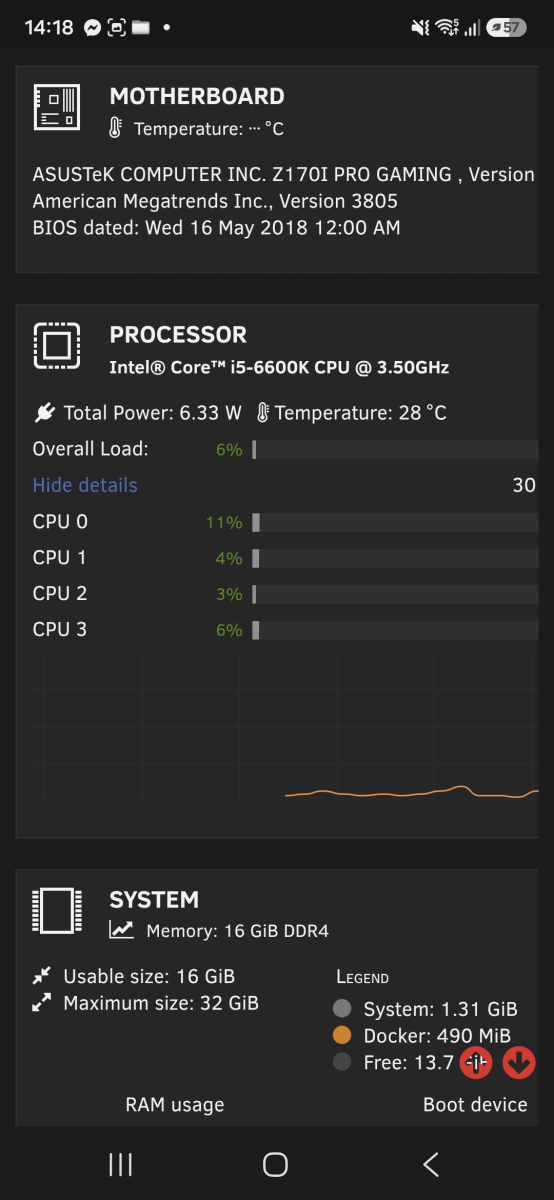
Hi All I have been using unraid and emby now for about 20 days now. I had only just released I have been software transcoding. I had installed the Intel app however I hadn't set this in the docker. Once I set this to hardware my 4k movie doesn't start or takes forever. I know it's an old pc but it works fine for my 6 uses. I thought switching to hardware would be better but it is not.
-

HLS transcoding for Apple's native player: fMP4 segments, and an HDR + SDR variant pair
vdatanet replied to vdatanet's topic in Developer API
There's a preview version on the App Store with Jellyfin support only. I'm still working on the app, but for now I've disabled Emby support until this bug is fixed. https://apps.apple.com/app/id6777638751 -
Qll All local. I lock the connection on each individual read and write. It's all created inside emby, no copying. I'll run that check. Thanks.
-
It sat with a grey screen for 5 minutes until I force closed it, then I saw the java io error in the app log. Tried it again later and it did load to the hone screen, but it was very slow. This is one of the main reasons I can't use the app, as it is too slow to load and unreliable. Does the app not use the same connection methodology as the ATV app? If not, why not?
-

HLS transcoding for Apple's native player: fMP4 segments, and an HDR + SDR variant pair
AJV20 replied to vdatanet's topic in Developer API
is there a testflight for this new app? -
What's the current state of the MVP vs Native Player in the AppleTV Client
vdatanet replied to Lostboy66's topic in Apple TV
It's not a player problem, it's a server problem. -

Automatic in Playlists replacement if file got changed
Jägs replied to Julian21's topic in Feature Requests
FWIW, I requested something similar years ago: It's one of the main things I miss about Subsonic, so I've not really rebuilt my playlists so much as I keep the originals around until this behavior—simply removing the files—changes. -
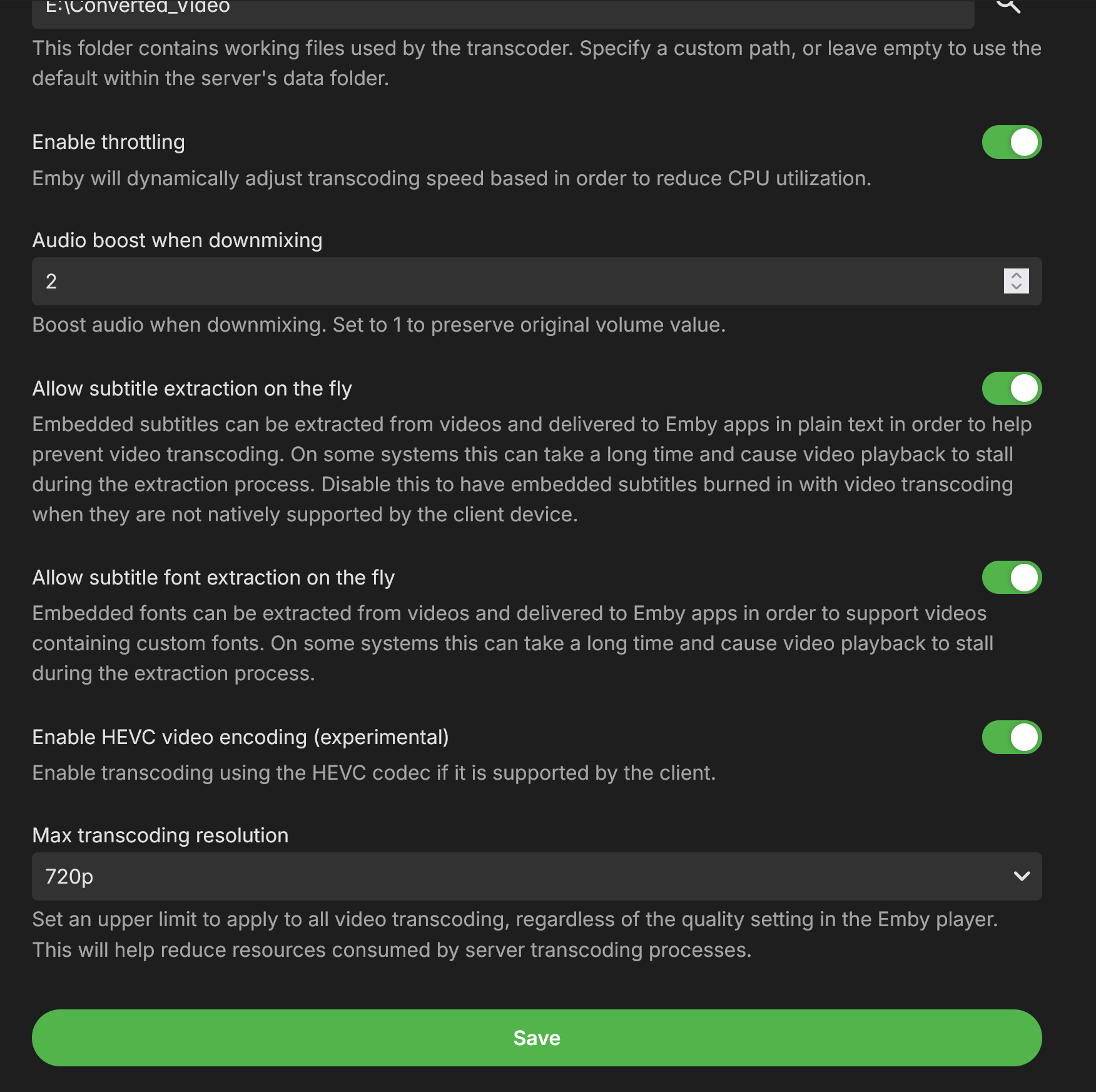
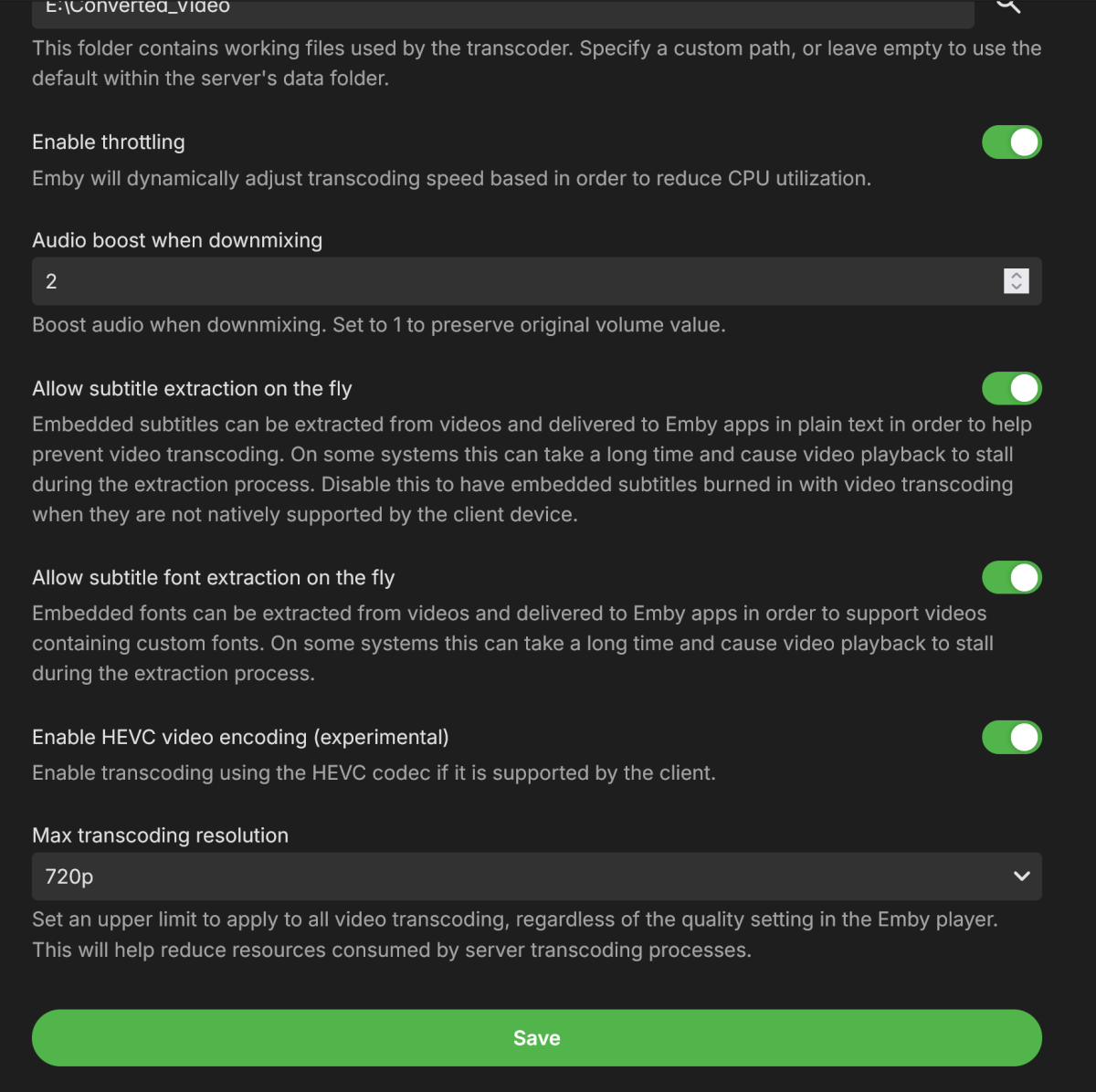
Seems to work now. But isnt this still a bug? It shouldn't crash. This is a windows box to answer the other comment. Im not sure I love the text "this can take a long time and cause video playback to stall...." whats dumber? IS that is what was happening... WITH this OFF.
-

TV Show Status — TMDB-powered Returning/Ended/Cancelled badges for series
Blueskies278 replied to Blueskies278's topic in Plugins
Update: I've done most of the core work, and it's looking promising so far. I'm trying to implement the logic for when all TV show episodes have aired: it will automatically change from Next Airing to Complete. Once all episodes have been watched, it defaults back to Returning - Last Aired, or Cancelled / Ended. This is going to be a tough one to crack. -

4K HEVC shows as 1080p, think I can't find any setup to fix?
yocker replied to PeteGul's topic in Android
Try turning off match resolution. Some movies are in resolutions like for example 3840x1600 (amongst others) some TVs and AVRs don't recognize those resolutions and scale down to 1080p to be able to view them. Turning off match resolution will keep the TV in 4K and show the movies in that instead. Turning off the option can introduce a slight judder when watching 1080p and below videos though. @LukeMaybe an option to automatically turn it on at specific video resolutions could be made? -
2.0.8.0 Update app icon Add group by to collection screen Show resume button if next up episode is resumable Improve video playback error handling Support A-Z picker on list screens Fix remove from resume context menu option Various subtitle rendering fixes Subtitle font fixes Improve logo display on detail screen Fix various mpv crashes
-
Emby for Apple TV Released Changes 2.0.8.0 Update app icon Add group by to collection screen Show resume button if next up episode is resumable Improve video playback error handling Support A-Z picker on list screens Fix remove from resume context menu option
-
- 1
-

-

4K HEVC shows as 1080p, think I can't find any setup to fix?
Luke replied to PeteGul's topic in Android
Hi, can you please provide an app log? Thanks. -

What's the current state of the MVP vs Native Player in the AppleTV Client
Deihmos replied to Lostboy66's topic in Apple TV
I was contemplating remuxing my videos to MP4 format for compatibility with Apple TV, but every movie I attempted this with encountered playback issues. The audio would abruptly cut out for a few seconds when using the native player. Tested it just recently and had the same issue. Posted about it a while back. There are third-party apps like Plezy that work with Emby that plays back Atmos with MKV just fine. So, there must be something missing in the Emby player. -
Is the database on the local file system or on a network location? Are multiple processes accessing the db at the same time? Are you reading/writing at the same time? Did you copy the db file without copiying other files (like .wal or .shm)? From cli (or SQLite Studio), run "PRAGMA integrity_check;" on the DB
- Yesterday
-

4K HEVC shows as 1080p, think I can't find any setup to fix?
visproduction replied to PeteGul's topic in Android
Is 4K possible to play direct on your TV? I assume that works. So, is it just the playback info Display mode that does not list 4K? Is that the problem? Minimum 4K video is normally considered to be a height of 2160px. Your media copy height is 2076px. Therefore, it misses the height, normally considered to be 4K. This could have happened if the media top and bottom black bars were removed from an original 16:9 aspect ratio which would have been 3840 x 2160. I think that having 3840 width should be enough to qualify for 4K, but I suspect that the code looks only at the height to designate 4K, because that is the standard. Maybe these values can be tweaked so 4K 1.85 aspect ratio without black bars doesn't get recognized as Display mode 1080P. I have not looked at Emby's code, but typically 4K height 2160 is the minimum. Maybe media released in 4K is 2160 with black bars for movie content with aspect ratio higher than 1.78 (16:9). I have not checked all the blu-rays and online media standards for 4K. Media edit metadata, you can label it 4K if you wish just manually so 4K shows up on the media page. You can also put it in the file name after a dash.