All Activity
- Past hour
-
 Clayton77773 joined the community
 -
 Tomamango joined the community
 -

Remote Connections not working with Emby 4.10.0.40 Server Update
ebr replied to Bradum's topic in General/Windows
Hi. It is possible that during the update process your IP address changed. Can you confirm the address on the dashboard is correct? -
EMBY cause or consequence my files on hdd get corupted ?
ebr replied to David Patt's topic in General/Windows
Hi. Emby does not modify your media files. -
Whadap Uncle Frank! Looks sweet, us beta people will have to wait i guess. A quick question, the attached videofile is from desktop? Thanx!
-
 Abu Nasser joined the community
 -
 Dima_K joined the community
 -
Hi. What app is that? Can you show us the OSD and also a screenshot from exactly where you started playback?
-
Version: 4.10.0.31 If you have a tag exclusion in Parental Controls for a user and add the excluded tag to a channel the tv guide my expectation is that channel and its programs would be hidden from Live TV screens (Programs, Guide, Channels, Recordings, Schedule, Series). Encountered this issue doing a workaround for a dynamic media home section.
-
 Claraaaa joined the community
 -
 EliseGM joined the community
 -
 abdullah231 joined the community
 -
Minor point but Atmos is not an audio codec. It is metadata on top of one of a couple of different formats. So, there would need to be an Atmos specific filter as well.
-
 Livo joined the community
 -
Probably best discussed here:
-
 Oden_Kuz joined the community
 -
Hi, there's already an open request for this or something functionally equivalent. Please join in and contribute to the existing discussion at:
-
Guten Tag und schönen Sonntag wünsche ich allen. Habe seit einiger Zeit ein Problem wegen den Theme Plugins. Bei beiden Plugins, "Movie Theme Songs" und Movie Theme Videos" werden keine Treffer mehr erzielt. Hatte schon mit der EmbyServer Version 4.9.5.0 die letzte Zeit keine "theme.mp3" und keine "theme.mp4" / "theme.jpg" nun auch mit Version 4.10.0.40 keine Treffer. Kann das jemand bestätigen und das eventuell bitte gefixt werden ? Mit freundlichen Grüßen Anskar26
-

A request to Emby - please clarify the situation with the AndroidTv app
Uncle_Frank replied to ecrispy's topic in Android TV / Fire TV
Are you on TVH 4.2 or 4.3? running through 4.3 should look like Video.mp4 -

Moonfin, a new cross platform client
chrisrobbins1970 replied to bingbong69_'s topic in Third Party Apps
I am unable to get this work with Roku. Emby server and Roku on same network, but it won't discover the server from the Roku, tried using 192.168.0.x:8096.. nothing, tried http//:192.168.0.x:8096... nothing....all server not found .. -

Emby server/client - ReplayGain or R128 volume normalization support for music
dgrigo replied to Espen JQ's topic in Feature Requests
Well, After 10 years all I can say ... The future is here!!! - Today
-

Subtitle does not disappear from UI after deletion from the item detail page (file is physically deleted)
LeeTEMBY posted a topic in Linux
I'm running Emby Server 4.10.0.40 on Linux (fnOS, kernel 6.18.18, .NET 8.0.28), installed via Docker. I'd like to report a UI refresh issue when deleting a subtitle from the item detail page in Emby Web. Steps to reproduce: Open a movie or episode with an external subtitle file (e.g. Movie.zh-CN.srt) in Emby Web. Go to the item detail page and find the subtitle in the subtitle list. Click delete on that subtitle (using Emby's built-in subtitle delete function). The subtitle file is physically deleted from disk (verified on the server). The subtitle still appears in the subtitle list on the current page. The page does not refresh. Leave the detail page and re-enter it. The subtitle is now gone and the list is correct. -
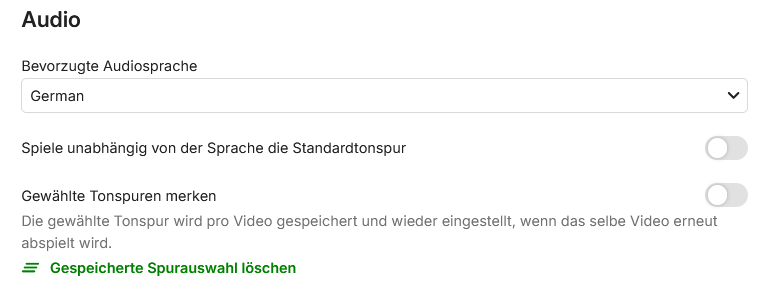
Hi, what help text do you mean? The one in grey underneat the "remember chosen track"? When disabling those options after your comment of Sept 6th I also used the link to clear all remembered chosen tracks. So this should then be eliminated and the next time the default track or forced german track should be chosen. But it isn't. Additionally I never chose turkish to be played. So there should never be something like that to be remembered. Or did you mean something else?
-

GPU acceleration - transcoding is not working properly
Hoedus replied to Hoedus's topic in General/Windows
Thanks for the feedback, but I don't have any issues locally—that's direct playback. I found a solution for external streams: the latest Nvidia driver + driver patch + modifying the cache duration in the encoding file. I can run eight 4K streams without any problems. -
There is no Random sort option for collections on the home screen. Collections are great for content discovery on the home screen and Random order would be really useful there. Random sort ordering is already available for Dynamic Media and Playlists (although missing for Single Playlists). Hopefully something that can be added?
-
- 1
-

-
Well, that feature request should probably be closed - because it's simply not reasonably feasible to stream-playback from an archive in any other way than for playing from the start. Depending on the archive format, locating the file and determining the relevant compressed stream may require reading archive metadata from other parts of the archive. More importantly, the decompressor may need substantial decoder state, such as a large compression dictionary, which can only be reconstructed by processing preceding compressed data.” And even worse: You cannot start decompression right in the middle of a file. Decompression depends on state and this state can only be established by starting decompression from the beginning. For example, when you have a single video file, e.g. 1.05 GB inside a zip archive of 1 GB size (trying to compress a video file with modern codecs gives just minimal savings in file size) and you want to access/extract a sequence of 10 MB in the middle of the video, for reconstructing those 10 MB, all the preceding 500 MB need to be downloaded first, and run through decompression (discarding the results) only to get into the state from which those 10 MB can be decompressed. In other words: No seeking for remote archives. Even for local archives, it can take a very long time to start playback at a specific position. The farther to the end, the worse it would be. For the WebStreams plugin, what's beeen under consideration is a download feature. In that context, it might be possible to allow it to download archives and automatically exctract the contents when downloaded, but at the moment it's just an idea.
-
-
I tried a clean install of the new version after uninstalling it and deleting the EmbyServer folder. It still hung up my NAS so I deleted everything and reinstalled the last version and I’m all working again. I’ll be interested to see if there is an issue or whether it’s just on my NAS.
-

HW transcoding stopped working after 4.9.3.0 update
solidsnakex37 replied to Reaper47's topic in Linux
I really thought it would be fixed in this latest stable but I guess not, glad I haven't upgraded yet. I'm still stuck on 4.9.1.90 -

Library is lost and must be rescanned if network shares aren't available at startup
displayname0504 posted a topic in Linux
This may be a niche case, but I had it happen twice in a night. After a power outage, (after battery backups were exhausted), everything came back up, but Emby was missing everything in the movie library. Despite reboots, I had to do a full library rescan. I also then had to fix all the library issues, (duplicates, mismatches), etc. Is there an option or feature to somehow detect if the whole library is missing and not just dump it? -
I have dm'd you sir
-
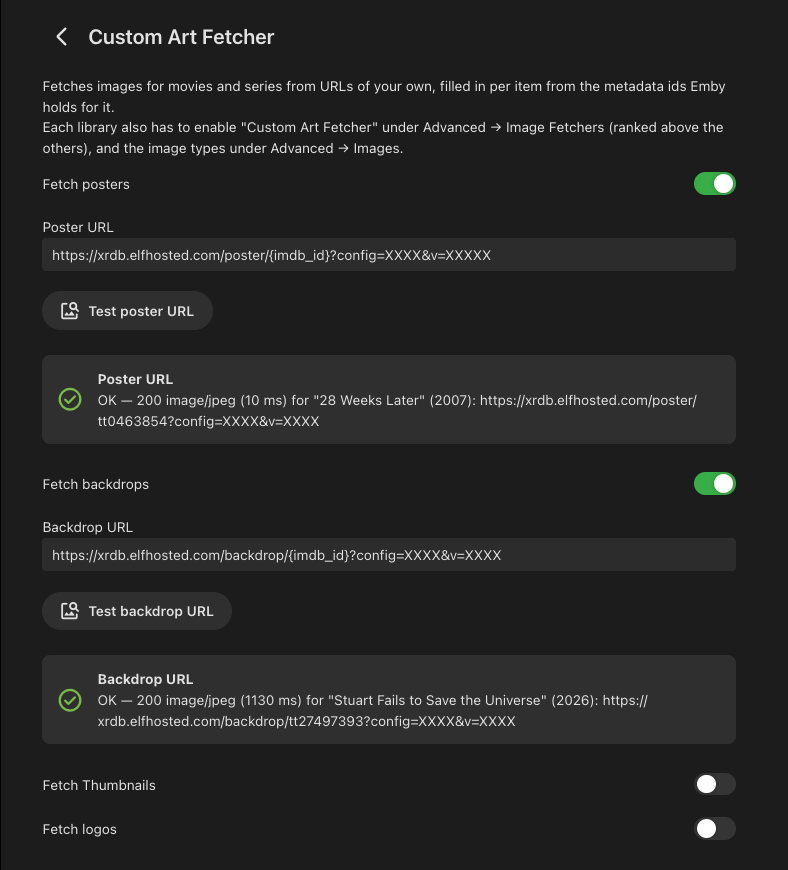
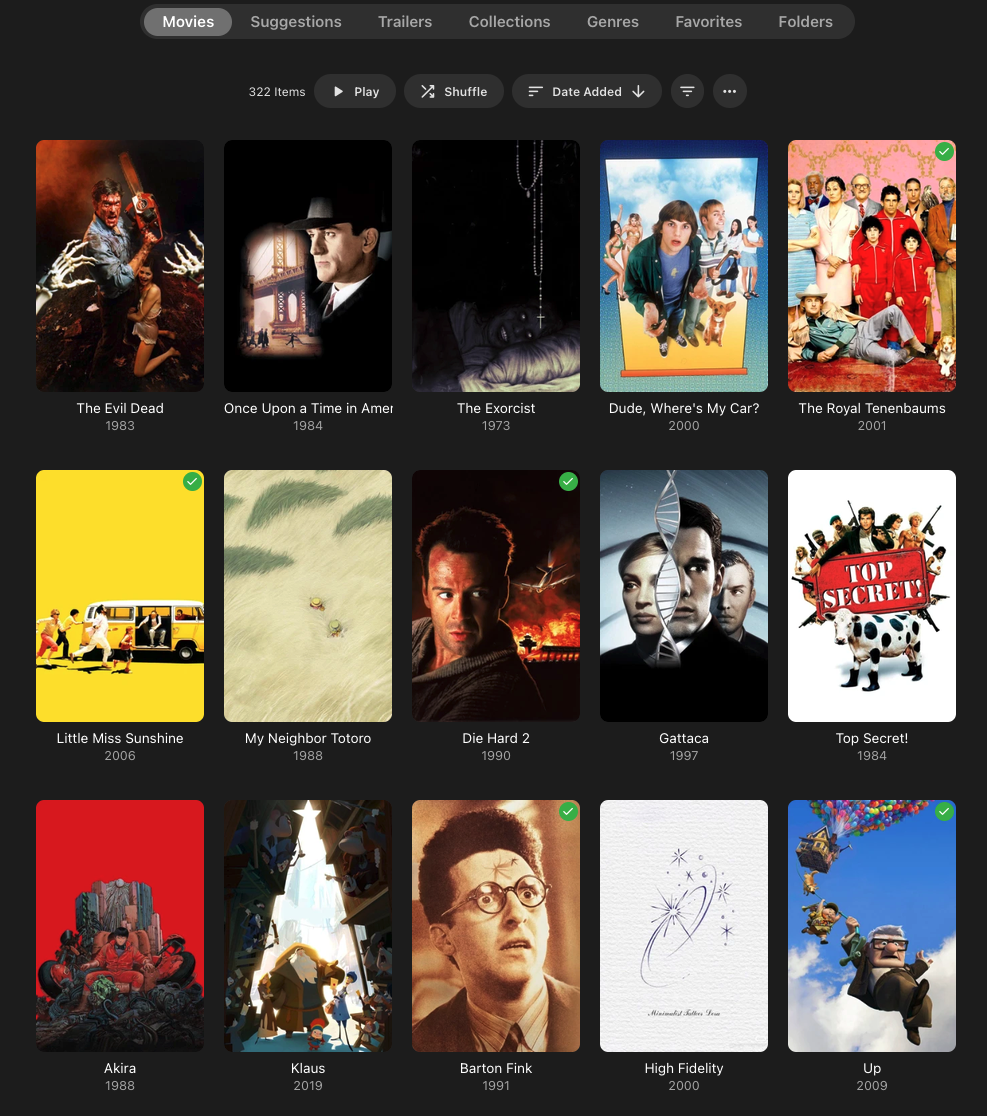
Emby Custom Art Provider https://github.com/barneacode/Emby.Plugin.CustomArtFetcher Pull artwork for your movies & series from custom URLs with support for placeholders. This plugin provides a way to use external (or self hosted) image providers such as BetterPosters (https://btttr.cc/), XRDB (https://xrdb.elfhosted.com/) and PostersPlus (https://postersplus.elfhosted.com/) for Posters, Backdrops, Logos and Thumbnails, allowing a vast set of customization options for these images - from textless posters (see below) to various tags and badges. It supports the following placeholders -{imdb_id} {tmdb_id} {tvdb_id} {tvmaze_id} {tvrage_id} {item_type} Disclaimer: This plugin was created by AI (Claude) with under my guidance, review and verification. If you are uncomfortable with that, feel free to skip this one. Settings: Textless posters:
-

TV Show Status — TMDB-powered Returning/Ended/Cancelled badges for series
Blueskies278 replied to Blueskies278's topic in Plugins
TV Show Status 2.5.135.0 Nothing you have saved changes — every setting keeps its name and default. New Include the season number on premiere and finale badges now governs every badge you see. It has always applied to the badges drawn into the artwork, which reach every client; from this release the web browser's Upcoming badges follow it too. Turn it on and a card reads "Season 4 Finale"; leave it off and artwork and browser both show plain "Season Finale". Until now the browser printed the number whatever the setting said, so with it off a thumbnail read "Season Premiere" while the Upcoming card beside it read "Season 2 Premiere". Refresh the Emby web page once so the browser picks up the new script Fixed A season finale that has already aired now keeps its season number on the badge. It was dropping back to plain "Season Finale" the moment the episode aired, because the number was being read from the show's next season, which no longer points at the one that just ended. This is the badge drawn into the artwork, so it affects every client Known limitation A badge change can take a while to show up in the Emby apps. The badge is drawn into the artwork on the server, and the app keeps showing the copy it has already cached until the server redraws the image and the app fetches it again. Nothing is wrong if it still looks the same shortly after an update — force-closing the app makes it drop its cached artwork and brings it forward, and a metadata refresh on the show does the same from the server end. Badges in a browser update as soon as the page is refreshed In the Emby apps, a premiere or finale badge appears on every Upcoming card of that show, not just the episode it refers to. Unaired episodes have no artwork of their own, so every card requests the same series image and the server cannot tell them apart. Only a browser can, which is why the per-episode badges are web-only To mark those episodes on TV and phone apps, the companion plugin Trakt Air Dates can put the words in front of the episode title instead EmbyTVShowStatus.dll TV-Show-Status-settings-2_5_135_0_2.pdf -
but noting that significant other emby customers prefer seprated Movies and TV Shows and not fused together.....................





.thumb.png.f4cb0545e98b51fd9b00e427622ab761.png)