All Activity
- Past hour
-
Thank you - list becomes 402 - SSPOPL - Sky Sports Premiere League (schedule references 502) 404 - SSPOCR - Sky Sports Cricket (schedule references 505) 406 - SSPOF1 - Sky Sports F1 (schedule references 507) 408 - SSPOAC - Sky Sports Action/NFL (schedule references 510) 417 - TNTSP3VM - BT Sports 3 (schedule references 529) The channel numbers issue I think is less important as users can match them manually. So I will refer the issue with the schedules for these first
-

Suggestion: Built-in Social Media Video Import (Instagram, etc.)
jackmoris436 posted a topic in Feature Requests
Hello Emby Team and Community, First of all, thank you for such a powerful and flexible media server. Emby has become an important part of how many of us manage and stream our personal content. I wanted to suggest a possible future feature that could make Emby even more useful for some users: This could work like a simple instagram downloader for public videos, focused only on personal and offline use. Many users discover short videos, reels, or clips on Instagram that they would like to keep for personal offline viewing or add to their local media collection (for example, educational clips, travel videos, or creative content). Currently, this usually requires third-party tools and manual steps. It would be great if Emby could offer something like: an optional tool or plugin to import public Instagram videos simple URL-based importing saved videos appearing directly in the media library full respect for platform rules and personal use only This would not be for redistribution, but only for private libraries and offline viewing, similar to how people already manage downloaded media files. I understand there may be technical and policy challenges, but I wanted to share the idea and see what others think. Maybe this could be implemented as a plugin rather than a core feature. Thanks for your time and for all the great work on Emby. Best regards, Jack Moris -
 苏苏睡醒了 joined the community
 -
 zhaorui joined the community
 -
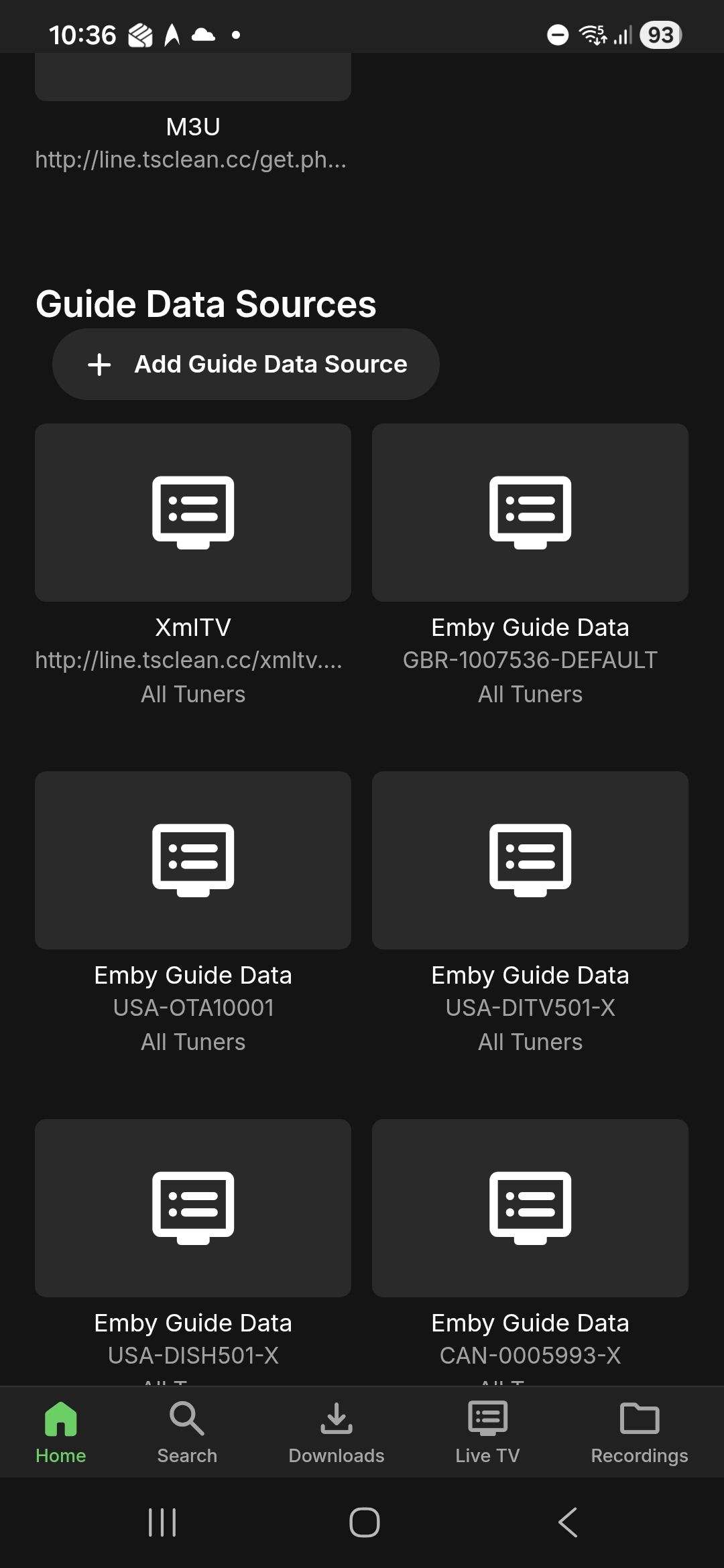
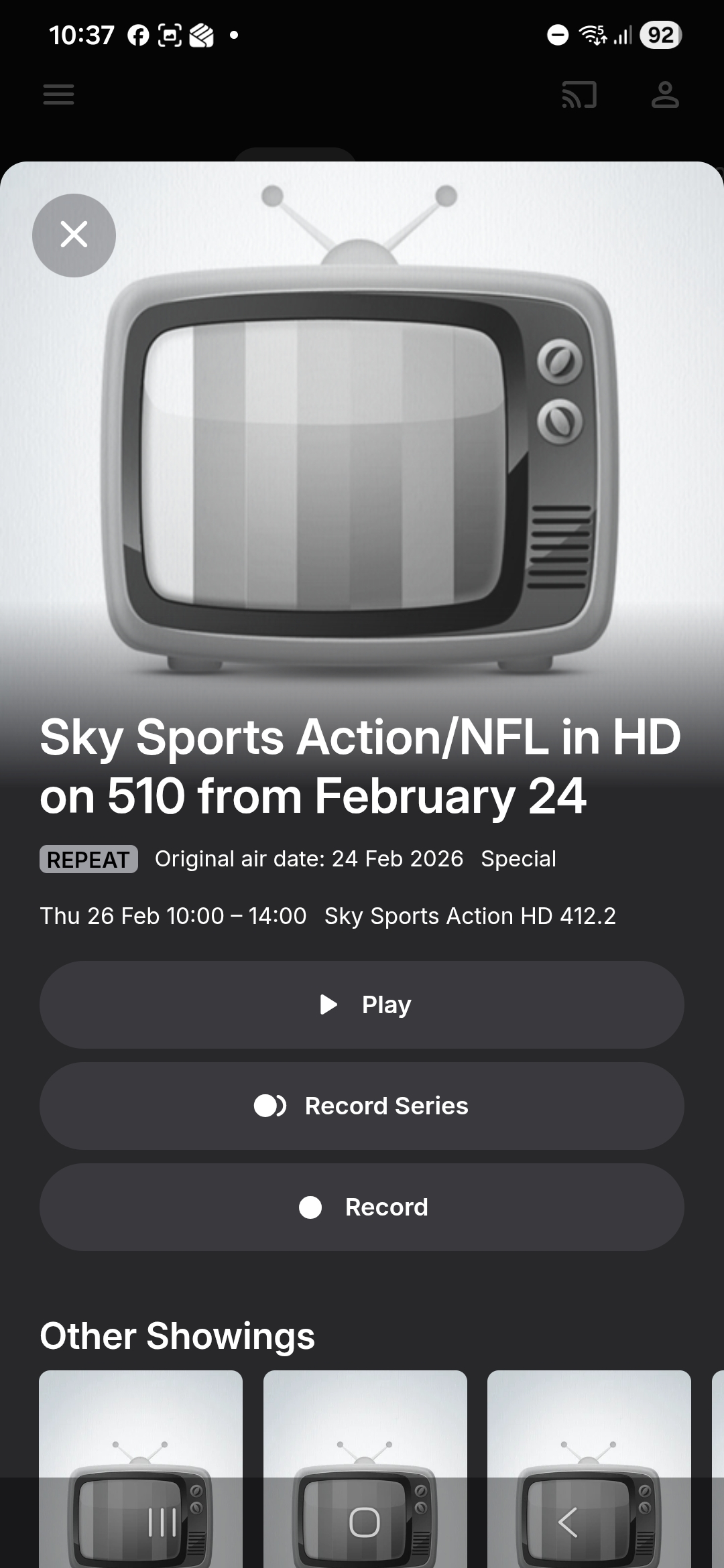
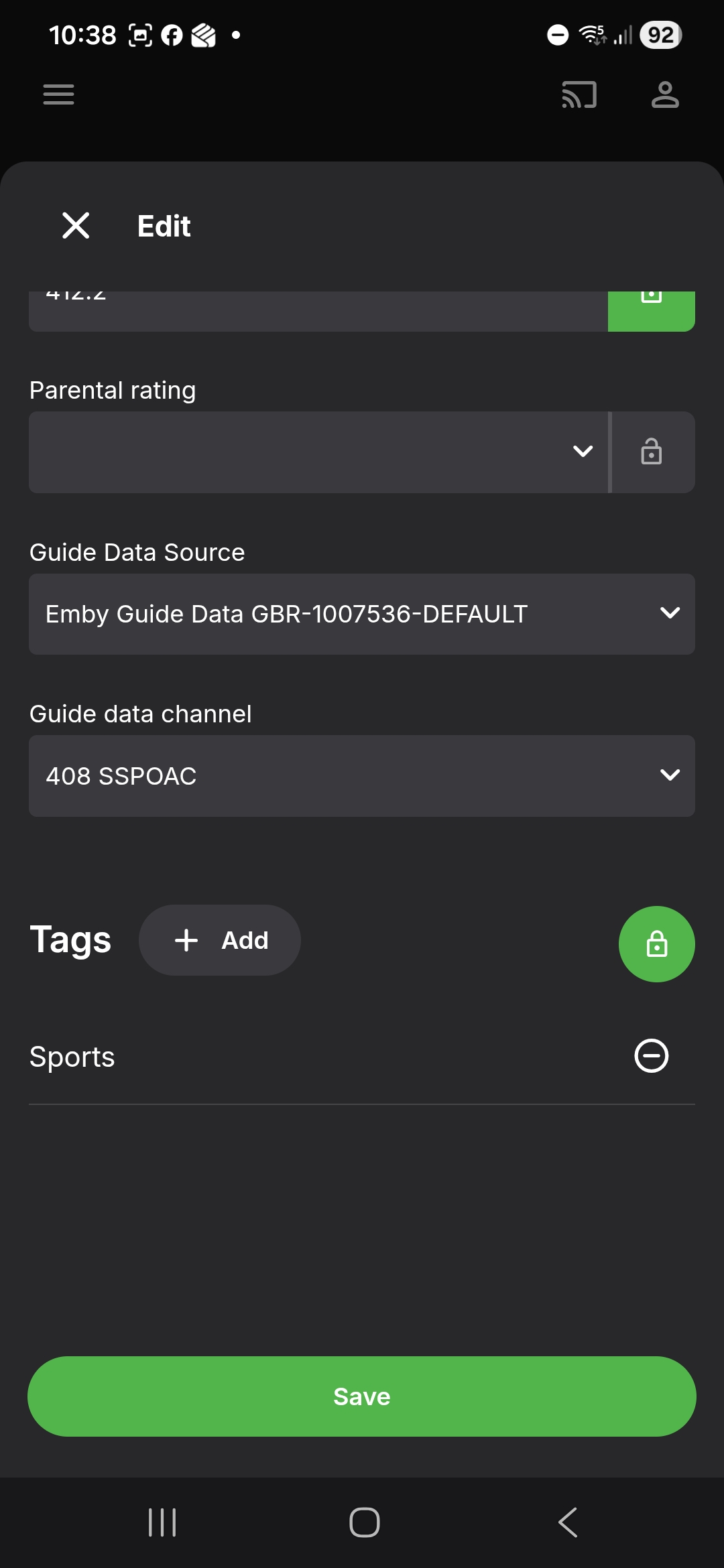
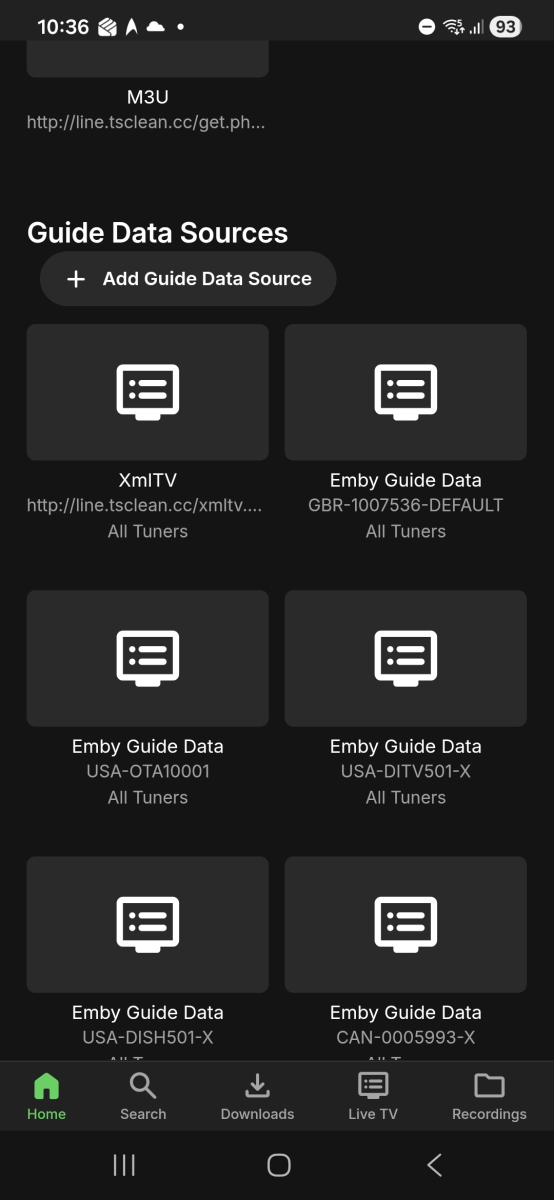
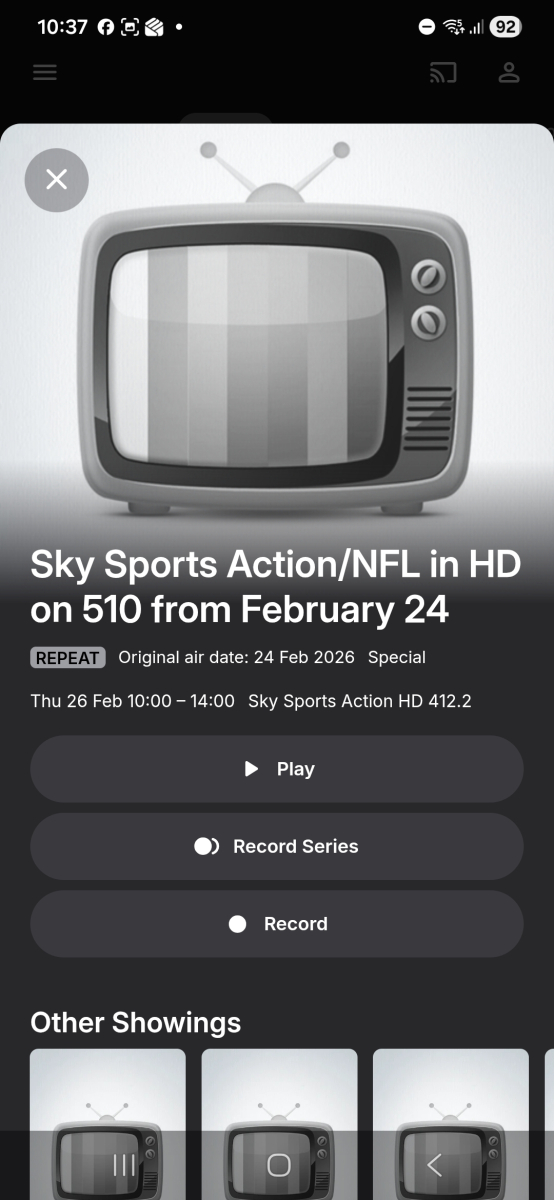
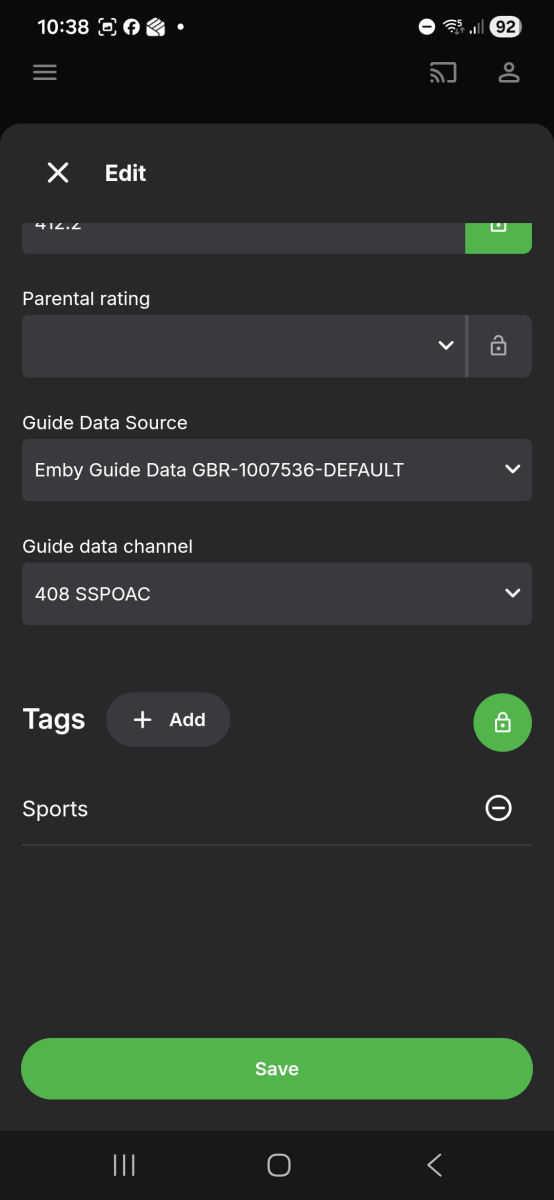
1st screenshot of tuner page 2nd screenshot of programme info 3rd screenshot: mapping
-
Hi @visproductionI have no idea if my family's Chromebook was recently updated. It is an Acer Chromebook bought from 3 years or so ago. The Emby app on Chromebook is the issue here and not Chrome browser. It plays fine in Chrome browser (MP3 or AAC). It is the Emby for Android app that is having audio issues for certain audio codecs. It does not convert it to a compatible audio codec when playing media in Emby app. I will check the troubleshooting guide when I have the time. Thanks for the info.
-
Because of the issues with channel numbers, I need to know the channel number for this in the lineup that you are using. So check your channel mapping and you can give me the channel number and how it appears on the screen when you map Also I need confirmation that your Sky Q lineup is the lineup with this ID: GBR-1007536-DEFAULT You can find the ID on the Server Settings for Live TV Setup tab screen So far I found these 402 - Sky Sports Premiere League (schedule references 502) 404 - Sky Sports Cricket (schedule references 505) 406 - Sky Sports F1 (schedule references 507) 417 - BT Sports 3 (schedule references 529)
-
 dxm37 joined the community
 -
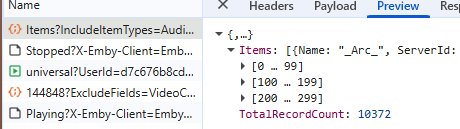
This one's a little difficult to explain. I have a library of 10k+ songs and when shuffling, only a portion of the items (given it's sorting) are played. My goal is to press shuffle, and have my complete library be shuffled, without the shuffled playlist being restricted by the current sorting. Reproduction is easy: 1. Go to Songs tab 2. Set sorting to title (arrow up) 3. Press shuffle Expected result Items are shuffled regardless of their title. Actual result Only items that have a higher sorting results (starting with numbers, special characters, etc) will be played. This can also be reproduced by sorting by year. 1. Go to Songs tab 2. Set sorting to year (most recent first) 3. Press shuffle Expected result Items are shuffled regardless of their year. Actual result Only items that have a "higher" year are played, older entries are completely skipped. --- Update Looking at the request, it seems like Emby filters the first 300 items when shuffling: XXXXX/emby/Users/XXXXX/Items?IncludeItemTypes=Audio&Fields=BasicSyncInfo%2CCanDelete%2CCanDownload%2CPrimaryImageAspectRatio%2CProductionYear%2CStatus%2CEndDate%2CCommunityRating%2COfficialRating%2CCriticRating&StartIndex=0&SortBy=SortName&SortOrder=Ascending&ParentId=109144&EnableImageTypes=Primary%2CBackdrop%2CThumb&ImageTypeLimit=1&Recursive=true&Limit=300&X-Emby-Client=Emby+Web&X-Emby-Device-Name=Google+Chrome+Windows&X-Emby-Device-Id=60ceb367-6fcb-4be3-bbea-025a12a39fc6&X-Emby-Client-Version=4.9.3.18&X-Emby-Token=XXXXX&X-Emby-Language=en Where "&SortBy=SortName&SortOrder=Ascending" seems to be the culprit. Replacing it with SortBy with "SortBy=Random&SortOrder=Ascending" or just simply selecting the Random sort, seems to resolve the issue. Conclusion Why has been decided to use the current sorting when pressing the Shuffle button. Shouldn't this ALWAYS SortBy=Random? What's the point of sorting at all when shuffling?
-
 xxgigixx joined the community
 -
 qlx joined the community
 -
 sxx8888 joined the community
 -
 Guru76 joined the community
 -
 Roy-1718 joined the community
 -
 朱师傅 joined the community
 -

embyforkodi (next-gen) 12.X.X support
geowill76 replied to quickmic's topic in Emby For Kodi Next Gen
Hi Quickmic I will try to get another log file to you tonight. Basically, with Bingie skin, if I hover over a movie, in this case it was 2 Fast 2 Furious, it should automatically play the trailer in a window after 3 seconds. I will get a log file of me going into the movie itself and pressing the Play Trailer button, which doesnt work, so it is captured in the log file to see what the problem could be. -
Does this only work with an external source list? I was hoping there would be a way to dynamically control things based on keywords and other criteria, like building a VirtualTV channel. EDIT: I also have no idea how to get a Trakt API key? I assume I use the “new application” button, but then it wants redirect URIs and all sorts of other things I don't understand.
- Today
-
Hello eyecibus, ** This is an auto reply ** Please wait for someone from staff support or our members to reply to you. It's recommended to provide more info, as it explain in this thread: Thank you. Emby Team
-
I have run down the rabbit hole of others having the issue of "Scan Library Files" not adding new content not working, and I haven't found anything that works. I noticed the issue yesterday and remade the libraries after adding new content, and that worked. Today I added more and the 'Scan Library Files' isn't adding new content. I'm also not getting an error in the log file that I see. One thing that was present yesterday was a "Read Only" folder with a random name in the "Movies" directory. I could not delete it, so I moved all the movies to a new directory and redid the library. As I mentioned, that worked. I do not see any other directories or files like the one from yesterday. Is there a way to scan to see if Emby can read/write all the directories and files? I don't even know where to start looking to solve this issue. embyserver.txt
-
Already available in the beta version of the Android TV app. Hopefully we'll see it in an upcoming update to the standard Android app soon.
-
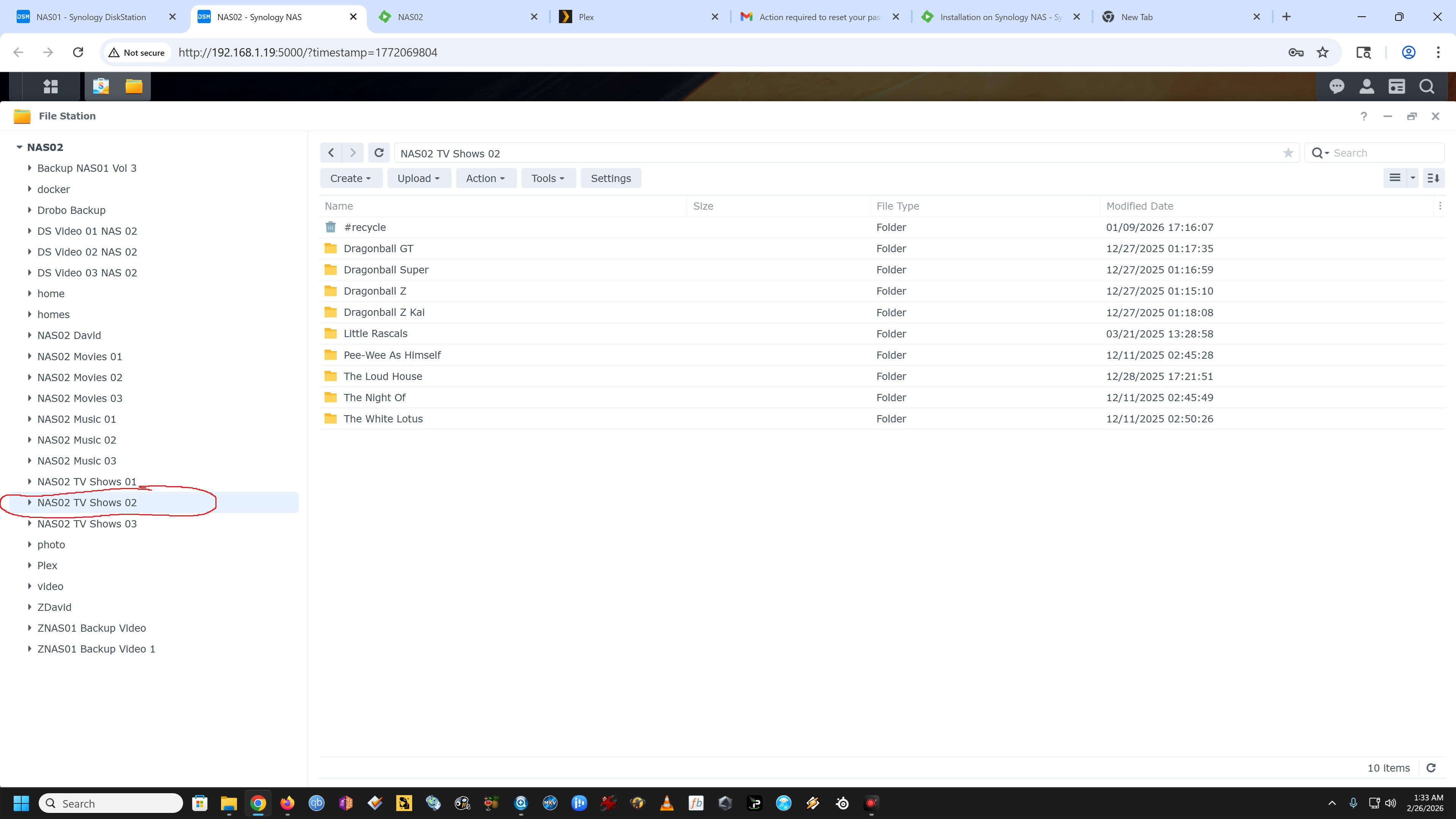
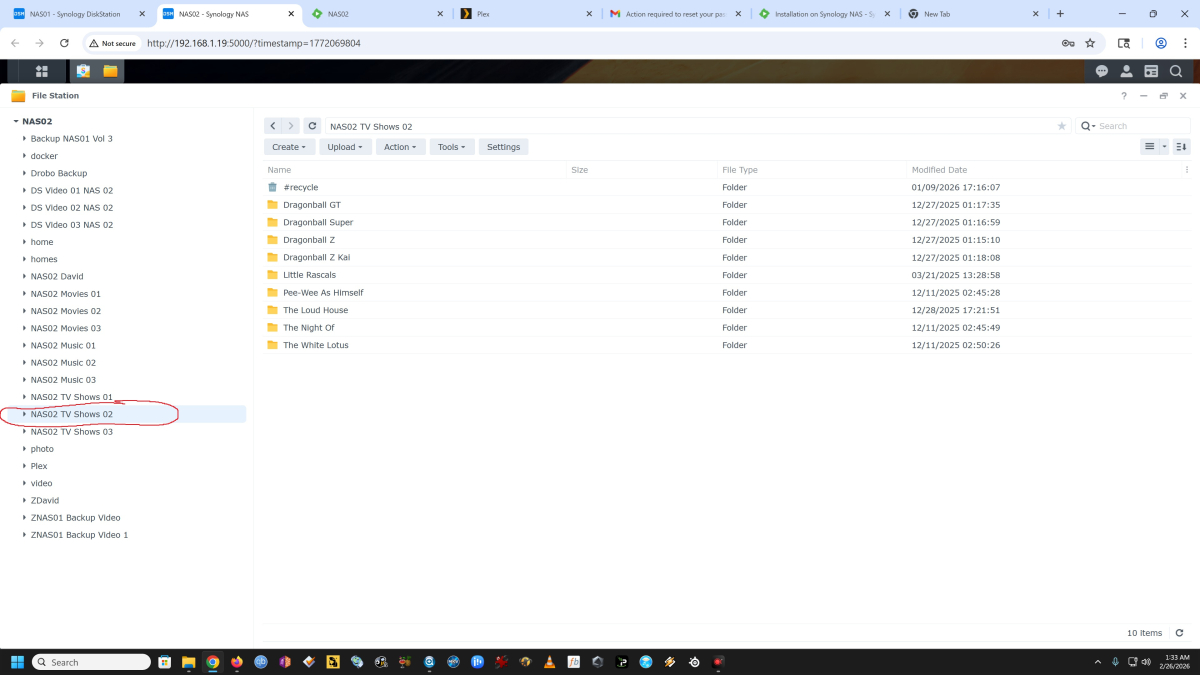
Yes, my folder for TV Shows. See image.
-
I just discovered "DYNAMIC MEDIA" in the "home section". It correctly displays tiles of the latest movies that scroll when I watch Emby on my PC, but on the other hand, on the Android phone or Android TV app: I don't have this display: can this be changed in a future update?
-
Yes, you could try that. I would see how the change in spin down time helps first. 5 minute spin down sounds a bit aggressive and more likely to contribute to high wear.
-

LDAP Authentication Issue: QNAP Active Directory - "Invalid username or password"
kayzer699 posted a topic in QNAP
Hello Emby Community, I am having trouble configuring the LDAP plugin on my QNAP NAS using the built-in Active Directory (Domain Controller). Despite various configuration attempts, I consistently receive the "Invalid username or password" error in Emby. Environment: Server: QNAP NAS (QTS 5.x) LDAP Source: QNAP Active Directory Controller User Status: The user (asli) can successfully log in to the QNAP Web UI. Application permissions (Desktop/File Station) are granted. Current LDAP Plugin Settings in Emby: LDAP Server Address: 127.0.0.1 (Also tried local IP) Port: 389 Bind DN: cn=administrator,cn=Users,dc=koken,dc=home Bind Credentials: (Verified admin password) User Search Base: dc=koken,dc=home User Search Filter: (sAMAccountName={0}) (Also tried (&(CN={0}))) The Issue: When I attempt to log in with the username asli, Emby returns an authentication error. I have tried logging in as asli and KOKEN\asli, but neither works. The user exists in the cn=Users container on the QNAP Domain Controller. I have already enabled "Allow LDAP authentication" in the Emby User settings. What could be missing in my DN syntax or search filter for a QNAP-based AD setup? Any help would be appreciated.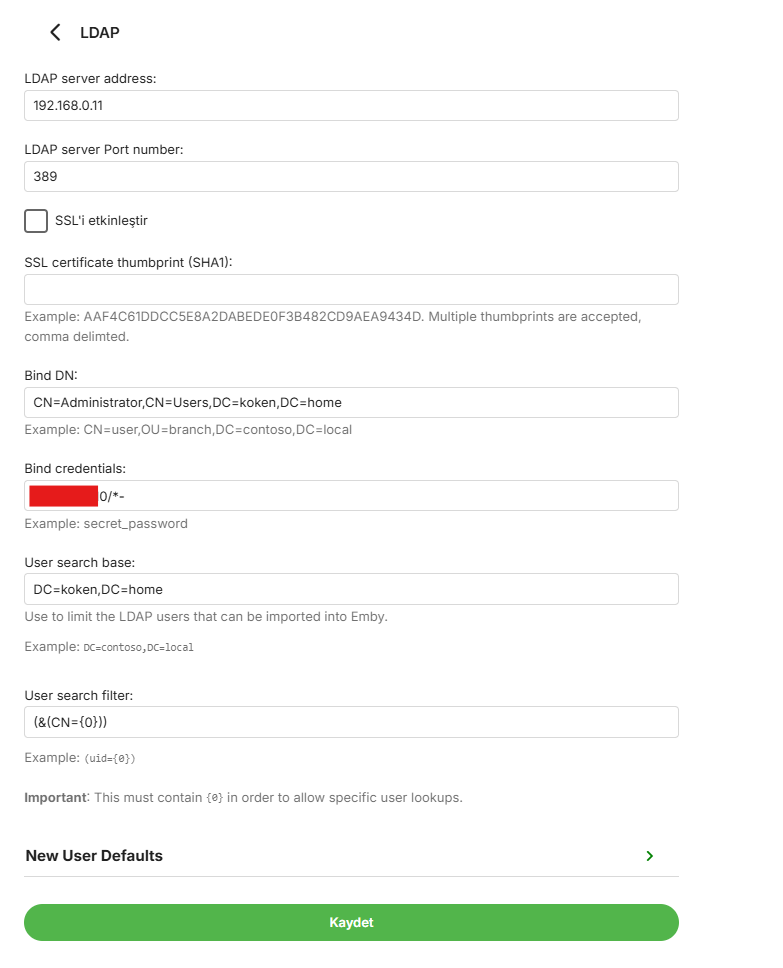
-
I know they are probably working on it, but another channel sky Sports Action referencing channel 510
-
It works perfectly on Emby 4.9.1.80; the problem isn't with our LG TVs, but with Emby itself—it's the server version or the LG app. Luke said a month ago that they were preparing a new server version that would fix this, so they're already implying that it's not a problem with LG TVs but with the Emby server. And no, we're not going to use third-party software to extract subtitles or change the format. That's why we're using Emby, so it can automatically manage all of that. I don't know about the others, but some of us have more than 5,000 files (mostly in original version with subtitles), and we're not going to do that one by one. This problem has been going on for two months now, and if a solution isn't offered, LG users will have to consider migrating to another platform, because this is a significant issue, and LG users keep experiencing playback problems.
-
so this is what the alert for "calculate statistics for all users" says when i click on it from the general settings page 26/02/2026, 01:38 Running time: 4 minutes and 35 seconds One or more errors occurred. (An error occurred while sending the request.) at System.Threading.Tasks.Task.ThrowIfExceptional(Boolean includeTaskCanceledExceptions) at System.Threading.Tasks.Task`1.get_Result() at statistics.Calculators.BaseCalculator..ctor(IUserManager userManager, ILibraryManager libraryManager, IUserDataManager userDataManager, IProviderManager providerManager, ILogger Logger, CancellationToken cancellationToken) at Statistics.Helpers.Calculator..ctor(IUserManager userManager, ILibraryManager libraryManager, IUserDataManager userDataManager, IFileSystem fileSystem, ILogger logger, IProviderManager providerManager, CancellationToken cancellationToken) at Statistics.ScheduledTasks.CalculateStatsTask.MediaBrowser.Model.Tasks.IScheduledTask.Execute(CancellationToken cancellationToken, IProgress`1 progress) at Emby.Server.Implementations.ScheduledTasks.ScheduledTaskWorker.ExecuteInternal(TaskOptions options) the alert for calculate tv shows says.... 26/02/2026, 01:36 Running time: 1 minute and 40 seconds One or more errors occurred. (The process cannot access the file 'C:\Users\NEOeclipse\AppData\Roaming\Emby-Server\programdata\cache\tvdb\74210\episodes-official-eng.json' because it is being used by another process.) at System.Threading.Tasks.Task.ThrowIfExceptional(Boolean includeTaskCanceledExceptions) at System.Threading.Tasks.Task`1.get_Result() at statistics.Calculators.BaseCalculator..ctor(IUserManager userManager, ILibraryManager libraryManager, IUserDataManager userDataManager, IProviderManager providerManager, ILogger Logger, CancellationToken cancellationToken) at Statistics.Helpers.ShowProgressCalculator..ctor(IUserManager userManager, ILibraryManager libraryManager, IUserDataManager userDataManager, IFileSystem fileSystem, IServerApplicationPaths serverApplicationPaths, ILogger logger, IJsonSerializer jsonSerializer, IProviderManager providerManager, CancellationToken cancellationToken) at statistics.ScheduledTasks.CalculateTVTask.MediaBrowser.Model.Tasks.IScheduledTask.Execute(CancellationToken cancellationToken, IProgress`1 progress) at Emby.Server.Implementations.ScheduledTasks.ScheduledTaskWorker.ExecuteInternal(TaskOptions options) the alert for calculate statistics all media library.... 26/02/2026, 01:35 Running time: 1 minute and 26 seconds One or more errors occurred. (The process cannot access the file 'C:\Users\NEOeclipse\AppData\Roaming\Emby-Server\programdata\cache\tvdb\79660\episodes-official-eng.json' because it is being used by another process.) at System.Threading.Tasks.Task.ThrowIfExceptional(Boolean includeTaskCanceledExceptions) at System.Threading.Tasks.Task`1.get_Result() at statistics.Calculators.BaseCalculator..ctor(IUserManager userManager, ILibraryManager libraryManager, IUserDataManager userDataManager, IProviderManager providerManager, ILogger Logger, CancellationToken cancellationToken) at Statistics.Helpers.Calculator..ctor(IUserManager userManager, ILibraryManager libraryManager, IUserDataManager userDataManager, IFileSystem fileSystem, ILogger logger, IProviderManager providerManager, CancellationToken cancellationToken) at Statistics.ScheduledTasks.CalculateMediaTask.MediaBrowser.Model.Tasks.IScheduledTask.Execute(CancellationToken cancellationToken, IProgress`1 progress) at Emby.Server.Implementations.ScheduledTasks.ScheduledTaskWorker.ExecuteInternal(TaskOptions options)
-

Premiere subscription request for already paid lifetime subscription
WingDog replied to WingDog's topic in General/Windows
Hello? I'm still facing this issue. It may not be very obvious, but the app isn't working for me and I definitely don't want to pay for a second subscription. -
as a matter of fact i just realized that everything statistic plugin wise fails for scheduled tasks, fails around 4% for calculating tv shows, users and stays at 0% for library media, then eventually says failed... i have chosen to not uninstall and re-install to see if it works is because i have several years of stats for all users on my server and i dont want to loose any of that... according to the statistics page the most recently added media was 24 days ago on feb 2
-

STRM files with HLS proxy - Windows app instant start/stop cycle, DirectPlayError fallback fails
Meeko replied to Meeko's topic in Windows & Xbox
Hi, Did you even read my first post? It's a detailed error description with logs and exactly what's happening. How could it be more detailed? -
Its a very old Readynas 1500, i should have replaced it long time ago. But hey, it still "works". I have changed the "Enable disk spin-down after" from 5 to 30 minutes of inactivity. Hopefully that helps. Maybe I need to have SSH open with top running while watching my next movie.
-
Seems like "fuzzy" searching was a dead end in opus, which is surprising because it does a million things so well. Google gave me some other suggested alternatives. Since the subject of this thread didn't work out for me, I'll give one or more of these a shot at some point. The fact that op's method works with emby itself without having to re-point/re-link possibly multiple folders depending on the setup, to another app all over again. So OP's seems pretty nice, but one of these might work out well enough, too (after doing the groundwork of pointing it where to look). . . . google suggestions . . . * dupeGuru: Free and open-source, it excels at finding similar filenames (even with typos or slightly different naming conventions) and allows customizing search criteria. It runs on Windows, macOS, and Linux. * AllDup: Highly versatile for finding duplicates on multiple drives or network shares. It offers options to search for similar file names, file extensions, and sizes. * UltraFinder: A robust tool that supports searching multiple drives, filtering by extension, and finding partial/similar name matches. * Puran Duplicate File Finder: A fast, free tool that can scan multiple drives and allows for specific file-type filtering. * Czkawka: A fast, multi-functional tool designed to find duplicates, including by name, on large drives. Key Features to Look For * Fuzzy Matching: Allows searching for "similar" titles (e.g., Image-01.jpg and Image01_final.jpg) rather than exact matches. * Filter by Extension: Limits results to specific file types (e.g., .txt, .mp4) to narrow down results. * Multi-Drive Scan: Capability to add multiple drives or folders in one scanning session.
-
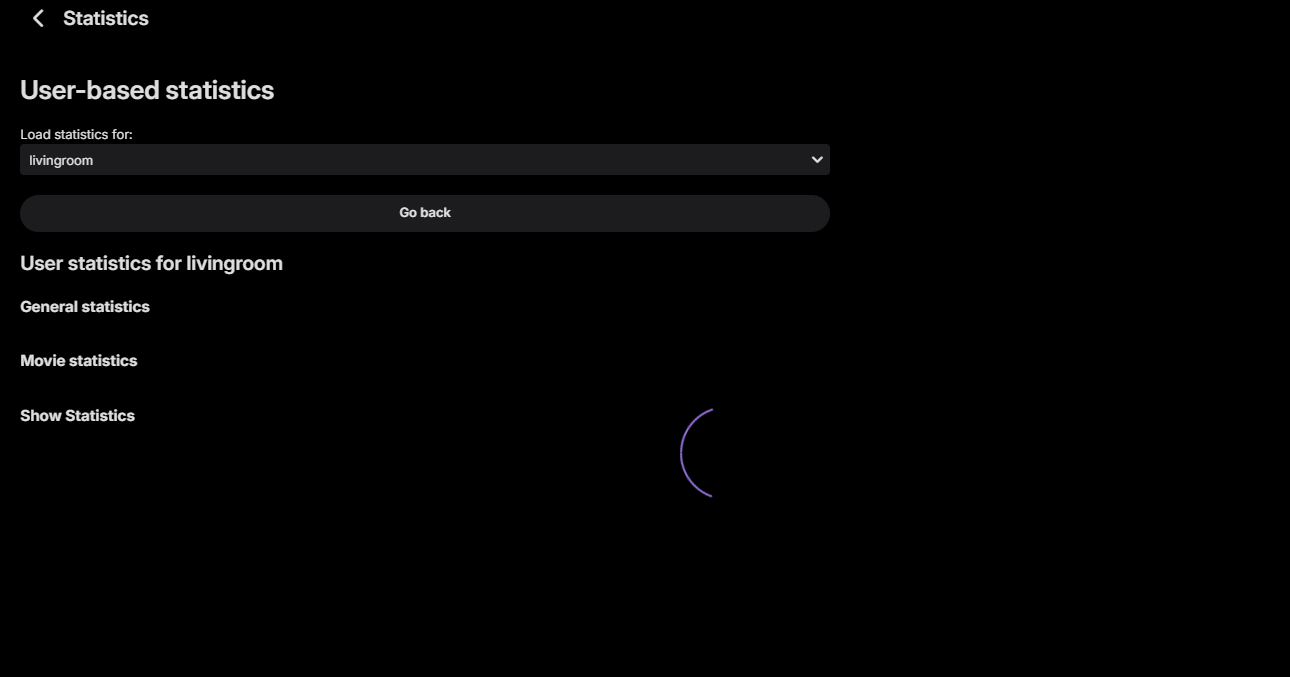
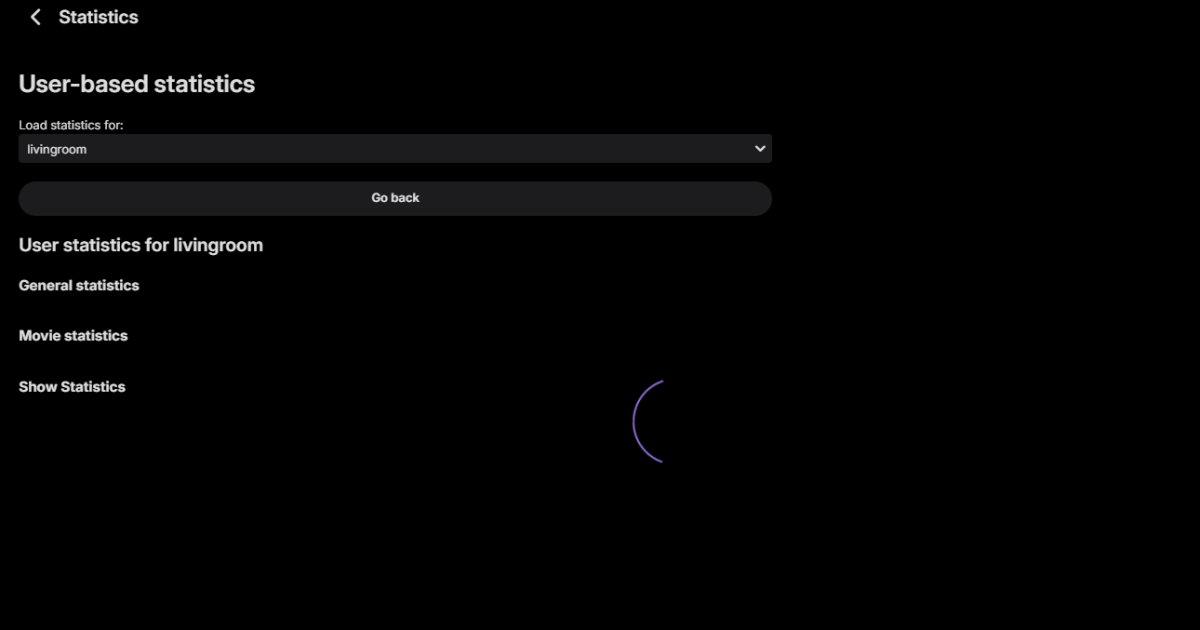
so i have an issue that has been happening for several months now for me, when i goto the statistics page and click on the link for User-based statistics it has no stats at all, just shows the categories and it acts like its loading up but just sits there empty with the loading circle thing no matter how long i leave it be. im on statistics 3.4.2.0 and emby 4.10.0.3 beta
-
As I stated before, they did not give me any useful answer. I tried a couple of times and they don't seem to know the answer. This evening I was troubleshooting on my laptop during a scheduled recording that started at 10:00pm and I was watching playback using OnnTV Emby app. On the laptop, looking at Emby dashboard, it indicated that the recording had failed so I played the recording as it was recording to the end of the program. While I was watching I noticed the dashboard display "Recording of CTV News - has failed on IONGMK" 2/25/26, 10:10 PM (IONGMK is the name of the server). It repeated this every minute. However, the recording/playback was flawless right to the end. Also, I have installed and experimented with Jellyfin, ChannelsDVR, and NextPVR and none of them have the issue - at least not that I noticed. Occasionally, they will hiccup but all and all are more reliable at recording. It's too bad because I prefer Emby interface, EPG setup, and so much more. I just need to recording to work reliably too.